1
EZDT4
EZDT2
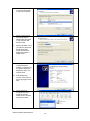
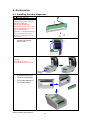
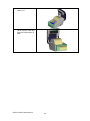
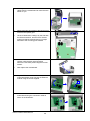
5.
Turn the
printer upside
down and
tighten the
screws to
secure the
label
dispenser.
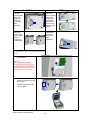
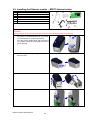
5.
Turn the
printer upside
down and
remove the
screw that
secures the
cover on the
bottom of the
printer.
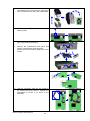
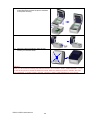
6.
Open the
cover on the
bottom of the
printer to
access the
motherboard.
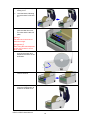
6.
Tighten the
screws to
secure the
label
dispenser.
【Note】
You can use a coin or screwdriver to open the
cover.
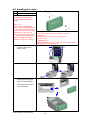
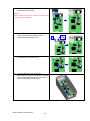
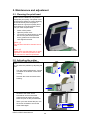
7.
Connect the cable to the
motherboard.
【Note】
The motherboard has two
connectors, one for the cutter
and the other for the dispenser.
Please make sure that you are
using the correct connector.
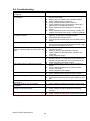
8.
Close the cover again
(EZDT2: and secure it with
the screw).
9.
Place the printer the right
way up again.
EZDT2 / EZDT4 User Manual
18