1
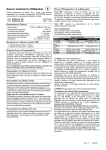
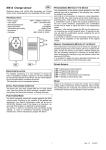
WiWeather Wireless Sensor
GB
Wind, Sun and Rain Wireless Sensor to be coupled with
STATEUROP electronic control units for the automation of
rolling window shutters and sun blinds.
- Mod. WiWeather 433 :
- Mod. WiWeather 868 :
433,92 MHz
868,3 MHz
TECHNICAL DATA
- Power supply:
- Working temperature:
- Working frequency:
- Sensitivity Anemometer:
- Sun Sensor Sensitivity:
- Packaging dimensions:
- Container:
230V~ 50/60Hz 3W max.
-10÷55°C
see model
5 ÷ 40 Km/h
5 ÷ 40 Klux
240x185x110 mm.
PC UL94V-0 ( IP54 )
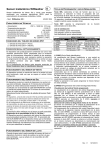
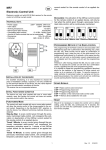
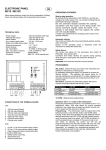
PROGRAMMING KEYS AND INDICATOR LED
SEL Key: selects the type of function to memorise, the choice
is indicated by the flashing of the LED. By repeatedly pressing
the key, it is possible to position oneself on the desired function. The selection remains active for 15 seconds, displayed by
the flashing LED, after which the control unit returns to the original status.
SET Key: carries out the programming of the function chosen
with the SEL key.
Indicator LED
LED on: option memorised.
LED off: option not memorised.
LED flashing: option selected.
CONNECTIONS OF THE CN1 TERMINAL BOARD
---------------------- MAIN MENU -----------------
1: 230V~ Line input (Phase).
2: 230V~ Line input (Neutral).
INITIAL FUNCTIONING CONDITION
The device can only work in conjunction with one or more
STATEUROP electronic control units prearranged for radio reception of information relating to the state of the sensors. For
the functioning, it will be necessary to carry out the programming operation of the Wireless Sensor on the control unit to
which it will be coupled (see par. “CODE Sending of Radio
Identifier” ).
In the default factory setting, each Wireless Sensor example
produced has a different identifier.
WIND SENSOR FUNCTIONING
The device will send to the control unit to which it has been
coupled, a closing control every time the set Wind threshold is
exceeded.
SUN SENSOR FUNCTIONING
The device will send to the control unit to which it has been
coupled, a downward control after 10 minutes of brightness
higher to the threshold selected by means of the VR1 trimmer
and displayed through the switching on of the SUN MONITOR
LED; it will send an upward control after 10 minutes of brightness lower than the selected threshold.
Regulation of sensitivity to the Sun ( 5 ÷ 40 Klux )
The device allows to regulate the intervention threshold due to
brightness, by means of the VR1 trimmer. The switching on of
the SUN MONITOR LED on the device indicates that the Sun
intensity exceeds the selected intervention threshold, in this
way we will have a reference to the current light conditions to
establish the desired one.
LED Reference
1) CODE
2) SPEED
3) WIND
4) SUN
5) RAIN
6) TEST
LED Off
Send RFID = OFF
Wind Safety 25 Km/h
Wind Safety = OFF
Sun Sensor = OFF
Rain Sensor = OFF
Test Sensors = OFF
LED On
Send RFID = ON
Pgm. Wind Safety
Wind Safety = ON
Sun Sensor = ON
Rain Sensor = ON
Test Sensors = ON
1) CODE (Sending of Radio Identifier)
The coupling of the Wireless Sensor to a control unit must be
carried out as follows: activate the Wireless Sensor programming procedure on the control unit (see control unit technical
manual), with the SEL key position yourself on the flashing of
the CODE LED and press the SET key for about 1-2 seconds:
at the same time, the Sensor will send an identifying code signalled by the flickering of the CODE MONITOR LED.
Check that in the coupled control unit there is confirmation of
the occurred Sensor programming (see control unit technical
manual). In this way, the Wireless Sensor is coupled to the
control unit and it will send to the same controls dependant
upon the meteorological conditions.
Repeat the operation in case the same Sensor is to be programmed on other control units.
2) SPEED (Programming of Wind Safety threshold)
Display of the programmed Wind threshold
The display of the wind Safety threshold selection is carried out
as follows: with the SEL key position yourself on SPEED LED,
the LED will start to double flash for the number of times equal
to the wind Safety threshold in the memory (to every double
flash of the SPEED LED corresponds an increase of 5 Km/h),
(example: 5 flashes of SPEED LED = 25 Km/h).
Selection of the wind Safety threshold from 5 to 40 Km/h
The sensor is supplied with the wind Safety intervention
threshold equal to 25 Km/h (SPEED OFF LED).
The programming of the wind Safety threshold selection is carried out as follows: with the SEL key position yourself on
SPEED LED and press the SET key to start the programming
procedure: at the same time, the SPEED LED will start to
double flash; (every double flash of the SPEED LED corresponds to an increase of 5 Km/h), once the desired threshold
has been reached, press the SET key; the selected value will
be memorised at the same time and the SPEED LED will remain on (example: 5 double flashes of SPEED LED = 25
Km/h).
It is possible to repeat the operation in case of an incorrect programming.
RAIN SENSOR FUNCTIONING
The device will send to the control unit to which it has been
coupled, an upward control as soon as the sensitive part of the
rain sensor is wet by water, signalled through the switching on
of the RAIN MONITOR LED.
1
Rev. 1.0
20/02/09
3) WIND (Wind Sensor ON/OFF)
Deactivation of the Wind Sensor
The device is supplied with the Wind Sensor enabled (WIND
ON LED).
The deactivation of the Wind Sensor can be carried out as follows: with the SEL key position yourself on the flashing of the
WIND LED and press the SET key for an instant: at the same
time, the WIND LED will switch off and the Wind Sensor deactivation will be complete. It is possible to repeat the operation
to activate the Wind Sensor.
4)
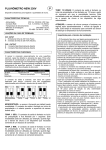
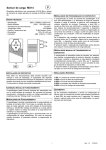
---------------------- LEDS MONITOR ----------------LED Reference
CODE MONITOR
WIND MONITOR
SUN MONITOR
RAIN MONITOR
LED Off
Info = OFF
Info = OFF
Info = OFF
Info = OFF
LED On
Info = ON
Info = ON
Info = ON
Info = ON
SUN (Sun Sensor ON/OFF)
Enabling the Sun Sensor
The device is supplied with the Sun Sensor disabled (SUN
OFF LED).
The enabling of the Sun Sensor can be carried out as follows:
with the SEL key position yourself on the flashing of the SUN
LED and press the SET key for an instant: at the same time,
the SUN LED will remain on and the Sun Sensor enabling will
be complete. It is possible to repeat the operation to disable
the Sun Sensor.
5)
The control unit presents four "monitor" indicator LED with
which it is possible to display the radio transmission of the information relating to each sensor.
RESET
In case it is necessary to reset the control unit default factory
configuration, press the SEL and SET keys together so that all
indicator LED switch on and off at the same time.
RAIN (Rain Sensor ON/OFF)
Deactivation of the Rain Sensor
The device is supplied with the Rain Sensor enabled (RAIN ON
LED).
The deactivation of the Rain Sensor can be carried out as follows: with the SEL key position yourself on the flashing of the
RAIN LED and press the SET key for an instant: at the same
time, the RAIN LED will switch off and the Rain Sensor deactivation will be complete. It is possible to repeat the operation to
activate the Rain Sensor.
6)
TEST (Test Sensors ON/OFF)
The device is supplied with the Wind - Sun - Rain Test Sensors
disabled (TEST OFF LED).
The activation of the Wind - Sun - Rain Test Sensors can be
carried out as follows: with the SEL key position yourself on the
flashing of the TEST LED and press the SET key for an instant:
at the same time, the TEST LED will switch on and the activation of the Wind - Sun - Rain Test Sensors will be complete. It
is possible to repeat the operation to disable the Test Sensors.
Anemometer Test: manually rotate the Anemometer blades
and, at the same time, the WIND MONITOR LED will switch
on, signalling the radio sending of the necessary information to
the previously configured coupled control unit (signalled by the
flickering of the CODE MONITOR LED), controlling the ascent
for 5 sec.
Sun Sensor Test: rotate VR1 trimmer as far as possible clockwise (in + position) and, at the same time, the SUN MONITOR
LED will switch on, signalling the radio sending of the necessary information to the previously configured coupled control
unit (signalled by the flickering of the CODE MONITOR LED),
controlling the descent for 5 sec. Rotate the VR1 trimmer VR1
anti-clockwise (in - position) and, at the same time, the SUN
MONITOR LED will switch off, signalling the radio sending of
the necessary information to the previously configured coupled
control unit (signalled by the flickering of the CODE MONITOR
LED), controlling the ascent for 5 sec.
Rain Sensor Test: wet the sensitive part of the Rain Sensor
and, at the same time, the RAIN MONITOR LED will switch
on, signalling the radio sending of the necessary information to
the previously configured coupled control unit (signalled by the
flickering of the CODE MONITOR LED), controlling the ascent
for 5 sec.
Completed the test, ensure to have dried the sensitive part of
the rain sensor before using the control unit in the normal functioning.
SENSORS MONITOR
2
Rev. 1.0
20/02/09
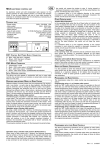
IMPORTANT FOR THE INSTALLER
IMPORTANT FOR THE INSTALLER
- The device must never be used by children or persons with
reduced physical-psychological abilities, unless supervised or
trained on the functioning and the use modalities.
- Do not allow children to play with the device.
- ATTENTION: keep this instruction manual and respect the
important safety prescriptions contained herein. The non compliance with the prescriptions may cause damages and serious accidents.
- Frequently examine the plant to detect any signs of damaging. Do not use the device if a repair intervention is necessary.
- The device must be permanently connected to the power
supply network and not have any type of sectioning device of
the 230Vac electric line, it will therefore be under the care of
the installer, to provide the plant with a sectioning device. It is
necessary to install a single-phase switch with over-voltage
category III. It must be positioned so as to be protected
against accidental closures.
- For connections (power supply), use flexible cables under insulating sheath in harmonised polychloroprene (H05RN-F)
with minimum section of the conductors equal to 0.75 mm2
- The connection cables must be fixed by assembling cable
clamps supplied with the product.
- The device, at the time of installing, must be carefully managed, ensuring to have assembled
the composing parts correctly. Pay particular attention to
the ceramic plate and to the connecting flat. When re-closing
the box, the latter must fold, on itself, in an orderly manner.
It is very important to establish the exact location so that
the product is exposed to the same atmospheric agents as
when it is controlled.
- Ensure that the device remains inclined at about 45 degrees (fixing area at top, round extremity of the box at bottom).
- Do not paint or varnish the sensitive surface of the control
unit.
- The dirt which builds up on the rain sensor surface limits
the sensitivity: it is therefore recommended to clean it once or
twice a year with a damp cloth, after having disconnected the
automation.
− For a correct functioning, it is recommended to always use
only one device for one or more control units installed in an
action range of 20 meters.
− Always carry out the tests of the sensors to ensure the correct functioning of the installed system.
Attention
All operations which require the opening of the casing (cables
connection, programming, etc.) must be carried out by expert
personnel during installation. For any further operation which
requires the casing to be re-opened (re-programming, repair or
installation amendments) contact the after-sales assistance.
STATEUROP declares that the products:
WiWeather 443 - 868
are in compliance with the specifics of R&TTE
99/5/EC, EMC 2004/108/EC, LVD 2006/95/EC Directives.
3
Rev. 1.0
20/02/09