1
EN
DATA TRANSMISSION
CLOCK
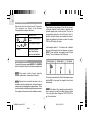
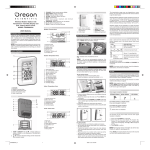
Data is sent from the sensor(s) every 78 seconds.
The reception icon shown in the Outdoor
Temperature Area shows the status.
ICON
DESCRIPTION
Main unit is searching for
sensor.
Sensor signal is steady.
--- shows
The sensor cannot be
found. Search for the
sensor or check batteries.
This product has two displays: Clock with day of week
in German, English, French, Italian, or Spanish, and
Calendar display with month and date. The time is
automatically updated by the US Atomic Clock in
Boulder, Colorado unless you disable this feature.
Signals are collected by the main unit when it is within
1500 km (932 miles) of a signal.
Initial reception takes 2 - 10 minutes, and is initiated
when you first setup the unit, and whenever you press
RESET. Once complete, the reception icon will stop
blinking. The icon is shown in the Clock Area.
SEARCH FOR SENSOR
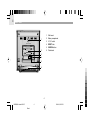
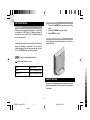
To search for the sensor, press SEARCH . The SEARCH
button is located in the main unit battery compartment.
NOTE If the sensor is still not found, check the
batteries, obstructions, and remote unit location.
To force a manual search for Atomic Clock signals, press
and hold UP for 2 seconds. If no signal is found, check
the batteries.
NOTE Signals from household devices such as
doorbells, electronic garage doors, and home security
systems may cause temporary reception failure. This is
normal and does not affect general product performance.
The reception will resume once the interference ends.
NOTE If the Atomic Clock signal is received and the
hour is incorrect, use the "hour offset" feature to adjust
it to to the right value. Please see "SET CLOCK" on
pg. 9 for instructions.
8
RMR602A lab test R4 OP
8
Black
3/24/04, 8:52 PM