1
7
1.1
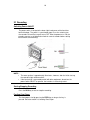
Front/Rear Panels: Functions and Display
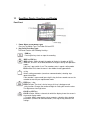
Front Panel
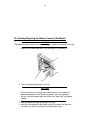
1. Power Switch (Push-Button Type)
Pressing The Switch Turns The Power ON and OFF.
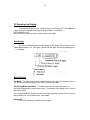
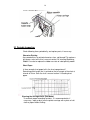
2. Key Panel (Push Key Type)
The Panel Contains the Following five Keys:
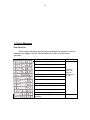
RCD key
Pressing the key starts or stops the recording.
DISP key ESC key
DISP function: Cycles through the modes of display in the order of AUTO,
MANUAL, and OFF. Also selects between the regular settings and operation
modes.
If this key is pressed for 3 sec. The recorders enter in regular setting mode.
ESC function: Exits from the menu in the middle of setting procedures.
Key
Selects setting parameters (numeric or command codes) selecting step
upward circulation.
If the recorder is a pen model, pressing this key for three seconds causes the
recorder to enter the pen-replacement mode.
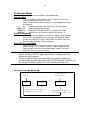
FEED key, key
FEED Function: The chart is fed as long as this key is being pressed.
Key function: Changes the number of digits for setting the numeric values.
The digit moves from high to low.
CH UP key ENT key
CH UP function: Selects a channel; for which the display shows the screen in
the manual display mode.
Function: Makes a parameter entry or executes a function after selecting
parameters (numerals or command codes.) Pressing the key executes the
settings.