1
Section 1 - Product Overview
Introduction
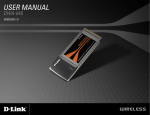
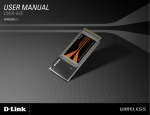
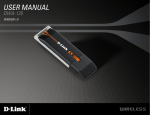
The D-Link Wireless N Notebook Adapter (DWA-645) is a 802.11n client device that delivers unrivaled wireless
performance for your notebook computer. With the DWA-645, you can add or upgrade your notebook’s wireless
connectivity without having to purchase a new notebook. Once connected, access your network’s high-speed Internet
connection while sharing photos, files, music, video, printers, and storage. Get a better Internet experience with a faster
wireless connection so you can enjoy digital phone calls, gaming, downloading, and video streaming.
Powered by Wireless N technology, the DWA-645 provides a faster wireless connection and superior reception than
802.11g*. The DWA-645 is designed for use in bigger homes and for those that demand higher networking. Maximize
wireless performance by connecting this notebook adapter to a Wireless N Router and stay connected from virtually
anywhere in the home. This notebook adapter supports WEP, WPA and WPA2 encryption to prevent outside intrusion
and protect your personal information from being exposed.
D-Link’s Quick Setup Wizard guides you step-by-step through the installation process. The D-Link Wireless Manager
is included with this product to keep track of all your most frequently accessed networks.
With unmatched wireless performance, reception, and security protection, the D-Link Wireless N Notebook Adapter
(DWA-645) is the best choice for easily adding or upgrading wireless connectivity to your notebook computer.
* Maximum wireless signal rate derived from IEEE Standard 802.11g and 802.11n specifications. Actual data throughput will vary. Network conditions
and environmental factors, including volume of network traffic, building materials and construction, and network overhead, lower actual data throughput
rate. Environmental conditions will adversely affect wireless signal range.
** All devices in the wireless network must be enabled with D-Link Wireless N Technology
D-Link DWA-645 User Manual
4