1
2.2 Precautions
Caution: This unit is water resistant but not water proof. Do not submerse in water. When
installing the battery, make sure the gasket is properly seated (see battery installation
instructions). Avoid leaving out in the rain.
Caution: Keep away from strong magnetic forces, which can destroy the compass.
Caution: Do not drop or apply excessive force to the LCD display. When replacing the
battery, apply force to the outer ring.
Caution: Do not operate outside of the specified temperature range (14 to 140 °F). Use
your body warmth to keep within the low temperature range.
Note: Do not use a magnetized CR2032 battery, which can corrupt the compass
measurement.
Note: Do not use near strong magnetic or EMI forces (TVs, computers, electronics) which
can corrupt the compass measurement.
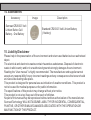
2.3 Installing the Battery
Rotate the back cover counter clockwise about 20°, then gently pry off the back cover with
your fingers, exposing the battery compartment.
Insert the CR2032 battery (+ side up), and close the back cover, insuring the gasket is
firmly seated in the housing trace.
To remove the battery, use a small pen or paperclip to pry the battery out of the battery
compartment.
To close the back cover, rotate the back cover clockwise until the back cover is completely
closed. The display should be powered up in the time and date mode, and ready for use.
2