1
Controls
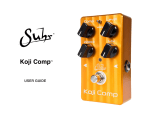
Comp
This controls the amount of compression to be applied to the guitar signal. Backing it off all the
way gives just a touch of compression on signal peaks, while turning the control clockwise gives
an increasing amount of signal ‘squash’. The compression threshold, the input signal level at
which compression begins to take effect, is sensitive to level variations like pickup output and
players picking strength, so certainly experiment with this control for your particular setup.
EQ
The EQ in the Diamond Compressor is not a typical boost/cut treble control. Instead, we’ve
implemented a ‘tilt’ style EQ first introduced in the 1970’s hi-fi market. The goal of this eq is to
provide subtle yet powerful spectral shifts in the overall frequency balance, not just a simple
dulling or brightening of the treble frequencies. You can think of the EQ as a spectral ‘see-saw’
with the balance point fixed at a mid range frequency. With the EQ in the center detent position,
the EQ is completely flat. Turning the EQ counterclockwise tips the balance of the ‘see-saw’ towards the low-end, with a gradual increase in lows moving out from the midrange balance point
toward the low end of the frequency spectrum and a simultaneous gradual decrease in highs
moving toward the high end. Clockwise past the detent position, the converse takes place, with
a gradual increase in highs moving out from the midrange balance point toward the high end
of the frequency spectrum and a simultaneous gradual decrease in lows moving toward the low
end. So, it works like a tone control, but it affects sound more musically.
Volume
This adjusts the overall output volume of the compressor. Once the relative levels of compression and EQ are set, this control can be used to adjust overall clean vs. effect levels.
Switches
On/Off (external)
This switches the pedal between bypass and in-circuit operation. A green color in the LED indicates that the pedal is on, while increasing levels of red mixed with the green indicates increasing levels of compression on the guitar signal.
EQ In/Out (internal)
This switch inserts or removes the tilt EQ circuit from the signal path. Although the EQ gives a
flat frequency response at the center detent position of its control, this switch is provided for
those who wish to bypass the EQ processing entirely. The switch can be accessed by removing
the back – it’s a small slide switch on the PC board labeled with In/Out or I and O depending on
the PC board vintage.
Hi-cut jumper (internal)
This jumper is factory set so that the 4.8 kHz hi-cut filter is not in the signal path. However, if
you use the compressor frequently in front of a high gain device like a distortion pedal, you may
want to enable the internal hi-cut filter by setting its jumper to the on position. This places a
4.8 kHz cutoff, 6 dB/octave lowpass filter between the tilt EQ and volume control. This will help
reduce any audible amplification of low level white noise by subsequent high gain stages without significant impact on the midrange band. The jumper is easy to set – with the pedal oriented
with the effect on-off switch at the bottom, first find the jumper located to the left of the EQ
slider switch, then move the jumper from the bottom and middle pins (hi-cut filter out) to the
middle and upper pins (hi-cut filter in).
2