1
SL102 Manual_Layout 1 05/10/2011 10:47 Page 1
SL102
Solar Power Meter &
Multimeter Operating Manual
Instruction Manual
Please read this manual before switching the unit on.
Important safety information
inside.
1
SL102 Manual_Layout 1 05/10/2011 10:47 Page 1
Contents
Page
Introduction . . . . . . . . . . . . . . . . . . . . . . . . . . . . . . . . . . . . . . . . . . . . . . 1
Safety Information . . . . . . . . . . . . . . . . . . . . . . . . . . . . . . . . . . . . . . 2-3
Input Limits & Features . . . . . . . . . . . . . . . . . . . . . . . . . . . . . . . . . . . . 4
Controls and Inputs . . . . . . . . . . . . . . . . . . . . . . . . . . . . . . . . . . . . . . . 5
Solar Power (Irradiance) Key Functions & Specifcations . . . . . . . . 6
Digital Multimeter Functioins . . . . . . . . . . . . . . . . . . . . . . . . . . . . . 7-8
Solar Power (Irradiance) Measurement . . . . . . . . . . . . . . . . . . . . . . 9
Digital Multimeter Measurement . . . . . . . . . . . . . . . . . . . . . . . . 10-12
Accessories & Maintenance . . . . . . . . . . . . . . . . . . . . . . . . . . . . . . . 13
Battery Replacement . . . . . . . . . . . . . . . . . . . . . . . . . . . . . . . . . . . . . 14
Thank you for purchasing a Di-Log Solar product
The SL102 Solar PV Meter has been purpose designed to meet the needs of the
solar PV installer.
The unique dual display facilitates the simultaneous measurement of irradiance
and voltage. The panel’s performance can be tested prior to installation.
1
SL102 Manual_Layout 1 05/10/2011 10:47 Page 2
Safety Information
This manual contains information that must be followed for operating the meter
safely and maintaining the meter in a safe operating condition. If this meter is not
used in the manner specified, the protection provided may be impaired.
Warning! Warns of potential danger, refer to the instruction manual to avoid
personal injury or damage to the meter.
Caution! Dangerous voltage. Danger of electrical shock.
Continuous double or reinforced insulation complies with IEC536, class 11
Symbol of conformity, confirms conformity with relevant EU directives. The
meter complies with EMC directives (89/336/EEC). Specifically standards
EN 50081-1 and EN 50082-1 as well as the Low Voltage Directive
(73/23/EEC) described in the standard EN 61010-1.
The meter has been designed in accordance with the safety regulations for
electronic measuring instruments, EN 61010-1, IEC 61010
Before using the meter check for physical damage to the casing in particular
around the connectors. If the case is damaged do not use the meter.
Voltages above 75V DC or 50V AC may constitute a serious shock hazard.
Befor using the meter check for physical damage to the casing in particular
around the connectors. If the case is damaged do not use the meter.
Check the test leads for damaged insulation or exposed metal.
Check the leads for continuity. Replace damaged leads with identical model or
specification before using the meter.
Where applicable use GS38 approved leads approved leads (not supplied) these
are available from Di-Log. When using test leads keep fingers behind the finger
guards.
2
SL102 Manual_Layout 1 05/10/2011 10:47 Page 3
Do not apply more than the rated voltage, as marked on the meter between the
terminals or between any terminal and ground.
Before making a measurement ensure that the rotary switch is set to the
appropriate range. Do not turn the rotary switch whilst making a measurement.
Use the appropriate terminals, function and range for your measurements. If the
value to be measured is not known use the maximum measurement position and
reduce the range step by step until a satisfactory reading is obtained.
Do not use or store the meter in an environment of high temperature, humidity,
fumes, vapour, gaseous, inflammable and strong magnetic fields.
The performance and safety of the use may be compromised in such
circumstance.
Disconnect circuit power and discharge all high voltage capacitors before testing
resistance, continuity, diodes, capacitance or current.
Replace the battery as soon as the low battery indicator appears. If the battery is
low the meter may give false readings.
Turn the meter power off when not in use. Remove the battery if the meter is not
in use for a long period. Constantly check the battery as it may have leaked. A
leaking battery will damage the meter.
The meter mahy only be opened by a qualified service technician for calibration
and repair.
3
SL102 Manual_Layout 1 05/10/2011 10:47 Page 4
Input Limits
Never apply voltage or current to the meter that exceeds the specified maximum:
Function
Maximum Input
V AC
V DC or V AC
mA DC
600V DC/AC
600V DC/AC, 200Vrms on 200mV range
200mA 250V fast acting fuse
(30 seconds max every 15 minutes)
250Vrms for 15sec max
Resistance
Continuity
Use extreme caution when working with high voltages.
Features
1. Sunlight (Irradiance) measurement up to 1999 W/m² or 634 BTU/(ft²*h).
2. High accuracy and rapid response.
3. Data HOLD function to hold measurement values.
4. Unit and sign display for easy reading.
5. Measuring unit selection W/m² or BTU/(ft²*h).
6. Manual scale selection.
7. Direct reading with no adjustments needed.
8. Maximum and minimum values.
9. Low battery indication.
10. Digital multimeter function making it easy to measure DC/AC voltage,
DC/AC current, resistance, continuity & diode test.
4
SL102 Manual_Layout 1 05/10/2011 10:47 Page 5
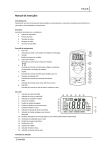
Controls & Inputs
1. Sunlight (Irradiance) Sensor.
2. Sunlight (Irradiance) zero adjust.
3. LCD (data, min/max, hold, w/m² or BTU(ft²*h), low battery, range.
4. MIN/MAX key (solar).
5. DATA HOLD key (solar).
6. Unit (w/m² or BTU/(ft²*h) selection key.
7. ON/OFF key (solar).
8. Function switch (Digital Multimeter).
9. 3½ digit (2000 count) LCD display for DMM functions.
10. Mode button.
11. COM input terminal.
12. Max hold key.
13. Data hold key.
14. V, Ω input terminal.
5
SL102 Manual_Layout 1 05/10/2011 10:47 Page 6
Solar Power (Irradiance) Key Functions
DATA HOLD Key:
Press the ‘HOLD’ button to go into hold mode. Appears on the screen to allow
you to read the data. Press this button once again to deactivate.
W/B Key:
Press the ‘W/B’ button to switch from BTU(ft²*h) to W/M².
ON/OFF Key:
Press the ‘ON/OFF’ key to turn the meter on.
MIN/MAX Key:
When you test in W/M² or BTU(ft²*h) press the ‘MIN/MAX’ button to display the
max or min reading values. Press the button for more than 1 second to switch off
‘MIN/MAX’ mode.
Solar Power (Irradiance) Specifications
Operating temp & RH:
5°C to 40°C, below 80%RH.
Storage temp & RH:
–10°C to 60°C, below 70%.
Display:
3–1/2 digits LCD with maximum reading 1999.
Sampling time:
Approx 0.25 second.
Resolution:
1 W/m²; 1 BTU/(ft²*h).
Accuracy:
Typically within ± 10 W/m²
[±3 BTU/(ft²*h) or ±5%, whichever
is the greater in sunlight; Additional
temperature induced error
±0.38 W/m²/°C.
Accuracy:
> ±3/year.
Over range
Display shows ‘OL’.
Range:
1999 W/m2, 634 BTU/(ft²*h).
Size:
162 (L)*74 (W)*43(H).
Weight (inc. batteries):
280g
6
SL102 Manual_Layout 1 05/10/2011 10:47 Page 7
Digital Multimeter Functions
Function
DC Voltage
AC Voltage
50-60Hz
DC Current
AC Current
Resistance
Range
Accuracy
200mV,
±(0.5% rdg + 3d)
2.000V, 20.00V
±(1.0% rdg + 3d)
200.0V, 600V
±(1.0% rdg + 3d)
2.000V, 20.00V
±(1.0% rdg + 5d)
200.0V, 600V
±(1.5% rdg + 10d)
200.0µA, 2000µA
±(1.5% rdg + 3d)
20.00mA, 200.0mA
±(2.0% rdg + 3d)
200.0µA, 2000µA
±(1.8% rdg + 8d)
20.00mA, 200.0mA
±(2.5% rdg + 8d)
200.0Ω
±(0.8% rdg + 5d)
2.000kΩ, 20.00kΩ, 200.0kΩ
±(1.2% rdg + 3d)
2.000MΩ
±(2.0% rdg + 5d)
20.00MΩ
±(5.0% rdg + 8d)
7
SL102 Manual_Layout 1 05/10/2011 10:47 Page 8
Digital Multimeter Functions
Max input voltage
600V AC/DC
Diode Test
Test current 1mA max., open circuit voltage of 1.5V typical
Continuity Check
Audible signal if the resistance is <150Ω
Display
2000 count 3 - 1/2 digit LCD
Over Range
Indication
LCD displays “OL”
Polarity
Minus (-) sign for negative polarity
Low Battery
Indication
“BAT” symbol indicates low battery condition
Input Impedance
>7.5MΩ (VDC & VAC)
AC Response
Average responding
ACV Bandwidth
50Hz to 60Hz
Auto Power Off
15 minutes (approximately)
Fuse
Range; 0.2A/250V fast acting fuse
Batteries
9V battery and two “AAA” batteries
Operating
Temperature
0˚C to 40˚C (32˚F to 104˚F)
Storage
Temperature
-10˚C to 50˚C (14˚F to 122˚F)
Standard
IEC61010-1 CAT III-600V Pollution degree II, CE Approved
8
SL102 Manual_Layout 1 05/10/2011 10:47 Page 9
8 Solar Power (Irradiance) Measurement
• Press the ON/OFF key to turn the meter on.
• Press the ‘W/B’ key to select W/m² or BTU/(ft²*h) measurement.
• With the sensor cap on, check that the display is zeroed. If the display in not
zeroed, adjust it to zero using the ‘Adj’ trim 2
• Remove the protection cap from the photo detector and expose it to the light
source in horizontal position. Read the sunlight (irradiance) value on the LCD
display.
• Wait for value to stabilise on the display. Press ‘HOLD’ key to activate the data
hold function freezing the result on the display (NOTE: If the instrument
displays ‘OL’ the input signal is too high, a higher range must be selected).
9
SL102 Manual_Layout 1 05/10/2011 10:47 Page 10
9 Digital Multimeter Measurement
AC/DC Voltage Measurements
• Insert the black test lead into the negative COM terminal and the red test lead
into the positive V terminal
• Set the function switch to VAC or VDC position.
• Connect the test leads in parallel to the circuit under test.
• Read the voltage measurement on the LCD display
Caution: Do not measure AC/DC voltages if a motor on the circuit is being
switched ON or OFF. Large voltage surges may occur that can damage the
meter.
AC/DC Current Measurements
• Set the function switch to the µA/mA position.
• Insert the black test lead into the negative COM terminal and the red test lead
into the positive µA/mA terminal
• For current measurements up to 2000µA DC/AC, set the function switch to
the mA position.
• Press the MODE button to indicate “DC”/”AC” on the display.
• Remove power from the circuit under test, then open up the circuit at the point
where you wish to measure current.
10
SL102 Manual_Layout 1 05/10/2011 10:47 Page 11
AC/DC Current Measurements (cont).
• Touch the balck test probe top to the negative side of the circuit. Touch the red
test probe tip to the positive side of the circuit.
• Apply power to the circuit.
• Read the current in the display.
Resistance Measurement
• Set the function switch to the Ω position.
• Insert the black test lead into the negative COM terminal and the red test lead
into the positive Ω terminal.
• Touch the test probe tips across the circuit or part under test. It is best to
disconnect one side of the part under test so the rest of the circuit will not
interfere with the resistance reading.
• Read the resistance in the display.
Warning: To avoid electric shock, disconnect power to the unit under test and
discharge all capacitors before taking any resistance measurements. Remove
the batteries and uplug the line cords.
Continuity Check
• Set the function switch to the
position.
• Insert the black test lead into the negative COM terminal and teh red test lead
into the positive Ω terminal.
• Press the MODE button to indicate
on the display.
• Touch the test probe tips to the circuit or conductor you wish to check.
• If the resistance is less than approximately 100Ω, the audible signal will
sound. If the circuit is open, the display will indicate “OL”.
Warning: To avoid electric shock, never measure continuity on circuits or
conductors that have voltage on them.
11
SL102 Manual_Layout 1 05/10/2011 10:47 Page 12
Diode Test
• Set the function switch to the
position.
• Press the MODE button to touch the test probes to the diode indicate
on
the display. Under test. Forward voltage will typically indicate 0.400 to
0.700V. Reverse voltage will indicate “OL”. Shorted devices will indicate near
0V and an open device will indicate “OL” in both polarities.
Max Hold Button
To hold the highest reading on the LCD
• Press the MAX hold button. The meter reading will not change as reading
change
• Press the MAX hold button again to return to normal operation
Hold Button
The Data Hold function allows the meter to “freeze’ a measurement for later
reference
• Press the “DATA HOLD” button to “freeze” the display, the “HOLD” indicator
will appear.
• Press the “DATA HOLD” button to return to normal operation.
Auto Power Off
The auto off feature will turn the meter off after 15 minutes.
12
SL102 Manual_Layout 1 05/10/2011 10:47 Page 13
Accessories
• User manual.
• 2 x 1.5V AAA batteries and 9V type battery
• Carrying case.
• Press
Maintenance
• Operating altitude: below 2000m.
• This is a precision device: during use or storage, do not go beyond its
specification to prevent any possible damage to the meter or danger to
the user.
• Remember to leave the power off after use. For prolonged storage remove the
batteries to prevent the batteries leaking.
• Clean the device with a soft damp cloth.
Replacing the Fuses
• Disconnect the test leads from the meter.
• Remove the protective rubber holster.
• Remove the battery cover (two “B” screws) and the battery.
• Remove the four “A” screws securing the rear cover.
• Lift the center circuit board straight up from the connectors to gain access to
the fuse holders.
• Gently remove the old fuse and install the new fuse into the holder.
• Always use a fuse of the correct size and value (0.2A/250V fast blow for the
200mA range).
• Align the center board with the connectors and gently press into place.
• Replace and secure the rear cover, battery and battery cover.
Waring: To avoid electric shock, disconnect the test leads from any source of
voltage before removing the fuse cover.
13
SL102 Manual_Layout 1 05/10/2011 10:47 Page 14
Battery Replacement
• When the symbol ‘
‘ is displayed, batteries need replacing. Turn the meter
off and disconnect the test leads from the input terminals.
• Unscrew the battery cover and remove the batteries. Insert new batteries of
the same type (2 x 1.5V AAA batteries or 9V type battery). Observing the
correct polarity, re-screw the battery cover and reposition the protective
holster.
14
SL102 Manual_Layout 1 05/10/2011 10:47 Page 15
24 Month Warranty
Di-Log Solar instruments are subject to stringent quality controls. If in the course
of normal daily use a fault occurs we will provide a 24 month warranty (only
valid with invoice).
Faults in manufacturer and materials defect will be rectified by us free of charge,
provided the instrument has not been tampered with and returned to us
unopened.
Damage due to dropping, abuse or misuse is not covered by the warranty.
Outside the warranty period we offer a full repair and re-calibration service.
Maintenance
WARNING: Do not attempt to repair or service your meter unless you are
qualified to do so and have the relevant calibration, performance test and service
information. To avoid electrical shock or damage to the meter do not get water
inside the case.
Periodically wipe the case with a damp cloth and mild detergent. Don not use
chemical solvent. Clean the input terminals with cotton bud, as dirt or moisture in
the terminal can effect readings.
Di-Log Solar
28 Wheel Forge Way, Trafford Park,
Manchester M17 1EH
Tel: 0161 877 0322
Fax: 0161 877 1614
e-mail: [email protected]
www.dilogsolar.com