1
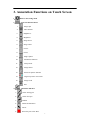
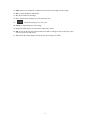
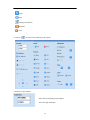
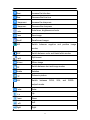
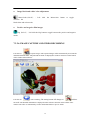
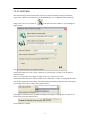
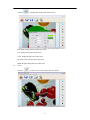
3. Annotation Functions on Touch Screen
1、
: Enter to the setting menu
2、
:Active the function menu
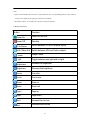
1、
:Image split
2、
:Title function
3、
:Brightness+
4、
:Brightness-
5、
:Image freeze
6、
:Image rotate
7、
:Focus+
8、
:Focus-
9、
:Image capture
10、
:Text/Picture function
11、
:Lamp on/off
12、
:Image mirror
13、
:Picture-in-picture function
14、
:Negative/positive conversion
15、
:Image recall
16、
:Exit
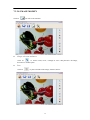
3、
:Annotation function
1、
:Select writing pen
2、
:Select clear pen
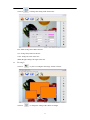
3、
:Rubber
4、
:Delete all annotation
5、
:Cursor
6、
:Select the pen's color: Red
7