1
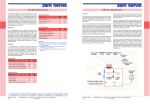
Control Wiring Diagram
RS232 control interface
12V trigger
External IR Receiver
IR
Receiver
Learn Hole
Power Connections (using specified power interface under rated voltage)
Wireless trigger control
Trigger out
Lear n Hole
Learn Hole
The wireless trigger has been set up at factory,should work
right away, however in case it cannot work at first time, you
will need to use the learn function. Please refer to the following
method to finish learn function set up.
Please press the hole at the bottom of the left-end-cap part for
3 seconds, indicated by a light flash, then press the learn hole
of the wireless trigger the receiver led light will become normally
on from flash situation. Now we finish the learn code function.
Plug the trigger into trigger port on projector straightly
to synchronize the screen up and down with projector
power cycle.
When projector power open, the screen goes up ,
projector power close, the screen goes down
automatically.
RS232 serial port control
RS232 serial port setting :
Baud rate
Data bit
Parity bit
Stop bit
Central controller
2400
8
N
1
b lu e
Default HEX code
FF 10 11 00 DD
FF 10 11 00 EE
FF 10 11 00 CC
Up
Down
Stop
Wiring Diagram
After finish the serial port setting, connect the RJ2 and RS232 according the diagram. Fill in
the HEX code into the serial control software and press the learn button for about 1 second,
LED will start flashing. Release the learn button and send the code from serial control
software, LED will stop flashing. Once the learning procedure is done, the screen will be
controlled by serial port.
RF remote control
learn hole
learn hole
RF remote control frequency is 433MHz which has
been set up in factory, should work right away,
however in case it cannot work at first time, you
will need to use the learn function. Please refer to
the following method to finish learn function set up.
Press the hole at the bottom of the left-end-cap
part for 3 seconds, indicated by a light flash, then
press the learn hole of the remote control , the
receiver led light will become normally on from flash
situation.
How to pair remote control and wireless trigger.
You need to pair new replaced RF remote control and wireless trigger, the operating steps is
the same with above. If it is failure, please press the learn code hole at the bottom of the leftend-cap part for 5 seconds, the led light will flash quickly, which will clear all the codes, just
reply the above steps to finish learn code function.)
IR smart remote control
Smart Remote Control
The IR remote control has been set up at factory, should work right away, please refer to IR
remote control user manual to understand more applications.
9
Phone: 86 755 8995 8369
Fax: 86 755 2968 3482
www.shangray.com