1
IP Link® Device Interface
Communication Sheet
lg_10_2619_1.pke
Revision: 11/10/2006
This document provides additional assistance with wiring your Extron IP Link enabled product to your device.
Different components may require a different wiring scheme than those listed below.
For complete operating instructions, refer to the user’s manual for the specific Extron IP Link enabled product or
the controlled device manufacturer supplied documentation.
Device Specifications:
Device Type:
Manufacturer:
Firmware Version:
Model(s):
Display
LG Electronics
N/A
26LC2R, 27LC2R, 32LC2R, 32LC25R, 32LX2R, 37LE2R, 42LE2R, 32LC3R
Version History:
Driver
Version
Date
1
11/6/06
IP Link
Compiler
1.0.9.3
IP Link
Firmware
GVC
Version
GC2
Version
1.10
N/A
2.2
Notes
Initial beta version.
Driver Notes:
- Driver is written using SET ID = 1. See manufacturer-supplied user manual for your monitor for instructions to set
the ID to 1.
-When On Screen Display is turned ON, only power status is available to prevent screen flash.
-Auto Image is only available for RGB(PC) input.
-Using the RGB-PC or Component input, you select either 16:9 or 4:3 screen aspect ratio.
Page 1 of 4
IP Link® Device Interface
Communication Sheet
lg_10_2619_1.pke
Revision: 11/10/2006
Control Commands & States:
Aspect Ratio
4:3
16:9
Spectacle
Zoom 1
Zoom 2
Original
14:9
Full
Audio Mute
Off/On
Auto Image
Execute
IR Remote
Off
On
Input
AV1
AV2
AV3
AV4
Component
RGB (DTV)
RGB (PC)
HDMI
Analog
Low Power
Off
On
On Screen Display
Off
On
Power
Off
On
Video Mute
Off
On
Volume
0 - 100
Volume
Up
Down
Page 2 of 4
IP Link® Device Interface
Communication Sheet
lg_10_2619_1.pke
Revision: 11/10/2006
Status Available:
Aspect Ratio
4:3
16:9
Spectacle
Zoom 1
Zoom 2
Original
14:9
Full
Audio Mute
Off/On
Connection Status
Connected
Disconnected
IR Remote
Off
On
Input
AV1
AV2
AV3
AV4
Component
RGB (DTV)
RGB (PC)
HDMI
Analog
Low Power
Off
On
On Screen Display
Off
On
Power
Off
On
Video Mute
Off
On
Volume
0 - 100
Page 3 of 4
lg_10_2619_1.pke
IP Link® Device Interface
Communication Sheet
Revision: 11/10/2006
Cable and Adapter Requirements:
M/F RS-232 Null Modem Serial Cable
F/F Gender Changer (Extron Electronics P/N 10-438-10)
Notes for the Device:
Serial communication:
Port Type: RS232
Baud Rate: 9600
Data Bits: 8
Parity: None
Stop Bits: 1
Flow Control: None
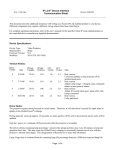
Pin Assignments Diagram:
Note: Captive screw connector may also be used as a serial connection.
General Notes:
Page 4 of 4