1
1. Introduction
1.1. CMS (Central Management Software)
CMS is total management network software that is compatible with the 68A00-1
Network Digital Recorder.
It consists of a Mode View window, Main View window,
and History View window.
CMS doesn’t have Graphic User Interface in each
panel; therefore, CMS gives you the flexibility to adjust the size and display
structure of each panel.
CMS has the following features for efficient central management.
1.2. Main Features
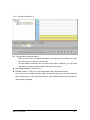
Panel Configuration
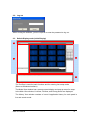
CMS doesn’t have Graphic User Interface so that each panel can be adjusted in
size and display view.
This type of configuration allows various display
configurations by allowing you to easily move each video panel.
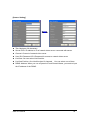
Multi-Monitoring and Screen
Multi-monitors are supported up to the limit that the CMS server can support.
Therefore you can configure Tree, Live, File, and Event panels in various display
modes, according to your liking.
Simultaneous Multi-Monitoring
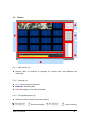
LiveView has up to 16 monitoring panels.
The normal computer system
recommendations is P4 3.0GHz (CPU), 2GB (RAM).
Simultaneous Local & Remote File Search and Playback
CMS can record the live images in local memory and may also access the video
server’s storage remotely.
CMS User Manual
This feature is run on the same FileView panel.
3