1
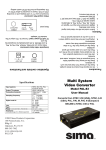
Dual HDMI to HD
Component Converter
Model XCON-YUV
Operation Manual
©2007 Sima Products Corporation
140 Pennsylvania Ave. Bldg #5
Oakmont, PA 15139
www.extenHD.com
ExtenHD™ is a registered trademark of Sima Products Corporation
PN 21760
ExtenHD XCON-YUV
Cautions and Warnings
User Manual
IMPORTANT SAFEGUARDS FOR AUDIO PRODUCTS. PLEASE READ CAREFULLY THE FOLLOWING
IMPORTANT SAFEGUARDS THAT ARE APPLICABLE TO YOUR EQUIPMENT
1. Read instructions - All the safety and operating instructions should be read before the appliance is operated.
2. Retain instructions - The safety and operating instructions should be retained for future reference.
3. Heed Warnings - All warnings on the appliance and in the operating instructions should be adhered to.
4. Follow instructions - Follow all operating and use instructions.
5. Water and Moisture - the appliance should not be used near water - for example: near a bathtub, washbowl, kitchen sink,
laundry tub, in a wet basement or near a swimming pool.
6. Ventilation - The appliance should be located so that its location or position does not interfere with proper ventilation. For
example: the appliance should not be situated on a bed, sofa, rug or similar surface that may block the ventilation openings.
7. Heat - keep away from heat sources such as radiators, registers, stoves or other heat-producing appliances .
8. Power sources - the appliance should be connected to a power supply only of the type described in the operating
instructions or as marked on the appliance.
9. Grounding or polarization. - Precautions should be taken so that the polarization or grounding means of the appliance is
not defeated. Caution: To prevent electric shock, match the wide blade of this plug to the wide slot, fully insert. Do not
use this polarized plug with an extension cord, receptacle or other outlet unless the blades can be fully inserted to prevent
blade exposure.
10. Power cord Protection - Power supply cords should be routed so they are not likely to be walked on or pinched by items
placed upon or against them, paying particular attention to cords at plugs, convenience receptacles, and where they exit from
the appliance.
11. Cleaning - Wipe unit with a damp cloth occasionally to keep it looking new. Do not use harsh chemicals, cleaning
solvents or strong detergents.
12. Nonuse periods - The power cord of the appliance should be unplugged from the outlet when left unused for a long
period of time.
13. Object and Liquid entry - Care should be taken so that objects do not fall and liquids are not spilled into the enclosure
through openings.
14. Damage requiring service - The appliance should be serviced by qualified personnel when: the power cord has been
damaged, objects have fallen or liquids spilled into the appliance, the appliance has been exposed to rain, does not appear to
operate normally or exhibits a marked change in performance or the unit has been dropped or the enclosure damaged.
15. Service - The user should not attempt to service the appliance beyond that described in the operating manual. All other
servicing should be referred to qualified service personnel.
Notice to Users
The system may cause interference to a TV or radio even when it is operating properly. To determine whether the system is
causing the interference, turn it off. If the interference goes away, the system is causing the interference.
NOTE: This equipment has been tested and found to comply with the limits
for a class B digital device, pursuant to part 15 of the FCC Rules. These limits
are designed to provide reasonable protection against harmful interference in
a residential installation. This equipment generates, uses, and can radiate radio
frequency energy and, if not installed and used in accordance with the instructions, may cause harmful interference to radio
communications. However, there is no guarantee that interference will not occur in a particular installation. If this equipment
does cause harmful interference to radio or television reception, which can be deter-mined by turning the equipment off and
on, the user is encouraged to try to correct the interference by one or more of the following measures:
•Reorient or relocate the receiving antenna.
•Increase the separation between the equipment and receiver.
•Connect the equipment into an outlet on a circuit different from that to which the receiver is needed.
•Contact your dealer for help.
This device complies with part 15 of the FCC Rules. Operation is subject to the following two Conditions:
1. This device may not cause harmful interference.
2. This device must accept any interference received, including interference that may cause undesired operation.
Warning: Changes or modifications to this unit not expressly approved by the party responsible for compliance could void
the user’s authority to operate the equipment
Page 2
©2007 by Sima Products Corp. All rights reserved. No part of this publication may be reproduced or
transmitted in any form or by any means without prior written permission from Sima Products Corp.
ExtenHD XCON-YUV
User Manual
One Year Limited Warranty
Sima Products Corporation, (“Sima”) warrants that if the accompanying product
proves to be defective to the original purchaser in material or workmanship within one
(1) year from the original retail purchase, the Company will, at the its option, either
repair or replace same without charge (but no cash refund will be made).
What you must do to enforce Warranty
You must deliver, mail or ship the product, together with the original bill of sale, this
limited Warranty statement as proof of warranty coverage to:
Sima Products Corporation
Attn: Customer Service
140 Pennsylvania Ave., Bldg. #5,
Oakmont, PA 15139
Fax: 412-828-3775
It is recommended that you call Sima Products Corporation before sending the unit in
for service.
Limitation of Liability and Remedies
This warranty is void if any defects are caused by abuse, misuse, negligence
or unauthorized repairs. All liability for incidental or consequential damages is
specifically excluded. The Company shall have no liability for any damages due to lost
profits, loss of use or anticipated benefits, or other incidental, consequential, special
or punitive damages arising from the use of, or the inability to use, this product,
whether arising out of contract, negligence, tort or under any warranty, even if the
Company has been advised of the possibility of such damages. The Company’s
liability for damages in no event shall exceed the amount paid for this product. The
Company neither assumes nor authorizes anyone to assume for it any other liabilities.
Some states do not allow for the exclusion or limitation of incidental or consequential
damages, so the above limitation or exclusion may not apply to you. This warranty
gives you specific legal rights and you may have other rights, which vary from state to
state.
Page 7
ExtenHD XCON-YUV
XCON-YUV Specifications
User Manual
Input: 2 x HDMI female ports
Output: Video: High definition component YPbPr/YCbCr on 3 RCA
connectors
Audio: Digital audio on CO-AX or analog audio on R/L
Power: 5V DC power supply
Dimensions: 215(W) x 112(D) x 42(H)mm
Weight: 750gs
ExtenHD XCON-YUV
Introduction
XCON-YUV is an HDMI to component (YCbCr/YPbPr) converter with
audio output. It allows you to switch between 2 HDMI sources and
convert it to component and analog audio (L/R) or digital audio (Coaxial) output at the same time. It supports high definition up to 1080p,
and output resolution follows input.
Features
•
•
•
•
•
Page 6
User Manual
Compliant with HDMI 1.2a, HDCP 1.1 and DVI 1.0 specifications.
Supports a wide range of resolutions: 480i/480p/576i/576p/720p/
1080i/1080p@50/60Hz.
Supports digital audio output through Co-axial cable, or analog
audio output through L/R audio cable.
IR remote control.
HDCP compliant - when input is HDCP encrypted (protected),the
INPUT LED will blink. In the meantime, the component out will be
turned off, unless input resolution is among 480p/i, 576p/i which
can still output through component connector.
Page 3
ExtenHD XCON-YUV
User Manual
ExtenHD XCON-YUV
User Manual
Operation Controls and Functions
1
2
POWER
1
3
XCON-YUV
HDMI to Component
Converter
2
Front Panel
1
1
2
3
1. Remote control sensor.
2. INPUT Select/Indicators: Press the “INPUT” button repeatedly to
switch to your desired input source and the LED will illuminate to
indicate which input source is selected.
3. POWER: Press the “POWER” button to turn on/off power of the
unit.
INPUT
1
OUTPUT
2
COAXIAL
L
R
Pr/Cr
Pb/Cb
Y
Remote Control
1. Power: Press the button to turn on/off the
unit.
2. HDMI 1 IN input select: Press the button to
select HDMI 1 input source.
3. HDMI 2 IN input select: Press the button to
select HDMI 2 input source.
4. Void buttons (No function.)
Connection and Installation
DC 5V 1A
DVD
STB
HDMI
Rear Panel
3
4
5
6
1. HDMI 1 IN: Connect the HDMI 1 IN port to the output port of your
HDMI source equipment such as DVD Player or Set-top-box.
2. HDMI 2 IN: Connect the HDMI 2 IN port to the output port of your
HDMI source equipment such as DVD Player or Set-top-box.
3. COAXIAL OUT:Connect the coaxial audio output port to the input
port of your audio equipment such as amplifier using coaxial cable.
4. AUDIO OUT: Connect the L/R audio output port to the input port of
your display or audio equipment such as amplifier using L/R audio
(2RCA) cable.
5. YPbPr/YCbCr Output: Connect the YPbPr/YCbCr output (3 RCA)
ports to the video input ports of your display equipment such as
HDTV.
6. Power: Plug the 5VDC power supply into the unit and connect the
adaptor to AC wall outlet.
Page 4
HDMI
Cable
HDMI
2
HDMI
Cable
HDMI
1
HDMI
XCON-YUV
Co-ax
Cable
L/R
Cable
3RCA to
3RCA Cable
Amplifier
HDTV
Page 5



![User Manual [PDF 1.83MB]](http://vs1.manualzilla.com/store/data/005708072_1-847484e89010f626b2bba7bc797371fb-150x150.png)