1
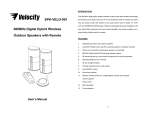
COMPONENT IDENTIFICATION
INSTALLATION
TRANSMITTER
Antenna
TRANSMITTER
Signal On Indicator (blue)
1.
Insert the antenna tube into the antenna wire.
2.
Connect the supplied AC/DC power adaptor to an electrical wall outlet.
3.
Plug the AC/DC power adaptor in the DC jack located on the rear of the
Power On Indicator (red)
SPEAKER RECEIVERS
transmitter.
4.
When the AC adapter is plugged in, the red POWER LED illuminates. If the red
POWER LED does not illuminate, make sure the adapter is plugged in.
5.
The rear of the transmitter has one audio cord that can be connected to audio
output jack of TV, Monitor, VCR, Radio recorder, CD/MP3/VCD/DVD players or
AUTO TUNE
VOLUME UP
to headphone/earphone jack with the connector provided.
VOLUME DOWN
When the transmitter received an audio signal, the blue SIGNAL LED and the red
POWER ON/ OFF
POWER LED will illuminate together. If the blue SIGNAL LED does not illuminate,
REMOTE CONTROL
ensure the audio source is turned on.
AUTO TUNE
POWER ON/ OFF
SPEAKER RECEIVERS
VOLUME DOWN
1.
Insert 6 pieces ‘C’ size ALKALINE battery into the battery compartment with
correct polarity at the bottom of each speaker (batteries not included in the
VOLUME UP
package) or connect the 9V power adaptor to the DC input jack on the bottom of
each speaker, then plug it to the wall AC outlet.
P.2
P.3