1
AVTMMPP
Rev A
May 2006
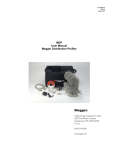
MPP1000
Pin Point Locator
User Manual
M
Valley Forge Corporate Center
2621 Van Buren Avenue
Norristown, PA 19403-2329
U.S.A.
610-676-8500
www.megger.com
MPP1000
Pin Point Locator
User Manual
Copyright© 2006 by Megger. All rights reserved.
The information presented in this manual is believed to be adequate for the intended use of the product.
If the product or its individual instruments are used for purposes other than those specified herein,
confirmation of their validity and suitability must be obtained from Megger. Refer to the warranty
information below. Specifications are subject to change without notice.
WARRANTY
Products supplied by Megger are warranted against defects in material and workmanship for a period of
one year following shipment. Our liability is specifically limited to replacing or repairing, at our option,
defective equipment. Equipment returned to the factory for repair must be shipped prepaid and insured.
Contact your MEGGER representative for instructions and a return authorization (RA) number. Please
indicate all pertinent information, including problem symptoms. Also specify the serial number and the
catalog number of the unit. This warranty does not include batteries, lamps or other expendable items,
where the original manufacturer’s warranty shall apply. We make no other warranty. The warranty is
void in the event of abuse (failure to follow recommended operating procedures) or failure by the
customer to perform specific maintenance as indicated in this manual.
M
Valley Forge Corporate Center
2621 Van Buren Ave
Norristown, PA 19403-2329
610-676-8500 (Telephone)
610-676-8610 (Fax)
www.megger.com
Table of Contents
1............................................................................................................................................................. 1
Introduction....................................................................................................................................... 1
2............................................................................................................................................................. 3
Receiving Information........................................................................................................................ 3
3............................................................................................................................................................. 5
Overview ........................................................................................................................................... 5
Applications................................................................................................................................... 6
4............................................................................................................................................................. 9
Technical Specifications ..................................................................................................................... 9
5........................................................................................................................................................... 11
Safety ............................................................................................................................................... 11
Warnings and Safety Precautions.................................................................................................. 11
Safety Precautions........................................................................................................................ 11
6........................................................................................................................................................... 13
MPP1000 Operation ........................................................................................................................ 13
Battery Installation ....................................................................................................................... 13
Connectors and Accessories......................................................................................................... 14
Input / Output Connectors...................................................................................................... 15
MPP1000 Accessories Include:................................................................................................. 17
Interconnect................................................................................................................................. 18
Assembling the Geophone....................................................................................................... 18
Interconnecting the unit. .......................................................................................................... 19
Keypad and Display Functions..................................................................................................... 20
Display..................................................................................................................................... 20
Keypad..................................................................................................................................... 21
Special Function....................................................................................................................... 21
Locating the Fault ........................................................................................................................ 22
Magnetic Only Mode................................................................................................................ 22
Probe Mode ............................................................................................................................. 23
Dual Probe Mode..................................................................................................................... 24
Special Functions ..................................................................................................................... 25
7........................................................................................................................................................... 27
Spare Parts....................................................................................................................................... 27
8........................................................................................................................................................... 29
Troubleshooting............................................................................................................................... 29
AVTMMPP Rev A May 2006
i
M
AVTMMPP Rev A May 2006
ii
1
Introduction
Thank you for purchasing the MPP1000 KIT from Megger. This unit will allow
you to pin-point the location of flashing faults on underground primary cables.
When used with geophones, the MPP1000 amplifies the acoustic emission
produced by a surge generator (thumper) allowing you to hear the actual flash
over, as well as show the time delay between the magnetic pulse (thumper’s
pulse) and the acoustic event. This time delay can be displayed in terms of time
(milliseconds) or as a relative distance (feet or meters). Direction to the fault can
also be determined and displayed by using two geophones. The dual geophone
operation will also provide indication when the operator is directly over the fault.
This manual will list the specifications as well as the instructions on how to use
the Megger MPP1000 Pin Point Locator.
If you find any discrepancies in the MPP1000 or have any comments please send
them to Megger via fax, e-mail or phone.
Megger
Valley Forge Corporate Center
2621 Van Buren Avenue
Norristown, PA, 19403
Attn: Customer Service
Fax: (214) 337 3038
e-mail: [email protected]
Customer service 1-800-723-2861 ext. 3519
For more information please visit our web site at: www.megger.com
AVTMMPP Rev A May 2006
1
M
M
AVTMMPP Rev A May 2006
2
2
Receiving Information
Contents of MPP1000 Kit:
Ref.
No.
Qty
Part No.
Description
1
1
MPP1000
MPP1000 Unit
2
1
6220-780
Carrying Strap
3
0, 1-2
36161
Geophones (1 or 2 units pending if single or dual
were ordered)
4
0, 1-2
36063
Geophone Cables (1 or 2 units pending if single or
dual were ordered)
5
0, 2-4
36172
Geophone Rods (2 or 4 units pending if single or
dual were ordered)
6
0, 1-2
33153-2
Geophone Knob (1 or 2 units pending if single or
dual were ordered)
7
0, 1-2
36063
Geophone Spikes (1 or 2 units pending if single or
dual were ordered)
8
0, 1
36162
Headphones
9
8
23415
AA Batteries
10
1
AVTMMPP
Manual
AVTMMPP Rev A May 2006
3
M
When your Megger MPP1000 Kit arrives, check the equipment received against
the packaging list to ensure that all materials are present. Notify Megger of any
shortages.
Examine the contents for damage received during transit. If any damage is
discovered, file a claim with the carrier at once and notify Megger or it’s nearest
authorized sales representative, giving a detailed description of the damage.
AVTMMPP Rev A May 2006
4
3
Overview
Specifically designed for service, industrial and power utility companies the
Megger MPP1000 pinpoints faults in shielded and direct buried primary cables
via a single or dual probe. The unit can successfully detect both the
electromagnetic and acoustic pulses emitted from an arcing fault when it is
surged. It can also be used with any Megger PFL Power Cable Fault Locating
system/surge generator or other supplier.
The MPP1000 without any acoustic geophone provides
§
Detection of the presence of the electromagnetic pulse
§
Measures the amplitude of that pulse for a rough location.
The single probe version provides:
§
Detection of the acoustic "thump"
§
Measurement of time delay between acoustic and electromagnetic signals
§
Relative distance calculation
AVTMMPP Rev A May 2006
5
M
The dual probe version provides:
§
Detection of the acoustic "thump"
§
Measurement of time delay between acoustic and electromagnetic signals
§
Direction and approximate distance to the fault
The instrument’s receiver is contained in a lightweight, compact housing that can
easily be carried by a “hands free” adjustable strap around the neck. A
convenient hook on the knurled poles also allows for safe cable holding. The
detector’s durable weatherproof enclosure allows for operation in all weather
conditions.
A pushbutton controls the volume of the sound in the headphones and can be
adjusted for operator comfort. A single mute button is provided to turn off the
sound from the detectors.
Applications
The MPP1000 pinpoints faults while the cable is being surged by a surge
generator, or “thumper.” An arc occurs when the high energy surge delivered
from the surge generator breaks the cable fault down and a loud acoustic
emission is created. Since buried power cables are typically beneath 3 ft (0.9 m)
or more of earth or pavement, this acoustic emission can go undetected without
the aid of an acoustic amplification device. In many situations, simple acoustic
amplification is not enough. Because acoustic emission from an arcing fault
occurs at a single point along the cable path, information such as distance and
direction to the fault becomes critical for fast, efficient pinpointing. Without this
information, the acoustic emission can mislead when pinpointing the fault.
If the cable fault is in a duct or conduit, the loudest acoustic emission will be
detected either at the conduit end or the conduit's actual breaking location. When
pinpointing over paving, the loudest sound may be at a crack or seam. Because
tree roots tend to carry the sound in all directions, the MPP1000 becomes
especially useful. Fast, accurate pinpointing also means less use of the surge
generator and thus less stress on service aged cables.
The receiver’s display shows the operator the acoustic signal strength and the
time delay between the electromagnetic surge and acoustic event. As the detector
is placed closer to the fault, the acoustic signal strength increases while the time
difference between surge and acoustic emission decreases. When directly over
the fault, the time difference is at a minimum and the acoustic level is at a
maximum. The same procedure can be used when placing the detector at a right
angle to the cable path. Faults can be located more quickly by using a second
detector. When using two detectors, the receiver’s display will show a direction
AVTMMPP Rev A May 2006
6
Glossary
arrow; that points to the detector closest to the fault. When the unit is directly
over the fault,
will appear.
The receiver’s display also provides level of the electromagnetic surge, a
measurement of the volume of the acoustic emission, and the time difference
between the two events.
AVTMMPP Rev A May 2006
7
M
M
AVTMMPP Rev A May 2006
8
4
Technical Specifications
Operating Modes:
Electromagnetic Pulse Pickup
Single Acoustic Pickup
Dual Acoustic Pickups
Range:
0 – 99.9 mS, 0.1 mS resolution
Inputs:
Two for left and right pickups
Output:
Stereo Headphones
Electromagnetic Gain:
Automatic when button depressed to mid scale of bar graph
Acoustic Pickup:
Geophone, 660 Ohm, 40 Hz, 1.22V/in/sec +/- 10%
Acoustic Pass Bands:
125 – 1000 Hz / 500 – 1000 Hz
Display:
LCD with switch able backlight
Battery Life:
= 65 hours with alkaline batteries, continuous use
= 85 hours with lithium batteries, continuous use
> 200 hours, intermittent, less with backlight enabled
Isolation:
Electrical isolation between handle and pickup
Power:
8, AA alkaline cells
Enclosure:
IP54, Weather Resistant
Ambient Noise Cancellation:
Built into headphones provided.
Operating Temperature:
14° – 122° F
Storage Temperature:
-40° – 158° F
Humidity:
up to 95%, non-condensing
Meets CE requirements:
EN50081-1, EN50081-2 and EN50082-1.
Meets IEC Requirements IEC61010
AVTMMPP Rev A May 2006
9
M
M
AVTMMPP Rev A May 2006
10
5
Safety
Warnings and Safety Precautions
F
WARNING!
Death, serious injury, or fire hazard could result from
improper use/installation of this instrument. Read and
understand this manual before installing this
instrument.
Installation of this instrument MUST be performed in compliance with the
National Electric Code and any additional safety requirements applicable to your
installation.
Installation, operation and maintenance of this instrument MUST be performed
by qualified personnel only. The National Electrical Code defines a qualified
person as one familiar with the construction and operation of the equipment and
the hazards involved.
Safety Precautions
The following safety precautions MUST be taken whenever the MPP1000 will be
operated.
Power line must be disconnected from source.
Wear insulated boots or rubber overshoes and insulated gloves when making
circuit connections.
These warnings and safety precautions are to be used where appropriate when
following instructions in this manual.
Notice:
The equipment could be impaired from improper use. Read the complete
manual before use.
AVTMMPP Rev A May 2006
11
M
M
AVTMMPP Rev A May 2006
12
6
MPP1000 Operation
The following section describes the operation of the MPP1000. This section will
describe in a step by step manner how to interconnect the MPP1000 with its
accessories, as well as how to operate the unit in order to locate faults in wires.
Battery Installation
The MPP1000 Plus unit requires 8 AA batteries. If the temperature the units will
operate in is from 0C to +50C then Energizer E2 AA batteries are
recommended. For temperatures outside this range, Lithium AA batteries are
recommended.
1.
Remove the battery cover, by removing screw on battery compartment lid.
(As shown below, item1)
AVTMMPP Rev A May 2006
13
M
2. Insert 8 AA batteries. (As shown below) Then re-install the battery cover.
3. Re-install battery cover.
Connectors and Accessories
The MPP1000 unit has several input and output connectors as well as various
accessories. This section of the manual will outline the function of the various
AVTMMPP Rev A May 2006
14
Glossary
inputs / output connectors on the MPP1000 as well as outline the functionality
of the various accessories.
Input / Output Connectors
1. The geophone input connectors: This is where the cables from the
geophones plug in.
2. The headphone output jack: This is where the headphones plug into the unit.
AVTMMPP Rev A May 2006
15
M
3. The Geophone output connector: This is where the geophone cables plug
into the geophone.
AVTMMPP Rev A May 2006
16
Glossary
MPP1000 Accessories Include:
§
Geophone: Detects acoustic “thump”
§
Geophone Rod: Screws into geophone
§
Geophone knob: Screws into rod
§
Geophone Spike: Screws into bottom of geophone. Spikes are used to
penetrate frozen ground. This helps improve signal strength to geophone.
§
Geophone cable: Connects geophone to MPP1000 unit.
§
Headphones: Plugs into MPP1000. Allows the user to hear acoustic “thump”
§
Strap: Connects to unit. Allows the user to carry the MPP1000 around their
neck.
§
Batteries: AA Alkaline Batteries (8 cells are needed to power unit)
§
Carrying Case: For MPP1000 and all accessories.
AVTMMPP Rev A May 2006
17
M
Interconnect
This section of the manual will describe how to interconnect the various
accessories with the MPP-1000 unit.
Assembling the Geophone
Locate the bottom rods and the top rods. The top rods have clips on them, while
the bottom rods do not.
1. Screw the bottom rod into a geophone.
2. Screw the top rod into the bottom rod.
3. Screw the knob into the top rod.
4. Screw the spike into the bottom of the geophone. (Optional)
5. Repeat this process with the second geophone. (If two are being used)
AVTMMPP Rev A May 2006
18
Glossary
Interconnecting the unit.
1. Verify the strap is on the MPP1000
2. Plug the geophone cables into the geophones.
3. Plug the geophones into the geophone input connectors on the MPP1000.
The geophone on the right plugs into connector No. 1 and the geophone on
the left plugs into connector No. 2.
4. Slide the geophone cables in to the clips on the top rod. (This will keep them
clear of your feet when you are walking with the unit)
5. Plug the Headphones into the headphone jack on the MPP1000.
AVTMMPP Rev A May 2006
19
M
Keypad and Display Functions
The following section will describe the keypad and display functionality as well as
the various options the MPP1000 offers.
Display
Magnetic Pulse Strength: This arrow will move left or right on the scale to
indicate the strength of the magnetic pulse. When the START TEST button is
depressed (see keypad) the arrow will null out to center scale. This indicates the
ambient magnetic field. All measurements are relative to this point.
Filter: This symbol indicates whether the acoustic noise filter is active. A closed
switch indicates the noise filter is active. An open switch indicates the noise filter
is disabled.
Battery: This indicates the battery strength remaining. The stronger the batteries
the more bars will be displayed.
Pulse Detector: This symbol indicates when a magnetic pulse has been detected.
Whenever this symbol illuminates then a magnetic pulse has been detected.
Time Delay: This indicates the time delay in milliseconds between the magnetic
pulse and the acoustic pulse. This can also be programmed to display acoustic
amplitude or approximate distance the fault.
Directional Arrows (Left / Right): These arrows indicate whether the fault is to
the left or the right of the user (only when using geophones).
Directional Arrow (Down): This will illuminate when the user is over the fault
(only when using geophones).
AVTMMPP Rev A May 2006
20
Glossary
Keypad
Power ON / OFF: This button turns the MPP1000 ON and OFF.
(The unit will automatically turn off after 1 hour).
Start Test: This button nulls out the ambient magnetic field. This button should
be depressed prior to every test. It can also be depressed anytime during a test to
null out the ambient magnetic field.
Filter IN / OUT: This button will enable or disable the MPP1000 noise
filtering. If there is ambient noise in the area such as traffic noise then enabling
the filters will greatly reduce the stray noise.
Backlight ON / OFF: This button will turn the backlight of the display ON
and OFF for ease of viewing.
Volume UP: This button will raise the volume going to the headphones.
Volume Down: This button will lower the volume going to the headphones.
MUTE: This button will MUTE the sound going to the headphones.
Display: This key shall toggle the display between time delay (between magnetic
pulse and acoustic thump) and the acoustic amplitude.
Special Function
Displaying Distance: Depressing the <ms/a> button repeatedly will toggle
the display through time, amplitude and distance in meters to the fault.
AVTMMPP Rev A May 2006
21
M
Locating the Fault
Introduction – The MPP1000 allows for 3 modes of operation, the Magnetic
Only, the Single Probe mode and the Dual Probe mode.
Magnetic Only Mode
In the Magnetic Only Mode the unit displays the strength of the magnetic field
created from the applied surge. The measurement is shown on the scale relative
to the ambient magnetic noise. In this mode no geophones are required, only the
MPP1000 itself is needed.
Directions
1. Place MPP1000 around neck.
2. Press Power ON button. Display should illuminate.
3. Stand over cable
4. Depress the start button.
5. Apply surge to wire under test.
6. The arrow on the scale should go to the center point. This is the relative zero
point of the ambient magnetic field.
7. Apply surge to wire under test.
8. The magnetic pulse detector should now flash on the display to verify the
unit measured the pulse.
9. The arrow on the scale should indicate the strength of the magnetic pulse
relative to the ambient magnetic field.
10. Repeat surging the wire. As you get closer to the fault the magnetic strength
indication will get greater.
AVTMMPP Rev A May 2006
22
Glossary
Probe Mode
In the Single Probe Mode the unit will display the strength of the magnetic field
created from the applied surge as well as the time delay between the magnetic
pulse and the acoustic thump.
The MPP1000 can also be configured to display the strength of the magnetic
field created from the applied surge or the approximate distance to the fault.
The MPP1000 can also be configured to be used as an acoustic detector, locating
the fault by displaying the acoustic amplitude of the thump
Directions:
1. Assemble the Geophone (See Section 6.3)
2. Connect Geophone and headphones to unit (See Section 6.3)
3. Place MPP1000 around neck.
4. Press Power ON button. Display should illuminate.
5. Place pick-up on ground over cable.
6. Depress the start button.
7. Apply surge to wire under test.
8. The arrow on the scale should go to the center point. This is the relative zero
point of the ambient magnetic field.
9. Apply surge to wire under test.
10. The magnetic pulse detector should now flash on the display to verify the
unit measured the pulse.
11. The arrow on the scale should indicate the strength of the magnetic pulse
relative to the ambient magnetic field.
12. The unit will now display the time delay in milliseconds between the
magnetic pulse and the acoustic thump.
13. Repeat surging the wire. As you get closer to the fault the time delay between
the magnetic pulse and the acoustic thump shall approach zero.
AVTMMPP Rev A May 2006
23
M
Dual Probe Mode
In the Dual Probe Mode the unit will display the strength of the magnetic field
created from the applied surge as well as the time delay between the magnetic
pulse and the acoustic thump and in this mode the unit will also display the
direction to the fault as well as indicate when you are over the fault.
The MPP1000 can also be configured to display the approximate distance to the
fault in this mode as well as in single probe mode.
Directions:
1. Assemble the Geophones (See Section 6.3)
2. Connect Geophones and headphones to unit (See Section 6.3)
3. Place MPP1000 around neck.
4. Press Power ON button. Display should illuminate.
5. Place both pick-ups on ground over cable.
6. Depress the start button.
7. Apply surge to wire under test.
8. The arrow on the scale should go to the center point. This is the relative zero
point of the ambient magnetic field.
9. Apply surge to wire under test.
10. The magnetic pulse detector should now flash on the display to verify the
unit measured the pulse.
11. The arrow on the scale should indicate the strength of the magnetic pulse
relative to the ambient magnetic field.
12. The unit will now display the time delay in milliseconds between the
magnetic pulse and the acoustic thump.
13. A left / right arrow will also illuminate indicating the direction to the fault.
14. Repeat surging the wire. As you get closer to the fault the time delay between
the magnetic pulse and the acoustic thump shall approach zero. When you
are directly over the fault a down arrow will illuminate.
AVTMMPP Rev A May 2006
24
Glossary
Special Functions
Viewing distance to fault:
To display the approximate distance in meters depress the <ms/a> button. The
display will toggle through time, distance and amplitude. Please note that the
distance is only approximate, it shall vary depending on soil density, composition
and moisture.
Viewing acoustic amplitude
To View the acoustic amplitude just depress the display button.
This will toggle the display between milliseconds (the time delay between the
magnetic pulse and the acoustic thump) and the amplitude of the acoustic pulse.
As you get closer to the fault the amplitude will increase. The acoustic amplitude
will be maximum over the fault.
Muting Headphones
To mute the headphone simply depress the MUTE button.
This will toggle the headphones ON and OFF.
AVTMMPP Rev A May 2006
25
M
M
AVTMMPP Rev A May 2006
26
7
Spare Parts
This section of the manual lists the parts numbers for all the accessories for the
MPP1000. All parts and accessories except the AA and AAA batteries need to be
purchased through Megger.
Description
Part Number
Pin-Pointer Kit with Single Probe
MPP1001
Pin-Pointer Kit with Dual Probe
MPP1002
Pin-Pointer
MPP1000
Strap for Unit
6220-780
Geophone Assembly with rods, knob, spike & cable
36161
Rods with wire clips
36172
AVTMMPP Rev A May 2006
27
M
Description
Part Number
Knobs
33153-2
Wire Clips for Geophone rods
36176
Geophone Cable
36063
Geophone Spike
34302
Headphones
36162
AA Batteries
23415
AAA Batteries for Headphones
36171
Unit Carrying Case
36120
MPP1000 Manual
AVTMMPP
AVTMMPP Rev A May 2006
28
8
Troubleshooting
This section of the manual shall describe some potential problems and there
causes and fixes, users can experience while tracing cable faults.
Description
Cause
Correction
Unit will not turn on.
Dead Batteries
Replace AA Batteries in MPP1000
No Sound from Headphones
MUTE button ON
Depress MUTE button on MPP1000
AAA Batteries dead
Replace AAA batteries in headphones
Only one probe in use
Must use two probes to view direction
arrows
Faulty Geophone Cable
Replace Geophone Cable
Low Battery
Replace AA Batteries in MPP1000
Faulty Geophone
Replace Geophone
Faulty Geophone Cable
Replace Cable
Frozen Ground
Use Spike on Bottom of Geophone
Frozen Ground
Use Spike on Bottom of Geophone
Arrows not illuminating
No Reading on Display
Inconsistent Acoustic Reading
AVTMMPP Rev A May 2006
29
M
M
AVTMMPP Rev A May 2006
30