1
Interlocks with First Out and Bypass (P_Intlk)
• Latch Defeat: A latch defeat function is provided to reduce the number of
operator actions that are required to start equipment. The latch defeat
input is set when the equipment is not running. When the latch defeat
input is true, the latched configuration of inputs is ignored, and all
interlock conditions clear when their corresponding inputs are in their OK
states. This action saves the operator from having to reset before starting
the equipment. When the equipment starts, the latch defeat input is
turned off. Then, if an interlock condition configured as latched shuts
down the equipment, it remains latched until reset.
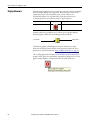
IMPORTANT
To prevent loss of information about what shut down the equipment,
the latch defeat input is not processed until after any latched interlocks
(that occurred when the latch defeat was off) have been reset.
• Summary Status: The P_Intlk Add-On Instruction summarizes its 16
interlock input conditions into two primary status bits: Sts_IntlkOK,
which indicates that all interlock conditions are clear (ready to run), and
Sts_NBIntlkOK, which indicates that all interlock conditions that cannot
be bypassed are clear (ready to run if interlocks are bypassed).
IMPORTANT
Whether interlocks are bypassed or not is determined by the
downstream equipment instructions. The P_Intlk instruction simply
provides the two summary status bits. These two bits are to be wired or
mapped to the equipment control logic.
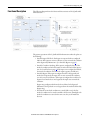
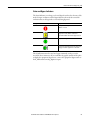
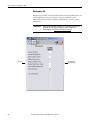
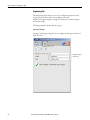
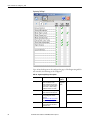
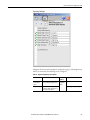
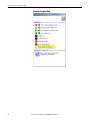
• Faceplate: The P_Intlk Add-On Instruction faceplate displays the
interlock condition state of each input and whether it is bypassed, and
shows the overall interlock (summary) status. The Engineering tab of the
faceplate lets you configure the P_Intlk Add-On Instruction for OK state
configuration, latch configuration, configuration of interlocks that can be
bypassed, and the text that is associated with each interlock condition
input. You can also configure a navigation tag for each interlock condition.
If you enable navigation, the condition text on the Operator tab of the
faceplate can be clicked to access the faceplate for the corresponding tag.
10
Rockwell Automation Publication SYSLIB-RM004F-EN-E - April 2015