1
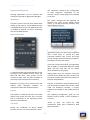
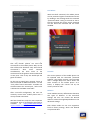
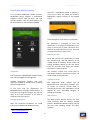
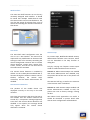
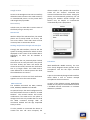
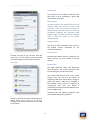
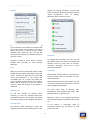
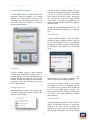
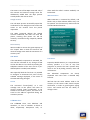
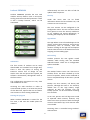
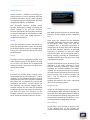
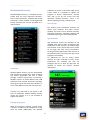
Product Review: Mobile Security ‐ August 2012 www.av‐comparatives.org Exchange, Gmail Not only email and contact synchronisation, but also Facebook and other social networks such as LinkedIn update their data from the Internet. Some unknown background services run which can be switched off or changed to a less frequent synchronisation schedule. Battery life can be extended by a third if email synchronisation is changed from instant to every quarter of an hour. This is also true for status updates from Facebook etc. Every new Facebook update switches the display on and plays an audio notification, both of which use up the battery. smartphone means that the battery is empty by the afternoon. There are three ways to prevent this. The user can make limited use of the phone, carry a solar‐powered battery charger around, or take measures to reduce the power consumption during use as much as possible. Display settings: The display is the greatest user of power in the phone. It makes sense to let the display adjust itself automatically to the ambient light, or to reduce it manually, in order to save power. Some smartphones automatically reduce screen brightness when the battery is low. Location: Switching off GPS saves battery life. Using the function to navigate or localise photos requires the processor to work hard, as the position is constantly being recalculated. We recommend only switching the GPS function on when it’s really necessary. The same applies to Wi‐Fi and Bluetooth, and indeed any other features of the smartphone; turn it off if you don’t need it, and save battery power. Multi‐tasking: Under Android, apps may run in the background, in some cases for a long time, without being used at all. Using the Task Manager to close unused apps saves battery life, as they would otherwise be using up power. In Android, the Task Manager can be opened simply pressing and holding the Home button. Security Software Many users are still convinced that security software on an Android smartphone is power‐
hungry. However, our tests show that this is no longer the case. The effect of security software on battery life can be more or less ignored. Tasks whose power consumption actually is increased by the presence of security software are only rarely used by users who use the phone only for phone calls. Where the security suite runs backups, e.g. via Wi‐Fi, battery usage is extremely high. We were pleased to see that some products in our test only carry out the backup when the smartphone is connected to its charger. ‐4‐