1
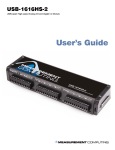
Chapter 2 Installing the AI-EXP48 What comes with your AI-EXP48 shipment? The following items are shipped with the AI-EXP48. Hardware AI-EXP48 Clips (2) used to lock the AI-EXP48 and parent device together when connected directly Optional components You can connect the AI-EXP48 to a USB-1616HS series parent device using the optional CA-96A cable. CA-96 cable Additional documentation In addition to this hardware user's guide, you should also receive the Quick Start Guide (available in PDF at www.mccdaq.com/PDFmanuals/DAQ-Software-Quick-Start.pdf). This booklet supplies a brief description of the software you received with your AI-EXP48 and information regarding installation of that software. Please read this booklet completely before installing any software or hardware. Unpacking the AI-EXP48 As with any electronic device, you should take care while handling to avoid damage from static electricity. Before removing the AI-EXP48 from its packaging, ground yourself using a wrist strap or by simply touching the computer chassis or other grounded object to eliminate any stored static charge. If any components are missing or damaged, notify Measurement Computing Corporation immediately by phone, fax, or e-mail: Phone: 508-946-5100 and follow the instructions for reaching Tech Support. Fax: 508-946-9500 to the attention of Tech Support Email: [email protected] 8