1
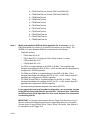
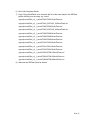
F2801FlashTest.out (for both F2801 and F2801-60) F2802FlashTest.out (for both F2802 and F2802-60) F2806FlashTest.out F2808FlashTest.out F2809FlashTest.out F2810FlashTest.out F2811FlashTest.out F2812FlashTest.out F28015FlashTest.out F28016FlashTest.out F28044FlashTest.out Step 3. Modify and rebuild the SDFlash Serial algorithm file, if necessary (i.e., file F28yyySerialFlash.out, where yyy is specific to the device you are using). The SDFlash v3.1 serial algorithm software is configured for the following: – Flash API versions: – F280x flash API v3.02 – F281x flash API v2.10 (requires F281x silicon revision C or later) – F2801x flash API v1.00 – F2804x flash API v1.00 – For F281x: A crystal/oscillator for the DSP of 30 MHz. This is because the software will configure the DSP for PLL = x10/2, and the flash API algorithms are configured for 150 MHz operation. – For F280x and F2804x: A crystal/oscillator for the DSP of 20 MHz. This is because the software will configure the DSP for PLL = x10/2, and the flash API algorithms are configured for 100 MHz operation. – For F280x-60 and F2801x: A crystal/oscillator for the DSP of 20 MHz. This is because the software will configure the DSP for PLL = x10/2, and the flash API algorithms are configured for 60 MHz operation. – All code security passwords assumed to be erased (0xFFFF). If your system does not meet the above configuration, you must make changes to the SDFlash Serial algorithm file and rebuild it. See the section “Rebuilding the SDFlash Serial Flash Algorithm File” later in this document for information on rebuilding this file. IMPORTANT: It is strongly recommended that the Toggle Test first be run on your board to confirm that the flash algorithms are configured properly for your system. See the section “Using SDFlash Serial,” Step 6, Erase Tab options, User Options 2 for information on the Toggle Test. 8 of 37