1
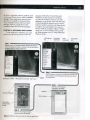
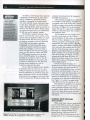
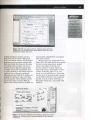
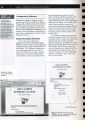
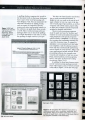
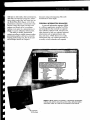
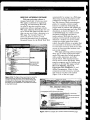
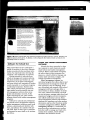
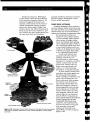
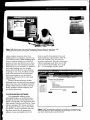
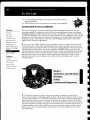
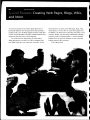
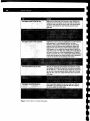
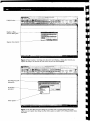
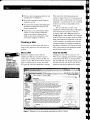
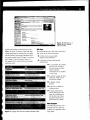
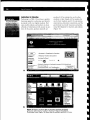
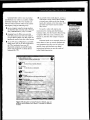
rather than installing each application individually. At a minimum, comprehensive suites, like Microsoft Office, typically include word processing, spreadsheet, database, and presentation graphics, Each application in a software suite is designed specifically to work as part of a larger set of applications and to share common features. Software suites offer two major advantages: lower cost and ease of use. Typically, buying a collection of software packages in a suite costs significantly less than purchasing the application packages separately. Software suites provide ease of use because the applications within a suite normally use a similar interface and have some common features. Thus, after you learn how to use one application in the suite, you are familiar with the interface of other applications in the suite. For example, after you learn how to print using the suite's word processing program, you can apply the same skill to the spreadsheet, database, and presentation graphics programs in the suite. Craphics and Multimedia Software In addition to productivity software, many individuals also work with software designed specifically for their fields of work. For example, engineers, architects, publishers, and graphic artists often use powerful software that allows them to work with graphics and multimedia. Types of graphics and multimedia software include desktop publishing software, paint/image editing software, clip art/image gallery, multimedia authoring tools, video and audio editing software, Web page authoring software, and many others. The features and functions of some of these applications are discussed in the following sections. software because it is designed specifically to support page layout, which is the pro cess of arranging text and graphics in a document. DTP software is ideal for the production of high-quality color docu ments, such as newsletters, marketing liter ature, catalogs, and annual reports. In the . past, documents of this type were created by slower, more expensive traditional pub lishing methods, such as typesetting. Today's DTP software also allows you to convert a color document into a format for use on the World Wide Web. Many home, school, and small business users use a much simpler, easy-to-understand DTP software designed for individual desk top publishing projects. Using this DTP soft ware, you can create newsletters and brochures, postcards and greeting cards, letterhead and business cards, banners, calendars, logos, and other such documents (Figure 3-32). Personal DTP software guides you through the development of these documents by asking a series of questions, offering numerous predefined layouts, and providing standard text you can add to documents. As you enter text, the per sonal DTP software checks your spelling. You can print your finished publications on a color printer or place them on the Web. ~ FAQ , I cannot open some files on the Web, Including brochures, applications, education articles, and reports. Why? Toopen.afIle, you iTIusthavethe same aPf>Ii~~ont~7 file ",,~~cr . Wi~ 'tinless.... ':has><, . beensavedu~ingthe ~~obePDFformat. ,. .:,Th~ PDF fOrrn~t . ~e.ade C:'.:;.'.'/J~/t. ;f DESKTOP PUBLISHING SOFTWARE Desktop publishing (DTP) software allows you to design, produce, and deliver sophisticated documents that contain text, graphics, and brilliant colors. Although many word processing packages have some of the capabilities of DTP software, profes sional designers and graphic artists use DTP Figure 3-32 Teachers and students use desktop publishing software, such as Microsoft Publisher, to create flyers, certificates, newsletters, and other types of documents. '