1
Efcon Vision User Manual
Version 260115UK
1.7.2 Program by calendar dates
To start or stop the auto sampling program on a pre-programmed date &
time. When the totalizer display is active, press the following:
F2 (Menu) > 1 (Operator functions) > 6 Sample by date/time
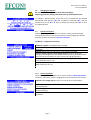
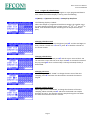
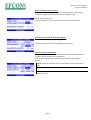
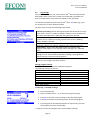
The following display is loaded:
When the sampler is programmed with these settings, the sampler starts
the auto sampling program every month on the 11th, 12th, 13th, and 14th at
08:00. It will then take samples according the set sample interval (see
§2.1).
.
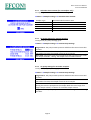
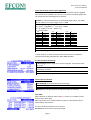
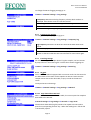
Changing calendar month
When the month is selected (inverted text) press and the text begins to
blink, choose a month with and , press to load the calendar of
the chosen month.
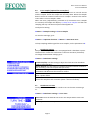
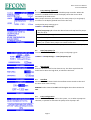
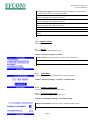
Changing calendar days
When de calendar is selected press and the cursor starts to blink. You
can move the cursor with the arrow keys. Press to activate the selected
day. By pressing when a selected day is already activated, the day is
deactivated.
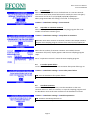
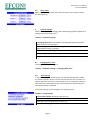
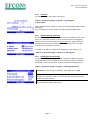
Changing start time
Select the digits behind “START” to change the start time of the auto
sampling. Press and enter the desired start time with the numeric
keypad.
Changing sample duration
Select digits behind “DURATION” to change the duration of the auto
sampling. When selected press and enter the desired auto sample
duration (in hours). The sampler will auto sample during this time when
the clock time and start time are a match.
Page 8