1
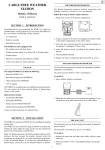
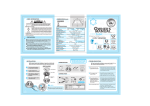
6. Mounting the Bracket Holder
Can be attached either on the top or on the bottom. Assemble it with the
screws provided. (3 EA)
Back -Color
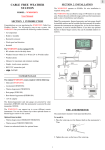
DC 12V/AC 24V
Line Lock
3. Video Out Connector
(BNC Female)
1. 6Way Dip Switch
7. Auto iris lens connector
Please refer to page 13, 14 of this manual for the wiring specification.
4. Power Indicator
2. Power Input
Terminal
8. Iris mode select switch
ES : Electronic auto iris, VI : Video iris, DC : DC Iris
ES mode is used with manual iris lenses. In ES mode the camera controls
the electronic shutter automatically from 1/50 to 1/100,000
sec.(PAL/CCIR)or 1/60 to 1/100,000 sec.(NTSC/EIA).
ES mode with a Manual iris lens is suitable for indoor surveillance. Select
the slide SW to the ES position.
5. Line Lock / White
Balance Push button
DC 12V
AC 230V Power Cord
For outdoor use, ES mode is not sufficient. In this case an Auto Iris lens of
either Video driven type or DC driven type is recommended. Move the slide
SW to VI position for the Video iris lens or move it to DC position for the DC
Iris lens. When VI or DC mode is selected, the electronic shutter speed is
fixed to 1/50sec(PAL/CCIR) or 1/60sec(NTSC/EIA).
9. DC Level control for DC Iris lens.
It is used for controlling the video output level of the DC driven auto iris
lens.
* To make the image brighter, turn the pot clockwise.
* To make the image darker, turn the pot counter clockwise.
1-1. 6 Way DIP Switch
DIP Switch configuration (24V AC LineLock, 230V AC LineLock only)
No.
ON
OFF
1 (Phase Push SW up/down)Line Lock Mode
Internal Mode
2 OFF
ON
Manual White Balance
Auto White Balance
3 ON (Adjust the Push Button Up/Down) OFF (No need to Adjust the Push Button)
4
5
6
=0.45
=1.0
AGC Max : 26dB
AGC Normal : 20dB
BLC OFF
BLC ON
DIP Switch configuration (DC 12V only)
No.
ON
OFF
1 OFF
ON
Auto White Balance
Manual white Balance
2 ON (Adjust the Push Button Up/Down) OFF (No need to Adjust the Push Button)
=0.45
=1.0
3
AGC Normal : 20dB
AGC Max : 26dB
4
5
6
5
BLC OFF
BLC ON
N.C
N.C
6