1
www.peoplefone.ch
[email protected]
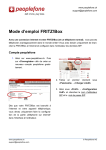
3. Add a first credit for phoning on
«Payment» - «Add Funds»
4. Go to «Profile» - «Configuration Data» and get your SIP Username and
your SIP Password
iPhone Configuration
1. Open the peoplefone application on
your iPhone
2. Go to «Settings»
3. «Edit Account»
4. Fill in the SIP Username and the SIP
Password from your peoplefone account («Profile» - «Configuration Data»).
5. «Save»
6. You can start making low cost phone
calls worldwide with WiFi or 3G!
www.peoplefone.ch
[email protected]
© Peoplefone AG