Download USER MANUAL - Global Sources
Transcript
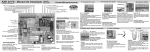
FIG.1.1 Rear Panel View DC5V: 5V DC in jack FL/FR: Front L/R analog output SL/SR: Surround L/R analog output CEN: Center analog output SW: SPDIF OUT: Optical/Toslink output Sub woof analog output VGA OUT: VGA analog video output HDMI OUT: HDMI output HDMI/MHL IN: HDMI/MHL dual mode input OPERATIONG AND CONNECTION: 1. Connect one HDMI cable from a DVD/Blu-ray player into input port of decoder. 2. Connect one HDMI/VGA cable from TV/Monitor into output port of decoder. 3. If you need a digital audio, connect one optical fiber from digital power amplifier into the SPDIF output port of decoder. 4. If you need an analog audio, Connect six AV cables from analog power amplifier into the analog audio output ports of decoder, the channel must correspond. If the connected TV or stereo power amplifier, connect the FL/FR two channel only, and switch EDID mode in 2CH. 5. If you need to use the headphone output, pls switch EDID mode in 2CH. 6. Connect 5V power supply to the decoder and inserted into the power socket. 7. VGA output resolution format with the input format automatically changes. Support resolution formats as follows: 720 × 480@60Hz(480P ) ,800 × 600@60Hz, 1024 × 768@60Hz, 1152 × 864@60Hz, 1280×720@60Hz(720P), 1280×768@60Hz, 1280×800@60Hz, 1280×960@60Hz, 1280 × 1024@60Hz, 1360 × 768@60Hz, 1366 × 768@60Hz, 1440 × 900@60Hz, 1600 × 900@60Hz, 1600×1200@60Hz, 1680×1050@60Hz, 1920×1080@60Hz(1080P).