1
USER'S MANUAL Cleanscape FortranLint SOURCE CODE ANALYZER Version 6.x Cleanscape Software International 172 College Street, STE A Spencer, TN 38585 Tel: 931-946-1015 Fax: 931-933-7658 E-mail: [email protected] Cleanscape FortranLint USER'S MANUAL A SOURCE LEVEL CODE ANALYZER For FORTRAN PROGRAMMING On Unix, Linux, Windows, Mac, FreeBSD, and VMS Systems Version 6.x Note: Licensed users may photocopy for distribution. Direct comments concerning this manual to the address on the title page or [email protected] Copyright 1987-2013 CLEANSCAPE NOTICE OF COPYRIGHTS Copyrighted by Cleanscape as an unpublished work. All rights reserved. In claiming any copyright protection which may be applicable, Cleanscape reserves and does not waive any other rights that it may have (by agreement, statutory or common law, or otherwise) with respect to this material. See Notice of Proprietary Rights. NOTICE OF PROPRIETARY RIGHTS This manual and the material on which it is recorded are the property of Cleanscape. Its use, reproduction, transfer and/or disclosure to others, in this or any other form, is prohibited except as permitted by a written License Agreement with Cleanscape. Cleanscape reserves the right to update this document without prior notification. FortranLint is a registered trademark of Cleanscape Software International. Xlint is a trademark of Cleanscape Software International. All other product names mentioned in this document are registered trademarks or trademarks of their respective holders. Table of Contents I vvvvvvvvvvvvvvvvvvvvvvvvvvvvvvvvvvvvvvvvvvvvvvvvvvvv vvvvvvvvvvvvvvvvvvvvvvvvvvvvvvvvvvvvvvvvvvvvvvvvvvvv Table of Contents Table of Contents ________________________________________________________________ I 1 Introduction_____________________________________________________ 5 1.1 Overview ______________________________________________________________ 1.2 What’s New in Version 6 _________________________________________________ 1.3 Document Scope ________________________________________________________ 1.4 Documentation Style _____________________________________________________ 5 6 7 7 2 Getting Started __________________________________________________ 9 2.1 Installation_____________________________________________________________ 9 2.2 Analyzing Programs _____________________________________________________ 9 2.3 Managing the Output ___________________________________________________ 10 2.3.1 Severity Levels _____________________________________________________ 10 2.3.2 Redirection ________________________________________________________ 10 2.3.3 Statistics Output ____________________________________________________ 10 2.3.4 Summary Mode ____________________________________________________ 11 2.4 Call Trees and Cross Reference Tables _____________________________________ 11 3 Command Reference ____________________________________________ 13 3.1 Command-Line Options _________________________________________________ 3.1.1 Command Format ___________________________________________________ 3.1.2 Option Format _____________________________________________________ 3.1.3 List of Options _____________________________________________________ 3.1.4 Using UNIX Switches Under VMS _____________________________________ 3.2 Summary of Options ____________________________________________________ 3.2.1 UNIX Option Summary ______________________________________________ 3.2.2 VMS Option Summary _______________________________________________ 3.3 Configuration Files _____________________________________________________ 3.4 Environment Variables / Logicals__________________________________________ 13 13 13 15 30 31 31 32 34 36 4 FortranLint Source Conventions __________________________________ 37 4.1 Source Format _________________________________________________________ 4.1.1 “Debug” Lines _____________________________________________________ 4.2 Include Files __________________________________________________________ 4.3 ‘C’ preprocessor (UNIX/Windows only) ___________________________________ 4.4 CDD and DBMS Processing (VMS Only)___________________________________ 4.4.1 CDD (Common Data Dictionary) Declarations ____________________________ 4.4.2 DBMS Support (FDML Statements) ____________________________________ 4.4.3 CDD/DBMS Requirements ___________________________________________ 4.5 FORTRAN 77 Extensions _______________________________________________ 4.6 Fortran 90/95 Extensions ________________________________________________ 4.7 Specifying FORTRAN Dialect ____________________________________________ 4.8 Default Sizes __________________________________________________________ 4.9 High Performance Fortran (HPF) __________________________________________ 37 38 38 38 39 39 39 39 40 41 41 41 42 5 Controlling Analysis _____________________________________________ 43 5.1 Setting the Scope_______________________________________________________ 5.2 Message Classification __________________________________________________ 5.3 Selecting Analysis Level_________________________________________________ 5.4 Suppressing Individual Messages __________________________________________ 5.5 Portability Checking ____________________________________________________ 5.6 Local Data Flow Analysis ________________________________________________ Cleanscape Software FortranLint User’s Manual 43 43 44 45 46 46 Version 6.x II Table of Contents 6 Analysis Output ________________________________________________ 47 6.1 Overview _____________________________________________________________ 6.2 Summary Mode ________________________________________________________ 6.3 Output Details _________________________________________________________ 6.3.1 Options and Filenames _______________________________________________ 6.3.2 Source Listing______________________________________________________ 6.3.3 Diagnostic Messages ________________________________________________ 6.4 Statistics Output _______________________________________________________ 6.5 Exit Status ____________________________________________________________ 47 48 48 48 49 49 49 51 7 Call Trees ______________________________________________________ 53 7.1 Overview _____________________________________________________________ 7.2 Tree Options __________________________________________________________ 7.2.1 Arguments ________________________________________________________ 7.3 Call Tree Format _______________________________________________________ 7.3.1 Trimmed Trees _____________________________________________________ 7.3.2 Condensing Multiple Calls ____________________________________________ 7.3.3 Sorting Alphabetically _______________________________________________ 7.3.4 Squished Trees _____________________________________________________ 7.3.5 Graphic Character Set _______________________________________________ 7.4 Call Tree Content ______________________________________________________ 7.4.1 Top Node _________________________________________________________ 7.4.2 Undefined Routines _________________________________________________ 7.4.3 Library Routines ____________________________________________________ 7.5 Recursion ____________________________________________________________ 7.6 Dummy Routines ______________________________________________________ 7.7 Entry Points ___________________________________________________________ 7.8 Fortran 90 Internal Subprograms __________________________________________ 53 53 54 55 55 56 57 57 58 59 59 59 60 60 60 60 60 8 Cross Reference ________________________________________________ 61 8.1 Overview _____________________________________________________________ 8.2 Layout _______________________________________________________________ 8.2.1 Program Routines ___________________________________________________ 8.2.2 Block Data Routines _________________________________________________ 8.2.3 Subroutines and Functions ____________________________________________ 8.2.4 Modules (F90 only) _________________________________________________ 8.2.5 Common Blocks ____________________________________________________ 8.2.6 Structures and Structure Components ___________________________________ 8.2.7 Variables, Arrays, and Records ________________________________________ 8.2.8 Parameters ________________________________________________________ 8.2.9 Equivalences_______________________________________________________ 8.2.10 High Performance Fortran (HPF) ______________________________________ 8.3 Format Selection _______________________________________________________ 8.4 Content Selection ______________________________________________________ 61 62 62 63 63 64 64 64 64 66 66 66 67 68 9 Library Support ________________________________________________ 73 9.1 Overview _____________________________________________________________ 9.2 Writing Library Shell Files _______________________________________________ 9.3 Creating Library Template Files ___________________________________________ 9.4 Library Precedence _____________________________________________________ 9.5 Miscellaneous Library Issues _____________________________________________ 9.5.1 Interaction with Cross Reference and Call Trees ___________________________ 9.5.2 File Format ________________________________________________________ Cleanscape Software FortranLint User’s Manual 73 74 76 77 77 77 77 Version 6.x Table of Contents III 10 Database Files _________________________________________________ 79 10.1 10.2 10.3 10.4 Overview ________________________________________________________ Creating Database Files _____________________________________________ Using Database Files _______________________________________________ Using FDB files as libraries. _________________________________________ 79 79 80 80 11 Xlint Introduction ______________________________________________ 81 12 Learning About Xlint ___________________________________________ 83 12.1 Screen Layout ________________________________________________________ 12.2 File Menu ___________________________________________________________ 12.3 Search Menu _________________________________________________________ 12.4 Build Menu __________________________________________________________ 12.5 Source Window _______________________________________________________ 12.6 Lint Window _________________________________________________________ 12.7 Tree Window ________________________________________________________ 12.8 Cross Reference Window _______________________________________________ 12.9 Control Panel ________________________________________________________ 12.10 Mouse Functions _____________________________________________________ 83 85 85 86 86 87 88 88 89 90 13 Database Files and Xlint ________________________________________ 91 13.1 Overview ____________________________________________________________ 91 13.2 Loading Database Files _________________________________________________ 91 13.3 Rebuilding Database Files under Xlint _____________________________________ 92 14 Xlint: Getting Started ___________________________________________ 93 14.1 Configuration Setup ___________________________________________________ 93 14.2 Running Xlint ________________________________________________________ 93 14.3 Sample Sessions ______________________________________________________ 94 15 More About Xlint ______________________________________________ 97 15.1 Resizing Windows ____________________________________________________ 15.2 Window Interaction____________________________________________________ 15.3 Command-Line Options ________________________________________________ 15.4 Advanced Example ____________________________________________________ 97 97 97 98 16 Xlint Resource Files ___________________________________________ 101 16.1 Overview ___________________________________________________________ 101 16.2 Xlint and XLINT.DAT ________________________________________________ 101 Appendix A Installation Windows, Unix/Linux _______________________ 105 A.0 Windows Installation __________________________________________________ A.1 Pre-installation for Unix/Linux __________________________________________ A.2 Installation Procedure, Unix/Linux _______________________________________ A.3 Activation Procedure, Unix/Linux/Windows________________________________ A.4 Patching FortranLint (Unix/Linux only) ___________________________________ 105 106 106 109 110 Appendix B Installation Under VMS________________________________ 113 B.1 Pre-installation _______________________________________________________ B.2 Installation Procedure __________________________________________________ B.3 Activation Procedure __________________________________________________ B.4 Patching FortranLint___________________________________________________ 113 113 115 116 Appendix C License Manager _____________________________________ 119 C.1 License Manager Commands ___________________________________________ C.1.1 User Commands __________________________________________________ C.1.2 Administrative Commands __________________________________________ C.1.3 License Manager Options (at daemon startup only) _______________________ Cleanscape Software FortranLint User’s Manual 119 119 120 121 Version 6.x IV Table of Contents Appendix D Sample Output: Fortran 90 _____________________________ 123 D.1 D.2 D.3 D.4 D.5 D.6 Sample Fortran 90 Program ____________________________________________ Analysis Output______________________________________________________ Statistics Output _____________________________________________________ Call Tree ___________________________________________________________ Freeform Cross Reference______________________________________________ Tabular Cross Reference _______________________________________________ 123 124 127 127 128 130 Appendix E Sample Output: FORTRAN 77__________________________ 133 E.1 E.2 E.3 E.4 E.5 E.6 Sample FORTRAN 77 Program _________________________________________ Analysis Output ______________________________________________________ Statistics Output______________________________________________________ Call Tree ___________________________________________________________ Freeform Cross Reference ______________________________________________ Tabular Cross Reference _______________________________________________ 133 134 137 138 138 140 Appendix F Diagnostic Messages ___________________________________ 143 F.1 Format ______________________________________________________________ 143 F.1 Modifying the flint.err file ______________________________________________ 144 Appendix G Performance _________________________________________ 145 G.1 Disk Space __________________________________________________________ 145 G.1.1 Program Size _____________________________________________________ 145 G.1.2 Temporary Files___________________________________________________ 145 Appendix H Xlint Installation, Unix/Linux___________________________ 147 H.1 Pre-installation _______________________________________________________ 147 H.2 Installation Procedure__________________________________________________ 147 H.3 Activation Procedure__________________________________________________ 149 Appendix I Xlint Installation Under VMS ___________________________ 151 I.1 Pre-installation _______________________________________________________ 151 I.2 Installation Procedure __________________________________________________ 151 I.3 Activation Procedure __________________________________________________ 153 Cleanscape Software FortranLint User’s Manual Version 6.x 1. Introduction 5 1 vvvvvvvvvvvvvvvvvvvvvvvvvvvvvvvvvvvvvvvvvvvvvvvv vvvvvvvvvvvvvvvvvvvvvvvvvvvvvvvvvvvvvvvvvvvvvvvv Introduction 1.1 Overview FortranLint is a programming tool that simplifies the debugging and maintenance of FORTRAN 77, Fortran 90, Fortran 95, and Fortran 2003/2008 programs. FortranLint includes a source code analyzer that can detect a wide range of potential problems, including: • Inappropriate arguments passed to functions • Inconsistencies in common block declarations • Non-portable code • Type usage conflicts across different subprograms/program units • Unused functions, subroutines, and variables • Variables that are referenced but not set FortranLint can be used to: • Check source files before they are compiled • Isolate obscure problems • Identify problems before debugging is required • Map out unfamiliar programs • Enforce programming standards The diagnostic messages produced by FortranLint are more detailed than those produced by standard compilers, and cover a wider range of problems. FortranLint analyzes source files both individually and as a group, and can therefore identify problems that are beyond the scope of a compiler. Cleanscape Software FortranLint User’s Manual Version 6.x 6 1. Introduction 1.2 What’s New in Version 6 Version 6 is the first major update to Flint in a decade. It mainly addresses new capabilities in Fortran 2003 (F03) and Fortran 2008 (F08). It maps well to the state-ofthe-art in compilation, primarily non-object-oriented compatibility. Changes made are: Language Additions • VALUE statement and attribute • VOLATILE statement and attribute • Pointer objects can now have the INTENT attribute • Symbol names up to 63 characters • Statements up to 256 lines (16,000 character limit for Flint) • Square brackets [ ] are permitted to delimit array constructors in addition to previous standard / / • Binary, Octal, and Hex (BOZ) constants to intrinsic functions INT, REAL, DBLE, and CMPLX Intrinsics • ISO_C_BINDING • ISO_FORTRAN_ENV • IEEE_ARITHMETIC • IEEE_EXCEPTIONS • IEEE_FEATURES • BIND statement and attribute • Language binding can be specified in FUNCTION, SUBROUTINE, and ENTRY statements • INTRINSIC and NON-INTRINSIC can be specified for modules in USE statements • GET_COMMAND, GET_COMMAND_ARGUMENT, COMMAND_ARGUMENT_COUNT, and • GET_ENVIRONMENT_VARIABLE intrinsics • F08 COMPILER_OPTIONS and COMPILER_VERSION intrinsic functions • KIND= argument may be supplied to ACHAR, IACHAR, ICHAR, LEN, and LEN_TRIM I/O • FLUSH statement • WAIT statement (with ASYNCHRONOUS/ASYNCH and DONE extensions from IBM) • ASYNCHRONOUS statement and attribute • The following I/O specifiers have been added or updated to the F03 standard: ACCESS, ASYNCHRONOUS (along with ASYNCH alias, an IBM extension), BLANK, DECIMAL, DELIM, ENCODING, ID, IOMSG, PAD, PENDING, POS, RECORDTYPE (DEC, HP, Intel extension) ROUND, SIGN, SIZE, and STREAM • F08 I/O specifier NEWUNIT • Any KIND is permissible with integer specifiers (SIZE, NEXTREC, etc.) Cleanscape Software FortranLint User’s Manual Version 6.x 1. Introduction • • • • • 7 Intrinsic functions IS_IOSTAT_END, IS_IOSTAT_EOR Comma after a P-edit descriptor is optional when followed by a repeat NEW_LINE intrinsic function SELECTED_CHAR_KIND intrinsic function F08 extension to SELECTED_REAL_KIND intrinsic function Other Additions/Improvements • A new command line switch -o "message_format" (use single quotes on *nix) to change the format of Flint’s analysis messages, suitable for interfacing to IDE/ editor • 14 new error messages for a total of 1017 unique Fortran checks • Minor bug fixes • Various operational enhancements User Interface Changes to Note • Separator for cross reference (xref) content selection is now ‘.’ instead of ‘_’; see Section 8.4. Prior versions of Flint retain the old syntax. 1.3 Document Scope This is the command line reference manual that gives full descriptions of all commands available in FortranLint. All users, no matter what user interface mode they use, should reference this document for full descriptions of each command. Chapters 11-16 also describe the use of Xlint, an adjunct graphical source browser available on Unix and Linux only. The FortranLint GUI (an executable called flintgui), available for Unix, Linux, Mac, and Windows, is a front-end to the command-line FortranLint product. The command line option used to fulfill a GUI operation is detailed in the GUI’s online help reference. For installation and usage of the Flint GUI, consult the flintgui.pdf file located in the ‘doc’ subdirectory. 1.4 Documentation Style Command descriptions for Unix, Linux, Mac, FreeBSD, and Windows are all the same (except where noted) and may be prefaced with the shorthand description, “UNIX”. Command descriptions for VMS are explicitly referenced with the text, “under VMS”. Flint with capital ‘F’ may sometimes be used as a shorthand reference to FortranLint. flint in all small letters is the instruction to use at the command line. Commands are in Arial (or Helvetica) typeface. FortranLint output is in Courier New typeface. Cleanscape Software FortranLint User’s Manual Version 6.x 8 Cleanscape Software 2. Getting Started FortranLint User’s Manual Version 6.x 2. Getting Started 9 2 vvvvvvvvvvvvvvvvvvvvvvvvvvvvvvvvvvvvvvvvvvvvvvvv vvvvvvvvvvvvvvvvvvvvvvvvvvvvvvvvvvvvvvvvvvvvvvvv Getting Started 2.1 Installation For installation instructions, see Appendix A, Appendix B (VMS only), or for the FortranLint GUI, see the separate FortranLint Quick Start Guide (flintgui.pdf in the ‘doc’ subdirectory). 2.2 Analyzing Programs To run FortranLint, use a command of the form: flint -options file1.f file2.f file3.f or flint /options file1.for file2.for file3.for under VMS where options may be one or more options, and each of the specified files is a FORTRAN source file containing any number of FORTRAN program units. Options may be intermixed with or appear after file names. If FortranLint is invoked without any options or parameters, a “help” screen will be displayed: flint If source files are specified, but no options are given, FortranLint will perform a basic analysis of the source files and output the results to the console. For example, to analyze a single source file, use a command of the form: flint demo.f or under VMS flint demo.for The following commands will perform a more detailed analysis: flint -fgs demo.f or flint /FYI /GLOBAL /STATISTICS demo.for Cleanscape Software FortranLint User’s Manual under VMS Version 6.x 10 2. Getting Started 2.3 Managing the Output When FortranLint is used on a large program for the first time, it may report hundreds or thousands of inconsistencies. FortranLint has several features that simplify management of the output. 2.3.1 Severity Levels If you find the number of messages too unwieldy to start with, first run with just errors being reported. Add --w (“minus minus w”) to your command line, which disables warnings (warnings are enabled by default in file $FLINTHOME/flint.cfg). Make sure you have not enabled any of the other Diagnostic options as listed on the Flint help screen. Then, after you have dealt with errors-only, remove --w from your command line to reenable warnings, deal with those messages, and only then add other diagnostics, one at a time. 2.3.2 Redirection The command-line option “-Sname” or “/SPLIT=name” (under VMS) will cause FortranLint to redirect output from the console to the following files: Analysis output Statistics (-s) Call tree (-t) Cross-reference (-x) Under VMS: Analysis output Statistics (/STATISTICS) Call tree (/TREE) Cross-reference (/XREF) name.lnt name.stt name.tre name.xrf name.lnt name.stt name.tre name.xrf For example, the following commands will analyze demo.f (or demo.for), send analysis output to demo.lnt, and send statistics output to demo.stt: flint -fgs demo.f -Sdemo or flint /FYI /GLOBAL /STAT demo.for /SPLIT=demo under VMS 2.3.3 Statistics Output The command-line option “-s” or /STATISTICS (under VMS) enables statistics and related output. If this option is used, FLINT displays a screen after analysis is completed which includes I/O statistics, structural statistics (subroutine counts, etc.) and a list of the error messages, which occurred most frequently in the source code. Cleanscape Software FortranLint User’s Manual Version 6.x 2. Getting Started 11 2.3.4 Summary Mode The command-line option “-+” or /SUMMARY (under VMS) combines three operations: (a) This option displays a progress meter that tracks the progress of FortranLint in real time. (b) It redirects FortranLint output (as explained in section 2.3.1). By default, “-+” (or /SUMMARY) redirects the output to files named flint.lnt, flint.tre, etc. “-S” (or /SPLIT) may be used to specify a different base name. (c) It displays an error-message summary (as described in section 2.3.2). For example, the following commands will analyze demo.f (or demo.for), display a progress meter, send analysis output to flint.lnt, and display an error-message summary after analysis is completed: flint -fg+ demo.f or flint /FYI /GLOBAL /SUMMARY demo.for under VMS 2.4 Call Trees and Cross Reference Tables FortranLint will optionally generate a diagram of program structure (i.e., a “call tree”) and a symbol-table cross-reference. For example, the following commands will analyze demo.f (or demo.for), output a call tree to the file demo.tre, and output a cross-reference to the file demo.xrf: flint -tx demo.f -Sdemo or flint /TREE /XREF demo.for /SPLIT=demo under VMS For additional information on call trees, see chapter 7. For additional information on cross-reference tables, see chapter 8. Cleanscape Software FortranLint User’s Manual Version 6.x 12 Cleanscape Software 2. Getting Started FortranLint User’s Manual Version 6.x 3. Command Reference 13 3 vvvvvvvvvvvvvvvvvvvvvvvvvvvvvvvvvvvvvvvvvvvvvvvv vvvvvvvvvvvvvvvvvvvvvvvvvvvvvvvvvvvvvvvvvvvvvvvv Command Reference 3.1 Command-Line Options 3.1.1 Command Format To run FortranLint, use the command flint, followed by zero or more option switches and one or more file names: flint [options] [file1 [file2...]] [file3.lbt...] [file4.fdb...] “file1 file2...” are FORTRAN source files. “.lbt” files are optional call-interface library files (explained in chapter 9). “.fdb” files are optional Xlint database files (explained in chapter 13). If no options or file names are specified, flint will display a “help” screen. FORTRAN source files may use any valid FORTRAN filename extension. “.f” is a special case; , if a source file has the “.f” extension, FortranLint will run the ‘C’ preprocessor on the file before analyzing it. Option switches may be specified in any order, and may be intermixed with filename arguments. 3.1.2 Option Format , options are specified by single-character switches; for example, “-x”. Lower-case options take no arguments, and may be combined into a single switch. For example, “-stx” is equivalent to “-s -t -x”. Upper-case options require one or more arguments; these options cannot be combined. Arguments are specified for UNIX switches as follows: or -P argument single- argument switches -P arg1,arg2,arg3,... multi- argument switches Cleanscape Software FortranLint User’s Manual Version 6.x 14 3. Command Reference Under VMS, options are specified by “word” switches (for example, /XREF). “Word” switches are not case-sensitive. They may be abbreviated, provided that the abbreviations are unique. For example, /XREF is an abbreviation for /XREFERENCE. Arguments are specified for VMS switches as follows: or /PORT=argument single- argument switches /PORT=(arg1,arg2,arg3,...) multi- argument switches Note: Under VMS, switches should not include spaces. Switch arguments are cumulative. For example, , the following commands are equivalent: flint -O 123 -O 200,375 flint -O 123,200,375 foo.f foo.f Under VMS, these commands are equivalent: flint /SUPPRESS=123 /SUPPRESS=(200,375) flint /SUPPRESS=(123,200,375) foo.for foo.for To disable an option , add an extra dash to the option switch. For example, “-w” enables warning messages and “--w” disables them. To disable an option under VMS, add the word “NO” to the option switch. For example, /WARN enables warning messages and /NOWARN disables them. When an option is disabled, arguments accumulated up to that point are discarded. If the option is re-enabled subsequently, it “starts over”. For example, , the following commands are equivalent: flint -P ANSI,CRAY --P -P SGI flint -P SGI foo.f foo.f Under VMS, these commands are equivalent: flint /PORT=(ANSI,CRAY) /NOPORT /PORT=SGI flint /PORT=SGI foo.for foo.for Configuration files may be used to set default values for options. The FortranLint package includes a predefined configuration file named flint.cfg; for additional information, see section 3.3. Cleanscape Software FortranLint User’s Manual Version 6.x 3. Command Reference 15 3.1.3 List of Options FortranLint options are listed below: -a, /ANSI Description: Reports non-ANSI constructs. If FortranLint is run in FORTRAN 77 mode, this switch has the same effect as “-P ansi77” (or /PORT=ansi77). If FortranLint is run in Fortran 90/95 mode, this switch has the same effect as “-P ansi90” (or /PORT=ansi90). Note 1: To set the language mode, use the -7, -9 and/or /LANG switches. Note 2: ANSI is limited to F77 or F90. Use -7 or -9 explicitly if you intend to perform ANSI checks. Syntax: -a VMS syntax: /ANSI -B, /DATABASE= Description: Creates a specified database (.fdb) file. FortranLint and Xlint use database files to regenerate call trees, cross-reference tables, and diagnostic messages. For additional information, see chapter 13. Note: FortranLint adds the “.fdb” filename extension automatically. Syntax: -B file VMS syntax: /DATABASE=file -d, /DLINES Description: Source lines starting with “D” in column one (or “Y”, for EPC code) are “debug” lines. By default, “debug” lines are treated as comment lines. If “-d” (or /DLINES) is specified, FortranLint will process “debug” lines along with normal source code. Note: This option is valid only for fixed-form code. Syntax: -d VMS syntax: /DLINES Cleanscape Software FortranLint User’s Manual Version 6.x 16 3. Command Reference -D Description: (UNIX only.) Defines symbols for the ‘C’ preprocessor. Applies only if source files are preprocessed (“.f” filename extension or “-p” option). For additional information, see section 4.3. Syntax: -D symbol[=value],... VMS syntax: N/A -e, /EXTEND Description: By default, if the source format is fixed form, characters past column 72 are ignored. If this option is specified, the source-line width is extended to 132 columns. For additional information, see section 4.1. Syntax: -e VMS syntax: /EXTEND -E, /FILES= Description: Reads a specified file and adds its contents to the FortranLint command line. The file may contain source-file names and/or command-line option switches. Entries may be separated by commands, new lines, or spaces, and may be specified in any order. Nested expansions are allowed, i.e., the specified file may use the “-E” (or /FILES) option to process lower-level files. Wildcards are not supported. I.e., the specified file cannot include entries of the form *.for This option cannot be suppressed, i.e., “--E” and /NOFILES are not supported. For additional information, see section 3.3. Syntax: -E file,... VMS syntax: /FILES=(file,...) Cleanscape Software FortranLint User’s Manual Version 6.x 3. Command Reference 17 -F, /FLOW Description: Enables local dataflow analysis. For more information, see Section 5.6. Syntax: -F VMS syntax: /FLOW=on /FORM= See “-R”. -f, /FYI Description: Enables FYI (or “for your information”) diagnostics. FYI diagnostics are informational messages that may (or may not) indicate problems. Syntax: -f VMS syntax: /FYI -g, /GLOBAL Description: Global analysis. This option is strongly recommended. By default, subprograms are processed on an individual basis, and call interface checking is not performed. The “-g” (or /GLOBAL) option enables “global” analysis. If this option is used, FortranLint checks for inconsistencies between subprograms; for example, invalid arguments or common-block problems. This option also improves usage checking and enhances cross-reference output. Syntax: -g VMS syntax: /GLOBAL -i, /INCLUDE Description: Expands INCLUDE files in source listings. This option applies only when source listings are enabled (see “-l” or /LISTING). Syntax: -i VMS syntax: /INCLUDE Cleanscape Software FortranLint User’s Manual Version 6.x 18 3. Command Reference -I, /PATH= Description: Adds one or more directories to the include-file search list. This switch affects both INCLUDE files and “#include” files. For additional information, see sections 4.2 and 4.3. Syntax: -I path,... VMS syntax: /PATH=([path],...) Example: -I ../myftn,/usr/sam/headers /PATH=([FTNCODE],[USR.HEADERS]) under VMS /IMPLICIT See “-m”. /LANG= See “-7” and “-9”. -l, /LISTING Description: Outputs a source listing with line numbers. Syntax: -l (lower-case ell) VMS syntax: /LISTING -L, /LIBRARY= Description: Creates or updates a library template file. This option adds interface information for the current source files to the specified library template (or “.lbt”) file. “.lbt” files may be used to speed up subsequent runs. For additional information, see chapter 9. Note: This option causes FortranLint to run in a special mode, bypassing normal analysis. Consequently, input files must be free of errors before this option is used. Syntax: -L file.lbt VMS syntax: /LIBRARY=file.lbt Cleanscape Software FortranLint User’s Manual Version 6.x 3. Command Reference Example: 19 flint -L vmslib.lbt vmslib.lsh flint /LIBRARY=mylib.lbt mylib.for under VMS /LPP= See “-Y”. -m, /IMPLICIT Description: Reports the use of implicit data typing. Syntax: -m VMS syntax: /IMPLICIT -M, /MISC= Description: (F90 only) Miscellaneous options: ansi_maxloc Modifies the rules used for HPF checking. For additional information, see section 4.9. depend If this sub-option is specified, Fortran 90 source file order is irrelevant. Note: This sub-option adds an extra pass, which reduces processing speed slightly. depend:filename FortranLint will output the sorted file list and the file dependencies via USE association to the specified file. The filename extension “.dep” is added automatically. If the source files are in order, depend is not required. help Outputs a “help” screen describing these sub-options. hpf Enables HPF checking. For additional information, see section 4.9. ignore_log Ignore VMS logicals inside INCLUDE statements. Useful when VMS Fortran files are processed under Windows or UNIX. To specify the INCLUDE directories which should be used locally instead of the "logicals", add them using -I. libcom Cleanscape Software Check source-level common blocks against common blocks declared inside FDB libraries; see section 10.4. FortranLint User’s Manual Version 6.x 20 3. Command Reference libcext Do not search FDB files for unresolved procedures – treat such procedures as externals instead. See section 10.4. noexit For UNIX users who use shell scripts to check FortranLint results. This sub-option tells FortranLint to return zero unless errors were detected. omp Perform a heuristic analysis of common OpenMP problems. It is especially suited for customers moving from sequential to parallel code. This feature is licensed separately; contact Cleanscape for additional information. path_ignore Ignores directory paths inside INCLUDE statements. Useful when Fortran files are moved from one machine to another. Use –I to specify what directories should be used. uselbt Modifies the precedence rules used for library template (.lbt) files. For additional information, see section 9.3. Syntax: -M option,... VMS syntax: /MISC=(option,...) /NOI4 See “-2”. -o Description: Reformat Flint’s output with flexibility as to placement of the sections. Valid entries and their meanings are: $ = Space F = Filename (fully qualified) L = line number C = Column number S = Severity (error, warning, info) T = Type (syntax, interface, usage, portability, I/O, internal) # = Error number M = Message content string Any other characters go into output string at that location. Example: Integration with Microsoft Visual Studio. According to http://blogs.msdn.com/b/msbuild/archive/2006/11/03/msbuildvisual-studio-aware-error-messages-and-message-formats.aspx, a message in this format: Cleanscape Software FortranLint User’s Manual Version 6.x 3. Command Reference 21 filename(line#,col#) : Error #123 : This is some text directed to its output window will be picked up automatically such that double-clicking the message will cause VS’ internal editor to jump to the “offending” sourceline. To accomplish this in Flint, use the following command parameters: -o "F(L,C)$:$S$T$#$:$M" -W199 which output two lines, first source, then analysis message: ISTAT = PRINTIT( CURITEM, 1) c:\progra~2\cleanscape\flint\examples\demo.f(49,16) : ERROR Interface #95 : this name is defined as a subroutine. Notes: (1) On Unix/Linux, put the format string in single quotes to prevent command-line parsing, or escape any ‘$’ characters. On Windows, encasing in double-quotes is recommended. (2) Use -W199 if your editor/IDE expects message all on one line. (3) At present, the message text can only be output at the end. If this is an issue, email [email protected]. Unix Syntax: -o ‘message_format’ Windows Syntax: -o “message_format” VMS syntax: N/A -O, /SUPPRESS= Description: Disables or enables individual diagnostic messages. Syntax: -O msg#,msg#,... -O +msg#,+msg#,... disables messages by number enables messages by number -O all -O +all disables all numbered messages enables all numbered messages -O msg#,+msg#,... disable/enable can be mixed /SUPPRESS=(msg#,...) /SUPPRESS=(+msg#,...) disables messages by number enables messages by number /SUPPRESS=ALL /SUPPRESS=+ALL disables all numbered messages enables all numbered messages VMS syntax: disable/enable can be mixed /SUPPRESS=(msg#,+msg#,...) Cleanscape Software FortranLint User’s Manual Version 6.x 22 3. Command Reference /OUTPUT= Description: (VMS only.) Redirects output to a specified file. Note: , use standard-I/O redirection (flint ... > foo.out). Syntax: N/A VMS syntax: /OUTPUT=file See also: -S or /SPLIT Description: (UNIX only.) Sends all source files through the ‘C’ preprocessor. -p Note: FortranLint sends files with the “.F” filename extension through the ‘C’ preprocessor, whether or not the “-p” option is selected. Syntax: -p VMS syntax: N/A -P, /PORT= Description: Checks for portability issues related to one or more compilers or FORTRAN dialects. In other words, “I plan to port my code to the specified compiler/standard; what issues will there be?” Supported environments include: ANSI77 (FORTRAN 77) ANSI90 (Fortran 90) CRAY CVF (Compaq Visual Fortran) HPUX EPC LAHEY (Windows/Linux) NCUBE OS32 (Concurrent) SGI SUN TRU64 VAXULTRIX VMS For additional information, see sections 4.5 through 4.7. NOTE: Modern compilers often offer extensions ranging from F90 to F03 (e.g., Sun’s compiler for F95 offered the BIND command), so in general Flint will work best by not specifying portability options. If you have a particular issue with your compiler, please email [email protected] . Syntax: -P system,... VMS syntax: /PORT[ABILITY]=(system,...) Cleanscape Software FortranLint User’s Manual Version 6.x 3. Command Reference 23 -q, /QUIT Description: This option is related to FortranLint ’s license manager (see Appendix C). By default, FortranLint waits for a free license, if none is available. If “-q” (or /QUIT) is specified, FortranLint terminates immediately, in this case. Syntax: -q VMS syntax: /QUIT -R, /FORM= Description: When Fortran 90 sources are processed, FortranLint normally determines the source format (fixed or free) based on the filename extension. “-R” (or /FORM) may be used to specify the source format explicitly. For additional information, see section 4.1. Note: This option does not apply to FORTRAN 77 code. Syntax: -R fixed -R free Specifies fixed form Specifies free form VMS syntax: /FORM=fixed /FORM=free Specifies fixed form Specifies free form -s, /STATISTICS Description: Enables statistics and related output. If this option is used, FLINT displays a screen after analysis is completed which includes I/O statistics, structural statistics (subroutine counts, etc.) and a list of the error messages that occurred most frequently in the source code. Syntax: -s VMS syntax: /STATISTICS See also: -+ (or /SUMMARY) -S, /SPLIT= Description: Sends FortranLint output to a group of text files. If this option is used, FortranLint stores its output as follows: Analysis output Statistics (/STATISTICS) Call tree (/TREE) Cross-reference (/XREF) name.lnt name.stt name.tre name.xrf Where name is specified by “-S name” or “/SPLIT=name” (VMS). Cleanscape Software FortranLint User’s Manual Version 6.x 24 3. Command Reference Syntax: -S name VMS syntax: /SPLIT=name See also: -+ (or /SUMMARY) /SUMMARY See “-+” at the end of this list. /SYSTEM= See “-V”. -t, /TREE Description: Generates a “call tree”; i.e., a structural diagram of the “call” structure used by the source code. For call-tree format options, see “-T” or /TREE. For additional information on call trees, see chapter 7. Syntax: -t VMS syntax: /TREE See also: -T -T, /TREE= Description: Sets call-tree sub-options and generates a call tree. (The “help” suboption is a special case.) The following sub-options are supported: alphabetical FortranLint normally displays sub-trees using the order in which routines were called. If alphabetical is used, sub-trees are displayed in alphabetical order. alphabetical may be abbreviated to alpha. To restore the default mode of operation, use “-T noalpha” (or /TREE=noalpha). condensed Merges multiple calls to the same routine. To restore the default mode of operation, use “-T nocondensed” (or /TREE=nocondensed). graphics=xxx Changes the graphics characters used to print the call tree. For additional information, see section 7.3.5. head:symbol Cleanscape Software Generates a call tree starting at the specified symbol. FortranLint User’s Manual Version 6.x 3. Command Reference 25 help Displays a “help” screen describing the call-tree options. No processing is done, if this sub-option is selected. nolibrary Suppresses calls to routines defined in libraries (i.e., “.lbt” files). For additional information, see section 7.4.3 and chapter 9. Suppresses calls to undefined routines. noundefined squish To improve readability, FortranLint normally adds extra white space to call trees. “squish” removes the extra space. To restore the default mode of operation, use “-T nosquish” (or /TREE=nosquish). trim This sub-option merges redundant sub-trees to reduce the size of the output. The configuration file shipped with FortranLint enables trim, by default. To disable this option, use “-T notrim” (or /TREE=notrim). “trim” is strongly recommended for systems that are low on disk space. For additional information on call trees, see chapter 7. Syntax: -T option,... Note: To set call-tree options without generating a call tree, use -T option,... followed by “--t”. VMS syntax: /TREE=(option,...) Note: To set call-tree options without generating a call tree, use /TREE=(option,...) followed by “--t”. -u, /USAGE Description: Enables variable usage checking. For example, this feature detects variables that are referenced, but not set. The configuration file shipped with FortranLint enables this option, by default. If usage checking is not required for a given project, “--u” (or /NOUSAGE) may be used to disable this option. Some operations will be slightly faster if usage checking is disabled. Syntax: -u VMS syntax: /USAGE Cleanscape Software FortranLint User’s Manual Version 6.x 26 3. Command Reference /UNIXHELP See “-?” at the end of this list. -V, /SYSTEM= Description: FortranLint normally assumes that the FORTRAN compiler running on the host system will be used. To select a different environment, use this option. In other words, “Assume my code was written for the following host, even though I’m running Flint on a different host”. “-V” (or /SYSTEM) tells FortranLint to assume that a specific compiler (or FORTRAN dialect) will be used. This allows FortranLint to resolve ambiguous extensions (constructs that look similar, but are handled differently in different environments). Supported environments include: ANSI77 (FORTRAN 77) ANSI90 (Fortran 90) CRAY CVF (Compaq Visual Fortran) HPUX EPC LAHEY (Windows/Linux) NCUBE OS32 (Concurrent) SGI SUN TRU64 VAXULTRIX VMS For additional information, see sections 4.5 through 4.7. Syntax: -V system VMS syntax: /SYSTEM=system -w, /WARNINGS Description: Enables “warning” messages. The configuration file shipped with FortranLint enables this option, by default. To disable warnings, use --w (or /NOWARNINGS). Syntax: -w VMS syntax: /WARNINGS Cleanscape Software FortranLint User’s Manual Version 6.x 3. Command Reference 27 -W, /WIDTH= Description: Sets output width in columns. This option affects all output, including diagnostic messages and cross-reference tables. Any value between 40 and 500 may be used. , the default width is 80 columns. Under VMS, the default width is 80 columns unless /OUTPUT is used; in this case, the default width is 132 columns. Syntax: -W number VMS syntax: /WIDTH=number -x, /XREF Description: Generates a cross-reference table. For cross-reference format options, see “-X” or /XREF. For additional information on crossreference tables, see chapter 8. Syntax: -x VMS syntax: /XREF or /XREFERENCE -X, /XREF= Description: Sets cross-reference sub-options and generates a cross-reference table. The following sub-options are supported: freeform Selects a compact variable-width format. This is the default setting. tabular Selects a fixed-width (132 column) format. linenumbers Locations by line numbers rather than by subprogram. noequiv By default, the cross-reference entry for a given variable includes usage information for the associated equivalences, whether or not the variable is used directly. noequiv suppresses equivalence usage information. nolegend Suppresses the legend that describes line number usage codes. filters FortranLint supports cross-reference filters. Filters may be used to generate cross-reference tables for items that meet specific constraints. For additional information, see sections 8.3 and 8.4. For additional information on cross-reference tables, see chapter 8. Cleanscape Software FortranLint User’s Manual Version 6.x 28 3. Command Reference Syntax: -X option,... Note: To set cross-reference options without generating a crossreference, use “-X option,...” followed by “--x”. VMS syntax: /XREF[ERENCE]=(option,...) Note: To set cross-reference options without generating a crossreference, use /XREF=(option,...) followed by “--x”. -Y, /LPP= Description: Sets lines per output page. To disable pagination, use a page length of zero. The default value is zero for console output and 60 lines per page if “-S”, “-+”, /OUTPUT, /SPLIT, and/or /SUMMARY are used to redirect output. Syntax: -Y number VMS syntax: /LPP=number -2, /NOI4 Description: On most systems, integers and logicals are four bytes long, by default. If “-2” (or /NOI4) is used, FortranLint interprets INTEGER and LOGICAL as INTEGER*2 and LOGICAL*2. Additionally, integer and logical constants are treated as two-byte values unless they are too large to fit into the smaller size. Syntax: -2 VMS syntax: /NOI4 -7, /LANG= -9, -3 Description: This option may be used to specify the input language (FORTRAN 77, Fortran 90/95, or Fortran 2003). Syntax: -7 -9 -3 VMS syntax: /LANG=F77 Selects FORTRAN 77 /LANG=F90 Selects Fortran 90/95 /LANG=F03 Selects Fortran 2003 Cleanscape Software Selects FORTRAN 77 Selects Fortran 90/95 Selects Fortran 2003 FortranLint User’s Manual Version 6.x 3. Command Reference 29 Note: Specify -7 or -9 explicitly if you intend to perform ANSI (-a) checks; ANSI checking is limited to F77 or F90 only. -# Description: (not VMS.) Specifies the path to the preprocessor directory. NOTE: Under Unix/Linux, the default is /usr/lib. Syntax: -# preprocessor_path -+, /SUMMARY Description: The command-line option “-+” or /SUMMARY (under VMS) combines three operations: (a) This option displays a progress meter that tracks the progress of FortranLint in real time. (b) It redirects FortranLint output (as explained in section 2.3.1). By default, “-+” (or /SUMMARY) redirects the output to files named flint.lnt, flint.tre, etc. “-S” (or /SPLIT) may be used to specify a different base name. (c) It displays an error-message summary (as described in section 2.3.2). -?, Syntax: -+ VMS syntax: /SUMMARY /UNIXHELP Description: (VMS only.) Displays FortranLint ’s “letter” option switches. This option is not supported . To display the “letter” switches , execute flint with no parameters. For additional information, see section 3.1.2. VMS syntax: Cleanscape Software -? or /UNIXHELP FortranLint User’s Manual Version 6.x 30 3. Command Reference 3.1.4 Using UNIX Switches Under VMS FortranLint ’s “letter” option switches (-letter) can be also used under VMS. “Letter” switches can be used inside flint configuration files with no special rules or restrictions. However, if “letter” switches are used on the VMS command line, three rules apply: (a) “letter” switches do not include white space (b) “letter” switches are limited to one argument per switch (c) upper-case switches must be double-quoted For example, the following VMS flint commands are equivalent: flint /PORT=sgi foo.for flint “-Psgi” foo.for To specify multiple arguments for a “letter” switch on the VMS command line, use multiple copies of the switch. For example, the following commands are equivalent: flint /TREE=(condensed,nolibrary) foo.for flint “-Tcondensed” “-Tnolibrary” foo.for As , lower-case “letter” options may be combined into a single switch. For example, the following commands are equivalent: flint /IMPLICIT /XREF /NOI4 foo.for flint -mx2 foo.for Additional VMS examples: 1) 2) 3) flint /IMPLICIT foo.for flint -m foo.for flint /SPLIT=result /WARNINGS /WIDTH=50 foo.for flint “-Sresult” -w “-W50” foo.for flint /ANSI /FYI /GLOBAL /SUPPRESS=(201,202) foo.for flint -afg “-O201” “-O202” foo.for Cleanscape Software FortranLint User’s Manual Version 6.x 3. Command Reference 31 3.2 Summary of Options 3.2.1 UNIX Option Summary Source configuration options: -d -e -I path,... -p -R form -V system -2 -7 -9 -3 Process “debug” lines Extend source width to 132 columns Set search path for INCLUDE files Send source files through preprocessor (CPP) Specify Fortran 90/95 source form Specify FORTRAN dialect Two-byte integers and logicals Select FORTRAN 77 Select Fortran 90/95 Select Fortran 2003 Diagnostic options: -a -f -g -m -O number,... -P system,... -u -w Report non-ANSI constructs Report FYI messages Enable global processing Report implicit typing Suppress individual error messages Enable portability checking Check data usage Enable warnings Cross-reference options: -x -X option,... Generate cross-reference table Specify cross-reference sub-options Call tree options: -t -T option,... Generate “call tree” Specify “call tree” options Output format options: -I -l -o “message_format” -W number -Y number Cleanscape Software Expand INCLUDE files Generate source listing Specify message output format Set output page width Set output page length FortranLint User’s Manual Version 6.x 32 3. Command Reference Other output control options: -+ -B file -L file -s -S file “Progress/summary” mode (implies -S) Create database (.fdb) file Create library (.lbt) file Generate statistics Split output and redirect it Miscellaneous options: -D definition,... -E file -M option,... -#preproc_path -q Define preprocessor-level symbols Expand configuration file Miscellaneous options Preprocessor if different than cpp in $PATH Quit if no licenses are available 3.2.2 VMS Option Summary Source configuration options: /DLINES /EXTEND /FORM=form /LANG=language /NOI4 /SYSTEM=system /PATH=([path],...) Process “debug” lines Extend source width to 132 columns Specify Fortran 90/95 source form Specify language (F77 or F90/95) Two-byte integers and logicals Specify FORTRAN dialect Set search path for INCLUDE files Diagnostic options: /ANSI /FYI /GLOBAL /IMPLICIT /PORT=(system,...) /SUPPRESS=(number,...) /USAGE /WARNINGS Report non-ANSI constructs Report FYI messages Enable global processing Report implicit typing Enable portability checking Suppress individual error messages Check data usage Enable warnings Cross-reference options: /XREF /XREF=(option,...) Generate cross-reference table Specify cross-reference sub-options Call tree options: /TREE /TREE=(option,...) Cleanscape Software Generate “call tree” Specify “call tree” sub-options FortranLint User’s Manual Version 6.x 3. Command Reference 33 Output format options: /INCLUDE /LIST /LPP=number /WIDTH=number Expand INCLUDE files Generate source listing Set output page length Set output width Other output control options: /DATABASE=file /LIBRARY=file /OUTPUT=file /SPLIT=file /STATISTICS /SUMMARY Create database (.fdb) file Create library (.lbt) file Redirect output to a specified file Split output and redirect it Generate statistics “Progress/summary” mode (implies /SPLIT) Miscellaneous options: /FILES=file /MISC=(option,...) /QUIT /UNIXHELP or -? Cleanscape Software Expand configuration file Miscellaneous options Quit if no licenses are free Display UNIX “letter” options FortranLint User’s Manual Version 6.x 34 3. Command Reference 3.3 Configuration Files Command-line arguments may be specified indirectly, using text files. If bar.txt is a text file containing option switches or filenames, the following commands will add the contents of bar.txt to the FortranLint argument list: flint -E bar.txt foo.f flint /FILE=bar.txt foo.for or under VMS bar.txt may specify any number of switches or filenames. There are two restrictions: (a) Arguments must be separated by white space or new lines (b) , wildcards (such as *.for) are not supported Files used this way are called configuration files. FortranLint may be used for multiple purposes: quick syntax checks, mapping out unfamiliar programs, etc. Configuration files are a convenient way to select different sets of options. To set FortranLint options automatically, create a configuration file named flint.cfg and add option switches to this file. FortranLint searches for flint.cfg in the following directories: (a) Current working directory (b) Directories specified by the environment variable FLINTCFG or logical FLINTCFG (under VMS) (c) FortranLint installation directory, as specified by the environment variable FLINTHOME or logical FLINTHOME (under VMS) Note: Command-line option switches may be used to override options set by flint.cfg. Multiple configuration files may be used; e.g., for different projects. FLINTCFG should be set appropriately for users working on each project. For additional information on FLINTCFG and FLINTHOME, see section 3.4. FortranLint does not impose a fixed limit on configuration-file line length. However, system constraints may impose a limit for some environments. Cleanscape Software FortranLint User’s Manual Version 6.x 3. Command Reference 35 This is the default flint.cfg file for version 6: ! Default Flint configuration file. Included by default in every Flint run. ! Note carefully the suppressed messages; -O276 suppresses numeric conversion ! like integer->real (integer->char is detected as error 161). -w -u -O207 -O276 -O76 -O261 -Ttrim --t -Xno.unreferenced.parameters -Xno.unused.common.variables -Xno.named.IEEE_* -Xno.named.C_* -Xno.named.ISO_* -Xno.named.COMPILER_* --x ! enable warnings ! enable usage checking ! suppress hollerith constant warning ! suppress data type conversion FYI ! suppress mixed mode arithmetic FYI ! suppress initializer data type converted FYI ! make TRIM the default tree format ! default is to NOT output tree ! Eliminate unreferenced parameters ! Show common variables only where they are used ! Exclude symbols for IEEE intrinsic modules ! Exclude symbols for ISO intrinsic modules ! Ditto ! Exclude F08 COMPILER_VERSION/COMPILER_OPTIONS ! default is to NOT output xref Note: VMS configuration files may use “letter” switches without special rules or restrictions. However, several restrictions apply if “letter” switches are used on the VMS command line. For additional information, see section 3.1.2. For the current set of default options, see the copy of flint.cfg provided with Flint. Usage Hint: If you are expecting, but not seeing, certain messages from Flint, check the flint.cfg file in use. One classic example is the automatic conversion of integer to real, as in r = selected_char_kind(‘ascii’). This results in Message #276, but as you can see from above, this message is suppressed by default. (#276 is an FYI only because it is numeric conversion; an integer-to-character conversion attempt warrants Error #161.) Cleanscape Software FortranLint User’s Manual Version 6.x 36 3. Command Reference 3.4 Environment Variables / Logicals FortranLint recognizes the following environment variables or logicals (under VMS): Variable Description FLINTCFG FLINTHOME FLINTHOST TMPDIR SYS$SCRATCH Directory that contains alternate support files (see below) FortranLint installation directory Hostname of system running license-manager daemon (UNIX only) Directory used for temporary files (VMS only) Directory used for temporary files FLINTHOME specifies the location of the main FortranLint directory (i.e., the directory where the flint binary exists). This variable is set during installation (see Appendix A or Appendix B). Flint includes a license-manager daemon (see Appendix C). FLINTHOST specifies the system where the daemon resides. This variable is also set during installation. FortranLint uses the following run-time support files: flint.cfg flint.err flint.hls ieeea.lsh ieeee.lsh ieeef.lsh isobind.lsh isoenv.lsh unixlib.lbt vmslib.lbt Configuration file (see section 3.4) Error messages “Help” file IEEE Arithmetic intrinsic module IEEE Exceptions intrinsic module IEEE Features intrinsic module ISO C Binding intrinsic module ISO Fortran Environment intrinsic module UNIX library definitions (see chapter 9) VMS library definitions By default, FortranLint uses the copies stored in the main FortranLint directory (i.e., the FLINTHOME directory). However, if FLINTCFG is defined, FortranLint searches the FLINTCFG directory for support files before it loads the default copies. Users may set this variable to load customized versions of the support files. FLINTCFG specifies one or more directories using the following format: directory-path or directory-path<SEP>…<SEP>directory-path where <SEP> is : for Unix, ; for Windows, or , for VMS. Users may define TMPDIR or SYS$SCRATCH (under VMS) to set or change the directory where FortranLint stores its temporary files. Note: TMPDIR is ignored on UNIX systems that don’t support the standard library routine tempnam( ). Cleanscape Software FortranLint User’s Manual Version 6.x 4. Flint Source Conventions 37 4 vvvvvvvvvvvvvvvvvvvvvvvvvvvvvvvvvvvvvvvvvvvvvvvv vvvvvvvvvvvvvvvvvvvvvvvvvvvvvvvvvvvvvvvvvvvvvvvv FortranLint Source Conventions 4.1 Source Format FortranLint accepts one or more FORTRAN source files as input. Each source file may contain one or more FORTRAN subprograms (or program units). A subprogram/program unit may be a subroutine, a function, a block data module, or a main program. INCLUDE-file names should not be specified explicitly on the command line or in configuration files. FortranLint understands several different source formats. In FORTRAN 77 mode (-7 or /LANG=F77 option), FortranLint assumes ANSI-standard fixed format, with a continuation indicator at column 6 and a comment field starting at column 73. To process FORTRAN 77 code that extends past column 72, add the option “-e” or /EXTEND (under VMS). In Fortran 90/95/03 mode (-3/-9 or /LANG=F03/F90 options), sources may use either free format or FORTRAN 77 fixed format. Variable-position comments (starting with ‘!’) may be used in either fixed or free format. FORTRAN 77-style comments (starting with a ‘C’ in column 1) may be used only in fixed format. Freeformat lines may contain up to 132 characters. TAB formatting is supported for target environments that allow it; i.e., if the label field contains a TAB character, processing skips to the first non-blank character. If that character is a non-zero digit, the source line is treated as a continuation line; otherwise, the line is treated as a statement. TAB-formatted lines may be intermixed with normal fixed-format lines. FortranLint normally distinguishes between free-format files and fixed-format files based on filename extension. By default, “.f90” files are assumed to be free format and other files are assumed to be fixed or TAB format. To override the default setting, use the “-R” option or the /FORM option (under VMS). For additional information, see chapter 3. The maximum number of continuation lines supported is 1,000 lines per statement, and there is a maximum of 32,000 significant characters per statement. Cleanscape Software FortranLint User’s Manual Version 6.x 38 4. Command Reference 4.1.1 “Debug” Lines Source lines starting with “D” in column one (or “Y”, for EPC code) are “debug” lines. By default, “debug” lines are treated as comment lines. If “-d” (or /DLINES) is specified, FortranLint will process “debug” lines along with normal source code. 4.2 Include Files Standard INCLUDE statements are supported. FortranLint searches the following directories for INCLUDE files: (a) The directory which contains the source file that the current INCLUDE statement belongs to. (b) The user’s current directory (at the time when FortranLint was started). (c) (VMS only.) The absolute path specified by the INCLUDE statement (taking logicals into account). (d) Directories specified by “-I” (or /INCLUDE) option switches, moving from left to right. (e) (UNIX only.) The standard directory “/usr/include”. If an INCLUDE file can’t be located, FortranLint prints an error message and attempts to continue. INCLUDE files may be nested up to 10 levels deep. Note: , FORTRAN programs may use both INCLUDE statements and “#include” statements. “#include” is similar to INCLUDE; however, “#include” statements are handled by the ‘C’ preprocessor. For additional information, see the next section. 4.3 ‘C’ preprocessor (UNIX/Windows only) , FortranLint supports the ‘C’ preprocessor; i.e., source files may use standard ‘C’ “#define”, “#ifdef”, and “#include” statements. Source files with “.F” filename extensions are sent through the preprocessor automatically. If the command-line option “-p” is used, FortranLint sends all source files through the preprocessor, regardless of filename extension. Preprocessor output is then checked at the FORTRAN level. Line numbers used for error messages are translated appropriately. By default, FortranLint assumes that the preprocessor is /usr/lib/cpp. To use a different preprocessor, run flpatch and patch the cpp parameter in the flint executable. (For additional information, see Appendix A.) Cleanscape Software FortranLint User’s Manual Version 6.x 4. Flint Source Conventions 39 For Windows users, there is no default path. One must be specified in the GUI (see GUI online help) or using the -# command line option. The option switch “-D” may be used to define symbols at the preprocessor level, and the option switch “-I” may be used to specify “#include” directories. For additional information, see chapter 3. FortranLint passes the following command-line arguments to the preprocessor: (a) “-D” and/or “-I” option switches, if any (b) FORTRAN source-file name (c) Output-file name Note: Files loaded by INCLUDE statements are loaded directly by FortranLint; i.e., these files are not preprocessed. 4.4 CDD and DBMS Processing (VMS Only) 4.4.1 CDD (Common Data Dictionary) Declarations FortranLint supports standard DICTIONARY statements. DICTIONARY is similar to INCLUDE in that it adds declarations to the current routine. However, DICTIONARY differs from INCLUDE in that it takes data structures from a CDD dictionary instead of a source file. FortranLint uses the FORTRAN compiler as a preprocessor to expand DICTIONARY statements into normal code. 4.4.2 DBMS Support (FDML Statements) FortranLint supports FDML statements (for example, invoke, ready, use, commit, rollback, disconnect, connect, erase, get, modify, fetch, find, free, also, null, within, keep, reconnect, and store). invoke statements are preprocessed by the FORTRAN compiler in the same manner as DICTIONARY statements. FortranLint processes all other FDML statements directly. Note: Usage checking is suppressed for variables that are created by invoke statements. 4.4.3 CDD/DBMS Requirements FortranLint uses the FORTRAN compiler to expand DICTIONARY and invoke statements into normal code. The FORTRAN compiler must therefore be installed before these statements can be processed. Additionally, the VMS CDD package must be installed before DICTIONARY statements can be processed, and the VMS DBMS package must be installed before invoke statements can be processed. Cleanscape Software FortranLint User’s Manual Version 6.x 40 4. Command Reference 4.5 FORTRAN 77 Extensions FortranLint ’s FORTRAN 77 support is based on the 1978 ANSI FORTRAN 77 standard. FortranLint also supports extensions implemented by the following compilers. System Compiler Dialect code (ANSI standard) Cray YMP UNICOS Alpha/Digital UNIX (OSF1) VAX/VMS HP9000 Series HPUX Windows and Linux systems NCUBE OS32 Silicon Graphics IRIX-4D SunOS / Solaris VAX Ultrix FORTRAN, ANSI X3.9-1978 CFT77 5.0 DEC FORTRAN 6.0 DEC FORTRAN Version 6.0 FORTRAN/9000 8.05 Lahey Fortran F77 NCUBE Fortran Concurrent Fortran 3.3 FORTRAN 77 Sun FORTRAN 1.4 VAX FORTRAN ANSI77 CRAY DECUNIX DECVMS HPUX LAHEY NCUBE OS32 SGI SUN VAXULTRIX Extensions supported by FortranLint include, but are not limited to, the following: • • • • • • • • • • • • • • • • Cleanscape Software Data-type size specifiers (for example, INTEGER*4) Records, structures, and unions Cray-style and Apollo-style pointers Debugging lines with “D” or “Y” in the first column TAB formatting In-line comments (both “!” and “;” styles) Long symbol names with non-alphanumeric characters Numerous binary, octal, and hex constant formats Hollerith constants Namelist I/O Dozens of system-specific I/O statement specifiers Hundreds of intrinsic functions All I/O format strings, including embedded expressions Abbreviated and symbolic expression operators Recursion Array sections and array expressions FortranLint User’s Manual Version 6.x 4. Flint Source Conventions 41 4.6 Fortran 90/95 Extensions FortranLint’s Fortran 90/95 support is based on the 1992 ANSI Fortran-Extended (Fortran 90) standard. FortranLint also supports extensions implemented by the following compilers. NOTE: Modern compilers often offer extensions ranging from F90 to F03 (e.g., Sun’s compiler for F95 offered the BIND command), so in general Flint will work best by not specifying portability options. If you have a particular issue with your compiler, please email [email protected] . System Compiler Dialect code (ANSI standard) Cray Y-MP UNICOS 7.0+ Compaq Visual Fortran VAX/Alpha OpenVMS EPC HP9000 Series HPUX Windows and Linux systems Silicon Graphics IRIX 6.1 SunOS / Solaris Alpha/Digital UNIX (OSF1) Fortran, ANSI X3.198-1992 CF90 Release 1.0 HP/Compaq/DEC Fortran F90 HP/DEC Fortran 90 EPC Fortran 90 FORTRAN/9000 8.05 Lahey Fortran F90 or F95 MIPSpro Fortran 90 Sun FORTRAN 1.4 DEC Fortran 90 ANSI90 CRAY CVS VMS EPC HPUX LAHEY SGI SUN TRU64 In particular, FortranLint supports High Performance Fortran (HPF). For additional information on HPF, see section 4.9. Note: If FortranLint is used in Fortran 90/95 mode, the FORTRAN 77 extensions are supported, with the exception that debugging lines are not allowed in free format. 4.7 Specifying FORTRAN Dialect FortranLint normally assumes that the FORTRAN compiler running on the host system will be used. To select a different compiler, use the “-V” option or /SYSTEM (under VMS) and specify a dialect code from section 4.5 or 4.6. (For option syntax, see chapter 3.) To flag code that is not supported by a specific dialect, use “-P” or /PORT (under VMS), instead. 4.8 Default Sizes On most systems, integers and logicals are four bytes long, by default. To change the default size, use the option “-2” or /NOI4 (under VMS). If either of these options are selected, FortranLint interprets INTEGER and LOGICAL as INTEGER*2 and LOGICAL*2. Additionally, integer and logical constants are treated as two-byte values, unless they are too large into fit into the smaller size. Cleanscape Software FortranLint User’s Manual Version 6.x 42 4. Command Reference 4.9 High Performance Fortran (HPF) FortranLint supports High Performance Fortran (HPF). By default, HPF statements are treated as normal comments. To enable HPF checking, use the option “-Mhpf” or /MISC=hpf (under VMS). To add HPF processors and templates to a cross-reference, enable HPF checking and select linenumbers or tabular output format: , use: or -Mhpf -Xlinenumbers -Mhpf -Xtabular Under VMS, use: or /MISC=hpf /XREF=linenumbers /MISC=hpf /XREF=tabular For additional information on the linenumbers and tabular formats, see section 8.3. For non-DEC target systems, FortranLint normally checks argument lists for MAXLOC( ) and MINLOC( ) using the following rules: MAXLOC(ARRAY, DIM, MASK) MINLOC (ARRAY, DIM, MASK) ARRAY must be an integer or real array DIM is optional; if present, must be integer scalar MASK is optional; if present, must be of local type and conformable with ARRAY To apply the ANSI X3.198-1992 rules for MAXLOC( ) and MINLOC( ), use the option “-Mansi_maxloc” or /MISC=ansi_maxloc (under VMS). This option disallows the DIM argument. Note that ansi_maxloc does not apply to DEC targets (i.e., Digital Fortran 90). Cleanscape Software FortranLint User’s Manual Version 6.x 5. Controlling Analysis 43 5 vvvvvvvvvvvvvvvvvvvvvvvvvvvvvvvvvvvvvvvvvvvvvvvv vvvvvvvvvvvvvvvvvvvvvvvvvvvvvvvvvvvvvvvvvvvvvvvv Controlling Analysis 5.1 Setting the Scope To enable global (inter-module) checking, use the “-g” option or /GLOBAL (under VMS). Global checking analyzes FORTRAN sources as a group; this enables interface checking and improves usage checking of variables passed as actual arguments. If “-g” (or /GLOBAL) is not specified, subprograms are processed on an individual basis, and call interface checking is not performed. 5.2 Message Classification FortranLint checks for the following five general classes of problems: • Syntax problems • Subprogram interface problems • Variable usage problems • Portability problems • Implicitly typed variables Syntax problems are constructs that will not compile or that may be interpreted by the compiler in a different way than the programmer intended. This includes symbol names that have embedded blanks, re-declared or re-dimensioned variables, and poorly structured branches using GOTOs. Interface problems are problems with the interaction between subprograms. This includes inconsistent argument lists in function or subroutine calls, inconsistent common block organization, and unused or missing subroutines and functions. Usage problems cover improper use of variables and arrays. Variables should be both set and referenced; any deviation from this is flagged. Attempted redefinition of constants in subprogram calls is also flagged. Portability problems are constructs that are allowed on the host system but are not recognized or are interpreted differently on other systems. This includes structures, pointers, data type length specifiers, and other extensions. Cleanscape Software FortranLint User’s Manual Version 6.x 44 5. Controlling Analysis Implicitly-typed variables can be flagged whether or not the “IMPLICIT NONE” statement is used. If “IMPLICIT NONE” is used, they will be categorized as syntax errors. FortranLint breaks syntax problems, interface problems, data usage problems, and portability problems down into three levels of severity: • Error messages are the most serious and indicate that the code will not compile or, probably, will not operate correctly. • Warning messages flag constructs that may not operate as intended, that may cause intermittent problems, or that may make no sense. • FYI (or “for your information”) messages are used to flag minor issues that may or may not be problems. 5.3 Selecting Analysis Level Categories of messages may be enabled or disabled using the following options: • Syntax Always enabled • Interface “-g” or /GLOBAL (under VMS) • Usage “-u” or /USAGE (This option is on, by default) • Portability “-a” or /ANSI -Psystem or /PORTABILITY=system (see section 5.5) • Implicit typing “-m” or /IMPLICIT Note: If global interface checking (-g or /GLOBAL) is enabled, usage checking will detect a wider range of problems. Severity level of messages in the above categories is controlled with the following options: • Errors Always enabled • Warnings “-w” or /WARNINGS (This option is on, by default) • FYIs “-f” or /FYI To disable a category or level, add an extra dash (e.g., “--w”) or “NO” (e.g., /NOWARNINGS) under VMS. Cleanscape Software FortranLint User’s Manual Version 6.x 5. Controlling Analysis 45 Examples: To perform a comprehensive analysis, use the options “-gamf” or “/GLOBAL /ANSI /IMPLICIT /FYI” (under VMS). To perform basic syntax checking, use “--uw” or “/NOUSAGE /NOWARNINGS” (under VMS). 5.4 Suppressing Individual Messages To suppress individual diagnostic messages, use the “-O” (omit) option or /SUPPRESS (under VMS). “-O” and /SUPPRESS accept message numbers as arguments. Message numbers are shown between the category/severity field and the message text. Multiple instances of the same message have the same number. For additional information, see Appendix E. “-O” and /SUPPRESS also accept the word “all” as an argument (e.g., “-Oall” or /SUPPRESS=all). “all” suppresses all numbered messages, including syntax errors. If message numbers (or the word “all”) are preceded with a plus sign (“+”), the specified message or messages are “unsuppressed”. E.g., if “-O201” is used to suppress message #201, “-O+201” will re-enable it. Note that an unsuppressed message will be shown only if its analysis category and level were selected. Summary: -O arg /SUPPRESS=arg n all +n +all Action Suppress message #n Suppress all messages Unsuppress message #n Unsuppress all messages Example: “-Oall,+279,+281” or “/SUPPRESS=(all,+279,+281)” (under VMS) will suppress all messages but #279 and #281. Since messages #279 and #281 are interface FYIs, the options “-gf” or “/GLOBAL /FYI” must also be selected in order for these messages to be produced. Cleanscape Software FortranLint User’s Manual Version 6.x 46 5. Controlling Analysis 5.5 Portability Checking To check for portability problems (problems that may occur when FORTRAN code is ported to different systems), use the “-P” option or /PORT (under VMS). “-P” and /PORT take target-system names as arguments. Target systems are discussed in section 4.5 (FORTRAN 77 extensions) and section 4.6 (Fortran 90 extensions). System names include ANSI, ANSI90, CRAY, DECUNIX, DECVMS, EPC, HPUX, NCUBE, OS32, SGI, SUN, and VAXULTRIX. Multiple targets may be specified. To flag non-ANSI constructs, use “-a” or /ANSI (under VMS). If FortranLint is run in Fortran 90/95 mode, these options have the same effect as “-Pansi90” and /PORT=ANSI90. Otherwise, they have the same effect as “-Pansi” and /PORT=ANSI. Example: If FORTRAN code is being ported to both VAX/VMS and CRAY systems, use “-Pdecvms -Pcray” or “/PORT=(DECVMS,CRAY)” (under VMS) to check for portability problems related to either target system. Note that Flint only performs ANSI checks against the F77 or F90 standards; this is due to creeping featurism in compilers that allow F03 constructs into versions supporting F95 or even F90. 5.6 Local Data Flow Analysis The ability to track local variables in Fortran code and intelligently report any anomalies in their usage is done with local data flow analysis. Local data flow analysis is superior to sequential inspection of the source code for identifying problems with • initialization • improper sequencing of set/reference instances • identifying dead or wasteful code. If “-Fon” (under UNIX) or “/FLOW=on” (under VMS) is added to the command line, the source code will be analyzed to glean more information by analyzing down each of the program's control paths. For example, with this option on, Fortran-lint will inspect both branches of an IF-THEN-ELSE conditional to determine if a variable has been initialized for both branches, and whether a variable has been set before referenced in either branch. Using this option will add processing time to the analysis. The amount of extra time is determined by the complexity of the source, i.e., nested loops, IF blocks or excessive use of GOTOs. Additional capability is added from time-to-time; for a complete list of dataflow analysis options, try the –Fhelp option on the command line. Cleanscape Software FortranLint User’s Manual Version 6.x 6. Analysis Output 47 6 vvvvvvvvvvvvvvvvvvvvvvvvvvvvvvvvvvvvvvvvvvvvvvvv vvvvvvvvvvvvvvvvvvvvvvvvvvvvvvvvvvvvvvvvvvvvvvvv Analysis Output 6.1 Overview By default, FortranLint sends all text output to the console (stdout or SYS$OUTPUT under VMS). The output is divided into sections, which are printed in the following order: Section Controlled by Current options N/A List of source files N/A Source listing -l -i ( /LISTING /INCLUDE ) Analysis output -g -u -m -P -a -w -f -O (/GLOBAL /USAGE /IMPLICIT /PORT/ANSI /WARNINGS /FYI /SUPPRESS) Call tree -t -T (/TREE /TREE=) Cross-reference tables -x -X (/XREF /XREF=) Statistics -s (/STATISTICS) To redirect output , use the standard UNIX redirection operators or FortranLint ’s “-S” and “-+” options. To redirect output under VMS, use the options /OUTPUT, /SPLIT, or /SUMMARY. For additional information on “-S” and /SPLIT, see section 2.3.1 or chapter 3. For additional information on “-+” and /SUMMARY, see section 2.3.3 or chapter 3. To modify the output page width or page length, use “-W” and “-Y” or /WIDTH and /LPP (under VMS). Cleanscape Software FortranLint User’s Manual Version 6.x 48 6. Analysis Output 6.2 Summary Mode FortranLint provides an optional progress meter. The progress meter is a stationary counter (displayed on the console) that tracks the progress of analysis from 0% to 100%. To display the progress meter, use “-+” or /SUMMARY (under VMS). By default, these options divert normal flint output to a set of text files. Specifically, enabling the progress meter also sets the option “-Sflint” or /SPLIT= flint (under VMS). These options send analysis output to flint.lnt, statistics output to flint.stt, etc. To specify a different base name, add an explicit “-S” (or /SPLIT) option to the command line. Note: After analysis is complete, FortranLint erases the progress meter and displays a summary of the messages produced. For additional information, see sections 2.3.1 and 2.3.3. 6.3 Output Details 6.3.1 Options and Filenames The first line of the analysis output shows the FortranLint revision number and the current date and time. The next few lines show the selected options, along with where they were specified. • Default options are options that were specified in the flint.cfg configuration file in the installation directory. These are the system defaults. • User options are options that were specified in a flint.cfg configuration file in the directory named in the environment variable FLINTCFG. These are a user's custom defaults. • Local options are options that were specified in a flint.cfg configuration file in the local directory. These are usually the defaults for a specific project. • Expanded options are options that were specified in a configuration file expanded onto the command line with the “-E” or /FILES option. • Command options are options that were placed on the command line. The selected source file names are shown next, grouped by directory. A source listing follows (if requested), along with diagnostic messages. Cleanscape Software FortranLint User’s Manual Version 6.x 6. Analysis Output 49 6.3.2 Source Listing To produce a source listing, use the “-l” (dash ell) option or /LISTING (under VMS). By default, the listing does not expand include files. To expand include files, use the “-i” option or /INCLUDE (under VMS). 6.3.3 Diagnostic Messages FortranLint generates a diagnostic message for each problem detected within a subprogram/program unit. Each message includes the source line and a pointer to the column where the problem appears. Also shown are the name of the source file, the subprogram/program unit name, the line number, the message category and severity, the message number, and the message text. A typical message looks like this: > CALL DIPSTAT (4, CURITEM) > ^ demo.f:PRINTIT line 43: INTERFACE ERROR #59- constant is changed by subprogram. Messages are generally printed in the order they appear in the source file, and are grouped by subprogram/program unit. Each message group starts with a header consisting of a row of “*” characters followed by subprogram/program unit information. The header looks like this: ************************************************************* Subroutine PRINTIT File demo.f Line 39 Additional diagnostic messages may be printed after a subprogram/program unit is completely processed or after all subprograms are processed. For example: IMPLICIT- symbols were implicitly typed: A, AQDATA, DELTI USAGE ERROR- local variables referenced but never set: J, K SYNTAX FYI- unused labels: 150 6.4 Statistics Output To generate statistical reports, use the “-s” option or /STATISTICS (under VMS). Statistical reports include program size, comment density, and diagnostic messages summarized by number, category, and severity. Program size statistics appear first. The number of source files is shown, followed by the number of lines and bytes of code for the source files, the include files, and the total of the two: Cleanscape Software FortranLint User’s Manual Version 6.x 50 6. Analysis Output Number of source files: Source files: Include files: code) Total parsed: 1 52 lines, 44 lines, 1314 bytes 1052 bytes (5% comments, 95% code) (14% comments, 86% 96 lines, 2366 bytes (9% comments, 91% code) Counts on “Include files” reflect all appearances of the include files and will be much higher than that of the include files alone. “Total parsed” is calculated after all include files are expanded. Byte counts do not include newline characters. Comment percentage is based on byte counts and takes both comment lines and inline comments into account. The comment percentage for include files and total parsed is calculated after all include files are expanded. This multiplies the weight of an include file comment by how many times it is included. A breakdown of subprograms/program units follows: Total subprograms: Subroutines: Functions: Program: Block Data: Modules: 7 6 0 1 0 0 Shown next is a breakdown of the messages produced. Messages are sorted by frequency of appearance. Displayed for each message are its category, severity, number, frequency, and message text. Context-dependent fields in the message text are shown as asterisks (“*”). Individual message summary --------------------------------------------------------------INTRFC ERR #572x: too many arguments. INTRFC WARN #632x: expression is changed by subprogram. SYNTAX WARN #471x: branch into do loop via label *. INTRFC ERR #561x: not enough arguments. INTRFC ERR #591x: constant is changed by subprogram. INTRFC ERR #951x: this name is defined as a subroutine. The number of messages is displayed last, shown both in total and by category and severity. The code <supp>, meaning “suppressed”, is shown for message categories and severities that were not selected. Total messages: Syntax: Interface: Data usage: Errors --------0 8 2 Implicit typing: Cleanscape Software 18 Warnings FYIs -------------- ------1 0 4 0 1 2 <supp> FortranLint User’s Manual Version 6.x 6. Analysis Output 51 6.5 Exit Status FortranLint return status output is as follows: On VMS systems: 0x18000001: 0x18000003: 0x18000000: 0x18000002: 0x18000004: No errors/warnings/FYIs; FYIs produced; Warnings (and FYIs) produced; Errors (and warning/FYIs) produced; Fatal errors caused FortranLint to terminate before completion. On UNIX, Linux, and Windows systems: 0: 1: 2: 3: 4: No errors/warnings/FYIs; FYIs produced; Warnings (and FYIs) produced; Errors (and warning/FYIs) produced; Fatal errors caused FortranLint to terminate before completion. Note that that , return status 0, 1, or 2 indicates that FortranLint did not detect any errors with the specified options. If “-Mnoexit” is used, FortranLint will return 0 (only), unless errors are detected. Cleanscape Software FortranLint User’s Manual Version 6.x 52 Cleanscape Software 6. Analysis Output FortranLint User’s Manual Version 6.x 53 8. Cross Reference 7 vvvvvvvvvvvvvvvvvvvvvvvvvvvvvvvvvvvvvvvvvvvvvvvv vvvvvvvvvvvvvvvvvvvvvvvvvvvvvvvvvvvvvvvvvvvvvvvv Call Trees 7.1 Overview “Call trees” are diagrams which outline the calling structure used by the FORTRAN input source files. To generate call trees, use the “-t” option or /TREE (under VMS). A typical call tree (using the default format) looks like this: FORTRAN-lint (call tree) This is a primary tree starting at the program 'PROCDAT' PROCDAT-+-GETUNIT | +-READNAME | +-SETTYPE--PRINT--PRINTIT-+-DIPSTAT--*PRINT* | | | +-GETUNIT | +-PRINT--PRINTIT-+-DIPSTAT--*PRINT* | +-GETUNIT 7.2 Tree Options To modify the call tree format, use the “-T” option or /TREE (under VMS). These switches take one or more sub-options as arguments, specified as follows: -Toption1,option2,option2, ... or /TREE=(option1,option2,option2, ...) under VMS For a list of sub-options, see the next section. Cleanscape Software FortranLint User’s Manual Version 6.x 54 8. Cross Reference 7.2.1 Arguments “-T” and /TREE accept the following sub-options: {no}alphabetic Calls are normally listed using the order in which they occur. This sub-option sorts call trees alphabetically. The condensed option is recommended, in this mode. {no}condensed Condenses multiple calls to the same routine. If a routine calls the same routine many times, these calls are merged into one call. (For older versions of FortranLint, this is the default mode.) disable Disables call-tree output. This sub-option has the same effect as “--t” or /NOTREE (under VMS). enable Enables call-tree output. This sub-option has the same effect as “-t” or /TREE (under VMS). graphics=xx:xx: ... Changes the tree graphics characters. The values given are the hex codes for the following shapes: (1) (2) ----- | | | (3) (4) --+-| | +-| (5) | +-- The values are two-digit hex codes separated by colons. For example, if the IBM extended character set is available, the following values may be used: graphics=C4:B3:C2:C3:C0 nographics Restores the default graphics characters. head:symbol Suppresses the full call tree and shows a call tree with the specified symbol as the top node. Multiple top nodes may be specified. help Outputs a help screen describing tree sub-options and terminates FortranLint . {no}library Shows calls made to routines defined in library template (.lbt) files. For additional information, see chapter 9. {no}squish Compresses call trees vertically by removing excess line graphics. The resulting trees are less readable, but require only half the space. Cleanscape Software FortranLint User’s Manual Version 6.x 55 8. Cross Reference {no}trim Trims the call tree by suppressing repeated subtrees. This is the default mode of operation. notrim may be used to disable trimming. Note: “notrim” may produce call trees that require a large amount of disk space. {no}undefined Shows calls made to routines that are undefined in the source code or libraries. 7.3 Call Tree Format The call tree displays routines, subroutine calls, and function references in a graphical format. The starting routine is shown at the left top of the graph, and each level of routine calls is shown to the right of the calling routine. Each routine is connected to its called routines by lines drawn from dashes, vertical bars, and plus signs. Within each routine, calls are shown in the order they appear in the source code. Routines that are not the program routine and are not called by any other routine are considered “detached”. They will not appear in the main tree, but will be shown as the head of their own detached trees. Symbol Explanation ( name ) Parentheses are used to flag undefined routine name (n) Parentheses around a number n identify a trimmed subtree { name } Braces are used to mark library routine name (from “.lbt” libraries) [ name ] Square brackets are used to mark Fortran 90 internal subprogram name @name Precedes calls to dummy routine name * name * Marks recursive chains that are chopped after the first iteration of name 7.3.1 Trimmed Trees The size of call trees grows exponentially with program size. It's therefore impractical to generate complete call trees for large programs. As an alternative, FortranLint supports "trimmed" call trees. In "trim" mode, FortranLint removes (or trims) duplicate subtrees. This brings tree size down to a reasonable level. At each "trim" point, FortranLint prints a subtree number that indicates where a master copy of the associated subtree can be found. To enable "trim" mode, use the option switch “-Ttrim” or /TREE=TRIM (under VMS). The configuration file provided with FortranLint includes this option; FortranLint therefore uses "trim" mode by default. Cleanscape Software FortranLint User’s Manual Version 6.x 56 8. Cross Reference Example: This is a "trimmed" tree (produced by flint -Ttrim): PROCDAT-+-GETUNIT | +-READNAME | +-SETTYPE--PRINT (1)--PRINTIT-+-DIPSTAT--*PRINT* | | | +-GETUNIT | +-PRINT see 1 This is an "untrimmed" version of the same tree (produced by flint -Tnotrim): PROCDAT-+-GETUNIT | +-READNAME | +-SETTYPE--PRINT--PRINTIT-+-DIPSTAT--*PRINT* | | | +-GETUNIT | +-PRINT--PRINTIT-+-DIPSTAT--*PRINT* | +-GETUNIT 7.3.2 Condensing Multiple Calls By default, call trees show all of the calls made inside a given program. If one routine calls another several times, every call is displayed. As an alternative, FortranLint supports a "condensed" mode which shows the relationship between routines instead of the exact calling sequences used. To produce "condensed" trees, use the option “-Tcondensed” or /TREE=CONDENSED (under VMS). This option merges multiple calls from one routine to another into a single association. Example: This is a "condensed" tree (produced by flint -Ttrim,condensed): PROCDAT-+-GETUNIT | +-READNAME | +-SETTYPE-+-PRINT (1)--PRINTIT-+-DIPSTAT--*PRINT* | | | | | +-GETUNIT | | | +-READNAME | +-PRINT see 1 Cleanscape Software FortranLint User’s Manual Version 6.x 57 8. Cross Reference This is an "uncondensed" version of the same tree (same flint command, omitting the condensed option): PROCDAT-+-GETUNIT | +-READNAME | +-SETTYPE-+-PRINT (1)-+-PRINTIT (2)-+-DIPSTAT--*PRINT* | | | | | | | +-GETUNIT | | | | | +-PRINTIT see 2 | | | +-READNAME | +-READNAME | +-PRINT see 1 | +-GETUNIT 7.3.3 Sorting Alphabetically Calls are normally shown in order of appearance. To sort calls alphabetically (by routine name), use “-Talphabetical,condensed” or “/TREE=ALPHABETICAL,CONDENSED” (under VMS). Example: PROCDAT-+-GETUNIT | +-PRINT--PRINTIT-+-DIPSTAT--*PRINT* | | | +-GETUNIT | +-READNAME | +-SETTYPE--PRINT--PRINTIT-+-DIPSTAT--*PRINT* | +-GETUNIT 7.3.4 Squished Trees By default, FortranLint produces call trees that are double-spaced vertically. This improves readability. To produce single-spaced trees, use the option “-Tsquish” or /TREE=SQUISH (under VMS). Note: Single-spaced trees are more compact. However, due to limitations of the ASCII character set, they are also harder to read. If an extended ASCII character set with linedrawing characters is available, the graphics option should be used in conjunction with squish. For additional information, see section 7.3.5. Cleanscape Software FortranLint User’s Manual Version 6.x 58 8. Cross Reference Example: This is a "squished" tree (produced by flint -Tnotrim,squish,graphics= c4:b3:c2:c3:c0): This is an "unsquished" version of the same tree (same flint command, omitting the squish and graphics options): PROCDAT-+-GETUNIT | +-READNAME | +-SETTYPE--PRINT--PRINTIT-+-DIPSTAT--*PRINT* | | | +-GETUNIT | +-PRINT--PRINTIT-+-DIPSTAT--*PRINT* | +-GETUNIT 7.3.5 Graphic Character Set By default, the call tree uses the ASCII characters “-”, “|”, and “+” to connect the routine names. To specify alternate characters, use: -Tgraphics=xx:xx:xx:xx:xx or /TREE=(GRAPHICS=xx:xx:xx:xx:xx) under VMS where xx entries are ASCII character codes expressed as two-digit hexadecimal values. The five entries are interpreted as follows: (a) (b) (c) (d) (e) 1st code: 2nd code: 3rd code: 4th code: 5th code: horizontal connector vertical connector T intersection “|-” intersection L intersection For example, if the IBM extended character set is available, use c4:b3:c2:c3:c0. Below is a "squished" tree (produced by flint -Tnotrim,squish,graphics= c4:b3:c2:c3:c0): PROCDAT─┬─GETUNIT ├─READNAME ├─SETTYPE──PRINT──PRINTIT─┬─DIPSTAT──*PRINT* │ └─GETUNIT └─PRINT──PRINTIT─┬─DIPSTAT──*PRINT* └─GETUNIT Cleanscape Software FortranLint User’s Manual Version 6.x 59 8. Cross Reference The default values are 2d:7c:2b:2b:2b; see Section 7.2.1. To restore the default values, use “-Tnographics” (UNIX) or /TREE=NOGRAPHICS (VMS). 7.4 Call Tree Content 7.4.1 Top Node Call trees can be generated with any routine as the top routine. When the top routine is selected, the full tree and detached trees are suppressed. To generate a tree starting at the routine name, use the option switch “-Thead:name” or /TREE=HEAD:name (under VMS). To display multiple trees, specify multiple routine names. For example: -Thead:PRINT,head:SETTYPE or /TREE=(HEAD:PRINT,HEAD:SETTYPE) under VMS will show trees for both “PRINT” and “SETTYPE”: This is a primary tree starting at the program 'PRINT' PRINT--PRINTIT-+-DIPSTAT--*PRINT* | +-GETUNIT This is a primary tree starting at the program 'SETTYPE' SETTYPE--PRINT--PRINTIT-+-DIPSTAT--*PRINT* | +-GETUNIT To cancel a previously specified “-Thead” (or /TREE=HEAD) switch, add “-Tnohead” or /TREE=NOHEAD (under VMS) to the command line. This will restore the full call tree. 7.4.2 Undefined Routines Call trees normally include all calls, whether or not the called routines are defined in the current input files. FortranLint uses parentheses to flag undefined routines. To suppress calls to undefined routines, use “-Tnoundef” or /TREE= NOUNDEF (under VMS). If these options are used, call trees will be restricted to calls between routines defined in the current input files. To restore the default mode of operation (e.g., if “-Tnoundef” was set in a configuration file), use “-Tundefined” or /TREE=UNDEFINED (under VMS). Cleanscape Software FortranLint User’s Manual Version 6.x 60 8. Cross Reference 7.4.3 Library Routines If “library” (.lbt) files are specified on the command line, call trees will include calls to the associated library routines. FortranLint uses curly braces ({}) to flag library calls. Calls to library routines will be displayed whether or not the noundef sub-option is used (see section 7.4.2). However, calls between library routines are not displayed, in either case. To generate call trees which exclude library calls, use “-Tnolib” or /TREE=NOLIB (under VMS). To restore the default mode of operation, use “-Tlibrary” or /TREE= LIBRARY (under VMS). For additional information on library files, see chapter 9. 7.5 Recursion FortranLint uses a pair of asterisks to flag recursive calls. For example, see *PRINT* in section 7.4.1. 7.6 Dummy Routines FortranLint uses “@” characters to flag indirect calls; i.e., calls to a routine which are made indirectly through the argument list of another routine. 7.7 Entry Points The “>“ symbol in a call tree indicates that the call was made through an entry point. For example: | +-ENTRPT>SUB1 | where ENTRPT is the entry point into subroutine or function SUB1. 7.8 Fortran 90 Internal Subprograms Square brackets ([ ]) surrounding a routine name indicate that the routine is a Fortran 90 internal subprogram or a module subprogram: MAIN-+-M | +-M_INNER | +-OUTER--M | +-[MAIN_INNER] Cleanscape Software FortranLint User’s Manual Version 6.x 61 8. Cross Reference 8 vvvvvvvvvvvvvvvvvvvvvvvvvvvvvvvvvvvvvvvvvvvvvvvv vvvvvvvvvvvvvvvvvvvvvvvvvvvvvvvvvvvvvvvvvvvvvvvv Cross Reference 8.1 Overview To generate a symbol table cross-reference, use the option “-x” or /XREF (under VMS). For sample cross-reference output, see Appendix D or E. Cross-reference tables can be generated from source files or from database files (see chapter 10). The option switches “-X” and /XREF may be used to specify sub-options that control the format and content of the cross-reference table. The UNIX cross-reference format/content sub-options are: -Xfreeform -X{no}tabular -X{no}equiv -X{no}line -X{no}legend Free-form cross-reference Selects tabular format (vs. freeform) Selects equivalence usage information Line resolution (vs. subprogram resolution) Selects legend for line resolution codes The VMS cross-reference format/content sub-options are: /XREF=freeform /XREF={no}tabular /XREF={no}equiv /XREF={no}line /XREF={no}legend Free-form cross-reference Tabular format (vs. freeform) Selects equivalence usage information Line resolution (vs. subprogram resolution) Selects legend for line resolution codes Two cross-reference formats are supported: freeform and tabular. freeform is the default format. This format uses variable-length lines and shows information using a compact layout. The default sub-options for this format are “-Xnoline” and “-Xnolegend” or /XREF=noline and /XREF= nolegend (under VMS). The tabular cross-reference format organizes fields into columns. This format is at least 132 characters wide. The default sub-options for tabular cross-references are “Xline” and “-Xlegend” or /XREF=line and /XREF=legend (under VMS). Cleanscape Software FortranLint User’s Manual Version 6.x 62 8. Cross Reference The line or noline sub-option sets the cross-reference to either line resolution or subprogram/program unit resolution, respectively. Subprogram/program unit resolution shows usage of a symbol within a subprogram/program unit, while line resolution shows usage of a symbol on each line in which that symbol appears. This must be set during source analysis to have effect. If the “-g” (or /GLOBAL) option is used, the cross-reference will include additional information. Specifically, dummy argument usage is shown for subroutine and function definitions. In addition, the usage of the variables and arrays that are passed as actual arguments are determined. 8.2 Layout Symbols are grouped into the following categories: • • • • • • • • • • Programs Block data subprograms/program units Subroutines Functions Modules (F90 only) Common blocks Structures Records Variables and arrays Parameters Symbols are sorted alphabetically by name within each group. If a symbol appears in more than one context (e.g., as a variable in one subprogram /program unit and as a subroutine name in another), the symbol is shown in both groups. In the tabular format cross reference, the program, block data, module (F90 only), subroutine, and function sections are combined, as are the records and variable/array sections. The information shown for each symbol will vary by category. 8.2.1 Program Routines This symbol name is derived from the program name given on a program statement. If an unnamed program routine exists, it is given the name “Program”. Multiple unnamed programs are named “Program2, Program3, ..., etc.”. The filename and the line number where the program routine begins are shown along with the program name. Cleanscape Software FortranLint User’s Manual Version 6.x 63 8. Cross Reference 8.2.2 Block Data Routines These are the symbol names from block data statements. Like program symbols, unnamed block data subprograms/program units are named “Blockdata”, “Blockdata2”, etc. The filename and the line number where the block data subprogram/program unit begins are shown along with the block data name. 8.2.3 Subroutines and Functions External procedures, internal procedures (F90 only), module procedures (F90 only), intrinsic procedures, and statement functions are shown in this section and are labeled correspondingly. For functions, the data type is shown. This is normally the data type of the function definition. If the function is undefined, the data type used by the first function call is used. An internal subprogram (F90 only) has its parent routine as a qualifier using a double colon (::), for example, SUB::SUB_INNER. If the code for the subroutine or function appeared in the sources analyzed, the filename and line number of the subroutine/function statement are shown. If the definition was in a FortranLint library (.lbt) file, the name of the library is shown. Argument descriptions of external, internal, and statement functions are also shown if the “-g” or /GLOBAL option was used during analysis. The argument descriptions show the class, data type, and usage of each argument. Argument class is one of the following: <blank> array subprogram return --- variable variable or record array function or subroutine alternate return unused argument Argument usage is indicated by the single-letter codes listed below: Code S R X Description set referenced (used) undetermined For external and internal subroutines and functions, called routines are shown. If the table is in tabular format, the line number of each call is shown. Finally, all calls to the function, subroutine or F90 module are listed. In the tabular cross-reference, the locations of the calls are shown by subprogram/program unit, filename, and line number in the References columns. Cleanscape Software FortranLint User’s Manual Version 6.x 64 8. Cross Reference 8.2.4 Modules (F90 only) These are the symbol names from module statements. The filename and the line number where the module subprogram/program unit begins are shown along with the module name. Modules referenced by this module are shown. If the table is in tabular format, the line number of each module reference is shown in the Calls column. Finally, all references to the module via USE association are listed. In the tabular cross-reference, the locations of the calls are shown by subprogram/program unit, filename, and line number in the References column. 8.2.5 Common Blocks Common blocks are shown along with their size (in bytes) and a list of their members. The routines that the common blocks appear in are shown, categorized into the following groups: model First instance of the common block. FLINT checks subsequent occurrences of the common block against this instance. same Matches the model. names differ Member types and sizes match the model, but they have different names. layout differs Member types and/or sizes don't match the model. 8.2.6 Structures and Structure Components The cross-reference lists all structures used by the program, including their size, format, and members. Structures of the same name, size, and format are merged. If the linenumbers or tabular format is selected, the cross-reference also includes a section labeled “Structure components” which lists occurrences of structure components. For additional information on the linenumbers and tabular formats, see section 8.3. 8.2.7 Variables, Arrays, and Records Variables, arrays, and records are shown in this section. This includes automatic (local), dummy, common block members, and F90 module entities. Arrays are distinguished by the dimension list. Each dimension is shown as either an upper bound or a lower/upper bound pair separated by a colon. If the lower or upper bounds are adjustable, “adj” appears. For open-ended dimensions, an asterisk (*) appears as the upper bound. Cleanscape Software FortranLint User’s Manual Version 6.x 65 8. Cross Reference The Type column shows the data type including a length specifier for symbols or the name of the associated structure for records. The Kind column shows the kind parameter of the symbol, if specified. The Attributes column shows the attributes of each symbol. Attributes include local, pointer, pointer based, and common block members. Common block members are shown with the name and byte offset of the common block to which they belong. The References column shows the cross-reference information for each symbol. The location resolution is either per subprogram/program unit or per line, depending on the setting of the “-Xlinenumbers” or /XREF=linenumbers option when the sources are analyzed. Subprogram/program unit resolution will show usage within each subprogram/program unit and is described in words. Line resolution will show usage for each line the symbol appears on, and its usage is described in single-letter codes. Symbol usage is described as one or more of the following: Line Subprogram codes codes Description --A B D E F G I I L M N O P R S X Z Symbol was not referenced, set, or indeterminate Symbol passed as an actual argument Symbol was used as an adjustable bound for an array Symbol appeared in a declaration (type decl, dim, common) Appeared in an equivalence statement Appeared as a statement function dummy argument An assigned goto jumped to label assigned to this symbol A symbol Equivalenced to this symbol was initialized Initialized in data statement, or when given data type Symbol was assigned a label Symbol was allocated Symbol was nullified Symbol appeared as an optional dummy argument Symbol appeared in a subroutine or function statement Symbol was referenced (its value was used) Symbol was assigned a value May be ref or set, but exact usage cannot be determined Symbol was deallocated Unused Actual arg Array bound --Equivalenced SF Dummy arg Ref as Label Indirect Init Initialized Set to Label Allocated Nullified Optl dummy arg Dummy arg Ref Set Indeterminate Deallocated Usage information (Ref/Set) is carried through all variable associations, including actual/dummy argument, common block member, and equivalence associations. The default is to suppress unused common blocks. For additional information, see section 8.4. Cleanscape Software FortranLint User’s Manual Version 6.x 66 8. Cross Reference 8.2.8 Parameters Parameters are shown along with their data type and their value. Parameters from different routines that have the same name and the same value will be merged. The following usage codes apply to parameters: Line codes D R S Subprogram codes Description --Ref Set Symbol appeared in a declaration (type decl, parameter) Symbol was referenced (its value was used) Symbol was assigned a value (parameter statement) The default is to suppress unreferenced parameters. For additional information, see section 8.4. 8.2.9 Equivalences Entries for variables include equivalence information. For non-common block members, equivalences are named variables in the same scoping unit or the parent scoping unit. For common-block members, equivalences belong to the same common block. Note: When a variable is equivalenced to an array element, FortranLint recognizes only the array name as equivalence. Consequently, when two variables that are not common block members are equivalenced to different elements of the same array, FortranLint will show the two variables and the array as the equivalence of one another. In case of two different scalar members of the same common block that are equivalenced to different array elements of the same array, FortranLint will show the array as the equivalence of both scalar members. 8.2.10 High Performance Fortran (HPF) If HPF checking is enabled, and if the linenumbers or tabular format is selected, the cross-reference includes a section that displays occurrences of HPF processors and templates. For additional information on HPF, see section 4.9. For additional information on the linenumbers and tabular formats, see section 8.3. Cleanscape Software FortranLint User’s Manual Version 6.x 67 8. Cross Reference 8.3 Format Selection FortranLint allows users to select different formats for the cross-reference table by using the “-X” option (UNIX) or /XREF (VMS). Available formats include: -Xfreeform -X{no}tabular -X{no}equiv -X{no}linenumbers -X{no}legend A) /XREF=freeform /XREF={no}tabular /XREF={no}equiv /XREF={no}linenumbers /XREF={no}legend freeform / tabular “-Xtabular” or /XREF=tabular (VMS) selects a table style that uses fixed-width columns. The output is 132 or more columns wide. The default line numbering mode for this format is “-Xlinenumbers” or /XREF=linenumbers (VMS). “-Xfreeform” or /XREF=freeform (VMS) selects a more compact style with fields separated by single spaces. The default line numbering mode for this format is “-Xnolinenum” or /XREF=nolinenum (VMS). B) equiv / noequiv By default, the cross-reference entry for a given variable includes usage information for the associated equivalences, whether or not the variable is used directly. To suppress equivalence info, use “-Xnoequiv” or /XREF=noequiv (VMS). C) linenumbers / nolinenum To produce cross-reference tables with line numbers, use “-Xlinenumbers” or /XREF=linenumbers (VMS). To limit cross-reference tables to the subprogram/program unit level, use “-Xnolinenum” or /XREF=nolinenum (VMS). Note: To be effective, linenumbers or nolinenum must be specified after “-Xtabular”, “-Xfreeform”, /XREF=tabular, or /XREF=freeform on the command line. D) legend / nolegend If linenumbers is selected, FortranLint prints single-character usage codes along with line numbers. A legend describing these usage codes is printed at the end. To suppress the legend, use “-Xnolegend” or /XREF=nolegend (VMS). To restore the legend (if it has been disabled), use “-Xlegend” or /XREF=legend (VMS). Note: To be effective, legend or nolegend must be specified after “-Xtabular”, “-Xfreeform”, /XREF=tabular, or /XREF=freeform on the command line. Cleanscape Software FortranLint User’s Manual Version 6.x 68 8. Cross Reference 8.4 Content Selection NOTE: As of 6.0, the separator between sentence fragments is now ‘.’ instead of ‘_’. The ‘_’ character is used in numerous intrinsic symbol names. “-X” and /XREF both accept content selection arguments. Content selection arguments are sentence fragments composed of one to six words, separated by periods or single dots. Each sentence fragment describes a criterion that can be used to select, add to, or filter cross-reference output. A complete content selection includes the following words as its arguments: -X{conjunction}{.usage}{.scope}{.class}{.named.xxx} /XREF={conjunction}{.usage}{.scope}{.class}{.named.xxx} under VMS Conjunctions only and no Usage (Adjective) Scope (Adjective) Class (Noun) used/unused ref/unref set/unset called/uncalled indeterm/determ actual/notactual init/uninit decl/undecl equiv/unequiv local dummy/nondummy statement/nonstatement intrinsic/nonintrinsic global common/noncommon external/nonexternal internal/noninternal routines programs subroutines functions blockdata modules extern blocks structures variables scalars arrays records parameters Note: The default conjunction is “only”. While any of the words composing the criteria sentence are optional, the order of the words is significant. All words may be abbreviated, as long as they remain unambiguous. A few examples are: Example -Xno.unused.variables -Xand.par.named.+oo -Xonly.ref.dum.var.nam.i /XREF=common.arrays /XREF=arr.named.a?b+c (1) Result Suppress unused variables Also show parameters with names ending in “oo” Show referenced dummy variables named “i” Show arrays in common blocks Show arrays named {any-letter}b{zero-or-more-letters}ca The conjunction, if specified, must be first. This word specifies whether the criteria sentence is a selection, filter, or addition. The default mode of operation is “ONLY”. Cleanscape Software FortranLint User’s Manual Version 6.x 69 8. Cross Reference (2) Word Type Description ONLY NO AND selection filter addition suppress everything but the following (default) suppress the following add the following to what is already selected (will not be subject to previous filter criteria) The usage adjective, if specified, must be next. This word acts on symbols at the subprogram/program unit level. If a symbol is used in a particular subprogram/program unit in the fashion described by the usage adjective, the use of that symbol within the subprogram/program unit is included in the selection. If the usage adjective is omitted, FortranLint disregards usage when determining the selection. Word Antonym Description used referenced set called indeterminate actualarg initialized declared equivalenced unused unreferenced unset uncalled determinate notactualarg uninitialized undeclared unequivalenced Referenced, set, called, or indeterminate Variables passed to external routines Data type, dimensions, or common Filtering acts on references at a subprogram/program unit level, filtering out the references to a symbol that match the filter criteria. If all references to a symbol are filtered out, the symbol itself is suppressed. (3) The scope adjective, if specified, must be next. This is used in a similar fashion to the usage adjective but relates to the scope of the symbol. If the scope adjective is omitted, scope is not used in determining the selection. Word Antonym Description local dummy statement intrinsic global common external --nondummy nonstatement nonintrinsic --noncommon nonexternal Dummy, Statement, Intrinsic, or Automatic Dummy argument Statement function Intrinsic function Common or External Common block or common block member External routine Cleanscape Software FortranLint User’s Manual Version 6.x 70 8. Cross Reference (4) The class noun, if specified, must be next. This specifies the class of the symbol. The class noun describes categories of symbols. If the class noun is omitted, the selection contains all categories of symbols limited by the usage and scope adjectives. Class Subclasses routines blocks structures variables parameters Description Includes programs, subroutines, etc. programs subroutines functions blockdata external ----scalars arrays records --- Includes dummy subroutines Includes statement, dummy, and intrinsic functions External routines which are undefined and unused Common blocks Includes scalars, arrays, and records Single-valued variables Structured records Defined in parameter statement (5) The symbol name is specified last. This is composed of two words, the word “named” followed by the actual symbol name. The following wildcards are allowed: * ? matches zero or more characters matches one character Wildcards may be combined. Example: -Xnamed.ab*f?h or under VMS /XREF=named.ab*f?h The default content of the cross-reference table is everything except unused common variables and unreferenced parameters. UNIX examples: -Xno.intrinsic Suppress intrinsic functions -Xuncalled.routines Only routines that have not been called -Xand.unused.parameters Show unused parameters, too -Xno.unused.common.variables Don’t show declarations of common variables where they are unused (if a symbol is never used, its name does not appear) Cleanscape Software FortranLint User’s Manual Version 6.x 71 8. Cross Reference VMS examples: /XREF=routines Only show routine names /XREF=no.common Suppress common blocks and common block members /XREF=unset.functions Show only undefined functions /XREF=unused.dummy.arrays Show array dummy arguments that are unused Multiple phrases may be given; these are checked in order from left to right. The phrases may be either on the same option or on separate options. UNIX example: -Xset.variables -Xno.unref.common.arrays -Xand.init.common.var This will show set variables that are not unreferenced array common block members and any common block members that are initialized. VMS example: /XREF=routines,and.common.blocks This will show routines and common blocks. As mentioned previously, the default conjunction is “only”. combination will produce unexpected results: The following -Xused.variables -Xequivalenced.variables or /XREF=used.variables /XREF=equivalenced.variables under VMS If the intent is to produce a cross-reference table with only variables that are used or equivalenced, the above command line option will not work. The second argument (equivalenced.variables) will override the first argument (used.variables), since the default conjunction is “only”. The cross-reference table produced by this option will only include equivalenced variables. To perform the desired operation, use: -Xused.variables -Xand.equivalenced.variables or /XREF=used.variables /XREF=and.equivalenced.variables under VMS Because Flint generates a cross reference (symbol table) with all symbols used throughout the program, a useful filter is to suppress local variables possibly being used as loop counters (e.g., i, j). To perform the desired operation, use: -Xno.local.variables.named.? Cleanscape Software FortranLint User’s Manual Version 6.x 9. Library Support 73 9 vvvvvvvvvvvvvvvvvvvvvvvvvvvvvvvvvvvvvvvvvvvvvvvv vvvvvvvvvvvvvvvvvvvvvvvvvvvvvvvvvvvvvvvvvvvvvvvv Library Support 9.1 Overview FortranLint supports a feature similar to ‘C’ prototypes. Specifically, the user can create “library template” files for use in subsequent analysis operations. A library template (or “.lbt”) file is a binary file that describes the interface structure of a library or package. “.lbt” files contain data structures similar to ‘C’ prototypes, but with additional information; specifically, reference/set flags and argument-level options. FortranLint uses “.lbt” files to check calls to external libraries or packages. “.lbt” files allow FortranLint to perform interface checks whether or not library source code is available. Reference/set flags allow the user to describe individual routines more completely than traditional prototypes, improving the accuracy of generated reports. Argument-level options allow the user to “fine tune” interface checking for individual routines. The FortranLint package includes two pre-defined “.lbt” files named unixlib.lbt and vmslib.lbt. These “.lbt” files describe standard UNIX and VMS library routines, respectively. Note: The FortranLint package also includes the source code for these two “.lbt” files (see section 9.2) To create a library template file, two steps are required: (a) Write a text version of the file. (b) Translate the text version to binary. These steps are explained in sections 9.2 and 9.3, respectively. To use an “.lbt” file, simply add it to the project file list. If external routines are called, FortranLint will search the “.lbt” file for applicable definitions. Note: , FortranLint searches unixlib.lbt automatically for external routines, unless the routines are found in user-specified “.lbt” files. Under VMS, FortranLint searches vmslib.lbt instead. For additional information about the search process, see section 9.4. Cleanscape Software FortranLint User’s Manual Version 6.x 74 9. Library Support 9.2 Writing Library Shell Files To create a library template (or “.lbt”) file, start by writing a library shell file. Library shell files are simply text files containing Fortran subroutine or function stubs. The FortranLint package includes two sample library shell files unixlib.lsh and vmslib.lsh. These files can be used to rebuild unixlib.lbt and vmslib.lbt, respectively (see section 9.3). They can also be used as the starting point for new library shell files. Follow these guidelines: (a) Use the filename extension ".lsh". (b) Write one or more Fortran subroutine or function stubs. The stubs should be named after corresponding library routines or system calls. (c) Each stub should take the same arguments as the original routine, and should declare the arguments using the appropriate types. (d) Function stubs should have the same return type as the original functions. (e) Dummy arguments may be flagged with switches to provide additional information. (For additional information, see the following text.) Example: This sample stub provides FortranLint with a description of the standard UNIX exit routine (treated as a subroutine): subroutine exit (status) integer status end This stub provides FortranLint with a description of the standard UNIX library routine getcwd: integer function getcwd (dirname) character*(*) dirname end As previously noted, arguments may be flagged with switches to provide additional information. For example: subroutine exit (status/r) integer status end integer function getcwd (dirname/s) character*(*) dirname end Cleanscape Software FortranLint User’s Manual Version 6.x 9. Library Support 75 The "/r" switch used here asserts that exit references the "status" argument. The "/s" switch used here asserts that getcwd sets the dirname argument. FortranLint takes this information into account when checking calls to these routines. The following argument switches are supported: /l (Lower-case ell.) Asserts that the rest of the argument list (starting with the flagged argument) is option. For example: integer function grade (name,class1/l,class2,class3) character*40 name integer class1,class2,class3 end This stub asserts that the function “grade” takes one required argument (name), followed by zero to three optional arguments (class1, class2, and class3). /o Asserts that the flagged argument is optional. For example: subroutine foo (a, b/o, c/o, d/o, e) integer a,b,c,d,e end This stub asserts that the middle three arguments to "foo" are optional. /q Suppresses data-type checking and/or error #251 (scalar passed to array). Typically, this switch is used to flag arguments that can be represented in different ways. For example, assume that a subroutine named “bar” takes a “quadword” (64 bit) argument, and assume that “bar” doesn't care if the caller passes a twoelement array of integer*4 or a four-element array of integer*2. In this case, the following stub could be used: subroutine bar (x/q) integer*2 x(4) end /v Asserts that the flagged argument is passed by value. For example: subroutine foo (n/v) integer n end If this stub is used, FortranLint assumes that “foo” can be called as follows: call foo(%val(3)) Cleanscape Software FortranLint User’s Manual Version 6.x 76 9. Library Support /z Suppresses all interface checking related to the flagged argument. For example: integer function foo (a,b/z) integer a,b end If this stub is used, FortranLint checks the first argument for every call to "foo", but does not check the second argument. /s /r /i Asserts that the flagged argument is set. Asserts that the argument is referenced. Asserts that the argument’s reference/set status is indeterminate. For example: subroutine modtab (a/r,b/s,c/i) real a,b,c end This stub asserts that “modtab” references its first argument and sets its second argument. The status of the third argument is indeterminate. To combine two or more argument switches, use a single slash, followed by the appropriate letters. For example, “x/or” asserts that the argument “x” is optional, and that it is referenced. Note: The “/s”, “/r” and/or “/I” switches cannot be combined for a given argument. 9.3 Creating Library Template Files To create an “.lbt” file for a specific library or package, write an appropriate “.lsh” file (as explained in section 9.2), then execute a command similar to the following: flint -L mylib.lbt mylib.lsh or flint /LIBRARY=mylib.lbt mylib.lsh under VMS Substitute the appropriate name for “mylib”. This command will add entries from the library shell file mylib.lsh to the library template file mylib.lbt. If mylib.lbt doesn’t exist, it will be created. Otherwise, the existing file will be updated. Note: FortranLint can generate “.lbt” files directly from library sources; i.e., commands of the following form will work: flint -L mylib.lbt *.for or flint /LIBRARY=mylib.lbt *.for Cleanscape Software FortranLint User’s Manual under VMS Version 6.x 9. Library Support 77 However, the “-L” and /LIBRARY options cause FortranLint to run in a special mode which bypasses normal analysis. Consequently, input files must be debugged and free of errors before “.lbt” files are created. If library code is modified, repeat the original “-L” (or /LIBRARY) operation to update the “.lbt” file. Note that FortranLint will not update “.lbt” files automatically. Example: To rebuild unixlib.lbt , go to the appropriate directory and execute: flint -L unixlib.lbt unixlib.lsh To rebuild vmslib.lbt under VMS, go to the appropriate directory and execute: flint /LIBRARY=vmslib.lbt vmslib.lsh 9.4 Library Precedence When analyzing calls to functions or subroutines, FortranLint uses the following definitions (highest precedence first): (a) Definitions found in the user's Fortran source files (b) Definitions found in the intrinsic table associated with the selected target compiler (c) Definitions found in user-specified “.lbt” files (d) Definitions found in unixlib.lbt or vmslib.lbt (under VMS) By default, the intrinsic table takes precedence over user-specified “.lbt” files. To search user-specified “.lbt” files before the intrinsic table, specify the option “-Muselbt” or /MISC=uselbt (under VMS). If this option is used, (b) and (c) are reversed in the preceding list. Note: The default system library templates unixlib.lbt and vmslib.lbt have the lowest precedence, whether or not the uselbt option is specified. 9.5 Miscellaneous Library Issues 9.5.1 Interaction with Cross Reference and Call Trees Cross-reference tables and call trees automatically include referenced library routines. Cross-reference tables print library names along with routine names. Call trees use curly braces ({}) to flag library routines. 9.5.2 File Format “.lbt” files are revision-locked. If incompatible “.lbt” files are used, FortranLint will print a warning message. Cleanscape Software FortranLint User’s Manual Version 6.x 78 Cleanscape Software 9. Library Support FortranLint User’s Manual Version 6.x 10. Database Files 79 10 vvvvvvvvvvvvvvvvvvvvvvvvvvvvvvvvvvvvvvvvvvvvvvv vvvvvvvvvvvvvvvvvvvvvvvvvvvvvvvvvvvvvvvvvvvvvvv Database Files 10.1 Overview FortranLint can be used to create database (or “.fdb”) files for use in subsequent analysis operations. A database (or “.fdb”) file is a binary file that contains symbolic information obtained from one or more FORTRAN source files. Files with the extension “.fdb” are database files generated by FortranLint during source code analysis. “.fdb” database files contain symbolic information for the modules processed. “.fdb” files may be used to re-generate cross-reference tables, call trees, diagnostic messages, etc., without re-analysis of the original source code. As of rev. 4.33B, “.fdb” files may also be used as libraries. In other words, “.fdb” files can be used instead of “.lbt” files on the command line. For additional information, see section 10.4. 10.2 Creating Database Files To create database files, use the “-B” option or /DATABASE (under VMS) as follows: flint -Bdbfile foo1.f foo2.f foo3.f ... or flint /DATABASE=dbfile foo1.for foo2.for foo3.for ... under VMS dbfile specifies the base name that should be used for the database. The filename extension “.fdb” will be added automatically. If the specified database file already exists, it will be overwritten. To suppress console error messages during database creation, add the option switch “-Oall” or /SUPPRESS=ALL (under VMS) to the FortranLint command line. Cleanscape Software FortranLint User’s Manual Version 6.x 80 10. Database Files 10.3 Using Database Files To extract information from an existing database file, use a normal flint command with the database file as an argument. For example: flint -t dbfile.fdb or flint /TREE dbfile.fdb under VMS The command line should not specify any other database files or FORTRAN source files. All call tree options are available when database files are processed. Most of the cross-reference options are available; line is an exception. “-Xline” and /XREF=line are ignored; flint uses the line value set when the database file was generated. Additionally, if “unreferenced parameters” or “unused common block members” are not selected when the database file is created, the associated messages will not be provided by subsequent database queries. “.fdb” files should be regenerated whenever the associated source code is modified. 10.4 Using FDB files as libraries. For FLINT rev. 4.33B or later, “.fdb” files can be used as libraries. In other words, you can specify “.fdb” files instead of “.lbt” files on the command line. There is one special case: If the file list starts with an “.fdb” file, FLINT runs in "database" mode, and all other file arguments are ignored. For more information about "database" mode, see section 10.3. Two option switches may be used to control the way “.fdb” libraries are used: 1. –Mlibcom. By default, FLINT doesn’t check source-level common blocks against common blocks declared inside “.fdb” libraries. If "-Mlibcom" is used, FLINT checks source-level commons against all “.fdb” files specified on the command line. "-Mlibcom" also suppresses not-referenced/not-set messages for commons in the user's code, which are referenced or set at the “.fdb” level. 2. –Mlibext. By default, FLINT searches all specified “.fdb” files for missing procedures. If "-Mlibext" is used, searching is suppressed; unresolved procedures are treated as external, whether or not they are defined inside “.fdb” files. Restriction: FLINT does not yet support translation of "library shell" (.lsh) files to “.fdb” format. (For information on “.lsh” files, see chapter 9.) Cleanscape Software FortranLint User’s Manual Version 6.x 11. Xlint Introduction 81 11 vvvvvvvvvvvvvvvvvvvvvvvvvvvvvvvvvvvvvvvvvvvvvvvv vvvvvvvvvvvvvvvvvvvvvvvvvvvvvvvvvvvvvvvvvvvvvvvv Xlint Introduction NOTE: Xlint has been deprecated on most hosts and is not available under Windows. A GUI interface is provided for most host platforms. See the flintgui.pdf manual in the ‘doc’ subdirectory for more information. Therefore, Windows users can skip Chapters 11-16. Xlint is a Motif-based programming tool. It is designed to provide FORTRAN developers with an interactive graphical user interface that can be used to browse FORTRAN source files. Xlint operates on the database (or “.fdb”) files generated by FortranLint. With four windows displaying information, Xlint allows the developer to step through potential errors and to see the relationships between source code, call tree and symbol table information, all on one screen. Symbol cross-reference information can be automatically brought up, showing all code references to any symbol in the analyzed program. Each occurrence of a symbol can quickly be found in the source code; at the same time, the appropriate node is highlighted in the displayed call tree. Cleanscape Software FortranLint User’s Manual Version 6.x 12. Learning About Xlint 83 12 vvvvvvvvvvvvvvvvvvvvvvvvvvvvvvvvvvvvvvvvvvvvvvv vvvvvvvvvvvvvvvvvvvvvvvvvvvvvvvvvvvvvvvvvvvvvvv Learning About Xlint This chapter will cover the basics that users need to know before running Xlint and will help them understand the usage and function of the many options available within this product. 12.1 Screen Layout The Xlint screen is made up of four windows and a control panel. See Figure 12-1. The four windows from top to bottom are Source, Lint, Tree, and Cross Reference. They are used to display specific information relating to the current database being analyzed. When information in any of the windows exceeds the size of the window, a scroll bar will appear on the bottom and/or right hand side. Each window can be enlarged or reduced at the expense or benefit of the other windows. The Control Panel bar between the Source and Lint windows contains a text input field and three buttons. Popup menus are supported by all four windows and can be called up by a click of the right mouse button, with the pointer anywhere in the appropriate window. Options in the popup menus can be selected by simply holding down the right button, dragging the pointer to the desired option, and then releasing the button. When the button is released, the option will be set and the menu will disappear. On-screen help is available. A help menu can be called up by a click of the left mouse button on the help option at the top of the Xlint screen. Cleanscape Software FortranLint User’s Manual Version 6.x 84 12. Learning About Xlint Source Control Panel Lint Info Call Tree Cross Reference Fig. 12-1: Xlint window (on startup) Cleanscape Software FortranLint User’s Manual Version 6.x 12. Learning About Xlint 85 12.2 File Menu The File menu is used to select the database or source file. A submenu with five options can be brought up by a click of the left mouse button. Load Database Used to load a pre-existing database. A database must be loaded before symbol information can be displayed in the windows. View File Used to load an arbitrary file into the Source window. It will stay loaded until an action from another window calls up a different source file. Save File Used to save any edits made to the file in the Source window. Editing must be enabled first. Enable Editing Allows the file in the Source window to be modified and saved. Changes are only saved when the Save File menu item is selected. When the Source window is in the editing mode, the Disable Editing option replaces Enable Editing in the submenu and disallows any editing in the Source window. Quit Exits Xlint. 12.3 Search Menu The Search menu allows text searches on the Source window, using the currently highlighted text as the search string. Previous Searches backwards for the selected text. Next Searches forwards for the selected text. Go To Line Uses the selected text as the line number and goes to that line. For example, if the highlighted text is the number “27”, then if line 27 exists, the program cursor moves to the 27th line. Cleanscape Software FortranLint User’s Manual Version 6.x 86 12. Learning About Xlint 12.4 Build Menu The Build menu is used to create or update a database (.fdb) file. The status field on the control bar shows the status of the most recent rebuild. Configure Used to select the name of the database, the source files, and options used during source processing. Rebuild Runs FortranLint with the configured options and files to regenerate the database file. Kill Rebuild Process Stops the source processing; available only during rebuild. Use Rebuilt Database Loads the database that was last rebuilt by the Rebuild menu selection. This has the same effect as loading the database from within the File menu. View Build Output Pops up a window that shows the output from Fortran-Lint during the rebuild process. The FortranLint output can be used to determine why a “build” operation failed. 12.5 Source Window The source code currently being analyzed is displayed in this window. Action in other windows will cause files to load automatically and jump to the appropriate point in the source. A lookup can be performed on highlighted items that can affect the Tree and Cross Reference windows. The popup menu can be used to select the source related to what is currently highlighted in the other windows. With these options, users can step through the cross-reference entries one by one or repeat a text search with a click of the mouse. Previous Xref Goes to the text referred by the cross-reference entry one before the current highlight in the Cross Reference window. Current Xref Goes to the text referred by the cross-reference entry currently highlighted in the Cross Reference window. Next Xref Goes to the text referred by the cross-reference entry one after the current highlight in the Cross Reference window. Previous Text Goes to the previous occurrence of the text currently highlighted in the Source window. Next Text Goes to the next occurrence of the text currently highlighted in the Source window. Cleanscape Software FortranLint User’s Manual Version 6.x 12. Learning About Xlint Lint 87 Goes to the text referred by the lint message currently highlighted in the Lint window. Note: If the Lint window is currently in the “summary” mode, the cursor in the Source window will not be affected. Tree Goes to the function or subroutine currently highlighted in the Tree window. 12.6 Lint Window The current FortranLint analysis messages pre-generated by FortranLint are displayed in this window. When a database is initially loaded, a summary of the FortranLint source analysis is shown. Double-clicking an item in the summary calls up the actual instances of that message. Double-clicking a message instance causes lookups in the other windows specified for action in Lint's popup menu. Summary Shows a summary of FortranLint analysis output. Example: IMPLCT #125 7x: symbols were implicitly typed as *: * where 7x means that there are 7 instances of such message. All Messages Shows all the actual message instances of the FortranLint source analysis. Each message includes the line number, the subroutine it belongs to, the message number, and the message itself. Example: demo.f(33)[PRINT] #125: symbols were implicitly typed as I*4: IUNIT Action The Action popup menu determines which of the other windows are influenced by actions taken in the Lint window. If a message is double-clicked in the Lint window, depending on the selections in the Action popup menu, one or more of the other windows is changed to reflect the new selection. The Tree window will change to reflect the routine where the message was reported. The Cross Reference window will change to reflect symbol information associated with the message. By default, both Cross Reference and Tree are selected. Cleanscape Software FortranLint User’s Manual Version 6.x 88 12. Learning About Xlint 12.7 Tree Window This window contains a graphical representation of the program’s “call” structure, centered around a given routine. Each node of the call tree represents a routine. The selected routine is placed in the center. The routines to the left and right are the predecessors and descendants of the selected routine, respectively. Clicking a node will highlight it and make it selectable from the popup menus of the other windows. Double-clicking a node will re-center the tree around that node. Double-clicking a node while holding the Shift key (<Shift>double-click) will cause lookups in the other windows specified for action in the Tree's popup menu. The popup menu in the Tree window allows the tree root to be set from the current routine in the Source, Lint, or Cross Reference window. Selected Routine Uses the currently highlighted routine name from the Source window or the text input field. Routine Containing Lint Redisplays the Tree window with a tree centered around the routine containing the current lint message. Routine Containing Xref Redisplays the Tree window with a tree centered around the routine containing the current Cross Reference entry. Selects the affected windows when a shift double-click is done on a tree routine. By default, the Source and Lint windows will reflect the change on the Tree window. Action 12.8 Cross Reference Window The Cross Reference window contains a cross-reference for the selected symbol. Symbols may be selected by name and may contain wildcard characters. The crossreference entries are filtered by the settings in the Xref Filter selection box in the Control Panel (see next section). The following wildcard characters are accepted: * ? zero or more characters any character Double-clicking a cross reference entry calls up the source and/or call tree related to that entry, depending on the action settings. Cleanscape Software FortranLint User’s Manual Version 6.x 12. Learning About Xlint 89 Options available in the popup menu are as follows. Lookup Selected Symbol Looks up the symbol currently highlighted in the source window. Lookup Tree Routine Allows users to look up the cross-reference messages related to the routine currently highlighted in the Tree window. Lint References Shows cross-reference information regarding the lint message highlighted in the Lint window. Action Determines the affected windows when a double-click is done on a cross-reference entry. 12.9 Control Panel The control panel bar between the Source and Lint windows has four labels that will perform various functions. A description of each option follows: Select Allows the user to type in a symbol in the field next to the Select option for lookup. To perform the lookup, the user can either hit return at the end of the text or click on the Lookup button. Lookup Uses the highlighted text from the Source window to affect the windows selected for action by the Source window's popup menu. If no text is highlighted, the text specified in the Select field to the left will be used. If text is entered into this Select field and <Return> is pressed, the entered text is used regardless of what is highlighted in the Source window. Xref Filter Calls up a selection box to select the types of symbols to show in the Cross Reference window. Any number of qualifiers may be selected. Tree Brings up a selection box to set the “parent” and “child” depths of the call tree to be displayed in the Tree window, as well as condensing multiple calls. Cleanscape Software FortranLint User’s Manual Version 6.x 90 12. Learning About Xlint Parent depth is the number of levels shown upward in the call stack in relation to the selected tree routine. Child depth is similar, but in a downward direction. The toggle for Condense mode causes multiple calls from one routine to another to be shown as one link, rather than duplicated. Library includes the library routines defined in “.lbt” files. Undefined shows all routines which are called, whether or not they are defined in the current input files. 12.10 Mouse Functions The functions of the mouse are consistent with standard Motif usage. Left button Used to select menu options and buttons; can also be used to highlight or mark text in the Source window. Highlighting is accomplished by pointing to the beginning of the text the user wishes to mark and, while holding the left button down, dragging to the end of the text and then releasing the left button. Middle button Used to paste highlighted text at the current cursor location or text prompt. Pasting or inserting cannot be done into the Source window. Right button Used to call up the popup menus and select the options in these menus. Cleanscape Software FortranLint User’s Manual Version 6.x 13. Database Files and Xlint 91 13 vvvvvvvvvvvvvvvvvvvvvvvvvvvvvvvvvvvvvvvvvvvvvvvv vvvvvvvvvvvvvvvvvvvvvvvvvvvvvvvvvvvvvvvvvvvvvvvv Database Files and Xlint 13.1 Overview As explained in chapter 10, database (or “.fdb”) files are binary files that contain symbolic information for one or more FORTRAN source files. Xlint uses the information stored in “.fdb” files to browse the associated source files and/or analysis output. Database files may be created from the command line (using FortranLint), or they may be generated inside Xlint. For the command-line procedure, see section 10.2. Section 13.3 covers the Xlint procedure. Note: This chapter assumes that the environment variable (or VMS logical) XLINTPATH is set properly. If Xlint is being run from a directory other than the directory that contains project sources, XLINTPATH should point to the directory that contains the sources. 13.2 Loading Database Files Before Xlint can be used, a database (“.fdb”) file must be loaded. To load a database file inside Xlint, proceed as follows: 1) Select the File menu from the options at the top of the screen. 2) Select Load Database from the File menu. This will bring up a directory and file selection screen. 3) Select the appropriate directory. To select the desired “.fdb” file, double-click the file or click the file to highlight it and then click OK. The “lint” summary for the specified “.fdb” file should appear in the Lint window. Alternatively, a database file may be specified on the Xlint command line. For additional information, see section 15.3. Cleanscape Software FortranLint User’s Manual Version 6.x 92 13. Database Files and Xlint 13.3 Rebuilding Database Files under Xlint The Build menu on top of the Source window can be used to rebuild an existing database (or to create a new one). The “build” procedure is as follows: 1) Select Configure on the Build menu. Enter the database name (without the “.fdb” extension) in the Database field. Enter the associated source file names in the Source Files field. Set the other options as desired. See figure 13-1. 2) Select Rebuild on the Build menu. The Status field in the Control Panel may be used to monitor “build” status. 3) When the Status field shows “Rebuilding completed”, the new database may be loaded. (To do this, select Use Rebuilt Database on the Build menu.) Users may also see the FortranLint output by using the View Build Output on the Build menu. If the “build” failed, View Build Output can be used to determine the cause. (For additional information, see section 12.4.) Fig. 13-1: Xlint Build-Configuration window Cleanscape Software FortranLint User’s Manual Version 6.x 14. Xlint: Getting Started 93 14 vvvvvvvvvvvvvvvvvvvvvvvvvvvvvvvvvvvvvvvvvvvvvvvv vvvvvvvvvvvvvvvvvvvvvvvvvvvvvvvvvvvvvvvvvvvvvvvv Xlint: Getting Started 14.1 Configuration Setup For installation instructions, see Appendix H or I. In particular, note that a “resource file” should be copied to the appropriate directory. (For additional information on resource files, see the installation instructions and chapter 16.) Also note that three UNIX environment variables (or VMS logicals) should be set for each Xlint user: XLINTHOME Path for the directory that contains the Xlint support files. XLINTHOST Network name (or node name) for the system running the Xlint license manager. XLINTPATH Path for the directory that contains the user's FORTRAN source files. 14.2 Running Xlint Before Xlint can be used, the user must create a project database (or “.fdb” file). For additional information, see chapters 10 and 13. To run the browser, enter the command xlint: xlint The Xlint menu will appear, along with four empty windows. Next, use Load Database on the File sub-menu to load the appropriate database. (For additional information, see section 13.2.) Cleanscape Software FortranLint User’s Manual Version 6.x 94 14. Xlint: Getting Started After the “.fdb” file is loaded, source-analysis output will appear in the Lint window. To display all lint messages, scroll through the lint message summary. To display all occurrences of a given message, double-click the message. The Lint window will be updated appropriately. For detailed information on a given occurrence, double-click the occurrence. Xlint will display related source code, call tree output, and cross-reference information. For on-screen help, click the left mouse button on the Help field in the upper right corner of the Xlint screen. To load another database, select Load Database on the File menu. To exit Xlint, select Quit on the File menu. 14.3 Sample Sessions The FortranLint / Xlint package includes sample FORTRAN 77 and Fortran 90 project files. The sample FORTRAN 77 files include demo.for (an F77 source file) and demo.fdb (the associated database file). demo.for may be used to rebuild demo.fdb; for additional information, see section 13.2. Similarly, the sample Fortran 90 files include demo90.for (an F90 source file) and demo90.fdb (the associated database file). demo90.for may be used to rebuild demo90.fdb. Session 1: 1) Under the FortranLint / Xlint installation directory, run: xlint demo.fdb This will bring up the Xlint menu and analysis output for demo.fdb. 2) To find all symbols starting with “I”, enter “I*” in the Select field on the Control Panel and press <Return>. This will bring up cross-reference information for all variables beginning with the letter “I”. 3) To bring up information related to a specific symbol, double-click the appropriate line in the Cross Reference window. For example, to display information related to the variable “INUIT”, double-click the following line: INUIT,I*4 variable,in demo.f(43)[PRINTIT] is Set,Actual arg Cleanscape Software FortranLint User’s Manual Version 6.x 14. Xlint: Getting Started 95 The Source window should display demo.for with line 43 (containing INUIT) highlighted. The Tree window should display a tree centered around the PRINTIT routine. The screen should appear similar to that shown in Figure 14-1. 4) Double-click another cross-reference entry. For example: I, I*4 variable, in demo.f(6)[PROCDAT] is Ref Note the changes in the Source and Tree windows. Session 2: 1) Run: xlint This will bring up the Xlint menu with four empty windows. 2) Click on File in the upper left corner of the screen. Select Load Database to bring up the Load Database dialog box. Use the Directories and Filter options to go to the FortranLint / Xlint installation directory. Double-click demo.fdb to select it or single-click to highlight demo.fdb and press OK. Xlint should display analysis output for “demo.for” in the Lint window. 3) To display all the occurrences of a particular lint message, double-click the message with the left mouse button. For example, double-click the following message: IMPLCT #125 7x: symbols were implicitly typed as *: * to display all occurrences of IMPLCT #125. Note that 7x means that there are 7 instances of this message. 4) After all instances are displayed, double-clicking one of the instances will display information related to the instance. For example, double-click the following instance: demo.f(33)[PRINT] #125: symbols were implicitly typed as I*4: IUNIT The Source window should display source code with the highlight on IUNIT in line 33. The Tree window should display a call tree centered around the PRINT routine. In the Cross Reference window, the following line should be highlighted: IUNIT, I*4 variable, in demo.f(33)[PRINT] is Dummy arg Cleanscape Software FortranLint User’s Manual Version 6.x 96 14. Xlint: Getting Started 5) Double-click a lint instance that is not currently highlighted. For example: demo.f(49)[DIPSTAT] #125: symbols were implicitly typed as R*4: PRINT The Source window now redisplays the source file with the highlight on “PRINT” in line 49. The Tree window shows a tree centered around DIPSTAT. The Cross Reference window shows the following information: PRINT, subroutine, in demo.f(49)[DIPSTAT] is called 6) To see the lint summary again, use the right mouse button to select Summary in the Lint window. Fig. 14-1: Xlint Window for Sample Sessions 1 and 2 Cleanscape Software FortranLint User’s Manual Version 6.x 15. More About Xlint 97 15 vvvvvvvvvvvvvvvvvvvvvvvvvvvvvvvvvvvvvvvvvvvvvvvv vvvvvvvvvvvvvvvvvvvvvvvvvvvvvvvvvvvvvvvvvvvvvvvv More About Xlint 15.1 Resizing Windows Any of the Source, Lint, Tree, or Cross Reference windows in the Xlint screen can be enlarged or reduced at the expense or benefit of the other windows. To resize a window, press the left or middle mouse button on the small box between two windows, and drag it to the new boundary line users desire. Then release the button. When the information in any of the windows exceeds the size of the window, a scroll bar will appear on the bottom and/or right hand side of the window. 15.2 Window Interaction Window interaction is controlled by the Action sub-menu in each of the Lint, Tree, and Cross Reference windows. The settings in these Action menus determine how changes in that particular window will affect the other windows. Depending on the action settings, all the windows may be updated to reflect information relative to the changed window. To view or change the action settings for a particular window, move the mouse cursor to any location within that window and press the right mouse button. The popup menu for that window will now be displayed. Move the mouse to the Action option and press the right button again. The action options will now be displayed. To toggle an option on or off, simply point to that option box, and press the right mouse button. The default settings for window interaction are set so that an action in any window will affect the others. For example, if the user double-clicks a cross-reference entry, the corresponding source code and the tree information will appear in the Source and Tree windows. 15.3 Command-Line Options Xlint supports the standard “X” command-line options (i.e., -bg, -fg, -display, etc...). For additional information on these options, see the system vendor’s “X” documentation. Cleanscape Software FortranLint User’s Manual Version 6.x 98 15. More About Xlint Additionally, a database (“.fdb”) file may be specified on the command line. For example: xlint foo.fdb To specify an alternate resource file (e.g., bar.dat), use an option of the following form: xlint -rf bar.dat This option loads both the default resource file and the user-specified file. Options in the user-specified file take precedence. 15.4 Advanced Example The following session will use “demo.fdb” as the example. A screenshot of the sample session is shown in Figure 15-1. Sample session 3: 1) In the FortranLint / Xlint installation directory, run: xlint demo.fdb This will bring up an Xlint screen with analysis output for the “demo” project in the Lint window. 2) Click the left mouse button to bring up the File menu. Select the View File command. Select “demo.for” (or “demo.f”). The Source window should display FORTRAN source code for the “demo” project. 3) Symbols can be located throughout the loaded source file by highlighting the text of a symbol in the Source window, clicking the right mouse button to bring up the popup menu, and selecting Next Text. For instance, highlight “PRINT” in line 9 in the Source window. To search for the next “PRINT” in “demo.for”, click the right mouse button anywhere in the Source window to call up the popup menu. Select Next Text. The next “PRINT” highlighted in the Source window is in the SETTYPE subroutine. 4) To see all occurrences of “PRINT”, use the right mouse button in the Cross Reference window to call up the submenu. Choose Lookup Selected Symbol. 5) To make a cross-reference entry available as a selection for the Source and/or Tree windows, highlight the entry using a click of the left mouse button. For example: PRINT, subroutine, in demo.f(33)[PRINT] is defined Cleanscape Software FortranLint User’s Manual Version 6.x 15. More About Xlint 6) 99 To see the tree related to this highlighted cross-reference entry, use the right mouse button to select the Routine Containing Xref in the Tree's popup menu. The Tree window shows a call tree centered around the PRINT routine. 7) To see where in the source code the highlighted “PRINT” in the Cross Reference window refers to, use the right mouse button to select “Current Xref” in the Source window. The highlight in the Source window now moves to the symbol “PRINT” in line 33. Note that the combined result of steps 5-7 can be done by simply double-clicking the cross-reference entry in step 5. 8) <Shift> double-click the SETTYPE routine in the Tree window. The Source window moves the highlight to “SETTYPE” in line 27. The Cross Reference window shows all the cross-reference information about SETTYPE. Users can change the setting for any window at any time. For example, the depth of the parent or child tree in the Tree window can be changed by using the Tree Option in the Control Panel. The tree will be redisplayed with the new depth. Cleanscape Software FortranLint User’s Manual Version 6.x 100 15. More About Xlint Fig. 15-1: Xlint Window for Sample Session 3 Cleanscape Software FortranLint User’s Manual Version 6.x 16. Xlint Resource Files 101 16 vvvvvvvvvvvvvvvvvvvvvvvvvvvvvvvvvvvvvvvvvvvvvvvv vvvvvvvvvvvvvvvvvvvvvvvvvvvvvvvvvvvvvvvvvvvvvvvv Xlint Resource Files 16.1 Overview A resource file is an ASCII text file that contains the configuration information needed for Xlint to run. Xlint resource files conform to the standard X Window resource file conventions. The default resource file is named Xlint or XLINT.DAT (under VMS). It is strongly suggested that the original copy of this resource file not be altered. If users need to modify the default configuration, they should create modified copies. Users may load modified versions of the resource file in various ways; for additional information, see section 16.2. 16.2 Xlint and XLINT.DAT The Xlint resource file is named Xlint or XLINT.DAT (under VMS). A copy of this file should be placed in the home directory for each Xlint user. By default, Xlint uses this copy. Users may specify alternate versions on the Xlint command line; for additional information, see section 15.3. Alternatively, , users may set the standard environment variable XAPPLRESDIR or use the standard app-defaults directory. Under VMS, two logicals DECW$SYSTEM_DEFAULTS and DECW$USER_ DEFAULTS are used. To install a copy of XLINT.DAT for system-wide use, place it in the directory specified by DECW$SYSTEM_DEFAULTS. To install a copy of XLINT.DAT for use by an individual user, place it in the directory specified by DECW$USER_DEFAULTS for that user. If Xlint finds copies of the resource file in two or more places, all of the specified options are used, but options in individual user resource files take precedence over options in system-wide resource files. If a resource file is specified on the Xlint command line, options in the specified file take precedence. For additional information, see section 15.3. Cleanscape Software FortranLint User’s Manual Version 6.x 103 Appendices Cleanscape Software FortranLint User’s Manual Version 6.x Appendix A. Installation 105 A Appendix vvvvvvvvvvvvvvvvvvvvvvvvvvvvvvvvvvvvvvvvvvvvvvvv vvvvvvvvvvvvvvvvvvvvvvvvvvvvvvvvvvvvvvvvvvvvvvvv Installation Windows, Unix/Linux A.0 Windows Installation 1. GUI installation. (a) Execute "flintwin.exe". Note: You can run this program from any drive or directory. An installer window should appear. Click the Install button. This should extract a number of files. After all files are extracted, click Exit. Note: The installer creates a "shortcut" automatically. The "shortcut" should appear roughly one second after all files are extracted. (b) Run FortranLint. To do so, double-click the FortranLint shortcut. FortranLint should display a "registration" prompt. Call Cleanscape at the number on the title page and ask for a registration key, or email your server code to [email protected]. Enter the registration key supplied and click on "Yes". (c) If you install FortranLint under Windows 2000 as Administrator, and you want to make the program accessible to ordinary users, some additional steps are required. For more information, see the QuickStart guide (stored as C:\Cleanscape\FLINT\Doc\flintgui.pdf). The GUI version of FortranLint is now installed. Note: A "reboot" is not required. To run the program, use the "shortcut" created by the installer. 2. Command-line setup. If you'd like to use the command-line version of FortranLint, two, follow the steps outlined in Part 1, then two additional steps are required: (a) Set the environment variable FLINTHOME as follows: SET FLINTHOME=C:\CLEANSCAPE\FLINT\MAIN Cleanscape Software FortranLint User’s Manual Version 6.x 106 Appendix A. Installation (b) Modify PATH as follows: PATH %FLINTHOME%;%PATH% Note: Under Windows 98, you may need to add double quotes as follows: PATH "%FLINTHOME%;%PATH%" 3. License Manager. Most Windows users are licensed as single-user, node-locked. For these users, no license setup required other than obtaining a key as described in Section A.3. If you have obtained floating licenses, setup of a license service is required, and there are setup steps on the clients. Instructions may be found in file readme_floating.txt, installed by default to directory C:\Cleanscape\FLINT\Doc 4. Documentation. For more information, see the following two documents: flintman.pdf flintgui.pdf Main FortranLint manual (PDF format) Covers the FortranLint GUI (PDF format) The installer copies these files to the following directory: C:\Cleanscape\FLINT\Doc A.1 Pre-installation for Unix/Linux Starting with revision 2.81, FortranLint incorporates a license manager that requires a daemon to be loaded before the product will run. The daemon is called iptlm for versions below 2.90 and iptlmd for versions 2.90 and above. The daemon can be started by non-privileged users. However, root privileges are required if the product is to be installed in system directories. Note: The FortranLint “installation directory” mentioned in the following sections is the directory that contains the FortranLint support files (for example, flint.err and flint.cfg). A.2 Installation Procedure, Unix/Linux 1. Log in as system manager. 2. Create a temporary directory. Go to the new directory. 3. Insert the tape (or other media) provided and enter a command of the form: tar xvf /dev/device_name Cleanscape Software FortranLint User’s Manual Version 6.x Appendix A. Installation 107 where device_name is the UNIX device name for the media used (1/4” cartridge tapes, 3 1/2” floppy diskettes, etc.). 4. Step 3 will load a number of files, including: demo.f demo.inc demo90.f90 demo90.inc flint.1 flint.cfg flint.err flint.hls unixlib.lsh unixlib.lbt vmslib.lsh vmslib.lbt demo source files demo include file demo90 source files demo90 include file man page flint default configuration file error message text flint help file standard UNIX library description text standard UNIX library file standard VMS library description text standard VMS library file The basic executables include: demo demo90 flint flpatch install_flint iptlma iptlmd iptlmr demo script demo90 script FortranLint executable executable patch program installation script for FortranLint license administration program license manager daemon license usage report generator Multiple versions of flint may be loaded. For example, flint_sun4 is the executable for SUN 4 systems. The installation procedure will select the correct version and rename it appropriately. If the Xlint option was purchased, the following additional files will be loaded: demo.fdb demo90.fdb xlint Xlint database generated from demo.f database generated from demo90.f90 Xlint executable Xlint resource file 5. After the tape is loaded, run install_flint and follow the instructions on the screen. 6. Modify the user configuration for each FortranLint user as follows: (a) Set the environment variable FLINTHOST to the host name for the server where the license manager is installed. (To obtain the host name, execute the UNIX command hostname on the server.) (b) Set the environment variable FLINTHOME to a full path for the directory, which contains the FortranLint support, files (flint.err, etc.). Cleanscape Software FortranLint User’s Manual Version 6.x 108 Appendix A. Installation For example, if the user is using csh, use commands of the form: setenv FLINTHOST hostname setenv FLINTHOME installation_directory If the user is using sh, use commands of the form: FLINTHOST=hostname; export FLINTHOST FLINTHOME=installation_directory; export FLINTHOME 7. Add $FLINTHOME to the user's search list. For csh users, use a command of the form: set path=($path $FLINTHOME) For sh users, use a command of the form: PATH=$FLINTHOME:$PATH To make the changes permanent, add the new commands to the appropriate login scripts. For example, for csh users, modify “.cshrc”. 8. Optional: The FortranLint package includes a utility program named flpatch that can be used to patch the FortranLint installation directory and server host name directly into the flint executable. To patch the executable, use commands of the form: flpatch flint host flpatch flint home hostname installation_directory For additional information on FLPATCH, see section A.4. 9. Users are now ready to activate FortranLint. Cleanscape Software FortranLint User’s Manual Version 6.x Appendix A. Installation 109 A.3 Activation Procedure, Unix/Linux/Windows Every FortranLint license must be assigned a unique authorization number (or “activation key”) by Cleanscape before the package will run. 1. To proceed, execute the following command: flint activate The software will provide users with a server code, and it will prompt them to call or email Cleanscape for activation. If users have not already received an activation key, they will need to contact Cleanscape. Cleanscape will then generate an activation key based on the server code. 2. Once the activation key is acquired, execute the following command: flint activate again, and enter the activation code when prompted. Note: A file called 02.lic or 07.lic will be created in the FortranLint installation directory. This file stores information related to the activation key. 3. (Unix/Linux only) The activation procedure in step 2 also creates a script file called startup under the installation directory. This file will allow users to load the daemon from the command line. Users will need to run startup every time they reboot their system or kill the license manager. After the key file has been successfully installed in the installation directory, FortranLint will ask users if they want to put a command to start the license daemon in the system boot file (/etc/rc.local). If users answer “yes”, the license manager daemon will be started automatically whenever the system is booted. To complete the installation procedure, in this case, simply reboot the system. However, users must have sufficient privileges to do so. If users answer “no”, they will need to start the daemon manually if they reboot the system or kill the daemon. 4. (Unix/Linux only) If users have elected not to have the boot file modified, they need to run: $FLINTHOME/startup at the next prompt to start the daemon. After being started, the daemon requires a three-minute period for initialization. Cleanscape Software FortranLint User’s Manual Version 6.x 110 Appendix A. Installation 5. Enter the command: flint FortranLint should display a “help” screen similar to the following: FORTRAN-lint Usage: Rev 6.0 15-Feb-2013 20:11:28 flint [switches] [file1 [file2...]] [file.lbt] [file.fdb] Source configuration options: -d process debug lines -e 132 column source lines -I path include file search path -p preprocess sources (cpp) -R form source form -V sys select Fortran dialect -2 two byte ints & logicals -7 set language to FORTRAN 77 -9 set language to Fortran 90 Diagnostic options: -a ANSI compatability -f report FYIs -g global processing -m flag implicit types -O num omit selected messages -P sys portability issues -u data usage checking (dflt) -w report warning (dflt) Output control options: Miscellaneous options: -l source listing -C opts generate Cadre data files -i show include files -D defs #defines for preprocessor -s statistics -E file expand file on cmmd line -W num set page width -M opts miscellaneous options -Y num set page length (-Mhelp for more info) -S file split output to files -L file library generation mode -+ summary mode (implies -S) -q do not wait for license -B file create database (.fdb) -x cross reference -X opts cross reference format/content (-Xhelp for more info) -t call tree -T opts call tree format/content (-Thelp for more info) Lowercase options may be combined, use double dash to disable (--w). Uppercase options take parameters (w/ or w/o space) and do not combine. 6. FortranLint is now ready for use. Note: At this point, Xlint may be installed. For additional information, see Appendix H. A.4 Patching FortranLint (Unix/Linux only) Some of the default parameters in FortranLint can be modified within the FortranLint executable. This is accomplished using the “flpatch” program. This program takes the following command-line arguments: 1st: 2nd: 3rd: name of the executable (required) parameter to patch desired value If the second or third arguments are not given, the user will be prompted for them. Cleanscape Software FortranLint User’s Manual Version 6.x Appendix A. Installation 111 The patchable parameters in FortranLint are: (a) Name Description Default value home host preprocessor bootfile installation directory license server host path of C preprocessor system boot file /usr/local/flint ? /usr/lib/cpp /etc/rc.local The home parameter sets the default for the directory of the FortranLint support files. home can be overridden by the environment variable FLINTHOME. (b) The host parameter is used by the license manager to locate the machine on which the license manager daemon is running. This helps improve performance since the application does not have to search the entire network for the location of the daemon. This parameter is set during the installation procedure and need not change, except in the event of changing the hostname of the current machine. host can be overridden by the environment variable FLINTHOST. For the daemon hostname, there are two special values: (1) a ? causes a system-wide search for the daemon (2) a ! causes an error to be reported unless FLINTHOST is set (c) The preprocessor parameter allows FortranLint to pass the source code through a preprocessor, usually cpp, before analyzing it. The preprocessor must take the same arguments as cpp. (d) The bootfile parameter sets the name of the boot file, which can optionally be modified during the activation procedure to automatically start the license daemon when rebooting the system. Cleanscape Software FortranLint User’s Manual Version 6.x Appendix B. Installation Under VMS 113 B Appendix vvvvvvvvvvvvvvvvvvvvvvvvvvvvvvvvvvvvvvvvvvvvvvvv vvvvvvvvvvvvvvvvvvvvvvvvvvvvvvvvvvvvvvvvvvvvvvvv Installation Under VMS B.1 Pre-installation Starting with revision 2.82, FortranLint incorporates a license manager that requires a detached process to be loaded before the product will run. The daemon is called iptlm for versions below 2.90, and iptlmd for versions 2.90 and above. Installation can be done by non-privileged users. However, root privileges are required if the product is to be installed in system directories. Note: The FortranLint “installation directory” mentioned in the following sections is the directory that contains the FortranLint support files (for example, flint.err and flint.cfg). B.2 Installation Procedure 1. Log in as system manager. 2. Create an installation directory. Go to the new directory. 3. Load the tape (or other media) provided and execute commands of the following form: MOUNT /FOR device_name BACKUP /LOG device_name:FLINT [ ] DISMOUNT device_name where device_name is the VMS device name for the media used (TK-50 cartridge tape, 1600 bpi mag tape, etc.). 4. Step 3 will load a number of files, including: DEMO.FOR DEMO.INC DEMO90.F90 DEMO90.INC FLINT.CFG FLINT.ERR FLINT.HLP FLINT.HLS VMSLIB.LSH VMSLIB.LBT UNIXLIB.LSH UNIXLIB.LBT Cleanscape Software demo source files demo include file demo90 source files demo90 include file FLINT default configuration file error message text FLINT help file, use with VMS HELP FLINT help file, command line options standard VMS library description text standard VMS library file standard UNIX library description text standard UNIX library file FortranLint User’s Manual Version 6.x 114 Appendix B. Installation under VMS The basic executables include: DEMO.COM DEMO90.COM IPTLMA.EXE IPTLMD.EXE IPTLMR.EXE FLINT.EXE FLPATCH.EXE demo script demo90 script license administration program license manager detached process license usage report generator FortranLint executable executable patch program If the Xlint option was purchased, the following additional files will be loaded: DEMO.FDB DEMO90.FDB XLINT.DAT XLINT.EXE 5. database file for demo.for database file for demo90.f90 Xlint resource file Xlint executable file Modify the user configuration for each FortranLint user as follows: (a) If the FortranLint license manager is installed on a DECNET server, set the logical FLINTHOST to the node name for the server. Otherwise, set FLINTHOST to “NO_DECNET”. Note: To obtain the node name, execute the command “show logical SYS$NODE” on the server. Discard any “colon” characters. define FLINTHOST “node_name” (b) Set the logical FLINTHOME to a full path for the FortranLint installation directory. define FLINTHOME $disk:[installation_directory] (c) Define the symbol FLINT as a foreign command to execute FLINT.EXE (located in the installation directory): FLINT :== $FLINTHOME:FLINT.EXE (d) Define the symbol FLPATCH as a foreign command to execute FLPATCH.EXE (located in the installation directory): FLPATCH :== $FLINTHOME:FLPATCH.EXE To make the changes permanent, add the new commands to the appropriate LOGIN.COM files. Example: DEFINE FLINTHOST “GUMBY” DEFINE FLINTHOME $disk3:[USR.PETER.FLINT] FLINT :== $FLINTHOME:FLINT.EXE FLPATCH :== $FLINTHOME:FLPATCH.EXE Cleanscape Software FortranLint User’s Manual Version 6.x Appendix B. Installation Under VMS 6. 115 Optional: The FortranLint package includes a utility program named FLPATCH.EXE that can be used to patch the host directory path and server node name directly into the FLINT.EXE executable. To patch the executable, use commands of the form: FLPATCH FLINT.EXE HOME $disk:[directory_path] FLPATCH FLINT.EXE HOST “node_name” disk:[directory_path] should specify the FortranLint installation directory. node_name should be the appropriate node name (or “NO_DECNET”), as explained in step 5. For additional information on FLPATCH, see section B.4. 7. Users are now ready to activate FortranLint. B.3 Activation Procedure Each FortranLint license must be assigned a unique authorization number (or “activation key”) by Cleanscape before the package will run. 1. To proceed, execute the following command: flint /license=activate The software will provide users with a server code, and it will prompt them to call Cleanscape for activation. If users have not already received an activation key, they will need to contact Cleanscape. Cleanscape will provide an activation key based on the server code. 2. After the activation code is obtained, execute the command: flint /license=activate again, and enter the activation code when prompted. Note: A file called 02.lic or 07.lic will be created in the FortranLint installation directory. This file stores information related to the activation key. 3. The activation procedure in step 2 also creates a script file called STARTUP.COM in the installation directory. This file will allow users to load the daemon from the command file. To start the license daemon, execute the following command: @FLINTHOME:startup Users will need to run @FLINTHOME:STARTUP if they reboot the system or kill the detached process. Alternatively, add this command to the appropriate system startup script. Cleanscape Software FortranLint User’s Manual Version 6.x 116 Appendix B. Installation under VMS 4. The startup script in step 3 requires a three-minute period for initialization. When the three minutes are up, enter the command: flint FortranLint should display a “help” screen: FORTRAN-lint Rev 5.0 6-Mar-99 10:49:55 Source configuration options: /DLINES -- process debug lines /EXTEND -- 132 column source lines /FORM=s -- source form /LANG=c -- select language /NOI4 -- two byte ints & logicals /PATH=path -- include file search path /SYS=sys -- target compiler / system /SUPP=n -- suppress message #n Output control /LIST -/INCLUDE -/STAT -/WIDTH=n -/LPP=n -/OUT=f -/SPLIT=f -/DATA=f -/SUMMARY -/XREF(=c) -/TREE(=c) -- 5. Page 1 Diagnostic /ANSI /FYI /GLOBAL /IMPLICIT /PORT=sys /NOUSAGE /NOWARN options: -- ANSI compatibility -- report FYIs -- global processing -- flag implicit types -- portability issues -- suppress usage checking -- suppress warnings options: Miscellaneous source listing /FILES=f show include files /LIB=f statistics /MISC=opt set page width /MISC=help set page length /UNIXHELP redirect output to file -? split output to files create database (.FDB) summary mode (implies /SPLIT) cross reference (/XREF=help for more info) call tree (/TREE=help for more info) options: -- filename/options file -- library generation mode -- miscellaneous options -- for more info -- UNIX-style option help -- UNIX-style option help FortranLint is now ready for use. Note: At this point, Xlint may be installed. For additional information, see Appendix I. B.4 Patching FortranLint Some of the default parameters in FortranLint can be modified within the FortranLint executable. This is accomplished using the FLPATCH program. This program takes three command-line arguments: 1st: name of the executable (required) 2nd: parameter to patch 3rd: desired value If the second or third arguments are not given, the user will be prompted for them. The patchable parameters in FortranLint are: Name Description Default value home host installation directory license server host “!” “NO_DECNET” To patch FortranLint, use a command of the following form: FLPATCH flint.exe home $disk2:[appl.FLINT] Cleanscape Software FortranLint User’s Manual Version 6.x Appendix B. Installation Under VMS a) 117 The home parameter sets the default for the application support directory. home can be overridden by the system logical FLINTHOME. The default value “!” for the home parameter indicates that the installation directory is not specified. Unless the FLINTHOME logical is specified, an error message will be issued reporting that the product is not yet installed. b) The host parameter is used by the license manager to locate the machine on which the license manager detached process is running. If the license manager is not installed on a DECNET server, this parameter should be set to “NO_DECNET”. The host parameter can be overridden by setting the logical FLINTHOST. For the detached process hostname, there are two special values: 1) a ? causes a system-wide search for the detached process. 2) a ! causes an error to be reported unless FLINTHOST is set. Cleanscape Software FortranLint User’s Manual Version 6.x 118 Cleanscape Software Appendix B. Installation under VMS FortranLint User’s Manual Version 6.x Appendix C. License Manager 119 C Appendix vvvvvvvvvvvvvvvvvvvvvvvvvvvvvvvvvvvvvvvvvvvvvvvv vvvvvvvvvvvvvvvvvvvvvvvvvvvvvvvvvvvvvvvvvvvvvvvv License Manager Starting with version 2.81, FortranLint incorporates a license manager that requires a daemon to be loaded before the product will run. This daemon is called iptlm for versions below 2.90 and iptlmd for versions 2.90 and above. Most of the information here is relevant for non-Windows users. C.1 License Manager Commands C.1.1 User Commands 1) By default, FortranLint will queue a job when there are no more licenses available. The “-q” option or “/quit” under VMS when added to the “flint” command line will force the application to quit when there are no available licenses. flint -q [options] files or under VMS flint /quit [options] files 2) FortranLint needs to identify the node on which the license manager was loaded. To accomplish this, it uses the UNIX environment variable (or VMS logical) FLINTHOST. To define FLINTHOST , use commands of the form: setenv FLINTHOST hostname for csh users FLINTHOST=hostname export FLINTHOST for sh users or hostname should be the network name of the user's license server host. (To obtain the host name , execute the command hostname on the server.) To define FLINTHOST under VMS, use a command of the form: define FLINTHOST “nodename” If the license server is installed on a DECNET host, nodename should be the node name of the host. Otherwise, nodename should be “NO_DECNET”. Cleanscape Software FortranLint User’s Manual Version 6.x 120 Appendix C. License Manager (To obtain the node name under VMS, execute the command “show logical SYS$NODE” on the server. Discard any “colon” characters.) 3) Another environment variable (or logical) FLINTHOME tells FortranLint where the installation directory is located. This variable can be used to override the directory value patched into the executable during installation. To define FLINTHOME , use commands of the form: setenv FLINTHOME directory for csh users FLINTHOME=directory export FLINTHOME for sh users or directory should be a full path. To define FLINTHOME under VMS, use a command of the form: define FLINTHOME $disk:[installation_directory] 4) Under VMS, the qualifier /system may be added to the commands in 2) and 3) to place the definitions of FLINTHOST and FLINTHOME in the system logical table. Note that users need to log in with SYSNAM privileges to add definitions to the system logical table. C.1.2 Administrative Commands Under VMS Description flint activate flint /license=activate Enter an activation key flint users flint /license=users Show active users (outstanding licenses) flint servers not supported List active license daemons flint report flint /license=report Produce cumulative usage report flint daily flint /license=daily Produce daily usage report flint kill flint /license=kill Kill license daemon (superuser) Cleanscape Software FortranLint User’s Manual Version 6.x Appendix C. License Manager 121 C.1.3 License Manager Options (at daemon startup only) 1) iptlmd -e dir:dir:dir... Key file directories (required) Directories must be full pathnames separated by colons. 2) iptlmd -r file Reserve file This file allows licenses to be reserved for specific users or machines. The format of this file is: product:group:client1,...,clientn:K Each group, with the client members, has K licenses for FortranLint . If users are using UNIX based systems, the group name is unrelated to the UNIX system group names. It is only the name you wish to call this group of users. A client is either a user name or a host name preceded by the at sign (“@”). Example: flint:hackers:wendy,jeff,sara,fred:3 flint:lab:@gumby:1 Here Fred is a user name, and @gumby is a host name. Comment lines begin with “#”. 3) iptlmd -l logfile 4) Log file (needed for usage reports; recommended). iptlmd -m size Maximum log file size. This limits the size of the log file. When this size is reached, the log file is copied to file.old and is cleared. The size is given as a floating number followed by either “m” for megabytes or “k” for kilobytes. Examples: -m 100k -m 0.5m 5) 6) iptlmd -v # Log file verbosity. The default value is 3. Lower numbers produce less output and higher numbers produce more output. iptlmd -f Cleanscape Software Run in foreground. The license manager normally “backgrounds” itself and exits. This option keeps it in the foreground. FortranLint User’s Manual Version 6.x 122 Cleanscape Software Appendix C. License Manager FortranLint User’s Manual Version 6.x Appendix D. Sample Output: Fortran 90 Appendix 123 D vvvvvvvvvvvvvvvvvvvvvvvvvvvvvvvvvvvvvvvvvvvvvvvv vvvvvvvvvvvvvvvvvvvvvvvvvvvvvvvvvvvvvvvvvvvvvvvv Sample Output: Fortran 90 D.1 Sample Fortran 90 Program MODULE M TYPE MYTYPE CHARACTER*10 NAME INTEGER(KIND=4) SCORES(2,2) END TYPE REAL, PRIVATE :: LOC(10) INTEGER AVE CHARACTER*2 GRADE(6) PARAMETER (GRADE = (/'A', 'B', 'C', 'D', 'E', 'F'/) ) CONTAINS ! ------ Internal subprograms -------SUBROUTINE M_INNER(TYPE1, TYPE2) TYPE (MYTYPE), INTENT(INOUT) :: TYPE1 TYPE (MYTYPE), INTENT(IN) :: TYPE2 TYPE1%NAME = 'ALIAS: ' // TYPE2%NAME END SUBROUTINE M_INNER END MODULE SUBROUTINE OUTER(TYPE1, TYPE2, OPDUM) C ----- Declaration ----USE M, ONLY : MYTYPE TYPE (MYTYPE), INTENT(INOUT) :: TYPE1, TYPE2 INTEGER, OPTIONAL :: OPDUM C ----- Double TYPE2's scores. if ( PRESENT(OPDUM) ) THEN TYPE1%SCORES(1, 1) = TYPE2%SCORES(1) * OPDUM ELSE TYPE1%SCORES(1, 1) = TYPE2%SCORES(1, 1) * 2 ENDIF END SUBROUTINE PROGRAM MAIN ! --------- Main program -------USE M, TYPE_S MYLOC CHARACTER(LEN TYPE (TYPE_S) => MYTYPE, & => LOC !private module entities cannot be accessed = 10) STR STUDENT1, STUDENT2 CALL M_INNER(STUDENT1, STUDENT2) CALL OUTER(STUDENT1, STUDENT2) STR = GRADE(3) AVE = MAIN_INNER( STUDENT1%SCORES ) CONTAINS ! Internal subprograms are in another file INCLUDE 'demo90.inc' END Cleanscape Software FortranLint User’s Manual Version 6.x 124 Appendix D. Sample Output: Fortran 90 ! ** demo90.inc ** FUNCTION MAIN_INNER(DUM) REAL, INTENT(INOUT) :: DUM(:, :) REAL (KIND=KIND(0.0D0)) :: SUM = 0 DONAME1: DO 10 I = 10, SIZE(DUM, 1) DONAME2: DO 20 J = 10, SIZE(DUM, 2) IF (SUM < 0) CYCLE DONAME2 SUM = SUM + DUM(I, J) IF (SUM > 100) EXIT DONAME1 20 END DO DONAME2 10 END DO DONAME1 MAIN_INNER = INT (SUM) END FUNCTION D.2 Analysis Output FortranLint Rev 5.0 Default options: Command options: 2-Jan-02 10:49:55 Page 1 -w -u -O207,276,76,261 -Ttrim -Xno_unreferenced_parameters -Xno_unused_common_variables -f -g -s -t -x -Sdemo90 demo90.f90 ******************************************************************************* Subroutine M_INNER File demo90.f90 Line 16 <Module subprog of M> > TYPE1%NAME = 'ALIAS: ' // TYPE2%NAME > ^ demo90.f90:M_INNER line 19: SYNTAX FYI #105- string will be truncated (from 17 to 10 chars). ******************************************************************************* Subroutine OUTER File demo90.f90 Line 25 > TYPE1%SCORES(1, 1) = TYPE2%SCORES(1) * OPDUM > ^ demo90.f90:OUTER line 32: SYNTAX ERROR #168- array referenced with too few subscripts. ******************************************************************************* Program MAIN File demo90.f90 Line 38 > USE M, TYPE_S => MYTYPE, & > MYLOC => LOC !private module entities cannot be accessed > ^ demo90.f90:MAIN line 42: SYNTAX ERROR #661- entity not accessible in module M. > CALL M_INNER(STUDENT1, STUDENT2) > ^ demo90.f90:MAIN line 46: INTERFACE FYI #256- type TYPE_S passed to a type MYTYPE dummy arg (same format but different names). > CALL M_INNER(STUDENT1, STUDENT2) > ^ demo90.f90:MAIN line 46: INTERFACE FYI #256- type TYPE_S passed to a type MYTYPE dummy arg (same format but different names). > > CALL OUTER(STUDENT1, STUDENT2) ^ Cleanscape Software FortranLint User’s Manual Version 6.x Appendix D. Sample Output: Fortran 90 125 demo90.f90:MAIN line 47: INTERFACE FYI #256- type TYPE_S passed to a type MYTYPE dummy arg (same format but different names). > CALL OUTER(STUDENT1, STUDENT2) > ^ demo90.f90:MAIN line 47: INTERFACE FYI #256- type TYPE_S passed to a type MYTYPE dummy arg (same format but different names). > AVE = MAIN_INNER( STUDENT1%SCORES ) > ^ demo90.f90:MAIN line 49: INTERFACE ERROR #252- I*4 array passed to dummy arg which is a R*4 array. demo90.f90:MAIN line 46: USAGE ERROR #126- local variable STUDENT2 is referenced but never set. demo90.f90:MAIN line 48: USAGE WARNING #127- local variable STR is set but never referenced. ******************************************************************************* Function MAIN_INNER File demo90.f90 Line 53 <Internal subprog of MAIN> ******************************************************************************* Global checking: USAGE WARNING #743- module entity set but not referenced: USAGE FYI #744- unused module entity: M:AVE M:LOC Under VMS: FortranLint Rev 4.30 2-Jan-02 10:49:55 Page 1 Local options: /WARNINGS /USAGE /SUPPRESS=207,276,76,261 /NOTREE /NOXREF Command options: /FYI /GLOBAL /STATISTICS /OUTPUT=demo90 DEMO90.F90;403 ******************************************************************************* Subroutine M_INNER File DEMO90.F90 Line 16 <Module subprog of M> > TYPE1%NAME = 'ALIAS: ' // TYPE2%NAME > ^ DEMO90.F90:M_INNER line 19: SYNTAX FYI #105- string will be truncated (from 17 to 10 chars). ******************************************************************************* Subroutine OUTER File DEMO90.F90 Line 25 > TYPE1%SCORES(1, 1) = TYPE2%SCORES(1) * OPDUM > ^ DEMO90.F90:OUTER line 32: SYNTAX ERROR #168- array referenced with too few subscripts. ******************************************************************************* Program MAIN File DEMO90.F90 Line 38 > > > USE M, TYPE_S => MYTYPE, & MYLOC => LOC !private module entities cannot be accessed ^ Cleanscape Software FortranLint User’s Manual Version 6.x 126 Appendix D. Sample Output: Fortran 90 DEMO90.F90:MAIN line 42: SYNTAX ERROR #661- entity not accessible in module M. > CALL M_INNER(STUDENT1, STUDENT2) > ^ DEMO90.F90:MAIN line 46: INTERFACE FYI #256- type TYPE_S passed to a type MYTYPE dummy arg (same format but different names). > CALL M_INNER(STUDENT1, STUDENT2) > ^ DEMO90.F90:MAIN line 46: INTERFACE FYI #256- type TYPE_S passed to a type MYTYPE dummy arg (same format but different names). > CALL OUTER(STUDENT1, STUDENT2) > ^ DEMO90.F90:MAIN line 47: INTERFACE FYI #256- type TYPE_S passed to a type MYTYPE dummy arg (same format but different names). > CALL OUTER(STUDENT1, STUDENT2) > ^ DEMO90.F90:MAIN line 47: INTERFACE FYI #256- type TYPE_S passed to a type MYTYPE dummy arg (same format but different names). > AVE = MAIN_INNER( STUDENT1%SCORES ) > ^ DEMO90.F90:MAIN line 49: INTERFACE ERROR #252- I*4 array passed to dummy arg which is a R*4 array. DEMO90.F90:MAIN line 46: USAGE ERROR #126- local variable STUDENT2 is referenced but never set. DEMO90.F90:MAIN line 48: USAGE WARNING #127- local variable STR is set but never referenced. ******************************************************************************* Function MAIN_INNER File DEMO90.F90 Line 53 <Internal subprog of MAIN> ******************************************************************************* Global checking: USAGE WARNING #743- module entity set but not referenced: USAGE FYI #744- unused module entity: Cleanscape Software M:AVE M:LOC FortranLint User’s Manual Version 6.x Appendix D. Sample Output: Fortran 90 127 D.3 Statistics Output >>> Statistics: Number of source files: Source files: Include files: Total parsed: 1 54 lines, 14 lines, 68 lines, Total subprograms: Subroutines: Functions: Program: Block Data: Modules: 1273 bytes 352 bytes 1625 bytes ( 18% comments, 82% code ) ( 5% comments, 95% code ) ( 15% comments, 85% code ) 5 2 1 1 0 1 Individual message summary -------------------------INTRFC FYI #2564x: * passed to a * dummy arg (same format but different names). SYNTAX FYI #1051x: string will be truncated (from * to * chars). USAGE ERR #1261x: local variable * is referenced but never set. USAGE WARN #1271x: local variable * is set but never referenced. SYNTAX ERR #1681x: array referenced with too few subscripts. INTRFC ERR #2521x: * array passed to dummy arg which is a * array. SYNTAX ERR #6611x: entity not accessible in module *. USAGE WARN #7431x: module entity set but not referenced: *, * USAGE FYI #7441x: unused module entity: *, * Total messages: 12 Syntax: Interface: Data usage: Errors Warnings FYIs -------- -------- -------2 0 1 1 0 4 1 2 1 Implicit typing: <supp> D.4 Call Tree This is a primary tree starting at the program 'MAIN': MAIN-+-M | +-M_INNER | +-OUTER--M | +-[MAIN_INNER] Cleanscape Software FortranLint User’s Manual Version 6.x 128 Appendix D. Sample Output: Fortran 90 D.5 Freeform Cross Reference ******** SYMBOL TABLE ******** *** Program: MAIN : defined at line 38 of demo90.f90 Calls- demo90.f90:M, demo90.f90:M::M_INNER, demo90.f90:OUTER, demo90.f90:MAIN::MAIN_INNER *** Subroutines: M_INNER : M internal : defined at line 16 of demo90.f90 Args- (type MYTYPE S, type MYTYPE R) Called by- demo90.f90:MAIN OUTER : defined at line 25 of demo90.f90 Args- (type MYTYPE S, type MYTYPE R, I*4 RO) Calls- demo90.f90:M Called by- demo90.f90:MAIN *** Functions: INT : I*4 : intrinsic function Called by- demo90.f90:MAIN::MAIN_INNER KIND : I*4 : intrinsic function Called by- demo90.f90:MAIN::MAIN_INNER MAIN_INNER : I*4 : MAIN internal : defined at line 53 of demo90.f90 Args- (R*4 array R) Called by- demo90.f90:MAIN PRESENT : L*4 : intrinsic function Called by- demo90.f90:OUTER SIZE : I*4 : intrinsic function Called by- demo90.f90:MAIN::MAIN_INNER *** Modules: M : defined at line 3 of demo90.f90 Called by- demo90.f90:OUTER, demo90.f90:MAIN *** Types: MYTYPE : size = 26 bytes NAME : CHAR*10 in (demo90.f90:M) is Unused in (demo90.f90:M::M_INNER) is Ref, Set in (demo90.f90:OUTER) is Unused SCORES (2,2) : I*4 : KIND= 4 in (demo90.f90:M) is Unused in (demo90.f90:OUTER) is Ref, Set TYPE_S : size = 26 bytes NAME : CHAR*10 in (demo90.f90:MAIN) is Unused SCORES (2,2) : I*4 : KIND= 4 in (demo90.f90:MAIN) is Ref, Actual arg *** Records: STUDENT1 : type TYPE_S : local in (demo90.f90:MAIN) is Ref, Set, Actual arg STUDENT2 : type TYPE_S : local in (demo90.f90:MAIN) is Ref, Actual arg TYPE1 : type MYTYPE : local in (demo90.f90:M::M_INNER) is Dummy arg, Set in (demo90.f90:OUTER) is Dummy arg, Set TYPE2 : type MYTYPE : local in (demo90.f90:M::M_INNER) is Dummy arg, Ref in (demo90.f90:OUTER) is Dummy arg, Ref Cleanscape Software FortranLint User’s Manual Version 6.x Appendix D. Sample Output: Fortran 90 129 *** Vars/Arrays: AVE : I*4 : public entity of module M in (demo90.f90:M) is Unused in (demo90.f90:MAIN) is Set DUM (:,:) : R*4 : local in (demo90.f90:MAIN::MAIN_INNER) is I : I*4 : local in (demo90.f90:MAIN::MAIN_INNER) is J : I*4 : local in (demo90.f90:MAIN::MAIN_INNER) is LOC (10) : R*4 : private entity of module M in (demo90.f90:M) is Unused OPDUM : I*4 : local in (demo90.f90:OUTER) is Dummy arg, STR : CHAR*10 : local in (demo90.f90:MAIN) is Set SUM : R*8 : KIND= 8 : local in (demo90.f90:MAIN::MAIN_INNER) is Dummy arg, Ref Ref, Set Ref, Set Ref Ref, Set, Initialized *** Parameters: GRADE (6) : CHAR*2 in (demo90.f90:MAIN) is Ref Cleanscape Software FortranLint User’s Manual Version 6.x 130 Appendix D. Sample Output: FORTRAN 90 D.6 Tabular Cross Reference ******** SYMBOL TABLE ******** *** Functions: /---Calls---\ /----------References----------\ Name Class Type Definition Arguments Line-Subprog Subprog File Line ----------------------------------------------------------------------------------------------------------------------------------INT intrinsic func I*4 MAIN_INNER demo90.f90 13 ----------------------------------------------------------------------------------------------------------------------------------KIND intrinsic func I*4 MAIN_INNER demo90.f90 5 ----------------------------------------------------------------------------------------------------------------------------------M module demo90.f90 line 3 OUTER demo90.f90 27 MAIN demo90.f90 41 ----------------------------------------------------------------------------------------------------------------------------------MAIN program demo90.f90 line 38 41-M 46-M_INNER 47-OUTER 49-MAIN_INNER ----------------------------------------------------------------------------------------------------------------------------------MAIN_INNER function I*4 demo90.f90 line 53 1:(R*4 array R) MAIN demo90.f90 49 MAIN internal ----------------------------------------------------------------------------------------------------------------------------------M_INNER subroutine demo90.f90 line 16 1:(type MYTYPE S) MAIN demo90.f90 46 M internal 2:(type MYTYPE R) ----------------------------------------------------------------------------------------------------------------------------------OUTER subroutine demo90.f90 line 25 1:(type MYTYPE S) 27-M MAIN demo90.f90 47 2:(type MYTYPE R) 3:(I*4 RO) ----------------------------------------------------------------------------------------------------------------------------------PRESENT intrinsic func L*4 OUTER demo90.f90 31 ----------------------------------------------------------------------------------------------------------------------------------SIZE intrinsic func I*4 MAIN_INNER demo90.f90 6 MAIN_INNER demo90.f90 7 ----------------------------------------------------------------------------------------------------------------------------------*** Types: /-----------------------------------------Fields--------------------------------------------\ Name Size Field Type Kind Attributes Subprogram File References ----------------------------------------------------------------------------------------------------------------------------------MYTYPE 26 NAME CHAR*10 M demo90.f90 5-D M::M_INNER demo90.f90 19-S 19-R ----------------------------------------------------------------------------------------------------------------------------------SCORES I*4 (2,2) 4 M demo90.f90 6-D Cleanscape Software FortranLint User’s Manual Version 6.x Appendix D. Sample Output: FORTRAN 90 OUTER 131 demo90.f90 32-S 32-R 34-S 34-R ----------------------------------------------------------------------------------------------------------------------------------TYPE_S 26 NAME CHAR*10 ----------------------------------------------------------------------------------------------------------------------------------SCORES I*4 (2,2) 4 MAIN demo90.f90 49-RA ----------------------------------------------------------------------------------------------------------------------------------*** Vars/Arrays: Name Type Kind Attributes Subprogram File References ----------------------------------------------------------------------------------------------------------------------------------AVE I*4 public entity of M demo90.f90 10-D module M MAIN demo90.f90 49-S ----------------------------------------------------------------------------------------------------------------------------------DUM R*4 (:,:) local MAIN::MAIN_INNER demo90.f90 (demo90.inc)3-P (demo90.inc)4-D (demo90.inc)6-R (demo90.inc)7-R (demo90.inc)9-R ----------------------------------------------------------------------------------------------------------------------------------I I*4 local MAIN::MAIN_INNER demo90.f90 (demo90.inc)6-RS (demo90.inc)9-R ----------------------------------------------------------------------------------------------------------------------------------J I*4 local MAIN::MAIN_INNER demo90.f90 (demo90.inc)7-RS (demo90.inc)9-R ----------------------------------------------------------------------------------------------------------------------------------LOC R*4 (10) private entity of M demo90.f90 9-D module M ----------------------------------------------------------------------------------------------------------------------------------OPDUM I*4 local OUTER demo90.f90 25-P 29-D 31-R 32-R ----------------------------------------------------------------------------------------------------------------------------------STR CHAR*10 local MAIN demo90.f90 43-D 48-S ----------------------------------------------------------------------------------------------------------------------------------STUDENT1 type TYPE_S local MAIN demo90.f90 44-D 46-SA 47-SA 49-RA ----------------------------------------------------------------------------------------------------------------------------------STUDENT2 type TYPE_S local MAIN demo90.f90 44-D 46-RA 47-RA ----------------------------------------------------------------------------------------------------------------------------------SUM R*8 8 local MAIN::MAIN_INNER demo90.f90 (demo90.inc)5-D (demo90.inc)5-I (demo90.inc)8-R (demo90.inc)9-S (demo90.inc)9-R (demo90.inc)10-R (demo90.inc)13-R ----------------------------------------------------------------------------------------------------------------------------------TYPE1 type MYTYPE local M::M_INNER demo90.f90 16-P 17-D 19-S OUTER demo90.f90 25-P 28-D 32-S 34-S ----------------------------------------------------------------------------------------------------------------------------------TYPE2 type MYTYPE local M::M_INNER demo90.f90 16-P 18-D 19-R OUTER demo90.f90 25-P 28-D 32-R 34-R Cleanscape Software FortranLint User’s Manual Version 6.x 132 Appendix D. Sample Output: FORTRAN 90 ----------------------------------------------------------------------------------------------------------------------------------*** Parameters: Name Type Kind Value Subprogram File References ----------------------------------------------------------------------------------------------------------------------------------GRADE CHAR*2 (6) MAIN demo90.f90 48-R ----------------------------------------------------------------------------------------------------------------------------------- ------------------ LEGEND -----------------A B D E F G I i L M N O P R S X Z - actual argument used as an assumed array bound declaration equivalenced statement function dummy argument used as a label in a goto statement initialized initialized indirectly used as a label in an assign statement allocated nullified optional dummy argument dummy argument referenced set usage cannot be determined deallocated -------------------------------------------- Cleanscape Software FortranLint User’s Manual Version 6.x Appendix E. Sample Output: FORTRAN 77 Appendix 133 E vvvvvvvvvvvvvvvvvvvvvvvvvvvvvvvvvvvvvvvvvvvvvvvv vvvvvvvvvvvvvvvvvvvvvvvvvvvvvvvvvvvvvvvvvvvvvvvv Sample Output: FORTRAN 77 E.1 Sample FORTRAN 77 Program C 'PROCDAT' PROGRAM PROCDAT INTEGER IUNIT, PUNIT INCLUDE 'demo.inc' DO 100 I = 1, 5 50 CALL GETUNIT( I+5, IUNIT, PUNIT) CALL READNAME( CURITEM.NAME, CURITEM.DIMENSIONS) CALL SETTYPE( CURITEM) CALL PRINT( CURITEM, IUNIT) 100 CONTINUE IF (IUNIT .EQ. 23) GO TO 50 END C 'GETUNIT' SUBROUTINE GETUNIT( UNIT, UNIT1) INTEGER UNIT, UNIT1 READ (UNIT1,*) UNIT END C 'READNAME' SUBROUTINE READNAME( NAME, DIMS) CHARACTER*(*) NAME INTEGER INUSE, STATUS COMMON /BLOCK/ INUSE, STATUS REAL*8 DIMS(3) READ (5, *) NAME, DIMS END C 'SETTYPE' SUBROUTINE SETTYPE( CURITEM) INCLUDE 'demo.inc' CURITEM.TYPE = CURITEM.DIMENSIONS(2) IF (CURITEM.TYPE .GT. 5) CALL PRINT( CURITEM) END C 'PRINT' SUBROUTINE PRINT( CURITEM, IUNIT) INCLUDE 'demo.inc' IF (CURITEM.TYPE .NE. COUNT) CALL PRINTIT( IUNIT, CURITEM) END C 'PRINTIT' SUBROUTINE PRINTIT( IUNIT, CURITEM) INCLUDE 'demo.inc' IF (IUNIT .EQ. INUSE) THEN STATUS = 2 CALL DIPSTAT( 4, CURITEM) CALL GETUNIT( INUIT, 3) END IF WRITE (IUNIT,*) CURITEM.TYPE END C 'DIPSTAT' SUBROUTINE DIPSTAT( ISTAT, CURITEM) ISTAT = PRINT( CURITEM, 1) END C Cleanscape Software <<< DEMO.INC >>> FortranLint User’s Manual Version 6.x 134 Appendix E. Sample Output: FORTRAN 77 STRUCTURE /ITEM/ CHARACTER*10 NAME INTEGER TYPE REAL DIMENSIONS(3) END STRUCTURE RECORD /ITEM/ CURITEM INTEGER INUSE*2, STATUS, COUNT, TIME COMMON /BLOCK/ INUSE, STATUS COMMON /BK2/ COUNT, TIME E.2 Analysis Output FortranLint Rev 5.0 2-Jan-02 10:49:55 Page 1 Default options: -w -u -O207,276,76,261 -Ttrim -Xno_unreferenced_parameters -Xno_unused_common_variables Command options: --f -g -s -t -x -Sdemo -7 demo.f ******************************************************************************* Program PROCDAT File demo.f Line 2 > 50 CALL GETUNIT( I+5, IUNIT, PUNIT) > ^ demo.f:PROCDAT line 6: INTERFACE WARNING #63- expression is changed by subprogram. > 50 CALL GETUNIT( I+5, IUNIT, PUNIT) > ^ demo.f:PROCDAT line 6: INTERFACE ERROR #57- too many arguments. > CALL READNAME( CURITEM.NAME, CURITEM.DIMENSIONS) > ^ demo.f:PROCDAT line 7: INTERFACE ERROR #252- R*4 array passed to dummy arg which is a R*8 array. > CALL READNAME( CURITEM.NAME, CURITEM.DIMENSIONS) > ^ demo.f:PROCDAT line 7: INTERFACE ERROR #287- R*4 array passed to R*8 array of larger size (by 12 bytes). > IF (IUNIT .EQ. 23) GO TO 50 > ^ demo.f:PROCDAT line 11: SYNTAX WARNING #47- branch into do loop via label 50. demo.f:PROCDAT line 6: USAGE ERROR #126- local variable IUNIT is referenced but never set. demo.f:PROCDAT line 3: USAGE FYI #128- local variable PUNIT declared but unused. ******************************************************************************* Subroutine READNAME File demo.f Line 19 demo.f:READNAME line 22: INTERFACE WARNING #185- common block /BLOCK/ length mismatch (compared to initial use in routine PROCDAT). Cleanscape Software FortranLint User’s Manual Version 6.x Appendix E. Sample Output: FORTRAN 77 135 demo.f:READNAME line 22: INTERFACE WARNING #122- common block /BLOCK/ organization differs at member INUSE (compared to initial use in routine PROCDAT). ******************************************************************************* Subroutine SETTYPE File demo.f Line 27 > IF (CURITEM.TYPE .GT. 5) CALL PRINT( CURITEM) > ^ demo.f:SETTYPE line 30: INTERFACE ERROR #56- not enough arguments. ******************************************************************************* Subroutine PRINTIT File demo.f Line 38 > CALL DIPSTAT( 4, CURITEM) > ^ demo.f:PRINTIT line 42: INTERFACE ERROR #59- constant is changed by subprogram. > CALL DIPSTAT( 4, CURITEM) > ^ demo.f:PRINTIT line 42: INTERFACE ERROR #248- struct ITEM passed to a R*4 dummy arg. demo.f:PRINTIT line 43: USAGE WARNING #127- local variable INUIT is set but never referenced. ******************************************************************************* Subroutine DIPSTAT File demo.f Line 48 > ISTAT = PRINT( CURITEM, 1) > ^ demo.f:DIPSTAT line 49: INTERFACE ERROR #95- this name is defined as a subroutine. ******************************************************************************* Global checking: *** Inconsistent organization of common /BLOCK/, ref/set checking suppressed for this common block USAGE ERROR #133- common block members referenced but not set: USAGE FYI #135- unused common block members: /BK2/TIME /BK2/COUNT Under VMS: FortranLint Rev 4.30 2-Jan-02 10:49:55 Page 1 Local options: /WARNINGS /USAGE /SUPPRESS=207,276,76,261 /NOTREE /NOXREF Command options: /FYI /GLOBAL /STATISTICS /OUTPUT=demo /LANG=f77 DEMO.F;403 ******************************************************************************* Program PROCDAT File DEMO.F Line 2 > 50 CALL GETUNIT( I+5, IUNIT, PUNIT) > ^ DEMO.F:PROCDAT line 6: INTERFACE WARNING #63- expression is changed by subprogram. > 50 CALL GETUNIT( I+5, IUNIT, PUNIT) > ^ DEMO.F:PROCDAT line 6: INTERFACE ERROR #57- too many arguments. Cleanscape Software FortranLint User’s Manual Version 6.x 136 Appendix E. Sample Output: FORTRAN 77 > CALL READNAME( CURITEM.NAME, CURITEM.DIMENSIONS) > ^ DEMO.F:PROCDAT line 7: INTERFACE ERROR #252- R*4 array passed to dummy arg which is a R*8 array. > CALL READNAME( CURITEM.NAME, CURITEM.DIMENSIONS) > ^ DEMO.F:PROCDAT line 7: INTERFACE ERROR #287- R*4 array passed to R*8 array of larger size (by 12 bytes). > IF (IUNIT .EQ. 23) GO TO 50 > ^ DEMO.F:PROCDAT line 11: SYNTAX WARNING #47- branch into do loop via label 50. DEMO.F:PROCDAT line 6: USAGE ERROR #126- local variable IUNIT is referenced but never set. DEMO.F:PROCDAT line 3: USAGE FYI #128- local variable PUNIT declared but unused. ******************************************************************************* Subroutine READNAME File DEMO.F Line 19 DEMO.F:READNAME line 22: INTERFACE WARNING #185- common block /BLOCK/ length mismatch (compared to initial use in routine PROCDAT). DEMO.F:READNAME line 22: INTERFACE WARNING #122- common block /BLOCK/ organization differs at member INUSE (compared to initial use in routine PROCDAT). ******************************************************************************* Subroutine SETTYPE File DEMO.F Line 27 > IF (CURITEM.TYPE .GT. 5) CALL PRINT( CURITEM) > ^ DEMO.F:SETTYPE line 30: INTERFACE ERROR #56- not enough arguments. ******************************************************************************* Subroutine PRINTIT File DEMO.F Line 38 > CALL DIPSTAT( 4, CURITEM) > ^ DEMO.F:PRINTIT line 42: INTERFACE ERROR #59- constant is changed by subprogram. > CALL DIPSTAT( 4, CURITEM) > ^ DEMO.F:PRINTIT line 42: INTERFACE ERROR #248- struct ITEM passed to a R*4 dummy arg. DEMO.F:PRINTIT line 43: USAGE WARNING #127- local variable INUIT is set but never referenced. ******************************************************************************* Subroutine DIPSTAT File DEMO.F Line 48 > ISTAT = PRINT( CURITEM, 1) > ^ DEMO.F:DIPSTAT line 49: INTERFACE ERROR #95- this name is defined as a subroutine. Cleanscape Software FortranLint User’s Manual Version 6.x Appendix E. Sample Output: FORTRAN 77 137 ******************************************************************************* Global checking: *** Inconsistent organization of common /BLOCK/, ref/set checking suppressed for this common block USAGE ERROR #133- common block members referenced but not set: USAGE FYI #135- unused common block members: /BK2/TIME /BK2/COUNT E.3 Statistics Output >>> Statistics: Number of source files: Source files: Include files: Total parsed: 1 50 lines, 44 lines, 94 lines, Total subprograms: Subroutines: Functions: Program: Block Data: Module: 1276 bytes 1052 bytes 2328 bytes ( 6% comments, 94% code ) ( 14% comments, 86% code ) ( 10% comments, 90% code ) 7 6 0 1 0 0 Individual message summary -------------------------SYNTAX WARN #471x: branch into do loop via label *. INTRFC ERR #561x: not enough arguments. INTRFC ERR #571x: too many arguments. INTRFC ERR #591x: constant is changed by subprogram. INTRFC WARN #631x: expression is changed by subprogram. INTRFC ERR #951x: this name is defined as a subroutine. INTRFC WARN #1221x: common block /*/ organization differs at member * (compared to initial use in routine *). USAGE ERR #1261x: local variable * is referenced but never set. USAGE WARN #1271x: local variable * is set but never referenced. USAGE FYI #1281x: local variable * declared but unused. USAGE ERR #1331x: common block members referenced but not set: *, * USAGE FYI #1351x: unused common block members: *, * INTRFC WARN #1851x: common block /*/ length mismatch (compared to initial use in routine *). INTRFC ERR #2481x: * passed to a * dummy arg. INTRFC ERR #2521x: * array passed to dummy arg which is a * array. INTRFC ERR #2871x: * array passed to * array of larger size (by * bytes). Total messages: 16 Syntax: Interface: Data usage: Errors Warnings FYIs -------- -------- -------0 1 0 7 3 0 2 1 2 Implicit typing: Cleanscape Software <supp> FortranLint User’s Manual Version 6.x 138 Appendix E. Sample Output: FORTRAN 77 E.4 Call Tree This is a primary tree starting at the program 'PROCDAT' PROCDAT-+-GETUNIT | +-READNAME | +-SETTYPE--PRINT (1)--PRINTIT-+-DIPSTAT--*PRINT* | | | +-GETUNIT | +-PRINT see 1 E.5 Freeform Cross Reference ******** SYMBOL TABLE ******** *** Program: PROCDAT : defined at line 2 of demo.f Calls- demo.f:GETUNIT, demo.f:READNAME, demo.f:SETTYPE, demo.f:PRINT *** Subroutines: DIPSTAT : defined at line 48 of demo.f Args- (I*4 S, R*4 R) Calls- demo.f:PRINT Called by- demo.f:PRINTIT GETUNIT : defined at line 14 of demo.f Args- (I*4 S, I*4 R) Called by- demo.f:PROCDAT, demo.f:PRINTIT PRINT : defined at line 33 of demo.f Args- (struct ITEM R, I*4 R) Calls- demo.f:PRINTIT Called by- demo.f:PROCDAT, demo.f:SETTYPE, demo.f:DIPSTAT PRINTIT : defined at line 38 of demo.f Args- (I*4 R, struct ITEM R) Calls- demo.f:DIPSTAT, demo.f:GETUNIT Called by- demo.f:PRINT READNAME : defined at line 19 of demo.f Args- (CHAR*(*) S, R*8 array S) Called by- demo.f:PROCDAT SETTYPE : defined at line 27 of demo.f Args- (struct ITEM RS) Calls- demo.f:PRINT Called by- demo.f:PROCDAT *** Common blocks: BK2 : size = 8 bytes : Members- COUNT, TIME Defined in- demo.f:PROCDAT, demo.f:SETTYPE, demo.f:PRINT, demo.f:PRINTIT BLOCK : size = 6 bytes : Members- INUSE, STATUS Defined in- demo.f:PROCDAT, demo.f:READNAME, demo.f:SETTYPE, demo.f:PRINT, demo.f:PRINTIT Cleanscape Software FortranLint User’s Manual Version 6.x Appendix E. Sample Output: FORTRAN 77 139 *** Structures: ITEM : size = 26 bytes NAME : CHAR*10 in (demo.f:PROCDAT) is Set, Actual arg in (demo.f:SETTYPE) is Unused in (demo.f:PRINT) is Unused in (demo.f:PRINTIT) is Unused TYPE : I*4 in (demo.f:PROCDAT) is Unused in (demo.f:SETTYPE) is Ref, Set in (demo.f:PRINT) is Ref in (demo.f:PRINTIT) is Ref DIMENSIONS (3) : R*4 in (demo.f:PROCDAT) is Set, Actual arg in (demo.f:SETTYPE) is Ref in (demo.f:PRINT) is Unused in (demo.f:PRINTIT) is Unused *** Records: CURITEM : struct ITEM : local in (demo.f:PROCDAT) is Ref, Set, Actual arg in (demo.f:SETTYPE) is Dummy arg, Ref, Set, Actual arg in (demo.f:PRINT) is Dummy arg, Ref, Actual arg in (demo.f:PRINTIT) is Dummy arg, Ref, Actual arg *** Vars/Arrays: COUNT : I*4 : bytes 0-3 of common /BK2/ in (demo.f:PRINT) is Ref CURITEM : R*4 : local in (demo.f:DIPSTAT) is Dummy arg, Indeterminate, Actual arg DIMS (3) : R*8 : local in (demo.f:READNAME) is Dummy arg, Set I : I*4 : local in (demo.f:PROCDAT) is Ref, Set INUIT : I*4 : local in (demo.f:PRINTIT) is Set, Actual argINUSE : I*2 : bytes 0-1 of common /BLOCK/ in (demo.f:PRINTIT) is Ref ISTAT : I*4 : local in (demo.f:DIPSTAT) is Dummy arg, Set IUNIT : I*4 : local in (demo.f:PROCDAT) is Ref, Actual arg in (demo.f:PRINT) is Dummy arg, Ref, Actual arg in (demo.f:PRINTIT) is Dummy arg, Ref NAME : CHAR*(*) : local in (demo.f:READNAME) is Dummy arg, Set PUNIT : I*4 : local in (demo.f:PROCDAT) is Unused STATUS : I*4 : bytes 2-5 of common /BLOCK/ in (demo.f:PRINTIT) is Set UNIT : I*4 : local in (demo.f:GETUNIT) is Dummy arg, Set UNIT1 : I*4 : local in (demo.f:GETUNIT) is Dummy arg, Ref Cleanscape Software FortranLint User’s Manual Version 6.x 140 Appendix E. Sample Output: FORTRAN 77 E.6 Tabular Cross Reference ******** SYMBOL TABLE ******** *** Subroutines: /---Calls---\ /----------References----------\ Name Class Type Definition Arguments Line-Subprog Subprog File Line ----------------------------------------------------------------------------------------------------------------------------------DIPSTAT subroutine demo.f line 48 1:(I*4 S) 49-PRINT PRINTIT demo.f 42 2:(R*4 R) ----------------------------------------------------------------------------------------------------------------------------------GETUNIT subroutine demo.f line 14 1:(I*4 S) PROCDAT demo.f 6 2:(I*4 R) PRINTIT demo.f 43 ----------------------------------------------------------------------------------------------------------------------------------PRINT subroutine demo.f line 33 1:(struct ITEM R) 35-PRINTIT PROCDAT demo.f 9 2:(I*4 R) SETTYPE demo.f 30 DIPSTAT demo.f 49 ----------------------------------------------------------------------------------------------------------------------------------PRINTIT subroutine demo.f line 38 1:(I*4 R) 42-DIPSTAT PRINT demo.f 35 2:(struct ITEM R) 43-GETUNIT ----------------------------------------------------------------------------------------------------------------------------------PROCDAT program demo.f line 2 6-GETUNIT 7-READNAME 8-SETTYPE 9-PRINT ----------------------------------------------------------------------------------------------------------------------------------READNAME subroutine demo.f line 19 1:(CHAR*(*) S) PROCDAT demo.f 7 2:(R*8 array S) ----------------------------------------------------------------------------------------------------------------------------------SETTYPE subroutine demo.f line 27 1:(struct ITEM RS) 30-PRINT PROCDAT demo.f 8 ----------------------------------------------------------------------------------------------------------------------------------*** Common blocks: Name Size Members Consistency References ----------------------------------------------------------------------------------------------------------------------------------BK2 8 COUNT TIME model PROCDAT same SETTYPE PRINT PRINTIT ----------------------------------------------------------------------------------------------------------------------------------BLOCK 6 INUSE STATUS model PROCDAT same READNAME SETTYPE PRINT PRINTIT ----------------------------------------------------------------------------------------------------------------------------------- Cleanscape Software FortranLint User’s Manual Version 6.x Appendix E. Sample Output: FORTRAN 77 141 *** Structures: /-----------------------------------------Fields--------------------------------------------\ Name Size Field Type Kind Attributes Subprogram File References ----------------------------------------------------------------------------------------------------------------------------------ITEM 26 NAME CHAR*10 PROCDAT demo.f (demo.inc)3-D 7-SA SETTYPE demo.f (demo.inc)3-D PRINT demo.f (demo.inc)3-D PRINTIT demo.f (demo.inc)3-D ----------------------------------------------------------------------------------------------------------------------------------TYPE I*4 PROCDAT demo.f (demo.inc)4-D SETTYPE demo.f (demo.inc)4-D 29-S 30-R PRINT demo.f (demo.inc)4-D 35-R PRINTIT demo.f (demo.inc)4-D 45-R ----------------------------------------------------------------------------------------------------------------------------------DIMENSIONS R*4 (3) PROCDAT demo.f (demo.inc)5-D 7-SA SETTYPE demo.f (demo.inc)5-D 29-R PRINT demo.f (demo.inc)5-D PRINTIT demo.f (demo.inc)5-D ----------------------------------------------------------------------------------------------------------------------------------*** Vars/Arrays: Name Type Kind Attributes Subprogram File References ----------------------------------------------------------------------------------------------------------------------------------COUNT I*4 bytes 0-3 of PRINT demo.f (demo.inc)9-D (demo.inc)11-D 35-R common /BK2/ ----------------------------------------------------------------------------------------------------------------------------------CURITEM struct ITEM local PROCDAT demo.f (demo.inc)7-D 7-SA 7-SA 8-RSA 9-RA SETTYPE demo.f 27-P (demo.inc)7-D 29-S 29-R 30-R 30-RA PRINT demo.f 33-P (demo.inc)7-D 35-R 35-RA PRINTIT demo.f 38-P (demo.inc)7-D 42-RA 45-R ----------------------------------------------------------------------------------------------------------------------------------CURITEM R*4 local DIPSTAT demo.f 48-P 49-XA ----------------------------------------------------------------------------------------------------------------------------------DIMS R*8 (3) local READNAME demo.f 19-P 23-D 24-S ----------------------------------------------------------------------------------------------------------------------------------I I*4 local PROCDAT demo.f 5-RS 6-R ----------------------------------------------------------------------------------------------------------------------------------INUIT I*4 local PRINTIT demo.f 43-SA ----------------------------------------------------------------------------------------------------------------------------------INUSE I*2 bytes 0-1 of PRINTIT demo.f (demo.inc)9-D (demo.inc)10-D 40-R common /BLOCK/ ----------------------------------------------------------------------------------------------------------------------------------ISTAT I*4 local DIPSTAT demo.f 48-P 49-S Cleanscape Software FortranLint User’s Manual Version 6.x 142 Appendix E. Sample Output: FORTRAN 77 ----------------------------------------------------------------------------------------------------------------------------------IUNIT I*4 local PROCDAT demo.f 3-D 6-RA 9-RA 11-R PRINT demo.f 33-P 35-RA PRINTIT demo.f 38-P 40-R 45-R ----------------------------------------------------------------------------------------------------------------------------------NAME CHAR*(*) local READNAME demo.f 19-P 20-D 24-S ----------------------------------------------------------------------------------------------------------------------------------PUNIT I*4 local PROCDAT demo.f 3-D ----------------------------------------------------------------------------------------------------------------------------------STATUS I*4 bytes 2-5 of PRINTIT demo.f (demo.inc)9-D (demo.inc)10-D 41-S common /BLOCK/ ----------------------------------------------------------------------------------------------------------------------------------UNIT I*4 local GETUNIT demo.f 14-P 15-D 16-S ----------------------------------------------------------------------------------------------------------------------------------UNIT1 I*4 local GETUNIT demo.f 14-P 15-D 16-R ---------------------------------------------------------------------------------------------------------------------------------------------------- LEGEND -----------------A B D E F G I i L M N O P R S X Z - actual argument used as an assumed array bound declaration equivalenced statement function dummy argument used as a label in a goto statement initialized initialized indirectly used as a label in an assign statement allocated nullified optional dummy argument dummy argument referenced set usage cannot be determined deallocated -------------------------------------------- Cleanscape Software FortranLint User’s Manual Version 6.x Appendix F. Diagnostic Messages 143 F Appendix vvvvvvvvvvvvvvvvvvvvvvvvvvvvvvvvvvvvvvvvvvvvvvvv vvvvvvvvvvvvvvvvvvvvvvvvvvvvvvvvvvvvvvvvvvvvvvvv Diagnostic Messages F.1 Format FortranLint 's diagnostic messages are defined in a text file named flint.err. This file contains one message per line in the following format: ### XX Text where ### is a three-digit message number XX is a two-letter diagnostic code Text is the message text Example: 157 SE no matching "(". If the message number is less than three digits long, it is right-justified in a threecolumn field. The first letter of the diagnostic code specifies a basic error category as follows: Letter Type of problem S U I P M O Syntax Data usage Call interface Portability Implicit typing Overflow (limit exceeded) The second letter of the diagnostic code specifies a severity level as follows: Letter Type of problem E W F Error Warning Hint (FYI) Lines that start with an "I" are not diagnostic messages. These lines contain information used during portability checking. Cleanscape Software FortranLint User’s Manual Version 6.x 144 Appendix F. Diagnostic Messages F.1 Modifying the flint.err file NOTE: Modification of the flint.err file is not recommended. Rather, a user should contact Cleanscape to discuss the merits of changing the severity or text content of a Flint analysis message. However, in certain circumstances a customer may decide modification is appropriate for their environment. In such case, it is recommended that the original flint.err file be saved first as flint.err.orig. Note that any changes would be lost upon installing a new version of Flint obtained from Cleanscape. If it is decided that the severity of a Flint error message is too high, or the error text is not descriptive enough for a particular application, the flint.err file may be modified using a standard text editor, paying careful attention to existing format. Cleanscape Software FortranLint User’s Manual Version 6.x Appendix G. Performance 145 Appendix G vvvvvvvvvvvvvvvvvvvvvvvvvvvvvvvvvvvvvvvvvvvvvvvv vvvvvvvvvvvvvvvvvvvvvvvvvvvvvvvvvvvvvvvvvvvvvvvv Performance G.1 Disk Space G.1.1 Program Size On most systems, FortranLint requires 1 MB to 6 MB of disk space for the package itself. Additional space is required during analysis (see below). On Windows systems or Unix/Linux systems with the GUI option, the size may be up to 20 MB. G.1.2 Temporary Files FortranLint generates temporary files during processing. These files are automatically deleted upon program termination, including aborts. The library function tempnam( ) is used to obtain names for the temporary files. On most systems, the environment variable TMPDIR may be used to control the directory used by tempnam( ); if TMPDIR is not set, tempnam( ) normally uses /usr/tmp or /tmp. For additional information, see the UNIX “man” page for tempnam( ). Under VMS, temporary files are placed in the directory specified by SYS$SCRATCH. Generally speaking, temporary files will require 2 MB (or more) of disk space for every 10,000 lines of source code. Cross-reference tables and call trees will increase the amount of disk space required. Cleanscape Software FortranLint User’s Manual Version 6.x Appendix H. Xlint Installation 147 Appendix H vvvvvvvvvvvvvvvvvvvvvvvvvvvvvvvvvvvvvvvvvvvvvvvv vvvvvvvvvvvvvvvvvvvvvvvvvvvvvvvvvvvvvvvvvvvvvvvv Xlint Installation, Unix/Linux H.1 Pre-installation The Xlint installation procedure assumes that FortranLint has already been installed and activated. If FortranLint has not been installed, see the instructions in Appendix A. Note: The FortranLint / Xlint “installation directory” mentioned in the following sections is the directory that contains the FortranLint / Xlint support files (for example, flint.err and flint.cfg). H.2 Installation Procedure 1. Log in as system manager. 2. Go to the FortranLint / Xlint installation directory. The following Xlint support files should already be present: xlint XLint demo.fdb 3. # Xlint executable # Xlint resource file # demo database generated from demo.f Modify the user configuration for each Xlint user as follows: (a) Set the environment variable XLINTHOST to the host name of the system where the Xlint license manager will be running. (To obtain the host name, execute the UNIX command hostname on the server.) (b) Set the environment variable XLINTPATH to a full path for the directory which contains the user's own FORTRAN source files. (c) Set the environment variable XLINTHOME to a full path for the Xlint installation directory. For example, if the user is using csh, use commands of the form: setenv XLINTHOST nodename setenv XLINTPATH source_path setenv XLINTHOME installation_directory Cleanscape Software FortranLint User’s Manual Version 6.x 148 Appendix H. Xlint Installation If the user is using sh, use commands of the form: XLINTHOST=nodename; export XLINTHOST XLINTPATH=source_path; export XLINTPATH XLINTHOME=installation_directory; export XLINTHOME Note: There should no white space on either side of the “equals” sign. For other shells, substitute the appropriate commands. 4. Add $XLINTHOME to the user's search path. This step can be omitted if $FLINTHOME points to the same directory as $XLINTHOME and $FLINTHOME has been already been added to the search path. For csh users, use the command: set path=($path $XLINTHOME) For sh users, use the command: PATH=$XLINTHOME:$PATH To make the changes permanent, add the new command to the appropriate login scripts. For example, for csh users, modify “.cshrc”. 5. Optional: The Xlint package includes a utility program flpatch that can be used to patch the Xlint installation directory and server name directly into the xlint executable. To patch the executable, use commands of the form: flpatch xlint home directory flpatch xlint host hostname Replace directory with the Xlint installation directory, and hostname with the host name for the system that will be running the Xlint license manager. Note: The install_flint shell script runs flpatch automatically. flpatch therefore should be needed only if one of these parameters changes. 6. Copy the XLint resource file (XLint) to the appropriate directory or directories. A copy of this file should be placed in the home directory for each Xlint user. By default, Xlint uses this copy. Users may specify alternate versions on the Xlint command line; for additional information, see section 15.3. Alternatively, users may set the standard environment variable XAPPLRESDIR or use the standard app-defaults directory. For additional information, see the operating system vendor’s “X” documentation. 7. Users are now ready to activate Xlint. Cleanscape Software FortranLint User’s Manual Version 6.x Appendix H. Xlint Installation 149 H.3 Activation Procedure Every Xlint license must be assigned a unique authorization number (activation key) before the package will run. 1. To proceed, execute the following command: xlint activate The software will provide users with a server code, and it will prompt them to call Cleanscape for activation. Cleanscape will use the server code to generate a unique authorization number for the software. 2. After an activation key is obtained, execute the command: xlint activate again, and enter the activation key when prompted. 3. If the license manager process iptlmd has not already been started, users will need to execute the command: startup from the installation directory. Note that a single iptlmd process will allow both FortranLint and Xlint to run. Users will need to run startup every time they reboot the system or kill the license manager. To avoid this step, add the startup command to the appropriate system boot script. 4. The license manager daemon requires a three minute period after being started for initialization. When the three minutes are up, execute the command: xlint Xlint is now ready for use. Note: For license manager options, see Appendix C. Cleanscape Software FortranLint User’s Manual Version 6.x Appendix I. Xlint Installation Under VMS 151 Appendix I vvvvvvvvvvvvvvvvvvvvvvvvvvvvvvvvvvvvvvvvvvvvvvvv vvvvvvvvvvvvvvvvvvvvvvvvvvvvvvvvvvvvvvvvvvvvvvvv Xlint Installation Under VMS I.1 Pre-installation The Xlint installation procedure assumes that FortranLint has already been installed and activated. If FortranLint has not been installed, see the instructions in Appendix B. Note: The FortranLint / Xlint “installation directory” mentioned in the following sections is the directory that contains the FortranLint / Xlint support files (for example, flint.err and flint.cfg). I.2 Installation Procedure 1. Log in as system manager. 2. Go to the FortranLint / Xlint installation directory. The following Xlint support files should already be present: XLINT.EXE XLINT.DAT DEMO.FDB 3. ! Xlint executable file ! Xlint resource file ! demo database file for demo.for Modify the user configuration for each Xlint user as follows: (a) If the Xlint license manager is installed on a DECNET server, set the logical XLINTHOST to the node name for the server. Otherwise, set XLINTHOST to “NO_DECNET”. Note: To obtain the node name, execute the command “show logical SYS$NODE” on the server. Discard any “colon” characters. (b) Set the logical XLINTPATH to a full path for the directory which contains the user's own FORTRAN source files. (c) Set the logical XLINTHOME to a full path for the Xlint installation directory. Cleanscape Software FortranLint User’s Manual Version 6.x 152 Appendix I. Xlint Installation Under VMS (d) Set the logical XLINT to a full pathname for the executable file XLINT.EXE in the installation directory. Add the new commands to the appropriate login.com files. Example: define XLINTHOST “nodename” define XLINTPATH [source_path] define XLINTHOME [installation_directory] XLINT :== $XLINTHOME:XLINT.EXE 4. Optional: The FortranLint package includes a utility program named FLPATCH.EXE that can be used to patch the Xlint installation directory and server node name directly into the Xlint executable file. To patch Xlint, use commands of the form: FLPATCH XLINT.EXE HOME disk:[directory_path] FLPATCH XLINT.EXE HOST nodename disk:[directory_path] should specify the Xlint installation directory. nodename should be the appropriate node name (or “NO_DECNET”), as explained in step 3. 5. Copy the resource file (XLINT.DAT) to the appropriate directory or directories. Two logicals are used: DECW$SYSTEM_DEFAULT DECW$USER_ DEFAULTS -- System directory (same for all users) -- Per-user directory To install a copy of XLINT.DAT for system-wide use, place it in the directory specified by DECW$SYSTEM_DEFAULTS. To install a copy of XLINT.DAT for use by an individual user, place it in the directory specified by DECW$USER_DEFAULTS for that user. Note that users may an alternate resource file on the Xlint command line; for additional information, see section 15.3. 6. Users are now ready to activate Xlint. Cleanscape Software FortranLint User’s Manual Version 6.x Appendix I. Xlint Installation Under VMS 153 I.3 Activation Procedure Every Xlint license must be assigned a unique authorization number (activation key) before the package will run. 1. To proceed, execute the following command: FLINT /LICENSE=ACTIVATE The software will provide users with a server code, and it will prompt them to call Cleanscape for activation. Cleanscape will then use this information to provide them with a unique authorization number needed to run the software. 2. After an activation key is obtained, execute the command: FLINT /LICENSE=ACTIVATE again, and enter the activation code when prompted. 3. If the license manager (iptlmd) hasn't already been started, users will need to execute the command: @FLINTHOME:STARTUP.COM This will start the license daemon. Note that a single iptlmd process will allow both FortranLint and Xlint to run. Users will need to run @FLINTHOME:STARTUP again if they reboot the system or kill the detached process. Alternatively, simply add the STARTUP command to the appropriate system startup script. 4. The detached process requires a three minute period after being started for initialization. When the three minutes are up, execute the command: XLINT Xlint is now ready for use. Note: For license manager options, see Appendix C. Cleanscape Software FortranLint User’s Manual Version 6.x
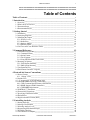

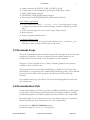

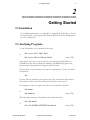
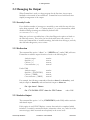
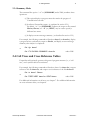

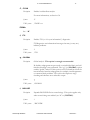
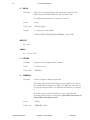
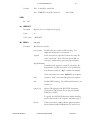
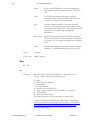
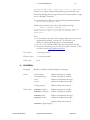
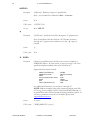

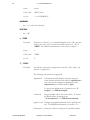
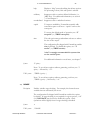
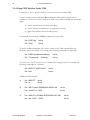

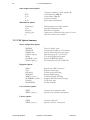
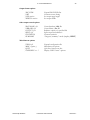
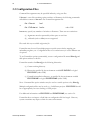
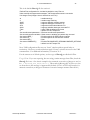
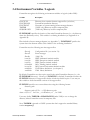
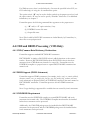
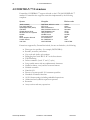
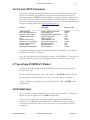
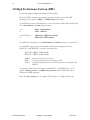

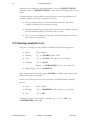
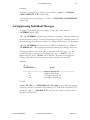
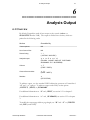



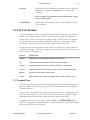
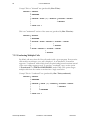

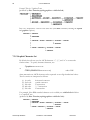
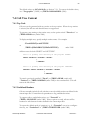
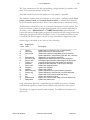
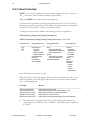
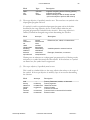
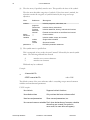
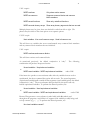




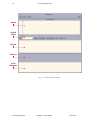
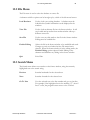
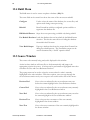
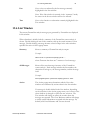

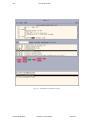


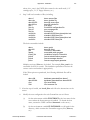
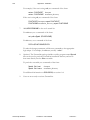
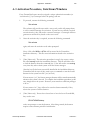
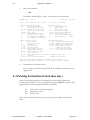
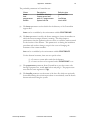

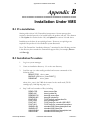
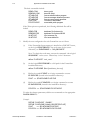
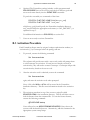
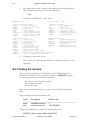

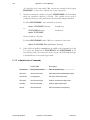
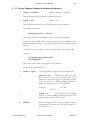

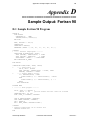
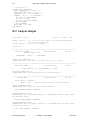
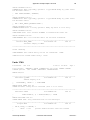
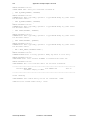

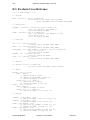
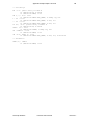
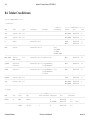
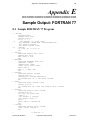
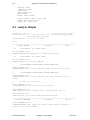
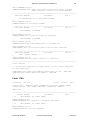
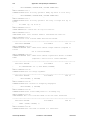
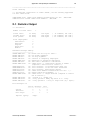
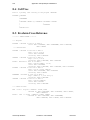
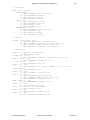

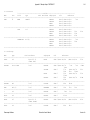
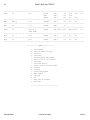



![User Manual [PDF 779 kB]](http://vs1.manualzilla.com/store/data/005781460_1-49b4dd0a8e6377162bdb6a1daefcc9f3-150x150.png)