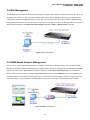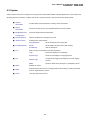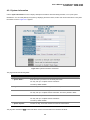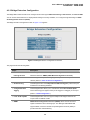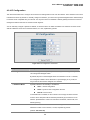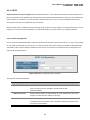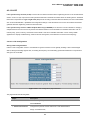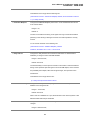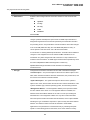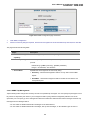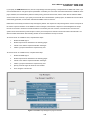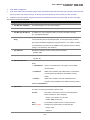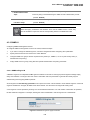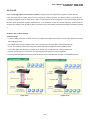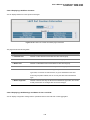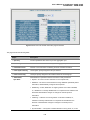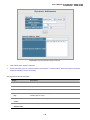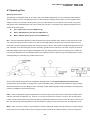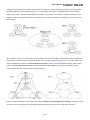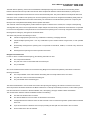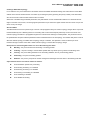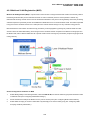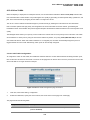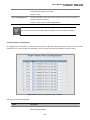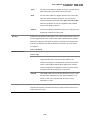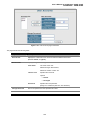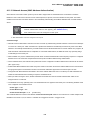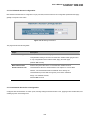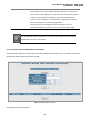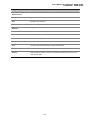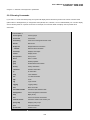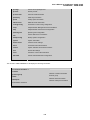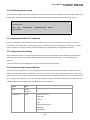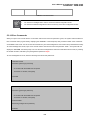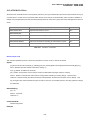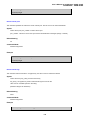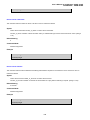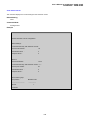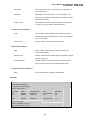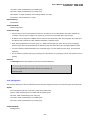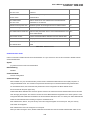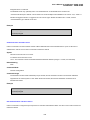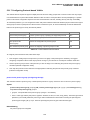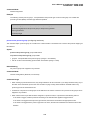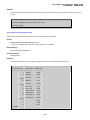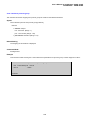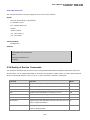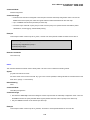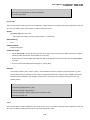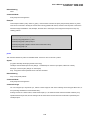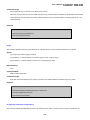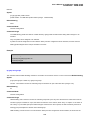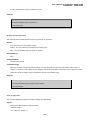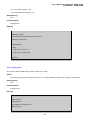
1
User’s Manual of SGSD-1022 / SGSD-1022P SGSW-2840 / SGSW-2840P User’s Manual SGSD-1022 / SGSD-1022P 8-Port 10/100Base-TX + 2G TP/SFP SGSW-2840 / SGSW-2840R 24-Port 10/100Base-TX + 4G TP/SFP SGSW-2840P / SGSW-2840P4 24-Port 10/100 PoE + 4G TP/SFP Layer 2 Managed Stackable Switches 1 User’s Manual of SGSD-1022 / SGSD-1022P SGSW-2840 / SGSW-2840P Trademarks Copyright © PLANET Technology Corp. 2010. Contents subject to which revision without prior notice. PLANET is a registered trademark of PLANET Technology Corp. All other trademarks belong to their respective owners. Disclaimer PLANET Technology does not warrant that the hardware will work properly in all environments and applications, and makes no warranty and representation, either implied or expressed, with respect to the quality, performance, merchantability, or fitness for a particular purpose. PLANET has made every effort to ensure that this User's Manual is accurate; PLANET disclaims liability for any inaccuracies or omissions that may have occurred. Information in this User's Manual is subject to change without notice and does not represent a commitment on the part of PLANET. PLANET assumes no responsibility for any inaccuracies that may be contained in this User's Manual. PLANET makes no commitment to update or keep current the information in this User's Manual, and reserves the right to make improvements to this User's Manual and/or to the products described in this User's Manual, at any time without notice. If you find information in this manual that is incorrect, misleading, or incomplete, we would appreciate your comments and suggestions. FCC Warning This equipment has been tested and found to comply with the limits for a Class A digital device, pursuant to Part 15 of the FCC Rules. These limits are designed to provide reasonable protection against harmful interference when the equipment is operated in a commercial environment. This equipment generates, uses, and can radiate radio frequency energy and, if not installed and used in accordance with the Instruction manual, may cause harmful interference to radio communications. Operation of this equipment in a residential area is likely to cause harmful interference in which case the user will be required to correct the interference at whose own expense. CE Mark Warning This is a Class A product. In a domestic environment, this product may cause radio interference, in which case the user may be required to take adequate measures. Energy Saving Note of the Device This power required device does not support Standby mode operation. For energy saving, please remove the power cable to disconnect the device from the power circuit. Without removing power cable, the device will still consuming power from the power source. In the view of Saving the Energy and reduce the unnecessary power consuming, it is strongly suggested to remove the power connection for the device if this device is not intended to be active. WEEE Warning To avoid the potential effects on the environment and human health as a result of the presence of hazardous substances in electrical and electronic equipment, end users of electrical and electronic equipment should understand the meaning of the crossed-out wheeled bin symbol. Do not dispose of WEEE as unsorted municipal waste and have to collect such WEEE separately. Revision PLANET 8 / 24-Port 10/100Mbps with 2 / 4 Gigabit TP / SFP Combo Managed Security Switch User's Manual FOR MODELS: SGSD-1022 / SGSD-1022P / SGSW-2840 / SGSW-2840R / SGSW-2840P / SGSW-2840P4 REVISION: 1.1 (April.2010) Part No: EM-SGSD-SGSW (2080-A34050-001) 2 User’s Manual of SGSD-1022 / SGSD-1022P SGSW-2840 / SGSW-2840P TABLE OF CONETNTS 1. INTRODUTION .................................................................................................................... 23 1.1 Packet Contents .........................................................................................................................................23 1.2 Product Description ...................................................................................................................................23 1.3 How to Use This Manual ............................................................................................................................25 1.4 Product Features........................................................................................................................................25 1.5 Product Specification ................................................................................................................................28 2. INSTALLATION ................................................................................................................... 31 2.1 Hardware Description ................................................................................................................................31 2.1.1 Switch Front Panel ..............................................................................................................................................31 2.1.2 LED Indications ...................................................................................................................................................32 2.1.3 Switch Rear Panel ...............................................................................................................................................36 2.2 Install the Switch ........................................................................................................................................39 2.2.1 Desktop Installation .............................................................................................................................................39 2.2.2 Rack Mounting.....................................................................................................................................................40 2.2.3 Installing the SFP transceiver ..............................................................................................................................42 3. SWITCH MANAGEMENT .................................................................................................... 44 3.1 Requirements..............................................................................................................................................44 3.2 Management Access Overview .................................................................................................................45 3.3 Administration Console .............................................................................................................................45 3.4 Web Management .......................................................................................................................................47 3.5 SNMP-Based Network Management.........................................................................................................47 3.6 Protocols .....................................................................................................................................................48 3.6.1 Virtual Terminal Protocols ....................................................................................................................................48 3.6.2 SNMP Protocol ....................................................................................................................................................48 3.6.3 Management Architecture....................................................................................................................................48 4. WEB CONFIGURATION ...................................................................................................... 49 4.1 Main WEB PAGE .........................................................................................................................................52 3 User’s Manual of SGSD-1022 / SGSD-1022P SGSW-2840 / SGSW-2840P 4.2 System.........................................................................................................................................................55 4.2.1 System Information..............................................................................................................................................56 4.2.2 Switch Information ...............................................................................................................................................57 4.2.3 Bridge Extension Configuration ...........................................................................................................................58 4.2.4 IP Configuration ...................................................................................................................................................59 4.2.5 Jumbo Frames.....................................................................................................................................................61 4.2.6 File Management .................................................................................................................................................61 4.2.6.1 Copy Operation.......................................................................................................................................61 4.2.6.2 Delete .....................................................................................................................................................67 4.2.6.3 Set Startup ..............................................................................................................................................67 4.2.7 Line......................................................................................................................................................................69 4.2.7.1 Console Port Settings................................................................................................................................69 4.2.7.2 Telnet Settings ...........................................................................................................................................71 4.2.8 Log ......................................................................................................................................................................72 4.2.8.1 System Log Configuration .........................................................................................................................72 4.2.8.2 Remote Log Configuration.........................................................................................................................74 4.2.8.3 Displaying Log Messages..........................................................................................................................75 4.2.8.4 SMTP E-Mail Alert .....................................................................................................................................76 4.2.9 UPNP...................................................................................................................................................................78 UPnP Configuration...............................................................................................................................................78 4.2.10 Reset .................................................................................................................................................................79 4.2.11 SNTP .................................................................................................................................................................80 4.2.11.1 SNTP Configuration .................................................................................................................................80 4.2.11.2 Clock Time Zone......................................................................................................................................81 4.2.12 LLDP..................................................................................................................................................................82 4.2.12.1 LLDP Configuration .................................................................................................................................82 4.2.12.2 LLDP Port Configuration..........................................................................................................................84 4.2.12.3 LLDP Trunk Configuration .......................................................................................................................87 4.2.12.4 LLDP Local Device Information ...............................................................................................................90 4.2.12.5 Remote Port Information .........................................................................................................................92 4.2.12.6 LLDP Remote Information Detail .............................................................................................................93 4.2.12.7 LLDP Device Statistics ............................................................................................................................95 4.2.12.8 LLDP Device Statistics Details.................................................................................................................96 4.3 Simple Network Management Protocol....................................................................................................97 4.3.1 SNMP Agent Status .............................................................................................................................................98 4.3.2 SNMP Configuration ............................................................................................................................................98 4.3.2.1 SNMP Community .....................................................................................................................................98 4.3.2.2 SNMP Trap Management ..........................................................................................................................99 4.3.3 SNMPv3 ............................................................................................................................................................102 4.3.3.1 SNMPv3 Engine ID..................................................................................................................................102 4 User’s Manual of SGSD-1022 / SGSD-1022P SGSW-2840 / SGSW-2840P 4.3.3.2 SNMPv3 Remote Engine ID ....................................................................................................................103 4.3.3.3 SNMPv3 Users ........................................................................................................................................104 4.3.3.4 SNMPv3 Remote Users ..........................................................................................................................107 4.3.3.5 SNMPv3 Groups......................................................................................................................................109 4.3.3.6 SNMPv3 View.......................................................................................................................................... 112 4.4 Port Management .....................................................................................................................................114 4.4.1 Port Information ................................................................................................................................................. 114 4.4.2 Port Configuration.............................................................................................................................................. 116 4.4.3 Port Broadcast Control ...................................................................................................................................... 118 4.4.4 Port Mirroring.....................................................................................................................................................120 4.4.4.1 Mirror Port Configuration .........................................................................................................................120 4.4.5 Rate Limit ..........................................................................................................................................................123 4.4.5.1 Input Rate Limit Port Configuration..........................................................................................................123 4.4.5.2 Output Rate Limit Port Configuration.......................................................................................................124 4.4.6 Port Statistics.....................................................................................................................................................125 4.5 Link Aggregation ......................................................................................................................................130 4.5.1 Trunk Information...............................................................................................................................................131 4.5.2 Trunk Configuration ...........................................................................................................................................131 4.5.3 Trunk Broadcast Control ....................................................................................................................................133 4.5.4 Trunk Membership .............................................................................................................................................134 4.5.5 LACP .................................................................................................................................................................137 4.5.5.1 LACP Configuration.................................................................................................................................138 4.5.5.2 LACP Aggregation Port ...........................................................................................................................139 4.5.5.3 Displaying LACP Port Counters...............................................................................................................142 4.5.5.4 Displaying LACP Settings and Status for the Local Side .........................................................................142 4.5.5.5 Displaying LACP Status for the Remote Side ..........................................................................................144 4.6 Address Table ...........................................................................................................................................146 4.6.1 Static Addresses ................................................................................................................................................146 4.6.2 Dynamic Addresses ...........................................................................................................................................147 4.6.3 Address Aging....................................................................................................................................................149 4.7 Spanning Tree...........................................................................................................................................150 4.7.1 STA....................................................................................................................................................................158 4.7.1.1 Spanning Tree Information ......................................................................................................................158 4.7.1.2 STA Configuration....................................................................................................................................160 4.7.1.3 STA Port Information ...............................................................................................................................164 4.7.1.4 STA Port Configuration ............................................................................................................................166 4.7.2 MSTP.................................................................................................................................................................169 4.7.2.1 Configuring Multiple Spanning Trees .......................................................................................................169 5 User’s Manual of SGSD-1022 / SGSD-1022P SGSW-2840 / SGSW-2840P 4.7.2.2 Displaying Interface Settings for MSTP ...................................................................................................170 4.7.2.3 MSTP Port Configuration.........................................................................................................................171 4.8 VLAN Configuration .................................................................................................................................173 4.8.1 IEEE 802.1Q VLANs .........................................................................................................................................174 4.8.1.1 VLAN Basic Information ..........................................................................................................................178 4.8.1.2 GVRP Status ...........................................................................................................................................179 4.8.1.3 VLAN Current Table.................................................................................................................................180 4.8.1.4 VLAN Static List.......................................................................................................................................181 4.8.1.5 VLAN Static Table....................................................................................................................................182 4.8.1.6 Static Membership by Port.......................................................................................................................185 4.8.1.7 VLAN Port Configuration .........................................................................................................................186 4.8.2 Q-in-Q VLAN .....................................................................................................................................................189 4.8.2.1 802.1Q Tunnel Configuration...................................................................................................................192 4.8.2.2 802.1Q Tunnel Port Configuration ...........................................................................................................193 4.8.3 Private VLAN .....................................................................................................................................................195 4.8.3.1 Private VLAN Information ........................................................................................................................197 4.8.3.2 Private VLAN Configuration.....................................................................................................................198 4.8.3.3 Private VLAN Association........................................................................................................................199 4.8.3.4 Private VLAN Port Information ................................................................................................................200 4.8.3.5 Private VLAN Port Configuration .............................................................................................................201 4.8.4 Protocol VLAN ...................................................................................................................................................203 4.8.4.1 Protocol VLAN Configuration...................................................................................................................204 4.8.4.2 Protocol VLAN Port Configuration ...........................................................................................................205 4.9 Multicast ....................................................................................................................................................207 4.9.1.1 IGMP Configuration .................................................................................................................................212 4.9.1.2 IGMP Immediate Leave ...........................................................................................................................214 4.9.1.3 Multicast Router Port Information ............................................................................................................215 4.9.1.4 Static Multicast Router Port Configuration ...............................................................................................216 4.9.1.5 IP Multicast Registration Table ................................................................................................................217 4.9.1.6 IGMP Member Port Table ........................................................................................................................218 4.9.2 IGMP Filter and Throttling..................................................................................................................................220 4.9.2.1 IGMP Filter Profile Configuration .............................................................................................................220 4.9.2.2 IGMP Filter Profile Configuration .............................................................................................................221 4.9.2.3 IGMP Filter / Throttling Port Configuration...............................................................................................222 4.9.3 Multicast VLAN Registration (MVR)...................................................................................................................224 4.9.3.1 MVR Configuration ..................................................................................................................................225 4.9.3.2 MVR Port Configuration...........................................................................................................................226 4.9.3.3 MVR Port Information ..............................................................................................................................228 4.9.3.4 MVR Group Member Configuration .........................................................................................................228 6 User’s Manual of SGSD-1022 / SGSD-1022P SGSW-2840 / SGSW-2840P 4.9.3.5 MVR Group IP Information ......................................................................................................................230 4.10 Quality of Service ...................................................................................................................................231 4.10.1 Priority .............................................................................................................................................................232 4.10.1.1 Port Priority Configuration .....................................................................................................................233 4.10.1.2 Traffic Classes .......................................................................................................................................234 4.10.1.3 Queue Mode..........................................................................................................................................236 4.10.1.4 Queue Scheduling .................................................................................................................................237 4.10.2 Layer 3/4 Priority Settings................................................................................................................................238 4.10.2.1 Mapping Layer 3/4 Priorities to CoS Values ..........................................................................................238 4.10.2.2 IP DSCP Priority Status .........................................................................................................................238 4.10.2.3 IP DSCP Priority ....................................................................................................................................239 4.10.2.4 Mapping IP Precedence Priority ............................................................................................................240 4.10.2.5 IP Precedence Priority Status ................................................................................................................240 4.10.2.6 IP Precedence Priority ...........................................................................................................................241 4.10.2.7 Mapping IP TOS Priority ........................................................................................................................241 4.10.2.8 IP TOS Priority Status............................................................................................................................242 4.10.2.9 IP TOS Priority.......................................................................................................................................243 4.10.2.10 Mapping IP Port Priority.......................................................................................................................243 4.10.2.11 IP Port Priority Status...........................................................................................................................244 4.10.2.12 IP Port Priority .....................................................................................................................................245 4.10.2.13 Mapping CoS Values to ACLs..............................................................................................................245 4.10.2.14 ACL CoS Priority..................................................................................................................................246 4.10.3 DiffServ............................................................................................................................................................247 4.10.3.1 Configuring a DiffServ Class Map..........................................................................................................248 4.10.3.2 Policy Map.............................................................................................................................................251 4.10.3.3 Service Policy ........................................................................................................................................255 4.10.4 Voice VLANs....................................................................................................................................................256 4.10.4.1 VoIP Traffic Configuration ......................................................................................................................256 4.10.4.2 VoIP Port Configuration .........................................................................................................................257 4.10.4.3 Telephony OUI Configuration.................................................................................................................259 4.11 Security....................................................................................................................................................260 4.11.1 User Authentication..........................................................................................................................................260 4.11.1 Configuring User Accounts ..............................................................................................................................260 4.11.2 Configuring Local / Remote Logon Authentication ...........................................................................................262 4.11.3 RADIUS Settings .............................................................................................................................................264 4.11.4 TACACS Settings.............................................................................................................................................265 4.11.5 AAA Authorization and Accounting ...................................................................................................................266 4.11.5.1 RADIUS Group Settings ........................................................................................................................267 4.11.5.2 AAA TACACS+ Group Settings..............................................................................................................267 7 User’s Manual of SGSD-1022 / SGSD-1022P SGSW-2840 / SGSW-2840P 4.11.5.3 AAA Accounting Settings .......................................................................................................................268 4.11.5.4 AAA Accounting Update.........................................................................................................................269 4.11.5.5 AAA Accounting 802.1X Port Settings....................................................................................................270 4.11.5.6 AAA Accounting Exec Command Privileges ..........................................................................................271 4.11.5.7 AAA Accounting EXEC Settings.............................................................................................................272 4.11.5.8 AAA Accounting Summary .....................................................................................................................273 4.11.5.9 AAA Accounting Statistics Summary ......................................................................................................274 4.11.5.10 Authorization Settings ..........................................................................................................................274 4.11.5.11 AAA Authorization EXEC Settings ........................................................................................................275 4.11.5.12 AAA Authorization Summary ................................................................................................................275 4.11.6 HTTPS Setting .................................................................................................................................................276 4.11.7 SSH .................................................................................................................................................................278 4.11.7.1 Configure Secure Shell ..........................................................................................................................278 4.11.7.2 SSH Server Settings..............................................................................................................................280 4.11.7.3 SSH Host-Key Settings..........................................................................................................................281 4.11.8 802.1X Port Authentication ..............................................................................................................................284 4.11.8.1 Understanding IEEE 802.1X Port-Based Authentication........................................................................285 4.11.8.2 Displaying 802.1X Information ...............................................................................................................288 4.11.8.3 802.1X Configuration .............................................................................................................................288 4.11.8.4 802.1X Port Configuration......................................................................................................................289 4.11.8.5 Displaying 802.1X Statistics...................................................................................................................291 4.11.8.7 Windows Platform RADIUS Server Configuration..................................................................................292 4.11.8.8 802.1X Client Configuration ...................................................................................................................294 4.11.9 Client Security..................................................................................................................................................297 4.11.10 Port Security ..................................................................................................................................................298 4.11.11 Web Authentication ........................................................................................................................................301 4.11.11.1 Web Authentication Configuration ........................................................................................................302 4.11.11.2 Web Authentication Port Configuration ................................................................................................303 4.11.11.3 Web Authentication Port Information....................................................................................................303 4.11.11.4 Re-Authentication ................................................................................................................................304 4.11.12 Network Access (MAC Address Authentication).............................................................................................306 4.11.12.1 Network Access Configuration .............................................................................................................307 4.11.12.2 Network Access Port Configuration .....................................................................................................307 4.11.12.3 Network Access MAC Address Information..........................................................................................309 4.11.13 Access Control Lists....................................................................................................................................... 311 4.11.13.1 ACL Configuration................................................................................................................................ 311 4.11.13.2 Configure a Standard ACL ...................................................................................................................313 4.11.13.3 Extended ACL......................................................................................................................................314 4.11.13.4 MAC ACL .............................................................................................................................................316 4.11.13.5 ACL Port Binding..................................................................................................................................319 8 User’s Manual of SGSD-1022 / SGSD-1022P SGSW-2840 / SGSW-2840P 4.11.14 IP Filter ..........................................................................................................................................................321 4.11.14.1 Web IP Filter ........................................................................................................................................321 4.11.14.2 SNMP IP Filter .....................................................................................................................................322 4.11.14.3 Telnet IP Filter ......................................................................................................................................323 4.11.15 DHCP Snooping.............................................................................................................................................325 4.11.15.1 DHCP Snooping Configuration ............................................................................................................326 4.11.15.2 DHCP Snooping VLAN Configuration ..................................................................................................326 4.11.15.3 Information Option Configuration .........................................................................................................327 4.11.15.4 DHCP Snooping Port Configuration.....................................................................................................329 4.11.16 IP Source Guard ............................................................................................................................................330 4.11.16.1 Port Configuration................................................................................................................................330 4.11.16.2 Static Configuration..............................................................................................................................332 4.11.16.3 Dynamic Information............................................................................................................................333 4.12 Cluster .....................................................................................................................................................335 4.12.1 Cluster Configuration .......................................................................................................................................335 4.12.2 Cluster Member Configuration.........................................................................................................................337 4.12.3 Cluster Member Information ............................................................................................................................337 4.12.4 Cluster Candidate Information .........................................................................................................................338 4.13 Power Over Ethernet (SGSD-1022P / SGSW-2840P / SGSW-2840P4) ...............................................340 4.13.1 Power over Ethernet Powered Device .............................................................................................................340 4.13.2 Power Management: .......................................................................................................................................341 5. COMMAND LINE INTERFACE.......................................................................................... 344 5.1 Using the Command Line Interface........................................................................................................344 5.1.1 Accessing the CLI ..............................................................................................................................................344 5.1.2 Console Connection ..........................................................................................................................................344 5.1.3 Telnet Connection ..............................................................................................................................................344 5.2 Entering Commands ................................................................................................................................346 5.2.1 Keywords and Arguments..................................................................................................................................346 5.2.2 Minimum Abbreviation .......................................................................................................................................346 5.2.3 Command Completion .......................................................................................................................................346 5.2.4 Getting Help on Commands ..............................................................................................................................346 5.2.5 Showing Commands .........................................................................................................................................347 5.2.6 Partial Keyword Lookup.....................................................................................................................................349 5.2.7 Negating the Effect of Commands .....................................................................................................................349 5.2.8 Using Command History....................................................................................................................................349 5.2.9 Understanding Command Modes ......................................................................................................................349 5.2.10 Exec Commands .............................................................................................................................................350 9 User’s Manual of SGSD-1022 / SGSD-1022P SGSW-2840 / SGSW-2840P 5.2.11 Configuration Commands ................................................................................................................................351 5.2.12 Command Line Processing..............................................................................................................................352 5.3 Command Groups ....................................................................................................................................353 5.4 General Commands .................................................................................................................................354 enable..................................................................................................................................................................354 disable .................................................................................................................................................................355 configure..............................................................................................................................................................356 show history ........................................................................................................................................................356 reload ..................................................................................................................................................................357 prompt .................................................................................................................................................................358 end ......................................................................................................................................................................358 exit.......................................................................................................................................................................358 quit ......................................................................................................................................................................359 5.5 System Management Commands...........................................................................................................360 5.5.1 Device Designation Commands ........................................................................................................................360 hostname.............................................................................................................................................................360 5.5.2 Banner Information Commands.........................................................................................................................361 banner configure .................................................................................................................................................361 banner configure company ..................................................................................................................................363 banner configure dc-power-info...........................................................................................................................363 banner configure department ..............................................................................................................................364 banner configure equipment-info.........................................................................................................................364 banner configure equipment-location ..................................................................................................................365 banner configure ip-lan........................................................................................................................................366 banner configure lp-number ................................................................................................................................366 banner configure manager-info ...........................................................................................................................367 banner configure mux..........................................................................................................................................368 banner configure note .........................................................................................................................................368 show banner........................................................................................................................................................369 5.5.3 System Status Commands ................................................................................................................................370 show startup-config .............................................................................................................................................370 show running-config ............................................................................................................................................372 show system........................................................................................................................................................374 show users ..........................................................................................................................................................375 show version .......................................................................................................................................................376 5.5.4 Frame Size Commands .....................................................................................................................................377 jumbo frame ........................................................................................................................................................377 5.5.5 File Management Commands............................................................................................................................378 copy.....................................................................................................................................................................378 10 User’s Manual of SGSD-1022 / SGSD-1022P SGSW-2840 / SGSW-2840P delete ..................................................................................................................................................................381 dir ........................................................................................................................................................................382 whichboot ............................................................................................................................................................383 boot system .........................................................................................................................................................383 5.6 Line Commands .......................................................................................................................................384 line.......................................................................................................................................................................385 login.....................................................................................................................................................................385 password .............................................................................................................................................................386 timeout login response ........................................................................................................................................387 exec-timeout........................................................................................................................................................388 password-thresh ..................................................................................................................................................388 silent-time ............................................................................................................................................................389 databits................................................................................................................................................................389 parity....................................................................................................................................................................390 speed ..................................................................................................................................................................391 stopbits ................................................................................................................................................................391 disconnect ...........................................................................................................................................................392 show line .............................................................................................................................................................392 5.7 Event Logging Commands......................................................................................................................393 logging on............................................................................................................................................................393 logging history .....................................................................................................................................................394 logging host .........................................................................................................................................................395 logging facility......................................................................................................................................................396 logging trap..........................................................................................................................................................396 clear log...............................................................................................................................................................397 show logging .......................................................................................................................................................397 show log ..............................................................................................................................................................399 5.8 SMTP Alert Commands............................................................................................................................400 logging sendmail host..........................................................................................................................................400 logging sendmail level .........................................................................................................................................401 logging sendmail source-email ............................................................................................................................401 logging sendmail destination-email .....................................................................................................................402 logging sendmail .................................................................................................................................................402 show logging sendmail ........................................................................................................................................403 5.9 Time Commands.......................................................................................................................................403 sntp client ............................................................................................................................................................404 sntp server...........................................................................................................................................................405 sntp poll ...............................................................................................................................................................405 11 User’s Manual of SGSD-1022 / SGSD-1022P SGSW-2840 / SGSW-2840P show sntp ............................................................................................................................................................406 clock timezone.....................................................................................................................................................406 calendar set.........................................................................................................................................................407 show calendar .....................................................................................................................................................408 5.10 Switch Cluster Commands....................................................................................................................408 cluster..................................................................................................................................................................409 cluster commander ..............................................................................................................................................409 cluster ip-pool ......................................................................................................................................................410 cluster member....................................................................................................................................................410 rcommand ........................................................................................................................................................... 411 show cluster ........................................................................................................................................................ 411 show cluster members.........................................................................................................................................412 show cluster candidates ......................................................................................................................................412 5.11 SNMP Commands...................................................................................................................................413 snmp-server ........................................................................................................................................................414 show snmp ..........................................................................................................................................................414 snmp-server community ......................................................................................................................................415 snmp-server contact ............................................................................................................................................416 Related Commands.............................................................................................................................................416 snmp-server host.................................................................................................................................................417 snmp-server enable traps....................................................................................................................................419 snmp-server engine-id.........................................................................................................................................420 show snmp engine-id ..........................................................................................................................................420 snmp-server view ................................................................................................................................................421 show snmp view ..................................................................................................................................................422 snmp-server group ..............................................................................................................................................423 show snmp group ................................................................................................................................................424 snmp-server user ................................................................................................................................................425 show snmp user ..................................................................................................................................................427 5.12 Authentication Commands....................................................................................................................428 5.12.1 User Account Commands ................................................................................................................................428 username ............................................................................................................................................................428 enable password .................................................................................................................................................429 5.12.2 Authentication Sequence .................................................................................................................................430 authentication login .............................................................................................................................................431 authentication enable ..........................................................................................................................................431 5.12.3 RADIUS Client.................................................................................................................................................432 radius-server host................................................................................................................................................433 radius-server auth-port ........................................................................................................................................434 12 User’s Manual of SGSD-1022 / SGSD-1022P SGSW-2840 / SGSW-2840P radius-server acct-port.........................................................................................................................................434 radius-server key.................................................................................................................................................434 radius-server retransmit.......................................................................................................................................435 radius-server timeout...........................................................................................................................................435 show radius-server ..............................................................................................................................................436 5.13.4 TACACS+ Client ..............................................................................................................................................437 tacacs-server host ...............................................................................................................................................437 tacacs-server port................................................................................................................................................438 tacacs-server key ................................................................................................................................................438 tacacs-server retransmit ......................................................................................................................................439 tacacs-server timeout ..........................................................................................................................................439 show tacacs-server..............................................................................................................................................440 5.12.5 AAA Commands ..............................................................................................................................................441 aaa group server .................................................................................................................................................441 server ..................................................................................................................................................................442 aaa accounting dot1x ..........................................................................................................................................442 aaa accounting exec ...........................................................................................................................................443 aaa accounting commands..................................................................................................................................444 aaa accounting update ........................................................................................................................................445 accounting dot1x .................................................................................................................................................445 accounting exec ..................................................................................................................................................446 accounting commands ........................................................................................................................................446 aaa authorization exec ........................................................................................................................................447 authorization exec ...............................................................................................................................................448 show accounting..................................................................................................................................................448 5.12.6 Web Server Commands ..................................................................................................................................450 ip http port ...........................................................................................................................................................450 ip http server........................................................................................................................................................450 ip http secure-server............................................................................................................................................451 ip http secure-port ...............................................................................................................................................452 5.12.7 Telnet Server Commands ................................................................................................................................453 ip telnet server.....................................................................................................................................................453 5.12.8 Secure Shell Commands .................................................................................................................................454 ip ssh server ........................................................................................................................................................456 ip ssh timeout ......................................................................................................................................................457 ip ssh authentication-retries.................................................................................................................................458 ip ssh server-key size..........................................................................................................................................458 delete public-key .................................................................................................................................................459 ip ssh crypto host-key generate...........................................................................................................................459 ip ssh crypto zeroize............................................................................................................................................460 13 User’s Manual of SGSD-1022 / SGSD-1022P SGSW-2840 / SGSW-2840P ip ssh save host-key............................................................................................................................................461 show ip ssh..........................................................................................................................................................461 show ssh .............................................................................................................................................................462 show public-key...................................................................................................................................................463 5.12.9 802.1X Port Authentication ..............................................................................................................................464 dot1x system-auth-control ...................................................................................................................................465 dot1x default........................................................................................................................................................465 dot1x max-req .....................................................................................................................................................465 dot1x port-control ................................................................................................................................................466 dot1x operation-mode .........................................................................................................................................466 dot1x re-authenticate...........................................................................................................................................467 dot1x re-authentication ........................................................................................................................................468 dot1x timeout quiet-period ...................................................................................................................................468 dot1x timeout re-authperiod.................................................................................................................................469 dot1x timeout tx-period ........................................................................................................................................469 dot1x intrusion-action ..........................................................................................................................................470 show dot1x ..........................................................................................................................................................471 5.12.10 Management IP Filter Commands .................................................................................................................473 management .......................................................................................................................................................473 show management ..............................................................................................................................................474 5.13 Client Security Commands....................................................................................................................475 5.13.1 Port Security Commands.................................................................................................................................476 port security.........................................................................................................................................................476 5.13.2 Network Access (MAC Address Authentication) ..............................................................................................477 network-access mode .........................................................................................................................................478 network-access max-mac-count..........................................................................................................................479 mac-authentication intrusion-action .....................................................................................................................479 mac-authentication max-mac-count ....................................................................................................................480 network-access dynamic-vlan .............................................................................................................................480 network-access guest-vlan ..................................................................................................................................481 mac-authentication reauth-time ...........................................................................................................................482 clear network-access...........................................................................................................................................482 show network-access ..........................................................................................................................................483 show network-access mac-address-table............................................................................................................484 5.13.3 Web Authentication..........................................................................................................................................485 web-auth login-attempts ......................................................................................................................................485 web-auth quiet-period..........................................................................................................................................486 web-auth session-timeout....................................................................................................................................486 web-auth system-auth-control .............................................................................................................................487 web-auth..............................................................................................................................................................487 14 User’s Manual of SGSD-1022 / SGSD-1022P SGSW-2840 / SGSW-2840P web-auth re-authenticate (Port)...........................................................................................................................488 web-auth re-authenticate (IP) ..............................................................................................................................488 show web-auth ....................................................................................................................................................489 show web-auth interface......................................................................................................................................489 show web-auth summary.....................................................................................................................................490 5.13.4 DHCP Snooping Commands ...........................................................................................................................491 ip dhcp snooping .................................................................................................................................................491 ip dhcp snooping vlan..........................................................................................................................................493 ip dhcp snooping trust .........................................................................................................................................493 ip dhcp snooping verify mac-address ..................................................................................................................494 ip dhcp snooping information option....................................................................................................................495 ip dhcp snooping information policy ....................................................................................................................496 show ip dhcp snooping ........................................................................................................................................496 show ip dhcp snooping binding ...........................................................................................................................497 5.13.5 IP Source Guard Commands...........................................................................................................................497 ip source-guard ...................................................................................................................................................498 ip source-guard binding .......................................................................................................................................499 show ip source-guard ..........................................................................................................................................500 show ip source-guard binding..............................................................................................................................501 5.14 Access Control List Commands ...........................................................................................................501 5.14.1 IP ACLs............................................................................................................................................................502 access-list ip........................................................................................................................................................502 permit, deny (Standard ACL) ...............................................................................................................................503 permit, deny (Extended ACL) ..............................................................................................................................504 show ip access-list ..............................................................................................................................................506 ip access-group ...................................................................................................................................................507 show ip access-group..........................................................................................................................................507 map access-list ip................................................................................................................................................508 show map access-list ip.......................................................................................................................................509 5.14.2 MAC ACLs .......................................................................................................................................................509 access-list mac....................................................................................................................................................510 permit, deny (MAC ACL)......................................................................................................................................510 show mac access-list ..........................................................................................................................................512 mac access-group ...............................................................................................................................................512 show mac access-group......................................................................................................................................513 map access-list mac............................................................................................................................................513 show map access-list mac...................................................................................................................................514 5.14.3 ACL Information ...............................................................................................................................................515 show access-list ..................................................................................................................................................515 show access-group .............................................................................................................................................516 15 User’s Manual of SGSD-1022 / SGSD-1022P SGSW-2840 / SGSW-2840P 5.15 Interface Commands..............................................................................................................................516 interface...............................................................................................................................................................517 description ...........................................................................................................................................................517 speed-duplex.......................................................................................................................................................518 negotiation...........................................................................................................................................................519 capabilities...........................................................................................................................................................520 flowcontrol ...........................................................................................................................................................521 shutdown .............................................................................................................................................................522 broadcast byte-rate .............................................................................................................................................522 switchport broadcast ...........................................................................................................................................523 clear counters......................................................................................................................................................524 show interfaces status .........................................................................................................................................524 show interfaces counters.....................................................................................................................................525 show interfaces switchport ..................................................................................................................................527 5.16 Link Aggregation Commands ...............................................................................................................529 channel-group .....................................................................................................................................................530 lacp......................................................................................................................................................................530 lacp system-priority .............................................................................................................................................532 lacp admin-key (Ethernet Interface) ....................................................................................................................533 lacp admin-key (Port Channel) ............................................................................................................................534 lacp port-priority...................................................................................................................................................534 show lacp ............................................................................................................................................................535 5.17 Mirror Port Commands ..........................................................................................................................540 port monitor .........................................................................................................................................................540 show port monitor................................................................................................................................................541 5.18 Rate Limit Commands ...........................................................................................................................541 rate-limit...............................................................................................................................................................542 5.19 Address Table Commands ....................................................................................................................542 mac-address-table static .....................................................................................................................................543 clear mac-address-table dynamic........................................................................................................................544 show mac-address-table .....................................................................................................................................544 mac-address-table aging-time .............................................................................................................................545 show mac-address-table aging-time....................................................................................................................546 5.20 Spanning Tree Commands ....................................................................................................................546 spanning-tree ......................................................................................................................................................547 spanning-tree mode.............................................................................................................................................548 spanning-tree forward-time..................................................................................................................................549 spanning-tree hello-time ......................................................................................................................................549 16 User’s Manual of SGSD-1022 / SGSD-1022P SGSW-2840 / SGSW-2840P spanning-tree max-age........................................................................................................................................550 spanning-tree priority...........................................................................................................................................551 spanning-tree pathcost method ...........................................................................................................................551 spanning-tree transmission-limit ..........................................................................................................................552 spanning-tree mst-configuration ..........................................................................................................................552 mst vlan ...............................................................................................................................................................553 mst priority...........................................................................................................................................................554 name ...................................................................................................................................................................554 revision ................................................................................................................................................................555 max-hops.............................................................................................................................................................556 spanning-tree spanning-disabled.........................................................................................................................556 spanning-tree cost ...............................................................................................................................................557 spanning-tree port-priority ...................................................................................................................................558 spanning-tree edge-port ......................................................................................................................................559 spanning-tree portfast..........................................................................................................................................559 spanning-tree link-type ........................................................................................................................................560 spanning-tree mst cost ........................................................................................................................................561 spanning-tree mst port-priority.............................................................................................................................562 spanning-tree protocol-migration .........................................................................................................................563 show spanning-tree .............................................................................................................................................563 show spanning-tree mst configuration .................................................................................................................565 5.21 VLAN Commands ...................................................................................................................................567 5.21.1 GVRP and Bridge Extension Commands ........................................................................................................567 bridge-ext gvrp ....................................................................................................................................................568 show bridge-ext ...................................................................................................................................................568 switchport gvrp ....................................................................................................................................................569 show gvrp configuration.......................................................................................................................................569 garp timer ............................................................................................................................................................570 show garp timer...................................................................................................................................................571 5.21.2 Editing VLAN Groups.......................................................................................................................................572 vlan database ......................................................................................................................................................572 vlan......................................................................................................................................................................572 5.21.3 Configuring VLAN Interfaces ...........................................................................................................................573 interface vlan .......................................................................................................................................................574 switchport mode ..................................................................................................................................................574 switchport acceptable-frame-types ......................................................................................................................575 switchport ingress-filtering ...................................................................................................................................576 switchport native vlan ..........................................................................................................................................577 switchport allowed vlan........................................................................................................................................577 switchport forbidden vlan.....................................................................................................................................578 17 User’s Manual of SGSD-1022 / SGSD-1022P SGSW-2840 / SGSW-2840P 5.21.4 Displaying VLAN Information...........................................................................................................................579 show vlan ............................................................................................................................................................579 5.21.5 Configuring IEEE 802.1Q Tunneling ................................................................................................................581 dot1q-tunnel system-tunnel-control .....................................................................................................................582 switchport dot1q-tunnel mode .............................................................................................................................582 switchport dot1q-tunnel tpid.................................................................................................................................583 show dot1q-tunnel ...............................................................................................................................................584 5.21.6 Configuring Private VLANs ..............................................................................................................................585 private-vlan..........................................................................................................................................................586 private vlan association .......................................................................................................................................587 switchport mode private-vlan...............................................................................................................................587 switchport private-vlan host-association ..............................................................................................................588 switchport private-vlan isolated ...........................................................................................................................589 switchport private-vlan mapping ..........................................................................................................................589 show private-vlan ................................................................................................................................................590 5.21.7 Configuring Protocol-based VLANs .................................................................................................................591 protocol-vlan protocol-group (Configuring Groups) .............................................................................................591 protocol-vlan protocol-group (Configuring Interfaces) .........................................................................................592 show protocol-vlan protocol-group ......................................................................................................................593 show interfaces protocol-group ...........................................................................................................................594 5.21.8 Configuring Voice VLANs ................................................................................................................................595 voice vlan ............................................................................................................................................................595 voice vlan aging...................................................................................................................................................596 voice vlan mac-address.......................................................................................................................................596 switchport voice vlan ...........................................................................................................................................597 switchport voice vlan rule ....................................................................................................................................598 switchport voice vlan security ..............................................................................................................................599 switchport voice vlan priority................................................................................................................................599 show voice vlan ...................................................................................................................................................600 5.22 LLDP Commands....................................................................................................................................601 lldp.......................................................................................................................................................................603 lldp holdtime-multiplier.........................................................................................................................................603 lldp medFastStartCount .......................................................................................................................................604 lldp notification-interval ........................................................................................................................................604 lldp refresh-interval ..............................................................................................................................................605 lldp reinit-delay ....................................................................................................................................................605 lldp tx-delay .........................................................................................................................................................606 lldp admin-status .................................................................................................................................................607 lldp notification.....................................................................................................................................................607 lldp mednotification..............................................................................................................................................608 18 User’s Manual of SGSD-1022 / SGSD-1022P SGSW-2840 / SGSW-2840P lldp basic-tlv management-ip-address .................................................................................................................608 lldp basic-tlv port-description ...............................................................................................................................609 lldp basic-tlv system-capabilities..........................................................................................................................610 lldp basic-tlv system-description..........................................................................................................................610 lldp basic-tlv system-name .................................................................................................................................. 611 lldp dot1-tlv proto-ident ........................................................................................................................................ 611 lldp dot1-tlv proto-vid ...........................................................................................................................................612 lldp dot1-tlv pvid ..................................................................................................................................................612 lldp dot1-tlv vlan-name ........................................................................................................................................613 lldp dot3-tlv link-agg.............................................................................................................................................613 lldp dot3-tlv mac-phy ...........................................................................................................................................614 lldp dot3-tlv max-frame ........................................................................................................................................614 lldp dot3-tlv poe ...................................................................................................................................................615 lldp medtlv extpoe................................................................................................................................................615 lldp medtlv inventory............................................................................................................................................616 lldp medtlv location ..............................................................................................................................................617 lldp medtlv med-cap ............................................................................................................................................617 lldp medtlv network-policy ...................................................................................................................................618 show lldp config...................................................................................................................................................618 show lldp info local-device...................................................................................................................................620 show lldp info remote-device ...............................................................................................................................621 show lldp info statistics ........................................................................................................................................621 5.23 Class of Service Commands .................................................................................................................623 5.23.1 Priority Commands (Layer 2)...........................................................................................................................623 queue mode ........................................................................................................................................................623 switchport priority default.....................................................................................................................................624 queue bandwidth .................................................................................................................................................625 queue cos-map....................................................................................................................................................626 show queue mode ...............................................................................................................................................627 show queue bandwidth........................................................................................................................................627 show queue cos-map ..........................................................................................................................................628 5.23.2 Priority Commands (Layer 3 and 4) .................................................................................................................629 map ip dscp .........................................................................................................................................................629 map ip port ..........................................................................................................................................................630 map ip precedence ..............................................................................................................................................631 map ip tos............................................................................................................................................................632 map access-list ip................................................................................................................................................633 map access-list mac............................................................................................................................................633 show map ip dscp................................................................................................................................................634 show map ip port .................................................................................................................................................634 19 User’s Manual of SGSD-1022 / SGSD-1022P SGSW-2840 / SGSW-2840P show map ip precedence.....................................................................................................................................635 show map ip tos ..................................................................................................................................................636 show map access-list ..........................................................................................................................................637 5.24 Quality of Service Commands ..............................................................................................................637 class-map ............................................................................................................................................................638 match...................................................................................................................................................................639 policy-map ...........................................................................................................................................................640 class ....................................................................................................................................................................640 set .......................................................................................................................................................................641 police ...................................................................................................................................................................642 service-policy.......................................................................................................................................................643 show class-map...................................................................................................................................................644 show policy-map..................................................................................................................................................644 show policy-map interface ...................................................................................................................................645 5.25 Multicast Filtering Commands..............................................................................................................646 5.25.1 IGMP Snooping Commands ............................................................................................................................646 ip igmp snooping .................................................................................................................................................646 ip igmp snooping vlan static ................................................................................................................................647 ip igmp snooping version.....................................................................................................................................647 ip igmp snooping immediate-leave ......................................................................................................................649 show ip igmp snooping ........................................................................................................................................649 show mac-address-table multicast ......................................................................................................................650 5.25.2 IGMP Query Commands (Layer 2) ..................................................................................................................651 ip igmp snooping querier .....................................................................................................................................651 ip igmp snooping query-count .............................................................................................................................651 ip igmp snooping query-interval...........................................................................................................................652 ip igmp snooping query-max-response-time........................................................................................................653 5.25.3 Static Multicast Routing Commands ................................................................................................................654 ip igmp snooping vlan mrouter ............................................................................................................................654 show ip igmp snooping mrouter...........................................................................................................................655 5.25.4 IGMP Filtering and Throttling Commands........................................................................................................656 ip igmp filter (Global Configuration) .....................................................................................................................656 ip igmp profile ......................................................................................................................................................657 permit, deny.........................................................................................................................................................657 range ...................................................................................................................................................................658 ip igmp filter (Interface Configuration) .................................................................................................................658 ip igmp max-groups .............................................................................................................................................659 ip igmp max-groups action ..................................................................................................................................660 show ip igmp filter................................................................................................................................................660 20 User’s Manual of SGSD-1022 / SGSD-1022P SGSW-2840 / SGSW-2840P show ip igmp profile.............................................................................................................................................661 show ip igmp throttle interface.............................................................................................................................662 5.25.5 Multicast VLAN Registration Commands.........................................................................................................663 mvr (Global Configuration) ..................................................................................................................................663 mvr (Interface Configuration)...............................................................................................................................664 show mvr .............................................................................................................................................................666 5.26 IP Interface Commands .........................................................................................................................669 ip address............................................................................................................................................................669 ip default-gateway ...............................................................................................................................................670 ip dhcp restart......................................................................................................................................................671 show ip interface .................................................................................................................................................671 show ip redirects .................................................................................................................................................672 ping .....................................................................................................................................................................672 6. CLI CONFIGURATION (To be Continued) ....................................................................... 674 System.............................................................................................................................................................674 System Information.....................................................................................................................................................674 Switch Information ......................................................................................................................................................675 Display Bridge Extension Capabilities ........................................................................................................................675 IP Address Configuration ............................................................................................................................................676 Manual IP Configuration ......................................................................................................................................676 Using DHCP/BOOTP ..........................................................................................................................................676 Sending Simple Mail Transfer Protocol Alerts.............................................................................................................676 Setting the System Clock ...........................................................................................................................................677 Setting the Time Zone ................................................................................................................................................677 7. SWITCH OPERATION ....................................................................................................... 678 7.1 Address Table ...........................................................................................................................................678 7.2 Learning ....................................................................................................................................................678 7.3 Forwarding & Filtering .............................................................................................................................678 7.4 Store-and-Forward ...................................................................................................................................678 7.5 Auto-Negotiation ......................................................................................................................................679 8. POWER OVER ETHERNET OVERVIEW .......................................................................... 680 What is PoE?...................................................................................................................................................680 21 User’s Manual of SGSD-1022 / SGSD-1022P SGSW-2840 / SGSW-2840P The PoE Provision Process...........................................................................................................................682 Stages of powering up a PoE link........................................................................................................................682 Line Detection.............................................................................................................................................................682 Classification ..............................................................................................................................................................683 Start-up .......................................................................................................................................................................683 Operation....................................................................................................................................................................683 Power Disconnection Scenarios .................................................................................................................................683 9. TROUBLE SHOOTING...................................................................................................... 685 APPENDEX A ........................................................................................................................ 686 A.1 Switch's RJ-45 Pin Assignments ...........................................................................................................686 A.2 10/100Mbps, 10/100Base-TX ...................................................................................................................686 APPENDEX B : GLOSSARY................................................................................................. 688 22 User’s Manual of SGSD-1022 / SGSD-1022P SGSW-2840 / SGSW-2840P 1. INTRODUTION The PLANET Layer 2 Managed Security Switch series - SGSD-1022 / SGSD-1022P / SGSW-2840 / SGSW-2840P are all multiple ports Fast Ethernet Switched with Gigabit uplink capability and robust layer 2 features; the description of these models as below: SGSD-1022 8-Port 10/100Base-TX + 2-Port Gigabit TP/SFP Combo Managed Switch : SGSD-1022P : 8-Port 10/100Base-TX + 2-Port Gigabit TP/SFP Combo Managed PoE Switch SGSW-2840 24-Port 10/100Base-TX + 4-Port Gigabit TP/SFP Combo Managed Switch : 24-Port 10/100Base-TX + 4-Port Gigabit TP/SFP Combo Managed PoE Switch SGSW-2840P : SGSW-2840R : 24-Port 10/100Base-TX + 4-Port Gigabit TP/SFP Combo Managed Switch w/ Redundant Power Terms of “Managed Switch” means the Switches mentioned titled in the cover page of this User’s manual, i.e.SGSD-1022 and SGSD-2840. 1.1 Packet Contents Open the box of the Managed Switch and carefully unpack it. The box should contain the following items: Check the contents of your package for following parts: ; The Managed Switch x1 ; User’s manual CD x1 ; Quick installation guide x1 ; 19” Rack mount accessory kit x1 ; Power cord x1 ; Rubber feet X4 ; RS-232 DB9 male Console cable x1 If any of these are missing or damaged, please contact your dealer immediately, if possible, retain the carton including the original packing material, and use them against to repack the product in case there is a need to return it to us for repair. 1.2 Product Description Full-Functioned / Advanced Features Layer 2 Managed Switch for Enterprise and Campus Networking The PLANET SGSD-1022 / SGSW-2840 is a 8 / 24-Port 10/100Mbps Fast Ethernet Switch with 2 / 4-Port Gigabit TP/ SFP Combo interfaces, which boasts high performance switch architecture. That is capable of providing non-blocking switch fabric and wire-speed throughput as high as 12.8 Gbps, which greatly simplifies the tasks of upgrading the LAN for catering to increase bandwidth demands. Its four built-in GbE uplink ports also offer incredible extensibility, flexibility and connectivity to the core switch or servers. 23 User’s Manual of SGSD-1022 / SGSD-1022P SGSW-2840 / SGSW-2840P Robust Layer 2 Features The SGSW-2840 can be programmed for basic switch management functions such as port speed configuration, Port aggregation, VLAN, Spanning Tree protocol, QoS, bandwidth control and IGMP Snooping. It provides IEEE 802.1Q Tagged VLAN and the VLAN groups allowed on the SGSW-2840 will be maximally up to 256. Via aggregation of supporting port, the SGSW-2840 allows the operation of high-speed trunk combining multiple ports. Maximum up to 8 ports can be assigned for 12 trunk groups and it supports fail-over as well. Excellent Traffic Control The SGSx-series Managed Switch is loaded with powerful traffic management and QoS features to enhance services offered by telecoms. The functionality includes QoS features such as wire-speed Layer 4 traffic classifiers and bandwidth limiting applications that are particular useful for multi-tenant unit, multi business unit, Telco, or Network Service Provider. It also empowers the enterprises to take full advantages of the limited network resources and guarantees the best performance in VoIP and Video conferencing transmission. Efficient IP Stacking Management The SGSW-2840 supports IP Stacking function that helps network managers to easily configure up to 36 switches in the same series via one single IP address instead of connecting and setting each unit one by one. For efficient management, the SGSx-series Managed Ethernet Switch is equipped with console, WEB and SNMP management interfaces. With its built-in Web-based management, it offers an easy-to-use, platform-independent management and configuration facility. It supports standard Simple Network Management Protocol (SNMP) and can be managed via any standard-based management software as well. For text-based management, the SGSx-series Managed Switch can also be accessed via Telnet and the console port. Moreover, it offers secure remote management by supporting SSL and SSH connection which encrypt the packet content at each session. Powerful Security The SGSx-series Managed Switc offers comprehensive Access Control List (ACL) for enforcing security to the edge. Its protection mechanism also comprises port-based IEEE 802.1x user and device authentication. The port-security is effective in limiting the numbers of clients pass through so that network administrators can now construct highly secured corporate networks with considerably less time and effort than before. Flexibility and Extension solution The four mini-GBIC slots are compatible with 1000Base-SX/LX and WDM SFP (Small Form Factor Pluggable) fiber-optic modules. The distance can be extended from 550 meters (Multi-Mode fiber cable) or up to 10/30/50/70/120 kilometers (Single-Mode fiber or WDM fiber cable). They are well suited for applications within the enterprises’ data centers and distributions. 24 User’s Manual of SGSD-1022 / SGSD-1022P SGSW-2840 / SGSW-2840P 1.3 How to Use This Manual This User Manual is structured as follows: Section 2, INSTALLATION The section explains the functions of the Switch and how to physically install the Managed Switch. Section 3, SWITCH MANAGEMENT The section contains the information about the software function of the Managed Switch. Section 4, WEB CONFIGURATION The section explains how to manage the Managed Switch by Web interface. Section 5, COMMAND LINE INTERFACE The section describes how to use the Command Line interface (CLI). Section 6, CLI CONFIGURATION The section explains how to manage the Managed Switch by Command Line interface. Section 7, SWITCH OPERATION The chapter explains how to does the switch operation of the Managed Switch. Section 8, POWER OVER ETHERNET OVERVIEW The chapter introduce the IEEE 802.3af PoE standard and PoE provision of the Managed Switch. Section 9, TROUBSHOOTING The chapter explains how to trouble shooting of the Managed Switch. Appendix A The section contains cable information of the Managed Switch. 1.4 Product Features Physical Ports SGSD-1022 ■ 8-Port 10/100Mbps Fast Ethernet ports ■ 2 10/100/1000Mbps TP and SFP shared combo interfaces ■ RS-232 DB9 console interface for basic management and setup SGSD-1022P ■ 8-Port 10/100Mbps Fast Ethernet ports with IEEE 802.3af PoE Injector ■ 2 10/100/1000Mbps TP and SFP shared combo interfaces ■ RS-232 DB9 console interface for basic management and setup SGSW-2840 / SGSW-2840R ■ 24-Port 10/100Mbps Fast Ethernet ports ■ 4 10/100/1000Mbps TP and SFP shared combo interfaces ■ RS-232 DB9 console interface for basic management and setup 25 User’s Manual of SGSD-1022 / SGSD-1022P SGSW-2840 / SGSW-2840P SGSW-2840P / SGSW-2840P4 ■ 24-Port 10/100Mbps Fast Ethernet ports with IEEE 802.3af PoE Injector ■ 4 10/100/1000Mbps TP and SFP shared combo interfaces ■ RS-232 DB9 console interface for basic management and setup Layer 2 Features ■ Complies with the IEEE 802.3, IEEE 802.3u, IEEE 802.3ab, IEEE 802.3z Gigabit Ethernet standard ■ Supports Auto-negotiation and Half-Duplex / Full-Duplex modes for all 10Base-T/100Base-TX and 1000Base-T ports. ■ Auto-MDI/MDI-X detection for each RJ-45 port ■ Prevents packet loss Flow Control: - IEEE 802.3x FAUSE Frame flow control for Full-Duplex mode - Back-Pressure Flow Control in Half-Duplex mode ■ High performance of Store-and-Forward architecture, broadcast storm control and runt/CRC filtering eliminate erroneous packets to optimize the network bandwidth ■ 8K MAC address table, automatic source address learning and ageing ■ 2Mbit embedded memory for packet buffers ■ Support VLANs - - IEEE 802.1Q tag-based VLAN - - IEEE 802.1v Protocol based VLAN - - Q-in-Q tunneling - - GVRP protocol for VLAN Management - Up to 255 VLANs groups, out of 4041 VLAN IDs - - Private VLAN Edge (PVE) supported ■ Support Link Aggregation − up to 12 trunk groups − up to 8 ports per trunk group with 1.6Gbps bandwidth (Full Duplex Mode) − IEEE 802.3ad LACP (Link Aggregation Control Protocol) − Cisco ether-channel (Static Trunk) ■ Spanning Tree Protocol - STP, IEEE 802.1D (Classic Spanning Tree Protocol) - RSTP, IEEE 802.1w (Rapid Spanning Tree Protocol) - MSTP, IEEE 802.1s (Multiple Spanning Tree Protocol, spanning tree by VLAN) ■ Port Mirroring to monitor the incoming or outgoing traffic on a particular port Quality of Service ■ 4 priority queues on all switch ports ■ Traffic classification: - IEEE 802.1p CoS - IP TOS / DSCP / IP Precedence 26 User’s Manual of SGSD-1022 / SGSD-1022P SGSW-2840 / SGSW-2840P - IP TCP/UDP port number ■ Supports for strict priority and Weighted Round Robin (WRR) CoS policies ■ Supports QoS and bandwidth control on each port ■ Traffic-policing policies on the switch port Multicast ■ Supports IGMP Snooping v1 and v2 ■ Querier mode support ■ Multicast VLAN Registration (MVR) Security ■ IEEE 802.1x Port-Based / MAC-Based Authentication ■ Web Authentication ■ RADIUS / TACACS+ users access authentication ■ IP-Based Access Control List (ACL) ■ MAC-Based Access Control List (ACL) ■ Port Security Management ■ Switch Management Interface - Console / Telnet Command Line Interface Web switch management SNMP v1, v2c, and v3 switch management SSH v1/v2 switch management SSL v3/TLS v1 switch management ■ IP Stacking management up to 36 units ■ Accesses through SNMPv1, v2c and v3 security set and get requests. ■ Four groups (history, statistics, alarms and events) of embedded remote monitoring (RMON) agents for network monitoring and traffic analysis ■ Built-in Trivial File Transfer Protocol (TFTP) client Power over Ethernet (SGSD-1022P / SGSW-2840P / SGSW-2840P4 Only) ■ Complies with IEEE 802.3af Power over Ethernet End-Span PSE ■ Up to 8 / 24 IEEE 802.3af devices powered ■ Support PoE Power up to 15.4 watts for each PoE ports ■ Auto detect powered device (PD) ■ Circuit protection prevent power interference between ports ■ Remote power feeding up to 100m ■ PoE Management ■ Total PoE power budget control ■ Pert port PoE function enable/disable ■ PoE Port Power feeding priority ■ Per PoE port power limit ■ PD classification detection 27 User’s Manual of SGSD-1022 / SGSD-1022P SGSW-2840 / SGSW-2840P 1.5 Product Specification Product SGSD-1022 SGSD-1022P SGSW-2840 SGSW-2840R SGSW-2840P SGSW-2840P4 Hardware Specification 10/100Mbps Copper 8-Port 10/ 100Base-TX RJ-45 24-Port 10/ 100Base-TX RJ-45 Ports Auto-MDI/MDI-X Auto-MDI/MDI-X 2 4 2, shared with Port-9 and 4 1000Base-SX/LX/BX, shared with Port-25~Port-28, Port-10 Port -25, Port-26 compatible with 100Base-FX SFP 1000Mbps Copper Ports SFP/mini-GBIC Slots Switch Architecture Store-and-Forward Switch Fabric 5.6Gbps / non-blocking 12.8Gbps / non-blocking Switch Throughput 4.16Mpps @64Bytes 9.52Mpps @64Bytes Address Table 8K entries Share Data Buffer 2 Mbits Flow Control Back pressure for Half-Duplex IEEE 802.3x Pause Frame for Full-Duplex Power, Link/Act LED and speed per port Power Consumption Dimensions ( W x D x H) Weight Power Supply Power, Link/Act, PoE Power, Power, Power alarm, FAN alarm and speed per Link/Act and speed per port Link/Act and PoE In-Use per port port Max. 10.5 watts Max. 130 watts / 32.6 BTU / 443 BTU 330 x 155 x 330 x 155 x 43.5mm 43.5mm 1U height 1U height 1.2kg 2.0kg AC 100~240V, 50/60Hz Max. 20 watts / 68.5 BTU Max. 240 watts Max. 400 watts / 818 BTU / 1364 BTU 440 x 200 x 44.5mm, 1U height 440 x 300 x 44.5mm, 1U height 2.8 kg 4.3kg AC 100~240V, 50/60Hz 3.0kg 4.8kg AC : 100~240V, 50/60Hz AC 100~240V, 50/60Hz DC: 30~60V Layer 2 Function Management Interface Console, Telnet, SSH, Web Browser, SSL, SNMPv1, v2c and v3 Port disable / enable Port Configuration Auto-negotiation 10/100/1000Mbps full and half duplex mode selection Flow Control disable / enable Port Status Bandwidth Control Display each port’s speed duplex mode, link status and Flow control status. Auto negotiation status, trunk status. Input Rate Limit 28 User’s Manual of SGSD-1022 / SGSD-1022P SGSW-2840 / SGSW-2840P Output Traffic Shaper Allow to configure per 10K or 1M IEEE 802.1Q Tag-based VLAN IEEE 802.1v Protocol based VLAN VLAN Q-in-Q tunneling GARP / GVRP for VLAN Management Up to 255 VLANs groups, out of 4041 VLAN IDs Private VLAN Edge (PVE) supported Link Aggregation QoS IGMP Snooping Supports 12 groups of 8-Port trunk, IEEE 802.3ad LACP Traffic classification based on TCP/UDP Port Number, 802.1p priority, DSCP/TOS/Precedence field in IP Packet IGMP (v1/v2) Snooping, up to 256 multicast Groups IP-Based ACL / MAC-Based ACL Access Control List In / Out direction per port Up to 32 rules per ACL RFC-1213 MIB-II RFC-2863 Interface MIB RFC-2665 EtherLike MIB SNMP MIBs RFC-1493 Bridge MIB RFC-2674 Extended Bridge MIB RFC-2819 RMON MIB (Group 1, 2, 3,9) RFC-2737 Entity MIB RFC-2618 RADIUS Client MIB Power over Ethernet -- PoE Standard IEEE 802.3af -- -- Power over IEEE 802.3af Power over Ethernet / PSE Ethernet / PSE PoE Power Supply -- End-Span -- -- End-Span -- Per Port 48V DC, -- -- Per Port 48V DC, 350mA . Max. Type PoE Power Output 15.4 watts 350mA . Max. 15.4 watts Power Pin -- 1/2(+), 3/6(-) -- -- 1/2(+), 3/6(-) -- 110 Watts -- -- 220 Watts Assignment PoE Power Budget Standards Conformance Regulation Compliance FCC Part 15 Class A, CE IEEE 802.3 10Base-T Standards IEEE 802.3u 100Base-TX Compliance IEEE 802.3z 1000Base- SX/LX IEEE 802.3ab 1000Base-T 29 380 Watts User’s Manual of SGSD-1022 / SGSD-1022P SGSW-2840 / SGSW-2840P IEEE 802.3x Flow Control and Back pressure IEEE 802.3ad Port trunk with LACP IEEE 802.1d Spanning tree protocol IEEE 802.1w Rapid spanning tree protocol IEEE 802.1s Multiple Spanning tree protocol IEEE 802.1p Class of service IEEE 802.1Q VLAN Tagging IEEE 802.1v Protocol VLAN IEEE 802.1x Port Authentication Network Control IEEE 802.3af Power over Ethernet, Powered Source Equipment Environment Specifications Operating Storage Temperature: 0 degree C ~ 50 degree C Relative Humidity: 20% ~95% (non-condensing) Temperature: -40 degree C ~ 70 degree C Relative Humidity: 20% ~ 95% (non-condensing) 30 User’s Manual of SGSD-1022 / SGSD-1022P SGSW-2840 / SGSW-2840P 2. INSTALLATION This section describes the hardware features and installation of the Managed Switch on the desktop or rack mount. For easier management and control of the switch, familiarize yourself with its display indicators, and ports. Front panel illustrations in this chapter display the unit LED indicators. Before connecting any network device to the switch, please read this chapter completely. 2.1 Hardware Description 2.1.1 Switch Front Panel The unit front panel provides a simple interface monitoring the switch. Figure 2-1 to 2-4 shows the front panel of the Managed Switches. SGSD-1022 Front Panel Figure 2-1 SGSD-1022 front panel. SGSD-1022P Front Panel Figure 2-2 SGSD-1022P front panel. SGSW-2840 / SGSW-2840R Front Panel Figure 2-3 SGSW-2840 front panel. SGSW-2840P / SGSW-2840P4 Front Panel Figure 2-4 SGSW-2840P front panel. 31 User’s Manual of SGSD-1022 / SGSD-1022P SGSW-2840 / SGSW-2840P ■ Gigabit TP interface 10/100/1000Base-T Copper, RJ-45 Twist-Pair: Up to 100 meters. ■ Gigabit SFP slots 1000Base-SX/LX mini-GBIC slot, SFP (Small Factor Pluggable) transceiver module: From 550 meters (Multi-mode fiber), up to 10/30/50/70/120 kilometers (Single-mode fiber). ■ Console Port The console port is a DB9, RS-232 male seria port connector. It is an interface for connecting a terminal directly. Through the console port, it provides rich diagnostic information includes factory reset, forgotten password access, network statistics, link status and system setting. Users can use the attached RS-232 cable in the package and connect to the console port on the device. After the connection, users an run any terminal emulation program (Hyper Terminal, ProComm Plus, Telix, Winterm and so on) to enter the statup screen of the device. 2.1.2 LED Indications The front panel LEDs indicates instant status of port links, data activity, system operation, PoE in use status and system power, helps monitor and troubleshoot when needed. SGSD-1022 LED indication Figure 2-5 SGSD-1022 LED panel ■ System LED PWR Color Green Function Lights to indicate that the Switch is powered on. Blink to indicate the System is running under booting procedure. ■ 10/100Base-TX interfaces (Port-1 to Por-8) LED Color LNK/ACT Green Function Lights: To indicate the link through that port is successfully established. Blink: To indicate that the switch is actively sending or receiving data over that port. Lights: indicate that the port is operating at 100Mbps. 100 Orange Off: If LNK/ACT LED light-> indicate that the port is operating at 10Mbps If LNK/ACT LED Off -> indicate that the port is link down 32 User’s Manual of SGSD-1022 / SGSD-1022P SGSW-2840 / SGSW-2840P ■ 10/100/1000Base-T interfaces (Port-9 and Port-10) and SFP interfaces LED Color Function Lights: To indicate the link through that port is successfully established with speed 1000Mbps Blink: To indicate that the switch is actively sending or receiving data over that port. 1000 Green LNK/ACT Off: If L10/100 NK/ACT LED light-> indicate that the port is operating at 10Mbps or 100Mbps If LNK/ACT LED Off -> indicate that the port is link down Lights: To indicate the link through that port is successfully established with speed 10Mbps or 100Mbps 10/100 Orange Blink: To indicate that the switch is actively sending or receiving data over that port. LNK/ACT Off: If 1000 LNK/ACT LED light-> indicate that the port is operating at 1000Mbps If 1000 LNK/ACT LED Off -> indicate that the port is link down SGSD-1022P LED indication Figure 2-6 SGSD-1022P LED panel ■ System LED PWR Color Green Function Lights to indicate that the Switch is powered on. Blink to indicate the System is running under booting procedure. ■ 10/100Base-TX , PoE interfaces (Port-1 to Por-8) LED Color LNK/ACT Green PoE In-Use Orange Function Lights: To indicate the link through that port is successfully established. Blink: To indicate that the switch is actively sending or receiving data over that port. Lights: To indicate the port is providing 48VDC in-line power Off: To indicate the connected device is not a PoE Powered Device (PD) 33 User’s Manual of SGSD-1022 / SGSD-1022P SGSW-2840 / SGSW-2840P ■ 10/100/1000Base-T interfaces (Port-9 and Port-10) and SFP interfaces LED Color Function Lights: To indicate the link through that port is successfully established with speed 1000Mbps Blink: To indicate that the switch is actively sending or receiving data over that port. 1000 Green LNK/ACT Off: If L10/100 NK/ACT LED light-> indicate that the port is operating at 10Mbps or 100Mbps If LNK/ACT LED Off -> indicate that the port is link down Lights: To indicate the link through that port is successfully established with speed 10Mbps or 100Mbps 10/100 Orange Blink: To indicate that the switch is actively sending or receiving data over that port. LNK/ACT Off: If 1000 LNK/ACT LED light-> indicate that the port is operating at 1000Mbps If 1000 LNK/ACT LED Off -> indicate that the port is link down SGSW-2840 / SGSW-2840R LED indication Figure 2-7 SGSW-2840 LED panel ■ System LED PWR Color Green Function Lights to indicate that the Switch is powered on. Blink to indicate the System is running under booting procedure. ■ 10/100Base-TX interfaces (Port-1 to Por-24) LED Color LNK/ACT Green Function Lights: To indicate the link through that port is successfully established. Blink: To indicate that the switch is actively sending or receiving data over that port. Lights: indicate that the port is operating at 100Mbps. 100 Orange Off: If LNK/ACT LED light-> indicate that the port is operating at 10Mbps If LNK/ACT LED Off -> indicate that the port is link down ■ 10/100/1000Base-T interfaces (Port-25 to Port-28) and SFP interfaces 34 User’s Manual of SGSD-1022 / SGSD-1022P SGSW-2840 / SGSW-2840P LED Color Function Lights: To indicate the link through that port is successfully established with speed 1000Mbps Blink: To indicate that the switch is actively sending or receiving data over that port. 1000 Green LNK/ACT Off: If L10/100 NK/ACT LED light-> indicate that the port is operating at 10Mbps or 100Mbps If LNK/ACT LED Off -> indicate that the port is link down Lights: To indicate the link through that port is successfully established with speed 10Mbps or 100Mbps 10/100 Orange Blink: To indicate that the switch is actively sending or receiving data over that port. LNK/ACT Off: If 1000 LNK/ACT LED light-> indicate that the port is operating at 1000Mbps If 1000 LNK/ACT LED Off -> indicate that the port is link down SGSW-2840P / SGSW-2840P4 LED indication Figure 2-8 SGSW-2840P / SGSW-2840P4 LED panel ■ System LED Color Function PWR Green PWR Alert Green Lights to indicate that the power supply failure FAN1 Alert Green Lights to indicate that the FAN1 failure FAN2 Alert Green Lights to indicate that the FAN2 failure Lights to indicate that the Switch is powered on. Blink to indicate the System is running under booting procedure. ■ 10/100Base-TX, PoE interfaces (Port-1 to Por-24) LED Color LNK/ACT Green PoE In-Use Orange Function Lights: To indicate the link through that port is successfully established. Blink: To indicate that the switch is actively sending or receiving data over that port. Lights: To indicate the port is providing 48VDC in-line power Off: To indicate the connected device is not a PoE Powered Device (PD) 35 User’s Manual of SGSD-1022 / SGSD-1022P SGSW-2840 / SGSW-2840P ■ 10/100/1000Base-T interfaces (Port-25 to Port-28) and SFP interfaces LED Color Function Lights: To indicate the link through that port is successfully established with speed 1000Mbps Blink: To indicate that the switch is actively sending or receiving data over that port. 1000 Green LNK/ACT Off: If L10/100 NK/ACT LED light-> indicate that the port is operating at 10Mbps or 100Mbps If LNK/ACT LED Off -> indicate that the port is link down Lights: To indicate the link through that port is successfully established with speed 10Mbps or 100Mbps 10/100 Orange Blink: To indicate that the switch is actively sending or receiving data over that port. LNK/ACT Off: If 1000 LNK/ACT LED light-> indicate that the port is operating at 1000Mbps If 1000 LNK/ACT LED Off -> indicate that the port is link down 2.1.3 Switch Rear Panel The rear panel of the Managed Switch indicates an AC inlet power socket, which accept input power from 100 to 240V AC, 50-60Hz. Figure 2-9 to Figure 2-13 shows the rear panel of these Managed Switches SGSD-1022 Rear Panel Power Figure 2-9 Rear panel of SGSD-1022 SGSD-1022P Rear Panel Power Figure 2-10 Rear panel of SGSD-1022P 36 User’s Manual of SGSD-1022 / SGSD-1022P SGSW-2840 / SGSW-2840P SGSW-2840 Rear Panel Figure 2-11 Rear panel of SGSW-2840 SGSW-2840R Rear Panel Figure 2-12 Rear panel of SGSW-2840R Figure 2-13 Rear panel of SGSW-2840 SGSW-2840P / SGSW-2840P4 Rear Panel Figure 2-14 Rear panel of SGSW-2840P / SGSW-2840P4 ■ Power Receptacle For compatibility with electric service in most areas of the world, the WGS3-Layer 3 Switch’s power supply automatically adjusts to line power in the range 100-240VAC and 50/60 Hz. Plug the female end of the power cord firmly into the receptalbe on the rear panel of the Switch. Plug the other end of the power cord into an electric service outlet then the power will be ready. 37 User’s Manual of SGSD-1022 / SGSD-1022P SGSW-2840 / SGSW-2840P The device is a power-required device, it means, it will not work till it is powered. If your networks should active all the time, please consider using UPS (Uninterrupted Power Supply) for your device. It will Power Notice: prevent you from network data loss or network downtime. In some area, installing a surge suppression device may also help to protect your Managed Switch from being damaged by unregulated surge or current to the Switch or the power adapter. 38 User’s Manual of SGSD-1022 / SGSD-1022P SGSW-2840 / SGSW-2840P 2.2 Install the Switch This section describes how to install your Managed Switch and make connections to the Managed Switch. Please read the following topics and perform the procedures in the order being presented. To install your Managed Switch on a desktop or shelf, simply complete the following steps. 2.2.1 Desktop Installation To install the Managed Switch on desktop or shelf, please follows these steps: Step1: Attach the rubber feet to the recessed areas on the bottom of the Managed Switch. Step2: Place the Managed Switch on the desktop or the shelf near an AC power source, as shown in Figure 2-15. Figure 2-15 Place the Switch on the desktop Step3: Keep enough ventilation space between the Managed Switch and the surrounding objects. When choosing a location, please keep in mind the environmental restrictions discussed in Chapter 1, Section 4, and Specification. Step4: Connect the Managed Switch to network devices. Connect one end of a standard network cable to the 10/100/1000 RJ-45 ports on the front of the Managed Switch Connect the other end of the cable to the network devices such as printer servers, workstations or routers…etc. Connection to the Managed Switch requires UTP Category 5 network cabling with RJ-45 tips. For more information, please see the Cabling Specification in Appendix A. Step5: Supply power to the Managed Switch. Connect one end of the power cable to the Managed Switch. Connect the power plug of the power cable to a standard wall outlet. When the Managed Switch receives power, the Power LED should remain solid Green. 39 User’s Manual of SGSD-1022 / SGSD-1022P SGSW-2840 / SGSW-2840P 2.2.2 Rack Mounting To install the Managed Switch in a 19-inch standard rack, please follows the instructions described below. Step1: Place the Managed Switch on a hard flat surface, with the front panel positioned towards the front side. Step2: Attach the rack-mount bracket to each side of the Managed Switch with supplied screws attached to the package. Figure 2-16 and 2-17 shows how to attach brackets to one side of the Managed Switch. Figure 2-16 Attach brackets to the Managed Switch. Figure 2-17 Attach brackets to the Managed Switch. You must use the screws supplied with the mounting brackets. Damage caused to the parts by using incorrect screws would invalidate the warranty. Step3: Secure the brackets tightly. Step4: Follow the same steps to attach the second bracket to the opposite side. Step5: After the brackets are attached to the Managed Switch, use suitable screws to securely attach the brackets to the rack, as shown in Figure 2-17 and 2-18. 40 User’s Manual of SGSD-1022 / SGSD-1022P SGSW-2840 / SGSW-2840P Figure 2-18 Mounting SGSD-1022 in a Rack Figure 2-19 Mounting SGSW-2840 in a Rack Step6: Proceeds with the steps 4 and steps 5 of session 2.2.1 Desktop Installation to connect the network cabling and supply power to the Managed Switch. 41 User’s Manual of SGSD-1022 / SGSD-1022P SGSW-2840 / SGSW-2840P 2.2.3 Installing the SFP transceiver The sections describe how to insert an SFP transceiver into an SFP slot. The SFP transceivers are hot-pluggable and hot-swappable. You can plug-in and out the transceiver to/from any SFP port without having to power down the Managed Switch. As the Figure 2-20 appears. Figure 2-20 Plug-in the SFP transceiver Approved PLANET SFP Transceivers PLANET Managed Switch supports both Single mode and Multi-mode SFP transceiver. The following list of approved PLANET SFP transceivers is correct at the time of publication: ■MGB-SX SFP (1000BASE-SX SFP transceiver ) ■MGB-LX SFP (1000BASE-LX SFP transceiver ) It recommends using PLANET SFPs on the Managed Switch. If you insert a SFP transceiver that is not supported, the Managed Switch will not recognize it. Before connect the other Managed Switches, workstation or Media Converter. 1. Make sure both side of the SFP transceiver are with the same media type, for example: 1000Base-SX to 1000Base-SX, 1000Bas-LX to 1000Base-LX. 2. Check the fiber-optic cable type match the SFP transceiver model. ¾ To connect to 1000Base-SX SFP transceiver, use the Multi-mode fiber cable- with one side must be male duplex LC connector type. ¾ To connect to 1000Base-LX SFP transceiver, use the Single-mode fiber cable-with one side must be male duplex LC connector type. 42 User’s Manual of SGSD-1022 / SGSD-1022P SGSW-2840 / SGSW-2840P Connect the fiber cable 1. Attach the duplex LC connector on the network cable into the SFP transceiver. 2. Connect the other end of the cable to a device – switches with SFP installed, fiber NIC on a workstation or a Media Converter.. 3. Check the LNK/ACT LED of the SFP slot on the front of the Managed Switch. Ensure that the SFP transceiver is operating correctly. 4. Check the Link mode of the SFP port if the link failed. Co works with some fiber-NICs or Media Converters, set the Link mode to “1000 Force” is needed. Remove the transceiver module 1. Make sure there is no network activity by consult or check with the network administrator. Or through the management interface of the switch/converter (if available) to disable the port in advance. 2. Remove the Fiber Optic Cable gently. 3. Turn the handle of the MGB module to horizontal. 4. Pull out the module gently through the handle. Figure 2-21 Pull out the SFP transceiver Never pull out the module without pull the handle or the push bolts on the module. Direct pull out the module with violent could damage the module and SFP module slot of the Managed Switch. 43 User’s Manual of SGSD-1022 / SGSD-1022P SGSW-2840 / SGSW-2840P 3. SWITCH MANAGEMENT This chapter explains the methods that you can use to configure management access to the Managed Switch. It describes the types of management applications and the communication and management protocols that deliver data between your management device (work-station or personal computer) and the system. It also contains information about port connection options. This chapter covers the following topics: Requirements Management Access Overview Administration Console Access Web Management Access SNMP Access Standards, Protocols, and Related Reading 3.1 Requirements Workstations of subscribers running Windows 98/ME, NT4.0, 2000/XP, MAC OS9 or later, Linux, UNIX or other platform compatible with TCP/IP protocols. Workstation installed with Ethernet NIC (Network Interface Card) Serial Port connect (Terminal) • Above PC with COM Port (DB-9 / RS-232) or USB-to-RS-232 converter Ethernet Port connect • Network cables - Use standard network (UTP) cables with RJ45 connectors. Above Workstation installed with WEB Browser and JAVA runtime environment Plug-in It is recommended to use Internet Explore 6.0 or above to access Managed Switch. 44 User’s Manual of SGSD-1022 / SGSD-1022P SGSW-2840 / SGSW-2840P 3.2 Management Access Overview The Managed Switch gives you the flexibility to access and manage it using any or all of the following methods: An administration console Web browser interface An external SNMP-based network management application The administration console and Web browser interface support are embedded in the Managed Switch software and are available for immediate use. Each of these management methods has their own advantages. Table 3-1 compares the three management methods. Method Console Advantages Disadvantages • No IP address or subnet needed • Must be near switch or use dial-up connection • Text-based • Not convenient for remote users • Telnet functionality and HyperTerminal • Modem connection may prove to be unreliable built into Windows or slow 95/98/NT/2000/ME/XP operating systems • Secure Web Browser • Ideal for configuring the switch remotely • Compatible with all popular browsers • Security can be compromised (hackers need only know the IP address and subnet mask) • Can be accessed from any location • May encounter lag times on poor connections • Most visually appealing SNMP Agent • Communicates with switch functions at • Requires SNMP manager software • Least visually appealing of all three methods the MIB level • Based on open standards • Some settings require calculations • Security can be compromised (hackers need only know the community name) Table 3-1 Management Methods Comparison 3.3 Administration Console The administration console is an internal, character-oriented, and command line user interface for performing system administration such as displaying statistics or changing option settings. Using this method, you can view the administration console from a terminal, personal computer, Apple Macintosh, or workstation connected to the switch's console (serial) port. There are two ways to use this management method: via direct access or modem port access. The following sections describe these methods. For more information about using the console, refer to Chapter 5 Command Line Interface Console Management. 45 User’s Manual of SGSD-1022 / SGSD-1022P SGSW-2840 / SGSW-2840P Figure 3-1 Console management Direct Access Direct access to the administration console is achieved by directly connecting a terminal or a PC equipped with a terminal-emulation program (such as HyperTerminal) to the Managed Switch console (serial) port. When using this management method, a straight DB9 RS-232 cable is required to connect the switch to the PC. After making this connection, configure the terminal-emulation program to use the following parameters: The default parameters are: 9600 bps 8 data bits No parity 1 stop bit Figure 3-2 Terminal parameter settings You can change these settings, if desired, after you log on. This management method is often preferred because you can remain connected and monitor the system during system reboots. Also, certain error messages are sent to the serial port, regardless of the interface through which the associated action was initiated. A Macintosh or PC attachment can use any terminal-emulation program for connecting to the terminal serial port. A workstation attachment under UNIX can use an emulator such as TIP. 46 User’s Manual of SGSD-1022 / SGSD-1022P SGSW-2840 / SGSW-2840P 3.4 Web Management The Managed Switch provides a browser interface that lets you configure and manage the switch remotely. After you set up your IP address for the switch, you can access the Managed Switch's Web interface applications directly in your Web browser by entering the IP address of the Managed Switch. You can then use your Web browser to list and manage the Managed Switch configuration parameters from one central location, just as if you were directly connected to the Managed Switch's console port. Web Management requires either Microsoft Internet Explorer 6.0 or later, Safari or Mozilla Firefox 1.5 or later. Figure 3-3 Web management 3.5 SNMP-Based Network Management You can use an external SNMP-based application to configure and manage the Managed Switch, such as SNMPc Network Manager, HP Openview Network Node Management (NNM) or What’s Up Gold. This management method requires the SNMP agent on the switch and the SNMP Network Management Station to use the same community string. This management method, in fact, uses two community strings: the get community string and the set community string. If the SNMP Net-work management Station only knows the set community string, it can read and write to the MIBs. However, if it only knows the get community string, it can only read MIBs. The default gets and sets community strings for the Managed Switch are public. Figure 3-4 SNMP management 47 User’s Manual of SGSD-1022 / SGSD-1022P SGSW-2840 / SGSW-2840P 3.6 Protocols The Managed Switch supports the following protocols: Virtual terminal protocols, such as Telnet Simple Network Management Protocol (SNMP) 3.6.1 Virtual Terminal Protocols A virtual terminal protocol is a software program, such as Telnet, that allows you to establish a management session from a Macintosh, a PC, or a UNIX workstation. Because Telnet runs over TCP/IP, you must have at least one IP address configured on the Managed Switch before you can establish access to it with a virtual terminal protocol. Terminal emulation differs from a virtual terminal protocol in that you must connect a terminal directly to the console (serial) port. 3.6.2 SNMP Protocol Simple Network Management Protocol (SNMP) is the standard management protocol for multi-vendor IP networks. SNMP supports transaction-based queries that allow the protocol to format messages and to transmit information between reporting devices and data-collection programs. SNMP runs on top of the User Datagram Protocol (UDP), offering a connectionless-mode service. 3.6.3 Management Architecture All of the management application modules use the same Messaging Application Programming Interface (MAPI). By unifying management methods with a single MAPI, configuration parameters set using one method (console port, for example) are immediately displayable by the other management methods (for example, SNMP agent of Web browser). The management architecture of the switch adheres to the IEEE open standard. This compliance assures customers that the Managed Switch is compatible with, and will interoperate with other solutions that adhere to the same open standard. 48 User’s Manual of SGSD-1022 / SGSD-1022P SGSW-2840 / SGSW-2840P 4. WEB CONFIGURATION This section introduces the configuration and functions of the Web-Based management. About Web-based Management The Managed Switch offers management features that allow users to manage the Managed Switch from anywhere on the network through a standard browser such as Microsoft Internet Explorer. The Web-Based Management supports Internet Explorer 6.0. It is based on Java Applets with an aim to reduce network bandwidth consumption, enhance access speed and present an easy viewing screen. By default, IE6.0 or later version does not allow Java Applets to open sockets. The user has to explicitly modify the browser setting to enable Java Applets to use network ports. The Managed Switch can be configured through an Ethernet connection, make sure the manager PC must be set on same the IP subnet address with the Managed Switch. For example, the default IP address of the SGSD / SGSW Managed Switch is 192.168.0.100, then the manager PC should be set at 192.168.0.x (where x is a number between 1 and 254, except 100), and the default subnet mask is 255.255.255.0. If you have changed the default IP address of the Managed Switch to 192.168.1.1 with subnet mask 255.255.255.0 via console, then the manager PC should be set at 192.168.1.x (where x is a number between 2 and 254) to do the relative configuration on manager PC. Figure 4-1-1 Web Management 49 User’s Manual of SGSD-1022 / SGSD-1022P SGSW-2840 / SGSW-2840P 1. Logging on the switch Use Internet Explorer 6.0 or above Web browser. Enter the factory-default IP address to access the Web interface. The factory-default IP Address as following: http://192.168.0.100 2. When the following login screen appears, please enter the default username "admin" with password “admin” (or the username/password you have changed via console) to login the main screen of Managed Switch. The login screen in Figure 4-1-2 appears. Figure 4-1-2 Login screen Default User name: admin Default Password: admin After entering the username and password, the main screen appears as Figure 4-1-3. 50 User’s Manual of SGSD-1022 / SGSD-1022P SGSW-2840 / SGSW-2840P Figure 4-1-3 Default main page Now, you can use the Web management interface to continue the switch management or manage the Managed Switch by Web interface. The Switch Menu on the left of the web page let you access all the commands and statistics the Managed Switch provides. 1. It is recommended to use Internet Explore 6.0 or above to access Managed Switch. 2. The changed IP address take effect immediately after click on the Apply button, you need to use the new IP address to access the Web interface. 3. The changed IP address remains the original after reboot the switch unless the configuration is saved. To save the changed IP address, please move to System \ File Management \ Copy menu and select “running-config to startup-config”. 51 User’s Manual of SGSD-1022 / SGSD-1022P SGSW-2840 / SGSW-2840P 4.1 Main WEB PAGE The SGSD / SGSW Managed Switch provides a Web-based browser interface for configuring and managing it. This interface allows you to access the Managed Switch using the Web browser of your choice. This chapter describes how to use the Managed Switch’s Web browser interface to configure and manage it. IP Stacking Port Link Status Main Functions Menu Member switch Main Screen Help Button Figure 4-1-4 Main Page Apply Button 1. To ensure proper screen refresh, be sure that Internet Explorer is configured so that the setting “Check for newer versions of stored pages” reads “Every visit to the page”. • Internet Explorer 6.x and earlier: This option is available under the menu “Tools / Internet Options / General / Temporary Internet Files / Settings”. • Internet Explorer 7.x: This option is available under “Tools / Internet Options / General / Browsing History / Settings / Temporary Internet Files”. 2. You may have to manually refresh the screen after making configuration changes by pressing the browser’s 52 User’s Manual of SGSD-1022 / SGSD-1022P SGSW-2840 / SGSW-2840P Panel Display The web agent displays an image of the Managed Switch’s ports. The Mode can be set to display different information for the ports, including Active (i.e., up or down), Duplex (i.e., half or full duplex, or Flow Control (i.e., with or without flow control). Clicking on the image of a port opens the Port Configuration page. Main Menu Using the onboard web agent, you can define system parameters, manage and control the Managed Switch, and all its ports, or monitor network conditions. Via the Web-Management, the administrator can setup the Managed Switch by select the functions those listed in the Main Function. The screen in Figure 4-1-5 appears. Figure 4-1-5 SGSD/SGSW Managed Switch Main Funcrions Menu Configuration Options Configurable parameters have a dialog box or a drop-down list. Once a configuration change has been made on a page, be sure to click on the Apply button to confirm the new setting. The following table summarizes the web page configuration buttons. Button Action Apply Sets specified values to the system. Revert Cancels specified values and restores current values prior to pressing Apply. Help Links directly to webhelp. 53 User’s Manual of SGSD-1022 / SGSD-1022P SGSW-2840 / SGSW-2840P The following Main functions can be configured here: System SNMP Port Management Address Table Spanning Tree VLAN Multicast QoS Security Cluster Power over Ethernet ( SGSD-1022P / SGSW-2840P / SGSW-2840P4 Only) 54 User’s Manual of SGSD-1022 / SGSD-1022P SGSW-2840 / SGSW-2840P 4.2 System Use the System menu items to display and configure basic administrative details of the Managed Switch. Under System the following topics are provided to configure and view the system information: This section has the following items: ■ System Information ■ Switch Information ■ Bridge Extension Provides basic system description, including contact information Shows the number of ports, and hardware/firmware version numbers Shows the bridge extension parameters Configuration ■ IP Configuration Sets the IP address for management access ■ Jumbo Frames Enables jumbo frame packets. ■ File Management ■ Line ■ Log Copy Operation Allows the transfer and copying files Delete Allows deletion of files from the flash memory Set Start-Up Sets the startup file Sets console port and telnet connection parameters Logs Stores and displays error messages System Logs Sends error messages to a logging process Remote Logs SMTP ■ Reset ■ SNTP ■ LLDP Configures the logging of messages to a remote logging process Sends an SMTP client message to a participating server. Restarts the switch Simple Network Time Protocol. Configures SNTP client settings, including broadcast mode or aspecified list of servers Link Layer Discovery Protocol 55 User’s Manual of SGSD-1022 / SGSD-1022P SGSW-2840 / SGSW-2840P 4.2.1 System Information Use the System Information screen to display descriptive information about the Managed Switch, or for quick system identification. You can easily identify the system by displaying the device name, location and contact information. The System Information screen in Figure 4-2-1 appears. Figure 4-2-1 System Information screenshot The page includes the following fields: Object Description • System Name - Enter the name you want to use to identify this switch. You may use up to 31 alpha-numeric characters. The factory default is blank. • Object ID - The base object ID for the Managed Switch's enterprise MIB. • Location - Enter the location of this Managed Switch. You may use up to 31 alpha-numeric characters. The factory default is blank. • Contact - Enter the contact person for this switch. You may use up to 31 alpha-numeric characters. The factory default is blank. • System Up time - The time in days, hours and minutes since the last switch reboot. This page also includes a Telnet button that allows access to the Command Line Interface via Telnet. 56 User’s Manual of SGSD-1022 / SGSD-1022P SGSW-2840 / SGSW-2840P 4.2.2 Switch Information Use the Switch Information page to display hardware/firmware version numbers for the main board and management software, as well as the number of ports of the system. The Switch Information screen in Figure 4-2-2 appears. Figure 4-2-2 Switch Information screenshot The page includes the following fields: ■ Main Board Object Description • Serial Number The serial number of the Managed Switch. • Number of Ports Number of built-in RJ-45 ports. The default value of each model as below: SGSD-1022 / SGSD-1022P: 10 SGSW-2840 / SGSW-2840P : 28 • Hardware Version Hardware version of the main board. ■ Management Software Object Description • Loader Version Version number of loader code. • Boot-ROM Version Version of Power-On Self-Test (POST) and boot code. • Operation Code Version number of runtime code. Version 57 User’s Manual of SGSD-1022 / SGSD-1022P SGSW-2840 / SGSW-2840P 4.2.3 Bridge Extension Configuration The Bridge MIB includes extensions for managed devices that support Multicast Filtering, Traffic Classes, and Virtual LANs. You can access these extensions to display default settings for the key variables, or to configure the global setting for GARP VLAN Registration Protocol (GVRP). The Bridge Extension Configuration screen in Figure 4-2-3 appears. Figure 4-2-3 Bridge Extension Configuration screenshot The page includes the following fields: Object Description • Extended Multicast This Managed Switch does not support the filtering of individual multicast Filtering Services • Traffic Classes addresses based on GMRP (GARP Multicast Registration Protocol). This Managed Switch provides mapping of user priorities to multiple traffic classes. (Refer to “Class of Service Configuration”) • VLAN Learning This Managed Switch uses Independent VLAN Learning (IVL), where each port maintains its own filtering database. • Configurable PVID Tagging This Managed Switch allows you to override the default Port VLAN ID (PVID used in frame tags) and egress status (VLAN-Tagged or Untagged) on each port. (Refer to “VLAN Configuration”.) • Local VLAN Capable This Managed Switch does not support multiple local bridges outside of the scope of 802.1Q defined VLANs. • GMRP GARP Multicast Registration Protocol (GMRP) allows network devices to register endstations with multicast groups. This Managed Switch does not support GMRP; it uses the Internet Group Management Protocol (IGMP) to provide automatic multicast filtering. 58 User’s Manual of SGSD-1022 / SGSD-1022P SGSW-2840 / SGSW-2840P 4.2.4 IP Configuration This section describes how to configure an IP interface for management access over the network. The IP address for the stack is obtained via DHCP by default. To manually configure an address, you need to change the Managed Switch’s default settings to values that are compatible with your network. You may also need to an establish a default gateway between the stack and management stations that exist on another network segment. You can manually configure a specific IP address, or direct the device to obtain an address from a BOOTP or DHCP server. Valid IP addresses consist of four decimal numbers, 0 to 255, separated by periods. Figure 4-2-4 IP Configuration screenshot Object Description • Management VLAN ID of the configured VLAN (1-4094). This is the only VLAN through which you can manage the Managed Switch. By default, all ports on the Managed Switch are members of VLAN 1. However, the management station can be attached to a port belonging to any VLAN, as long as that VLAN has been assigned an IP address. • IP Address Mode Specifies whether IP functionality is enabled via : Static - manual configuration DHCP - Dynamic Host Configuration Protocol BOOTP - Boot Protocol If DHCP/BOOTP is enabled, IP will not function until a reply has been received from the server. Requests will be broadcast periodically by the switch for an IP address. (DHCP/BOOTP values can include the IP address, subnet mask, and default gateway.) • IP Address Address of the VLAN interface that is allowed management access. Valid IP addresses consist of four numbers, 0 to 255, separated by periods. (Default: 192.168.0.100) 59 User’s Manual of SGSD-1022 / SGSD-1022P SGSW-2840 / SGSW-2840P • Subnet Mask This mask identifies the host address bits used for routing to specific subnets. (Default: 255.255.255.0) • Gateway IP address IP address of the gateway router between this device and management stations that exist on other network segments. (Default: 0.0.0.0) • MAC Address The physical layer address for this Managed Switch. • Restart DHCP Requests a new IP address from the DHCP server. If you lose your management connection, use a console connection and enter “show ip interface” to determine the new switch address. Manual Configuration 1. Click System, IP Configuration. 2. Select the VLAN through which the management station is attached, set the IP Address Mode to “Static,” enter the IP address, subnet mask and gateway, then click Apply. Using DHCP/BOOTP If your network provides DHCP/BOOTP services, you can configure the Managed Switch to be dynamically configured by these services. 1. Click System, IP Configuration. 2. Specify the VLAN to which the management station is attached, set the IP Address Mode to DHCP or BOOTP. 3. Click Apply to save your changes. 4. Then click Restart DHCP to immediately request a new address. The Managed Switch will also broadcast a request for IP configuration settings on each power reset. Renewing DCHP DHCP may lease addresses to clients indefinitely or for a specific period of time. If the address expires or the switch is moved to another network segment, you will lose management access to the switch. In this case, you can reboot the switch or submit a client request to restart DHCP service via the CLI. 1. If the address assigned by DHCP is no longer functioning, you will not be able to renew the IP settings via the web interface. 2. You can only restart DHCP service via the Web interface if the current address is still available. 60 User’s Manual of SGSD-1022 / SGSD-1022P SGSW-2840 / SGSW-2840P 4.2.5 Jumbo Frames The Managed Switch provides more efficient throughput for large sequential data transfers by supporting jumbo frames up to 9216 bytes. Compared to standard Ethernet frames that run only up to 1.5 KB, using jumbo frames significantly reduces the per-packet overhead required to process protocol encapsulation fields. The Jumbo Frames configure screen in Figure 4-2-5 appears. Figure 4-2-5 Jumbo Frames configure screenshot Object Description • Jumbo Packet Status Configures support for jumbo frames. (Default: Disabled) 4.2.6 File Management The system file folder contains firmware and configuration settings. This section has the following options: Copy Operation Allows the transfer and copying files, such as: - Downloading System Software from a Server - Downloading Configuration Settings from a Server - Saving Configuration Settings - Restoring Configuration Settings Delete Allows deletion of files from the flash memory Set Start-Up Sets the startup file 4.2.6.1 Copy Operation You can upload/download firmware or configuration to or from a TFTP server. By saving runtime code to a file on a TFTP server, that file can later be downloaded to the Managed Switch to restore operation. You can also set the Managed Switch to use new firmware without overwriting the previous version. You must specify the method of file transfer, along with the file type and file names as required. 61 User’s Manual of SGSD-1022 / SGSD-1022P SGSW-2840 / SGSW-2840P Figure 4-2-6 default Copy Operation screenshot The page includes the following fields: Object Description • File Transfer Method The configuration copy operation includes these options: -file to file – Copies a file within the switch directory, assigning it a new name. -file to running-config – Copies a file in the switch to the running configuration. -file to startup-config – Copies a file in the switch to the startup configuration. -file to tftp – Copies a file from the switch to a TFTP server. -running-config to file – Copies the running configuration to a file. -running-config to startup-config – Copies the running config to the startup config. -running-config to tftp – Copies the running configuration to a TFTP server. -startup-config to file – Copies the startup configuration to a file on the switch. -startup-config to running-config – Copies the startup config to the running config. -startup-config to tftp – Copies the startup configuration to a TFTP server. -tftp to file – Copies a file from a TFTP server to the switch. -tftp to running-config – Copies a file from a TFTP server to the running config. -tftp to startup-config – Copies a file from a TFTP server to the startup config. • TFTP Server IP The IP address of a TFTP server. Address • File Type Specify config (configuration) to copy configuration settings. • File Name File names should not contain slashes (\ or /), the leading letter of the file name should not be a period (.), and the maximum length for file names on the TFTP server is 127 characters or 31 characters for files on the switch. (Valid characters: A-Z, a-z, 0-9, “.”, “-”, “_”) 62 User’s Manual of SGSD-1022 / SGSD-1022P SGSW-2840 / SGSW-2840P Example 1: Save Current Configuration setting To save all applied changes and set the current configuration as startup configuration. The startup-configuration file will be load automatically across a system reboot. 1. Click System, File Management, Copy Operation. 2. Select “running-config to startup-config” as the file transfer method. 3. Select the startup file name used for startup on the Managed Switch to overwrite or specify a new file name, then click Apply. Figure 4-2-7 Configuration saving screenshot You can also select any configuration file as the start-up configuration by using the System/File Management /Set Start-Up page. 4. If you specify a new file name to startup-config, click System \ File Management \ Set Start-up to check the specified file be set to “Y” in the “Startup” column. Figure 4-2-8 Set Start-up screenshot 63 User’s Manual of SGSD-1022 / SGSD-1022P SGSW-2840 / SGSW-2840P Example 2: Downloading System Software from a Server When downloading runtime code, you can specify the destination file name to replace the current image, or first download the file using a different name from the current runtime code file, and then set the new file as the startup file. 1. Click System, File Management, Copy Operation. 2. Select “tftp to file” as the file transfer method, enter the IP address of the TFTP server. 3. Set the file type to “opcode,” enter the file name of the software to download, select a file on the Managed Switch to overwrite or specify a new file name and click Apply. 4. If you replaced the current firmware used for startup and want to start using the new operation code, reboot the system via the System/Reset menu. Figure 4-2-9 Download system software screenshot Figure 4-2-10 TFTP Server system software transmit screenshot 64 User’s Manual of SGSD-1022 / SGSD-1022P SGSW-2840 / SGSW-2840P • If you download to a new destination file, go to the System / File / Set Start-Up menu, mark the operation code file used at startup, and click Apply. • To start the new firmware, reboot the system via the System / Reset menu. • To delete a file, select System / File Management File / Delete. Select the file name from the given list by checking the tick box and click Apply. Note that the file currently designated as the startup code cannot be deleted. 1. Up to two copies of the system software (i.e., the runtime firmware) can be stored in the file directory on the Managed Switch. 2. The currently designated startup version of this file cannot be deleted. The file name should not contain slashes (\ or /), the leading letter of the file name should not be a period (.), and the maximum length for file names on the TFTP server is 127 characters or 31 characters for files on the switch. (Valid characters: A-Z, a-z, 0-9, ".", "-", "_") Example 3: Downloading Configuration Settings from a Server You can download the configuration file under a new file name and then set it as the startup file, or you can specify the current startup configuration file as the destination file to directly replace it. 1. Click System / File Management / Copy Operation. 2. Select “tftp to startup-config” as the file transfer method, enter the IP address of the TFTP server. 3. Enter the file name of the configuration file to download, select a file on the Managed Switch to overwrite or specify a new file name and click Apply. 4. Reboot the system via the System / Reset menu. Figure 4-2-11 Download system configuration screenshot If you download to a new file name using “tftp to startup-config” or “tftp to file,” the file is automatically set as the start-up 65 User’s Manual of SGSD-1022 / SGSD-1022P SGSW-2840 / SGSW-2840P configuration file. To use the new settings, reboot the system via the System / Reset menu. Example 4: Saving or Restoring Configuration Settings You can upload/download configuration settings to/from a TFTP server. The configuration files can be later downloaded to restore the Managed Switch’s settings. 1. Click System / File Management / Copy Operation. 2. Select “running-config to tftp” or “startup-config to tftp” as the file transfer method, enter the IP address of the TFTP server. 3. Enter a new file name for the configuration to upload, and click Apply. Figure 4-2-12 Upload system configuration screenshot 1. The file “Factory_Default_Config.cfg” can be copied to the TFTP server, but cannot be used as the destination on the Managed Switch. 2. The maximum number of user-defined configuration files is limited only by available flash memory space. 66 User’s Manual of SGSD-1022 / SGSD-1022P SGSW-2840 / SGSW-2840P 4.2.6.2 Delete To delete a file, select the file name from the given list by checking the tick box and then click Apply. The File Delete screen in Figure 4-2-13 appears. 1. Click System / File Management / Delete. 2. Select the file name from the given list by checking the tick box and click Apply. Figure 4-2-13 File Delete screenshot The currently designated startup version cannot be deleted. 4.2.6.3 Set Startup You can download a file under a new file name and then set it as the startup file, or you can specify the current startup file as the destination file to directly replace it. Figure 4-2-14 Set Start-up screenshot 67 User’s Manual of SGSD-1022 / SGSD-1022P SGSW-2840 / SGSW-2840P The page includes the following fields: Object Description • Name The name of a file stored on the switch. • Type Indicates either an operation code file, or a configuration file. • Startup Shows if this file is used when the system is started. • Size The length of the file in bytes. If you download to a new file name using "tftp to startup-config"," the file is automatically set as the start-up configuration file. To use the new settings, reboot the system via the Reset page. The file "Factory_Default_Config.cfg" can be copied to the TFTP server, but cannot be used as the destination on the Managed Switch. 68 User’s Manual of SGSD-1022 / SGSD-1022P SGSW-2840 / SGSW-2840P 4.2.7 Line You can access the onboard configuration program by attaching a VT100 compatible device to the Managed Switch’s serial console port. Management access through the console port is controlled by various parameters, including a password, timeouts, and basic communication settings. These parameters can be configured via the Web or CLI interface. This section has the following options: ■ Console Sets console port connection parameters ■ Telnet Sets Telnet connection parameters 4.2.7.1 Console Port Settings Specify the console port connection parameters as required, then click Apply. The Console Port Settings screen in Figure 4-2-15 appears. Figure 4-2-15 Console port settings screenshot The page includes the following fields: Object Description • Login Timeout Sets the interval that the system waits for a user to log into the CLI. If a login attempt is not detected within the timeout interval, the connection is terminated for the session. Range: 0-300 seconds; Default: 0 seconds • Exec Timeout Sets the interval that the system waits until user input is detected. If user input is not detected within the timeout interval, the current session is terminated. 69 User’s Manual of SGSD-1022 / SGSD-1022P SGSW-2840 / SGSW-2840P Range: 0-65535 seconds; Default: 600 seconds • Password Threshold Sets the password intrusion threshold, which limits the number of failed logon attempts. When the logon attempt threshold is reached, the system interface becomes silent for a specified amount of time (set by the Silent Time parameter) before allowing the next logon attempt. Range: 0-120; Default: 3 attempts • Silent Time Sets the amount of time the management console is inaccessible after the number of unsuccessful logon attempts has been exceeded. Range: 0-65535; Default: 0 • Data Bits Sets the number of data bits per character that are interpreted and generated by the console port. If parity is being generated, specify 7 data bits per character. If no parity is required, specify 8 data bits per character. Default: 8 bits • Parity Defines the generation of a parity bit. Communication protocols provided by some terminals can require a specific parity bit setting. Specify Even, Odd, or None. Default: None • Speed Sets the terminal line’s baud rate for transmit (to terminal) and receive (from terminal). Set the speed to match the baud rate of the device connected to the serial port. Range: 9600, 19200, or 38400 baud; Default: 9600 bps • Stop Bits Sets the number of the stop bits transmitted per byte. Range: 1-2; Default: 1 stop bit 70 User’s Manual of SGSD-1022 / SGSD-1022P SGSW-2840 / SGSW-2840P 4.2.7.2 Telnet Settings You can access the onboard configuration program over the network using Telnet (i.e., a virtual terminal). Management access via Telnet can be enabled / disabled and other various parameters set, including the TCP port number, timeouts, and a password. These parameters can be configured via the web or CLI interface. Figure 4-2-16 Telnet setting screenshot The page includes the following fields: Object Description • Telnet Status Enables or disables Telnet access to the switch. (Default: Enabled) • Telnet Port Number Sets the TCP port number for Telnet on the switch. (Default: 23) • Login Timeout Sets the interval that the system waits for a user to log into the (Range: 0-300 seconds; Default: 300 seconds • Exec Timeout Sets the interval that the system waits until user input is detected. If user input is not detected within the timeout interval, the current session is terminated. Range: 0-65535 seconds; Default: 600 seconds • Password Threshold Sets the password intrusion threshold, which limits the number of failed logon attempts. When the logon attempt threshold is reached, the system interface becomes silent for a specified amount of time (set by the Silent Time parameter) before allowing the next logon attempt. Range: 0-120; Default: 3 attempts 71 User’s Manual of SGSD-1022 / SGSD-1022P SGSW-2840 / SGSW-2840P 4.2.8 Log The switch allows you to control the logging of error messages, including the type of events that are recorded in switch memory, logging to a remote System Log (syslog) server, and displays a list of recent event messages. This section has the following options: ■ System Logs Sends error messages to a logging process ■ Remote Logs Configures the logging of messages to a remote logging process ■ SMTP Sends an SMTP client message to a participating server. ■ Logs Stores and displays error messages 4.2.8.1 System Log Configuration The system can be configured to send debug and error messages to a logging process. This logging process controls the type of error messages that are stored in switch memory or sent to a remote syslog server. The system allows you to enable or disable event logging, and specify which levels are logged to RAM or flash memory. Severe error messages that are logged to flash memory are permanently stored in the switch to assist in troubleshooting network problems. Up to 4096 log entries can be stored in the flash memory, with the oldest entries being overwritten first when the available log memory (256 kilobytes) has been exceeded. The System Logs page allows you to configure and limit system messages that are logged to flash or RAM memory. The default is for event levels 0 to 3 to be logged to flash and levels 0 to 6 to be logged to RAM. The following table lists the event levels of the Managed Switch: Level Severity Name Description 7 Debug Debugging messages 6 Informational Informational messages only 5 Notice Normal but significant condition, such as cold start 4 Warning Warning conditions (e.g., return false, unexpected return) 3 Error Error conditions (e.g., invalid input, default used) 2 Critical Critical conditions (e.g., memory allocation, or free memory error - resource exhausted) 1 Alert Immediate action needed 0 Emergency System unusable 72 User’s Manual of SGSD-1022 / SGSD-1022P SGSW-2840 / SGSW-2840P Figure 4-2-17 System Logs screenshot 1. Click System / Log / System Logs. 2. Specify System Log Status, set the level of event messages to be logged to RAM and flash memory, then click Apply. The page includes the following fields: Object Description • System Log Status Enables/disables the logging of debug or error messages to the logging process. (Default: Enabled) • Flash Level(0-7) Limits log messages saved to the switch’s permanent flash memory for all levels up to the specified level. For example, if level 3 is specified, all messages from level 0 to level 3 will be logged to flash. Range: 0-7, Default: 3 • RAM Level(0-7) Limits log messages saved to the switch’s temporary RAM memory for all levels up to the specified level. For example, if level 7 is specified, all messages from level 0 to level 7 will be logged to RAM. Range: 0-7, Default: 7 1. There are only Level 2, 5 and 6 error messages for the current firmware release. 2. The Flash Level must be equal to or less than the RAM Level. 73 User’s Manual of SGSD-1022 / SGSD-1022P SGSW-2840 / SGSW-2840P 4.2.8.2 Remote Log Configuration The Remote Logs page allows you to configure the logging of messages that are sent to syslog servers or other management stations. You can also limit the event messages sent to only those messages below a specified level. Figure 4-2-18 Remote Logs screenshot 1. Click System, Log, Remote Logs. 2. To add an IP address to the Host IP List, type the new IP address in the Host IP Address box, and then click Add. 3. To delete an IP address, click the entry in the Host IP List, and then click Remove. The page includes the following fields: Object Description • Remote Log Status Enables/disables the logging of debug or error messages to the remote logging process. (Default: Enabled) • Logging Facility Sets the facility type for remote logging of syslog messages. There are eight facility types specified by values of 16 to 23. The facility type is used by the syslog server to dispatch log messages to an appropriate service. The attribute specifies the facility type tag sent in syslog messages. (See RFC 3164.) This type has no effect on the kind of messages reported by the switch. However, it may be used by the syslog server to process messages, such as sorting or storing messages in the corresponding database. 74 User’s Manual of SGSD-1022 / SGSD-1022P SGSW-2840 / SGSW-2840P Range: 16-23, Default: 23 • Logging Trap Limits log messages that are sent to the remote syslog server for all levels up to the specified level. For example, if level 3 is specified, all messages from level 0 to level 3 will be sent to the remote server. Range: 0-7, Default: 7 • Host IP List Displays the list of remote server IP addresses that receive the syslog messages. The maximum number of host IP addresses allowed is five. • Host IP Address Specifies a new server IP address to add to the Host IP List. Host IP Address = Syslog Server IP address 4.2.8.3 Displaying Log Messages The Logs page allows you to scroll through the logged system and event messages. The Managed Switch can store up to 2048 log entries in temporary random access memory (RAM; i.e., memory flushed on power reset) and up to 4096 entries in permanent flash memory. Figure 4-2-19 System and event logs screenshot 75 User’s Manual of SGSD-1022 / SGSD-1022P SGSW-2840 / SGSW-2840P 4.2.8.4 SMTP E-Mail Alert To alert system administrators of problems, the Managed Switch can use SMTP (Simple Mail Transfer Protocol) to send email messages when triggered by logging events of a specified level. The messages are sent to specified SMTP servers on the network and can be retrieved using POP or IMAP clients. Figure 4-2-20 SMTP Configuration page screenshot 1. Click System, Log, SMTP. 2. To add an SMTP MAIL Server IP address to the Server IP List, type the new IP address in the Server IP Address box, and then click Add. 3. To delete an IP address, click the entry in the Server IP List, and then click Remove. The page includes the following fields: Object Description • Admin Status Enables/disables the SMTP function. (Default: Disabled) • Email Source Address Sets the email address used for the “From” field in alert messages. You may use a symbolic email address that identifies the switch, or the address of an administrator responsible for the Managed Switch. • Severity Sets the syslog severity threshold level used to trigger alert messages. All events at this level or higher will be sent to the configured email recipients. 76 User’s Manual of SGSD-1022 / SGSD-1022P SGSW-2840 / SGSW-2840P For example, using Level 7 will report all events from level 7 to level 0. (Default: Level 7) • SMTP Server List Specifies a list of up to three recipient SMTP servers. The Managed Switch attempts to connect to the other listed servers if the first fails. Use the New SMTP Server text field and the Add/Remove buttons to configure the list. • Email Destination Address List Specifies the email recipients of alert messages. You can specify up to five recipients. Use the New Email Destination Address text field and the Add/Remove buttons to configure the list. 1. The Managed Switch doesn’t support DNS protocol, to make the SMTP alert receiver to get the e-mail send by the Managed Switch; the correct SMTP Server’s IP address has to be field in the Server List. Check the correct IP address of the Mail Server before enter the field. 2. It is recommended to send a test e-mail to make sure you can receive the alert mails. ■ Example: SMTP Configuration Sample In this SMTP example, the Mail server’s IP address is 220.128.188.248. The email account [email protected] is one of the legal account in the mail domain, once there is a level 7 event occurred, the Managed Switch will send a alert email to [email protected] Figure 4-2-21 SMTP Configuration sample screenshot 77 User’s Manual of SGSD-1022 / SGSD-1022P SGSW-2840 / SGSW-2840P 4.2.9 UPNP Universal Plug and Play (UPnP) is a set of protocols that allows devices to connect seamlessly and simplifies the deployment of home and office networks. UPnP achieves this by issuing UPnP device control protocols designed upon open, Internet-based communication standards. The first step in UPnP networking is discovery. When a device is added to the network, the UPnP discovery protocol allows that device to broadcast its services to control points on the network. Similarly, when a control point is added to the network, the UPnP discovery protocol allows that control point to search for UPnP enabled devices on the network. Once a control point has discovered a device its next step is to learn more about the device and its capabilities by retrieving the device’s description from the URL provided by the device in the discovery message. After a control point has retrieved a description of the device, it can send actions to the devices service. To do this, a control point sends a suitable control message to the control URL for the service (provided in the device description). When a device is known to the control point, periodic event notification messages are sent. An UPnP description for a service includes a list of actions the service responds to and a list of variables that model the state of the service at run time. If a device has a URL for presentation, then the control point can retrieve a page from this URL, load the page into a Web browser and depending on the capabilities of the page, allows a user to control the device and/or view device status. UPnP Configuration This page allows you to enable or disable UPnP, and to set time out values. Figure 4-2-22 UPnP Configuration page screenshot Object Description • UPNP Status Enables/disables UPnP on the device. • Advertising Duration This sets the duration of which a device will advertise its status to the control point. Range: 60-86400 seconds; Default: 100 seconds 78 User’s Manual of SGSD-1022 / SGSD-1022P SGSW-2840 / SGSW-2840P • TTL Value Sets the time-to-live (TTL) value for UPnP messages transmitted by the device. Range: 1-255; Default: 4 4.2.10 Reset Reset the Managed Switch. The Managed Switch’s configuration will not be saved automatically; you have to save the configuration manually before system reboot. 1. Click System, Reset. 2. Click the Reset button to reboot the Managed Switch. 3. When prompted, confirm that you want reset the switch. Figure 4-2-23 Reset page screenshot Figure 4-2-24 Reset page screenshot When restarting the system, it will always run the Power-On Self-Test. 79 User’s Manual of SGSD-1022 / SGSD-1022P SGSW-2840 / SGSW-2840P 4.2.11 SNTP Simple Network Time Protocol (SNTP) allows the Managed Switch to set its internal clock based on periodic updates from a time server (SNTP or NTP). Maintaining an accurate time on the Managed Switch enables the system log to record meaningful dates and times for event entries. You can also set the clock manually. If the clock is not set, the Managed Switch will only record the time from the factory default set at the last bootup. When the SNTP client is enabled, the switch periodically sends a request for a time update to a configured time server. You can configure up to three time server IP addresses. The switch will attempt to poll each server in the configured sequence. 4.2.11.1 SNTP Configuration You can configure the Managed Switch to send time synchronization requests to specific time servers (i.e., client mode), update its clock based on broadcasts from time servers, or use both methods. When both methods are enabled, the Managed Switch will update its clock using information broadcast from time servers, but will query the specified server(s) if a broadcast is not received with the polling interval. Figure 4-2-25 SNTP Configuration page screenshot The page includes the following fields: Object Description • SNTP Client Configures the Managed Switch to operate as an SNTP client. This requires at least one time server to be specified in the SNTP Server field. (Default: Disabled) • SNTP Poll Interval Sets the interval between sending requests for a time update from a time server. (Range: 16-16384 seconds; Default: 16 seconds) • SNTP Server Sets the IP address for up to three time servers. The Managed Switch attempts to update the time from the first server, if this fails it attempts an update from the next server in the sequence. 80 User’s Manual of SGSD-1022 / SGSD-1022P SGSW-2840 / SGSW-2840P 4.2.11.2 Clock Time Zone SNTP uses Coordinated Universal Time (or UTC, formerly Greenwich Mean Time, or GMT) based on the time at the Earth's prime meridian, zero degrees longitude. To display a time corresponding to your local time, you must indicate the number of hours and minutes your time zone is east (before) or west (after) of UTC. Figure 4-2-26 Clock Time Zone page screenshot The page includes the following fields: Object Description • Current Time Displays the current time. • Name Assigns a name to the time zone. (Range: 1-29 characters) • Hours (0-12) The number of hours before/after UTC. • Minutes (0-59) The number of minutes before/after UTC. • Direction Configures the time zone to be before (east) or after (west) UTC 81 User’s Manual of SGSD-1022 / SGSD-1022P SGSW-2840 / SGSW-2840P 4.2.12 LLDP Link Layer Discovery Protocol (LLDP) is used to discover basic information about neighboring devices on the local broadcast domain. LLDP is a Layer 2 protocol that uses periodic broadcasts to advertise information about the sending device. Advertised information is represented in Type Length Value (TLV) format according to the IEEE 802.1ab standard, and can include details such as device identification, capabilities and configuration settings. LLDP also defines how to store and maintain information gathered about the neighboring network nodes it discovers. Link Layer Discovery Protocol - Media Endpoint Discovery (LLDP-MED) is an extension of LLDP intended for managing endpoint devices such as Voice over IP phones and network switches. The LLDP-MED TLVs advertise information such as network policy, power, inventory, and device location details. LLDP and LLDP-MED information can be used by SNMP applications to simplify troubleshooting, enhance network management, and maintain an accurate network topology. 4.2.12.1 LLDP Configuration Setting LLDP Timing Attributes Use the LLDP Configuration screen to set attributes for general functions such as globally enabling LLDP on the Managed Switch, setting the message ageout time, and setting the frequency for broadcasting general advertisements or reports about changes in the LLDP MIB. Figure 4-2-27 LLDP Configuration page screenshot The page includes the following fields: Object Description • LLDP Enables LLDP globally on the switch. Default: Enabled • Transmission Interval Configures the periodic transmit interval for LLDP advertisements. Range: 5-32768seconds; 82 User’s Manual of SGSD-1022 / SGSD-1022P SGSW-2840 / SGSW-2840P Default: 30 seconds This attribute must comply with the following rule: (Transmission Interval * Hold Time Multiplier) ≤65536, and Transmission Interval >= (4 * Delay Interval) • Hold Time Multiplier Configures the time-to-live (TTL) value sent in LLDP advertisements as shown in the formula below. Range: 2-10; Default: 4 The time-to-live tells the receiving LLDP agent how long to retain all information pertaining to the sending LLDP agent if it does not transmit updates in a timely manner. TTL in seconds is based on the following rule: (Transmission Interval * Holdtime Multiplier) ≤ 65536. Therefore, the default TTL is 4*30 = 120 seconds. • Delay Interval Configures a delay between the successive transmission of advertisements initiated by a change in local LLDP MIB variables. Range: 1-8192 seconds; Default: 2 seconds The transmit delay is used to prevent a series of successive LLDP transmissions during a short period of rapid changes in local LLDP MIB objects, and to increase the probability that multiple, rather than single changes, are reported in each transmission. This attribute must comply with the rule: (4 * Delay Interval) ≤Transmission Interval • Reinitialization Delay Configures the delay before attempting to re-initialize after LLDP ports are disabled or the link goes down. Range: 1-10 seconds; Default: 2 seconds When LLDP is re-initialized on a port, all information in the remote systems LLDP MIB associated with this port is deleted. • Notification Interval Configures the allowed interval for sending SNMP notifications about LLDP MIB changes. Range: 5-3600 seconds; 83 User’s Manual of SGSD-1022 / SGSD-1022P SGSW-2840 / SGSW-2840P Default: 5 seconds This parameter only applies to SNMP applications which use data stored in the LLDP MIB for network monitoring or management. Information about changes in LLDP neighbors that occur between SNMP notifications is not transmitted. Only state changes that exist at the time of a notification are included in the transmission. An SNMP agent should therefore periodically check the value of lldpStatsRemTableLastChangeTime to detect any lldpRemTablesChange notification-events missed due to throttling or transmission loss. • MED Fast Start Count Configures the amount of LLDP MED Fast Start LLDPDUs to transmit during the activation process of the LLDP-MED Fast Start mechanisim. Range: 1-10 packets; Default: 4 packets The MED Fast Start Count parameter is part of the timer which ensures that the LLDP-MED Fast Start mechanism is active for the port. LLDP-MED Fast Start is critical to the timely startup of LLDP, and therefore integral to the rapid availability of Emergency Call Service. 4.2.12.2 LLDP Port Configuration Use the LLDP Port Configuration to specify the message attributes for individual interfaces, including whether messages are transmitted, received, or both transmitted and received, whether SNMP notifications are sent, and the type of information advertised. Figure 4-2-28 LLDP Port Configuration page screenshot 84 User’s Manual of SGSD-1022 / SGSD-1022P SGSW-2840 / SGSW-2840P The page includes the following fields: Object Description • Admin Status Enables LLDP message transmit and receive modes for LLDP Protocol Data Units. Options: Tx only Rx only TxRx Disabled Default: TxRx • SNMP Notification Enables the transmission of SNMP trap notifications about LLDP and LLDP-MED changes. (Default: Enabled) This option sends out SNMP trap notifications to designated target stations at the interval specified by the Notification Interval in the preceding section. Trap notifications include information about state changes in the LLDP MIB (IEEE 802.1AB), the LLDP-MED MIB (ANSI/TIA-1057), or vendor-specific LLDP-EXT-DOT1 and LLDP-EXT-DOT3 MIBs. For information on defining SNMP trap destinations. Information about additional changes in LLDP neighbors that occur between SNMP notifications is not transmitted. Only state changes that exist at the time of a trap notification are included in the transmission. An SNMP agent should therefore periodically check the value of lldpStatsRemTableLastChangeTime to detect any lldpRemTablesChange notification-events missed due to throttling or transmission loss. • TLV Type Configures the information included in the TLV field of advertised messages. -Port Description – The port description is taken from the ifDescr object in RFC 2863, which includes information about the manufacturer, the product name, and the version of the interface hardware/software. -System Description – The system description is taken from the sysDescr object in RFC 3418, which includes the full name and version identification of the system's hardware type, software operating system, and networking software. -Management Address – The management address protocol packet includes the IPv4 address of the switch. If no management address is available, the address should be the MAC address for the CPU or for the port sending this advertisement. The management address TLV may also include information about the specific interface associated with this address, and an object identifier indicating the type of hardware component or protocol entity associated with this address. The interface number and OID are included to assist SNMP applications in the performance of network discovery by indicating enterprise specific or other starting points for the search, such as the Interface or Entity 85 User’s Manual of SGSD-1022 / SGSD-1022P SGSW-2840 / SGSW-2840P MIB. Since there are typically a number of different addresses associated with a Layer 3 device, an individual LLDP PDU may contain more than one management address TLV. Every management address TLV that reports an address that is accessible on a port and protocol VLAN through the particular port should be accompanied by a port and protocol VLAN TLV that indicates the VLAN identifier (VID) associated with the management address reported by this TLV. -System Name – The system name is taken from the sysName object in RFC 3418, which contains the system’s administratively assigned name. To configure the system name, see “Displaying System Information” on page 3-12. -System Capabilities – The system capabilities identifies the primary function(s) of the system and whether or not these primary functions are enabled. The information advertised by this TLV is described in IEEE 802.1AB. • MED TLV Type Configures the information included in the MED TLV field of advertised messages. -Port Capabilities – This option advertises LLDP-MED TLV capabilities, allowing Media Endpoint and Connectivity Devices to efficiently discover which LLDP-MED related TLVs are supported on the switch. -Network Policy – This option advertises network policy configuration information, aiding in the discovery and diagnosis of VLAN configuration mismatches on a port. Improper network policy configurations frequently result in voice quality degradation or complete service disruption. -Location – This option advertises location identification details. -Extended Power – This option advertises extended Power-over-Ethernet capability details, such as power availability from the switch, and power state of the switch, including whether the switch is operating from primary or backup power (the Endpoint Device could use this information to decide to enter power conservation mode). Note that this device does not support PoE capabilities. -Inventory – This option advertises device details useful for inventory management, such as manufacturer, model, software version and other pertinent information. • MED Notification Enables the transmission of SNMP trap notifications about LLDP-MED changes. (Default: Enabled) • Trunk Shows if the port is a member of a trunk. 86 User’s Manual of SGSD-1022 / SGSD-1022P SGSW-2840 / SGSW-2840P 4.2.12.3 LLDP Trunk Configuration Use the LLDP Trunk Configuration to specify the message attributes for individual interfaces, including whether messages are transmitted, received, or both transmitted and received, whether SNMP notifications are sent, and the type of information advertised. Figure 4-2-29 LLDP Trunk Configuration page screenshot The page includes the following fields: Object Description • Admin Status Enables LLDP messages transmit and receive modes for LLDP Protocol Data Units. Options: Tx only Rx only TxRx Disabled Default: TxRx • SNMP Notification Enables the transmission of SNMP trap notifications about LLDP and LLDP-MED changes. Default: Enabled This option sends out SNMP trap notifications to designated target stations at the interval specified by the Notification Interval in the preceding section. Trap notifications include information about state changes in the LLDP MIB (IEEE 802.1AB), the LLDP-MED MIB (ANSI/TIA-1057), or vendor-specific LLDP-EXT-DOT1 and LLDP-EXT-DOT3 MIBs. For information on defining SNMP trap destinations, see “Specifying Trap Managers and Trap Types” on page 3-42. Information about additional changes in LLDP neighbors that occur between SNMP notifications is not transmitted. Only state changes that exist at the time of a trap notification are included in the transmission. An SNMP agent should therefore periodically check the value of lldpStatsRemTableLastChangeTime to detect any lldpRemTablesChange 87 User’s Manual of SGSD-1022 / SGSD-1022P SGSW-2840 / SGSW-2840P notification-events missed due to throttling or transmission loss. • TLV Type Configures the information included in the TLV field of advertised messages. -Port Description – The port description is taken from the ifDescr object in RFC 2863, which includes information about the manufacturer, the product name, and the version of the interface hardware/software. -System Description – The system description is taken from the sysDescr object in RFC 3418, which includes the full name and version identification of the system's hardware type, software operating system, and networking software. -Management Address – The management address protocol packet includes the IPv4 address of the switch. If no management address is available, the address should be the MAC address for the CPU or for the port sending this advertisement. The management address TLV may also include information about the specific interface associated with this address, and an object identifier indicating the type of hardware component or protocol entity associated with this address. The interface number and OID are included to assist SNMP applications in the performance of network discovery by indicating enterprise specific or other starting points for the search, such as the Interface or Entity MIB. Since there are typically a number of different addresses associated with a Layer 3 device, an individual LLDP PDU may contain more than one management address TLV. Every management address TLV that reports an address that is accessible on a port and protocol VLAN through the particular port should be accompanied by a port and protocol VLAN TLV that indicates the VLAN identifier (VID) associated with the management address reported by this TLV. -System Name – The system name is taken from the sysName object in RFC 3418, which contains the system’s administratively assigned name. To configure the system name, see “Displaying System Information”. -System Capabilities – The system capabilities identifies the primary function(s) of the system and whether or not these primary functions are enabled. The information advertised by this TLV is described in IEEE 802.1AB. • MED TLV Type Configures the information included in the MED TLV field of advertised messages. -Port Capabilities – This option advertises LLDP-MED TLV capabilities, allowing Media Endpoint and Connectivity Devices to efficiently discover which LLDP-MED related TLVs are supported on the switch. -Network Policy – This option advertises network policy configuration 88 User’s Manual of SGSD-1022 / SGSD-1022P SGSW-2840 / SGSW-2840P information, aiding in the discovery and diagnosis of VLAN configuration mismatches on a port. Improper network policy configurations frequently result in voice quality degradation or complete service disruption. -Location – This option advertises location identification details. -Extended Power – This option advertises extended Power-over-Ethernet capability details, such as power availability from the switch, and power state of the switch, including whether the switch is operating from primary or backup power (the Endpoint Device could use this information to decide to enter power conservation mode). Note that this device does not support PoE capabilities. -Inventory – This option advertises device details useful for inventory management, such as manufacturer, model, software version and other pertinent information. • MED Notification Enables the transmission of SNMP trap notifications about LLDP-MED changes. (Default: Enabled) • Trunk Shows if the port is a member of a trunk. 89 User’s Manual of SGSD-1022 / SGSD-1022P SGSW-2840 / SGSW-2840P 4.2.12.4 LLDP Local Device Information Use the LLDP Local Device Information screen to display information about the switch, such as its MAC address, chassis ID, management IP address, and port information. Figure 4-2-30 LLDP Local Device Information page screenshot The page includes the following fields: Object Description • Chassis Type Identifies the chassis containing the IEEE 802 LAN entity associated with the transmitting LLDP agent. There are several ways in which a chassis may be identified and a chassis ID subtype is used to indicate the type of component being referenced by the chassis ID field. • Chassis ID An octet string indicating the specific identifier for the particular chassis in this system. • System Name An string that indicates the system’s administratively assigned name (see “Displaying System Information”). • System Description A textual description of the network entity. This field is also displayed by the show system command. • System Capabilities The capabilities that define the primary function(s) of the system. 90 User’s Manual of SGSD-1022 / SGSD-1022P SGSW-2840 / SGSW-2840P Supported • System Capabilities Enabled • Management Address The primary function(s) of the system which are currently enabled. Refer to the preceding table. The management address protocol packet includes the IPv4 address of the switch. If no management address is available, the address should be the MAC address for the CPU or for the port sending this advertisement. ID Basis Reference Chassis component EntPhysicalAlias when entPhysClass has a value of ‘chassis(3)’ (IETF RFC 2737) Interface alias IfAlias (IETF RFC 2863) Port component EntPhysicalAlias when entPhysicalClass has a value ‘port(10)’ or ‘backplane(4)’ (IETF RFC 2737) MAC address MAC address (IEEE Std 802-2001) Network address networkAddress Interface name ifName (IETF RFC 2863) Locally assigned locally assigned Table 4-2-1 Chassis ID Subtype ID Basis Reference Other — Repeater IETF RFC 2108 Bridge IETF RFC 2674 WLAN Access Point IEEE 802.11 MIB Router IETF RFC 1812 Telephone IETF RFC 2011 DOCSIS cable device IETF RFC 2669 and IETF RFC 2670 End Station Only IETF RFC 2011 Table 4-2-2 System Capabilities Interface Settings The attributes listed below apply to both port and trunk interface types. When a trunk is listed, the descriptions apply to the first port of the trunk. 91 User’s Manual of SGSD-1022 / SGSD-1022P SGSW-2840 / SGSW-2840P Figure 4-2-31 Interface Settings page screenshot The page includes the following fields: Object Description • Port Description A string that indicates the port’s description. If RFC 2863 is implemented, the ifDescr object should be used for this field. • Port ID A string that contains the specific identifier for the port from which this LLDPDU was transmitted. 4.2.12.5 Remote Port Information Use the LLDP Remote Port/Trunk Information screen to display information about devices connected directly to the switch’s ports which are advertising information through LLDP. Figure 4-2-32 LLDP Configuration page screenshot The page includes the following fields: Object Description • Local Port The local port to which a remote LLDP-capable device is attached. • Chassis ID An octet string indicating the specific identifier for the particular chassis in this 92 User’s Manual of SGSD-1022 / SGSD-1022P SGSW-2840 / SGSW-2840P system. • Port ID A string that contains the specific identifier for the port from which this LLDPDU was transmitted. • Port Name A string that indicates the port’s description. If RFC 2863 is implemented, the ifDescr object should be used for this field. • System Name An string that indicates the system’s administratively assigned name. 4.2.12.6 LLDP Remote Information Detail Use the LLDP Remote Information Details screen to display detailed information about an LLDP-enabled device connected to a specific port on the local switch. Figure 4-2-33 LLDP Configuration page screenshot The page includes the following fields: Object Description • Local Port The local port to which a remote LLDP-capable device is attached. • Chassis Type Identifies the chassis containing the IEEE 802 LAN entity associated with the transmitting LLDP agent. There are several ways in which a chassis may be identified and a chassis ID subtype is used to indicate the type of component being referenced by the chassis ID field. 93 User’s Manual of SGSD-1022 / SGSD-1022P SGSW-2840 / SGSW-2840P (See Table 4-2-1, “Chassis ID Subtype,) • Chassis ID An octet string indicating the specific identifier for the particular chassis in this system. • Port Type Indicates the basis for the identifier that is listed in the Port ID field. • System Name An string that indicates the system’s administratively assigned name. • System Description A textual description of the network entity. • System Capabilities The capabilities that define the primary function(s) of the system. Supported • System Capabilities Enabled (See Table 4-2-2, “System Capabilities,) The primary function(s) of the system which are currently enabled. Refer to the preceding table. (See Table 4-2-2, “System Capabilities,) • Management Address The IPv4 address of the remote device. If no management address is available, the address should be the MAC address for the CPU or for the port sending this advertisement. ID Basis Reference Interface alias IfAlias (IETF RFC 2863) Chassis component EntPhysicalAlias when entPhysClass has a value of ‘chassis(3)’ (IETF RFC 2737) Port component EntPhysicalAlias when entPhysicalClass has a value ‘port(10)’ or ‘backplane(4)’ (IETF RFC 2737) MAC address MAC address (IEEE Std 802-2001) Network address networkAddress Interface name ifName (IETF RFC 2863) Agent circuit ID agent circuit ID (IETF RFC 3046) Locally assigned locally assigned Table 4-2-3 Port ID Subtype 94 User’s Manual of SGSD-1022 / SGSD-1022P SGSW-2840 / SGSW-2840P 4.2.12.7 LLDP Device Statistics Use the LLDP Device Statistics screen to general statistics for LLDP-capable devices attached to the switch, and for LLDP protocol messages transmitted or received on all local interfaces. Figure 4-2-34 LLDP Configuration page screenshot The page includes the following fields: Object Description • Neighbor Entries List The time the LLDP neighbor entry list was last updated. Last Updated • New Neighbor Entries The number of LLDP neighbors for which the remote TTL has not yet expired. Count • Neighbor Entries Deleted Count • Neighbor Entries Dropped Count • Neighbor Entries Age-out Count The number of LLDP neighbors which have been removed from the LLDP remote systems MIB for any reason. The number of times which the local remote database dropped an LLDPDU because of insufficient resources. The number of times that a neighbor’s information has been deleted from the LLDP remote systems MIB because the remote TTL timer has expired. 95 User’s Manual of SGSD-1022 / SGSD-1022P SGSW-2840 / SGSW-2840P 4.2.12.8 LLDP Device Statistics Details Use the LLDP Device Statistics Details screen to display detailed statistics for LLDP-capable devices attached to specific interfaces on the Managed Switch. Figure 4-2-35 LLDP Device Statistics Details page screenshot The page includes the following fields: Object Description • Frames Discarded Number of frames discarded because they did not conform to the general validation rules as well as any specific usage rules defined for the particular TLV. • Frames Invalid A count of all LLDPDUs received with one or more detectable errors. • Frames Received Number of LLDP PDUs received. • Frames Sent Number of LLDP PDUs transmitted. • TLVs Unrecognized A count of all TLVs not recognized by the receiving LLDP local agent. • TLVs Discarded A count of all LLDPDUs received and then discarded due to insufficient memory space, missing or out-of-sequence attributes, or any other reason. • Neighbor Ageouts A count of the times that a neighbor’s information has been deleted from the LLDP remote systems MIB because the remote TTL timer has expired. 96 User’s Manual of SGSD-1022 / SGSD-1022P SGSW-2840 / SGSW-2840P 4.3 Simple Network Management Protocol Simple Network Management Protocol (SNMP) is a communication protocol designed specifically for managing devices on a network. Equipment commonly managed with SNMP includes switches, routers and host computers. SNMP is typically used to configure these devices for proper operation in a network environment, as well as to monitor them to evaluate performance or detect potential problems. Managed devices supporting SNMP contain software, which runs locally on the device and is referred to as an agent. A defined set of variables, known as managed objects, is maintained by the SNMP agent and used to manage the device. These objects are defined in a Management Information Base (MIB) that provides a standard presentation of the information controlled by the agent. SNMP defines both the format of the MIB specifications and the protocol used to access this information over the network. The Managed Switch includes an onboard agent that supports SNMP versions 1, 2c, and 3. This agent continuously monitors the status of the Managed Switch hardware, as well as the traffic passing through its ports. A network management station can access this information using software such as HP OpenView. Access to the onboard agent from clients using SNMP v1 and v2c is controlled by community strings. To communicate with the switch, the management station must first submit a valid community string for authentication. Access to the switch using from clients using SNMPv3 provides additional security features that cover message integrity, authentication, and encryption; as well as controlling user access to specific areas of the MIB tree. The SNMPv3 security structure consists of security models, with each model having it’s own security levels. There are three security models defined, SNMPv1, SNMPv2c, and SNMPv3. Users are assigned to “groups” that are defined by a security model and specified security levels. Each group also has a defined security access to set of MIB objects for reading and writing, which are known as “views.” The switch has a default view (all MIB objects) and default groups defined for security models v1 and v2c. The following table shows the security models and levels available and the system default settings. Model Level Group Read View Write View Notify View Security v1 noAuthNoPriv public (read only) defaultview none none Community string only v1 noAuthNoPriv private(read/write) defaultview defaultview none Community string only v1 noAuthNoPriv user defined user defined user defined user defined Community string only v2c noAuthNoPriv public (read only) defaultview none none Community string only v2c noAuthNoPriv private (read/write) defaultview defaultview none Community string only v2c noAuthNoPriv user defined user defined user defined user defined Community string only v3 noAuthNoPriv user defined user defined user defined user defined A user name match only v3 AuthNoPriv user defined user defined user defined user defined Provides user authentication via MD5 or SHA algorithms 97 User’s Manual of SGSD-1022 / SGSD-1022P SGSW-2840 / SGSW-2840P v3 AuthPriv user defined user defined user defined user defined Provides user authentication via MD5 or SHA algorithms and data privacy using DES 56-bit encryption The predefined default groups and view can be deleted from the system. You can then define customized groups and views for the SNMP clients that require access. 4.3.1 SNMP Agent Status Enable SNMP service for all management clients. (i.e., versions 1, 2c or 3). Figure 4-3-1 SNMP Agent Status page screenshot The page includes the following fields: Object Description • Snmp Agent Status Enable / Disable SNMP on the Managed Switch 4.3.2 SNMP Configuration Use this page to configure the community strings authorized for management access, and to specify the trap managers that will receive SNMP notifications or trap messages. 4.3.2.1 SNMP Community All community strings used for IP Trap Managers should be listed in this table. Up to five community strings may be entered. For security reasons, you should consider removing the default strings. 98 User’s Manual of SGSD-1022 / SGSD-1022P SGSW-2840 / SGSW-2840P Figure 4-3-2 SNMP Configuration page screenshot 1. Click SNMP, Configuration. 2. Add new community strings as required, select the access rights from the Access Mode drop-down list, then click Add. The page includes the following fields: Object Description • SNMP Community The switch supports up to five community strings. Capability • Community String A community string that acts like a password and permits access to the SNMP protocol. Default strings: “public” (read-only), “private” (read/write) Range: 1-32 characters, case sensitive • Access Mode Specifies the access rights for the community string: • Read-Only – Authorized management stations are only able to retrieve MIB objects. • Read/Write – Authorized management stations are able to both retrieve and modify MIB objects. 4.3.2.2 SNMP Trap Management Traps indicating status changes are issued by the switch to specified trap managers. You must specify trap managers so that key events are reported by this switch to your management station (using network management platforms such as HP OpenView). You can specify up to five management stations that will receive authentication failure messages and other trap messages from the Managed Switch. - You can enable or disable authentication messages via the Web interface. - You can enable or disable authentication messages, link-up-down messages, or all notification types via the CLI. 99 User’s Manual of SGSD-1022 / SGSD-1022P SGSW-2840 / SGSW-2840P If you specify an SNMP Version 3 host, then the “Trap Manager Community String” is interpreted as an SNMP user name. If you use V3 authentication or encryption options (authNoPriv or authPriv), the user name must first be defined in the SNMPv3 Users page. Otherwise, the authentication password and/or privacy password will not exist, and the switch will not authorize SNMP access for the host. However, if you specify a V3 host with the no authentication (noAuth) option, an SNMP user account will be automatically generated, and the switch will authorize SNMP access for the host. Notifications are issued by the switch as trap messages by default. The recipient of a trap message does not send a response to the switch. Traps are therefore not as reliable as inform messages, which include a request for acknowledgement of receipt. Informs can be used to ensure that critical information is received by the host. However, note that informs consume more system resources because they must be kept in memory until a response is received. Informs also add to network traffic. You should consider these effects when deciding whether to issue notifications as traps or informs. To send an inform to a SNMPv2c host, complete these steps: 1. Enable the SNMP agent. 2. Enable trap informs as described in the following pages. 3. Create a view with the required notification messages. 4. Create a group that includes the required notify view. To send an inform to a SNMPv3 host, complete these steps: 1. Enable the SNMP agent. 2. Enable trap informs as described in the following pages. 3. Create a view with the required notification messages. 4. Create a group that includes the required notify view. 5. Specify a remote engine ID where the user resides. 6. Then configure a remote user. Figure 4-3-3 SNMP Trap Management page screenshot 100 User’s Manual of SGSD-1022 / SGSD-1022P SGSW-2840 / SGSW-2840P 1. Click SNMP, Configuration. 2. Enter the IP address and community string for each management station that will receive trap messages, specify the UDP port, trap version, trap security level (for v3 clients), trap inform settings (for v2c/v3 clients), and then click Add. 3. Select the trap types required using the check boxes for Authentication and Link-up/down traps, and then click Apply. The page includes the following fields: Object Description • Trap Manager Capability This switch supports up to five trap managers. • Current Displays a list of the trap managers currently configured. • Trap Manager IP Address IP address of a new management station to receive notification message (i.e., the targeted recipient). • Trap Manager Community String Specifies a valid community string for the new trap manager entry. Though you can set this string in the Trap Managers table, we recommend that you define this string in the SNMP Configuration page (for Version 1 or 2c clients), or define a corresponding “User Name” in the SNMPv3 Users page (for Version 3 clients). (Range: 1-32 characters, case sensitive) • Trap UDP Port Specifies the UDP port number used by the trap manager. (Default: 162) • Trap Version Specifies whether to send notifications as SNMP v1, v2c, or v3 traps. (Default: v1) • Trap Security Level When trap version 3 is selected, you must specify one of the following security levels. • noAuthNoPriv There is no authentication or encryption used in SNMP communications. • AuthNoPriv SNMP communications use authentication, but the data is not encrypted (only available for the SNMPv3 security model). • AuthPriv SNMP communications use both authentication and encryption (only available for the SNMPv3 security model). (Default: noAuthNoPriv) • Trap Inform Notifications are sent as inform messages. Note that this option is only available for version 2c and 3 hosts. (Default: traps are used) Timeout The number of seconds to wait for an acknowledgment before resending an inform message. Range: 0-2147483647 cent seconds; Default: 1500 cent seconds Retry The maximum number of times to resend an inform times –receipt. message if the recipient does not acknowledge. Range: 0-255; Default: 3 101 User’s Manual of SGSD-1022 / SGSD-1022P SGSW-2840 / SGSW-2840P • Enable Authentication Issues a notification message to specified IP trap managers whenever an invalid community string is submitted during the SNMP access authentication process. Traps (Default: Enabled) • Enable Link-up and Issues a notification message whenever a port link is established or broken. Link-down Traps (Default: Enabled) These are legacy notifications and therefore when used for SNMP Version 3 hosts, they must be enabled in conjunction with the corresponding entries in the Notification View 4.3.3 SNMPv3 Configuring SNMPv3 Management Access To configure SNMPv3 management access to the switch, follow these steps: 1. If you want to change the default engine ID, it must be changed first before configuring other parameters. 2. Specify read and write access views for the switch MIB tree. 3. Configure SNMP user groups with the required security model (i.e., SNMP v1, v2c or v3) and security level (i.e., authentication and privacy). 4. Assign SNMP users to groups, along with their specific authentication and privacy passwords. 4.3.3.1 SNMPv3 Engine ID A SNMPv3 engine is an independent SNMP agent that resides on the switch. This engine protects against message replay, delay, and redirection. The engine ID is also used in combination with user passwords to generate the security keys for authenticating and encrypting SNMPv3 packets. A local engine ID is automatically generated that is unique to the switch. This is referred to as the default engine ID. If the local engine ID is deleted or changed, all SNMP users will be cleared. You will need to reconfigure all existing users. A new engine ID can be specified by entering 10 to 64 hexadecimal characters. If an odd number of characters are specified, the last character is dropped. For example, entering the value “12345678901” sets the engine ID as “1234567890”. Figure 4-3-4 SNMPv3 Engine ID page screenshot 102 User’s Manual of SGSD-1022 / SGSD-1022P SGSW-2840 / SGSW-2840P The page includes the following fields: Object Description • Engine ID A SNMPv3 engine is an independent SNMP agent that resides on the Managed Switch • Default Sets the default • Save Saves the setting 4.3.3.2 SNMPv3 Remote Engine ID To send inform messages to a SNMPv3 user on a remote device, you must first specify the engine identifier for the SNMP agent on the remote device where the user resides. The remote engine ID is used to compute the security digest for authenticating and encrypting packets sent to a user on the remote host. SNMP passwords are localized using the engine ID of the authoritative agent. For informs, the authoritative SNMP agent is the remote agent. You therefore need to configure the remote agent’s SNMP engine ID before you can send proxy requests or informs to it. (See “Specifying Trap Managers and Trap Types” and “Configuring Remote SNMPv3 Users”.) A new engine ID can be specified by entering 10 to 64 hexadecimal characters. If an odd number of characters are specified, the last character is dropped. For example, entering the value “12345678901” sets the engine ID as “1234567890”. Figure 4-3-5 SNMPv3 Remote Engine ID page screenshot The page includes the following fields: Object Description • Remote Engine ID Specifies the Remote Engine ID (5-32 octets) • Remote IP Host Specifies the IP address of the Remote IP Host. 103 User’s Manual of SGSD-1022 / SGSD-1022P SGSW-2840 / SGSW-2840P 4.3.3.3 SNMPv3 Users Each SNMPv3 user is defined by a unique name. Users must be configured with a specific security level and assigned to a group. The SNMPv3 group restricts users to a specific read, write, and notify view. Figure 4-3-6 SNMPv3 Users page screenshot The page includes the following fields: Object Description • User Name The name of user connecting to the SNMP agent. (Range: 1-32 characters) • Group Name The name of the SNMP group to which the user is assigned. (Range: 1-32 characters) • Model The user security model; SNMP v1, v2c or v3. • Level The security level used for the user: -noAuthNoPriv There is no authentication or encryption used in SNMP communications. (This is the default for SNMPv3.) -AuthNoPriv SNMP communications use authentication, but the data is not encrypted (only available for the SNMPv3 security model). -AuthPriv SNMP communications use both authentication and encryption (only available for the SNMPv3 security model). • Authentication The method used for user authentication. Options: MD5, SHA Default: MD5 • Authentication A minimum of eight plain text characters is required. Password • Privacy Protocol The encryption algorithm use for data privacy; only 56-bit DES is currently available. • Privacy Password A minimum of eight plain text characters is required. • Actions Enables the user to be assigned to another SNMPv3 group. 104 User’s Manual of SGSD-1022 / SGSD-1022P SGSW-2840 / SGSW-2840P Add / Remote SNMPv3 new users 1. Click SNMP, SNMPv3, Users. 2. Click New to configure a user name. 3. In the New User page, define a name and assign it to a group, then click Add to save the configuration and return to the User Name list. 4. To delete a user, check the box next to the user name, then click Delete. 5. To change the assigned group of a user, click Change Group in the Actions column of the users table and select the new group. Figure 4-3-7 SNMPv3 Users-NEW page screenshot The “SNMPv3 User – New” page includes the following fields: Object Description • User Name The name of user connecting to the SNMP agent. (Range: 1-32 characters) • Group Name The name of the SNMP group to which the user is assigned. (Range: 1-32 characters) • Security Model The user security model; SNMP v1, v2c or v3. • Security Level The security level used for the user: -noAuthNoPriv There is no authentication or encryption used in SNMP communications. 105 User’s Manual of SGSD-1022 / SGSD-1022P SGSW-2840 / SGSW-2840P (This is the default for SNMPv3.) -AuthNoPriv SNMP communications use authentication, but the data is not encrypted (only available for the SNMPv3 security model). -AuthPriv SNMP communications use both authentication and encryption (only available for the SNMPv3 security model). • Authentication Protocol The method used for user authentication. Options: MD5, SHA; Default: MD5 • Authentication A minimum of eight plain text characters is required. Password • Privacy Protocol The encryption algorithm use for data privacy; only 56-bit DES is currently available. • Privacy Password A minimum of eight plain text characters is required. EXAMPLE: Add a new SNMPv3 user In the New User page, define a name and assign it to a group, then click Add to save the configuration and return to the User Name list. Figure 4-3-8 SNMPv3 Users-NEW page screenshot 106 User’s Manual of SGSD-1022 / SGSD-1022P SGSW-2840 / SGSW-2840P Once the new SNMPv3 user be successed add and be assign to a snmp group, this entry will shows in the users table. Figure 4-3-9 SNMPv3 Users page screenshot 4.3.3.4 SNMPv3 Remote Users Each SNMPv3 user is defined by a unique name. Users must be configured with a specific security level and assigned to a group. The SNMPv3 group restricts users to a specific read, write, and notify view. To send inform messages to a SNMPv3 user on a remote device, you must first specify the engine identifier for the SNMP agent on the remote device where the user resides. The remote engine ID is used to compute the security digest for authenticating and encrypting packets sent to a user on the remote host. (See “Specifying Trap Managers and Trap Types” and “Specifying a Remote Engine ID”.) Figure 4-3-10 SNMPv3 Remote Users page screenshot 1. Click SNMP, SNMPv3, Remote Users. 2. Click New to configure a user name. 3. In the New User page, define a name and assign it to a group, then click Add to save the configuration and return to the User Name list. 4. To delete a user, check the box next to the user name, then click Delete. 107 User’s Manual of SGSD-1022 / SGSD-1022P SGSW-2840 / SGSW-2840P The page includes the following fields: Object Description • User Name The name of user connecting to the SNMP agent. (Range: 1-32 characters) • Group Name The name of the SNMP group to which the user is assigned. (Range: 1-32 characters) • Model The user security model; SNMP v1, v2c or v3. • Level The security level used for the user: -noAuthNoPriv There is no authentication or encryption used in SNMP communications. (This is the default for SNMPv3.) -AuthNoPriv SNMP communications use authentication, but the data is not encrypted (only available for the SNMPv3 security model). -AuthPriv SNMP communications use both authentication and encryption (only available for the SNMPv3 security model). • Authentication The method used for user authentication. Options: MD5, SHA; Default: MD5 • Authentication A minimum of eight plain text characters is required. Password • Privacy Protocol The encryption algorithm use for data privacy; only 56-bit DES is currently available. • Privacy Password A minimum of eight plain text characters is required. • Actions Enables the user to be assigned to another SNMPv3 group. 108 User’s Manual of SGSD-1022 / SGSD-1022P SGSW-2840 / SGSW-2840P 4.3.3.5 SNMPv3 Groups A SNMPv3 group sets the access policy for its assigned users, restricting them to specific read, write, and notify views. You can use the pre-defined default groups or create new groups to map a set of SNMP users to SNMP views. Figure 4-3-11 SNMPv3 Groups page screenshot 1. Click SNMP, SNMPv3, Groups. 2. Click New to configure a new group. 3. In the New Group page, define a name, assign a security model and level, and then select read and write views. 4. Click Add to save the new group and return to the Groups list. 5. To delete a group, check the box next to the group name, then click Delete. The page includes the following fields: Object Description • Group Name The name of the SNMP group to which the user is assigned. (Range: 1-32 characters) • Model The user security model; SNMP v1, v2c or v3. • Level The security level used for the user: -noAuthNoPriv There is no authentication or encryption used in SNMP communications. (This is the default for SNMPv3.) -AuthNoPriv SNMP communications use authentication, but the data is not encrypted (only available for the SNMPv3 security model). -AuthPriv SNMP communications use both authentication and encryption (only available for the SNMPv3 security model). • Read View The configured view for read access. (Range: 1-64 characters) • Write View The configured view for write access. (Range: 1-64 characters) 109 User’s Manual of SGSD-1022 / SGSD-1022P SGSW-2840 / SGSW-2840P • Notify View The configured view for notifications. (Range: 1-64 characters) EXAMPLE: Add a new SNMPv3 Group In the New Group page, define a name, assign a security model and level, and then select read and write views. Click Add to save the new group and return to the Groups list. Figure 4-3-12 SNMPv3 Groups-NEW page screenshot Object Label Object ID Description 1.3.6.1.2.1.17.0.1 The newRoot trap indicates that the sendingagent has RFC 1493 Traps newRoot become the new root of the Spanning Tree; the trap is sent by a bridge soon after its election as the new root, e.g., upon expiration of the Topology Change Timer immediatelysubsequent to its election. topologyChange 1.3.6.1.2.1.17.0.2 A topologyChange trap is sent by a bridge when any of its configured ports transitions from the Learning state to the Forwarding state, or from the Forwarding state to the Discarding state.The trap is not sent if a newRoot trap is sent for the same transition. SNMPv2 Traps 110 User’s Manual of SGSD-1022 / SGSD-1022P SGSW-2840 / SGSW-2840P coldStart 1.3.6.1.6.3.1.1.5.1 A coldStart trap signifies that the SNMPv2 entity, acting in an agent role, is reinitializing itself and that its configuration may have been altered. warmStart 1.3.6.1.6.3.1.1.5.2 A warmStart trap signifies that the SNMPv2 entity, acting in an agent role, is reinitializingitself such that its configuration is unaltered. linkDown* 1.3.6.1.6.3.1.1.5.3 A linkDown trap signifies that the SNMP entity,acting in an agent role, has detected that the ifOperStatus object for one of its communication links is about to enter the down state from some other state (but not from thenotPresent state). This other state is indicated by the included value of ifOperStatus. linkUp* 1.3.6.1.6.3.1.1.5.4 A linkUp trap signifies that the SNMP entity, acting in an agent role, has detected that the ifOperStatus object for one of its communication links left the down state and transitioned into some other state (but not into the notPresent state). This other state is indicated by the included value of ifOperStatus. authenticationFailure* 1.3.6.1.6.3.1.1.5.5 An authenticationFailure trap signifies that the SNMPv2 entity, acting in an agent role, has received a protocol message that is not properly authenticated. While all implementations of the SNMPv2 must becapable of generating this trap, the snmpEnableAuthenTraps object indicates whether this trap will be generated. RMON Events (V2) risingAlarm 1.3.6.1.2.1.16.0.1 The SNMP trap that is generated when an alarm entry crosses its rising threshold and generates an event that is configured for sending SNMP traps. fallingAlarm 1.3.6.1.2.1.16.0.2 The SNMP trap that is generated when an alarm entry crosses its falling threshold and generates an event that is configured for sending SNMP traps. Private Traps swPowerStatus 1.3.6.1.4.1.259.6.10.103.2 This trap is sent when the power state changes. ChangeTrap .1.0.1 swIpFilterRejectTrap 1.3.6.1.4.1.259.6.10.103.2 This trap is sent when an incorrect IP address isrejected .1.0.40 by the IP Filter. Table 4-3-1 Supported Notification Messages 111 User’s Manual of SGSD-1022 / SGSD-1022P SGSW-2840 / SGSW-2840P 4.3.3.6 SNMPv3 View SNMPv3 views are used to restrict user access to specified portions of the MIB tree. The predefined view “defaultview” includes access to the entire MIB tree. Figure 4-3-13 SNMPv3 Views page screenshot The page includes the following fields: Object Description • View Name The name of the SNMP view. (Range: 1-64 characters) • View OID Subtrees Shows the currently configured object identifiers of branches within the MIB tree that define the SNMP view. • Edit OID Subtrees Allows you to configure the object identifiers of branches within the MIB tree. Wild cards can be used to mask a specific portion of the OID string. • Type Indicates if the object identifier of a branch within the MIB tree is included or excluded from the SNMP view. 1. Click SNMP, SNMPv3, Views. 2. Click New to configure a new view. 3. In the New View page, define a name and specify OID subtrees in the switch MIB to be included or excluded in the view. 4. Click Back to save the new view and return to the SNMPv3 Views list. 5. For a specific view, click on View OID Subtrees to display the current configuration, or click on Edit OID Subtrees to make changes to the view settings. 6. To delete a view, check the box next to the view name, then click Delete. 112 User’s Manual of SGSD-1022 / SGSD-1022P SGSW-2840 / SGSW-2840P Figure 4-3-14 SNMPv3 View-Edit page screenshot 113 User’s Manual of SGSD-1022 / SGSD-1022P SGSW-2840 / SGSW-2840P 4.4 Port Management Use the Port Menu to display or configure the Managed Switch's ports. This section has the following items: Port Information Displays port connection status Port Configuration Configures port connection settings Port Broadcast Control Sets the broadcast storm threshold for each port Mirror Port Configuration Sets the source and target ports for mirroring Rate Limit Input Port Configuration Sets the input rate limit for each port Output Port Configuration Sets the output rate limit for ports Port Statistics Lists Ethernet and RMON port statistics 4.4.1 Port Information You can use the Port Information or Trunk Information pages to display the current connection status, including link state, speed/duplex mode, flow control, and auto-negotiation. To change any of the port settings, use the Port Configuration or Trunk Configuration page. Figure 4-4-1 Port Information page screenshot 114 User’s Manual of SGSD-1022 / SGSD-1022P SGSW-2840 / SGSW-2840P The page includes the following fields: Object Description • Name Interface label. • Type Indicates the port type. The possible type such as: - 100BASE-TX - 1000BASE-T - 1000BASE-SFP • Admin Status Shows if the interface is enabled or disabled. • Oper Status Indicates if the link is Up or Down. • Speed Duplex Status Shows the current speed and duplex mode. (Auto, or fixed choice) • Flow Control Status Indicates the type of flow control currently in use. - IEEE 802.3x - Back-Pressure - None • Autonegotiation Shows if auto-negotiation is enabled or disabled. • Trunk Member Shows if port is a trunk member. • Creation Shows if a trunk is manually configured or dynamically set via LACP. (Trunk Information only.) In some situation, when the Managed Switch port is set to “Auto-negotiation” mode and the link partner (ex. PC or another switch) is force set to “100Full”, the speed duplex status shows “100Half” since the Managed Switch is fail to negotiation with the link partner. 115 User’s Manual of SGSD-1022 / SGSD-1022P SGSW-2840 / SGSW-2840P 4.4.2 Port Configuration You can use the Port Configuration page to enable/disable an interface, set auto-negotiation and the interface capabilities to advertise, or manually fix the speed, duplex mode, and flow control. Figure 4-4-2 Port Configuration page screenshot The page includes the following fields: Object Description • Name Allows you to label an interface. (Range: 1-64 characters) • Admin Allows you to manually disable an interface. You can disable an interface due to abnormal behavior (e.g., excessive collisions), and then re-enable it after the problem has been resolved. You may also disable an interface for security reasons. • Speed/Duplex Allows you to manually set the port speed and duplex mode. (i.e., with 116 User’s Manual of SGSD-1022 / SGSD-1022P SGSW-2840 / SGSW-2840P auto-negotiation disabled) • Flow Control Allows automatic or manual selection of flow control (that is, with auto-negotiation disabled). Flow control can eliminate frame loss by “blocking” traffic from end stations or segments connected directly to the switch when its buffers fill. When enabled, backpressure is used for half-duplex operation and IEEE 802.3-2005 (formally EEE 802.3x) for full-duplex operation. Avoid using flow control on a port connected to a hub unless it is actually required o solve a problem. Otherwise back pressure jamming signals may degrade overall performance for the segment attached to the hub. • Autonegotiation Allows auto-negotiation to be enabled/ disabled. When auto-negotiation is enabled, you need to specify the capabilities to be advertised. When auto-negotiation is disabled, you can force the settings for speed, mode, and flow control. The following capabilities are supported. -10half -Supports 10 Mbps half-duplex operation -10full -Supports 10 Mbps full-duplex operation -100half - Supports 100 Mbps half-duplex operation -100full - Supports 100 Mbps full-duplex operation -1000full (Combo ports only) -Supports 1000 Mbps full-duplex operation Default: Autonegotiation enabled; Advertised capabilities for 100BASE-TX – 10half, 10full, 100half, 100full; 1000BASE-T – 10half, 10full, 100half, 100full, 1000full; 1000BASE-SX/LX/LH – 1000full • Sym Check this item to transmit and receive pause frames, or clear it to auto-negotiate the sender and receiver for asymmetric pause frames (for Gigabit Ethernet ports). (The current switch chip only supports symmetric pause frames.) • FC Supports flow control Flow control can eliminate frame loss by "blocking" traffic from end stations or segments connected directly to the switch when its buffers fill. When enabled, back pressure is used for half-duplex operation and IEEE 802.3x for full-duplex operation. (Avoid using flow control on a port connected to a hub unless it is actually required to solve a problem. Otherwise back pressure jamming signals may degrade overall performance for the segment attached to the hub.) • Trunk Indicates if a port is a member of a trunk. To create trunks and select port members, see “Creating Trunk Groups”. 117 User’s Manual of SGSD-1022 / SGSD-1022P SGSW-2840 / SGSW-2840P Check the Link mode of the SFP port if the link failed. To co-works with some fiber-NICs or Gigabit Media Converters, set the Link mode to “1000 Force” is needed. 4.4.3 Port Broadcast Control Broadcast storms may occur when a device on your network is malfunctioning, or if application programs are not well designed or properly configured. If there is too much broadcast traffic on your network, performance can be severely degraded or everything can come to complete halt. You can protect your network from broadcast storms by setting a threshold for broadcast traffic for each port. Any broadcast packets exceeding the specified threshold will then be dropped. Command Usage • Broadcast Control is enabled by default. • The default threshold is 1000K packets per second. • Broadcast control does not effect IP multicast traffic. • The specified threshold applies to each individual port on the Managed Switch. Figure 4-4-3 Broadcast Control page screenshot 1. Click Port, Port/Trunk Broadcast Control. 2. Set the threshold, mark the Enabled field for the desired interface and click Apply. 118 User’s Manual of SGSD-1022 / SGSD-1022P SGSW-2840 / SGSW-2840P The page includes the following fields: Object Description • Threshold Multiplied by one another, the scale and level set the broadcast threshold. For example, to set a threshold of 500 Kbytes per second, choose 100K under Scale and 5 under Level. Scale Range: 1, 10, 100, 1000 Kbytes per second; Default: 1000 Kbytes per second. Level Range: 1-127; Default: 5 • Port Port number. • Trunk Shows if a port is a trunk member. • Type Indicates the port type. (100BASE-TX, 1000BASE-T, or 1000BASE-SFP) • Protect Status Enables or disables broadcast storm control. Default: Enabled • Trunk Shows if port is a trunk member. Threshold = Scale x Level 119 User’s Manual of SGSD-1022 / SGSD-1022P SGSW-2840 / SGSW-2840P 4.4.4 Port Mirroring The Managed Switch can unobtrusively mirror traffic from any port to a monitor port. You can then attach a protocol analyzer or RMON probe to this port to perform traffic analysis and verify connection integrity. Figure 4-4-4 Port Mirror application 4.4.4.1 Mirror Port Configuration You can mirror traffic from any source port to a target port for real-time analysis. You can then attach a logic analyzer or RMON probe to the target port and study the traffic crossing the source port in a completely unobtrusive manner. Command Usage • Monitor port speed should match or exceed source port speed, otherwise traffic may be dropped from the monitor port. • All mirror sessions must share the same destination port. 1. Click Port, Mirror Port Configuration. 2. Specify the source port, the traffic type to be mirrored 3. Specify the monitor target port, then click Add. 120 User’s Manual of SGSD-1022 / SGSD-1022P SGSW-2840 / SGSW-2840P Figure 4-4-5 Mirror Port Configuration page screenshot The page includes the following fields: Object Description • Mirror Sessions Displays a list of current mirror sessions. • Source Port The port whose traffic will be monitored. Range- SGSW-2840 / SGSW-2840P: 1-28 Range- SGSD-1022 / SGSD-1022P: 1-10 • Type Allows you to select which traffic to mirror to the target port: • Rx (receive) • Tx (transmit) • Both (receive and transmit) (Default: Rx) • Target Port The port that will mirror the traffic on the source port. Range- SGSW-2840 / SGSW-2840P: 1-28 Range- SGSD-1022 / SGSD-1022P: 1-10 Figure 4-4-6 Mirror Port Configuration page screenshot 121 User’s Manual of SGSD-1022 / SGSD-1022P SGSW-2840 / SGSW-2840P Figure 4-4-7 Mirror Port Configuration page screenshot 122 User’s Manual of SGSD-1022 / SGSD-1022P SGSW-2840 / SGSW-2840P 4.4.5 Rate Limit This function allows the network manager to control the maximum rate for traffic received on a port or transmitted from a port. Rate limiting is configured on ports at the edge of a network to limit traffic coming in and out of the network. Packets that exceed the acceptable amount of traffic are dropped. Rate limiting can be applied to individual ports. When an interface is configured with this feature, the traffic rate will be monitored by the hardware to verify conformity. Non-conforming traffic is dropped, conforming traffic is forwarded without any changes. 4.4.5.1 Input Rate Limit Port Configuration Use the rate limit configuration pages to apply input rate limiting. Figure 4-4-8 Input Rate Limit Port Configuration page screenshot 1. Click Port, Rate Limit, Inputt Port Configuration. 2. Enable the Rate Limit Status for the required interfaces, set the Rate Limit Scale and Rate Limit Level, and click Apply. The page includes the following fields: Object Description • Port/Trunk Displays the port/trunk number • Input Rate Limit Status Enables or disables the rate limit. (Default: Enabled) • Input Rate Limit Scale/Level Multiplied by one another, the scale and level set the rate limit. For example, to limit port traffic to 500K bytes per second, choose 100K under 123 User’s Manual of SGSD-1022 / SGSD-1022P SGSW-2840 / SGSW-2840P Rate Limit Scale and 5 under Rate Limit Level. 4.4.5.2 Output Rate Limit Port Configuration Use the rate limit configuration pages to apply output rate limiting. Figure 4-4-9 Output Rate Limit Port Configuration page screenshot 3. Click Port, Rate Limit, Output Port Configuration. 4. Enable the Rate Limit Status for the required interfaces, set the Rate Limit Scale and Rate Limit Level, and click Apply. The page includes the following fields: Object Description • Port/Trunk Displays the port/trunk number • Output Rate Limit Enables or disables the rate limit. Status • Output Rate Limit Scale/Level (Default: Enabled) Multiplied by one another, the scale and level set the rate limit. For example, to limit port traffic to 500K bytes per second, choose 100K under Rate Limit Scale and 5 under Rate Limit Level. 124 User’s Manual of SGSD-1022 / SGSD-1022P SGSW-2840 / SGSW-2840P 4.4.6 Port Statistics You can display standard statistics on network traffic from the Interfaces Group and Ethernet-like MIBs, as well as a detailed breakdown of traffic based on the RMON MIB. Interfaces and Ethernet-like statistics display errors on the traffic passing through each port. This information can be used to identify potential problems with the switch (such as a faulty port or unusually heavy loading). RMON statistics provide access to a broad range of statistics, including a total count of different frame types and sizes passing through each port. All values displayed have been accumulated since the last system reboot, and are shown as counts per second. Statistics are refreshed every 60 seconds by default. Figure 4-4-10 Port Statistics page screenshot 125 User’s Manual of SGSD-1022 / SGSD-1022P SGSW-2840 / SGSW-2840P Figure 4-4-11 Port Statistics page screenshot RMON groups 2, 3 and 9 can only be accessed using SNMP management software such as HP OpenView. The page includes the following fields: Object Description • Received Octets The total number of octetts received on the interface, including framing characters. • Received Unicast The number of subnetwork-unicast packets delivered to a higher-layer protocol. Packets • Received Multicast Packets • Received Broadcast Packets • Received Discarded Packets The number of packets, delivered by this sub-layer to a higher (sub-)layer, which were addressed to a multicast address at this sub-layer. The number of packets, delivered by this sub-layer to a higher (sub-)layer, which were addressed to a broadcast address at this sub-layer. The number of inbound packets which were chosen to be discarded even though no errors had been detected to prevent their being deliverable to a higher-layer protocol. One possible reason for discarding such a packet could be to free up buffer space. • Received Unknown Packets The number of packets received via the interface which were discarded because of an unknown or unsupported protocol. 126 User’s Manual of SGSD-1022 / SGSD-1022P SGSW-2840 / SGSW-2840P • Received Errors The number of inbound packets that contained errors preventing them from being deliverable to a higher-layer protocol. • Transmit Octets The total number of octets transmitted out of the interface, including framing characters. • Transmit Unicast Packets The total number of packets that higher-level protocols requested be transmitted to a subnetwork-unicast address, including those that were discarded or not sent. Table 4-2-2 Port Statistics : Parameter Description Interface Statistics Received Octets The total number of octetts received on the interface, including framing characters. Received Unicast Packets The number of subnetwork-unicast packets delivered to a higher-layer protocol. Received Multicast Packets The number of packets, delivered by this sub-layer to a higher (sub-)layer, which were addressed to a multicast address at this sub-layer. Received Broadcast The number of packets, delivered by this sub-layer to a higher (sub-)layer, which Packets were addressed to a broadcast address at this sub-layer. Received Discarded The number of inbound packets which were chosen to be discarded even though Packets no errors had been detected to prevent their being deliverable to ahigher-layer protocol. One possible reason for discarding such a packet could be to free up buffer space. Received Unknown Packets The number of packets received via the interface which were discardedbecause of an unknown or unsupported protocol. Received Errors The number of inbound packets that contained errors preventing themfrom being deliverable to a higher-layer protocol. Transmit Octets The total number of octets transmitted out of the interface, including framing characters. Transmit Unicast Packets The total number of packets that higher-level protocols requested betransmitted to a subnetwork-unicast address, including those that were discarded or not sent. Parameter Description Transmit Multicast Packets The total number of packets that higher-level protocols requested betransmitted, and which were addressed to a multicast address at this sub-layer, including those that were discarded or not sent. Transmit Broadcast Packets The total number of packets that higher-level protocols requested be transmitted, and which were addressed to a broadcast address at this sub-layer, including those that were discarded or not sent. 127 User’s Manual of SGSD-1022 / SGSD-1022P SGSW-2840 / SGSW-2840P Transmit Discarded Packets The number of outbound packets which were chosen to be discarded eventhough no errors had been detected to prevent their being transmitted. One possible reason for discarding such a packet could be to free up buffer space. Transmit Errors The number of outbound packets that could not be transmitted because of errors. Etherlike Statistics Alignment Errors The number of alignment errors (missynchronized data packets). Late Collisions The number of times that a collision is detected later than 512 bit-times into the transmission of a packet. FCS Errors A count of frames received on a particular interface that are an integral number of octets in length but do not pass the FCS check. This count does not include frames received with frame-too-long or frame-too-short error. Excessive Collisions A count of frames for which transmission on a particular interface fails due to excessive collisions. This counter does not increment when the interface is operating in full-duplex mode. Single Collision Frames The number of successfully transmitted frames for which transmission isinhibited by exactly one collision. Internal MAC Transmit A count of frames for which transmission on a particular interface fails due to an Errors internal MAC sublayer transmit error. Multiple Collision Frames A count of successfully transmitted frames for which transmission is inhibited by more than one collision. Carrier Sense Errors The number of times that the carrier sense condition was lost or never asserted when attempting to transmit a frame. SQE Test Errors A count of times that the SQE TEST ERROR message is generated by the PLS sublayer for a particular interface. Frames Too Long A count of frames received on a particular interface that exceed the maximum permitted frame size. Deferred Transmissions A count of frames for which the first transmission attempt on a particularinterface is delayed because the medium was busy. Internal MAC Receive A count of frames for which reception on a particular interface fails due to an Errors internal MAC sublayer receive error. RMON Statistics Drop Events The total number of events in which packets were dropped due to lack of resources. Jabbers The total number of frames received that were longer than 1518 octets(excluding framing bits, but including FCS octets), and had either an FCS or alignment error. Received Bytes Total number of bytes of data received on the network. This statistic can be used as a reasonable indication of Ethernet utilization. Collisions The best estimate of the total number of collisions on this Ethernet segment. 128 User’s Manual of SGSD-1022 / SGSD-1022P SGSW-2840 / SGSW-2840P Received Frames The total number of frames (bad, broadcast and multicast) received. Broadcast Frames The total number of good frames received that were directed to the broadcast address. Note that this does not include multicast packets. Multicast Frames The total number of good frames received that were directed to this multicast address. CRC/Alignment Errors The number of CRC/alignment errors (FCS or alignment errors). Undersize Frames The total number of frames received that were less than 64 octets long(excluding framing bits, but including FCS octets) and were otherwise well formed. Oversize Frames The total number of frames received that were longer than 1518 octets(excluding framing bits, but including FCS octets) and were otherwise well formed. Fragments The total number of frames received that were less than 64 octets in length (excluding framing bits, but including FCS octets) and had either an FCS or alignment error. 64 Bytes Frames The total number of frames (including bad packets) received andtransmitted that were 64 octets in length (excluding framing bits but including FCS octets). 65-127 Byte Frames 128-255 The total number of frames (including bad packets) received andtransmitted Byte Frames 256-511 Byte where the number of octets fall within the specified range (excluding framing bits Frames 512-1023 Byte but including FCS octets). Frames 1024-1518 Byte Frames 1519-1536 Byte Frames 129 User’s Manual of SGSD-1022 / SGSD-1022P SGSW-2840 / SGSW-2840P 4.5 Link Aggregation Ports can be combined into an aggregate connection. Trunks can be manually set up or dynamically configured using IEEE 802.3-2005 (formerly IEEE 802.3ad) Link Aggregation Control Protocol (LACP). The additional ports dramatically increase the throughput across any connection, and provide redundancy by taking over the load if a port in the trunk should fail. The Managed Switch supports up to 12 trunks. This section has the following items: Trunk Information Displays trunk connection status Trunk Configuration Configures trunk connection settings Trunk Membership Specifies ports to group into static trunks LACP Link Aggregation Control Protocol • Configuration Allows ports to dynamically join trunks • Aggregation Port Configures parameters for link aggregation group members • Port Counters Information Displays statistics for LACP protocol messages • Port Internal Information Displays settings and operational state for the local side • Port Neighbors Information Displays settings and operational state for the remote side Trunk Broadcast Control Sets the broadcast storm threshold for each trunk You can create multiple links between devices that work as one virtual, aggregate link. A port trunk offers a dramatic increase in bandwidth for network segments where bottlenecks exist, as well as providing a fault-tolerant link between two devices. You can create up to 5/12 trunks at a time. The Managed Switch supports both static trunking and dynamic Link Aggregation Control Protocol (LACP). Static trunks have to be manually configured at both ends of the link, and the switches must comply with the Cisco EtherChannel standard. On the other hand, LACP configured ports can automatically negotiate a trunked link with LACP-configured ports on another device. You can configure any number of ports on the switch as LACP, as long as they are not already configured as part of a static trunk. If ports on another device are also configured as LACP, the Managed Switch and the other device will negotiate a trunk link between them. If an LACP trunk consists of more than eight ports, all other ports will be placed in a standby mode. Should one link in the trunk fail, one of the standby ports will automatically be activated to replace it. Command Usage Besides balancing the load across each port in the trunk, the other ports provide redundancy by taking over the load if a port in the trunk fails. However, before making any physical connections between devices, use the web interface or CLI to specify the trunk on the devices at both ends. When using a port trunk, take note of the following points: • Finish configuring port trunks before you connect the corresponding network cables between switches to avoid creating a loop. • You can create up to 12 trunks on a Managed Switch, with up to eight ports per trunk. • The ports at both ends of a connection must be configured as trunk ports. 130 User’s Manual of SGSD-1022 / SGSD-1022P SGSW-2840 / SGSW-2840P • When configuring static trunks on switches of different types, they must be compatible with the Cisco EtherChannel standard. • The ports at both ends of a trunk must be configured in an identical manner, including communication mode (i.e., speed, duplex mode and flow control), VLAN assignments, and CoS settings. • Any of the Gigabit ports on the front panel can be trunked together, including ports of different media types. • All the ports in a trunk have to be treated as a whole when moved from/to, added or deleted from a VLAN. • STP, VLAN, and IGMP settings can only be made for the entire trunk. 4.5.1 Trunk Information You can use the Trunk Information pages to display the current connection status, including link state, speed/duplex mode, flow control, and auto-negotiation. To change any of the port settings, use the Trunk Configuration page. Figure 4-5-1 Trunk Information page screenshot 4.5.2 Trunk Configuration You can use the Trunk Configuration page to enable/disable an interface, set auto-negotiation and the interface capabilities to advertise, or manually fix the speed, duplex mode, and flow control. Figure 4-5-2 Trunk Configuration page screenshot 131 User’s Manual of SGSD-1022 / SGSD-1022P SGSW-2840 / SGSW-2840P The page includes the following fields: Object Description • Trunk Indicates if a port is a member of a trunk. To create trunks and select port members, see “Creating Trunk Groups” • Name Allows you to label an interface. (Range: 1-64 characters) • Admin Allows you to manually disable an interface. You can disable an interface due to abnormal behavior (e.g., excessive collisions), and then re-enable it after the problem has been resolved. You may also disable an interface for security reasons. • Speed/Duplex Allows you to manually set the port speed and duplex mode. (i.e., with auto-negotiation disabled) • Flow Control Allows automatic or manual selection of flow control (that is, with auto-negotiation disabled). Flow control can eliminate frame loss by “blocking” traffic from end stations or segments connected directly to the switch when its buffers fill. When enabled, backpressure is used for half-duplex operation and IEEE 802.3-2005 (formally EEE 802.3x) for full-duplex operation. Avoid using flow control on a port connected to a hub unless it is actually required o solve a problem. Otherwise back pressure jamming signals may degrade overall performance for the segment attached to the hub. • Autonegotiation Allows auto-negotiation to be enabled/ disabled. When auto-negotiation is enabled, you need to specify the capabilities to be advertised. When auto-negotiation is disabled, you can force the settings for speed, mode, and flow control. The following capabilities are supported. -10half -Supports 10 Mbps half-duplex operation -10full -Supports 10 Mbps full-duplex operation -100half - Supports 100 Mbps half-duplex operation -100full - Supports 100 Mbps full-duplex operation -1000full (Combo ports only) -Supports 1000 Mbps full-duplex operation (Default: Autonegotiation enabled; Advertised capabilities for 100BASE-TX – 10half, 10full, 100half, 100full; 1000BASE-T – 10half, 10full, 100half, 100full, 1000full; 1000BASE-SX/LX/LH – 1000full) 132 User’s Manual of SGSD-1022 / SGSD-1022P SGSW-2840 / SGSW-2840P 4.5.3 Trunk Broadcast Control Use the Trunk Broadcast Control page to configure the Broad storm control in the Port Trunk interface. Figure 4-5-3 Trunk Broadcast Control page screenshot The page includes the following fields: Object Description • Threshold Multiplied by one another, the scale and level set the broadcast threshold. For example, to set a threshold of 500 Kbytes per second, choose 100K under Scale and 5 under Level. Scale Range: 1, 10, 100, 1000 Kbytes per second; Default:1000 Kbytes per second. Level Range: 1-127; Default: 5 • Port Port number. • Trunk Shows if a port is a trunk member. • Type Indicates the port type. (100BASE-TX, 1000BASE-T, or 1000BASE-SFP) • Protect Status Enables or disables broadcast storm control. (Default: Enabled) • Trunk Shows if port is a trunk member. 133 User’s Manual of SGSD-1022 / SGSD-1022P SGSW-2840 / SGSW-2840P 4.5.4 Trunk Membership When configuring static trunks, you may not be able to link switches of different types, depending on the manufacturer's implementation. However, note that the static trunks on this switch are Cisco EtherChannel compatible. To avoid creating a loop in the network, be sure you add a static trunk via the configuration interface before connecting the ports, and also disconnect the ports before removing a static trunk via the configuration interface. Figure 4-5-4 For additional information, see Configuring Trunks. Command Sequence - To configure a static trunk: Enter a trunk ID of 1-5 in the Trunk field, Select any of the Managed Switch ports from the scroll-down port list Click Add. After you have completed adding ports to the member list, click Apply. 134 User’s Manual of SGSD-1022 / SGSD-1022P SGSW-2840 / SGSW-2840P Figure 4-5-5 Trunk Membership page screenshot 1. Click Port, Trunk Membership. 2. Enter a trunk ID of 1-12 in the Trunk field, select any of the switch ports from the scroll-down port list, and click Add. 3. After you have completed adding ports to the member list, click Apply. The page includes the following fields: Object Description • Member List Shows configured trunks (Trunk ID, Unit, Port). • New Includes entry fields for creating new trunks. • Trunk Trunk identifier. (SGSD-1022 / SGSD-1022P Range: 1-5) (SGSW-2840 / SGSW-2840P Range: 1-12) • Port Port identifier. (SGSD-1022 / SGSD-1022P Range: 1-10) (SGSW-2840 / SGSW-2840P Range: 1-28) 135 User’s Manual of SGSD-1022 / SGSD-1022P SGSW-2840 / SGSW-2840P Figure 4-5-6 Trunk Membership page screenshot Figure 4-5-7 Trunk Membership page screenshot Figure 4-5-8 Trunk Membership page screenshot 136 User’s Manual of SGSD-1022 / SGSD-1022P SGSW-2840 / SGSW-2840P 4.5.5 LACP Dynamic Link Aggregation Control Protocol (LACP) configured ports can automatically negotiate a trunked link with LACP-configured ports on another device. You can configure any number of ports on the switch as LACP, as long as they are not already configured as part of a static trunk. If ports on another device are also configured as LACP, the Managed Switch and the other device will negotiate a trunk link between them. If an LACP trunk consists of more than eight ports, all other ports will be placed in a standby mode. Should one link in the trunk fail, one of the standby ports will automatically be activated to replace it. Enabling LACP on Selected Ports Command Usage • To avoid creating a loop in the network, be sure you enable LACP before connecting the ports, and also disconnect the ports before disabling LACP. • If the target switch has also enabled LACP on the connected ports, the trunk will be activated automatically. • A trunk formed with another switch using LACP will automatically be assigned the next available trunk ID. • If more than eight ports attached to the same mode, and will only be enabled if one of the active links fails. • All ports on both ends of an LACP trunk must be configured for full duplex, and auto-negotiation. • Trunks dynamically established through LACP will also be shown in the Member List on the Trunk Membership menu. Figure 4-5-9 Figure 4-5-10 137 User’s Manual of SGSD-1022 / SGSD-1022P SGSW-2840 / SGSW-2840P 4.5.5.1 LACP Configuration Select any of the switch ports from the list and click Add or Remove. Figure 4-5-11 LACP Configuration page screenshot 1. Click Port, LACP, Configuration. 2. Select any of the switch ports from the scroll-down port list and click Add. 3. After you have completed adding ports to the member list, click Apply. The page includes the following fields: Object Description • Member List Shows configured trunks (Trunk ID, Unit, Port). • New Includes entry fields for creating new trunks. • Port Port identifier. (SGSD-1022 / SGSD-1022P Range: 1-10) (SGSW-2840 / SGSW-2840P Range: 1-28) 138 User’s Manual of SGSD-1022 / SGSD-1022P SGSW-2840 / SGSW-2840P Figure 4-5-12 LACP Configuration page screenshot Figure 4-5-13 LACP Configuration page screenshot 4.5.5.2 LACP Aggregation Port Dynamically Creating a Port Channel • Ports assigned to a common port channel must meet the following criteria: • Ports must have the same LACP System Priority. • Ports must have the same LACP port Admin Key. • However, if the “port channel” Admin Key is set , then the port Admin Key must be set to the same value for a port to be allowed to join a channel group. 139 User’s Manual of SGSD-1022 / SGSD-1022P SGSW-2840 / SGSW-2840P Figure 4-5-14 Aggregation Port page screenshot Figure 4-5-15 Aggregation Port page screenshot 1. Click Port, LACP, Aggregation Port. 2. Set the System Priority, Admin Key, and Port Priority for the Port Actor. 3. You can optionally configure these settings for the Port Partner. (Be aware that these settings only affect the administrative state of the partner, and will not take effect until the next time an aggregate link is formed with this device.) 4. After you have completed setting the port LACP parameters, click Apply. 140 User’s Manual of SGSD-1022 / SGSD-1022P SGSW-2840 / SGSW-2840P The page includes the following fields: Set Port Actor - This menu sets the local side of an aggregate link; i.e., the ports on this switch. Object Description • Port Port number. (SGSD-1022 / SGSD-1022P Range: 1-10) (SGSW-2840 / SGSW-2840P Range: 1-28) • System Priority LACP system priority is used to determine link aggregation group (LAG) membership, and to identify this device to other switches during LAG negotiations. Range: 0-65535 Default: 32768 - Ports must be configured with the same system priority to join the same LAG. - System priority is combined with the switch’s MAC address to form the LAG identifier. This identifier is used to indicate a specific LAG during LACP negotiations with other systems. • Admin Key The LACP administration key must be set to the same value for ports that belong to the same LAG. Range: 0-65535; Default: 1 • Port Priority If a link goes down, LACP port priority is used to select a backup link. Range: 0-65535; Default: 32768 Set Port Partner – This menu sets the remote side of an aggregate link; i.e., the ports on the attached device. If the port channel admin key (lacp admin key.) is not set (through the CLI) when a channel group is formed (i.e., it has a null value of 0), this key is set to the same value as the port admin key used by the interfaces that joined the group (lacp admin key, as described in this section). 141 User’s Manual of SGSD-1022 / SGSD-1022P SGSW-2840 / SGSW-2840P 4.5.5.3 Displaying LACP Port Counters You can display statistics for LACP protocol messages. Figure 4-5-16 LACP Port Counter Information page screenshot The page includes the following fields: Object Description • LACPDUs Sent Number of valid LACPDUs transmitted from this channel group. • LACPDUs Received Number of valid LACPDUs received on this channel group. • Marker Sent Number of valid Marker PDUs transmitted from this channel group. • Marker Received Number of valid Marker PDUs received by this channel group. • Marker Unknown Pkts Number of frames received that either (1) Carry the Slow Protocols Ethernet Type value, but contain an unknown PDU, or (2) are addressed to the Slow Protocols group MAC Address, but do not carry the Slow Protocols Ethernet Type. • Marker Illegal Pkts Number of frames that carry the Slow Protocols Ethernet Type value, but contain a badly formed PDU or an illegal value of Protocol Subtype. 4.5.5.4 Displaying LACP Settings and Status for the Local Side You can display configuration settings and the operational state for the local side of a link aggregation. 142 User’s Manual of SGSD-1022 / SGSD-1022P SGSW-2840 / SGSW-2840P Figure 4-5-17 LACP Port Internal Information page screenshot The page includes the following fields: Object Description • Oper Key Current operational value of the key for the aggregation port. • Admin Key Current administrative value of the key for the aggregation port. • LACPDUs Interval Number of seconds before invalidating received LACPDU information. • LACP System Priority LACP system priority assigned to this port channel. • LACP Port Priority LACP port priority assigned to this interface within the channel group. • Admin State, Administrative or operational values of the actor’s state parameters: Oper State • Expired – The actor’s receive machine is in the expired state; • Defaulted – The actor’s receive machine is using defaulted operational partner information, administratively configured for the partner. • Distributing – If false, distribution of outgoing frames on this link is disabled; i.e., distribution is currently disabled and is not expected to be enabled in the absenceof administrative changes or changes in received protocol information. • Collecting – Collection of incoming frames on this link is enabled; i.e., collectionis currently enabled and is not expected to be disabled in the absence of administrative changes or changes in received protocol information. • Synchronization – The System considers this link to be IN_SYNC; i.e., it has 143 User’s Manual of SGSD-1022 / SGSD-1022P SGSW-2840 / SGSW-2840P been allocated to the correct Link Aggregation Group, the group has been associated with a compatible Aggregator, and the identity of the Link Aggregation Group is consistent with the System ID and operational Key information transmitted. • Aggregation – The system considers this link to be aggregatable; i.e., a potential candidate for aggregation. • Long timeout – Periodic transmission of LACPDUs uses a slow transmission rate. • LACP-Activity – Activity control value with regard to this link. (0: Passive; 1: Active) 4.5.5.5 Displaying LACP Status for the Remote Side You can display configuration settings and the operational state for the remote side of a link aggregation. Figure 4-5-17 LACP Port Internal Information page screenshot The page includes the following fields: Object Description Partner Admin System ID LAG partner’s system ID assigned by the user. Partner Oper System ID LAG partner’s system ID assigned by the LACP protocol. 144 User’s Manual of SGSD-1022 / SGSD-1022P SGSW-2840 / SGSW-2840P Partner Admin Port Number Current administrative value of the port number for the protocol Partner. Partner Oper Port Operational port number assigned to this aggregation port by the port’s protocol Number partner. Port Admin Priority Current administrative value of the port priority for the protocol partner. Port Oper Priority Priority value assigned to this aggregation port by the partner. Admin Key Current administrative value of the Key for the protocol partner. Oper Key Current operational value of the Key for the protocol partner. Admin State Administrative values of the partner’s state parameters. (See preceding table.) Oper State Operational values of the partner’s state parameters. (See preceding table.) 145 User’s Manual of SGSD-1022 / SGSD-1022P SGSW-2840 / SGSW-2840P 4.6 Address Table Switches store the addresses for all known devices. This information is used to pass traffic directly between the inbound and outbound ports. All the addresses learned by monitoring traffic are stored in the dynamic address table. You can also manually configure static addresses that are bound to a specific port. 4.6.1 Static Addresses A static address can be assigned to a specific interface on this Managed Switch. Static addresses are bound to the assigned interface and will not be moved. When a static address is seen on another interface, the address will be ignored and will not be written to the address table. Command Sequence - Specify the interface, the MAC address and VLAN, then click Add Static Address. Figure 4-6-1 Static Addresses page screenshot 1. Click Address Table, Static Addresses. 2. Specify the interface, the MAC address and VLAN, then click Add Static Address. The page includes the following fields: Object Description • Static Address Counts The number of manually configured addresses. • Current Static Address Lists all the static addresses. 146 User’s Manual of SGSD-1022 / SGSD-1022P SGSW-2840 / SGSW-2840P Table • Interface Port or trunk associated with the device assigned a static address. • MAC Address Physical address of a device mapped to this interface. • VLAN ID of configured VLAN (1-4094). Static MAC Address example: Figure 4-6-2 Static Addresses page screenshot 4.6.2 Dynamic Addresses The Dynamic Address Table contains the MAC addresses learned by monitoring the source address for traffic entering the switch. When the destination address for inbound traffic is found in the database, the packets intended for that address are forwarded directly to the associated port. Otherwise, the traffic is flooded to all ports. Command Sequence - Specify the search type (i.e., mark the Interface, MAC Address, or VLAN checkbox), select the method of sorting the displayed addresses, and then click Query. 147 User’s Manual of SGSD-1022 / SGSD-1022P SGSW-2840 / SGSW-2840P Figure 4-6-3 Dynamic Addresses page screenshot 1. Click Address Table, Dynamic Addresses. 2. Specify the search type (i.e., mark the Interface, MAC Address, or VLAN checkbox), select the method of sorting the displayed addresses, and then click Query. The page includes the following fields: Object Description • Interface Indicates a port or trunk. • MAC Address Physical address associated with this interface. • VLAN ID of configured VLAN (1-4094). • Address Table Sort You can sort the information displayed based on MAC address, VLAN or Key • Dynamic Address interface (port or trunk). The number of addresses dynamically learned. Counts • Current Dynamic Lists all the dynamic addresses. Address Table 148 User’s Manual of SGSD-1022 / SGSD-1022P SGSW-2840 / SGSW-2840P 4.6.3 Address Aging You can set the aging time for entries in the Dynamic Address Table. Figure 4-6-4 Dynamic Addresses page screenshot The page includes the following fields: Object Description • Aging Status Enables/disables the function. • Aging Time The time after which a learned entry is discarded. (Range: 10-98301 seconds; Default: 300 seconds) 149 User’s Manual of SGSD-1022 / SGSD-1022P SGSW-2840 / SGSW-2840P 4.7 Spanning Tree Spanning Tree Protocol The Spanning Tree Algorithm (STA) can be used to detect and disable network loops, and to provide backup links between switches, bridges or routers. This allows the switch to interact with other bridging devices (that is, an STA-compliant switch, bridge or router) in your network to ensure that only one route exists between any two stations on the network, and provide backup links which automatically take over when a primary link goes down. The spanning tree algorithms supported by this switch include these versions: STP – Spanning Tree Protocol (IEEE 802.1D) RSTP – Rapid Spanning Tree Protocol (IEEE 802.1w) MSTP – Multiple Spanning Tree Protocol (IEEE 802.1s) STP – STA uses a distributed algorithm to select a bridging device (STA-compliant switch, bridge or router) that serves as the root of the spanning tree network. It selects a root port on each bridging device (except for the root device) which incurs the lowest path cost when forwarding a packet from that device to the root device. Then it selects a designated bridging device from each LAN which incurs the lowest path cost when forwarding a packet from that LAN to the root device. All ports connected to designated bridging devices are assigned as designated ports. After determining the lowest cost spanning tree, it enables all root ports and designated ports, and disables all other ports. Network packets are therefore only forwarded between root ports and designated ports, eliminating any possible network loops. Once a stable network topology has been established, all bridges listen for Hello BPDUs (Bridge Protocol Data Units) transmitted from the Root Bridge. If a bridge does not get a Hello BPDU after a predefined interval (Maximum Age), the bridge assumes that the link to the Root Bridge is down. This bridge will then initiate negotiations with other bridges to reconfigure the network to reestablish a valid network topology. RSTP – RSTP is designed as a general replacement for the slower, legacy STP. RSTP is also incorporated into MSTP. RSTP achieves must faster reconfiguration (i.e., around 1 to 3 seconds, compared to 30 seconds or more for STP) by reducing the number of state changes before active ports start learning, predefining an alternate route that can be used when a node or port fails, and retaining the forwarding database for ports insensitive to changes in the tree structure when reconfiguration occurs. MSTP – When using STP or RSTP, it may be difficult to maintain a stable path between all VLAN members. Frequent changes in the tree structure can easily isolate some of the group members. MSTP (which is based on RSTP for fast convergence) is 150 User’s Manual of SGSD-1022 / SGSD-1022P SGSW-2840 / SGSW-2840P designed to support independent spanning trees based on VLAN groups. Using multiple spanning trees can provide multiple forwarding paths and enable load balancing. One or more VLANs can be grouped into a Multiple Spanning Tree Instance (MSTI). MSTP builds a separate Multiple Spanning Tree (MST) for each instance to maintain connectivity among each of the assigned VLAN groups. MSTP then builds a Internal Spanning Tree (IST) for the Region containing all commonly configured MSTP bridges. An MST Region consists of a group of interconnected bridges that have the same MST Configuration Identifiers (including the Region Name, Revision Level and Configuration Digest – see “Configuring Multiple Spanning Trees”). An MST Region may contain multiple MSTP Instances. An Internal Spanning Tree (IST) is used to connect all the MSTP switches within an MST region. A Common Spanning Tree (CST) interconnects all adjacent MST Regions, and acts as a virtual bridge node for communications with STP or RSTP nodes in the global network. MSTP connects all bridges and LAN segments with a single Common and Internal Spanning Tree (CIST). The CIST is formed as a result of the running spanning tree algorithm between switches that support the STP, RSTP, MSTP protocols. 151 User’s Manual of SGSD-1022 / SGSD-1022P SGSW-2840 / SGSW-2840P The IEEE 802.1D Spanning Tree Protocol and IEEE 802.1W Rapid Spanning Tree Protocol allow for the blocking of links between switches that form loops within the network. When multiple links between switches are detected, a primary link is established. Duplicated links are blocked from use and become standby links. The protocol allows for the duplicate links to be used in the event of a failure of the primary link. Once the Spanning Tree Protocol is configured and enabled, primary links are established and duplicated links are blocked automatically. The reactivation of the blocked links (at the time of a primary link failure) is also accomplished automatically without operator intervention. This automatic network reconfiguration provides maximum uptime to network users. However, the concepts of the Spanning Tree Algorithm and protocol are a complicated and complex subject and must be fully researched and understood. It is possible to cause serious degradation of the performance of the network if the Spanning Tree is incorrectly configured. Please read the following before making any changes from the default values. The Switch STP performs the following functions: Creates a single spanning tree from any combination of switching or bridging elements. Creates multiple spanning trees – from any combination of ports contained within a single switch, in user specified groups. Automatically reconfigures the spanning tree to compensate for the failure, addition, or removal of any element in the tree. Reconfigures the spanning tree without operator intervention. Bridge Protocol Data Units For STP to arrive at a stable network topology, the following information is used: The unique switch identifier The path cost to the root associated with each switch port The por tidentifier STP communicates between switches on the network using Bridge Protocol Data Units (BPDUs). Each BPDU contains the following information: The unique identifier of the switch that the transmitting switch currently believes is the root switch The path cost to the root from the transmitting port The port identifier of the transmitting port The switch sends BPDUs to communicate and construct the spanning-tree topology. All switches connected to the LAN on which the packet is transmitted will receive the BPDU. BPDUs are not directly forwarded by the switch, but the receiving switch uses the information in the frame to calculate a BPDU, and, if the topology changes, initiates a BPDU transmission. The communication between switches via BPDUs results in the following: One switch is elected as the root switch The shortest distance to the root switch is calculated for each switch A designated switch is selected. This is the switch closest to the root switch through which packets will be forwarded to the root. A port for each switch is selected. This is the port providing the best path from the switch to the root switch. Ports included in the STP are selected. 152 User’s Manual of SGSD-1022 / SGSD-1022P SGSW-2840 / SGSW-2840P Creating a Stable STP Topology It is to make the root port a fastest link. If all switches have STP enabled with default settings, the switch with the lowest MAC address in the network will become the root switch. By increasing the priority (lowering the priority number) of the best switch, STP can be forced to select the best switch as the root switch. When STP is enabled using the default parameters, the path between source and destination stations in a switched network might not be ideal. For instance, connecting higher-speed links to a port that has a higher number than the current root port can cause a root-port change. STP Port States The BPDUs take some time to pass through a network. This propagation delay can result in topology changes where a port that transitioned directly from a Blocking state to a Forwarding state could create temporary data loops. Ports must wait for new network topology information to propagate throughout the network before starting to forward packets. They must also wait for the packet lifetime to expire for BPDU packets that were forwarded based on the old topology. The forward delay timer is used to allow the network topology to stabilize after a topology change. In addition, STP specifies a series of states a port must transition through to further ensure that a stable network topology is created after a topology change. Each port on a switch using STP exists is in one of the following five states: Blocking – the port is blocked from forwarding or receiving packets Listening – the port is waiting to receive BPDU packets that may tell the port to go back to the blocking state Learning – the port is adding addresses to its forwarding database, but not yet forwarding packets Forwarding – the port is forwarding packets Disabled – the port only responds to network management messages and must return to the blocking state first A port transitions from one state to another as follows: From initialization (switch boot) to blocking From blocking to listening or to disabled From listening to learning or to disabled From learning to forwarding or to disabled From forwarding to disabled From disabled to blocking 153 User’s Manual of SGSD-1022 / SGSD-1022P SGSW-2840 / SGSW-2840P Switch Blocking Listening Disable Learning Forwarding STP Port State Transitions You can modify each port state by using management software. When you enable STP, every port on every switch in the network goes through the blocking state and then transitions through the states of listening and learning at power up. If properly configured, each port stabilizes to the forwarding or blocking state. No packets (except BPDUs) are forwarded from, or received by, STP enabled ports until the forwarding state is enabled for that port. 2. STP Parameters STP Operation Levels The Switch allows for two levels of operation: the switch level and the port level. The switch level forms a spanning tree consisting of links between one or more switches. The port level constructs a spanning tree consisting of groups of one or more ports. The STP operates in much the same way for both levels. On the switch level, STP calculates the Bridge Identifier for each switch and then sets the Root Bridge and the Designated Bridges. On the port level, STP sets the Root Port and the Designated Ports. The following are the user-configurable STP parameters for the switch level: Parameter Description Default Value Bridge Identifier(Not user A combination of the User-set priority and 32768 + MAC configurable the switch’s MAC address. except by setting priority The Bridge Identifier consists of two parts: below) a 16-bit priority and a 48-bit Ethernet MAC address 32768 + MAC 154 User’s Manual of SGSD-1022 / SGSD-1022P SGSW-2840 / SGSW-2840P A relative priority for each switch – lower Priority 32768 numbers give a higher priority and a greater chance of a given switch being elected as the root bridge The length of time between broadcasts of Hello Time 2 seconds the hello message by the switch Measures the age of a received BPDU for a Maximum Age Timer 20 seconds port and ensures that the BPDU is discarded when its age exceeds the value of the maximum age timer. The amount time spent by a port in the Forward Delay Timer 15 seconds learning and listening states waiting for a BPDU that may return the port to the blocking state. The following are the user-configurable STP parameters for the port or port group level: Variable Description Default Value Port Priority A relative priority for each 128 port –lower numbers give a higher priority and a greater chance of a given port being elected as the root port Port Cost A value used by STP to evaluate paths – 200,000-100Mbps Fast Ethernet ports STP calculates path costs and selects the 20,000-1000Mbps Gigabit Ethernet path with the minimum cost as the active ports path 0 - Auto Default Spanning-Tree Configuration Feature Default Value Enable state STP disabled for all ports Port priority 128 Port cost 0 Bridge Priority 32,768 User-Changeable STA Parameters The Switch’s factory default setting should cover the majority of installations. However, it is advisable to keep the default settings as set at the factory; unless, it is absolutely necessary. The user changeable parameters in the Switch are as follows: Priority – A Priority for the switch can be set from 0 to 65535. 0 is equal to the highest Priority. Hello Time – The Hello Time can be from 1 to 10 seconds. This is the interval between two transmissions of BPDU packets sent by the Root Bridge to tell all other Switches that it is indeed the Root Bridge. If you set a Hello Time for your Switch, and it is not 155 User’s Manual of SGSD-1022 / SGSD-1022P SGSW-2840 / SGSW-2840P the Root Bridge, the set Hello Time will be used if and when your Switch becomes the Root Bridge. The Hello Time cannot be longer than the Max. Age. Otherwise, a configuration error will occur. Max. Age – The Max Age can be from 6 to 40 seconds. At the end of the Max Age, if a BPDU has still not been received from the Root Bridge, your Switch will start sending its own BPDU to all other Switches for permission to become the Root Bridge. If it turns out that your Switch has the lowest Bridge Identifier, it will become the Root Bridge. Forward Delay Timer – The Forward Delay can be from 4 to 30 seconds. This is the time any port on the Switch spends in the listening state while moving from the blocking state to the forwarding state. Observe the following formulas when setting the above parameters: Max. Age _ 2 x (Forward Delay - 1 second) Max. Age _ 2 x (Hello Time + 1 second) Port Priority – A Port Priority can be from 0 to 240. The lower the number, the greater the probability the port will be chosen as the Root Port. Port Cost – A Port Cost can be set from 0 to 200000000. The lower the number, the greater the probability the port will be chosen to forward packets. 3. Illustration of STP A simple illustration of three switches connected in a loop is depicted in the below diagram. In this example, you can anticipate some major network problems if the STP assistance is not applied. If switch A broadcasts a packet to switch B, switch B will broadcast it to switch C, and switch C will broadcast it to back to switch A and so on. The broadcast packet will be passed indefinitely in a loop, potentially causing a network failure. In this example, STP breaks the loop by blocking the connection between switch B and C. The decision to block a particular connection is based on the STP calculation of the most current Bridge and Port settings. Now, if switch A broadcasts a packet to switch C, then switch C will drop the packet at port 2 and the broadcast will end there. Setting-up STP using values other than the defaults, can be complex. Therefore, you are advised to keep the default factory settings and STP will automatically assign root bridges/ports and block loop connections. Influencing STP to choose a particular switch as the root bridge using the Priority setting, or influencing STP to choose a particular port to block using the Port Priority and Port Cost settings is, however, relatively straight forward. 156 User’s Manual of SGSD-1022 / SGSD-1022P SGSW-2840 / SGSW-2840P LAN 1 Portcast = 19 A Port 3 Bridge ID = 15 Port 1 Port 2 Portcast = 4 Portcast = 4 Portcast = 4 B Portcast = 4 C Port 1 Port 1 Bridge ID = 30 Port 2 Bridge ID = 20 Port 3 Port 2 Portcast = 19 Portcast = 19 Port 3 Portcast = 19 LAN 2 LAN 3 Before Applying the STA Rules In this example, only the default STP values are used. LAN 1 A Port 3 Root Bridge Port 1 Port 2 Designated Port Designated Port Root Port B Root Port C Port 1 Port 1 Designated Bridge Port 2 Port 3 Blocked LAN 2 Port 2 Port 3 LAN 3 After Applying the STA Rules The switch with the lowest Bridge ID (switch C) was elected the root bridge, and the ports were selected to give a high port cost between switches B and C. The two (optional) Gigabit ports (default port cost = 4) on switch A are connected to one (optional) Gigabit port on both switch B and C. The redundant link between switch B and C is deliberately chosen as a 100 Mbps Fast Ethernet link (default port cost = 19). Gigabit ports could be used, but the port cost should be increased from the default to ensure that the link between switch B and switch C is the blocked link. 157 User’s Manual of SGSD-1022 / SGSD-1022P SGSW-2840 / SGSW-2840P 4.7.1 STA STP uses a distributed algorithm to select a bridging device (STP-compliant switch, bridge or router) that serves as the root of the spanning tree network. It selects a root port on each bridging device (except for the root device) which incurs the lowest path cost when forwarding a packet from that device to the root device. Then it selects a designated bridging device from each LAN which incurs the lowest path cost when forwarding a packet from that LAN to the root device. All ports connected to designated bridging devices are assigned as designated ports. After determining the lowest cost spanning tree, it enables all root ports and designated ports, and disables all other ports. Network packets are therefore only forwarded between root ports and designated ports, eliminating any possible network loops. RSTP is designed as a general replacement for the slower, legacy STP. RSTP is also incorporated into MSTP. RSTP achieves must faster reconfiguration (i.e., around one tenth of the time required by STP) by reducing the number of state changes before active ports start learning, predefining an alternate route that can be used when a node or port fails, and retaining the forwarding database for ports insensitive to changes in the tree structure when reconfiguration occurs. 4.7.1.1 Spanning Tree Information STA Information This screen displays a summary of the current bridge STA information that applies to the entire Managed Switch using the STP Information screen.. Figure 4-7-1 STA Information page screenshot The page includes the following fields: Object Description • Spanning Tree State Shows if the Managed Switch is enabled to participate in an STA-compliant network. • Bridge ID A unique identifier for this bridge, consisting of the bridge priority, the MST Instance ID 0 for the Common Spanning Tree when spanning tree mode is set to MSTP, and MAC address (where the address is taken from the switch system). 158 User’s Manual of SGSD-1022 / SGSD-1022P SGSW-2840 / SGSW-2840P • Max Age The maximum time (in seconds) a device can wait without receiving a configuration message before attempting to reconfigure. All device ports (except for designated ports) should receive configuration messages at regular intervals. Any port that ages out STA information (provided in the last configuration message) becomes the designated port for the attached LAN. If it is a root port, a new root port is selected from among the device ports attached to the network. (References to “ports” in this section mean “interfaces,” which includes both ports and trunks.) • Hello Time The time interval (in seconds) at which the root device transmits a configuration message. • Forward Delay The maximum time (in seconds) the root device will wait before changing states (i.e., discarding to learning to forwarding). This delay is required because every device must receive information about topology changes before it starts to forward frames. In addition, each port needs time to listen for conflicting information that would make it return to a discarding state; otherwise, temporary data loops might result. • Designated Root The priority and MAC address of the device in the Spanning Tree that this Managed Switch has accepted as the root device. - Root Port The number of the port on this Managed Switch that is closest to the root. This Managed Switch communicates with the root device through this port. If there is no root port, then this Managed Switch has been accepted as the root device of the Spanning Tree network. - • Configuration Root Path The path cost from the root port on this switch to the root Cost device. The number of times the Spanning Tree has been reconfigured. Changes • Last Topology Change Time since the Spanning Tree was last reconfigured. The current root port and current root cost display as zero when this device is not connected to the network. 159 User’s Manual of SGSD-1022 / SGSD-1022P SGSW-2840 / SGSW-2840P 4.7.1.2 STA Configuration Configuring Global Settings Global settings apply to the entire Managed Switch. Command Usage ■ Spanning Tree Protocol Uses RSTP for the internal state machine, but sends only 802.1D BPDUs. This creates one spanning tree instance for the entire network. If multiple VLANs are implemented on a network, the path between specific VLAN members may be inadvertently disabled to prevent network loops, thus isolating group members. When operating multiple VLANs, we recommend selecting the MSTP option. ■ Rapid Spanning Tree Protocol RSTP supports connections to either STP or RSTP nodes by monitoring the incoming protocol messages and dynamically adjusting the type of protocol messages the RSTP node transmits, as described below: -STP Mode If the switch receives an 802.1D BPDU (i.e., STP BPDU) after a port’s migration delay timer expires, the switch assumes it is connected to an 802.1D bridge and starts using only 802.1D BPDUs. -RSTP Mode If RSTP is using 802.1D BPDUs on a port and receives an RSTP BPDU after the migration delay expires, RSTP restarts the migration delay timer and begins using RSTP BPDUs on that port. ■ Multiple Spanning Tree Protocol MSTP generates a unique spanning tree for each instance. This provides multiple pathways across the network, thereby balancing the traffic load, preventing wide-scale disruption when a bridge node in a single instance fails, and allowing for faster convergence of a new topology for the failed instance. - -To allow multiple spanning trees to operate over the network, you must configure a related set of bridges with the same MSTP configuration, allowing them to participate in a specific set of spanning tree instances. - -A spanning tree instance can exist only on bridges that have compatible VLAN instance assignments. - -Be careful when switching between spanning tree modes. Changing modes stops all spanning-tree instances for the previous mode and restarts the system in the new mode, temporarily disrupting user traffic. Figure 4-7-2 STA Configuration page screenshot 160 User’s Manual of SGSD-1022 / SGSD-1022P SGSW-2840 / SGSW-2840P The page includes the following fields: ■ Basic Configuration of Global Settings Object Description • Spanning Tree State Enables/disables STA on this switch. (Default: Enabled) • Spanning Tree Type Specifies the type of spanning tree used on this switch: - STP: Spanning Tree Protocol (IEEE 802.1D); i.e., when this option is selected, the switch will use RSTP set to STP forced compatibility mode). • Priority - RSTP: Rapid Spanning Tree (IEEE 802.1w); RSTP is the default. - MSTP: Multiple Spanning Tree (IEEE 802.1s) Bridge priority is used in selecting the root device, root port, and designated port. The device with the highest priority becomes the STA root device. However, if all devices have the same priority, the device with the lowest MAC address will then become the root device. (Note that lower numeric values indicate higher priority.) - Default: 32768 - Range: 0-61440, in steps of 4096 - Options: 0, 4096, 8192, 12288, 16384, 20480, 24576, 28672, 32768, 36864, 40960, 45056, 49152, 53248, 57344, 61440 STP and RSTP BPDUs are transmitted as untagged frames, and will cross any VLAN boundaries. ■ Root Device Configuration Figure 4-7-3 Root Device Configuration page screenshot 161 User’s Manual of SGSD-1022 / SGSD-1022P SGSW-2840 / SGSW-2840P The page includes the following fields: Object Description • Hello Time Interval (in seconds) at which the root device transmits a configuration message. -Default: 2 -Minimum: 1 -Maximum: The lower of 10 or [(Max. Message Age / 2) -1] • Maximum Age The maximum time (in seconds) a device can wait without receiving a configuration message before attempting to reconfigure. All device ports (except for designated ports) should receive configuration messages at regular intervals. Any port that ages out STA information (provided in the last configuration message) becomes the designated port for the attached LAN. If it is a root port, a new root port is selected from among the device ports attached to the network. (References to “ports” in this section mean “interfaces,” which includes both ports and trunks.) -Default: 20 -Minimum: The higher of 6 or [2 x (Hello Time + 1)]. -Maximum: The lower of 40 or [2 x (Forward Delay -1)] • Forward Delay The maximum time (in seconds) this device will wait before changing states (i.e., discarding to learning to forwarding). This delay is required because every device must receive information about topology changes before it starts to forward frames. In addition, each port needs time to listen for conflicting information that would make it return to a discarding state; otherwise, temporary data loops might result. -Default: 15 -Minimum: The higher of 4 or [(Max. Message Age / 2) + 1] -Maximum: 30 ■ Configuration Settings for RSTP The following attributes apply to both RSTP and MSTP: Figure 4-7-4 RSTP Configuration page screenshot 162 User’s Manual of SGSD-1022 / SGSD-1022P SGSW-2840 / SGSW-2840P The page includes the following fields: Object Description • Path Cost Method The path cost is used to determine the best path between devices. The path cost method is used to determine the range of values that can be assigned to each interface. - Long: Specifies 32-bit based values that range from 1-200,000,000. (This is the default.) • Transmission Limit Short: Specifies 16-bit based values that range from 1-65535. The maximum transmission rate for BPDUs is specified by setting the minimum interval between the transmission of consecutive protocol messages. Range: 1-10; Default: 3 ■ Configuration Settings for MSTP Figure 4-7-5 MSTP Configuration page screenshot The page includes the following fields: Object Description • Max Instance Numbers The maximum number of MSTP instances to which this Managed Switch can be assigned. • Configuration Digest An MD5 signature key that contains the VLAN ID to MST ID mapping table. In other words, this key is a mapping of all VLANs to the CIST. • Region Revision The revision for this MSTI. Range: 0-65535; Default: 0 • Region Name The name for this MSTI. 163 User’s Manual of SGSD-1022 / SGSD-1022P SGSW-2840 / SGSW-2840P (Maximum length: 32 characters) • Maximum Hop Count The maximum number of hops allowed in the MST region before a BPDU is discarded. (Range: 1-40; Default: 20) The MST name and revision number are both required to uniquely identify an MST region. 4.7.1.3 STA Port Information Displaying Interface Settings These parameters are for port or trunk STA Information. Figure 4-7-6 STA Port Information page screenshot The page includes the following fields: Object Description • Spanning Tree Shows if STA has been enabled on this interface. • STA Status Displays current state of this port within the Spanning Tree: 164 User’s Manual of SGSD-1022 / SGSD-1022P SGSW-2840 / SGSW-2840P - Discarding Port receives STA configuration messages, but does not forward packets. - Learning Port has transmitted configuration messages for an interval set by the Forward Delay parameter without receiving contradictory information. Port address table is cleared, and the port begins learning addresses. - Forwarding • Forward Transitions Port forwards packets, and continues learning addresses. The number of times this port has transitioned from the Learning state to the Forwarding state. • Designated Cost The cost for a packet to travel from this port to the root in the current Spanning Tree configuration. The slower the media, the higher the cost. • Designated Bridge The bridge priority and MAC address of the device through which this port must communicate to reach the root of the Spanning Tree. • Designated Port The port priority and number of the port on the designated bridging device through which this switch must communicate with the root of the Spanning Tree. • Oper Path Cost The contribution of this port to the path cost of paths towards the spanning tree root which include this port. • Oper Link Type The operational point-to-point status of the LAN segment attached to this interface. This parameter is determined by manual configuration or by auto-detection, as described for Admin Link Type in STA Port Configuration. • Oper Edge Port This parameter is initialized to the setting for Admin Edge Port in STA Port Configuration (i.e., true or false), but will be set to false if a BPDU is received, indicating that another bridge is attached to this port. • Port Role Roles are assigned according to whether the port is part of the active topology connecting the bridge to the root bridge (i.e., root port), connecting a LAN through the bridge to the root bridge (i.e., designated port), or is the MSTI regional root (i.e., master port); or is an alternate or backup port that may provide connectivity if other bridges, bridge ports, or LANs fail or are removed. The role is set to disabled (i.e., disabled port) if a port has no role within the spanning tree. • Trunk Member Indicates if a port is a member of a trunk. (STA Port Information only) 165 User’s Manual of SGSD-1022 / SGSD-1022P SGSW-2840 / SGSW-2840P 4.7.1.4 STA Port Configuration Configuring Interface Settings You can configure RSTP and MSTP attributes for specific interfaces, including port priority, path cost, link type, and edge port. You may use a different priority or path cost for ports of the same media type to indicate the preferred path, link type to indicate a point-to-point connection or shared-media connection, and edge port to indicate if the attached device can support fast forwarding. (References to “ports” in this section means “interfaces,” which includes both ports and trunks.) Figure 4-7-7 STA Port Configuration page screenshot The following attributes are read-only and cannot be changed: Object Description • STA State Displays current state of this port within the Spanning Tree. (See “Displaying Interface Settings” for additional information.) • Discarding - Port receives STA configuration messages, but does not forward packets. • Learning - Port has transmitted configuration messages for an interval set by the Forward Delay parameter without receiving contradictory information. Port address table is cleared, and the port begins learning addresses. • Forwarding -Port forwards packets, and continues learning addresses. • Trunk Indicates if a port is a member of a trunk. (STA Port Configuration only) • Spanning Tree Enables/disables STA on this interface. (Default: Enabled). 166 User’s Manual of SGSD-1022 / SGSD-1022P SGSW-2840 / SGSW-2840P • Priority Defines the priority used for this port in the Spanning Tree Protocol. If the path cost for all ports on a switch are the same, the port with the highest priority (i.e., lowest value) will be configured as an active link in the Spanning Tree. This makes a port with higher priority less likely to be blocked if the Spanning Tree Protocol is detecting network loops. Where more than one port is assigned the highest priority, the port with lowest numeric identifier will be enabled. Default: 128 Range: 0-240, in steps of 16 • Admin Path Cost This parameter is used by the STA to determine the best path between devices. Therefore, lower values should be assigned to ports attached to faster media, and higher values assigned to ports with slower media. (Path cost takes precedence over port priority.) (Range: 0 for auto-configuration, 1-65535 for the short path cost method11, 1-200,000,000 for the long path cost method) • Admin Link Type The link type attached to this interface. • Point-to-Point – A connection to exactly one other bridge. • Shared – A connection to two or more bridges. • Auto – The switch automatically determines if the interface is attached to a point-to-point link or to shared media. Default setting: Auto • Admin Edge Port (Fast Forwarding) You can enable this option if an interface is attached to a LAN segment that is at the end of a bridged LAN or to an end node. Since end nodes cannot cause forwarding loops, they can pass directly through to the spanning tree forwarding state. Specifying Edge Ports provides quicker convergence for devices such as workstations or servers, retains the current forwarding database to reduce the amount of frame flooding required to rebuild address tables during reconfiguration events, does not cause the spanning tree to initiate reconfiguration when the interface changes state, and also overcomes other STA-related timeout problems. However, remember that Edge Port should only be enabled for ports connected to an end-node device. (Default: Disabled) • Migration If at any time the switch detects STP BPDUs, including Configuration or Topology Change Notification BPDUs, it will automatically set the selected interface to forced STP-compatible mode. However, you can also use the Protocol Migration button to manually re-check the appropriate BPDU format (RSTP or STP-compatible) to send on the selected interfaces. (Default: Disabled) 167 User’s Manual of SGSD-1022 / SGSD-1022P SGSW-2840 / SGSW-2840P By default, the system automatically detects the speed and duplex mode used on each port, and configures the path cost according to the values shown below. Path cost “0” is used to indicate auto-configuration mode. When the short path cost method is selected and the default path cost recommended by the IEEE 8021w standard exceeds 65,535, the default is set to 65,535. Port Type IEEE 802.1D-1998 IEEE 802.1w-2001 Ethernet 50-600 200,000-20,000,000 Fast Ethernet 10-60 20,000-2,000,000 Gigabit Ethernet 3-10 2,000-200,000 Table 4-7-1 Recommended STA Path Cost Range Port Type Link Type IEEE 802.1D-1998 IEEE 802.1w-2001 Ethernet Half Duplex 100 2,000,000 Full Duplex 95 1,999,999 Trunk 90 1,000,000 Half Duplex 19 200,000 Full Duplex 18 100,000 Trunk 15 50,000 Full Duplex 4 10,000 Trunk 3 5,000 Fast Ethernet Gigabit Ethernet Table 4-7-2 Recommended STA Path Costs Refer to “Configuring Global Settings” for information on setting the path cost method. Port Type Link Type IEEE 802.1w-2001 Ethernet Half Duplex 2,000,000 Full Duplex 1,000,000 Trunk 500,000 Half Duplex 200,000 Full Duplex 100,000 Trunk 50,000 Full Duplex 10,000 Trunk 5,000 Fast Ethernet Gigabit Ethernet Table 4-7-3 Default STA Path Costs 168 User’s Manual of SGSD-1022 / SGSD-1022P SGSW-2840 / SGSW-2840P 4.7.2 MSTP 4.7.2.1 Configuring Multiple Spanning Trees MSTP generates a unique spanning tree for each instance. This provides multiple pathways across the network, thereby balancing the traffic load, preventing wide-scale disruption when a bridge node in a single instance fails, and allowing for faster convergence of a new topology for the failed instance. By default all VLANs are assigned to the Internal Spanning Tree (MST Instance 0) that connects all bridges and LANs within the MST region. This switch supports up to 9 instances. You should try to group VLANs which cover the same general area of your network. However, remember that you must configure all bridges within the same MSTI Region with the same set of instances, and the same instance (on each bridge) with the same set of VLANs. Also, note that RSTP treats each MSTI region as a single node, connecting all regions to the Common Spanning Tree. To use multiple spanning trees: 1. Set the spanning tree type to MSTP (STA Configuration). 2. Enter the spanning tree priority for the selected MST instance (MSTP VLAN Configuration). 3. Add the VLANs that will share this MSTI (MSTP VLAN Configuration). Figure 4-7-8 MSTP VLAN Configuration page screenshot The page includes the following fields: Object Description • MST Instance Instance identifier of this spanning tree. (Default: 0) • Priority The priority of a spanning tree instance. Range: 0-61440 in steps of 4096; Options: 0, 4096, 8192, 12288, 16384, 20480, 169 User’s Manual of SGSD-1022 / SGSD-1022P SGSW-2840 / SGSW-2840P 24576, 28672, 32768, 36864, 40960, 45056, 49152, 53248, 57344, 61440 Default: 32768 Figure 4-7-9 MSTP VLAN Configuration page screenshot The page includes the following fields: • VLANs in MST VLANs assigned to this instance. Instance • MST ID Instance identifier to configure. (Range: 0-57; Default: 0) • VLAN ID VLAN to assign to this selected MST instance. (Range: 1-4094) 1. All VLANs are automatically added to the IST (Instance 0). 2. To ensure that the MSTI maintains connectivity across the network, you must configure a related set of bridges with the same MSTI settings. 4.7.2.2 Displaying Interface Settings for MSTP The MSTP Port Information and MSTP Trunk Information pages display the current status of ports and trunks in the selected MST instance. 170 User’s Manual of SGSD-1022 / SGSD-1022P SGSW-2840 / SGSW-2840P Figure 4-7-10 MSTP Port Information page screenshot 4.7.2.3 MSTP Port Configuration Configuring Interface Settings for MSTP You can configure the STA interface settings for an MST Instance using the MSTP Port Configuration and MSTP Trunk Configuration pages. Figure 4-7-11 MSTP Port Configuration page screenshot 171 User’s Manual of SGSD-1022 / SGSD-1022P SGSW-2840 / SGSW-2840P The page includes the following fields: Object Description • STA State Displays current state of this port within the Spanning Tree. (See “Displaying Interface Settings” on page 3-156 for additional information.) -Discarding – Port receives STA configuration messages, but does not forward packets. -Learning – Port has transmitted configuration messages for an interval set by the Forward Delay parameter without receiving contradictory information. Port address table is cleared, and the port begins learning addresses. -Forwarding – Port forwards packets, and continues learning addresses. • Trunk Indicates if a port is a member of a trunk. (STA Port Configuration only) • MST Instance ID Instance identifier to configure. (Default: 0) • Priority Defines the priority used for this port in the Spanning Tree Protocol. If the path cost for all ports on a switch are the same, the port with the highest priority (i.e., lowest value) will be configured as an active link in the Spanning Tree. This makes a port with higher priority less likely to be blocked if the Spanning Tree Protocol is detecting network loops. Where more than one port is assigned the highest priority, the port with lowest numeric identifier will be enabled. Range: 0-240, in steps of 16; Default: 128 • Admin MST Path Cost This parameter is used by the MSTP to determine the best path between devices. Therefore, lower values should be assigned to ports attached to faster media, and higher values assigned to ports with slower media. (Path cost takes precedence over port priority.) Note that when the Path Cost Method is set to short, the maximum path cost is 65,535. By default, the system automatically detects the speed and duplex mode used on each port, and configures the path cost according to the values shown below. Path cost “0” is used to indicate auto-configuration mode. When the short path cost method is selected and the default path cost recommended by the IEEE 8021w standard exceeds 65,535, the default is set to 65,535. 172 User’s Manual of SGSD-1022 / SGSD-1022P SGSW-2840 / SGSW-2840P 4.8 VLAN Configuration VLAN Description A Virtual Local Area Network (VLAN) is a network topology configured according to a logical scheme rather than the physical layout. VLAN can be used to combine any collection of LAN segments into an autonomous user group that appears as a single LAN. VLAN also logically segment the network into different broadcast domains so that packets are forwarded only between ports within the VLAN. Typically, a VLAN corresponds to a particular subnet, although not necessarily. VLAN can enhance performance by conserving bandwidth, and improve security by limiting traffic to specific domains. A VLAN is a collection of end nodes grouped by logic instead of physical location. End nodes that frequently communicate with each other are assigned to the same VLAN, regardless of where they are physically on the network. Logically, a VLAN can be equated to a broadcast domain, because broadcast packets are forwarded to only members of the VLAN on which the broadcast was initiated. 1. No matter what basis is used to uniquely identify end nodes and assign these nodes VLAN membership, packets cannot cross VLAN without a network device performing a routing function between the VLAN. 2. The Managed Switch supports IEEE 802.1Q VLAN. The port untagging function can be used to remove the 802.1 tag from packet headers to maintain compatibility with devices that are tag-unaware. 3. The Switch's default is to assign all ports to a single 802.1Q VLAN named DEFAULT_VLAN. As new VLAN is created, the member ports assigned to the new VLAN will be removed from the DEFAULT_ VLAN port member list. The DEFAULT_VLAN has a VID = 1. This section has the following items: IEEE 802.1Q VLAN Enable IEEE 802.1Q Tag based VLAN group GVRP Status Enables GVRP on the switch IEEE 802.1Q Tunneling Enables 802.1Q (QinQ) Tunneling Private VLAN Creates/removes primary or community VLANs Protocol VLAN Creates a protocol group, specifying the supported protocols 173 User’s Manual of SGSD-1022 / SGSD-1022P SGSW-2840 / SGSW-2840P 4.8.1 IEEE 802.1Q VLANs In large networks, routers are used to isolate broadcast traffic for each subnet into separate domains. This Managed Switch provides a similar service at Layer 2 by using VLANs to organize any group of network nodes into separate broadcast domains. VLANs confine broadcast traffic to the originating group, and can eliminate broadcast storms in large networks. This also provides a more secure and cleaner network environment. An IEEE 802.1Q VLAN is a group of ports that can be located anywhere in the network, but communicate as though they belong to the same physical segment. VLANs help to simplify network management by allowing you to move devices to a new VLAN without having to change any physical connections. VLANs can be easily organized to reflect departmental groups (such as Marketing or R&D), usage groups (such as e-mail), or multicast groups (used for multimedia applications such as videoconferencing). VLANs provide greater network efficiency by reducing broadcast traffic, and allow you to make network changes without having to update IP addresses or IP subnets. VLANs inherently provide a high level of network security since traffic must pass through a configured Layer 3 link to reach a different VLAN. This Managed Switch supports the following VLAN features: Up to 255 VLANs based on the IEEE 802.1Q standard Distributed VLAN learning across multiple switches using explicit or implicit tagging and GVRP protocol Port overlapping, allowing a port to participate in multiple VLANs End stations can belong to multiple VLANs Passing traffic between VLAN-aware and VLAN-unaware devices Priority tagging 1. The Managed Switch allows 255 user-manageable VLANs. 2. One other VLAN (VLAN ID 4093) is reserved for switch clustering. ■ IEEE 802.1Q Standard IEEE 802.1Q (tagged) VLAN are implemented on the Switch. 802.1Q VLAN require tagging, which enables them to span the entire network (assuming all switches on the network are IEEE 802.1Q-compliant). VLAN allow a network to be segmented in order to reduce the size of broadcast domains. All packets entering a VLAN will only be forwarded to the stations (over IEEE 802.1Q enabled switches) that are members of that VLAN, and this includes broadcast, multicast and unicast packets from unknown sources. VLAN can also provide a level of security to your network. IEEE 802.1Q VLAN will only deliver packets between stations that are members of the VLAN. Any port can be configured as either tagging or untagging. The untagging feature of IEEE 802.1Q VLAN allows VLAN to work with legacy switches that don't recognize VLAN tags in packet headers. The tagging feature allows VLAN to span multiple 802.1Q-compliant switches through a single physical connection and allows Spanning Tree to be enabled on all 174 User’s Manual of SGSD-1022 / SGSD-1022P SGSW-2840 / SGSW-2840P ports and work normally. Any port can be configured as either tagging or untagging. The untagging feature of IEEE 802.1Q VLAN allow VLAN to work with legacy switches that don’t recognize VLAN tags in packet headers. The tagging feature allows VLAN to span multiple 802.1Q-compliant switches through a single physical connection and allows Spanning Tree to be enabled on all ports and work normally. Some relevant terms: - Tagging - The act of putting 802.1Q VLAN information into the header of a packet. - Untagging - The act of stripping 802.1Q VLAN information out of the packet header. ■ 802.1Q VLAN Tags The figure below shows the 802.1Q VLAN tag. There are four additional octets inserted after the source MAC address. Their presence is indicated by a value of 0x8100 in the Ether Type field. When a packet's Ether Type field is equal to 0x8100, the packet carries the IEEE 802.1Q/802.1p tag. The tag is contained in the following two octets and consists of 3 bits of user priority, 1 bit of Canonical Format Identifier (CFI - used for encapsulating Token Ring packets so they can be carried across Ethernet backbones), and 12 bits of VLAN ID (VID). The 3 bits of user priority are used by 802.1p. The VID is the VLAN identifier and is used by the 802.1Q standard. Because the VID is 12 bits long, 4094 unique VLAN can be identified. The tag is inserted into the packet header making the entire packet longer by 4 octets. All of the information originally contained in the packet is retained. 802.1Q Tag User Priority 3 bits TPID (Tag Protocol Identifier) Destination Source Address Address 6 bytes 6 bytes 1 bits VLAN ID (VID) 12 bits TCI (Tag Control Information) 2 bytes Preamble CFI 2 bytes VLAN TAG Ethernet Data FCS Type 4 bytes 2 bytes 46-1517 bytes 4 bytes The Ether Type and VLAN ID are inserted after the MAC source address, but before the original Ether Type/Length or Logical Link Control. Because the packet is now a bit longer than it was originally, the Cyclic Redundancy Check (CRC) must be recalculated. 175 User’s Manual of SGSD-1022 / SGSD-1022P SGSW-2840 / SGSW-2840P Adding an IEEE802.1Q Tag Dest. Addr. Src. Addr. Length/E. type Dest. Addr. Src. Addr. E. type Data Tag Original Ethernet Old CRC Length/E. type Data New CRC New Tagged Packet Priority CFI VLAN ID ■ Port VLAN ID Packets that are tagged (are carrying the 802.1Q VID information) can be transmitted from one 802.1Q compliant network device to another with the VLAN information intact. This allows 802.1Q VLAN to span network devices (and indeed, the entire network – if all network devices are 802.1Q compliant). Every physical port on a switch has a PVID. 802.1Q ports are also assigned a PVID, for use within the switch. If no VLAN are defined on the switch, all ports are then assigned to a default VLAN with a PVID equal to 1. Untagged packets are assigned the PVID of the port on which they were received. Forwarding decisions are based upon this PVID, in so far as VLAN are concerned. Tagged packets are forwarded according to the VID contained within the tag. Tagged packets are also assigned a PVID, but the PVID is not used to make packet forwarding decisions, the VID is. Tag-aware switches must keep a table to relate PVID within the switch to VID on the network. The switch will compare the VID of a packet to be transmitted to the VID of the port that is to transmit the packet. If the two VID are different the switch will drop the packet. Because of the existence of the PVID for untagged packets and the VID for tagged packets, tag-aware and tag-unaware network devices can coexist on the same network. A switch port can have only one PVID, but can have as many VID as the switch has memory in its VLAN table to store them. Because some devices on a network may be tag-unaware, a decision must be made at each port on a tag-aware device before packets are transmitted – should the packet to be transmitted have a tag or not? If the transmitting port is connected to a tag-unaware device, the packet should be untagged. If the transmitting port is connected to a tag-aware device, the packet should be tagged. ■ Default VLANs The Switch initially configures one VLAN, VID = 1, called "default." The factory default setting assigns all ports on the Switch to the "default". As new VLAN are configured in Port-based mode, their respective member ports are removed from the "default." ■ Assigning Ports to VLANs Before enabling VLANs for the switch, you must first assign each port to the VLAN group(s) in which it will participate. By default all ports are assigned to VLAN 1 as untagged ports. Add a port as a tagged port if you want it to carry traffic for one or more 176 User’s Manual of SGSD-1022 / SGSD-1022P SGSW-2840 / SGSW-2840P VLANs, and any intermediate network devices or the host at the other end of the connection supports VLANs. Then assign ports on the other VLAN-aware network devices along the path that will carry this traffic to the same VLAN(s), either manually or dynamically using GVRP. However, if you want a port on this switch to participate in one or more VLANs, but none of the intermediate network devices nor the host at the other end of the connection supports VLANs, then you should add this port to the VLAN as an untagged port. VLAN-tagged frames can pass through VLAN-aware or VLAN-unaware network interconnection devices, but the VLAN tags should be stripped off before passing it on to any end-node host that does not support VLAN tagging. ■ VLAN Classification When the switch receives a frame, it classifies the frame in one of two ways. If the frame is untagged, the switch assigns the frame to an associated VLAN (based on the default VLAN ID of the receiving port). But if the frame is tagged, the switch uses the tagged VLAN ID to identify the port broadcast domain of the frame. ■ Port Overlapping Port overlapping can be used to allow access to commonly shared network resources among different VLAN groups, such as file servers or printers. Note that if you implement VLANs which do not overlap, but still need to communicate, you can connect them by enabled routing on this switch. ■ Untagged VLANs Untagged (or static) VLANs are typically used to reduce broadcast traffic and to increase security. A group of network users assigned to a VLAN form a broadcast domain that is separate from other VLANs configured on the switch. Packets are forwarded only between ports that are designated for the same VLAN. Untagged VLANs can be used to manually isolate user groups or subnets. However, you should use IEEE 802.3 tagged VLANs with GVRP whenever possible to fully automate VLAN registration. ■ Automatic VLAN Registration GVRP (GARP VLAN Registration Protocol) defines a system whereby the switch can automatically learn the VLANs to which each end station should be assigned. If an end station (or its network adapter) supports the IEEE 802.1Q VLAN protocol, it can be configured to broadcast a message to your network indicating the VLAN groups it wants to join. When this switch receives these messages, it will automatically place the receiving port in the specified VLANs, and then forward the message to all other ports. When the message arrives at another switch that supports GVRP, it will also place the receiving port in the specified VLANs, and pass the message on to all other ports. VLAN requirements are propagated in this way throughout the network. This allows GVRP-compliant devices to be automatically configured for VLAN groups based solely on endstation requests. To implement GVRP in a network, first add the host devices to the required VLANs (using the operating system or other application software), so that these VLANs can be propagated onto the network. For both the edge switches attached directly to these hosts, and core switches in the network, enable GVRP on the links between these devices. You should also determine 177 User’s Manual of SGSD-1022 / SGSD-1022P SGSW-2840 / SGSW-2840P security boundaries in the network and disable GVRP on the boundary ports to prevent advertisements from being propagated, or forbid those ports from joining restricted VLANs. If you have host devices that do not support GVRP, you should configure static or untagged VLANs for the switch ports connected to these devices (as described in “Adding Static Members to VLANs (VLAN Index)”). But you can still enable GVRP on these edge switches, as well as on the core switches in the network. ■ VLAN and Link aggregation Groups In order to use VLAN segmentation in conjunction with port link aggregation groups, you can first set the port link aggregation group(s), and then you may configure VLAN settings. If you wish to change the port link aggregation grouping with VLAN already in place, you will not need to reconfigure the VLAN settings after changing the port link aggregation group settings. VLAN settings will automatically change in conjunction with the change of the port link aggregation group settings 4.8.1.1 VLAN Basic Information The VLAN Basic Information page displays basic information on the VLAN type supported by the Managed Switch. Figure 4-8-1 VLAN Basic Information page screenshot The page includes the following fields: Object Description • VLAN Version Number The VLAN version used by this Managed Switch as specified in the IEEE 802.1Q standard. • Maximum VLAN ID Maximum VLAN ID recognized by this Managed Switch. • Maximum Number of Maximum number of VLANs that can be configured on this Managed Switch. Supported VLANs 178 User’s Manual of SGSD-1022 / SGSD-1022P SGSW-2840 / SGSW-2840P 4.8.1.2 GVRP Status GARP VLAN Registration Protocol (GVRP) defines a way for switches to exchange VLAN information in order to register VLAN members on ports across the network. VLANs are dynamically configured based on join messages issued by host devices and propagated throughout the network. GVRP must be enabled to permit automatic VLAN registration, and to support VLANs which extend beyond the local switch. Figure 4-8-2 GVRP Status page screenshot The page includes the following fields: Object Description • GVRP Enables and disables GVRP on the device (Default: Disabled) 179 User’s Manual of SGSD-1022 / SGSD-1022P SGSW-2840 / SGSW-2840P 4.8.1.3 VLAN Current Table This page shows the current port members of each VLAN and whether or not the port supports VLAN tagging. Ports assigned to a large VLAN group that crosses several switches should use VLAN tagging. However, if you just want to create a small port-based VLAN for one or two switches, you can disable tagging. Figure 4-8-3 VLAN Current Table page screenshot The page includes the following fields: Object Description • VLAN ID ID of configured VLAN (1-4094). • Up Time at Creation Time this VLAN was created (i.e., System Up Time). • Status Shows how this VLAN was added to the switch. - Permanent Added as a static entry. - Dynamic GVRP Automatically learned via GVRP. • Egress Ports Shows the ports that have been added to the displayed VLAN group. • Untagged Ports Shows the untagged VLAN port members. 180 User’s Manual of SGSD-1022 / SGSD-1022P SGSW-2840 / SGSW-2840P 4.8.1.4 VLAN Static List Creating VLANs Use the VLAN Static List to create or remove VLAN groups. To propagate information about VLAN groups used on this Managed Switch to external network devices, you must specify a VLAN ID for each of these groups. Figure 4-8-4 VLAN Static List page screenshot The page includes the following fields: Object Description • Current Lists all the current VLAN groups created for this system. Up to 255 VLAN groups can be defined. VLAN 1 is the default untagged VLAN. VLAN 4093 is reserved for switch clustering and is not user-configurable or removable. • New Allows you to specify the name and numeric identifier for a new VLAN group. (The VLAN name is only used for management on this system; it is not added to the VLAN tag.) • VLAN ID ID of configured VLAN (1-4094, no leading zeroes). • VLAN Name Name of the VLAN (1 to 32 characters, no spaces). • Status Enables or disables the specified VLAN. - Enabled: VLAN is operational. - Disabled: VLAN is suspended; i.e., does not pass packets. • Add Adds a new VLAN group to the current list. • Remove Removes a VLAN group from the current list. If any port is assigned to this group as untagged, it will be reassigned to VLAN group 1 as untagged. 181 User’s Manual of SGSD-1022 / SGSD-1022P SGSW-2840 / SGSW-2840P 4.8.1.5 VLAN Static Table Adding Static Members to VLANs (VLAN Index) Use the VLAN Static Table to configure port members for the selected VLAN index. Assign ports as tagged if they are connected to 802.1Q VLAN compliant devices, or untagged they are not connected to any VLAN-aware devices. Or configure a port as forbidden to prevent the Managed Switch from automatically adding it to a VLAN via the GVRP protocol. Understand nomenclature of the Switch Tagged and Untagged Every port on an 802.1Q compliant switch can be configured as tagged or untagged. • Tagged: Ports with tagging enabled will put the VID number, priority and other VLAN information into the header of all packets that flow into those ports. If a packet has previously been tagged, the port will not alter the packet, thus keeping the VLAN information intact. The VLAN information in the tag can then be used by other 802.1Q compliant devices on the network to make packet-forwarding decisions. • Untagged: Ports with untagging enabled will strip the 802.1Q tag from all packets that flow into those ports. If the packet doesn't have an 802.1Q VLAN tag, the port will not alter the packet. Thus, all packets received by and forwarded by an untagging port will have no 802.1Q VLAN information. (Remember that the PVID is only used internally within the Switch). Untagging is used to send packets from an 802.1Q-compliant network device to a non-compliant network device. Frame Income Income Frame is tagged Income Frame is untagged Leave port is tagged Frame remains tagged Tag is inserted Leave port is untagged Tag is removed Frame remain untagged Frame Leave Command Sequence – 1. Select a VLAN ID from the scroll-down list. 2. Modify the VLAN name and status if required. 3. Select the membership type by marking the appropriate radio button in the list of ports or trunks. 4. Click Apply. 182 User’s Manual of SGSD-1022 / SGSD-1022P SGSW-2840 / SGSW-2840P Figure 4-8-5 VLAN Static Table page screenshot The page includes the following fields: Object Description VLAN ID of configured VLAN. Range :1-4093, no leading zeros Name Name of the VLAN. Range: 1 to 32 characters Status Enables or disables the specified VLAN. -Enable: VLAN is operational. -Disable: VLAN is suspended; i.e., does not pass packets. Port Port identifier. Membership Type Select VLAN membership for each interface by marking the appropriate radio button for a port or trunk: -Tagged: Interface is a member of the VLAN. All packets transmitted by the port will be tagged, that is, carry a tag and therefore carry VLAN or CoS information. 183 User’s Manual of SGSD-1022 / SGSD-1022P SGSW-2840 / SGSW-2840P -Untagged: Interface is a member of the VLAN. All packets transmitted by the port will be untagged, that is, not carry a tag and therefore not carry VLAN or CoS information. Note that an interface must be assigned to at least one group as an untagged port. -Forbidden: Interface is forbidden from automatically joining the VLAN via GVRP. For more information, see “Automatic VLAN Registration”. -None: Interface is not a member of the VLAN. Packets associated with this VLAN will not be transmitted by the interface. Trunk Member Indicates if a port is a member of a trunk. To add a trunk to the selected VLAN, use the last table on the VLAN Static Table page. 1. You can also use the VLAN Static Membership by Port page to configure VLAN groups based on the port index (VLAN Static Membership by Port). However, note that this configuration page can only add ports to a VLAN as tagged members. 2. VLAN 1 is the default untagged VLAN containing all ports on the switch, and can only be modified by first reassigning the default port VLAN ID. See VLAN Port Configuration. 184 User’s Manual of SGSD-1022 / SGSD-1022P SGSW-2840 / SGSW-2840P 4.8.1.6 Static Membership by Port Adding Static Members to VLANs (Port Index) Use this page to assign VLAN groups to the selected interface as a tagged member. Command Sequence – 1. Select an interface from the scroll-down box (Port or Trunk). 2. Click Query to display membership information for the interface. 3. Select a VLAN ID, and then click Add to add the interface as a tagged member, or click Remove to remove the interface. 4. After configuring VLAN membership for each interface, click Apply. Figure 4-8-6 VLAN Static Membership by Port page screenshot The page includes the following fields: Object Description • Interface Port or trunk identifier. • Query To display membership information for the interface • Member VLANs for which the selected interface is a tagged member. • Non-Member VLANs for which the selected interface is not a tagged member. 185 User’s Manual of SGSD-1022 / SGSD-1022P SGSW-2840 / SGSW-2840P 4.8.1.7 VLAN Port Configuration Configuring VLAN Behavior for Interfaces You can configure VLAN behavior for specific interfaces, including the default VLAN identifier (PVID), accepted frame types, ingress filtering, GVRP status, and GARP timers. • GARP VLAN Registration Protocol (GVRP) defines a way for switches to exchange VLAN information in order to automatically register VLAN members on interfaces across the network. • Group Address Registration Protocol (GARP) is used by GVRP to register or deregister client attributes for client services within a bridged LAN. The default values for the GARP timers are independent of the media access method or data rate. These values should not be changed unless you are experiencing difficulties with GVRP registration/deregistration. Figure 4-8-7 VLAN Port Configuration page screenshot The page includes the following fields: 186 User’s Manual of SGSD-1022 / SGSD-1022P SGSW-2840 / SGSW-2840P Object Description • PVID VLAN ID assigned to untagged frames received on the interface. (Default: 1) If an interface is not a member of VLAN 1 and you assign its PVID to this VLAN, the interface will automatically be added to VLAN 1 as an untagged member. For all other VLANs, the PVID must be defined first, then the status of the VLAN can be configured as a tagged or untagged member. • Acceptable Frame Type Sets the interface to accept all frame types, including tagged or untagged frames, or only tagged frames. Options: All Tagged When set to receive all frame types, any received frames that are untagged are assigned to the default VLAN. (Default: All ) • Ingress Filtering Determines how to process frames tagged for VLANs for which the ingress port is not a member. Ingress Filtering is always enabled. (Default: Enabled) - Ingress filtering only affects tagged frames. - If ingress filtering is disabled and a port receives frames tagged for VLANs for which it is not a member, these frames will be flooded to all other ports (except for those VLANs explicitly forbidden on this port). - If ingress filtering is enabled and a port receives frames tagged for VLANs for which it is not a member, these frames will be discarded. -Ingress filtering does not affect VLAN independent BPDU frames, such as GVRP or STP. However, they do affect VLAN dependent BPDU frames, such as GMRP. • GVRP Status Enables/disables GVRP for the interface. GVRP must be globally enabled for the switch before this setting can take effect. (See “GVRP Status(Global Setting)”.) When disabled, any GVRP packets received on this port will be discarded and no GVRP registrations will be propagated from other ports. (Default: Disabled) • GARP Join Timer* The interval between transmitting requests/queries to participate in a VLAN group. Range: 20-1000 centiseconds Default: 20 centiseconds 187 User’s Manual of SGSD-1022 / SGSD-1022P SGSW-2840 / SGSW-2840P • GARP Leave Timer* The interval a port waits before leaving a VLAN group. This time should be set to more than twice the join time. This ensures that after a Leave or LeaveAll message has been issued, the applicants can rejoin before the port actually leaves the group. Range: 60-3000 centiseconds Default: 60 centiseconds • GARP LeaveAll Timer* The interval between sending out a LeaveAll query message for VLAN group participants and the port leaving the group. This interval should be considerably larger than the Leave Time to minimize the amount of traffic generated by nodes rejoining the group. Range: 500-18000 centiseconds; Default: 1000 centiseconds • Mode Indicates VLAN membership mode for an interface. - Access - Sets the port to operate as an untagged interface. All frames are sent untagged. - General – Specifies a hybrid VLAN interface. The port may transmit tagged or untagged frames. - Trunk - Specifies a port as an end-point for a VLAN trunk. A trunk is a direct link between two switches, so the port transmits tagged frames that identify the source VLAN. Note that frames belonging to the port’s default VLAN (i.e., associated with the PVID) are also transmitted as tagged frames. Default: General • Trunk Member Indicates if a port is a member of a trunk. To add a trunk to the selected VLAN, use the last table on the VLAN Static Table page. Timer settings must follow this rule: 2 x (join timer) < leave timer < leaveAll timer 188 User’s Manual of SGSD-1022 / SGSD-1022P SGSW-2840 / SGSW-2840P 4.8.2 Q-in-Q VLAN ■ IEEE 802.1Q Tunneling (Q-in-Q) IEEE 802.1Q Tunneling (QinQ) is designed for service providers carrying traffic for multiple customers across their networks. QinQ tunneling is used to maintain customer-specific VLAN and Layer 2 protocol configurations even when different customers use the same internal VLAN IDs. This is accomplished by inserting Service Provider VLAN (SPVLAN) tags into the customer’s frames when they enter the service provider’s network, and then stripping the tags when the frames leave the network. A service provider’s customers may have specific requirements for their internal VLAN IDs and number of VLANs supported. VLAN ranges required by different customers in the same service-provider network might easily overlap, and traffic passing through the infrastructure might be mixed. Assigning a unique range of VLAN IDs to each customer would restrict customer configurations, require intensive processing of VLAN mapping tables, and could easily exceed the maximum VLAN limit of 4096. QinQ tunneling uses a single Service Provider VLAN (SPVLAN) for customers who have multiple VLANs. Customer VLAN IDs are preserved and traffic from different customers is segregated within the service provider’s network even when they use the same customer-specific VLAN IDs. QinQ tunneling expands VLAN space by using a VLAN-in-VLAN hierarchy, preserving the customer’s original tagged packets, and adding SPVLAN tags to each frame (also called double tagging). A port configured to support QinQ tunneling must be set to tunnel port mode. The Service Provider VLAN (SPVLAN) ID for the specific customer must be assigned to the QinQ tunnel access port on the edge switch where the customer traffic enters the service provider’s network. Each customer requires a separate SPVLAN, but this VLAN supports all of the customer's internal VLANs. The QinQ tunnel uplink port that passes traffic from the edge switch into the service provider’s metro network must also be added to this SPVLAN. The uplink port can be added to multiple SPVLANs to carry inbound traffic for different customers onto the service provider’s network. When a double-tagged packet enters another trunk port in an intermediate or core switch in the service provider’s network, the outer tag is stripped for packet processing. When the packet exits another trunk port on the same core switch, the same SPVLAN tag is again added to the packet. When a packet enters the trunk port on the service provider’s egress switch, the outer tag is again stripped for packet processing. However, the SPVLAN tag is not added when it is sent out the tunnel access port on the edge switch into the customer’s network. The packet is sent as a normal IEEE 802.1Q-tagged frame, preserving the original VLAN numbers used in the customer’s network. 189 User’s Manual of SGSD-1022 / SGSD-1022P SGSW-2840 / SGSW-2840P Layer 2 Flow for Packets Coming into a Tunnel Access Port A QinQ tunnel port may receive either tagged or untagged packets. No matter how many tags the incoming packet has, it is treated as tagged packet. The ingress process does source and destination lookups. If both lookups are successful, the ingress process writes the packet to memory. Then the egress process transmits the packet. Packets entering a QinQ tunnel port are processed in the following manner: 1. New SPVLAN tags are added to all incoming packets, no matter how many tags they already have. The ingress process constructs and inserts the outer tag (SPVLAN) into the packet based on the default VLAN ID and Tag Protocol Identifier (TPID, that is, the ether-type of the tag). This outer tag is used for learning and switching packets. The priority of the inner tag is copied to the outer tag if it is a tagged or priority tagged packet. 2. After successful source and destination lookup, the ingress process sends the packet to the switching process with two tags. If the incoming packet is untagged, the outer tag is an SPVLAN tag, and the inner tag is a dummy tag (8100 0000). If the incoming packet is tagged, the outer tag is an SPVLAN tag, and the inner tag is a CVLAN tag. 3. After packet classification through the switching process, the packet is written to memory with one tag (an outer tag) or with two tags (both an outer tag and inner tag). 4. The switch sends the packet to the proper egress port. 5. If the egress port is an untagged member of the SPVLAN, the outer tag will be stripped. If it is a tagged member, the outgoing packets will have two tags. Layer 2 Flow for Packets Coming into a Tunnel Uplink Port An uplink port receives one of the following packets: Untagged One tag (CVLAN or SPVLAN) Double tag (CVLAN + SPVLAN) The ingress process does source and destination lookups. If both lookups are successful, the ingress process writes the packet 190 User’s Manual of SGSD-1022 / SGSD-1022P SGSW-2840 / SGSW-2840P to memory. Then the egress process transmits the packet. Packets entering a QinQ uplink port are processed in the following manner: 1. If incoming packets are untagged, the PVID VLAN native tag is added. 2. If the ether-type of an incoming packet (single or double tagged) is not equal to the TPID of the uplink port, the VLAN tag is determined to be a Customer VLAN (CVLAN) tag. The uplink port’s PVID VLAN native tag is added to the packet. This outer tag is used for learning and switching packets within the service provider’s network. The TPID must be configured on a per port basis, and the verification cannot be disabled. 3. If the ether-type of an incoming packet (single or double tagged) is equal to the TPID of the uplink port, no new VLAN tag is added. If the uplink port is not the member of the outer VLAN of the incoming packets, the packet will be dropped when ingress filtering is enabled. If ingress filtering is not enabled, the packet will still be forwarded. If the VLAN is not listed in the VLAN table, the packet will be dropped. 4. After successful source and destination lookups, the packet is double tagged. The Managed Switch uses the TPID of 0x8100 to indicate that an incoming packet is double-tagged. If the outer tag of an incoming double-tagged packet is equal to the port TPID and the inner tag is 0x8100, it is treated as a double-tagged packet. If a single-tagged packet has 0x8100 as its TPID, and port TPID is not 0x8100, a new VLAN tag is added and it is also treated as double-tagged packet. 5. If the destination address lookup fails, the packet is sent to all member ports of the outer tag's VLAN. 6. After packet classification, the packet is written to memory for processing as a single-tagged or double-tagged packet. 7. The switch sends the packet to the proper egress port. 8. If the egress port is an untagged member of the SPVLAN, the outer tag will be stripped. If it is a tagged member, the outgoing packet will have two tags. ■ Configuration Limitations for QinQ The native VLAN of uplink ports should not be used as the SPVLAN. If the SPVLAN is the uplink port's native VLAN, the uplink port must be an untagged member of the SPVLAN. Then the outer SPVLAN tag will be stripped when the packets are sent out. Another reason is that it causes non-customer packets to be forwarded to the SPVLAN. Static trunk port groups are compatible with QinQ tunnel ports as long as the QinQ configuration is consistent within a trunk port group. The native VLAN (VLAN 1) is not normally added to transmitted frames. Avoid using VLAN 1 as an SPVLAN tag for customer traffic to reduce the risk of misconfiguration. Instead, use VLAN 1 as a management VLAN instead of a data VLAN in the service provider network. There are some inherent incompatibilities between Layer 2 and Layer 3 switching: -Tunnel ports do not support IP Access Control Lists. -Layer 3 Quality of Service (QoS) and other QoS features containing Layer 3 information are not supported on tunnel ports. -Spanning tree bridge protocol data unit (BPDU) filtering is automatically disabled on a tunnel port. ■ General Configuration Guidelines for QinQ 1. Configure the switch to QinQ mode (see “Enabling QinQ Tunneling on the Switch”). 2. Set the Tag Protocol Identifier (TPID) value of the tunnel access port. This step is required if the attached client is using a nonstandard 2-byte ethertype to identify 802.1Q tagged frames. The default ethertype value is 0x8100. (See “Adding an 191 User’s Manual of SGSD-1022 / SGSD-1022P SGSW-2840 / SGSW-2840P Interface to a QinQ Tunnel” on page 3-185.) 3. Create a Service Provider VLAN, also referred to as an SPVLAN (see “Creating VLANs”). 4. Configure the QinQ tunnel access port to 802.1Q Tunnel mode (see “Adding an Interface to a QinQ Tunnel”). 5. Configure the QinQ tunnel access port to join the SPVLAN as an untagged member (see “Adding Static Members to VLANs (VLAN Index)”). 6. Configure the SPVLAN ID as the native VID on the QinQ tunnel access port (see “Configuring VLAN Behavior for Interfaces”). 7. Configure the QinQ tunnel uplink port to 802.1Q Tunnel Uplink mode (see “Adding an Interface to a QinQ Tunnel”). 8. Configure the QinQ tunnel uplink port to join the SPVLAN as a tagged member (see “Adding Static Members to VLANs (VLAN Index)” on page 3-176). 4.8.2.1 802.1Q Tunnel Configuration Enabling QinQ Tunneling on the Switch The Managed Switch can be configured to operate in normal VLAN mode or IEEE 802.1Q (QinQ) tunneling mode which is used for passing Layer 2 traffic across a service provider’s metropolitan area network. Figure 4-8-8 802.1Q Tunnel Configuration page screenshot The page includes the following fields: Object Description • 802.1Q Tunnel Status Sets the Managed Switch to QinQ mode, and allows the QinQ tunnel port to be configured. The default is for the Managed Switch to function in normal mode. 192 User’s Manual of SGSD-1022 / SGSD-1022P SGSW-2840 / SGSW-2840P 4.8.2.2 802.1Q Tunnel Port Configuration Adding an Interface to a QinQ Tunnel Follow the guidelines in the preceding section to set up a QinQ tunnel on the Managed Switch. Use the VLAN Port Configuration or VLAN Trunk Configuration screen to set the access port on the edge switch to 802.1Q Tunnel mode. Also set the Tag Protocol Identifier (TPID) value of the tunnel port if the attached client is using a nonstandard 2-byte ethertype to identify 802.1Q tagged frames. Command Usage: Use the 802.1Q Tunnel Configuration screen to set the Managed Switch to QinQ mode before configuring a tunnel port (see “Enabling QinQ Tunneling on the Switch”). Use the TPID field to set a custom 802.1Q ethertype value on the selected interface. This feature allows the switch to interoperate with third-party switches that do not use the standard 0x8100 ethertype to identify 802.1Q-tagged frames. For example, if 0x1234 is set as the custom 802.1Q ethertype on a trunk port, incoming frames containing that ethertype are assigned to the VLAN contained in the tag following the ethertype field, as they would be with a standard 802.1Q trunk. Frames arriving on the port containing any other ethertype are looked upon as untagged frames, and assigned to the native VLAN of that port. All ports on the switch will be set to the same ethertype. Figure 4-8-9.802.1Q Tunnel Port Configuration page screenshot 193 User’s Manual of SGSD-1022 / SGSD-1022P SGSW-2840 / SGSW-2840P The page includes the following fields: Object Description • Port Port number. • Mode Set the VLAN membership mode of the port. • None The port operates in its normal VLAN mode. (This is the default.) • 802.1Q Tunnel Configures IEEE 802.1Q tunneling (QinQ) for a client access port to segregate and preserve customer VLAN IDs for traffic crossing the service provider network. • 802.1Q Tunnel Uplink Configures IEEE 802.1Q tunneling (QinQ) for an uplink port to another device within the service provider network. Default: None • 802.1Q Ethernet Type The Tag Protocol Identifier (TPID) specifies the ethertype of incoming packets on a tunnel access port. Range: 0800-FFFF hexadecimal (Default: 8100) • Trunk Member Shows if a port is a member or a trunk. If you have host devices that do not support GVRP, you should configure static or untagged VLANs for the switch ports connected to these devices But you can still enable GVRP on these edge switches, as well as on the core switches in the network. 194 User’s Manual of SGSD-1022 / SGSD-1022P SGSW-2840 / SGSW-2840P 4.8.3 Private VLAN Private VLANs provide port-based security and isolation between ports within the assigned VLAN. This Managed Switch supports two types of private VLANs: primary / secondary associated groups stand-alone isolated VLANs. A primary VLAN contains promiscuous ports that can communicate with all other ports in the private VLAN group, while a secondary (or community) VLAN contains community ports that can only communicate with other hosts within the secondary VLAN and with any of the promiscuous ports in the associated primary VLAN. Isolated VLANs, on the other hand, consist a single stand-alone VLAN that contains one promiscuous port and one or more isolated (or host) ports. In all cases, the promiscuous ports are designed to provide open access to an external network such as the Internet, while the community or isolated ports provide restricted access to local users. Multiple primary VLANs can be configured on this Managed Switch, and multiple community VLANs can be associated with each primary VLAN. One or more isolated VLANs can also be configured. Private VLANs and normal VLANs can exist simultaneously within the same switch. 195 User’s Manual of SGSD-1022 / SGSD-1022P SGSW-2840 / SGSW-2840P Primary / secondary Associated Group To configure primary/secondary associated groups, follow these steps: 1. Use the Private VLAN Configuration menu to designate one or more community VLANs, and the primary VLAN that will channel traffic outside of the VLAN groups. 2. Use the Private VLAN Association menu to map the secondary (i.e., community) VLAN(s) to the primary VLAN. 3. Use the Private VLAN Port Configuration menu to set the port type to promiscuous (i.e., having access to all ports in the primary VLAN), or host (i.e., having access restricted to community VLAN members, and channeling all other traffic through promiscuous ports). Then assign any promiscuous ports to a primary VLAN and any host ports a community VLAN. Isolated VLAN To configure an isolated VLAN, follow these steps: 1. Use the Private VLAN Configuration menu to designate an isolated VLAN that will channel all traffic through a single promiscuous port. 2. Use the Private VLAN Port Configuration menu to set the port type to promiscuous (i.e., the single channel to the external network), or isolated (i.e., having access only to the promiscuous port in its own VLAN). Then assign the promiscuous port and all host ports to an isolated VLAN. 196 User’s Manual of SGSD-1022 / SGSD-1022P SGSW-2840 / SGSW-2840P 4.8.3.1 Private VLAN Information Displaying Current Private VLANs The Private VLAN Information page displays information on the Private VLANs configured on the Managed Switch, including primary, community, and isolated VLANs, and their assigned interfaces. Figure 4-8-10.Private VLAN Information page screenshot The page includes the following fields: Object Description • VLAN ID ID of configured VLAN (2-4094), and VLAN type. • Primary VLAN The VLAN with which the selected VLAN ID is associated. A primary VLAN displays its own ID, a community VLAN displays the associated primary VLAN, and an isolated VLAN displays the stand-alone VLAN. • Ports List The list of ports (and assigned port type) in the selected private VLAN. 197 User’s Manual of SGSD-1022 / SGSD-1022P SGSW-2840 / SGSW-2840P 4.8.3.2 Private VLAN Configuration Configuring Private VLANs The Private VLAN Configuration page is used to create/remove primary, community, or isolated VLANs. Figure 4-8-11.Private VLAN Configuration page screenshot The page includes the following fields: Object Description • VLAN ID ID of configured VLAN (2-4094). • Type There are three types of private VLANs: - Primary VLANs Conveys traffic between promiscuous ports, and to community ports within secondary (or community) - Community VLANs Conveys traffic between community ports, and to their promiscuous ports in the associated primary VLAN. - Isolated VLANs Conveys traffic only between the VLAN's isolated ports and promiscuous ports. • Current Displays a list of the currently configured VLANs. 198 User’s Manual of SGSD-1022 / SGSD-1022P SGSW-2840 / SGSW-2840P 4.8.3.3 Private VLAN Association Each Community VLAN must be associated with a primary VLAN. Figure 4-8-12. Private VLAN Association page screenshot The page includes the following fields: Object Description • Primary VLAN ID ID of primary VLAN (2-4094). • Association Community VLANs associated with the selected primary VLAN. • Non-Association Community VLANs not associated with the selected VLAN. 199 User’s Manual of SGSD-1022 / SGSD-1022P SGSW-2840 / SGSW-2840P 4.8.3.4 Private VLAN Port Information Use these menus to display the interfaces associated with Private VLANs. Figure 4-8-13. Private VLAN Port Information page screenshot The page includes the following fields: Object Description • Port The switch interface. • PVLAN Port Type Displays private VLAN port types. - Normal The port is not configured in a private VLAN. - Host The port is a community port and can only communicate with other ports in its own community VLAN, and with the designated promiscuous port(s). Or the port is an isolated port that can only communicate with the lone promiscuous port within its own isolated VLAN. - Promiscuous A promiscuous port can communicate with all the interfaces within a private VLAN. • Primary VLAN Conveys traffic between promiscuous ports, and between promiscuous ports and community ports within the associated secondary VLANs. • Community VLAN Conveys traffic between community ports, and from community ports to their designated promiscuous ports. • Isolated VLAN A single stand-alone VLAN that contains one promiscuous port and one or more isolated (or host) ports. This VLAN conveys traffic between the isolated ports and a lone promiscuous port. 200 User’s Manual of SGSD-1022 / SGSD-1022P SGSW-2840 / SGSW-2840P • Trunk Shows if a port is a member or a trunk. 4.8.3.5 Private VLAN Port Configuration Use these menus to set the private VLAN interface type, and associate the interfaces with a private VLAN. Figure 4-8-14. Private VLAN Port Configuration page screenshot The page includes the following fields: Object Description • Port The switch interface. • PVLAN Port Type Displays private VLAN port types. - Normal The port is not configured in a private VLAN. - Host The port is a community port and can only communicate with other ports in its own community VLAN, and with the designated promiscuous port(s). Or the port is an isolated port that can only communicate with the lone promiscuous port within its own isolated VLAN. - Promiscuous A promiscuous port can communicate with all the interfaces within a private VLAN. • Primary VLAN Conveys traffic between promiscuous ports, and between promiscuous ports and community ports within the associated secondary VLANs. 201 User’s Manual of SGSD-1022 / SGSD-1022P SGSW-2840 / SGSW-2840P If PVLAN type is “Promiscuous,” then specify the associated Primary VLAN. • Community VLAN Conveys traffic between community ports, and from community ports to their designated promiscuous ports. Set PVLAN Port Type to “Host,” and then specify the associated Community VLAN. • Isolated VLAN A single stand-alone VLAN that contains one promiscuous port and one or more isolated (or host) ports. This VLAN conveys traffic between the isolated ports and a lone promiscuous port. • Trunk Shows if a port is a member or a trunk. 202 User’s Manual of SGSD-1022 / SGSD-1022P SGSW-2840 / SGSW-2840P 4.8.4 Protocol VLAN The network devices required to support multiple protocols cannot be easily grouped into a common VLAN. This may require non-standard devices to pass traffic between different VLANs in order to encompass all the devices participating in a specific protocol. This kind of configuration deprives users of the basic benefits of VLANs, including security and easy accessibility. To avoid these problems, you can configure this Managed Switch with protocol-based VLANs that divide the physical network into logical VLAN groups for each required protocol. When a frame is received at a port, its VLAN membership can then be determined based on the protocol type being used by the inbound packets. Command Usage To configure protocol-based VLANs, follow these steps: 1. First configure VLAN groups for the protocols you want to use. Although not mandatory, we suggest configuring a separate VLAN for each major protocol running on your network. Do not add port members at this time. 2. Create a protocol group for each of the protocols you want to assign to a VLAN using the Protocol VLAN Configuration page. 3. Then map the protocol for each interface to the appropriate VLAN using the Protocol VLAN Port Configuration page. The following limitations apply to the use of Protocol VLANs: A maximum of 20 Protocol VLAN groups can be configured on the Managed Switch. One Protocol VLAN group can be configured for each of the predefined protocols of IP, IPX, and Apple-talk (Special Protocol field). Up to 17 Protocol VLAN groups can be created where both the frame type and protocol are user defined (Programmable Protocol) -please verify. Protocol VLAN groups created with the predefined protocols match all frame-types. Up to 5 Protocol VLAN groups can be concurrently mapped per port. One Protocol VLAN group for each of the predefined protocols can be mapped to a port, while a maximum of two groups based on user defined frame and protocol settings can be mapped per port. More than two user defined protocol groups cannot be mapped to a port, even if no predefined protocol groups are mapped to the port. 203 User’s Manual of SGSD-1022 / SGSD-1022P SGSW-2840 / SGSW-2840P 4.8.4.1 Protocol VLAN Configuration Use the Protocol VLAN Configuration menu to create or remove protocol groups. Figure 4-8-15. Protocol VLAN Configuration page screenshot The page includes the following fields: ■ Special Protocol Object Description • Special Protocol Three fixed protocol types have been preconfigured. • Protocol Group ID Protocol Group ID assigned to the Special Protocol VLAN Group. (Range: 1-2147483647) • Protocol Type For these Protocol VLAN groups, the frame-type of network traffic is not considered (all frame types are accepted): - IP (0x0800) - IPX (0x8137) - Apple-talk (0x809B) 204 User’s Manual of SGSD-1022 / SGSD-1022P SGSW-2840 / SGSW-2840P ■ Programmable Protocol Object Description • Programmable The following options are available: Protocol • Frame Type • Protocol Type The following frame types are available: - Ethernet - LLC_other - RFC_1042 - SNAP_8021H User defined. Traffic which matches IP Protocol Ethernet Frames is mapped to the VLAN (VLAN 1) that has been configured with the switch’s administrative IP. IP Protocol Ethernet traffic must not be mapped to another VLAN or you will lose administrative network connectivity to the switch. If lost in this manner, network access can be regained by removing the offending Protocol VLAN rule via the console. Alternately, the switch can be power-cycled, however all unsaved configuration changes will be lost. 4.8.4.2 Protocol VLAN Port Configuration Use the Protocol VLAN Port Configuration menu to map a Protocol VLAN Group to a VLAN for the currently selected port or trunk. Command Usage • Before assigning a protocol group and associated VLAN to a port or trunk, first select the required interface from the scroll-down list and click Query. • When a frame enters a port that has been assigned to a protocol VLAN, it is processed in the following manner: - If the frame is tagged, it will be processed according to the standard rules applied to tagged frames. - If the frame is untagged and the protocol type matches, the frame is forwarded to the appropriate VLAN. - If the frame is untagged but the protocol type does not match, the frame is forwarded to the default VLAN for this interface. 205 User’s Manual of SGSD-1022 / SGSD-1022P SGSW-2840 / SGSW-2840P Figure 4-8-16. Protocol VLAN Port Configuration page screenshot The page includes the following fields: Object Description • Interface Port or Trunk identifier. • Query Use this button to display the current protocol settings, and to select an interface for configuration. • Protocol Group ID Protocol Group ID assigned to the Protocol VLAN Group. (Range: 1-2147483647) • VLAN ID VLAN to which matching protocol traffic is forwarded. (Range: 1-4094) 206 User’s Manual of SGSD-1022 / SGSD-1022P SGSW-2840 / SGSW-2840P 4.9 Multicast Multicasting is used to support real-time applications such as video conferencing or streaming audio. A multicast server does not have to establish a separate connection with each client. It merely broadcasts its service to the network, and any hosts that want to receive the multicast register with their local multicast switch/router. Although this approach reduces the network overhead required by a multicast server, the broadcast traffic must be carefully pruned at every multicast switch/router it passes through to ensure that traffic is only passed on the hosts that subscribed to this service. This Managed Switch uses IGMP (Internet Group Management Protocol) to query for any attached hosts that want to receive a specific multicast service. It identifies the ports containing hosts requesting to join the service and sends data out to those ports only. It then propagates the service request up to any neighboring multicast switch/router to ensure that it will continue to receive the multicast service. This procedure is called multicast filtering. The purpose of IP multicast filtering is to optimize a switched network's performance, so multicast packets will only be forwarded to those ports containing multicast group hosts or multicast routers/switches, instead of flooding traffic to all ports in the subnet (VLAN). You can also configure a single network-wide multicast VLAN shared by hosts residing in other standard or private VLAN groups, preserving security and data isolation “Multicast VLAN Registration”. 4.9.1 Layer 2 IGMP (Snooping and Query) IGMP Snooping and Query – If multicast routing is not supported on other switches in your network, you can use IGMP Snooping and Query to monitor IGMP service requests passing between multicast clients and servers, and dynamically configure the switch ports which need to forward multicast traffic. The Internet Group Management Protocol (IGMP) lets host and routers share information about multicast groups memberships. IGMP snooping is a switch feature that monitors the exchange of IGMP messages and copies them to the CPU for feature processing. The overall purpose of IGMP Snooping is to limit the forwarding of multicast frames to only ports that are a member of the multicast group. About the Internet Group Management Protocol (IGMP) Snooping Computers and network devices that want to receive multicast transmissions need to inform nearby routers that they will become members of a multicast group. The Internet Group Management Protocol (IGMP) is used to communicate this information. IGMP is also used to periodically check the multicast group for members that are no longer active. In the case where there is more than one multicast router on a sub network, one router is elected as the ‘queried’. This router then keeps track of the membership of the multicast groups that have active members. The information received from IGMP is then used to determine if multicast packets should be forwarded to a given sub network or not. The router can check, using IGMP, to see if there is at least one member of a multicast group on a given subnet work. If there are no members on a sub network, packets will not be forwarded to that sub network. 207 User’s Manual of SGSD-1022 / SGSD-1022P SGSW-2840 / SGSW-2840P Multicast Service Multicast flooding 208 User’s Manual of SGSD-1022 / SGSD-1022P SGSW-2840 / SGSW-2840P IGMP Snooping multicast stream control IGMP Versions 1 and 2 Multicast groups allow members to join or leave at any time. IGMP provides the method for members and multicast routers to communicate when joining or leaving a multicast group. IGMP version 1 is defined in RFC 1112. It has a fixed packet size and no optional data. The format of an IGMP packet is shown below: IGMP Message Format Octets 0 8 Type 16 31 Checksum Response Time Group Address (all zeros if this is a query) The IGMP Type codes are shown below: Type 0x11 0x11 0x16 Meaning Membership Query (if Group Address is 0.0.0.0) Specific Group Membership Query (if Group Address is Present) Membership Report (version 2) 209 User’s Manual of SGSD-1022 / SGSD-1022P SGSW-2840 / SGSW-2840P 0x17 Leave a Group (version 2) 0x12 Membership Report (version 1) IGMP packets enable multicast routers to keep track of the membership of multicast groups, on their respective sub networks. The following outlines what is communicated between a multicast router and a multicast group member using IGMP. A host sends an IGMP “report” to join a group A host will never send a report when it wants to leave a group (for version 1). A host will send a “leave” report when it wants to leave a group (for version 2). Multicast routers send IGMP queries (to the all-hosts group address: 224.0.0.1) periodically to see whether any group members exist on their sub networks. If there is no response from a particular group, the router assumes that there are no group members on the network. The Time-to-Live (TTL) field of query messages is set to 1 so that the queries will not be forwarded to other sub networks. IGMP version 2 introduces some enhancements such as a method to elect a multicast queried for each LAN, an explicit leave message, and query messages that are specific to a given group. The states a computer will go through to join or to leave a multicast group are shown below: Non-Member Leave Group (Stop Timer) Delaying Member Join Group (Send Report, Start Timer) Query Received (Start Timer) Report Received (Stop Timer) Timer Expried (Send report) IGMP State Transitions 210 Leave Group Idle Member User’s Manual of SGSD-1022 / SGSD-1022P SGSW-2840 / SGSW-2840P When using IGMPv3 snooping, service requests from IGMP Version 1, 2 or 3 hosts are all forwarded to the upstream router as IGMPv3 reports. The primary enhancement provided by IGMPv3 snooping is in keeping track of information about the specific multicast sources which downstream IGMPv3 hosts have requested or refused. The switch maintains information about both multicast groups and channels, where a group indicates a multicast flow for which the hosts have not requested a specific source (the only option for IGMPv1 and v2 hosts unless statically configured on the switch), and a channel indicates a flow for which the hosts have requested service from a specific source. Only IGMPv3 hosts can request service from a specific multicast source. When downstream hosts request service from a specific source for a multicast service, these sources are all placed in the Include list, and traffic is forwarded to the hosts from each of these sources. IGMPv3 hosts may also request that service be forwarded from all sources except for those specified. In this case, traffic is filtered from sources in the Exclude list, and forwarded from all other available sources. 1. When the Managed Switch is configured to use IGMPv3 snooping, the snooping version may be downgraded to version 2 or version 1, depending on the version of the IGMP query packets detected on each VLAN. 2. IGMP snooping will not function unless a multicast router port is enabled on the switch. This can be accomplished in one of two ways. A static router port can be manually configured (see “Specifying Static Interfaces for a Multicast Router” ). Using this method, the router port is never timed out, and will continue to function until explicitly removed. The other method relies on the switch to dynamically create multicast routing ports whenever multicast routing protocol packets or IGMP query packets are detected on a port. 3. A maximum of up to 255 multicast entries can be maintained for IGMP snooping, and 255 entries for Multicast Routing, when both of these features are enabled. If the table’s capacity is exceeded, the IGMPv3 snooping will not support multicast source filtering, but will forward multicast traffic from all relevant sources to the requesting hosts. Static IGMP Router Interface – If IGMP snooping cannot locate the IGMP querier, you can manually designate a known IGMP querier (i.e., a multicast router/switch) connected over the network to an interface on your switch. This interface will then join all the current multicast groups supported by the attached router/switch to ensure that multicast traffic is passed to all appropriate interfaces within the switch. Static IGMP Host Interface – For multicast applications that you need to control more carefully, you can manually assign a multicast service to specific interfaces on the switch. 211 User’s Manual of SGSD-1022 / SGSD-1022P SGSW-2840 / SGSW-2840P Configuring IGMP Snooping and Query Parameters 4.9.1.1 IGMP Configuration You can configure the Managed Switch to forward multicast traffic intelligently. Based on the IGMP query and report messages, the Managed Switch forwards traffic only to the ports that request multicast traffic. This prevents the Managed Switch from broadcasting the traffic to all ports and possibly disrupting network performance. Command Usage IGMP Snooping – This Managed Switch can passively snoop on IGMP Query and Report packets transferred between IP multicast routers/switches and IP multicast host groups to identify the IP multicast group members. It simply monitors the IGMP packets passing through it, picks out the group registration information, and configures the multicast filters accordingly. Unknown multicast traffic is flooded to all ports in the VLAN for several seconds when first received. If a multicast router port exists on the VLAN, the traffic will be filtered by subjecting it to IGMP snooping. If no router port exists on the VLAN or the multicast filtering table is already full, the switch will continue flooding the traffic into the VLAN. IGMP Querier – A router, or multicast-enabled switch, can periodically ask their hosts if they want to receive multicast traffic. If there is more than one router/switch on the LAN performing IP multicasting, one of these devices is elected “querier” and assumes the role of querying the LAN for group members. It then propagates the service requests on to any upstream multicast switch/router to ensure that it will continue to receive the multicast service. Multicast routers use this information, along with a multicast routing protocol such as DVMRP or PIM, to support IP multicasting across the Internet. 212 User’s Manual of SGSD-1022 / SGSD-1022P SGSW-2840 / SGSW-2840P Figure 4-9-1 IGMP Configuration page screenshot The page includes the following fields: Object Description • IGMP Status When enabled, the switch will monitor network traffic to determine which hosts want to receive multicast traffic. This is also referred to as IGMP Snooping. (Default: Enabled) • Act as IGMP Querier When enabled, the switch can serve as the Querier, which is responsible for asking hosts if they want to receive multicast traffic. This feature is not supported for IGMPv3 snooping. (Default: Disabled) • IGMP Query Count Sets the maximum number of queries issued for which there has been no response before the switch takes action to drop a client from the multicast group. Range: 2-10; Default: 2 • IGMP Query Interval Sets the frequency at which the switch sends IGMP host-query messages. Range: 60-125 seconds; Default: 125 • IGMP Report Delay Sets the time between receiving an IGMP Report for an IP multicast address on a port before the switch sends an IGMP Query out of that port and removes the entry from its list. Range: 5-25 seconds; Default: 10 213 User’s Manual of SGSD-1022 / SGSD-1022P SGSW-2840 / SGSW-2840P • IGMP Query Timeout The time the switch waits after the previous querier stops before it considers the router port (i.e., the interface which had been receiving query packets) to have expired. Range: 300-500 seconds; Default: 300 • IGMP Version Sets the protocol version for compatibility with other devices on the network. Range: 1-3; Default: 2 1. All systems on the subnet must support the same version. 2. Some attributes are only enabled for IGMPv2 and/or v3, including Act as IGMP Querier, IGMP Report Delay and IGMP Query Timeout. 4.9.1.2 IGMP Immediate Leave The Managed Switch can be configured to immediately delete a member port of a multicast service if a leave packet is received at that port and the immediate-leave function is enabled for the parent VLAN. This allows the Managed witch to remove a port from the multicast forwarding table without first having to send an IGMP group-specific query to that interface. Command Usage • If immediate leave is not used, a multicast router (or querier) will send a group-specific query message when an IGMPv2/v3 group leave message is received. The router/querier stops forwarding traffic for that group only if no host replies to the query within the specified timeout period. Note that the timeout period is determined by the IGMP Query Report Delay (see “Configuring IGMP Snooping and Query Parameters”). • If immediate leave is enabled, the Managed witch assumes that only one host is connected to the interface. Therefore, immediate leave should only be enabled on an interface if it is connected to only one IGMP-enabled device, either a service host or a neighbor running IGMP snooping. • Immediate leave is only effective if IGMP snooping is enabled, and IGMPv2 or IGMPv3 snooping is used. • Immediate leave does not apply to a port if the Managed witch has learned that a multicast router is attached to it. • Immediate leave can improve bandwidth usage for a network which frequently experiences many IGMP host add and leave requests. 214 User’s Manual of SGSD-1022 / SGSD-1022P SGSW-2840 / SGSW-2840P Figure 4-9-2 IGMP Immediate Leave page screenshot The page includes the following fields: Object Description • VLAN ID VLAN Identifier. (Range: 1-4094) • Immediate Leave Sets the status for immediate leave on the specified VLAN. (Default: Disabled) 4.9.1.3 Multicast Router Port Information Multicast routers that are attached to ports on the Managed Switch use information obtained from IGMP, along with a multicast routing protocol such as DVMRP or PIM, to support IP multicasting across the Internet. These routers may be dynamically discovered by the switch or statically assigned to an interface on the switch. You can use the Multicast Router Port Information page to display the ports on this Managed Switch attached to a neighboring multicast router/switch for each VLAN ID. Figure 4-9-3 Multicast Router Port Information page screenshot 215 User’s Manual of SGSD-1022 / SGSD-1022P SGSW-2840 / SGSW-2840P The page includes the following fields: Object Description • VLAN ID ID of configured VLAN Range: 1-4094. • Multicast Router List Multicast routers dynamically discovered by this switch or those that are statically assigned to an interface on this Managed Switch. 4.9.1.4 Static Multicast Router Port Configuration Depending on your network connections, IGMP snooping may not always be able to locate the IGMP querier. Therefore, if the IGMP querier is a known multicast router/ switch connected over the network to an interface (port or trunk) on your Managed Switch, you can manually configure the interface (and a specified VLAN) to join all the current multicast groups supported by the attached router. This can ensure that multicast traffic is passed to all the appropriate interfaces within the Managed Switch. Figure 4-9-4 Static Multicast Router Port Configuration page screenshot The page includes the following fields: Object Description • Interface Activates the Port or Trunk scroll down list. • VLAN ID Selects the VLAN to propagate all multicast traffic coming from the attached multicast router. • Port or Trunk Specifies the interface attached to a multicast router. 216 User’s Manual of SGSD-1022 / SGSD-1022P SGSW-2840 / SGSW-2840P 4.9.1.5 IP Multicast Registration Table You can use the IP Multicast Registration Table to display the port members associated with a specified VLAN and multicast service. Figure 4-9-5 IP Multicast Registration Table page screenshot The page includes the following fields: Object Description • VLAN ID Selects the VLAN for which to display port members. (Range: 1-4094) • Multicast IP Address The IP address for a specific multicast service. • Multicast Group Port Shows the interfaces that have already been assigned to the selected VLAN to propagate a specific multicast service. List To show all the multicast services / groups on the Managed Switch and the member ports of each multicast group, type the below command at command line mode: Console# show mac-address-table multicast VLAN M'cast IP addr. Member ports Type ------- ------ ------------------- ------------------ 1 224.1.1.12 Eth1/12 USER 1 224.1.2.3 Eth1/12 IGMP 217 User’s Manual of SGSD-1022 / SGSD-1022P SGSW-2840 / SGSW-2840P 4.9.1.6 IGMP Member Port Table Multicast filtering can be dynamically configured using IGMP Snooping and IGMP Query messages as described in IGMP Configuration. For certain applications that require tighter control, you may need to statically configure a multicast service on the Managed Switch. First add all the ports attached to participating hosts to a common VLAN, and then assign the multicast service to that VLAN group. - Static multicast addresses are never aged out. - When a multicast address is assigned to an interface in a specific VLAN, the corresponding traffic can only be forwarded to ports within that VLAN. Command Sequence – 1. Specify the interface attached to a multicast service (via an IGMP-enabled switch or multicast router) 2. Indicate the VLAN that will propagate the multicast service 3. Specify the multicast IP address 4. Click Add. 5. After you have completed adding ports to the member list, click Apply. Figure 4-9-6 IGMP Member Port Table page screenshot The page includes the following fields: Object Description • Interface Activates the Port or Trunk scroll down list. • VLAN ID Selects the VLAN to propagate all multicast traffic coming from the attached multicast router/switch. (Range: 1-4094) • Multicast IP The IP address for a specific multicast service 218 User’s Manual of SGSD-1022 / SGSD-1022P SGSW-2840 / SGSW-2840P • Port or Trunk Specifies the interface attached to a multicast router/switch. Figure 4-9-7 IGMP Member Port Table page screenshot 219 User’s Manual of SGSD-1022 / SGSD-1022P SGSW-2840 / SGSW-2840P 4.9.2 IGMP Filter and Throttling In certain switch applications, the administrator may want to control the multicast services that are available to end users. For example, an IP/TV service based on a specific subscription plan. The IGMP filtering feature fulfills this requirement by restricting access to specified multicast services on a switch port, and IGMP throttling limits the number of simultaneous multicast groups a port can join. IGMP filtering enables you to assign a profile to a switch port that specifies multicast groups that are permitted or denied on the port. An IGMP filter profile can contain one or more, or a range of multicast addresses; but only one profile can be assigned to a port. When enabled, IGMP join reports received on the port are checked against the filter profile. If a requested multicast group is permitted, the IGMP join report is forwarded as normal. If a requested multicast group is denied, the IGMP join report is dropped. IGMP throttling sets a maximum number of multicast groups that a port can join at the same time. When the maximum number of groups is reached on a port, the switch can take one of two actions; either “deny” or “replace”. If the action is set to deny, any new IGMP join reports will be dropped. If the action is set to replace, the switch randomly removes an existing group and replaces it with the new multicast group. IGMP filtering and throttling only applies to dynamically learned multicast groups. It does not apply to statically configured groups. 4.9.2.1 IGMP Filter Profile Configuration To implement IGMP filtering and throttling on the Managed Switch, you must first enable the feature globally and create IGMP profile numbers. Figure 4-9-8 IGMP Filter Profile Configuration page screenshot 220 User’s Manual of SGSD-1022 / SGSD-1022P SGSW-2840 / SGSW-2840P The page includes the following fields: Object Description • IGMP Filter Enables IGMP filtering and throttling globally for the switch. (Default: Disabled) • IGMP Profile Creates IGMP profile numbers. (Range: 1-4294967295) 4.9.2.2 IGMP Filter Profile Configuration When you have created an IGMP profile number, you can then configure the multicast groups to filter and set the access mode. Command Usage • Each profile has only one access mode; either permit or deny. • When the access mode is set to permit, IGMP join reports are processed when a multicast group falls within the controlled range. • When the access mode is set to deny, IGMP join reports are only processed when the multicast group is not in the controlled range. Figure 4-9-9 IGMP Filter Profile Configuration page screenshot 221 User’s Manual of SGSD-1022 / SGSD-1022P SGSW-2840 / SGSW-2840P The page includes the following fields: Object Description • Profile ID Selects an existing profile number to configure. After selecting an ID number, click the Query button to display the current configuration. • Access Mode Sets the access mode of the profile; either permit or deny. - Permit IGMP join reports are processed when a multicast group falls within the controlled range. - Deny When the access mode is set to, IGMP join reports are only processed when the multicast group is not in the controlled range. (Default: Deny) • New Multicast Address Range List Specifies multicast groups to include in the profile. Specify a multicast group range by entering a start and end IP address. Specify a single multicast group by entering the same IP address for the start and end of the range. Click the Add button to add a range to the current list. • Current Multicast Address Range List Lists multicast groups currently included in the profile. Select an entry and click the Remove button to delete it from the list. 4.9.2.3 IGMP Filter / Throttling Port Configuration Once you have configured IGMP profiles, you can assign them to interfaces on the Managed Switch. Also you can set the IGMP throttling number to limit the number of multicast groups an interface can join at the same time. Command Usage • Only one profile can be assigned to an interface. • An IGMP profile or throttling setting can also be applied to a trunk interface. When ports are configured as trunk members, the trunk uses the settings applied to the first port member in the trunk. • IGMP throttling sets a maximum number of multicast groups that a port can join at the same time. When the maximum number of groups is reached on a port, the switch can take one of two actions; either “deny” or “replace”. If the action is set to deny, any new IGMP join reports will be dropped. If the action is set to replace, the switch randomly removes an existing group and replaces it with the new multicast group. 222 User’s Manual of SGSD-1022 / SGSD-1022P SGSW-2840 / SGSW-2840P Figure 4-9-10 IGMP Filter and Throttling Port Configuration page screenshot The page includes the following fields: Object Description • Profile Selects an existing profile number to assign to an interface. • Max Multicast Groups Sets the maximum number of multicast groups an interface can join at the same time. Range: 0-255; Default: 255 • Current Multicast Displays the current number of multicast groups the interface has joined. Groups • Throttling Action Mode Sets the action to take when the maximum number of multicast groups for the interface has been exceeded. (Default: Deny) -deny - The new multicast group join report is dropped. -replace - The new multicast group replaces an existing group. • Throttling Status Indicates if the throttling action has been implemented on the interface. Options: - True - False • Trunk Indicates if a port is a trunk member. 223 User’s Manual of SGSD-1022 / SGSD-1022P SGSW-2840 / SGSW-2840P 4.9.3 Multicast VLAN Registration (MVR) Multicast VLAN Registration (MVR) is a protocol that controls access to a single network-wide VLAN most commonly used for transmitting multicast traffic (such as television channels or video-on-demand) across a service provider’s network. Any multicast traffic entering an MVR VLAN is sent to all attached subscribers. This protocol can significantly reduce the processing overhead required to dynamically monitor and establish the distribution tree for a normal multicast VLAN. This makes it possible to support common multicast services over a wide part of the network without having to use any multicast routing protocol. MVR maintains the user isolation and data security provided by VLAN segregation by passing only multicast traffic into other VLANs to which the subscribers belong. Even though common multicast streams are passed onto different VLAN groups from the MVR VLAN, users in different IEEE 802.1Q or private VLANs cannot exchange any information (except through upper-level routing services). General Configuration Guidelines for MVR 1. Enable MVR globally on the Managed Switch, select the MVR VLAN, and add the multicast groups that will stream traffic to attached hosts (see “Configuring Global MVR Settings”). 2. Set the interfaces that will join the MVR as source ports or receiver ports (see “Configuring MVR Interface Status”). 3. Enable IGMP Snooping to an allow a subscriber to dynamically join or leave an MVR group (see “Configuring IGMP Snooping and Query Parameters”). 224 User’s Manual of SGSD-1022 / SGSD-1022P SGSW-2840 / SGSW-2840P Only IGMP version 2 or 3 hosts can issue multicast join or leave messages. 4. For multicast streams that will run for a long term and be associated with a stable set of hosts, you can statically bind the multicast group to the participating interfaces (see “Assigning Static Multicast Groups to Interfaces”). 4.9.3.1 MVR Configuration Configuring Global MVR Settings The global settings for Multicast VLAN Registration (MVR) include enabling or disabling MVR for the Managed Switch, selecting the VLAN that will serve as the sole channel for common multicast streams supported by the service provider, and assigning the multicast group address for each of these services to the MVR VLAN. Figure 4-9-11 MVR Configuration page screenshot The page includes the following fields: Object Description • MVR Status When MVR is enabled on the switch, any multicast data associated with an MVR group is sent from all designated source ports, and to all receiver ports that have registered to receive data from that multicast group. (Default: Disabled) • MVR Running Status Indicates whether or not all necessary conditions in the MVR environment are 225 User’s Manual of SGSD-1022 / SGSD-1022P SGSW-2840 / SGSW-2840P satisfied. (Running status is true as long as MVR Status is enabled, and the specified MVR VLAN exists.) • MVR VLAN Identifier of the VLAN that serves as the channel for streaming multicast services using MVR. MVR source ports should be configured as members of the MVR VLAN (see “Adding Static Members to VLANs (VLAN Index)”), but MVR receiver ports should not be manually configured as members of this VLAN. Range: 1-4094; Default: 1 • MVR Group IP IP address for an MVR multicast group. The IP address range of 224.0.0.0 to 239.255.255.255 is used for multicast streams. MVR group addresses cannot fall within the reserved IP multicast address range of 224.0.0.x. Range: 224.0.1.0 - 239.255.255.255; Default: no groups are assigned to the MVR VLAN • Count The number of contiguous MVR group addresses. Range: 1-255; Default: 0 4.9.3.2 MVR Port Configuration Each interface that participates in the MVR VLAN must be configured as an MVR source port or receiver port. If only one subscriber attached to an interface is receiving multicast services, you can enable the immediate leave function. Command Usage • A port which is not configured as an MVR receiver or source port can use IGMP snooping to join or leave multicast groups using the standard rules for multicast filtering. • Receiver ports can belong to different VLANs, but should not be configured as a member of the MVR VLAN. IGMP snooping can be used to allow a receiver port to dynamically join or leave multicast groups within an MVR VLAN. Multicast groups can also be statically assigned to a receiver port (see “Assigning Static Multicast Groups to Interfaces”). However, if a receiver port is statically configured as a member of an MVR VLAN, its MVR status will be inactive. Also, note that VLAN membership for MVR receiver ports cannot be set to trunk mode (see “Configuring VLAN Behavior for Interfaces”). • One or more interfaces may be configured as MVR source ports. A source port is able to both receive and send data for multicast groups which it has joined through IGMP snooping or which have been statically assigned (see “Assigning Static Multicast Groups to Interfaces”). • Immediate leave applies only to receiver ports. When enabled, the receiver port is immediately removed from the multicast group identified in the leave message. When immediate leave is disabled, the switch follows the standard rules by sending a group-specific query to the receiver port and waiting for a response to determine if there are any remaining subscribers for that multicast group before removing the port from the group list. - Using immediate leave can speed up leave latency, but should only be enabled on a port attached to one multicast subscriber to avoid disrupting services to other group members attached to the same interface. 226 User’s Manual of SGSD-1022 / SGSD-1022P SGSW-2840 / SGSW-2840P - Immediate leave does not apply to multicast groups which have been statically assigned to a port. Figure 4-9-12 MVR Port Configuration page screenshot The page includes the following fields: Object Description • MVR Type The following interface types are supported: -Source An uplink port that can send and receive multicast data for the groups assigned to the MVR VLAN. Note that the source port must be manually configured as a member of the MVR VLAN (see “Adding Static Members to VLANs (VLAN Index)” ). -Receiver A subscriber port that can receive multicast data sent through the MVR VLAN. Any port configured as an receiver port will be dynamically added to the MVR VLAN when it forwards an IGMP report or join message from an attached host requesting any of the designated multicast services supported by the MVR VLAN. -Non-MVR An interface that does not participate in the MVR VLAN. Default type : Non-MVR • Immediate Leave Configures the switch to immediately remove an interface from a multicast stream as soon as it receives a leave message for that group. (This option only applies to an interface configured as an MVR receiver.) • Trunk Shows if port is a trunk member. 227 User’s Manual of SGSD-1022 / SGSD-1022P SGSW-2840 / SGSW-2840P 4.9.3.3 MVR Port Information You can display information about the interfaces attached to the MVR VLAN. Figure 4-9-13 Port Information page screenshot The page includes the following fields: Object Description • Type Shows the MVR port type. • Oper Status Shows the link status. • MVR Status Shows the MVR status. MVR status for source ports is “ACTIVE” if MVR is globally enabled on the Managed Switch. MVR status for receiver ports is “ACTIVE” only if there are subscribers receiving multicast traffic from one of the MVR groups, or a multicast group has been statically assigned to an interface. • Immediate Leave Shows if immediate leave is enabled or disabled. • Trunk Member Shows if port is a trunk member. 4.9.3.4 MVR Group Member Configuration For multicast streams that will run for a long term and be associated with a stable set of hosts, you can statically bind the multicast group to the participating interfaces. 228 User’s Manual of SGSD-1022 / SGSD-1022P SGSW-2840 / SGSW-2840P Command Usage • Any multicast groups that use the MVR VLAN must be statically assigned to it under the MVR Configuration menu (see “Configuring Global MVR Settings”. • The IP address range from 224.0.0.0 to 239.255.255.255 is used for multicast streams. MVR group addresses cannot fall within the reserved IP multicast address range of 224.0.0.x. Figure 4-9-14 MVR Static Group Member page screenshot 1. Click MVR, Group Member Configuration. 2. Select a port or trunk from the “Interface” field, and click Query to display the assigned multicast groups. 3. Select a multicast address from the displayed lists, and click the Add or Remove button to modify the Member list. The page includes the following fields: Object Description • Interface Indicates a port or trunk. • Member Shows the IP addresses for MVR multicast groups which have been statically assigned to the selected interface. • Non-Member Shows the IP addresses for all MVR multicast groups which have not been statically assigned to the selected interface. 229 User’s Manual of SGSD-1022 / SGSD-1022P SGSW-2840 / SGSW-2840P 4.9.3.5 MVR Group IP Information You can display the multicast groups assigned to the MVR VLAN either through IGMP snooping or static configuration. Figure 4-9-15 MVR Group IP Table page screenshot The page includes the following fields: Object Description Group IP Multicast groups assigned to the MVR VLAN. Group Port List Shows the interfaces with subscribers for multicast services provided through the MVR VLAN. 230 User’s Manual of SGSD-1022 / SGSD-1022P SGSW-2840 / SGSW-2840P 4.10 Quality of Service This Managed Switch prioritizes each packet based on the required level of service, using four priority queues with strict priority, Weighted Round Robin, or hybrid queuing. It uses IEEE 802.1p and 802.1Q tags to prioritize incoming traffic based on input from the end-station application. These functions can be used to provide independent priorities for delay-sensitive data and best-effort data. This Managed Switch also supports several common methods of prioritizing layer 3/4 traffic to meet application requirements. Traffic can be prioritized based on the IPv4 header Type-of-Service field using DSCP, IP Precedence, IP TOS values, or TCP/UDP port numbers. When these services are enabled, the priorities are mapped to a Class of Service output queue. Quality of Service – Differentiated Services (DiffServ) provides policy-based management mechanisms used for prioritizing network resources to meet the requirements of specific traffic types on a per-hop basis. Each packet is classified upon entry into the network based on access lists, IP Precedence or DSCP values, or VLAN lists. Using access lists allows you select traffic based on Layer 2, Layer 3, or Layer 4 information contained in each packet. Based on network policies, different kinds of traffic can be marked for different kinds of forwarding. This section has the following items: Priority Default Port Priority Sets the default priority for each port Default Trunk Priority Sets the default priority for each trunk Traffic Classes Maps IEEE 802.1p priority tags to output queues Queue Mode Sets queue mode to strict, Weighted Round-Robin, or hybrid Queue Scheduling Configures Weighted Round Robin queueing IP DSCP Priority Status Globally enables DSCP priority IP DSCP Priority Sets IP Differentiated Services Code Point priority, mapping a DSCP tag to a class-of-service queue IP Port Priority Status Globally enables IP port priority IP Port Priority Sets IP port priority, mapping TCP/UDP ports to class-of-service queues IP Precedence Priority Globally enables IP precedence priority Status IP Precedence Priority Sets IP precedence priority, mapping IP precedence values to class-of-service queues IP TOS Priority Status Globally enables IP ToS priority IP TOS Priority Sets IP ToS priority, mapping IP ToS values to class-of-service queues ACL CoS Priority Sets ACL priority, mapping IP and MAC ACLs to class-of-service queues DiffServ Configures QoS classification criteria and service policies Class Map Sets Class Maps Policy Map Sets Policy Maps 231 User’s Manual of SGSD-1022 / SGSD-1022P SGSW-2840 / SGSW-2840P Service Policy VoIP Defines service policy settings for ports Voice over IP Configuration Sets a Voice VLAN ID and enables VoIP traffic detection Port Configuration Configures port VoIP traffic mode, security, and priority OUI Configuration Configures VoIP device OUI identification 4.10.1 Priority Class of Service (CoS) allows you to specify which data packets have greater precedence when traffic is buffered in the Managed Switch due to congestion. This Managed Switch supports CoS with four priority queues for each port. Data packets in a port’s high-priority queue will be transmitted before those in the lower-priority queues. You can set the default priority for each interface, and configure the mapping of frame priority tags to the Managed Switch’s priority queues. You can specify the default port priority for each interface on the switch. All untagged packets entering the switch are tagged with the specified default port priority, and then sorted into the appropriate priority queue at the output port. Command Usage This Managed Switch provides four priority queues for each port. It uses Weighted Round Robin to prevent head-of-queue blockage. The default priority applies for an untagged frame received on a port set to accept all frame types (i.e, receives both untagged and tagged frames). This priority does not apply to IEEE 802.1Q VLAN tagged frames. If the incoming frame is an IEEE 802.1Q VLAN tagged frame, the IEEE 802.1p User Priority bits will be used. If the output port is an untagged member of the associated VLAN, these frames are stripped of all VLAN tags prior to transmission Default Port Priority Sets the default priority for each port IP Port Priority Sets IP port priority, mapping TCP/UDP ports to class-of-service queues IP DSCP Priority Sets IP Differentiated Services Code Point priority, mapping a DSCP tag to a class-of-service queue IP Precedence Priority Sets IP precedence priority, mapping IP precedence values to class-of-service queues IP TOS Priority Sets IP ToS priority, mapping IP ToS values to class-of-service queues ACL CoS Priority Sets ACL priority, mapping IP and MAC ACLs to class-of-service queues 232 User’s Manual of SGSD-1022 / SGSD-1022P SGSW-2840 / SGSW-2840P 4.10.1.1 Port Priority Configuration You can specify the default port priority for each interface on the Managed Switch. All untagged packets entering the Managed Switch are tagged with the specified default port priority, and then sorted into the appropriate egress queue at the output port. • This Managed Switch provides four egress queues for each port. It uses Weighted Round Robin to prevent head-of-queue blockage. • The default priority applies for an untagged frame received on a port set to accept all frame types (i.e., receives both untagged and tagged frames). This priority does not apply to IEEE 802.1Q VLAN tagged frames. If the incoming frame is an IEEE 802.1Q VLAN tagged frame, the IEEE 802.1p User Priority bits will be used. • If the output port is an untagged member of the associated VLAN, these frames are stripped of all VLAN tags prior to transmission. Figure 4-10-1 Default Port Priority page screenshot The page includes the following fields: Object Description • Port Numeric identifier for the Managed Switch port. • Default Priority The priority that is assigned to untagged frames received on the specified interface. Range: 0-7; Default: 0 • Number of Egress The number of queue buffers provided for each port. Traffic Classes • Trunk The trunk identifier. (Port Priority Configuration only) 233 User’s Manual of SGSD-1022 / SGSD-1022P SGSW-2840 / SGSW-2840P 4.10.1.2 Traffic Classes IEEE 802.1p CoS Priority This Managed Switch processes Class of Service (CoS) priority tagged traffic by using four egress queues for each port, with service schedules based on Weighted Round Robin (WRR). Up to eight separate traffic priority levels are defined in IEEE 802.1p. The default priority levels are assigned according to recommendations in the IEEE 802.1p standard as shown in the following table: 802.1p Priority 0 1 2 3 4 5 6 7 Queue 1 0 0 1 2 2 3 3 Table 4-10-1 Mapping CoS Values to Egress Queues Command Sequence – 1. Mark an interface and click Select to display the current mapping of CoS values to output queues. 2. Assign priorities to the traffic classes (i.e., output queues) for the selected interface, then click Apply. Figure 4-10-2 Traffic Classes page screenshot The page includes the following fields: Object Description • Interface Selects the port or trunk interface settings to display and modify. • Priority CoS value. 234 User’s Manual of SGSD-1022 / SGSD-1022P SGSW-2840 / SGSW-2840P (Range: 0-7, where 7 is the highest priority) • Traffic Class Output queue buffer. (Range: 0-3, where 3 is the highest CoS priority queue) The default priority levels are assigned according to recommendations in the IEEE 802.1p standard. However, you can map the priority levels to the Managed Switch's output queues in any way that benefits application traffic for your own network. Priority Level Traffic Type 1 Background 2 (Spare) 0 (default) Best Effort 3 Excellent Effort 4 Controlled Load 5 Video, less than 100 milliseconds latency and jitter 6 Voice, less than 10 milliseconds latency and jitter 7 Network Control Table 4-10-2 CoS Priority Levels 235 User’s Manual of SGSD-1022 / SGSD-1022P SGSW-2840 / SGSW-2840P 4.10.1.3 Queue Mode Selecting the Queue Mode You can set the Managed Switch to service the queues based on a strict rule that requires all traffic in a higher priority queue to be processed before lower priority queues are serviced, or use Weighted Round-Robin (WRR) queuing that specifies a relative weight of each queue, or a combination of strict service for the high priority queues and weighted queueing for the remaining queues. Command Usage • Strict priority requires all traffic in a higher priority queue to be processed before lower priority queues are serviced. • WRR uses a relative weighting for each queue which determines the amount of packets the switch transmits every time it services each queue before moving on to the next queue. Thus, a queue weighted 8 will be allowed to transmit up to 8 packets, after which the next lower priority queue will be serviced according to it’s weighting. This prevents the head-of-line blocking that can occur with strict priority queuing. • Hybrid mode uses strict priority queuing for the highest priority queue (queue 3) processing queues 2 through 0 according to their WRR weights. Figure 4-10-3 Queue Mode page screenshot The page includes the following fields: Object Description Strict Services the egress queues in sequential order, transmitting all traffic in the higher priority queues before servicing lower priority queues. WRR Weighted Round-Robin shares bandwidth at the egress ports by using scheduling weights with default values of 1, 2, 4, 8 for queues 0 through 3, respectively. (This is the default selection.) Hybrid Services the highest priority queue (3) according to strict priority queuing, after which the 3 lower priority queues (0, 1, 2) are processed according to their WRR weightings. 236 User’s Manual of SGSD-1022 / SGSD-1022P SGSW-2840 / SGSW-2840P 4.10.1.4 Queue Scheduling The Managed Switch uses the Weighted Round Robin (WRR) algorithm to determine the frequency at which it services each egress queue. The traffic classes are mapped to one of the four egress queues provided for each port. You can assign a weight to each of these queues (and thereby to the corresponding traffic priorities). This weight sets the frequency at which each queue will be polled for service, and subsequently affects the response time for software applications assigned a specific priority value. Command Usage • WRR controls bandwidth sharing at the egress port by defining scheduling weights for allocated service priorities. When using WRR, assign a weight of 1-15 to each of the hardware queues. • A queue’s weight must be less than or equal to the weight of the next higher priority queue (that is, Q0 ≤Q1 ≤Q2 ≤ Q3). 1. Click Priority, Queue Scheduling. 2. Select and highlight a Traffic Class (i.e., output queue), enter a Weight Value, then click Apply. Figure 4-10-4 Queue Scheduling page screenshot The page includes the following fields: Object Description WRR Setting Table Displays a list of weights for each traffic class (i.e., queue). Weight Value Set a new weight for the selected traffic class. (Range: 1-15) 237 User’s Manual of SGSD-1022 / SGSD-1022P SGSW-2840 / SGSW-2840P 4.10.2 Layer 3/4 Priority Settings 4.10.2.1 Mapping Layer 3/4 Priorities to CoS Values This Managed Switch supports several common methods of prioritizing layer 3/4 traffic to meet application requirements. Traffic priorities can be specified in the IP header of a frame, using the priority bits in the Type of Service (TOS) octet or the number of the TCP port. If the priority bits are used, the TOS octet may contain three bits for IP Precedence, four bits for IP TOS (see page 3-227), or six bits for Differentiated Services Code Point (DSCP) service. When these services are enabled, the priorities are mapped to a Class of Service output queue. Because different priority information may be contained in the traffic, the Managed Switch maps priority values to the output queues in the following manner – The precedence for priority mapping is IP Port Priority, IP Precedence/DSCP/ToS Priority, and then Default Port Priority. 4.10.2.2 IP DSCP Priority Status Figure 4-10-5 IP DSCP Priority Status page screenshot The page includes the following fields: Object Description IP DSCP Priority Status Enables or disables IP DSCP priority. IP DSCP priority settings apply to all interfaces. 238 User’s Manual of SGSD-1022 / SGSD-1022P SGSW-2840 / SGSW-2840P 4.10.2.3 IP DSCP Priority The DSCP is six bits wide, allowing coding for up to 64 different forwarding behaviors. The DSCP retains backward compatibility with the three precedence bits so that non-DSCP compliant, TOS-enabled devices, will not conflict with the DSCP mapping. Based on network policies, different kinds of traffic can be marked for different kinds of forwarding. The DSCP default values are defined in the following table. Note that all the DSCP values that are not specified are mapped to CoS queue 0. IP DSCP Value CoS Queue 0, 8 0 10, 12, 14, 16, 18, 20, 22, 24 1 26, 28, 30, 32, 34, 36, 38, 40, 42 2 46, 48, 56 3 Table 4-10-3 IP DSCP to CoS Queue Mapping Figure 4-10-6 IP DSCP Priority page screenshot The page includes the following fields: Object Description DSCP Priority Table Shows the DSCP Priority to CoS queue map. Class of Queue Service Maps the selected DSCP Priority value to a CoS output queue. Value Note that queue “0” represents low priority and “3” represent high priority. 239 User’s Manual of SGSD-1022 / SGSD-1022P SGSW-2840 / SGSW-2840P 4.10.2.4 Mapping IP Precedence Priority The Type of Service (TOS) octet in the IPv4 header includes three precedence bits defining eight different priority levels ranging from highest priority (7) for network control packets to lowest priority (0) for routine traffic. Bits 6 and 7 are used for network control, and the other bits for various application types. Precedence values are defined in the following table. IP Precedence Value Traffic Type Default CoS Output Queue 0 Routine 0 1 Priority 0 2 Immediate 1 3 Flash 1 4 Flash Override 2 5 Critical 2 6 Internetwork Control 3 7 Network Control 3 Table 4-10-4 Mapping IP Precedence Values to CoS Priority Queues 1. Click QoS, Priority, IP Precedence Priority Status. 2. Set the IP Precedence Priority Status to Enabled. 3. Click QoS, Priority, IP Precedence Priority. 4. Select an entry from the IP Precedence Priority Table, enter a queue number in the Class of Queue Service Value field, and then click Apply. 4.10.2.5 IP Precedence Priority Status Figure 4-10-7 IP Precedence Priority Status page screenshot The page includes the following fields: Object Description IP Precedence Priority Enables or disables the IP Precedence priority. Status 240 User’s Manual of SGSD-1022 / SGSD-1022P SGSW-2840 / SGSW-2840P IP Precedence priority settings apply to all interfaces. 4.10.2.6 IP Precedence Priority Figure 4-10-8 IP Precedence Priority page screenshot The page includes the following fields: Object Description IP Precedence Priority Shows the IP Precedence to CoS map. Table Class of Queue Service Maps an IP Precedence value to a CoS queue. Value Note that queue “0” represents low priority and “3” represent high priority. 4.10.2.7 Mapping IP TOS Priority The Type of Service (TOS) octet in the IPv4 header is divided into three parts; Precedence (3 bits), TOS (4 bits), and MBZ (1 bit). The Precedence bits indicate the importance of a packet, whereas the TOS bits indicate how the network should make tradeoffs between throughput, delay, reliability, and cost (as defined in RFC 1394). The MBZ bit (for “must be zero”) is currently unused and is either set to zero or just ignored. 241 User’s Manual of SGSD-1022 / SGSD-1022P SGSW-2840 / SGSW-2840P 0 1 2 3 4 Precedence 5 6 TOS 7 MBZ Pv4 Packet Header Type of Service Octet The four TOS bits provide 15 different priority values, however only five values have a defined meaning. The following table lists the defined IP TOS values and the default mapping to CoS queues on the switch. (All the TOS values not defined are mapped to CoS queue 0.) IP TOS Value Requested Service Default CoS Output Queue 0 Normal service 0 1 Minimize monetary cost 0 2 Maximize reliability 1 4 Maximize throughput 2 8 Minimize delay 3 Table 4-10-5 Mapping IP TOS Values to CoS Priority Queues 1. Click QoS, Priority, IP TOS Priority Status. 2. Set the IP TOS Priority Status to Enabled. 3. Click QoS, Priority, IP TOS Priority. 4. Select an IP TOS value in the IP TOS Priority Table, enter a queue number in the Class of Queue Service Value field, and then click Apply. 4.10.2.8 IP TOS Priority Status Figure 4-10-9 IP TOS Priority Status page screenshot The page includes the following fields: Object Description IP TOS Priority Status Enables or disables the IP TOS priority. 242 User’s Manual of SGSD-1022 / SGSD-1022P SGSW-2840 / SGSW-2840P 4.10.2.9 IP TOS Priority Figure 4-10-10 IP TOS Priority page screenshot The page includes the following fields: Object Description IP TOS Priority Table Shows the IP TOS to CoS map. Class of Queue Service Maps an IP TOS value to a CoS queue. Value Note that queue “0” represents low priority and “3” represent high priority. 4.10.2.10 Mapping IP Port Priority You can also map network applications to Class of Service queues based on the IP port number (i.e., TCP/UDP port number) in the frame header. Some of the more common TCP service ports include: HTTP: 80, FTP: 21, Telnet: 23 and POP3: 110. 1. Click QoS, Priority, IP Port Priority Status. 2. Set IP Port Priority Status to Enabled. 3. Click QoS, Priority, IP Port Priority. 4. Enter the port number for a network application in the IP Port Number box and the new CoS queue in the Class of Queue Service box, and then click Apply. 243 User’s Manual of SGSD-1022 / SGSD-1022P SGSW-2840 / SGSW-2840P 4.10.2.11 IP Port Priority Status Figure 4-10-11 IP Port Priority Status page screenshot The page includes the following fields: Object Description IP Port Priority Status Enables or disables the IP port priority. IP Port Priority Table Shows the IP port to CoS queue map. IP Port Number Set a new IP port number. (TCP/UDP) Class of Queue Service Sets a CoS queue for a new IP port. Value Note that “0” represents low priority and “3” represent high priority. IP Port Priority settings apply to all interfaces. 244 User’s Manual of SGSD-1022 / SGSD-1022P SGSW-2840 / SGSW-2840P 4.10.2.12 IP Port Priority Figure 4-10-12 IP Port Priority page screenshot The page includes the following fields: Object Description IP Port Priority Table Shows the IP port to CoS queue map. IP Port Number Set a new IP port number. (TCP/UDP) Class of Queue Service Sets a CoS queue for a new IP port. Value Note that “0” represents low priority and “3” represent high priority. 4.10.2.13 Mapping CoS Values to ACLs Use the ACL CoS Mapping page to set the output queue for packets matching an ACL rule as shown in the following table. Note that the specified CoS value is only used to map the matching packet to an output queue; it is not written to the packet itself. Priority 0 1 2 3 4 5 6 7 Queue 1 2 0 3 4 5 6 7 245 User’s Manual of SGSD-1022 / SGSD-1022P SGSW-2840 / SGSW-2840P 4.10.2.14 ACL CoS Priority Figure 4-10-13 ACL CoS Priority page screenshot The page includes the following fields: Object Description Port Port identifier. Name Name of a configured ACL. Type Type of ACL (IP or MAC). CoS Values CoS values used for packets matching the ACL rule. (Range: 0-7) Figure 4-10-14 ACL CoS Priority page screenshot 246 User’s Manual of SGSD-1022 / SGSD-1022P SGSW-2840 / SGSW-2840P 4.10.3 DiffServ The commands described in this section are used to configure Quality of Service (QoS) classification criteria and service policies. Differentiated Services (DiffServ) provides policy-based management mechanisms used for prioritizing network resources to meet the requirements of specific traffic types on a per hop basis. Each packet is classified upon entry into the network based on access lists, IP Precedence, DSCP values, or VLAN lists. Using access lists allows you select traffic based on Layer 2, Layer 3, or Layer 4 information contained in each packet. Based on configured network policies, different kinds of traffic can be marked for different kinds of forwarding. All switches or routers that access the Internet rely on class information to provide the same forwarding treatment to packets in the same class. Class information can be assigned by end hosts, or switches or routers along the path. Priority can then be assigned based on a general policy, or a detailed examination of the packet. However, note that detailed examination of packets should take place close to the network edge so that core switches and routers are not overloaded. Switches and routers along the path can use class information to prioritize the resources allocated to different traffic classes. The manner in which an individual device handles traffic in the DiffServ architecture is called per-hop behavior. All devices along a path should be configured in a consistent manner to construct a consistent end-to-end QoS solution. 1. You can configure up to 16 rules per Class Map. You can also include multiple classes in a Policy Map. 2. You should create a Class Map before creating a Policy Map. Otherwise, you will not be able to select a Class Map from the Policy Rule Settings screen. Configuring Quality of Service Parameters To create a service policy for a specific category or ingress traffic, follow these steps: 1. Use the “Class Map” to designate a class name for a specific category of traffic. 2. Edit the rules for each class to specify a type of traffic based on an access list, a DSCP or IP Precedence value, or a VLAN. 3. Use the “Policy Map” to designate a policy name for a specific manner in which ingress traffic will be handled. 4. Add one or more classes to the Policy Map. Assign policy rules to each class by “setting” the QoS value to be assigned to the matching traffic class. The policy rule can also be configured to monitor the average flow and burst rate, and drop any traffic that exceeds the specified rate, or just reduce the DSCP service level for traffic exceeding the specified rate. 5. Use the “Service Policy” to assign a policy map to a specific interface. 247 User’s Manual of SGSD-1022 / SGSD-1022P SGSW-2840 / SGSW-2840P 4.10.3.1 Configuring a DiffServ Class Map A class map is used for matching packets to a specified class. Command Usage • To configure a Class Map, follow these steps: - Open the Class Map page, and click Add Class. - -When the Class Configuration page opens, fill in the “Class Name” field, and click Add. - When the Match Class Settings page opens, specify type of traffic for this class based on an access list, and click the Add button next to the field for the selected traffic criteria. You can specify up to 16 items to match when assigning ingress traffic to a class map. • The class map is used with a policy map to create a service policy for a specific interface that defines packet classification, service tagging, and bandwidth policing. Note that one or more class maps can be assigned to a policy map. Figure 4-10-15 Class Map page screenshot The page includes the following fields: Object Description Modify Name and Configures the name and a brief description of a class map. Description (Range: 1-16 characters for the name; 1-64 characters for the description) Edit Rules Opens the “Match Class Settings” page for the selected class entry. Modify the criteria used to classify ingress traffic on this page. Add Class Opens the “Class Configuration” page. Enter a class name and description on this page, and click Add to open the “Match Class Settings” page. Enter the criteria used to classify ingress traffic on this page. Remove Class Removes the selected class. 248 User’s Manual of SGSD-1022 / SGSD-1022P SGSW-2840 / SGSW-2840P Figure 4-10-16 Class Map page screenshot Class Configuration Figure 4-10-17 Class Configuration page screenshot The page includes the following fields: Object Description Class Name Name of the class map. (Range: 1-16 characters) Type Only one match command is permitted per class map, so the match-any field refers to the criteria specified by the lone match command. Description A brief description of a class map. (Range: 1-64 characters) Add Adds the specified class. Back Returns to previous page with making any changes. 249 User’s Manual of SGSD-1022 / SGSD-1022P SGSW-2840 / SGSW-2840P Match Class Settings Figure 4-10-18 Match Class Settings page screenshot The page includes the following fields: Object Description Class Name List of class maps ACL List Name of an access control list. Any type of ACL can be specified, including standard or extended IP ACLs and MAC ACLs. (Range: 1-16 characters) Add Adds specified criteria to the class. Up to 16 items are permitted per class. Remove Deletes the selected criteria from the class. Figure 4-10-19 Standard ACL page screenshot 250 User’s Manual of SGSD-1022 / SGSD-1022P SGSW-2840 / SGSW-2840P 4.10.3.2 Policy Map Creating QoS Policies This function creates a policy map that can be attached to multiple interfaces. Command Usage • To configure a Policy Map, follow these steps: - Create a Class Map as described on. - Open the Policy Map page, and click Add Policy. - When the Policy Configuration page opens, fill in the “Policy Name” field, and click Add. - When the Policy Rule Settings page opens, select a class name from the scroll-down list (Class Name field). Configure a policy for traffic that matches criteria defined in this class by setting the quality of service that an IP packet will receive (in the Action field), defining the maximum throughput and burst rate (in the Meter field), and the action that results from a policy violation (in the Exceed field). Then finally click Add to register the new policy. • A policy map can contain multiple class statements that can be applied to the same interface with the Service Policy Settings. You can configure up to 64 policers (i.e., meters or class maps) for each of the following access list types: MAC ACL, IP ACL (including Standard ACL and Extended ACL), IPv6 Standard ACL, and IPv6 Extended ACL. Also, note that the maximum number of classes that can be applied to a policy map is 16. Policing is based on a token bucket, where bucket depth (i.e., the maximum burst before the bucket overflows) is specified by the “Burst” field, and the average rate at which tokens are removed from the bucket is specified by the “Rate” option. • After using the policy map to define packet classification, service tagging, and bandwidth policing, it must be assigned to a specific interface by a service policy to take effect. 1. Click QoS, DiffServ, Policy Map to display the list of existing policy maps. 2. To add a new policy map click Add Policy. 3. To configure the policy rule settings click Edit Classes. Figure 4-10-20 Policy Map page screenshot 251 User’s Manual of SGSD-1022 / SGSD-1022P SGSW-2840 / SGSW-2840P The page includes the following fields: Object Description Modify Name and Configures the name and a brief description of a policy map. Description (Range: 1-16 characters for the name; 1-64 characters for the description) Edit Classes Opens the “Policy Rule Settings” page for the selected class entry. Modify the criteria used to service ingress traffic on this page. Add Policy Opens the “Policy Configuration” page. Enter a policy name and description on this page, and click Add to open the “Policy Rule Settings” page. Enter the criteria used to service ingress traffic on this page. Remove Policy Deletes a specified policy. Figure 4-10-21 Policy Map page screenshot Figure 4-10-22 Policy Map page screenshot 252 User’s Manual of SGSD-1022 / SGSD-1022P SGSW-2840 / SGSW-2840P Policy Configuration Figure 4-10-23 Policy Configuration page screenshot The page includes the following fields: Object Description Policy Name Name of policy map. (Range: 1-16 characters) Description A brief description of a policy map. (Range: 1-64 characters) Add Adds the specified policy Back Returns to previous page with making any changes. Policy Rule Settings Figure 4-10-24 Policy Rule Settings page screenshot 253 User’s Manual of SGSD-1022 / SGSD-1022P SGSW-2840 / SGSW-2840P The page includes the following fields: Object Description Class Name Name of class map. Action Shows the service provided to ingress traffic by setting a CoS or DSCP value in a matching packet (as specified in Match Class Settings). (Range - CoS: 0-7, DSCP: 0-63) Meter Check this to define the maximum throughput, burst rate, and the action that results from a policy violation - Rate (bps) Rate in kilobits per second. (Range: 1-100000 kbps or maximum port speed, whichever is lower) - Burst (byte) Burst in bytes. (Range: 64-1522) Exceed Action Specifies whether the traffic that exceeds the specified rate will be dropped. Add Adds the specified criteria to the policy map. Remove Class Deletes a class. 254 User’s Manual of SGSD-1022 / SGSD-1022P SGSW-2840 / SGSW-2840P 4.10.3.3 Service Policy Attaching a Policy Map to Ingress Queues This function binds a policy map to the ingress queue of a particular interface. Command Usage • You must first define a class map, then define a policy map, and finally bind the service policy to the required interface. • You can only bind one policy map to an interface. • The current firmware does not allow you to bind a policy map to an egress queue. 1. Click QoS, DiffServ, Service Policy Settings. 2. Check Enabled and choose a Policy Map for a port from the scroll-down box, then click Apply. Figure 4-10-25 Service Policy Settings page screenshot The page includes the following fields: Object Description Ports Specifies a port. Ingress Applies the rule to ingress traffic. Enabled Check this to enable a policy map on the specified port. Policy Map Select the appropriate policy map from the scroll-down box. 255 User’s Manual of SGSD-1022 / SGSD-1022P SGSW-2840 / SGSW-2840P 4.10.4 Voice VLANs When IP telephony is deployed in an enterprise network, it is recommended to isolate the Voice over IP (VoIP) network traffic from other data traffic. Traffic isolation can provide higher voice quality by preventing excessive packet delays, packet loss, and jitter. This is best achieved by assigning all VoIP traffic to a single Voice VLAN. The use of a Voice VLAN has several advantages. It provides security by isolating the VoIP traffic from other data traffic. End-to-end QoS policies and high priority can be applied to the VoIP VLAN traffic across the network, guaranteeing the bandwidth it needs. VLAN isolation also protects against disruptive broadcast and multicast traffic that can seriously affect voice quality. The Managed Switch allows you to specify a Voice VLAN for the network and set a CoS priority for the VoIP traffic. VoIP traffic can be detected on switch ports by using the source MAC address of packets, or by using LLDP (IEEE 802.1AB) to discover connected VoIP devices. When VoIP traffic is detected on a configured port, the switch automatically assigns the port as a tagged member the Voice VLAN. Alternatively, switch ports can be manually configured. 4.10.4.1 VoIP Traffic Configuration To configure the switch for VoIP traffic, first enable the automatic detection of VoIP devices attached to Managed Switch ports, then set the Voice VLAN ID for the network. The Voice VLAN aging time can also be set to remove a port from the Voice VLAN when VoIP traffic is no longer received on the port. Figure 4-10-26 VoIP Traffic Configuration page screenshot 1. Click QoS, VoIP Traffic Setting, Configuration. 2. Enable Auto Detection, specify the Voice VLAN ID, the set the Voice VLAN Aging Time. Click Apply. The page includes the following fields: Object Description Auto Detection Status Enables the automatic detection of VoIP traffic on switch ports. (Default: Disabled) 256 User’s Manual of SGSD-1022 / SGSD-1022P SGSW-2840 / SGSW-2840P Sets the Voice VLAN ID for the network. Only one Voice VLAN is supported and it Voice VLAN ID must already be created on the switch. (Range: 1-4094) The time after which a port is removed from the Voice VLAN when VoIP traffic is Vioce VLAN Aging Time no longer received on the port. (Range: 5-43200 minutes; Default: 1440 minutes). The Voice VLAN ID cannot be modified when the global Auto Detection Status is enabled. 4.10.4.2 VoIP Port Configuration To configure ports for VoIP traffic, you need to set the mode (Auto or Manual), specify the discovery method to use, and set the traffic priority. You can also enable security filtering to ensure that only VoIP traffic is forwarded on the Voice VLAN. Figure 4-10-27 VoIP Port Configuration page screenshot The page includes the following fields: Object Description Mode Specifies if the port will be added to the Voice VLAN when VoIP traffic is detected. (Default: None) 257 User’s Manual of SGSD-1022 / SGSD-1022P SGSW-2840 / SGSW-2840P - None The Voice VLAN feature is disabled on the port. The port will not detect VoIP traffic nor be added to the Voice VLAN. - Auto The port will be added as a tagged member to the Voice VLAN when VoIP traffic is detected on the port. You must select a method for detecting VoIP traffic, either OUI or 802.1ab (LLDP). When OUI is selected, be sure to configure the MAC address ranges in the Telephony OUI list. - Manual The Voice VLAN feature is enabled on the port, but the port must be manually added to the Voice VLAN. Security Enables security filtering that discards any non-VoIP packets received on the port that are tagged with the voice VLAN ID. VoIP traffic is identified by source MAC addresses configured in the Telephony OUI list, or through LLDP that discovers VoIP devices attached to the switch. Packets received from non-VoIP sources are dropped. (Default: Disabled) Discovery Protocol Selects a method to use for detecting VoIP traffic on the port. (Default: OUI) - OUI Traffic from VoIP devices is detected by the Organizationally Unique Identifier (OUI) of the source MAC address. OUI numbers are assigned to manufacturers and form the first three octets of a device MAC address. MAC address OUI numbers must be configured in the Telephony OUI list so that the switch recognizes the traffic as being from a VoIP device. - 802.1ab Uses LLDP to discover VoIP devices attached to the port. LLDP checks that the “telephone bit” in the system capability TLV is turned on. See “Link Layer Discovery Protocol” for more information on LLDP. Priority Defines a CoS priority for port traffic on the Voice VLAN. The priority of any received VoIP packet is overwritten with the new priority when the Voice VLAN feature is active for a port. 258 User’s Manual of SGSD-1022 / SGSD-1022P SGSW-2840 / SGSW-2840P 4.10.4.3 Telephony OUI Configuration VoIP devices attached to the Managed Switch can be identified by the manufacturer’s Organizational Unique Identifier (OUI) in the source MAC address of received packets. OUI numbers are assigned to manufacturers and form the first three octets of device MAC addresses. The MAC OUI numbers for VoIP equipment can be configured on the switch so that traffic from these devices is recognized as VoIP. 1. Click QoS, VoIP Traffic Setting, Telephony OUI List. 2. Enter a MAC address that specifies the OUI for VoIP devices in the network. 3. Select a mask from the pull-down list to define a MAC address range. 4. Enter a description for the devices, and then click Add. Figure 4-10-28 Telephony OUI List page screenshot The page includes the following fields: Object Description Telephony OUI Specifies a MAC address range to add to the list. Enter the MAC address in format 01-23-45-67-89-AB. Mask Identifies a range of MAC addresses. Selecting a mask of FF-FF-FF-00-00-00 identifies all devices with the same OUI (the first three octets). Other masks restrict the MAC address range. Selecting FF-FF-FF-FF-FF-FF specifies a single MAC address. (Default: FF-FF-FF-00-00-00) Description User-defined text that identifies the VoIP devices. 259 User’s Manual of SGSD-1022 / SGSD-1022P SGSW-2840 / SGSW-2840P 4.11 Security This section is to control the access of the Managed Switch, includes the user access and management control. The Security page contains links to the following main topics: User Authentication Client Security 4.11.1 User Authentication You can configure this Managed Switch to authenticate users logging into the system for management access using local or remote authentication methods. Port-based authentication using IEEE 802.1X can also be configured to control either management access to the uplink ports or client access to the data ports. This Managed Switch provides secure network management access4 using the following options: - User Accounts – Manually configure access rights on the Managed Switch for specified users. - Authentication Settings – Use remote authentication to configure access rights. - HTTPS Settings – Provide a secure web connection. - SSH Settings – Provide a secure shell (for secure Telnet access). - Port Security – Configure secure addresses for individual ports. - 802.1X – Use IEEE 802.1X port authentication to control access to specific ports. - IP Filter – Filters management access to the web, SNMP or Telnet interface. 4.11.1 Configuring User Accounts The guest only has read access for most configuration parameters. However, the administrator has write access for all parameters governing the onboard agent. You should therefore assign a new administrator password as soon as possible, and store it in a safe place. - The default guest name is “guest” with the password “guest.” - The default administrator name is “admin” with the password “admin.” 1. Click Security, User Accounts. 2. To configure a new user account, specify a user name, select the user’s access level, then enter a password and confirm it. 3. Click Add to save the new user account and add it to the Account List. 4. To change the password for a specific user, enter the user name and new password, confirm the password by entering it again, then click Apply. 260 User’s Manual of SGSD-1022 / SGSD-1022P SGSW-2840 / SGSW-2840P Figure 4-11-1 User Accounts page screenshot The page includes the following fields: Object Description Account List Displays the current list of user accounts and associated access levels. (Defaults: admin, and guest) New Account Displays configuration settings for a new account. -User Name The name of the user. Maximum length: 8 characters; Maximum number of users: 16 -Access Level Specifies the user level. Options: • Normal • Privileged -Password Specifies the user password. (Range: 0-8 characters plain text, case sensitive) Change Password Sets a new password for the specified user name. Add / Remove Adds or removes an account from the list. 261 User’s Manual of SGSD-1022 / SGSD-1022P SGSW-2840 / SGSW-2840P 4.11.2 Configuring Local / Remote Logon Authentication Use the Authentication Settings menu to restrict management access based on specified user names and passwords. You can manually configure access rights on the Managed Switch, or you can use a remote access authentication server based on RADIUS or TACACS+ protocols. Remote Authentication Dial-in User Service (RADIUS) and Terminal Access Controller Access Control System Plus (TACACS+) are logon authentication protocols that use software running on a central server to control access to RADIUS-aware or TACACS-aware devices on the network. An authentication server contains a database of multiple user name/password pairs with associated privilege levels for each user that requires management access to the Managed Switch. RADIUS uses UDP while TACACS+ uses TCP. UDP only offers best effort delivery, while TCP offers a connection-oriented transport. Also, note that RADIUS encrypts only the password in the access-request packet from the client to the server, while TACACS+ encrypts the entire body of the packet. Command Usage • By default, management access is always checked against the authentication database stored on the local switch. If a remote authentication server is used, you must specify the authentication sequence and the corresponding parameters for the remote authentication protocol. Local and remote logon authentication control management access via the console port, web browser, or Telnet. 262 User’s Manual of SGSD-1022 / SGSD-1022P SGSW-2840 / SGSW-2840P • RADIUS and TACACS+ logon authentication assign a specific privilege level for each user name/password pair. The user name, password, and privilege level must be configured on the authentication server. The encryption methods used for the authentication process must also be configured or negotiated between the authentication server and logon client. This switch can pass authentication messages between the server and client that have been encrypted using : MD5 (Message-Digest 5), TLS (Transport Layer Security) TTLS (Tunneled Transport Layer Security). • You can specify up to three authentication methods for any user to indicate the authentication sequence. For example, if you select (1) RADIUS, (2) TACACS and (3) Local, the user name and password on the RADIUS server is verified first. If the RADIUS server is not available, then authentication is attempted using the TACACS+ server, and finally the local user name and password is checked. Figure 4-11-2 Authentication Settings page screenshot The page includes the following fields: Object Description Authentication Select the authentication, or authentication sequence required: - Local User authentication is performed only locally by the switch. - Radius User authentication is performed using a RADIUS server only. - TACACS User authentication is performed using a TACACS+ server only. –[authentication sequence] - User authentication is performed by up to three Authentication methods in the indicated sequence. 263 User’s Manual of SGSD-1022 / SGSD-1022P SGSW-2840 / SGSW-2840P 4.11.3 RADIUS Settings This page is to configure the RADIUS server connection session parameters. The RADIUS Settings screen in Figure 4-11-3 appears. Figure 4-11-3 Authentication \ RADIUS Settings screenshot The page includes the following fields: Object Description RADIUS Settings -Global Provides globally applicable RADIUS settings. ServerIndex Specifies one of five RADIUS servers that may be configured. The Managed Switch attempts authentication using the listed sequence of servers. The process ends when a server either approves or denies access to a user. Server IP Address Address of the RADIUS server. Server Port Number Network (UDP) port of authentication server used for authentication messages. Range: 1-65535; Default: 1812 Secret Text String Encryption key used to authenticate logon access for client. Do not use blank spaces in the string. (Maximum length: 48 characters) Number of Server Number of times the Managed Switch tries to authenticate logon access via the Transmits authentication server. Range: 1-30; Default: 2 Timeout for a reply The number of seconds the Managed Switch waits for a reply from the RADIUS server before it resends the request. Range: 1-65535; Default: 5 264 User’s Manual of SGSD-1022 / SGSD-1022P SGSW-2840 / SGSW-2840P 4.11.4 TACACS Settings This page is to configure the TACACS server connection session parameters. The TACACS Settings screen in Figure 4-11-4 appears. Figure 4-11-4 Authentication \ TACACS Settings screenshot The page includes the following fields: Object Description TACACS Settings -Global Provides globally applicable TACACS+ settings. ServerIndex Specifies the index number of the server to be configured. The switch currently supports only one TACACS+ server. Server IP Address Address of the TACACS+ server. Server Port Number Network (TCP) port of TACACS+ server used for authentication messages. (Range: 1-65535; Default: 49) Number of Server Number of times the switch attempts to send an authentication request to the Transmits server. (Range: 1-30; Default: 2) Timeout for a reply The number of seconds the switch waits for a reply from the server before it resends the request. (Range: 1-540 seconds; Default: 5) Secret Text String Encryption key used to authenticate logon access for client. Do not use blank spaces in the string. (Maximum length: 48 characters) The local switch user database has to be set up by manually entering user names and passwords using the CLI. (See “username”) 265 User’s Manual of SGSD-1022 / SGSD-1022P SGSW-2840 / SGSW-2840P 4.11.5 AAA Authorization and Accounting Authentication, authorization, and accounting (AAA) provides a framework for configuring access control on the Managed Switch. The three security functions can be summarized as follows: • Authentication — Identifies users that request access to the network. • Authorization — Determines if users can access specific services. • Accounting — Provides reports, auditing, and billing for services that users have accessed on the network. The AAA functions require the use of configured RADIUS or TACACS+ servers in the network. The security servers can be defined as sequential groups that are then applied as a method for controlling user access to specified services. For example, when the switch attempts to authenticate a user, a request is sent to the first server in the defined group, if there is no response the second server will be tried, and so on. If at any point a pass or fail is returned, the process stops. The Managed Switch supports the following AAA features: • Accounting for IEEE 802.1X authenticated users that access the network through the Managed Switch. • Accounting for users that access management interfaces on the Managed Switch through the console and Telnet. • Accounting for commands that users enter at specific CLI privilege levels. Authorization of users that access management interfaces on the Managed Switch through the console and Telnet. To configure AAA on the Managed Switch, you need to follow this general process: 1. Configure RADIUS and TACACS+ server access parameters. See “Configuring Local/Remote Logon Authentication”. 2. Define RADIUS and TACACS+ server groups to support the accounting and authorization of services. 3. Define a method name for each service to which you want to apply accounting or authorization and specify the RADIUS or TACACS+ server groups to use. Apply the method names to port or line interfaces. This guide assumes that RADIUS and TACACS+ servers have already been configured to support AAA. The configuration of RADIUS and TACACS+ server software is beyond the scope of this guide, refer to the documentation provided with the RADIUS or TACACS+ server software. 266 User’s Manual of SGSD-1022 / SGSD-1022P SGSW-2840 / SGSW-2840P 4.11.5.1 RADIUS Group Settings The AAA RADIUS Group Settings screen defines the configured RADIUS servers to use for accounting and authorization. Figure 4-11-5 AAA \ AAA RADIUS Group Settings screenshot 1. Click Security, AAA, Radius Group Settings. 2. Enter the RADIUS group name, followed by the number of the server, then click Add. The page includes the following fields: Object Description Group Name Defines a name for the RADIUS server group. (1-255 characters) Server Index Specifies a RADIUS server and the sequence to use for the group. (Range: 1-5) When specifying the index for a RADIUS sever, the server index must already be defined (see “Configuring Local/Remote Logon Authentication”). 4.11.5.2 AAA TACACS+ Group Settings The AAA TACACS+ Group Settings screen defines the configured TACACS+ servers to use for accounting and authorization. When specifying the index for a TACACS+ server, the server index must already be defined (see “Configuring Local/Remote Logon Authentication”). 1. Click Security, AAA, TACACS+ Group Settings. 2. Enter the TACACS+ group name, followed by the number of the server, then click Add. 267 User’s Manual of SGSD-1022 / SGSD-1022P SGSW-2840 / SGSW-2840P Figure 4-11-6 AAA \ AAA RADIUS Group Settings screenshot The page includes the following fields: Object Description Group Name Defines a name for the TACACS+ server group. (1-255 characters) Server Spefies the TACACS+ server to use for the group. (Range: 1) 4.11.5.3 AAA Accounting Settings AAA accounting is a feature that enables the accounting of requested services for billing or security purposes. Figure 4-11-7 AAA \ AAA RADIUS Group Settings screenshot 268 User’s Manual of SGSD-1022 / SGSD-1022P SGSW-2840 / SGSW-2840P Click Security, AAA, Accounting, Settings. To configure a new accounting method, specify a method name and a group name, then click Add. The page includes the following fields: Object Description Method Name Specifies an accounting method for service requests. The “default” methods are used for a requested service if no other methods have been defined. (Range: 1-255 characters) The method name is only used to describe the accounting method(s) configured on the specified accounting servers, and do not actually send any information to the servers about the methods to use. Specifies the service as either 802.1X (user accounting) or Exec (administrative Service Request accounting for local console, Telnet, or SSH connections). Accounting Notice Records user activity from log-in to log-off point. Group Name Specifies the accounting server group. (Range: 1-255 characters) The group names “radius” and “tacacs+” specifies all configured RADIUS and TACACS+ hosts (see “Configuring Local/Remote Logon Authentication” ). Any other group name refers to a server group configured on the RADIUS or TACACS+ Group Settings pages. 4.11.5.4 AAA Accounting Update This feature sets the interval at which accounting updates are sent to accounting servers. Figure 4-11-8 AAA \ AAA RADIUS Group Settings screenshot Click Security, AAA, Accounting, Periodic Update. Enter the required update interval and click Apply The page includes the following fields: Object Description 269 User’s Manual of SGSD-1022 / SGSD-1022P SGSW-2840 / SGSW-2840P Specifies the interval at which the local accounting service updates information to Periodic Update the accounting server. Range: 1-2147483647 minutes; Default: Disabled 4.11.5.5 AAA Accounting 802.1X Port Settings This feature applies the specified accounting method to an interface. Figure 4-11-9 AAA \ AAA RADIUS Group Settings screenshot Click Security, AAA, Accounting, 802.1X Port Settings. Enter the required accounting method and click Apply. The page includes the following fields: Object Description Port/Trunk Specifies a port or trunk number. Method Name Specifies a user defined method name to apply to the interface. This method must be defined in the AAA Accounting Settings menu. (Range: 1-255 characters) 270 User’s Manual of SGSD-1022 / SGSD-1022P SGSW-2840 / SGSW-2840P 4.11.5.6 AAA Accounting Exec Command Privileges This feature specifies a method name to apply to commands entered at specific CLI privilege levels. Figure 4-11-10 AAA \ AAA RADIUS Group Settings screenshot Click Security, AAA, Accounting, Command Privilges. Enter a defined method name for console and Telnet privilege levels. Click Apply. The page includes the following fields: Object Description Commands Privilege The CLI privilege levels (0-15). Level Console/Telnet Specifies a user-defined method name to apply to commands entered at the specified CLI privilege level. 271 User’s Manual of SGSD-1022 / SGSD-1022P SGSW-2840 / SGSW-2840P 4.11.5.7 AAA Accounting EXEC Settings This feature specifies a method name to apply to console and Telnet connections. Figure 4-11-11 AAA \ AAA RADIUS Group Settings screenshot Click Security, AAA, Accounting, Exec Settings. Enter a defined method name for console and Telnet connections, and click Apply. The page includes the following fields: Object Description Method Name Specifies a user defined method name to apply to console and Telnet connections. 272 User’s Manual of SGSD-1022 / SGSD-1022P SGSW-2840 / SGSW-2840P 4.11.5.8 AAA Accounting Summary This feature displays all accounting configured accounting methods, the methods applied to specified interfaces, and basic accounting information recorded for user sessions. Figure 4-11-12 AAA \ AAA RADIUS Group Settings screenshot The page includes the following fields: Object Description Accounting Type Displays the accounting service. Method List Displays the user-defined or default accounting method. Group List Displays the accounting server group. Interface Displays the port or trunk to which these rules apply. (This field is null if the accounting method and associated server group has not been assigned to an interface.) 273 User’s Manual of SGSD-1022 / SGSD-1022P SGSW-2840 / SGSW-2840P 4.11.5.9 AAA Accounting Statistics Summary Object Description User Name Displays a registered user name. Interface Displays the receive port number through which this user accessed the switch. Time Elapsed Displays the length of time this entry has been active. 4.11.5.10 Authorization Settings AAA authorization is used to verify that a user has access to specific services. Figure 4-11-12 AAA \ AAA RADIUS Group Settings screenshot Click Security, AAA, Authorization, Settings. To configure a new authorization method, specify a method name and a group name, select the service, then click Add. The page includes the following fields: Object Description Method Name Specifies an authorization method for service requests. The “default” method is used for a requested service if no other methods have been defined. (Range: 1-255 characters) Service Request Specifies the service as Exec (authorization for local console or Telnet connections). Group Name Specifies the authorization server group. (Range: 1-255 characters) The group name “tacacs+” specifies all configured TACACS+ hosts (see “Configuring Local/Remote Logon Authentication”). Any other group name refers to a server group configured on the TACACS+ Group Settings page. Authorization is only supported for TACACS+ servers. 274 User’s Manual of SGSD-1022 / SGSD-1022P SGSW-2840 / SGSW-2840P 4.11.5.11 AAA Authorization EXEC Settings This feature specifies an authorization method name to apply to console and Telnet connections. Figure 4-11-13 Settings screenshot 1. Click Security, AAA, Authorization, Exec Settings. 2. Enter a defined method name for console and Telnet connections, and click Apply. The page includes the following fields: Object Description Method Name Specifies a user-defined method name to apply to console and Telnet connections. 4.11.5.12 AAA Authorization Summary The Authorization Summary displays the configured authorization methods and the interfaces to which they are applied. Figure 4-11-14 Settings screenshot The page includes the following fields: Object Description Authorization Type Displays the authorization service. Method List Displays the user-defined or default authorization method. 275 User’s Manual of SGSD-1022 / SGSD-1022P SGSW-2840 / SGSW-2840P Group List Displays the authorization server group. Interface Displays the console or Telnet interface to which the authorization method applies. (This field is null if the authorization method and associated server group have not been assigned.) 4.11.6 HTTPS Setting You can configure the switch to enable the Secure Hypertext Transfer Protocol (HTTPS) over the Secure Socket Layer (SSL), providing secure access (i.e., an encrypted connection) to the switch’s web interface. Command Usage • Both the HTTP and HTTPS service can be enabled independently on the switch. However, you cannot configure both services to use the same UDP port. (HTTP can only be configured through the CLI using the ip http secure-server command described on page 4-106.) • If you enable HTTPS, you must indicate this in the URL that you specify in your browser: https://device[:port_number] • When you start HTTPS, the connection is established in this way: -The client authenticates the server using the server’s digital certificate. -The client and server negotiate a set of security protocols to use for the connection. -The client and server generate session keys for encrypting and decrypting data. • The client and server establish a secure encrypted connection. A padlock icon should appear in the status bar for Internet Explorer 5.x or above, Netscape 6.2 or above, and Mozilla Firefox 2.0.0.0 or above. • The following web browsers and operating systems currently support HTTPS: Web Browser Operating System Internet Explorer 5.0 or later Windows 98,Windows NT (with service pack 6a), Windows 2000, Windows XP Netscape 6.2 or later Windows 98,Windows NT (with service pack 6a), Windows 2000, Windows XP, Solaris 2.6 Mozilla Firefox 2.0.0.0 or later Windows 2000, Windows XP, Linux Table 4-11-1 HTTPS System Support • To specify a secure-site certificate, see “Replacing the Default Secure-site Certificate”. Figure 4-11-15 Settings screenshot 276 User’s Manual of SGSD-1022 / SGSD-1022P SGSW-2840 / SGSW-2840P 1. Click Security, HTTPS Settings. 2. Enable HTTPS and specify the port number, then click Apply. The page includes the following fields: Object Description HTTPS Status Allows you to enable/disable the HTTPS server feature on the switch. (Default: Enabled) Change HTTPS Port Specifies the UDP port number used for HTTPS/ SSL connection to the switch’s Number web interface. (Default: Port 443) Replacing the Default Secure-site Certificate When you log onto the web interface using HTTPS (for secure access), a Secure Sockets Layer (SSL) certificate appears for the switch. By default, the certificate that Netscape and Internet Explorer display will be associated with a warning that the site is not recognized as a secure site. This is because the certificate has not been signed by an approved certification authority. If you want this warning to be replaced by a message confirming that the connection to the switch is secure, you must obtain a unique certificate and a private key and password from a recognized certification authority. For maximum security, we recommend you obtain a unique Secure Sockets Layer certificate at the earliest opportunity. This is because the default certificate for the switch is not unique to the hardware you have purchased. When you have obtained these, place them on your TFTP server, and use the following command at the switch's command-line interface to replace the default (unrecognized) certificate with an authorized one: The Managed witch must be reset for the new certificate to be activated. To reset the Managed switch, type: Console# reload 277 User’s Manual of SGSD-1022 / SGSD-1022P SGSW-2840 / SGSW-2840P 4.11.7 SSH 4.11.7.1 Configure Secure Shell The Berkley-standard includes remote access tools originally designed for Unix systems. Some of these tools have also been implemented for Microsoft Windows and other environments. These tools, including commands such as rlogin (remote login), rsh (remote shell), and rcp (remote copy), are not secure from hostile attacks. The Secure Shell (SSH) includes server/client applications intended as a secure replacement for the older Berkley remote access tools. SSH can also provide remote management access to this switch as a secure replacement for Telnet. When the client contacts the switch via the SSH protocol, the switch generates a public-key that the client uses along with a local user name and password for access authentication. SSH also encrypts all data transfers passing between the switch and SSH-enabled management station clients, and ensures that data traveling over the network arrives unaltered. 1. You need to install an SSH client on the management station to access the Managed Switch for management via the SSH protocol. 2. The Managed Switch supports both SSH Version 1.5 and 2.0. Command Usage The SSH server on this switch supports both password and public key authentication. If password authentication is specified by the SSH client, then the password can be authenticated either locally or via a RADIUS or TACACS+ remote authentication server, as specified on the Authentication Settings page. If public key authentication is specified by the client, then you must configure authentication keys on both the client and the switch as described in the following section. Note that regardless of whether you use public key or password authentication, you still have to generate authentication keys on the switch (SSH Host Key Settings) and enable the SSH server (Authentication Settings). To use the SSH server, complete these steps: 1. Generate a Host Key Pair – On the SSH Host Key Settings page, create a host public/private key pair. 2. Provide Host Public Key to Clients – Many SSH client programs automatically import the host public key during the initial connection setup with the switch. Otherwise, you need to manually create a known hosts file on the management station and place the host public key in it. An entry for a public key in the known hosts file would appear similar to the following example: 10.1.0.54 1024 35 15684995401867669259333946775054617325313674890836547254 15020245593199868544358361651999923329781766065830956 10825913212890233 76546801726272571413428762941301196195566782 59566410486957427888146206 519417467729848654686157177393901647793559423035774130980227370877945452 4083971752646358058176716709574804776117 278 User’s Manual of SGSD-1022 / SGSD-1022P SGSW-2840 / SGSW-2840P 3. Import Client’s Public Key to the Switch – Use the copy tftp public-key command to copy a file containing the public key for all the SSH client’s granted management access to the switch. (Note that these clients must be configured locally on the switch via the User Accounts page as described.) The clients are subsequently authenticated using these keys. The current firmware only accepts public key files based on standard UNIX format as shown in the following example for an RSA Version 1 key: 1024 35 1341081685609893921040944920155425347631641921872958921143173880 055536161631051775940838686311092912322268285192543746031009371877211996 963178136627741416898513204911720483033925432410163799759237144901193800 609025394840848271781943722884025331159521348610229029789827213532671316 29432532818915045306393916643 [email protected] 4. Set the Optional Parameters – On the SSH Settings page, configure the optional parameters, including the authentication timeout, the number of retries, and the server key size. 5. Enable SSH Service – On the SSH Settings page, enable the SSH server on the switch. 6. Authentication – One of the following authentication methods is employed: Password Authentication (for SSH v1.5 or V2 Clients) a. The client sends its password to the server. b. The Managed Switch compares the client's password to those stored in memory. c. If a match is found, the connection is allowed. To use SSH with only password authentication, the host public key must still be given to the client, either during initial connection or manually entered into the known host file. However, you do not need to configure the client’s keys. 7. Public Key Authentication – When an SSH client attempts to contact the switch, the SSH server uses the host key pair to negotiate a session key and encryption method. Only clients that have a private key corresponding to the public keys stored on the switch can access it. The following exchanges take place during this process: Authenticating SSH v1.5 Clients a. The client sends its RSA public key to the switch. b. The switch compares the client's public key to those stored in memory. c. If a match is found, the switch uses its secret key to generate a random 256-bit string as a challenge, encrypts this string with the user’s public key, and sends it to the client. d. The client uses its private key to decrypt the challenge string, computes the MD5 checksum, and sends the checksum back to the switch. e. The switch compares the checksum sent from the client against that computed for the original string it sent. If the two checksums match, this means that the client's private key corresponds to an authorized public key, and the client is authenticated. Authenticating SSH v2 Clients a. The client first queries the switch to determine if DSA public key authentication using a preferred algorithm is 279 User’s Manual of SGSD-1022 / SGSD-1022P SGSW-2840 / SGSW-2840P acceptable. b. If the specified algorithm is supported by the switch, it notifies the client to proceed with the authentication process. Otherwise, it rejects the request. c. The client sends a signature generated using the private key to the switch. d. When the server receives this message, it checks whether the supplied key is acceptable for authentication, and if so, it then checks whether the signature is correct. If both checks succeed, the client is authenticated. The SSH server supports up to four client sessions. The maximum number of client sessions includes both current Telnet sessions and SSH sessions. 4.11.7.2 SSH Server Settings The SSH server includes basic settings for authentication. Figure 4-11-16 Settings screenshot Click Security, SSH, Settings. Enable SSH and adjust the authentication parameters as required, then click Apply. Note that you must first generate the host key pair on the SSH Host-Key Settings page before you can enable the SSH server. The page includes the following fields: Object Description SSH Server Status Allows you to enable/disable the SSH server on the switch. (Default: Disabled) Version The Secure Shell version number. Version 2.0 is displayed, but the switch supports management access via either SSH Version 1.5 or 2.0 clients. SSH Authentication Specifies the time interval in seconds that the SSH server waits for a response Timeout from a client during an authentication attempt. 280 User’s Manual of SGSD-1022 / SGSD-1022P SGSW-2840 / SGSW-2840P (Range: 1-120 seconds; Default: 120 seconds) SSH Authentication Specifies the number of authentication attempts that a client is allowed before Retries authentication fails and the client has to restart the authentication process. (Range: 1-5 times; Default: 3) SSH Server-Key Size Specifies the SSH server key size. (Range: 512-896 bits; Default:768) -The server key is a private key that is never shared outside the switch. -The host key is shared with the SSH client, and is fixed at 1024 bits. 4.11.7.3 SSH Host-Key Settings A host public/private key pair is used to provide secure communications between an SSH client and the switch. After generating this key pair, you must provide the host public key to SSH clients and import the client’s public key to the switch as described in the proceeding section (Command Usage). Figure 4-11-17 Settings screenshot 1. Click Security, SSH, Host-Key Settings. 2. Select the host-key type from the drop-down box, select the option to save the host key from memory to flash (if required) prior to generating the key, and then click Generate. 281 User’s Manual of SGSD-1022 / SGSD-1022P SGSW-2840 / SGSW-2840P The page includes the following fields: Object Description Public-Key of Host-Key The public key for the host. -RSA (Version 1): The first field indicates the size of the host key (e.g., 1024), the second field is the encoded public exponent (e.g., 65537), and the last string is the encoded modulus. -DSA (Version 2): The first field indicates that the encryption method used by SSH is based on the Digital Signature Standard (DSS). The last string is the encoded modulus. Host-Key Type The key type used to generate the host key pair (i.e., public and private keys) .Range: RSA (Version 1) DSA (Version 2) Both Default: RSA The SSH server uses RSA or DSA for key exchange when the client first establishes a connection with the switch, and then negotiates with the client to select either DES (56-bit) or 3DES (168-bit) for data encryption. Save Host-Key from Saves the host key from RAM (i.e., volatile memory to flash memory. Otherwise, Memory to Flash the host key pair is stored to RAM by default. Note that you must select this item prior to generating the host-key pair. This button is used to generate the host key pair. Note that you must first Generate generate the host key pair before you can enable the SSH server on the SSH Server Settings page. This button clears the host key from both volatile memory (RAM) and non-volatile Clear memory (Flash). The Managed Switch uses only RSA Version 1 for SSHv1.5 clients and DSA Version 2 for SSHv2 clients. 282 User’s Manual of SGSD-1022 / SGSD-1022P SGSW-2840 / SGSW-2840P Figure 4-11-18 Settings screenshot 283 User’s Manual of SGSD-1022 / SGSD-1022P SGSW-2840 / SGSW-2840P 4.11.8 802.1X Port Authentication Network switches can provide open and easy access to network resources by simply attaching a client PC. Although this automatic configuration and access is a desirable feature, it also allows unauthorized personnel to easily intrude and possibly gain access to sensitive network data. The IEEE 802.1X (dot1X) standard defines a port-based access control procedure that prevents unauthorized access to a network by requiring users to first submit credentials for authentication. Access to all switch ports in a network can be centrally controlled from a server, which means that authorized users can use the same credentials for authentication from any point within the network. This Managed Switch uses the Extensible Authentication Protocol over LANs (EAPOL) to exchange authentication protocol messages with the client, and a remote RADIUS authentication server to verify user identity and access rights. When a client (i.e., Supplicant) connects to a switch port, the switch (i.e., Authenticator) responds with an EAPOL identity request. The client provides its identity (such as a user name) in an EAPOL response to the switch, which it forwards to the RADIUS server. The RADIUS server verifies the client identity and sends an access challenge back to the client. The EAP packet from the RADIUS server contains not only the challenge, but the authentication method to be used. The client can reject the authentication method and request another, depending on the configuration of the client software and the RADIUS server. The encryption method used to pass authentication messages can be MD5 (Message-Digest 5), TLS (Transport Layer Security), PEAP (Protected Extensible Authentication Protocol), or TTLS (Tunneled Transport Layer Security). The client responds to the appropriate method with its credentials, such as a password or certificate. The RADIUS server verifies the client credentials and responds with an accept or reject packet. If authentication is successful, the switch allows the client to access the network. Otherwise, non-EAP traffic on the port is blocked or assigned to a guest VLAN based on the “intrusion-action” setting. In “multi-host” mode, only one host connected to a port needs to pass authentication for all other hosts to be granted network access. Similarly, a port can become unauthorized for all hosts if one attached host fails re-authentication or sends an EAPOL logoff message. The operation of 802.1X on the switch requires the following: • The switch must have an IP address assigned. • RADIUS authentication must be enabled on the switch and the IP address of the RADIUS server specified. • 802.1X must be enabled globally for the switch. • Each switch port that will be used must be set to dot1X “Auto” mode. • Each client that needs to be authenticated must have dot1X client software installed and properly configured. • The RADIUS server and 802.1X client support EAP. (The switch only supports EAPOL in order to pass the EAP packets from the server to the client.) • The RADIUS server and client also have to support the same EAP authentication type – MD5, PEAP, TLS, or TTLS. (Some clients have native support in the operating system, otherwise the dot1x client must support the required authentication method.) 284 User’s Manual of SGSD-1022 / SGSD-1022P SGSW-2840 / SGSW-2840P 4.11.8.1 Understanding IEEE 802.1X Port-Based Authentication The IEEE 802.1X standard defines a client-server-based access control and authentication protocol that restricts unauthorized clients from connecting to a LAN through publicly accessible ports. The authentication server authenticates each client connected to a switch port before making available any services offered by the switch or the LAN. Until the client is authenticated, 802.1X access control allows only Extensible Authentication Protocol over LAN (EAPOL) traffic through the port to which the client is connected. After authentication is successful, normal traffic can pass through the port. This section includes this conceptual information: • Device Roles • Authentication Initiation and Message Exchange • Ports in Authorized and Unauthorized States Device Roles With 802.1X port-based authentication, the devices in the network have specific roles as shown below. z Client—the device (workstation) that requests access to the LAN and switch services and responds to requests from the switch. The workstation must be running 802.1X-compliant client software such as that offered in the Microsoft Windows XP operating system. (The client is the supplicant in the IEEE 802.1X specification.) z Authentication server—performs the actual authentication of the client. The authentication server validates the identity of the client and notifies the switch whether or not the client is authorized to access the LAN and switch services. Because the switch acts as the proxy, the authentication service is transparent to the client. In this release, the Remote Authentication Dial-In User Service (RADIUS) security system with Extensible Authentication Protocol (EAP) extensions is the only supported authentication server; it is available in Cisco Secure Access Control Server version 3.0. RADIUS operates in a client/server model in which secure authentication information is exchanged between the RADIUS server and one or more RADIUS clients. z Switch (802.1X device)—controls the physical access to the network based on the authentication status of the client. The switch acts as an intermediary (proxy) between the client and the authentication server, requesting identity 285 User’s Manual of SGSD-1022 / SGSD-1022P SGSW-2840 / SGSW-2840P information from the client, verifying that information with the authentication server, and relaying a response to the client. The switch includes the RADIUS client, which is responsible for encapsulating and decapsulating the Extensible Authentication Protocol (EAP) frames and interacting with the authentication server. When the switch receives EAPOL frames and relays them to the authentication server, the Ethernet header is stripped and the remaining EAP frame is re-encapsulated in the RADIUS format. The EAP frames are not modified or examined during encapsulation, and the authentication server must support EAP within the native frame format. When the switch receives frames from the authentication server, the server's frame header is removed, leaving the EAP frame, which is then encapsulated for Ethernet and sent to the client. Authentication Initiation and Message Exchange The switch or the client can initiate authentication. If you enable authentication on a port by using the dot1x port-control auto interface configuration command, the switch must initiate authentication when it determines that the port link state transitions from down to up. It then sends an EAP-request/identity frame to the client to request its identity (typically, the switch sends an initial identity/request frame followed by one or more requests for authentication information). Upon receipt of the frame, the client responds with an EAP-response/identity frame. However, if during bootup, the client does not receive an EAP-request/identity frame from the switch, the client can initiate authentication by sending an EAPOL-start frame, which prompts the switch to request the client's identity If 802.1X is not enabled or supported on the network access device, any EAPOL frames from the client are dropped. If the client does not receive an EAP-request/identity frame after three attempts to start authentication, the client transmits frames as if the port is in the authorized state. A port in the authorized state effectively means that the client has been successfully authenticated. When the client supplies its identity, the switch begins its role as the intermediary, passing EAP frames between the client and the authentication server until authentication succeeds or fails. If the authentication succeeds, the switch port becomes authorized. The specific exchange of EAP frames depends on the authentication method being used. “Figure 2-43” shows a message exchange initiated by the client using the One-Time-Password (OTP) authentication method with a RADIUS server. 286 User’s Manual of SGSD-1022 / SGSD-1022P SGSW-2840 / SGSW-2840P Ports in Authorized and Unauthorized States The switch port state determines whether or not the client is granted access to the network. The port starts in the unauthorized state. While in this state, the port disallows all ingress and egress traffic except for 802.1X protocol packets. When a client is successfully authenticated, the port transitions to the authorized state, allowing all traffic for the client to flow normally. If a client that does not support 802.1X is connected to an unauthorized 802.1X port, the switch requests the client's identity. In this situation, the client does not respond to the request, the port remains in the unauthorized state, and the client is not granted access to the network. In contrast, when an 802.1X-enabled client connects to a port that is not running the 802.1X protocol, the client initiates the authentication process by sending the EAPOL-start frame. When no response is received, the client sends the request for a fixed number of times. Because no response is received, the client begins sending frames as if the port is in the authorized state If the client is successfully authenticated (receives an Accept frame from the authentication server), the port state changes to authorized, and all frames from the authenticated client are allowed through the port. If the authentication fails, the port remains in the unauthorized state, but authentication can be retried. If the authentication server cannot be reached, the switch can retransmit the request. If no response is received from the server after the specified number of attempts, authentication fails, and network access is not granted. When a client logs off, it sends an EAPOL-logoff message, causing the switch port to transition to the unauthorized state. If the link state of a port transitions from up to down, or if an EAPOL-logoff frame is received, the port returns to the unauthorized 287 User’s Manual of SGSD-1022 / SGSD-1022P SGSW-2840 / SGSW-2840P state. 4.11.8.2 Displaying 802.1X Information The 802.1X protocol provides client authentication. Figure 4-11-19 Settings screenshot The page includes the following fields: Object Description 802.1X System The global settings for 802.1X. Authentication Control 4.11.8.3 802.1X Configuration The 802.1X protocol provides port authentication. The 802.1X protocol must be enabled globally for the switch system before port settings are active. Figure 4-11-20 Settings screenshot 1. Select Security, 802.1X, Configuration. 2. Enable 802.1X globally for the switch, and click Apply. The page includes the following fields: 288 User’s Manual of SGSD-1022 / SGSD-1022P SGSW-2840 / SGSW-2840P Object Description 802.1X System Sets the global setting for 802.1X. Authentication Control (Default: Disabled) 4.11.8.4 802.1X Port Configuration When 802.1X is enabled, you need to configure the parameters for the authentication process that runs between the client and the switch (i.e., authenticator), as well as the client identity lookup process that runs between the switch and authentication server. These parameters are described in this section. Figure 4-11-21 Settings screenshot The page includes the following fields: Object Description Port Port number. Status Indicates if authentication is enabled or disabled on the port. (Default: Disabled) Operation Mode Allows single or multiple hosts (clients) to connect to an 802.1X-authorized port. Options: Single-Host Multi-Host Default: Single-Host Max Count The maximum number of hosts that can connect to a port when the Multi-Host operation mode is selected. Range: 1-1024; 289 User’s Manual of SGSD-1022 / SGSD-1022P SGSW-2840 / SGSW-2840P Default: 5 Mode Sets the authentication mode to one of the following options: Requires a dot1x-aware client to be authorized by the -Auto authentication server. Clients that are not dot1x-aware will be denied access. Forces the port to grant access to all clients, either -Force-Authorized dot1x-aware or otherwise. (This is the default setting.) Forces the port to deny access to all clients, either -Force-Unauthorized dot1x-aware or otherwise. Re-authentication Sets the client to be re-authenticated after the interval specified by the Re-authentication Period. Re-authentication can be used to detect if a new device is plugged into a switch port. (Default: Disabled) Max-Request Sets the maximum number of times the switch port will retransmit an EAP request packet to the client before it times out the authentication session. (Range: 1-10; Default 2) Quiet Period Sets the time that a switch port waits after the Max Request Count has been exceeded before attempting to acquire a new client. Range: 1-65535 seconds Default: 60 seconds Re-authentication Period Sets the time period after which a connected client must be re-authenticated. Range: 1-65535 seconds Default: 3600 seconds Tx Period Sets the time period during an authentication session that the switch waits before re-transmitting an EAP packet. Range: 1-65535; Default: 30 seconds Intrusion Action Sets the port’s response to a failed authentication. -Block Traffic Blocks all non-EAP traffic on the port. (This is the default setting.) -Guest VLAN All traffic for the port is assigned to a guest VLAN. The guest VLAN must be separately configured (See “Creating VLANs”) and mapped on each port (See “Configuring MAC Authentication for Ports”). Authorized Supplicant Displays the 802.1X authorization status of connected clients. -Yes Connected client is authorized. -No Connected client is not authorized. -Blank Displays nothing when dot1x is disabled on a port. Indicates the MAC address of a connected client. 290 User’s Manual of SGSD-1022 / SGSD-1022P SGSW-2840 / SGSW-2840P Trunk Indicates if the port is configured as a trunk port. 4.11.8.5 Displaying 802.1X Statistics This Managed Switch can display statistics for dot1x protocol exchanges for any port. Figure 4-11-22 Settings screenshot 1. Select Security, 802.1X, Statistics. 2. Select the required port and then click Query. 3. Click Refresh to update the statistics. The page includes the following fields: Object Description Rx EAPOL Start The number of EAPOL Start frames that have been received by this Authenticator. Rx EAPOL Logoff The number of EAPOL Logoff frames that have been received by this Authenticator. Rx EAPOL Invalid The number of EAPOL frames that have been received by this Authenticator in which the frame type is not recognized. Rx EAPOL Total The number of valid EAPOL frames of any type that have been received by this 291 User’s Manual of SGSD-1022 / SGSD-1022P SGSW-2840 / SGSW-2840P Authenticator. Rx EAP Resp/Id The number of EAP Resp/Id frames that have been received by this Authenticator. Rx EAP Resp/Oth The number of valid EAP Response frames (other than Resp/Id frames) that have been received by this Authenticator. Rx EAP LenError The number of EAPOL frames that have been received by this Authenticator in which the Packet Body Length field is invalid. Rx Last EAPOLVer The protocol version number carried in the most recently received EAPOL frame. Rx Last EAPOLSrc The source MAC address carried in the most recently received EAPOL frame. Tx EAPOL Total The number of EAPOL frames of any type that have been transmitted by this Authenticator. Tx EAP Req/Id The number of EAP Req/Id frames that have been transmitted by this Authenticator. Tx EAP Req/Oth The number of EAP Request frames (other than Rq/Id frames) that have been transmitted by this Authenticator. 4.11.8.7 Windows Platform RADIUS Server Configuration 1. Setup the RADIUS server and assign the client IP address to the switch. In this case, field in the default IP Address of the switch with 192.168.0.100. And also make sure the shared secret key is as same as the one you had set at the switch RADIUS server – 12345678 at this case. Figure 4-11-23 Windows Server RADIUS Server setting 292 User’s Manual of SGSD-1022 / SGSD-1022P SGSW-2840 / SGSW-2840P 2. Configure ports attribute of 802.1X, the same as “802.1X Port Configuration”. Figure 4-11-24 802.1x Port Configuration 3. Create user data. That step are different of “Local Authenticate”, the establishment of the user data needs to be created on the Radius Server PC. For example, the Radius Server founded on Win2000 Server, and then: Figure 4-11-25 Windows Server RADIUS Server setting path 293 User’s Manual of SGSD-1022 / SGSD-1022P SGSW-2840 / SGSW-2840P 4. Enter ” Active Directory Users and Computers”, create legal user data, the next, right-click a user what you created to enter properties, and what to be noticed: Figure 4-11-26 TsInternetUser Properties screen Set the Ports Authenticate Status to “Force Authorized” if the port is connected to the RADIUS server or the port is a uplink port that is connected to another switch. Or once the 802.1X stat to work, the switch might not be able to access the RADIUS server. 4.11.8.8 802.1X Client Configuration Windows XP is originally 802.1X support. As to other operating systems (windows 98SE, ME, 2000), an 802.1X client utility is needed. The following procedures show how to configure 802.1X Authentication in Windows XP. Please note that if you want to change the 802.1x authentication type of a wireless client, i.e. switch to EAP-TLS from EAP-MD5, you must remove the current existing wireless network from your preferred connection first, and add it in again. Configure Sample: EAP-MD5 Authentication 1. Go to Start > Control Panel, double-click on “Network Connections”. 2. Right-click on the Local Network Connection. 294 User’s Manual of SGSD-1022 / SGSD-1022P SGSW-2840 / SGSW-2840P 3. Click “Properties” to open up the Properties setting window. 4. Select “Authentication” tab. 5. Select “Enable network access control using IEEE 802.1X” to enable 802.1x authentication. 6. Select “MD-5 Challenge” from the drop-down list box for EAP type. 295 User’s Manual of SGSD-1022 / SGSD-1022P SGSW-2840 / SGSW-2840P 7. Click “OK”. 8. When client has associated with the Managed Switch, a user authentication notice appears in system tray. Click on the notice to continue. 9. Enter the user name, password and the logon domain that your account belongs. 10. Click “OK” to complete the validation process. 296 User’s Manual of SGSD-1022 / SGSD-1022P SGSW-2840 / SGSW-2840P 4.11.9 Client Security This Managed Switch supports many methods of segregating traffic for clients attached to each of the data ports, and for ensuring that only authorized clients gain access to the network. Private VLANs and port-based authentication using IEEE 802.1X are commonly used for these purposes. In addition to these methods, several other options of providing client security are supported by this switch. These include port-based authentication, which can be configured for network client access by specifying a fixed set of MAC addresses. The addresses assigned to DHCP clients can also be carefully controlled using static or dynamic bindings with the IP Source Guard and DHCP Snooping commands. This Managed Switch provides client security using the following options: • Private VLANs – Provide port-based security and isolation between ports within the assigned VLAN. (See “Private VLANs”) • Port Security – Configure secure addresses for individual ports. • 802.1X – Use IEEE 802.1X port authentication to control access to specific ports. (See “Configuring 802.1X Port Authentication”.) • Web Authentication - Allows stations to authenticate and access the network in situations where 802.1X or Network Access authentication methods are infeasible or impractical. • Network Access - Configures MAC authentication and dynamic VLAN assignment. • ACL -Access Control Lists provide packet filtering for IP frames (based on address, protocol, Layer 4 protocol port number or TCP control code) or any frames (based on MAC address or Ethernet type). • DHCP Snooping – Filters IP traffic on unsecure ports for which the source address cannot be identified via DHCP snooping nor static source bindings. (See “DHCP Snooping”.) • IP Source Guard – Filters untrusted DHCP messages on unsecure ports by building and maintaining a DHCP snooping binding table. (See “IP Source Guard”.) The priority of execution for the filtering commands is Port Security, Port Authentication, Network Access, Web Authentication, Access Control Lists, IP Source Guard, and then DHCP Snooping. 297 User’s Manual of SGSD-1022 / SGSD-1022P SGSW-2840 / SGSW-2840P 4.11.10 Port Security Port security is a feature that allows you to configure a switch port with one or more device MAC addresses that are authorized to access the network through that port. When port security is enabled on a port, the Managed Switch stops learning new MAC addresses on the specified port when it has reached a configured maximum number. Only incoming traffic with source addresses already stored in the dynamic or static address table will be authorized to access the network through that port. If a device with an unauthorized MAC address attempts to use the switch port, the intrusion will be detected and the switch can automatically take action by disabling the port and sending a trap message. To use port security, specify a maximum number of addresses to allow on the port and then let the switch dynamically learn the <source MAC address, VLAN> pair for frames received on the port. Note that you can also manually add secure addresses to the port using the Static Address Table. When the port has reached the maximum number of MAC addresses the selected port will stop learning. The MAC addresses already in the address table will be retained and will not age out. Any other device that attempts to use the port will be prevented from accessing the switch. Command Usage • A secure port has the following restrictions: - It cannot be used as a member of a static or dynamic trunk. - It should not be connected to a network interconnection device. • The default maximum number of MAC addresses allowed on a secure port is zero. You must configure a maximum address count from 1 - 1024 for the port to allow access. • If a port is disabled (shut down) due to a security violation, it must be manually re-enabled from the Port/Port Configuration page. 298 User’s Manual of SGSD-1022 / SGSD-1022P SGSW-2840 / SGSW-2840P Figure 4-11-23 Settings screenshot Click Security, Port Security. Set the action to take when an invalid address is detected on a port, mark the checkbox in the Status column to enable security for a port, set the maximum number of MAC addresses allowed on a port, and click Apply. The page includes the following fields: Object Description Port Port number. Name Descriptive text Action Indicates the action to be taken when a port security violation is detected: - None: No action should be taken. - Trap Send an SNMP trap message. - Shutdown: Disable the port. - Trap and Send an SNMP trap message and disable the port. Shutdown: Default: None Security Status Enables or disables port security on the port. (Default: Disabled) Max MAC Count The maximum number of MAC addresses that can be learned on a port. (Range: 0 -1024, where 0 means disabled) 299 User’s Manual of SGSD-1022 / SGSD-1022P SGSW-2840 / SGSW-2840P Trunk Trunk number if port is a member This example selects the target port, sets the port security action to send a trap and disable the port, sets the maximum MAC addresses allowed on the port, and then enables port security for the port. Figure 4-11-24 Settings screenshot 300 User’s Manual of SGSD-1022 / SGSD-1022P SGSW-2840 / SGSW-2840P Figure 4-11-25 Settings screenshot 4.11.11 Web Authentication Web authentication allows stations to authenticate and access the network in situations where 802.1X or Network Access authentications are infeasible or impractical. The web authentication feature allows unauthenticated hosts to request and receive a DHCP assigned IP address and perform DNS queries. All other traffic, except for HTTP protocol traffic, is blocked. The switch intercepts HTTP protocol traffic and redirects it to a switch-generated web page that facilitates username and password authentication via RADIUS. Once authentication is successful, the web browser is forwarded on to the originally requested web page. 1. RADIUS authentication must be activated and configured properly for the web authentication feature to work properly. (See “Configuring Local/Remote Logon Authentication” on page 3-58) 2. Web authentication cannot be configured on trunk ports. 301 User’s Manual of SGSD-1022 / SGSD-1022P SGSW-2840 / SGSW-2840P 4.11.11.1 Web Authentication Configuration Web authentication is configured on a per-port basis, however there are four configurable parameters that apply globally to all ports on the Managed Switch. Figure 4-11-26 Settings screenshot 1. Click Security, Web Authentication, Configuration. 2. Set the required global parameters, and click Apply. The page includes the following fields: Object Description System Authentication Enables Web Authentication for the switch. Control (Default: Disabled) Session Timeout Configures how long an authenticated session stays active before it must be re-authenticated. Range: 300-3600 seconds; Default: 3600 seconds Quiet Period Configures how long a host must wait to attempt authentication again after it has exceeded the maximum allowable failed login attempts. Range: 1-180 seconds; Default: 60 seconds Login Attempts Configures the number of times a supplicant may attempt and fail authentication before it must wait the configured quiet period. Range: 1-3 attempts; Default: 3 attempts 302 User’s Manual of SGSD-1022 / SGSD-1022P SGSW-2840 / SGSW-2840P 4.11.11.2 Web Authentication Port Configuration Web authentication is configured on a per-port basis. The following parameters are associated with each port. Figure 4-11-27 Settings screenshot 1. Click Security, Web Authentication, Port Configuration. 2. Set the status box to enabled for any port that requires web authentication, and click Apply. The page includes the following fields: Object Description Port Indicates the port being configured Status Configures web authentication status for a port. Authenticated Host Indicates how many authenticated hosts are connected to the port. Counts 4.11.11.3 Web Authentication Port Information This Managed Switch can display web authentication information for all ports and connected hosts. 303 User’s Manual of SGSD-1022 / SGSD-1022P SGSW-2840 / SGSW-2840P Figure 4-11-28 Settings screenshot The page includes the following fields: Object Description Interface Indicates the port to query. IP Address Indicates the IP address of each connected host. Status Indicates the authorization status of each connected host. Remaining Session Time Indicates the remaining time until the current authorization session for a host (seconds) expires. 4.11.11.4 Re-Authentication The Managed Switch allows an administrator to manually force re-authentication of any web-authenticated host connected to any port. Figure 4-11-29 Settings screenshot 304 User’s Manual of SGSD-1022 / SGSD-1022P SGSW-2840 / SGSW-2840P The page includes the following fields: Object Description Interface Indicates the port to query. Host IP Indicates the IP address of the host selected for re-authentication. 305 User’s Manual of SGSD-1022 / SGSD-1022P SGSW-2840 / SGSW-2840P 4.11.12 Network Access (MAC Address Authentication) Some devices connected to switch ports may not be able to support 802.1X authentication due to hardware or software limitations. This is often true for devices such as network printers, IP phones, and some wireless access points. This switch enables network access from these devices to be controlled by authenticating device MAC addresses with a central RADIUS server. 1. RADIUS authentication must be activated and configured properly for the MAC Address authentication feature to work properly. (See “RADIUS Client”.) 2. MAC authentication cannot be configured on trunk ports. 2. MAC authentication cannot be configured on trunk ports. Command Usage • Network Access authentication controls access to the network by authenticating the MAC address of each host that attempts to connect to a switch port. Traffic received from a specific MAC address is forwarded by the switch only if the source MAC address is successfully authenticated by a central RADIUS server. While authentication for a MAC address is in progress, all traffic is blocked until authentication is completed. On successful authentication, the RADIUS server may optionally assign VLAN settings for the switch port. • When enabled on a port, the authentication process sends a Password Authentication Protocol (PAP) request to a configured RADIUS server. The username and password are both equal to the MAC address being authenticated. • On the RADIUS server, PAP username and passwords must be configured in the MAC address format XX-XX-XX-XX-XX-XX (all in upper case). • Authenticated MAC addresses are stored as dynamic entries in the switch secure MAC address table and are removed when the aging time expires. The maximum number of secure MAC addresses supported for the switch system is 1024. • Configured static MAC addresses are added to the secure address table when seen on a switch port. Static addresses are treated as authenticated without sending a request to a RADIUS server. • When port status changes to down, all MAC addresses are cleared from the secure MAC address table. Static VLAN assignments are not restored. • The RADIUS server may optionally return a VLAN identifier list to be applied to the switch port. The following attributes need to be configured on the RADIUS server. -Tunnel-Type = VLAN -Tunnel-Medium-Type = 802 -Tunnel-Private-Group-ID = 1u,2t [VLAN ID list] The VLAN identifier list is carried in the RADIUS “Tunnel-Private-Group-ID” attribute. The VLAN list can contain multiple VLAN identifiers in the format “1u,2t,3u” where “u” indicates an untagged VLAN and “t” a tagged VLAN. 306 User’s Manual of SGSD-1022 / SGSD-1022P SGSW-2840 / SGSW-2840P 4.11.12.1 Network Access Configuration MAC address authentication is configured on a per-port basis, however there are two configurable parameters that apply globally to all ports on the switch. Figure 4-11-30 Settings screenshot The page includes the following fields: Object Description Authenticated Age The secure MAC address table aging time. This parameter setting is the same as switch MAC address table aging time and is only configurable from the Address Table, Aging Time web page. (Default: 300 seconds) MAC Authentication Sets the time period after which a connected MAC address must be Reauthentication Time reauthenticated. When the reauthentication time expires for a secure MAC address, it is reauthenticated with the RADIUS server. During the reauthentication process traffic through the port remains unaffected. Range: 120-1000000 seconds; Default: 1800 seconds 4.11.12.2 Network Access Port Configuration Configures MAC authentication on switch ports, including setting the maximum MAC count, applying a MAC address filter, and enabling dynamic VLAN assignment. 307 User’s Manual of SGSD-1022 / SGSD-1022P SGSW-2840 / SGSW-2840P Figure 4-11-31 Settings screenshot The page includes the following fields: Object Description Mode Enables MAC authentication on a port. (Default: None) Maximum MAC Count Sets the maximum number of MAC addresses that can be authenticated on a port. The maximum number of MAC addresses per port is 2048, and the maximum number of secure MAC addresses supported for the switch system is 1024. When the limit is reached, all new MAC addresses are treated as an authentication failure. (Range: 1-1024; Default: 1024) Guest VLAN Specifies the VLAN to be assigned to the port when MAC Authentication through 802.1X fails. (Default: Disabled; Range: 1-4094) The VLAN must already be created and active (see “Creating VLANs”). Also, when used with 802.1X authentication, intrusion action must be set for “Guest VLAN” (see “Configuring Port Settings for 802.1X”) Dynamic VLAN Enables dynamic VLAN assignment for an authenticated port. When enabled, any VLAN identifiers returned by the RADIUS server are applied to the port, providing the VLANs have already been created on the switch. (GVRP is not used to create the VLANs.) (Default: Enabled) 308 User’s Manual of SGSD-1022 / SGSD-1022P SGSW-2840 / SGSW-2840P The VLAN settings specified by the first authenticated MAC address are implemented for a port. Other authenticated MAC addresses on the port must have the same VLAN configuration, or they are treated as authentication failures. If dynamic VLAN assignment is enabled on a port and the RADIUS server returns no VLAN configuration, the authentication is still treated as a success, and the host assigned to the default untagged VLAN. When the dynamic VLAN assignment status is changed on a port, all authenticated addresses are cleared from the secure MAC address table. MAC authentication cannot be configured on trunk ports. Ports configured as trunk members are indicated on the in the “Trunk” column. 4.11.12.3 Network Access MAC Address Information Authenticated MAC addresses are stored in the secure MAC address table. Information on the secure MAC entries can be displayed and selected entries removed from the table. Figure 4-11-32 Settings screenshot The page includes the following fields: 309 User’s Manual of SGSD-1022 / SGSD-1022P SGSW-2840 / SGSW-2840P Object Description Network Access MAC The number of MAC addresses currently in the secure MAC address table. Address Count Query By Specifies parameters to use in the MAC address query. Port Specifies a port interface. MAC Address Specifies a single MAC address information. Attribute Displays static or dynamic addresses. Address Table Sort Key Sorts the information displayed based on MAC address or port interface. Unit/Port The port interface associated with a secure MAC address. MAC Address The authenticated MAC address. RADIUS Server The IP address of the RADIUS server that authenticated the MAC address. Time The time when the MAC address was last authenticated. Attribute Indicates a static or dynamic address. Remove Click the Remove button to remove selected MAC addresses from the secure MAC address table. 310 User’s Manual of SGSD-1022 / SGSD-1022P SGSW-2840 / SGSW-2840P 4.11.13 Access Control Lists Access Control Lists (ACL) provide packet filtering for IP frames (based on address, protocol, Layer 4 protocol port number or TCP control code) or any frames (based on MAC address or Ethernet type). To filter incoming packets, first create an access list, add the required rules, and then bind the list to a specific port. Configuring Access Control Lists – An ACL is a sequential list of permit or deny conditions that apply to IP addresses, MAC addresses, or other more specific criteria. This switch tests ingress or egress packets against the conditions in an ACL one by one. A packet will be accepted as soon as it matches a permit rule, or dropped as soon as it matches a deny rule. If no rules match for a list of all permit rules, the packet is dropped; and if no rules match for a list of all deny rules, the packet is accepted. The following filtering modes are supported: • Standard IP ACL mode (STD-ACL) filters packets based on the source IP address. • Extended IP ACL mode (EXT-ACL) filters packets based on source or destination IP address, as well as protocol type and protocol port number. If the TCP protocol is specified, packets can also be filtered based on the TCP control code. • MAC ACL mode (MAC-ACL) filters packets based on the source or destination MAC address and the Ethernet frame type (RFC 1060). Command Usage The following restrictions apply to ACLs: • The maximum number of ACLs is 32. • Each ACL can have up to 100 rules. However, due to resource restrictions, the average number of rules bound to the ports should not exceed 20. The order in which active ACLs are checked is as follows: • User-defined rules in the Egress IP ACL for egress ports. • User-defined rules in the Ingress IP ACL for ingress ports. • Explicit default rule (permit any any) in the ingress IP ACL for ingress ports. • If no explicit rule is matched, the implicit default is permit all. 4.11.13.1 ACL Configuration Use the ACL Configuration page to designate the name and type of an ACL. 311 User’s Manual of SGSD-1022 / SGSD-1022P SGSW-2840 / SGSW-2840P Figure 4-11-33 Settings screenshot Select Security, ACL, Configuration. Enter an ACL name in the Name field, select the list type (IP Standard, IP Extended, or MAC), and click Add to open the configuration page for the new list. The page includes the following fields: Object Description Name Name of the ACL. (Maximum length: 15 characters) Type There are three filtering modes: --Standard IP ACL mode that filters packets based on the source IP address. –- Extended IP ACL mode that filters packets based on source or destination IP address, as well as protocol type and protocol port number. If the “TCP” protocol is specified, then you can also filter packets based on the TCP control code. –- MAC MAC ACL mode that filters packets based on the source or destination MAC address and the Ethernet frame type (RFC 1060). 312 User’s Manual of SGSD-1022 / SGSD-1022P SGSW-2840 / SGSW-2840P 4.11.13.2 Configure a Standard ACL Figure 4-11-34 Settings screenshot 1. Specify the action (i.e., Permit or Deny). 2. Select the address type (Any, Host, or IP). If you select “Host,” enter a specific address. 3. If you select “IP,” enter a subnet address and the mask for an address range. 4. Then click Add. The page includes the following fields: Object Description Action An ACL can contain any combination of permit or deny rules. Address Type Specifies the source IP address. Use “Any” to include all possible addresses, “Host” to specify a specific host address in the Address field, or “IP” to specify a range of addresses with the Address and SubMask fields. (Options: Any, Host, IP; Default: Any) IP Address Source IP address. Subnet Mask A subnet mask containing four integers from 0 to 255, each separated by a period. The mask uses 1 bits to indicate “match” and 0 bits to indicate “ignore.” The mask is bitwise ANDed with the specified source IP address, and compared with the address for each IP packet entering the port(s) to which this ACL has been assigned. 313 User’s Manual of SGSD-1022 / SGSD-1022P SGSW-2840 / SGSW-2840P Figure 4-11-35 Settings screenshot Figure 4-11-36 Settings screenshot 4.11.13.3 Extended ACL Specify the action (i.e., Permit or Deny). Specify the source and/or destination addresses. Select the address type (Any, Host, or IP). If you select “Host,” enter a specific address. If you select “IP,” enter a subnet address and the mask for an address range. Set any other required criteria, such as service type, protocol type, or TCP control code. Then click Add. 314 User’s Manual of SGSD-1022 / SGSD-1022P SGSW-2840 / SGSW-2840P The page includes the following fields: Object Description Action An ACL can contain any combination of permit or deny rules. (Default: Permit rules) Source/Destination Specifies the source or destination IP address. Use “Any” to include all possible Address Type addresses, “Host” to specify a specific host address in the Address field, or “IP” to specify a range of addresses with the Address and SubMask fields. Options: Any, Host, IP; Default: Any Source/Destination IP Source or destination IP address. Address Source/Destination Subnet mask for source or destination address. Subnet Mask (See the description for Subnet Mask.) Service Type Packet priority settings based on the following criteria: -Precedence – IP precedence level. (Range: 0-7) -DSCP – DSCP priority level. (Range: 0-63) Protocol Specifies the protocol type to match as TCP, UDP or Others, where others indicates a specific protocol number (0-255). Options: TCP, UDP, Others; Default: TCP Source/Destination Port Source/destination port number for the specified protocol type. Start (Range: 0-65535) Source/Destination Port Upper bound of the protocol port range. End (Range: 0-65535) Control Flag Decimal number (representing a bit string) that specifies flag bits in byte 14 of the TCP header. (Range: 0-63) You can specify both Precedence and ToS in the same rule. However, if DSCP is used, then neither Precedence nor ToS can be specified. The following control codes may be specified: -1 (fin) – Finish -2 (syn) – Synchronize -4 (rst) – Reset -8 (psh) – Push -16 (ack) – Acknowledgement -32 (urg) – Urgent pointer To define more than one control code, set the equivalent binary bit to “1” to indicate the required codes. For example, to set both SYN and ACK valid, set the control flag to 18. 315 User’s Manual of SGSD-1022 / SGSD-1022P SGSW-2840 / SGSW-2840P 4.11.13.4 MAC ACL Egress MAC ACLs only work for destination-mac-known packets, not for multicast, broadcast, or destination-mac-unknown packets. Figure 4-11-37 Settings screenshot 1. Specify the action (i.e., Permit or Deny). 2. Specify the source and/or destination addresses. 3. Select the address type (Any, Host, or MAC). 4. If you select “Host,” enter a specific address (e.g., 11-22-33-44-55-66). 5. If you select “MAC,” enter a base address and a hexadecimal bitmask for an address range. 6. Set any other required criteria, such as VID, Ethernet type, or packet format. 7. Then click Add. The page includes the following fields: Object Description Action An ACL can contain any combination of permit or deny rules. Source/Destination Use “Any” to include all possible addresses, “Host” to indicate a specific MAC Address Type address, or “MAC” to specify an address range with the Address and Bitmask 316 User’s Manual of SGSD-1022 / SGSD-1022P SGSW-2840 / SGSW-2840P fields. (Options: Any, Host, MAC; Default: Any) Source/Destination MAC Source or destination MAC address. Address Source/Destination Bit Hexadecimal mask for source or destination MAC address. Mask VID VLAN ID. (Range: 1-4094) Ethernet Type This option can only be used to filter Ethernet II formatted packets. (Range: 600-fff hex.) A detailed listing of Ethernet protocol types can be found in RFC 1060. A few of the more common types include 0800 (IP), 0806 (ARP), 8137 (IPX). Packet Format This attribute includes the following packet types: -Any – Any Ethernet packet type. -eth2 – Ethernet II packets. -802.3 – Ethernet 802.3 packets. Figure 4-11-38 Settings screenshot 317 User’s Manual of SGSD-1022 / SGSD-1022P SGSW-2840 / SGSW-2840P Figure 4-11-39 Settings screenshot 318 User’s Manual of SGSD-1022 / SGSD-1022P SGSW-2840 / SGSW-2840P 4.11.13.5 ACL Port Binding After configuring the Access Control Lists (ACL), you can bind the ports that need to filter traffic to the appropriate ACLs. You can assign one IP access list to any port – IP ingress or MAC ingress. Figure 4-11-40 Settings screenshot 1. Click Security, ACL, Port Binding. 2. Mark the Enable field for the port you want to bind to an ACL for ingress or egress traffic, select the required ACL from the drop-down list, then click Apply. The page includes the following fields: Object Description Port Fixed port or SFP module. SGSW-2840/SGSW-2840P: Range: 1-28 SGSD-1022/SGSD-1022P: Range: 1-10 IP Specifies the IP ACL to bind to a port. MAC Specifies the MAC ACL to bind to a port. IN ACL for ingress packets. ACL Name Name of the ACL. 319 User’s Manual of SGSD-1022 / SGSD-1022P SGSW-2840 / SGSW-2840P Figure 4-11-41 Settings screenshot 320 User’s Manual of SGSD-1022 / SGSD-1022P SGSW-2840 / SGSW-2840P 4.11.14 IP Filter You can create a list of up to 16 IP addresses or IP address groups that are allowed management access to the Managed Switch through the web interface, SNMP, or Telnet. Command Usage • The management interfaces are open to all IP addresses by default. Once you add an entry to a filter list, access to that interface is restricted to the specified addresses. • If anyone tries to access a management interface on the switch from an invalid address, the switch will reject the connection, enter an event message in the system log, and send a trap message to the trap manager. • IP address can be configured for SNMP, web and Telnet access respectively. Each of these groups can include up to five different sets of addresses, either individual addresses or address ranges. • When entering addresses for the same group (i.e., SNMP, web or Telnet), the switch will not accept overlapping address ranges. When entering addresses for different groups, the switch will accept overlapping address ranges. • You cannot delete an individual address from a specified range. You must delete the entire range, and reenter the addresses. • You can delete an address range just by specifying the start address, or by specifying both the start address and end address. 4.11.14.1 Web IP Filter You can create IP address groups that are allowed management access to the Managed Switch through the Web interface. Figure 4-11-42 IP Filter page screenshot 321 User’s Manual of SGSD-1022 / SGSD-1022P SGSW-2840 / SGSW-2840P 1. Click Security, IP Filter. 2. Enter the IP addresses or range of addresses that are allowed management access to an interface, and click Add Web IP Filtering Entry to update the filter list. The page includes the following fields: Object Description Web IP Filter Configures IP address(es) for the web group. Start IP Address A single IP address, or the starting address of a range. End IP Address The end address of a range. Add/Remove Filtering Adds/removes an IP address from the list. Entry 4.11.14.2 SNMP IP Filter You can create IP address groups that are allowed management access to the Managed Switch through the SNMP application. Figure 4-11-43 SNMP IP Filter page screenshot 1. Click Security, IP Filter. 2. Enter the IP addresses or range of addresses that are allowed management access to an interface, and click Add SNMP IP Filtering Entry to update the filter list. The page includes the following fields: 322 User’s Manual of SGSD-1022 / SGSD-1022P SGSW-2840 / SGSW-2840P Object Description SNMP IP Filter Configures IP address(es) for the SNMP group. Start IP Address A single IP address, or the starting address of a range. End IP Address The end address of a range. Add/Remove Filtering Adds/removes an IP address from the list. Entry 4.11.14.3 Telnet IP Filter You can create IP address groups that are allowed management access to the Managed Switch through telnet. Figure 4-11-44 Telnet IP Filter page screenshot 1. Click Security, IP Filter. 2. Enter the IP addresses or range of addresses that are allowed management access to an interface, and click Add Telnet IP Filtering Entry to update the filter list. The page includes the following fields: Object Description Telnet IP Filter Configures IP address(es) for the Telnet group. Start IP Address A single IP address, or the starting address of a range. 323 User’s Manual of SGSD-1022 / SGSD-1022P SGSW-2840 / SGSW-2840P End IP Address The end address of a range. Add/Remove Filtering Adds/removes an IP address from the list. Entry 324 User’s Manual of SGSD-1022 / SGSD-1022P SGSW-2840 / SGSW-2840P 4.11.15 DHCP Snooping The addresses assigned to DHCP clients on unsecure ports can be carefully controlled using the dynamic bindings registered with DHCP Snooping (or using the static bindings configured with IP Source Guard). DHCP snooping allows a switch to protect a network from rogue DHCP servers or other devices which send port-related information to a DHCP server. This information can be useful in tracking an IP address back to a physical port. Command Usage • Network traffic may be disrupted when malicious DHCP messages are received from an outside source. DHCP snooping is used to filter DHCP messages received on a non-secure interface from outside the network or firewall. When DHCP snooping is enabled globally and enabled on a VLAN interface, DHCP messages received on an untrusted interface from a device not listed in the DHCP snooping table will be dropped. • Table entries are only learned for trusted interfaces. An entry is added or removed dynamically to the DHCP snooping table when a client receives or releases an IP address from a DHCP server. Each entry includes a MAC address, IP address, lease time, VLAN identifier, and port identifier. • The rate limit for the number of DHCP messages that can be processed by the switch is 100 packets per second. Any DHCP packets in excess of this limit are dropped. • When DHCP snooping is enabled, DHCP messages entering an untrusted interface are filtered based upon dynamic entries learned via DHCP snooping. • Filtering rules are implemented as follows: - If the global DHCP snooping is disabled, all DHCP packets are forwarded. - If DHCP snooping is enabled globally, and also enabled on the VLAN where the DHCP packet is received, all DHCP packets are forwarded for a trusted port. If the received packet is a DHCP ACK message, a dynamic DHCP snooping entry is also added to the binding table. - If DHCP snooping is enabled globally, and also enabled on the VLAN where the DHCP packet is received, but the port is not trusted, it is processed as follows: o If the DHCP packet is a reply packet from a DHCP server (including OFFER, ACK or NAK messages), the packet is dropped. o If the DHCP packet is from a client, such as a DECLINE or RELEASE message, the switch forwards the packet only if the corresponding entry is found in the binding table. o If the DHCP packet is from a client, such as a DISCOVER, REQUEST, INFORM, DECLINE or RELEASE message, the packet is forwarded if MAC address verification is disabled. However, if MAC address verification is enabled, then the packet will only be forwarded if the client’s hardware address stored in the DHCP packet is the same as the source MAC address in the Ethernet header. o - If the DHCP packet is not a recognizable type, it is dropped. If a DHCP packet from a client passes the filtering criteria above, it will only be forwarded to trusted ports in the same VLAN. 325 User’s Manual of SGSD-1022 / SGSD-1022P SGSW-2840 / SGSW-2840P - If a DHCP packet is from server is received on a trusted port, it will be forwarded to both trusted and untrusted ports in the same VLAN. • If the DHCP snooping is globally disabled, all dynamic bindings are removed from the binding table. • Additional considerations when the switch itself is a DHCP client – The port(s) through which the switch submits a client request to the DHCP server must be configured as trusted. Note that the switch will not add a dynamic entry for itself to the binding table when it receives an ACK message from a DHCP server. Also, when the switch sends out DHCP client packets for itself, no filtering takes place. However, when the switch receives any messages from a DHCP server, any packets received from untrusted ports are dropped. 4.11.15.1 DHCP Snooping Configuration Use the DHCP Snooping Configuration page to enable DHCP Snooping globally on the Managed Switch, or to configure MAC Address Verification. Figure 4-11-45 DHCP Snooping Configuration page screenshot The page includes the following fields: Object Description • DHCP Snooping Status Enables DHCP snooping globally. (Default: Disabled) • DHCP Snooping Enables or disables MAC address verification. DHCP packets will be dropped if MAC-Address the source MAC address in the Ethernet header of the packet is not same as the Verification client’s hardware address in the DHCP packet. 4.11.15.2 DHCP Snooping VLAN Configuration Enables DHCP snooping on the specified VLAN. Command Usage 326 User’s Manual of SGSD-1022 / SGSD-1022P SGSW-2840 / SGSW-2840P • When DHCP snooping is enabled globally on the switch, and enabled on the specified VLAN, DHCP packet filtering will be performed on any untrusted ports within the VLAN. • When the DHCP snooping is globally disabled, DHCP snooping can still be configured for specific VLANs, but the changes will not take effect until DHCP snooping is globally re-enabled. • When DHCP snooping is globally enabled, and DHCP snooping is then disabled on a VLAN, all dynamic bindings learned for this VLAN are removed from the binding table. Figure 4-11-46 DHCP Snooping VLAN Configuration page screenshot The page includes the following fields: Object Description • VLAN ID ID of a configured VLAN. (Range: 1-4094) • DHCP Snooping Status Enables or disables DHCP snooping for the selected VLAN. 4.11.15.3 Information Option Configuration DHCP provides a relay mechanism for sending information about the switch and its DHCP clients to DHCP servers. Known as DHCP Option 82, it allows compatible DHCP servers to use the information when assigning IP addresses, or to set other services or policies for clients. It is also an effective tool in preventing malicious network attacks from attached clients on DHCP services, such as IP Spoofing, Client Identifier Spoofing, MAC Address Spoofing, and Address Exhaustion. Command Usage • DHCP Snooping must be enabled for Option 82 to function. • When Option 82 is enabled, the requesting client (or an intermediate relay agent that has used the information fields to describe itself) can be identified in the DHCP request packets forwarded by the switch and in reply packets sent back from the DHCP server. • If Option 82 is enabled on the switch, client information may be included in any relayed request packet. • DHCP request packets are flooded onto all attached VLANs other than the inbound VLAN under the following situations: 327 User’s Manual of SGSD-1022 / SGSD-1022P SGSW-2840 / SGSW-2840P - DHCP snooping is disabled. - The request packet contains a valid relay agent address field. DHCP reply packets received by the relay agent (that is, this switch) are handled in the following way: 1. When the relay agent receives a DHCP reply packet with Option 82 information, it first ensures that the packet is destined for it, and then removes the Option 82 field from the packet. 2. If the DHCP packet’s broadcast flag is on, the reply packet is broadcast to all attached VLANs, excluding that through which the reply packet was received. If the DHCP packet’s broadcast flag is off, the switch uses the Option 82 information to identify the interface connected to the requesting client and unicasts the reply packet to the client. DHCP reply packets are flooded onto all attached VLANs other than the inbound VLAN under the following situations: - The reply packet does not contain Option 82 information. - The reply packet contains a valid relay agent address field (that is not the address of this switch) or a zero relay address. • In some cases, the Managed Switch may receive DHCP packets from a client that already includes DHCP Option 82 information. The switch can be configured to set the action policy for these packets. Either the Managed Switch can discard the Option 82 information, keep the existing information, or replace it with the switch’s relay information. Figure 4-11-47 DHCP Snooping Information Option Configuration page screenshot The page includes the following fields: Object Description • DHCP Snooping Enables or disables DHCP Option 82 information relay. Information Option (Default: Disabled) Status • DHCP Snooping Sets the DHCP snooping information option policy for DHCP client packets that Information Option include Option 82 information. Policy • Drop Discards the Option 82 information in a packet and then floods it to the entire VLAN. • Keep Retain the Option 82 information in the client request, insert the relay agent’s address (when DHCP snooping is enabled), and unicast the packet to the DHCP server. • Replace Replace the Option 82 information in the client’s request with information about the relay agent itself, insert the relay agent’s 328 User’s Manual of SGSD-1022 / SGSD-1022P SGSW-2840 / SGSW-2840P address (when DHCP snooping is enabled), and unicast the packet to the DHCP server. (This is the default policy.) 4.11.15.4 DHCP Snooping Port Configuration Configures switch ports as trusted or untrusted. Command Usage • A trusted interface is an interface that is configured to receive only messages from within the network. An untrusted interface is an interface that is configured to receive messages from outside the network or firewall. • When DHCP snooping enabled both globally and on a VLAN, DHCP packet filtering will be performed on any untrusted ports within the VLAN. • When an untrusted port is changed to a trusted port, all the dynamic DHCP snooping bindings associated with this port are removed. • Set all ports connected to DHCP servers within the local network or firewall to trusted state. Set all other ports outside the local network or firewall to untrusted state. Figure 4-11-48 DHCP Snooping Port Configuration page screenshot The page includes the following fields: Object Description • Trust Status Enables or disables port as trusted. 329 User’s Manual of SGSD-1022 / SGSD-1022P SGSW-2840 / SGSW-2840P 4.11.16 IP Source Guard IP Source Guard is a security feature that filters IP traffic on network interfaces based on manually configured entries in the IP Source Guard table, or dynamic entries in the DHCP Snooping table when enabled (see “DHCP Snooping”). IP source guard can be used to prevent traffic attacks caused when a host tries to use the IP address of a neighbor to access the network. This section describes commands used to configure IP Source Guard. 4.11.16.1 Port Configuration IP Source Guard is used to filter traffic on an unsecure port which receives messages from outside the network or firewall, and therefore may be subject to traffic attacks caused by a host trying to use the IP address of a neighbor. Command Usage • Setting source guard mode to SIP (Source IP) or SIP-MAC (Source IP and MAC) enables this function on the selected port. Use the SIP option to check the VLAN ID, source IP address, and port number against all entries in the binding table. Use the SIP-MAC option to check these same parameters, plus the source MAC address. If no matching entry is found, the packet is dropped. • When enabled, traffic is filtered based upon dynamic entries learned via DHCP snooping (see “Configuring DHCP Snooping”), or static addresses configured in the source guard binding table. • If IP source guard is enabled, an inbound packet’s IP address (sip option) or both its IP address and corresponding MAC address (sip-mac option) will be checked against the binding table. If no matching entry is found, the packet will be dropped. • Filtering rules are implemented as follows: - If the DHCP snooping is disabled, IP source guard will check the VLAN ID, source IP address, port number, and source MAC address (for the sip-mac option). If a matching entry is found in the binding table and the entry type is static IP source guard binding, the packet will be forwarded. - If the DHCP snooping is enabled, IP source guard will check the VLAN ID, source IP address, port number, and source MAC address (for the sip-mac option). If a matching entry is found in the binding table and the entry type is static IP source guard binding, or dynamic DHCP snooping binding, the packet will be forwarded. - If IP source guard if enabled on an interface for which IP source bindings have not yet been configured (neither by static configuration in the IP source guard binding table nor dynamically learned from DHCP snooping), the switch will drop all IP traffic on that port, except for DHCP packets. 330 User’s Manual of SGSD-1022 / SGSD-1022P SGSW-2840 / SGSW-2840P Figure 4-11-49 IP Source Guard Port Configuration page screenshot The page includes the following fields: Object Description Filter Type Configures the switch to filter inbound traffic based source IP address, or source IP address and corresponding MAC address. • None Disables IP source guard filtering on the port. • SIP Enables traffic filtering based on IP addresses stored in the binding table. • SIP-MAC Enables traffic filtering based on IP addresses and corresponding MAC addresses stored in the binding table. (Default: None) 331 User’s Manual of SGSD-1022 / SGSD-1022P SGSW-2840 / SGSW-2840P 4.11.16.2 Static Configuration Add a static address to the source-guard binding table. Table entries include a MAC address, IP address, lease time, entry type (Static, Dynamic), VLAN identifier, and port identifier. All static entries are configured with an infinite lease time, which is indicated with a value of zero in the table. Command Usage • Static addresses entered in the source guard binding table are automatically configured with an infinite lease time. Dynamic entries learned via DHCP snooping are configured by the DHCP server itself, of which static entries include a manually configured lease time. • Static bindings are processed as follows: - If there is no entry with the same VLAN ID and MAC address, a new entry is added to the binding table using the type “static IP source guard binding.” - If there is an entry with the same VLAN ID and MAC address, and the type of entry is static IP source guard binding, then the new entry will replace the old one. - If there is an entry with the same VLAN ID and MAC address, and the type of the entry is dynamic DHCP snooping binding, then the new entry will replace the old one and the entry type will be changed to static IP source guard binding. Figure 4-11-50 static IP source guard binding page screenshot 1. Click IP Source Guard, Static Configuration. 2. Select the VLAN and port to which the entry will be bound, enter the MAC address and associated IP address, then click Add. 332 User’s Manual of SGSD-1022 / SGSD-1022P SGSW-2840 / SGSW-2840P The page includes the following fields: Object Description Static Binding Table The total number of static entries in the table. Counts Switch port number. Port SGSW-2840/SGSW-2840P Range: 1-28 SGSD-1022/SGSD-1022P Range: 1-10 ID of a configured VLAN VLAN ID (Range: 1-4094) MAC Address A valid unicast MAC address. IP Address A valid unicast IP address, including classful types A, B or C. 4.11.16.3 Dynamic Information Use the Dynamic Information page to display the source-guard binding table for a selected interface. Figure 4-11-51 Dynamic IP source guard binding Information page screenshot 333 User’s Manual of SGSD-1022 / SGSD-1022P SGSW-2840 / SGSW-2840P The page includes the following fields: Object Description Query by Select an interface to display the source-guard binding. Options: - Port - VLAN - MAC Address - IP Address Dynamic Binding Table Counts Displays the number of IP addresses in the source-guard binding table. Current Dynamic Binding Table Displays the IP addresses in the source-guard binding table. 334 User’s Manual of SGSD-1022 / SGSD-1022P SGSW-2840 / SGSW-2840P 4.12 Cluster Switch Clustering is a method of grouping switches together to enable centralized management through a single unit. Switches that support clustering can be grouped together regardless of physical location or switch type, as long as they are connected to the same local network. Command Usage • A switch cluster has a “Commander” unit that is used to manage all other “Member” switches in the cluster. The management station can use both Telnet and the web interface to communicate directly with the Commander through its IP address, while the Commander manages Member switches using the cluster’s “internal” IP addresses. • There can be up to 36 Member switches in one cluster, and Cluster switches must be in the same IP subnet. • Once a switch has been configured to be a cluster Commander, it automatically discovers other cluster-enabled switches in the network. These “Candidate” switches only become cluster Members when manually selected by the administrator through the management station. • Cluster switches are limited to the same Ethernet broadcast domain. • There can be up to 100 candidates and 36 member switches in one cluster. • A switch can only be a member of one cluster. • After the Commander and Members have been configured, any switch in the cluster can be managed from the web agent by choosing the desired Member ID from the Cluster drop down menu. To connect to a Member switch through the CLI, use the rcommand. 4.12.1 Cluster Configuration To create a switch cluster, first be sure that clustering is enabled on the switch (the default is enabled), then set the switch as a Cluster Commander. Set a Cluster IP Pool that does not conflict with the network IP subnet. Cluster IP addresses are assigned to switches when they become Members and are used for communication between Member switches and the Commander. 335 User’s Manual of SGSD-1022 / SGSD-1022P SGSW-2840 / SGSW-2840P Figure 4-12-1 Cluster Configuration page screenshot The page includes the following fields: Object Description Cluster Status Enables or disables clustering on the switch. (Default: Enabled) Cluster Commander Enables or disables the switch as a cluster Commander. (Default: Disabled) Role Indicates the current role of the switch in the cluster; either Commander, Member, or Candidate. (Default: Candidate) Cluster IP Pool An “internal” IP address pool that is used to assign IP addresses to Member switches in the cluster. Internal cluster IP addresses are in the form 10.x.x.member-ID. Only the base IP address of the pool needs to be set since Member IDs can only be between 1 and 36. Note that you cannot change the cluster IP pool when the switch is currently in Commander mode. Commander mode must first be disabled. (Default: 10.254.254.1) Number of Members The current number of Member switches in the cluster. Number of Candidates The current number of Candidate switches discovered in the network that are available to become Members. 336 User’s Manual of SGSD-1022 / SGSD-1022P SGSW-2840 / SGSW-2840P 4.12.2 Cluster Member Configuration Adds Candidate switches to the cluster as Members. Figure 4-12-2 Cluster Member Configuration page screenshot The page includes the following fields: Object Description Member ID Specify a Member ID number for the selected Candidate switch. (Range: 1-36) MAC Address Select a discoverd switch MAC address from the Candidate Table, or enter a specific MAC address of a known switch. 4.12.3 Cluster Member Information Displays current cluster Member switch information. 337 User’s Manual of SGSD-1022 / SGSD-1022P SGSW-2840 / SGSW-2840P Figure 4-12-3 Cluster Member Information page screenshot The page includes the following fields: Object Description Member ID The ID number of the Member switch. (Range: 1-36) Role Indicates the current status of the switch in the cluster. IP Address The internal cluster IP address assigned to the Member switch. MAC Address The MAC address of the Member switch. Description The system description string of the Member switch. 4.12.4 Cluster Candidate Information Displays information about discovered switches in the network that are already cluster Members or are available to become cluster Members. Figure 4-12-4 Cluster Candidate Information page screenshot 338 User’s Manual of SGSD-1022 / SGSD-1022P SGSW-2840 / SGSW-2840P The page includes the following fields: Object Description Role Indicates the current status of Candidate switches in the network. MAC Address The MAC address of the Candidate switch. Description The system description string of the Candidate switch. 339 User’s Manual of SGSD-1022 / SGSD-1022P SGSW-2840 / SGSW-2840P 4.13 Power Over Ethernet (SGSD-1022P / SGSW-2840P / SGSW-2840P4) Providing up to 8/24 PoE, in-line power interface, the SGSD-1022P / SGSW-2840P PoE Switch can easily build a power central-controlled IP phone system, IP Camera system, AP group for the enterprise. For instance, 8 camera / AP can be easily installed around the corner in the company for surveillance demands or build a wireless roaming environment in the office. Without the power-socket limitation, the PoE Switch makes the installation of cameras or WLAN AP more easily and efficiently. 4.13.1 Power over Ethernet Powered Device Voice over IP phones Enterprise can install POE VoIP Phone, ATA and other Ethernet/non-Ethernet end-devices to the central where UPS is installed for un-interrupt power system 3~5 watts and power control system. Wireless LAN Access Points Museum, Sightseeing, Airport, Hotel, Campus, Factory, Warehouse can install the Access Point any where with no hesitation 6~12 watts IP Surveillance Enterprise, Museum, Campus, Hospital, Bank, can install IP Camera without limits of install location – no need electrician to install AC sockets. 10~12 watts PoE Splitter PoE Splitter split the PoE 48V DC over the Ethernet cable into 5/9/12V DC power output. It frees the device deployment from restrictions due to power outlet locations, which eliminate the costs for additional AC wiring and reduces 3~12 watts the installation time. 340 User’s Manual of SGSD-1022 / SGSD-1022P SGSW-2840 / SGSW-2840P 4.13.2 Power Management: In a power over Ethernet system, operating power is applied from a power source (PSU-power supply unit) over the LAN infrastructure to powered devices (PDs), which are connected to ports. Under some conditions, the total output power required by PDs can exceed the maximum available power provided by the PSU. The system may a prior be planed with a PSU capable of supplying less power than the total potential power consumption of all the PoE ports in the system. In order to maintain the majority of ports active, power management is implemented. The PSU input power consumption is monitored by measuring voltage and current .The input power consumption is equal to the system’s aggregated power consumption .The power management concept allows all ports to be active and activates additional ports, as long as the aggregated power of the system is lower than the power level at which additional PDs cannot be connected .When this value is exceeded, ports will be deactivated, according to user-defined priorities. The power budget is managed according to the following user-definable parameters: maximum available power, ports priority, maximum allowable power per port. This section provides PoE (Power over Ethernet) Configuration and PoE output status of PoE Switch, screen in Figure 4-13-1 appears. Figure 4-13-1 341 User’s Manual of SGSD-1022 / SGSD-1022P SGSW-2840 / SGSW-2840P The page includes the following fields: Object Description Power limit mode Allow to configure power limit mode of Web Smart Device. It can choose : Port Priority Deliver PoE power by port priority setting Total Limit. Set limit value of the total POE port provided power to the PDs. Power Consumption Show the total watts usage of PoE Switch. PoE Function Can enable or disable the PoE function. Priority Set port priority for the POE power management It can choose the “port priority”, value is “1~4”. High priority is “1”. Device class Class 0 is the default for PDs. However, to improve power management at the PSE, the PD may opt to provide a signature for Class 1 to 3. The PD is classified based on power. The classification of the PD is the maximum power that the PD will draw across all input voltages and operational modes. A PD shall return Class 0 to 3 in accordance with the maximum power draw as specified by Table 4.1. Current(mA) It shows the PoE device current Amp. Consumption [W] It shows the PoE device current watt. Power Limit It can limit the port PoE supply watts. Per port maximum value must less 15.4, total ports values must less than the Power Reservation value. Once power overload detected, the port will auto shut down and keep on detection mode until PD’s power consumption lower than the power limit value. For SGSW-2840P, the total PoE power reservation from Port-1~24 is up to 220W For SGSW-2840P4, the total PoE power reservation from Port-1~24 is up to 380W For SGSD-1022, the total PoE power reservation from Port-1~8 is up to 110W PD Classifications A PD may be classified by the PSE based on the classification information provided by the PD. The intent of PD classification is to provide information about the maximum power required by the PD during operation. Class 0 is the default for PDs. However, to improve power management at the PSE, the PD may opt to provide a signature for Class 1 to 3. The PD is classified based on power. The classification of the PD is the maximum power that the PD will draw across all input voltages and operational modes. A PD shall return Class 0 to 3 in accordance with the maximum power draw as specified by Table 4-13-1. 342 User’s Manual of SGSD-1022 / SGSD-1022P SGSW-2840 / SGSW-2840P Class Usage Range of maximum power used by the PD 0 Default 0.44 to 12.95 Watts 1 Optional 0.44 to 3.84 Watts 2 Optional 3.84 to 6.49 Watts 3 Optional 6.49 to 12.95 Watts 4 Not Allowed Reserved for Future Use Table 4.13-1 Device class Class 4 is defined but is reserved for future use. A Class 4 signature cannot be provided by a compliant PD. 343 User’s Manual of SGSD-1022 / SGSD-1022P SGSW-2840 / SGSW-2840P 5. COMMAND LINE INTERFACE This chapter describes how to use the Command Line Interface (CLI). 5.1 Using the Command Line Interface 5.1.1 Accessing the CLI When accessing the management interface for the switch over a direct connection to the server’s console port, or via a Telnet connection, the switch can be managed by entering command keywords and parameters at the prompt. Using the switch's command-line interface (CLI) is very similar to entering commands on a UNIX system. 5.1.2 Console Connection To access the switch through the console port, perform these steps: 1. At the console prompt, enter the user name and password. (The default user names are “admin” and “guest” with corresponding passwords of “admin” and “guest.”) When the administrator user name and password is entered, the CLI displays the “Console#” prompt and enters privileged access mode (i.e., Privileged Exec). But when the guest user name and password is entered, the CLI displays the “Console>” prompt and enters normal access mode (i.e., Normal Exec). 2. Enter the necessary commands to complete your desired tasks. 3. When finished, exit the session with the “quit” or “exit” command. After connecting to the system through the console port, the login screen displays: User Access Verification Username: admin Password: CLI session with the SGSD-1022 is opened. To end the CLI session, enter [Exit]. Console# 5.1.3 Telnet Connection Telnet operates over the IP transport protocol. In this environment, your management station and any network device you want to manage over the network must have a valid IP address. Valid IP addresses consist of four numbers, 0 to 255, separated by periods. Each address consists of a network portion and host portion. For example, the IP address assigned to this switch, 10.1.0.1, with subnet mask 255.255.255.0, consists of a network portion (10.1.0) and a host portion (1). 344 User’s Manual of SGSD-1022 / SGSD-1022P SGSW-2840 / SGSW-2840P The IP address for this switch is obtained via DHCP by default. To access the switch through a Telnet session, you must first set the IP address for the switch, and set the default gateway if you are managing the switch from a different IP subnet. For example, Console(config)# interface vlan 1 Console(config-if)# ip address 10.1.0.254 255.255.255.0 Console(config-if)# exit Console(config)# ip default-gateway 10.1.0.254 If your corporate network is connected to another network outside your office or to the Internet, you need to apply for a registered IP address. However, if you are attached to an isolated network, then you can use any IP address that matches the network segment to which you are attached. After you configure the switch with an IP address, you can open a Telnet session by performing these steps: 1. From the remote host, enter the Telnet command and the IP address of the device you want to access. 2. At the prompt, enter the user name and system password. The CLI will display the “Vty-n#” prompt for the administrator to show that you are using privileged access mode (i.e., Privileged Exec), or “Vty-n>” for the guest to show that you are using normal access mode (i.e., Normal Exec), where n indicates the number of the current Telnet session. 3. Enter the necessary commands to complete your desired tasks. 4. When finished, exit the session with the “quit” or “exit” command. After entering the Telnet command, the login screen displays: Username: admin Password: CLI session with the SGSD-1022 is opened. To end the CLI session, enter [Exit]. Vty-0# 345 User’s Manual of SGSD-1022 / SGSD-1022P SGSW-2840 / SGSW-2840P You can open up to four sessions to the device via Telnet. 5.2 Entering Commands This section describes how to enter CLI commands. 5.2.1 Keywords and Arguments A CLI command is a series of keywords and arguments. Keywords identify a command, and arguments specify configuration parameters. For example, in the command “show interfaces status ethernet 1/5,” show interfaces and status are keywords, ethernet is an argument that specifies the interface type, and 1/5 specifies the unit/port. You can enter commands as follows: To enter a simple command, enter the command keyword. To enter multiple commands, enter each command in the required order. For example, to enable Privileged Exec Command Mode, and display the startup configuration, enter: Console>enable Console# show startup-config • To enter commands that require parameters, enter the required parameters after the command keyword. For example, to set a password for the administrator, enter: Console(config)# username admin password 0 smith 5.2.2 Minimum Abbreviation The CLI will accept a minimum number of characters that uniquely identify a command. For example, the command “configure” can be entered as con. If an entry is ambiguous, the system will prompt for further input. 5.2.3 Command Completion If you terminate input with a Tab key, the CLI will print the remaining characters of a partial keyword up to the point of ambiguity. In the “logging history” example, typing log followed by a tab will result in printing the command up to “logging.” 5.2.4 Getting Help on Commands You can display a brief description of the help system by entering the help command. You can also display command syntax by 346 User’s Manual of SGSD-1022 / SGSD-1022P SGSW-2840 / SGSW-2840P using the “?” character to list keywords or parameters. 5.2.5 Showing Commands If you enter a “?” at the command prompt, the system will display the first level of keywords for the current command class (Normal Exec or Privileged Exec) or configuration class (Global, ACL, Interface, Line or VLAN Database). You can also display a list of valid keywords for a specific command. For example, the command “show ?” displays a list of possible show commands: Console# show ? access-group Access groups access-list Access lists accounting Uses an accounting list with this name banner Banner info bridge-ext Bridge extension information calendar Date and time information class-map Displays class maps cluster Display cluster dot1q-tunnel dot1q-tunnel dot1x 802.1x content garp GARP properties gvrp GVRP interface information history History information interfaces Interface information ip IP information lacp LACP statistics line TTY line information lldp LLDP log Login records logging Logging setting mac MAC access list mac-address-table Shows the MAC address table management Show management information map Maps priority mvr Show mvr interface information network-access Shows the entries of the secure port. policy-map Displays policy maps port Port characteristics private-vlan Private VLAN 347 User’s Manual of SGSD-1022 / SGSD-1022P SGSW-2840 / SGSW-2840P privilege Shows current privilege level process Device process protocol-vlan Protocol-VLAN information public-key Public key information queue Priority queue information radius-server RADIUS server information running-config Information on the running configuration snmp Simple Network Management Protocol statistics sntp Simple Network Time Protocol configuration spanning-tree Spanning-tree configuration ssh Secure shell server connections startup-config Startup system configuration system System information tacacs-server TACACS server settings users Information about terminal lines version System hardware and software versions vlan Virtual LAN settings voice Shows the voice VLAN information web-auth Shows web authentication configuration The command “show interfaces ?” will display the following information: Console# show interfaces ? counters Interface counters information protocol-group Protocol group status Interface status information switchport Interface switchport information Console#show interfaces 348 User’s Manual of SGSD-1022 / SGSD-1022P SGSW-2840 / SGSW-2840P 5.2.6 Partial Keyword Lookup If you terminate a partial keyword with a question mark, alternatives that match the initial letters are provided. (Remember not to leave a space between the command and question mark.) For example “s?” shows all the keywords starting with “s.” Console# show s? snmp sntp spanning-tree ssh startup-config System Console# show s 5.2.7 Negating the Effect of Commands For many configuration commands you can enter the prefix keyword “no” to cancel the effect of a command or reset the configuration to the default value. For example, the logging command will log system messages to a host server. To disable logging, specify the no logging command. This guide describes the negation effect for all applicable commands. 5.2.8 Using Command History The CLI maintains a history of commands that have been entered. You can scroll back through the history of commands by pressing the up arrow key. Any command displayed in the history list can be executed again, or first modified and then executed. Using the show history command displays a longer list of recently executed commands. 5.2.9 Understanding Command Modes The command set is divided into Exec and Configuration classes. Exec commands generally display information on system status or clear statistical counters. Configuration commands, on the other hand, modify interface parameters or enable certain switching functions. These classes are further divided into different modes. Available commands depend on the selected mode. You can always enter a question mark “?” at the prompt to display a list of the commands available for the current mode. The command classes and associated modes are displayed in the following table: Class Mode Exec Normal Privileged Configuration Global* Access Control List Class Map Interface Line Multiple Spanning Tree Policy Map Server Group 349 User’s Manual of SGSD-1022 / SGSD-1022P SGSW-2840 / SGSW-2840P VLAN Database Table 5-1 Command Modes 1. You must be in Privileged Exec mode to access the Global configuration mode. 2. You must be in Global Configuration mode to access any of the other configuration modes. 5.2.10 Exec Commands When you open a new console session on the switch with the user name and password “guest,” the system enters the Normal Exec command mode (or guest mode), displaying the “Console>” command prompt. Only a limited number of the commands are available in this mode. You can access all commands only from the Privileged Exec command mode (or administrator mode). To access Privilege Exec mode, open a new console session with the user name and password “admin.” The system will now display the “Console#” command prompt. You can also enter Privileged Exec mode from within Normal Exec mode, by entering the enable command, followed by the privileged level password “super”. To enter Privileged Exec mode, enter the following user names and passwords: Username: admin Password: [admin login password] CLI session with the SGSD-1022 is opened. To end the CLI session, enter [Exit]. Console# Username: guest Password: [guest login password] CLI session with the SGSD-1022 is opened. To end the CLI session, enter [Exit]. Console>enable Password: [privileged level password] Console# 350 User’s Manual of SGSD-1022 / SGSD-1022P SGSW-2840 / SGSW-2840P 5.2.11 Configuration Commands Configuration commands are privileged level commands used to modify switch settings. These commands modify the running configuration only and are not saved when the switch is rebooted. To store the running configuration in non-volatile storage, use the copy running-config startup-config command. The configuration commands are organized into different modes: • Global Configuration - These commands modify the system level configuration, and include commands such as hostname and snmp-server community. • Access Control List Configuration - These commands are used for packet filtering. • Class Map Configuration - Creates a DiffServ class map for a specified traffic type. • Interface Configuration - These commands modify the port configuration such as speed-duplex and negotiation. • Line Configuration - These commands modify the console port and Telnet configuration, and include command such as parity and data bits. • Multiple Spanning Tree Configuration - These commands configure settings for the selected multiple spanning tree instance. • Policy Map Configuration - Creates a DiffServ policy map for multiple interfaces. • VLAN Configuration - Includes the command to create VLAN groups. To enter the Global Configuration mode, enter the command configure in Privileged Exec mode. The system prompt will change to “Console(config)#” which gives you access privilege to all Global Configuration commands. Console# configure Console(config)# To enter the other modes, at the configuration prompt type one of the following commands. Use the exit or end command to return to the Privileged Exec mode. Mode Command Prompt Line line {console | vty} Console(config-line)# Access Control access-list ip standard Console(config-std-acl) List access-list ip extended Console(config-ext-acl) access-list mac Console(config-mac-acl) Class Map class map Console(config-cmap) Interface interface {ethernet port | Console(config-if)# port-channel id| vlan id} MSTP spanning-tree Console(config-mstp)# mst-configuration 351 User’s Manual of SGSD-1022 / SGSD-1022P SGSW-2840 / SGSW-2840P Policy Map policy map Console(config-pmap) Server Group aaa group server radius Console(config-sg-radius) aaa group server tacacs+ Console(config-sg-tacacs+) vlan database Console(config-vlan) VLAN Table 5-2 Configuration Modes For example, you can use the following commands to enter interface configuration mode, and then return to Privileged Exec mode Console(config)# interface ethernet 1/5 Console(config-if)# exit Console(config)# 5.2.12 Command Line Processing Commands are not case sensitive. You can abbreviate commands and parameters as long as they contain enough letters to differentiate them from any other currently available commands or parameters. You can use the Tab key to complete partial commands, or enter a partial command followed by the “?” character to display a list of possible matches. You can also use the following editing keystrokes for command-line processing: Keystroke Function Ctrl-A Shifts cursor to start of command line. Ctrl-B Shifts cursor to the left one character. Ctrl-C Terminates the current task and displays the command prompt. Ctrl-E Shifts cursor to end of command line. Ctrl-F Shifts cursor to the right one character. Ctrl-K Deletes all characters from the cursor to the end of the line. Ctrl-L Repeats current command line on a new line. Ctrl-N Enters the next command line in the history buffer. Ctrl-P Enters the last command. Ctrl-R Repeats current command line on a new line. Ctrl-U Deletes from the cursor to the beginning of the line. Ctrl-W Deletes the last word typed. Esc-B Moves the cursor back one word. Esc-D Deletes from the cursor to the end of the word. Esc-F Moves the cursor forward one word. Delete key or Erases a mistake when entering a command. backspace key Table 5-3 Command Line Processing 352 User’s Manual of SGSD-1022 / SGSD-1022P SGSW-2840 / SGSW-2840P 5.3 Command Groups The system commands can be broken down into the functional groups shown below. Command Group Description General Basic commands for entering privileged access mode, restarting thesystem, or quitting the CLI System Management Display and setting of system information, basic modes of operation, maximum frame size, file management, console port and telnet settings, system logs, SMTP alerts, system clock, and switch clustering Simple Network Activates authentication failure traps; configures community accessstrings, and trap Management receivers Protocol Authentication Configures user names and passwords, logon access using local orremote authentication (including AAA), management access through the web server, Telnet server and Secure Shell; as well as port security, IEEE 802.1X port access control, and restricted access based on specified IP addresses Client Security Segregates traffic for clients attached to common data ports; and prevents unauthorized access by configuring valid static or dynamicaddresses, and filtering DHCP requests and replies Access Control List Provides filtering for IP frames (based on address, protocol, or TCP/UDP port number or TCP control code) or non-IP frames (based onMAC address or Ethernet type) Interface Configures the connection parameters for all Ethernet ports,aggregated links, and VLANs Link Aggregation Statically groups multiple ports into a single logical trunk; configures Link Aggregation Control Protocol for port trunks Mirror Port Mirrors data to another port for analysis without affecting the data passing through or the performance of the monitored port Rate Limiting Controls the maximum rate for traffic transmitted or received on a port Address Table Configures the address table for filtering specified addresses, displays current entries, clears the table, or sets the aging time Spanning Tree Configures Spanning Tree settings for the switch VLANs Configures VLAN settings, and defines port membership for VLAN groups; also enables or configures private VLANs, protocol VLANs,and voice VLANs Link Layer Discovery Configures LLDP settings to enable information discovery aboutneighbor devices Protocol Class of Service Sets port priority for untagged frames, selects strict priority or weightedround robin, relative weight for each priority queue, also sets priority for TCP/UDP traffic types, and DSCP 353 User’s Manual of SGSD-1022 / SGSD-1022P SGSW-2840 / SGSW-2840P Quality of Service Configures Differentiated Services Multicast Filtering Configures IGMP multicast filtering, query parameters, specifies ports attached to a multicast router, and enables multicast VLAN registration IP Interface Configures IP address for the switch Table 5-4 Command Groups The access mode shown in the following tables is indicated by these abbreviations: ACL (Access Control List Configuration) NE (Normal Exec) CM (Class Map Configuration) PE (Privileged Exec) GC (Global Configuration) PM (Policy Map Configuration) IC (Interface Configuration) SG (Server Group) LC (Line Configuration) VC (VLAN Database Configuration) MST (Multiple Spanning Tree) 5.4 General Commands These commands are used to control the command access mode, configuration mode, and other basic functions. Command Function Mode enable Activates privileged mode NE disable Returns to normal mode from privileged mode PE configure Activates global configuration mode PE show history Shows the command history buffer NE, PE reload Restarts the system PE prompt Customizes the prompt used in PE and NE mode GC end Returns to Privileged Exec mode any config. mode exit Returns to the previous configuration mode, or exits the CLI any quit Exits a CLI session NE, PE help Shows how to use help any ? Shows options for command completion (context sensitive) any Table 4-5 General Commands enable This command activates Privileged Exec mode. In privileged mode, additional commands are available, and certain commands display additional information. See “Understanding Command Modes”. Syntax enable [level] level - Privilege level to log into the device. 354 User’s Manual of SGSD-1022 / SGSD-1022P SGSW-2840 / SGSW-2840P The device has two predefined privilege levels: 0: Normal Exec, 15: Privileged Exec. Enter level 15 to access Privileged Exec mode. Default Setting Level 15 Command Mode Normal Exec Command Usage “admin” is the default password required to change the command mode from Normal Exec to Privileged Exec. (To set this password, see the enable password command.) The “#” character is appended to the end of the prompt to indicate that the system is in privileged access mode. Example Console>enable Password: [privileged level password] Console# Related Commands disable enable password disable This command returns to Normal Exec mode from privileged mode. In normal access mode, you can only display basic information on the switch's configuration or Ethernet statistics. To gain access to all commands, you must use the privileged mode. See “Understanding Command Modes”. Default Setting None Command Mode Privileged Exec Command Usage The “>” character is appended to the end of the prompt to indicate that the system is in normal access mode. Example 355 User’s Manual of SGSD-1022 / SGSD-1022P SGSW-2840 / SGSW-2840P Console#disable Console> Related Commands enable configure This command activates Global Configuration mode. You must enter this mode to modify any settings on the switch. You must also enter Global Configuration mode prior to enabling some of the other configuration modes, including Interface Configuration, Line Configuration, VLAN Database Configuration, and Multiple Spanning Tree Configuration. See “Understanding Command Modes”. Default Setting None Command Mode Privileged Exec Example Console#configure Console(config) Related Commands end show history This command shows the contents of the command history buffer. Default Setting None Command Mode Normal Exec, Privileged Exec Command Usage The history buffer size is fixed at 10 Execution commands and 10 Configuration commands. Example In this example, the show history command lists the contents of the command history buffer: Console# show history Execution command history: 2 config 356 User’s Manual of SGSD-1022 / SGSD-1022P SGSW-2840 / SGSW-2840P 1 show history Configuration command history: 4 interface vlan 1 3 exit 2 interface vlan 1 1 end Console# The ! command repeats commands from the Execution command history buffer when you are in Normal Exec or Privileged Exec Mode, and commands from the Configuration command history buffer when you are in any of the configuration modes. In this example, the !2 command repeats the second command in the Execution history buffer (config). Console#!2 Console#config Console(config)# reload This command restarts the system. When the system is restarted, it will always run the Power-On Self-Test. It will also retain all configuration information stored in non-volatile memory by the copy running-config startup-config command. Default Setting None Command Mode Privileged Exec Command Usage This command resets the entire system. Example This example shows how to reset the switch: Console# reload 357 User’s Manual of SGSD-1022 / SGSD-1022P SGSW-2840 / SGSW-2840P System will be restarted, continue <y/n>? y prompt This command customizes the CLI prompt. Use the no form to restore the default prompt. Syntax prompt string no prompt string - Any alphanumeric string to use for the CLI prompt. (Maximum length: 255 characters) Default Setting Console Command Mode Global Configuration Example Console(config)#prompt RD2 RD2(config)# end This command returns to Privileged Exec mode. Default Setting None Command Mode Global Configuration, Interface Configuration, Line Configuration, and VLAN Database Configuration. Example This example shows how to return to the Privileged Exec mode from the Interface Configuration mode: Console(config-if)# end Console# exit This command returns to the previous configuration mode or exit the configuration program. Default Setting None Command Mode Any Example This example shows how to return to the Privileged Exec mode from the Global Configuration mode, and then quit the CLI 358 User’s Manual of SGSD-1022 / SGSD-1022P SGSW-2840 / SGSW-2840P session: Console(config)# exit Console#exit Press ENTER to start session User Access Verification Username: quit This command exits the configuration program. Default Setting None Command Mode Normal Exec, Privileged Exec Command Usage The quit and exit commands can both exit the configuration program. Example This example shows how to quit a CLI session: Console# quit Press ENTER to start session User Access Verification Username: 359 User’s Manual of SGSD-1022 / SGSD-1022P SGSW-2840 / SGSW-2840P 5.5 System Management Commands These commands are used to control system logs, passwords, user names, browser configuration options, and display or configure a variety of other system information. Command Group Function Device Designation Configures information that uniquely identifies this switch Banner Information Configures administrative contact, device identification and location System Status Displays system configuration, active managers, and version information Frame Size Enables support for jumbo frames File Management Manages code image or switch configuration files Line Sets communication parameters for the serial port, including baud rate and console time-out Event Logging Controls logging of error messages SMTP Alerts Configures SMTP email alerts Time (System Clock) Sets the system clock automatically via SNTP server or manually Switch Clustering Configures management of multiple devices via a single IP address Table 5-6 System Management Commands 5.5.1 Device Designation Commands Command Function Mode hostname Specifies the host name for the switch GC snmp-server contact Sets the system contact string GC snmp-server location Sets the system location string GC Table 5-7 Device Designation Commands hostname This command specifies or modifies the host name for this device. Use the no form to restore the default host name. Syntax hostname name no hostname name - The name of this host. (Maximum length: 255 characters) Default Setting None Command Mode Global Configuration Example Console(config)#hostname RD#1 360 User’s Manual of SGSD-1022 / SGSD-1022P SGSW-2840 / SGSW-2840P Console(config)# 5.5.2 Banner Information Commands These commands are used to configure and manage administrative information about the switch, its exact data center location, details of the electrical and network circuits that supply the switch, as well as contact information for the network administrator and system manager. This information is only available via the CLI and is automatically displayed before login as soon as a console or telnet connection has been established. Command Function Mode banner configure Configures banner information displayed before login GC banner configure company Configures Company information displayed by the banner GC banner configuredc-powerinfo Configures DC Power information displayed by the banner GC banner configuredepartment Configures Department information displayed by the banner GC banner configureequipment-info Configures Equipment information displayed by the banner GC banner configureequipment-location Configures Equipment Location information displayed by GC thebanner banner configureip-lan Configures IP and LAN information displayed by the banner GC banner configurelp-number Configures LP Number information displayed by the banner GC banner configure manager-info Configures Manager contact information displayed by GC thebanner banner configure mux Configures MUX information displayed by the banner GC banner configure note Configures miscellaneous information displayed by the banner GC under the Notes heading show banner Displays all banner information NE, PE Table 5-8 Banner Commands banner configure This command is used to interactively specify administrative information for this device. Syntax banner configure Default Setting None Command Mode Global Configuration Command Usage The administrator can batch-input all details for the switch with one command. When the administrator finishes typing the 361 User’s Manual of SGSD-1022 / SGSD-1022P SGSW-2840 / SGSW-2840P company name and presses the enter key, the script prompts for the next piece of information, and so on, until all information has been entered. Pressing enter without inputting information at any prompt during the script’s operation will leave the field empty. Spaces can be used during script mode because pressing the enter key signifies the end of data input. The delete and left-arrow keys terminate the script. Use of the backspace key during script mode is not supported. If, for example, a mistake is made in the company name, it can be corrected with the banner configure company command. Example Console(config)#banner configure Company: ABC Co. Responsible department: R&D Dept Name and telephone to Contact the management people Manager1 name: Sr. Network Admin phone number: 123-555-1212 Manager2 name: Jr. Network Admin phone number: 123-555-1213 Manager3 name: Night-shift Net Admin / Janitor phone number: 123-555-1214 The physical location of the equipment. City and street address: 12 Straight St. Motown, Zimbabwe Information about this equipment: Manufacturer: ABC Co. ID: 123_unique_id_number Floor: 2 Row: 7 Rack: 29 Shelf in this rack: 8 Information about DC power supply. Floor: 2 Row: 7 Rack: 25 Electrical circuit: : ec-177743209-xb Number of LP:12 Position of the equipment in the MUX:1/23 IP LAN:192.168.1.1 Note: This is a random note about this managed switch and can contain miscellaneous information. Console(config)# 362 User’s Manual of SGSD-1022 / SGSD-1022P SGSW-2840 / SGSW-2840P banner configure company This command is used to configure company information displayed in the banner. Use the no form to restore the default setting. Syntax banner configure company name no banner configure company name - The name of the company. (Maximum length: 32 characters) Default Setting None Command Mode Global Configuration Command Usage Input strings cannot contain spaces. The banner configure company command interprets spaces as data input boundaries. The use of underscores ( _ ) or other unobtrusive non-letter characters is suggested for situations where whitespace is necessary for clarity. Example Console(config)#banner configure company ABC Co. Console(config)# banner configure dc-power-info This command is use to configure DC power information displayed in the banner. Use the no form to restore the default setting. Syntax banner configure dc-power-info floor floor-id row row-id rack rack-id electrical-circuit ec-id no banner configure dc-power-info [floor | row | rack | electrical-circuit] floor-id - The floor number. row-id - The row number. rack-id - The rack number. ec-id - The electrical circuit ID. Default Setting None Command Mode Global Configuration Command Usage Maximum string length for each command attribute is 32 characters. 363 User’s Manual of SGSD-1022 / SGSD-1022P SGSW-2840 / SGSW-2840P Input strings cannot contain spaces. The banner configure dc-power-info command interprets spaces as data input boundaries. The use of underscores ( _ ) or other unobtrusive non-letter characters is suggested for situations where whitespace is necessary for clarity. Example Console(config)#banner configure floor 3 row 15 rack 24 electrical-circuit 48v-id_3.15.24.2 Console(config)# banner configure department This command is used to configure the department information displayed in the banner. Use the no form to restore the default setting. Syntax banner configure department dept-name no banner configure company dept-name -The name of the department. (Maximum length: 32 characters) Default Setting None Command Mode Global Configuration Command Usage Input strings cannot contain spaces. The banner configure department command interprets spaces as data input boundaries. The use of underscores ( _ ) or other unobtrusive non-letter characters is suggested for situations where whitespace is necessary for clarity. Example Console(config)#banner configure department R&D Console(config)# banner configure equipment-info This command is used to configure the equipment information displayed in the banner. Use the no form to restore the default setting. Syntax 364 User’s Manual of SGSD-1022 / SGSD-1022P SGSW-2840 / SGSW-2840P banner configure equipment-info manufacturer-id mfr-id floor floor-id row row-id rack rack-id shelf-rack sr-id manufacturer mfr-name no banner configure equipment-info [floor | manufacturer | manufacturer-id | rack | row | shelf-rack] mfr-id -The name of the device model number. floor-id - The floor number. row-id - The row number. rack-id - The rack number. sr-id -The shelf number in the rack. mfr-name -The name of the device manufacturer. Default Setting None Command Mode Global Configuration Command Usage Maximum string length for each command attribute is 32 characters. Input strings cannot contain spaces. The banner configure equipment-info command interprets spaces as data input boundaries. The use of underscores ( _ ) or other unobtrusive non-letter characters is suggested for situations where whitespace is necessary for clarity. Example Console(config)# banner configure equipment-info manufacturer-id switch35 floor 3 row 10 rack 15 shelf-rack 12 manufacturer ABC Co. Console(config)# banner configure equipment-location This command is used to configure the equipment location information displayed in the banner. Use the no form to restore the default setting. Syntax banner configure equipment-location location no banner configure equipment-location location -The address location of the device. (Maximum length: 32 characters) Default Setting None Command Mode Global Configuration Command Usage Input strings cannot contain spaces. The banner configure equipment-location command interprets spaces as data input 365 User’s Manual of SGSD-1022 / SGSD-1022P SGSW-2840 / SGSW-2840P boundaries. The use of underscores ( _ ) or other unobtrusive non-letter characters is suggested for situations where whitespace is necessary for clarity. Example Console(config)# banner configure equipment-location 710_Network_Path,_Indianapolis Console(config)# banner configure ip-lan This command is used to configure the device IP address and subnet mask information displayed in the banner. Use the no form to restore the default setting. Syntax banner configure ip-lan ip-mask no banner configure ip-lan ip-mask -The IP address and subnet mask of the device. (Maximum length: 32 characters) Default Setting None Command Mode Global Configuration Command Usage Inpu strings cannot contain spaces. The banner configure ip-lan command interprets spaces as data input boundaries. The use of underscores ( _ ) or other unobtrusive non-letter characters is suggested for situations where whitespace is necessary for clarity. Example Console(config)# banner configure ip-lan 192.168.1.1/255.255.255.0 Console(config)# banner configure lp-number This command is used to configure the LP number information displayed in the banner. Use the no form to restore the default setting. Syntax banner configure lp-number lp-num no banner configure lp-number lp-num - The LP number. (Maximum length: 32 characters) 366 User’s Manual of SGSD-1022 / SGSD-1022P SGSW-2840 / SGSW-2840P Default Setting None Command Mode Global Configuration Command Usage Input strings cannot contain spaces. The banner configure lp-number command interprets spaces as data input boundaries. The use of underscores ( _ ) or other unobtrusive non-letter characters is suggested for situations where whitespace is necessary for clarity. Example Console(config)# banner configure lp-number 12 Console(config)# banner configure manager-info This command is used to configure the manager contact information displayed in the banner. Use the no form to restore the default setting. Syntax banner configure manager-info name mgr1-name phone-number mgr1-number [name2 mgr2-name phone-number mgr2-number | name3 mgr3-name phone-number mgr3-number] no banner configure manager-info [name1 | name2 | name3] mgr1-name -The name of the first manager. mgr1-number -The phone number of the first manager. mgr2-name -The name of the second manager. mgr2-number -The phone number of the second manager. mgr3-name -The name of the third manager. mgr3-number -The phone number of the third manager. Default Setting None Command Mode Global Configuration Command Usage Maximum string length for each command attribute is 32 characters. Input strings cannot contain spaces. The banner configure manager-info command interprets spaces as data input boundaries. The use of underscores ( _ ) or other unobtrusive non-letter characters is suggested for situations where whitespace is necessary for clarity. Example 367 User’s Manual of SGSD-1022 / SGSD-1022P SGSW-2840 / SGSW-2840P Console(config)# banner configure manager-info name Albert_Einstein phone-number 123-555-1212 name2 Lamar phone-number 123-555-1219 Console(config)# banner configure mux This command is used to configure the mux information displayed in the banner. Use the no form to restore the default setting. Syntax banner configure mux muxinfo no banner configure mux muxinfo The circuit and PVC to which the switch is connected. (Maximum length: 32 characters) Default Setting None Command Mode Global Configuration Command Usage Input strings cannot contain spaces. The banner configure mux command interprets spaces as data input boundaries. The use of underscores ( _ ) or other unobtrusive non-letter characters is suggested for situations where whitespace is necessary for clarity. Example Console(config)# banner configure mux telco-8734212kx_PVC-1/23 Console(config)# banner configure note This command is used to configure the note displayed in the banner. Use the no form to restore the default setting. Syntax banner configure note note-info no banner configure note note-info Miscellaneous information that does not fit in the other banner categories, or any other information of importance to users of the switch CLI. (Maximum length: 150 characters) Default Setting None Command Mode Global Configuration Command Usage 368 User’s Manual of SGSD-1022 / SGSD-1022P SGSW-2840 / SGSW-2840P Input strings cannot contain spaces. The banner configure note command interprets spaces as data input boundaries. The use of underscores ( _ ) or other unobtrusive non-letter characters is suggested for situations where whitespace is necessary for clarity. Example Console(config)# banner configure note !!!!!ROUTINE_MAINTENANCE_firmware upgrade_0100-0500_GMT-0500_20071022!!!!!_20min_network_impact_expected Console(config)# show banner This command displays all banner information. Command Mode Normal Exec, Privileged Exec Example Console# show banner ABC Co. WARNING - MONITORED ACTIONS AND ACCESSES R&D_Dept Albert_Einstein - 123-555-1212 Steve - 123-555-9876 Lamar - 123-555-3322 Station's information: 710_Network_Path,Indianapolis ABC Co.- switch35 Floor / Row / Rack / Sub-Rack 7 / 10 / 15 / 6 DC power supply: Power Source A: Floor / Row / Rack / Electrical circuit 3 / 15 / 24 / 48V-id_3.15.24.2 Number of LP: 4 Position MUX: telco-9734212kx_PVC-1/23 IP LAN: 216.241.132.3/255.255.255.0 Note: !!!!!ROUTINE_MAINTENANCE_firmware-upgrade_0100--0500_GMT-0500_20071022!!! !!_20min_network_impact_expected Console# 369 User’s Manual of SGSD-1022 / SGSD-1022P SGSW-2840 / SGSW-2840P 5.5.3 System Status Commands This section describes commands used to display system information. Command Function Mode show startup-config Displays the contents of the configuration file (stored in PE flashmemory) that is used to start up the system show running-config Displays the configuration data currently in use PE show system Displays system information NE, PE show users Shows all active console and Telnet sessions, including user name, NE, PE idle time, and IP address of Telnet clients show version Displays version information for the system NE, PE Table 5-9 System Status Commands show startup-config This command displays the configuration file stored in non-volatile memory that is used to start up the system. Default Setting None Command Mode Privileged Exec Command Usage Use this command in conjunction with the show running-config command to compare the information in running memory to the information stored in non-volatile memory. This command displays settings for key command modes. Each mode group is separated by “!” symbols, and includes the configuration mode command, and corresponding commands. This command displays the following information: -Switch’s MAC address -SNTP server settings -Broadcast storm control settings -SNMP community strings -Users (names and access levels) -Event log settings -VLAN database (VLAN ID, name and state) -VLAN configuration settings for each interface -Multiple spanning tree instances (name and interfaces) -IP address configured for the switch -Spanning tree settings -Interface settings -Any configured settings for the console port and Telnet 370 User’s Manual of SGSD-1022 / SGSD-1022P SGSW-2840 / SGSW-2840P System Management Commands Example Console# show startup-config building startup-config, please wait..... !<stackingDB>00</stackingDB> !<stackingMac>01_00-30-4f-10-22-bc_01</stackingMac> ! phymap 00-30-4f-10-22-bc ! SNTP server 0.0.0.0 0.0.0.0 0.0.0.0 ! broadcast byte-rate 1000 level 5 ! snmp-server community public ro snmp-server community private rw ! username admin access-level 15 username admin password 7 21232f297a57a5a743894a0e4a801fc3 username guest access-level 0 username guest password 7 084e0343a0486ff05530df6c705c8bb4 enable password level 15 7 1b3231655cebb7a1f783eddf27d254ca ! snmp-server community public ro snmp-server community private rw ! no logging trap ! vlan database vlan 1 name DefaultVlan media ethernet state active VLAN 4093 media ethernet state active 371 User’s Manual of SGSD-1022 / SGSD-1022P SGSW-2840 / SGSW-2840P ! spanning-tree MST configuration ! interface ethernet 1/1 switchport allowed vlan add 1 untagged switchport native vlan 1 switchport allowed vlan add 4093 tagged .. interface vlan 1 ip address DHCP ! line console ! line vty ! end Console# Related Commands show running-config show running-config This command displays the configuration information currently in use. Default Setting None Command Mode Privileged Exec Command Usage Use this command in conjunction with the show startup-config command to compare the information in running memory to the information stored in non-volatile memory. This command displays settings for key command modes. Each mode group is separated by “!” symbols, and includes the configuration mode command, and corresponding commands. This command displays the following information: -Switch’s MAC address -SNTP server settings -Broadcast storm control settings -802.1Q tunnel settings 372 User’s Manual of SGSD-1022 / SGSD-1022P SGSW-2840 / SGSW-2840P -SNMP community strings -Users (names, access levels, and encrypted passwords) -Event log settings -VLAN database (VLAN ID, name and state) -VLAN configuration settings for each interface -Spanning tree settings -Interface settings -IP address configured for the switch -Any configured settings for the console port and Telnet System Management Commands Example Console# show running-config building startup-config, please wait..... !<stackingDB>00</stackingDB> !<stackingMac>01_00-30-4f-10-22-bc_01</stackingMac> ! phymap 00-30-4f-10-22 ! SNTP server 0.0.0.0 0.0.0.0 0.0.0.0 ! broadcast byte-rate 1000 level 5 ! no dot1q-tunnel system-tunnel-control ! SNMP-server community public ro SNMP-server community private rw ! username admin access-level 15 username admin password 7 21232f297a57a5a743894a0e4a801fc3 username guest access-level 0 username guest password 7 084e0343a0486ff05530df6c705c8bb4 enable password level 15 7 1b3231655cebb7a1f783eddf27d254ca ! no logging trap ! vlan database 373 User’s Manual of SGSD-1022 / SGSD-1022P SGSW-2840 / SGSW-2840P vlan 1 name DefaultVlan media ethernet state active VLAN 4093 media ethernet state active ! spanning-tree MST configuration ! interface ethernet 1/1 switchport allowed vlan add 1 untagged switchport native vlan 1 switchport allowed vlan add 4093 tagged interface VLAN 1 IP address DHCP ! line console ! line vty ! end Console# Related Commands show startup-config show system This command displays system information. Command Mode Normal Exec, Privileged Exec Command Usage For a description of the items shown by this command, refer to “Displaying System Information” on page 3-12. The POST results should all display “PASS.” If any POST test indicates “FAIL,” contact your distributor for assistance. Example 374 User’s Manual of SGSD-1022 / SGSD-1022P SGSW-2840 / SGSW-2840P Console# show system System Description: PLANET 8+2G Managed Switch SGSD-1022 System OID String: 1.3.6.1.4.1.10456.1.1482 System Information System Up Time: 0 days, 0 hours, 57 minutes, and 56.69 seconds System Name: R&D 5 System Location: WC 9 System Contact: Ted MAC Address (Unit1): 00-30-4F-10-22-40 Web Server: Enabled Web Server Port: 80 Web Secure Server: Enabled Web Secure Server Port: 443 Telnet Server: Enable Telnet Server Port: Jumbo Frame: 23 Disabled POST Result: DUMMY Test 1 ......................PASS UART Loopback Test ........... PASS DRAM Test .................... ……PASS Switch Int Loopback Test ..... PASS Done All Pass. Console# show users Shows all active console and Telnet sessions, including user name, idle time, and IP address of Telnet client. Command Mode Normal Exec, Privileged Exec Command Usage The session used to execute this command is indicated by a “*” symbol next to the Line (i.e., session) index number. System Management Commands Example Console# show users Username accounts: Username Privilege Public-Key -------- --------- --------- 375 User’s Manual of SGSD-1022 / SGSD-1022P SGSW-2840 / SGSW-2840P admin 15 None guest 0 None steve 15 RSA Online users: Line Username Idle time (h:m:s) Remote IP addr. ----------- -------- ----------------- -------------- 0 * 1 2 console admin 0:14:14 VTY 0 admin 0:00:00 192.168.1.19 SSH 1 steve 0:00:06 192.168.1.19 Web online users: Line Remote IP addr Username Idle time (h:m:s). ----------- -------------- -------- ----------------- 1 HTTP 192.168.1.19 admin 0:00:00 Console# show version This command displays hardware and software version information for the system. Command Mode Normal Exec, Privileged Exec Command Usage See “Displaying Switch Hardware/Software Versions” on page 3-14 for detailed information on the items displayed by this command. Example Console#show version Serial Number: 0012CF422DC0 Service Tag: Hardware Version: R0B EPLD Version: 0.00 Number of Ports: 28 376 User’s Manual of SGSD-1022 / SGSD-1022P SGSW-2840 / SGSW-2840P Main Power Status: Up Loader Version: 1.0.0.2 Boot ROM Version: 0.0.1.1 Operation Code Version: 0.0.3.5 Console# 5.5.4 Frame Size Commands This section describes commands used to configure the Ethernet frame size on the switch. Command Function Mode jumbo frame Enables support for jumbo frames GC Table 5-10 Frame Size Commands jumbo frame This command enables support for jumbo frames. Use the no form to disable it. Syntax [no] jumbo frame Default Setting Disabled Command Mode Global Configuration Command Usage This switch provides more efficient throughput for large sequential data transfers by supporting jumbo frames up to 9216 bytes. Compared to standard Ethernet frames that run only up to 1.5 KB, using jumbo frames significantly reduces the per-packet overhead required to process protocol encapsulation fields. T To use jumbo frames, both the source and destination end nodes (such as a computer or server) must support this feature. Also, when the connection is operating at full duplex, all switches in the network between the two end nodes must be able to accept the extended frame size. And for half-duplex connections, all devices in the collision domain would need to support jumbo frames. Enabling jumbo frames will limit the maximum threshold for broadcast storm control to 64 packets per second. (See the switchport broadcast command on page 4-178.) The current setting for jumbo frames can be displayed with the show system command (page 4-30). 377 User’s Manual of SGSD-1022 / SGSD-1022P SGSW-2840 / SGSW-2840P Example Console(config)#jumbo frame Console(config)# 5.5.5 File Management Commands Managing Firmware Firmware can be uploaded and downloaded to or from a TFTP server. By saving runtime code to a file on a TFTP server, that file can later be downloaded to the switch to restore operation. The switch can also be set to use new firmware without overwriting the previous version. When downloading runtime code, the destination file name can be specified to replace the current image, or the file can be first downloaded using a different name from the current runtime code file, and then the new file set as the startup file. Saving or Restoring Configuration Settings Configuration settings can be uploaded and downloaded to and from a TFTP server. The configuration file can be later downloaded to restore switch settings. The configuration file can be downloaded under a new file name and then set as the startup file, or the current startup configuration file can be specified as the destination file to directly replace it. Note that the file “Factory_Default_Config.cfg” can be copied to the TFTP server, but cannot be used as the destination on the switch. Command Function Mode copy Copies a code image or a switch configuration to or from flash PE memory or a TFTP server delete Deletes a file or code image PE dir Displays a list of files in flash memory PE whichboot Displays the files booted PE boot system Specifies the file or image used to start up the system GC Table 5-11 Flash/File Commands copy This command moves (upload/download) a code image or configuration file between the switch’s flash memory and a TFTP server. When you save the system code or configuration settings to a file on a TFTP server, that file can later be downloaded to the switch to restore system operation. The success of the file transfer depends on the accessibility of the TFTP server and the quality of the network connection. Syntax copy file {file | running-config | startup-config | tftp} copy running-config {file | startup-config | tftp} copy startup-config {file | running-config | tftp} copy tftp {file | running-config | startup-config | https-certificate | public-key} 378 User’s Manual of SGSD-1022 / SGSD-1022P SGSW-2840 / SGSW-2840P file - Keyword that allows you to copy to/from a file. running-config -Keyword that allows you to copy to/from the current running configuration. startup-config - The configuration used for system initialization. tftp - Keyword that allows you to copy to/from a TFTP server. https-certificate - Copies an HTTPS certificate from an TFTP server to the switch. public-key - Keyword that allows you to copy a SSH key from a TFTP server. (“Secure Shell Commands” on page 4-109) Default Setting None Command Mode Privileged Exec Command Usage The system prompts for data required to complete the copy command. The destination file name should not contain slashes (\ or /), the leading letter of the file name should not be a period (.), and the maximum length for file names on the TFTP server is 127 characters or 31 characters for files on the switch. (Valid characters: A-Z, a-z, 0-9, “.”, “-”, “_”) Due to the size limit of the flash memory, the switch supports only two operation code files. The maximum number of user-defined configuration files depends on available memory. You can use “Factory_Default_Config.cfg” as the source to copy from the factory default configuration file, but you cannot use it as the destination. To replace the startup configuration, you must use startup-config as the destination. The Boot ROM and Loader cannot be uploaded or downloaded from the TFTP server. You must follow the instructions in the release notes for new firmware, or contact your distributor for help. For information on specifying an https-certificate, see “Replacing the Default Secure-site Certificate” on page 3-74. For information on configuring the switch to use HTTPS/SSL for a secure connection, see “ip http secure-server” on page 4-106. Example The following Example shows how to download new firmware from a TFTP server: Console#copy tftp file TFTP server ip address: 10.1.0.19 Choose file type: 1. config: 2. opcode: <1-2>: 2 Source file name: SGSD-1022_V1.0.0.5.bix Destination file name: SGSD-1022_V1.0.0.5.bix \Write to FLASH Programming. -Write to FLASH finish. Success. Console# The following example shows how to upload the configuration settings to a file on the TFTP 379 User’s Manual of SGSD-1022 / SGSD-1022P SGSW-2840 / SGSW-2840P server: Console#copy file tftp Choose file type: 1. config: 2. opcode: <1-2>: 1 Source file name: startup TFTP server ip address: 10.1.0.99 Destination file name: startup.01 TFTP completed. Success. Console# The following example shows how to copy the running configuration to a startup file. Console#copy running-config file destination file name: startup Write to FLASH Programming. \Write to FLASH finish. Success. Console# The following example shows how to download a configuration file: Console#copy tftp startup-config TFTP server ip address: 10.1.0.99 Source configuration file name: startup.01 Startup configuration file name [startup]: Write to FLASH Programming. \Write to FLASH finish. Success. Console# This example shows how to copy a secure-site certificate from an TFTP server. It then reboots the switch to activate the certificate: Console#copy tftp https-certificate TFTP server ip address: 10.1.0.19 Source certificate file name: SS-certificate Source private file name: SS-private 380 User’s Manual of SGSD-1022 / SGSD-1022P SGSW-2840 / SGSW-2840P Private password: ******** Success. Console#reload System will be restarted, continue <y/n>? y This example shows how to copy a public-key used by SSH from a TFTP server. Note that public key authentication via SSH is only supported for users configured locally on the switch: Console#copy tftp public-key TFTP server IP address: 192.168.1.19 Choose public key type: 1. RSA: 2. DSA: <1-2>: 1 Source file name: steve.pub Username: steve TFTP Download Success. Write to FLASH Programming. Success. Console# delete This command deletes a file or image. Syntax delete filename filename -Name of the configuration file or image name. Command Mode Privileged Exec Command Usage If the file type is used for system startup, then this file cannot be deleted. “Factory_Default_Config.cfg” cannot be deleted. Example This example shows how to delete the test2.cfg configuration file from flash memory for unit 1. Console#delete 1:test2.cfg 381 User’s Manual of SGSD-1022 / SGSD-1022P SGSW-2840 / SGSW-2840P Console# Related Commands dir delete public-key dir This command displays a list of files in flash memory. Syntax dir {{boot-rom: | config: | opcode:} [:filename]} The type of file or image to display includes: boot-rom - Boot ROM (or diagnostic) image file. config -Switch configuration file. opcode - Run-time operation code image file. filename -Name of the configuration file or code image. Default Setting None Command Mode Privileged Exec Command Usage If you enter the command dir without any parameters, the system displays all files. File information is shown below: Command Group Description file name The name of the file. file type File types: Boot-Rom, Operation Code, and Config file. startup Shows if this file is used when the system is started. size The length of the file in bytes. Table 5-12 File Directory Information Example The following example shows how to display all file information: Console#dir File name File type Startup Size (byte) ----------------------------------------------Unit1: SGSD-1022_DIAG_V0011.bix Boot-Rom Image Y 305424 SGSD-1022_RUNTIME_V0035_m.bix Operation Code Y 3018936 Factory_Default_Config.cfg Config File N 490 startup1.cfg Config File Y 4648 382 --------------------- User’s Manual of SGSD-1022 / SGSD-1022P SGSW-2840 / SGSW-2840P -------------------------------------------------------------------------Total free space: 3276800 Console# whichboot This command displays which files were booted when the system powered up. Command Mode Privileged Exec Example This example shows the information displayed by the whichboot command. See the table under the dir command for a description of the file information displayed by this command. Console#whichboot File name File type Startup Size (byte) -> align? -------------------------------- -------------- ------- ---------Unit1: Boot-Rom SGSD-1022_DIAG_V0011.bix Image Operation SGSD-1022_RUNTIME_V0035_m.bix Code Config startup1.cfg File Console# boot system This command specifies the image used to start up the system. Syntax boot system {boot-rom| config | opcode}: filename The type of file or image to set as a default includes: boot-rom* - Boot ROM. config* - Configuration file. opcode* - Run-time operation code. filename -Name of the configuration file or code image. * The colon (:) is required. Default Setting None 383 Y 305424 Y 3018936 Y 4648 User’s Manual of SGSD-1022 / SGSD-1022P SGSW-2840 / SGSW-2840P Command Mode Global Configuration Command Usage A colon (:) is required after the specified unit number and file type. If the file contains an error, it cannot be set as the default file. Example Console(config)#boot system config: startup Console(config)# Related Commands dir whichboot 5.6 Line Commands You can access the onboard configuration program by attaching a VT100 compatible device to the server’s serial port. These commands are used to set communication parameters for the serial port or Telnet (i.e., a virtual terminal). Command Function Mode line Identifies a specific line for configuration and starts the GC lineconfiguration mode login Enables password checking at login LC password Specifies a password on a line LC timeout login response Sets the interval that the system waits for a user to log into the LC CLI exec-timeout Sets the interval that the command interpreter waits until LC userinput is detected password-thresh Sets the password intrusion threshold, which limits the number LC of failed logon attempts silent-time* Sets the amount of time the management console is LC inaccessible after the number of unsuccessful logon attemptsexceeds the threshold set by the password-thresh command databits* Sets the number of data bits per character that are interpreted LC and generated by hardware parity* Defines the generation of a parity bit 384 LC User’s Manual of SGSD-1022 / SGSD-1022P SGSW-2840 / SGSW-2840P speed* Sets the terminal baud rate LC stopbits* Sets the number of the stop bits transmitted per byte LC disconnect Terminates a line connection PE show line Displays a terminal line's parameters NE, PE Table 5-13 Line Commands * These commands only apply to the serial port. line This command identifies a specific line for configuration, and to process subsequent line configuration commands. Syntax line {console | vty} console -Console terminal line. vty - Virtual terminal for remote console access (i.e., Telnet). Default Setting There is no default line. Command Mode Global Configuration Command Usage Telnet is considered a virtual terminal connection and will be shown as “VTY” in screen displays such as show users. However, the serial communication parameters (e.g., databits) do not affect Telnet or SSH connections. Example To enter console line mode, enter the following command: Console(config)#line console Console(config-line)# Related Commands show line show users login This command enables password checking at login. Use the no form to disable password checking and allow connections without a password. Syntax login [local] no login 385 User’s Manual of SGSD-1022 / SGSD-1022P SGSW-2840 / SGSW-2840P local -Selects local password checking. Authentication is based on the user name specified with the username command. Default Setting login local Command Mode Line Configuration Command Usage There are three authentication modes provided by the switch itself at login: -login selects authentication by a single global password as specified by the password line configuration command. When using this method, the management interface starts in Normal Exec (NE) mode. -login local selects authentication via the user name and password specified by the username command (i.e., default setting). When using this method, the management interface starts in Normal Exec (NE) or Privileged Exec (PE) mode, depending on the user’s privilege level (0 or 15 respectively). no login selects no authentication. When using this method, the management interface starts in Normal Exec (NE) mode. This command controls login authentication via the switch itself. To configure user names and passwords for remote authentication servers, you must use the RADIUS or TACACS software installed on those servers. Example Console(config-line)#login local Console(config-line)# Related Commands username password password This command specifies the password for a line. Use the no form to remove the password. Syntax password {0 | 7} password no password {0 | 7} - 0 means plain password, 7 means encrypted password password - Character string that specifies the line password. (Maximum length: 8 characters plain text, 32 encrypted, case sensitive) Default Setting No password is specified. Command Mode Line Configuration Command Usage When a connection is started on a line with password protection, the system prompts for the password. If you enter the correct password, the system shows a prompt. You can use the password-thresh command to set the number of times a 386 User’s Manual of SGSD-1022 / SGSD-1022P SGSW-2840 / SGSW-2840P user can enter an incorrect password before the system terminates the line connection and returns the terminal to the idle state. The encrypted password is required for compatibility with legacy password settings (i.e., plain text or encrypted) when reading the configuration file during system bootup or when downloading the configuration file from a TFTP server. There is no need for you to manually configure encrypted passwords. Example Console(config-line)#password 0 secret Console(config-line)# Related Commands login password-thresh timeout login response This command sets the interval that the system waits for a user to log into the CLI. Use the no form to restore the default. Syntax timeout login response [seconds] no timeout login response seconds - Integer that specifies the timeout interval. (Range: 0 -300 seconds; 0: disabled) Default Setting CLI: Disabled (0 seconds) Telnet: 600 seconds Command Mode Line Configuration Command Usage If a login attempt is not detected within the timeout interval, the connection is terminated for the session. This command applies to both the local console and Telnet connections. The timeout for Telnet cannot be disabled. Using the command without specifying a timeout restores the default setting. Example To set the timeout to two minutes, enter this command: Console(config-line)#timeout login response 120 Console(config-line)# Related Commands 387 User’s Manual of SGSD-1022 / SGSD-1022P SGSW-2840 / SGSW-2840P silent-time exec-timeout exec-timeout This command sets the interval that the system waits until user input is detected. Use the no form to restore the default. Syntax exec-timeout [seconds] no exec-timeout seconds - Integer that specifies the number of seconds. (Range: 0-65535 seconds; 0: no timeout) Default Setting CLI: No timeout Telnet: 10 minutes Command Mode Line Configuration Command Usage If user input is detected within the timeout interval, the session is kept open; otherwise the session is terminated. This command applies to both the local console and Telnet connections. The timeout for Telnet cannot be disabled. Using the command without specifying a timeout restores the default setting. Example To set the timeout to two minutes, enter this command: Console(config-line)#exec-timeout 120 Console(config-line)# Related Commands silent-time timeout login response password-thresh This command sets the password intrusion threshold which limits the number of failed logon attempts. Use the no form to remove the threshold value. Syntax password-thresh [threshold] no password-thresh threshold - The number of allowed password attempts. (Range: 1-120; 0: no threshold) Default Setting The default value is three attempts. 388 User’s Manual of SGSD-1022 / SGSD-1022P SGSW-2840 / SGSW-2840P Command Mode Line Configuration Command Usage When the logon attempt threshold is reached, the system interface becomes silent for a specified amount of time before allowing the next logon attempt. (Use the silent-time command to set this interval.) When this threshold is reached for Telnet, the Telnet logon interface shuts down. This command applies to both the local console and Telnet connections. Example To set the password threshold to five attempts, enter this command: Console(config-line)#password-thresh 5 Console(config-line)# Related Commands silent-time timeout login response silent-time This command sets the amount of time the management console is inaccessible after the number of unsuccessful logon attempts exceeds the threshold set by the password-thresh command. Use the no form to remove the silent time value. Syntax silent-time [seconds] no silent-time seconds -The number of seconds to disable console response. (Range: 0-65535; 0: no silent-time) Default Setting The default value is no silent-time. Command Mode Line Configuration Example To set the silent time to 60 seconds, enter this command: Console(config-line)#silent-time 60 Console(config-line)# Related Commands password-thresh databits This command sets the number of data bits per character that are interpreted and generated by the console port. Use the no 389 User’s Manual of SGSD-1022 / SGSD-1022P SGSW-2840 / SGSW-2840P form to restore the default value. Syntax databits {7 | 8} no databits 7 - Seven data bits per character. 8 - Eight data bits per character. Default Setting 8 data bits per character Command Mode Line Configuration Command Usage The databits command can be used to mask the high bit on input from devices that generate 7 data bits with parity. If parity is being generated, specify 7 data bits per character. If no parity is required, specify 8 data bits per character. Example To specify 7 data bits, enter this command: Console(config-line)#databits 7 Console(config-line)# Related Commands parity parity This command defines the generation of a parity bit. Use the no form to restore the default setting. Syntax parity {none | even | odd} no parity none - No parity even - Even parity odd - Odd parit Default Setting No parity Command Mode Line Configuration Command Usage Communication protocols provided by devices such as terminals and modems often require a specific parity bit setting. Example To specify no parity, enter this command: Console(config-line)#parity none 390 User’s Manual of SGSD-1022 / SGSD-1022P SGSW-2840 / SGSW-2840P Console(config-line)# speed This command sets the terminal line’s baud rate. This command sets both the transmit (to terminal) and receive (from terminal) speeds. Use the no form to restore the default setting. Syntax speed bps no speed bps - Baud rate in bits per second. (Options: 9600, 19200, 38400 bps) Default Setting 9600 Command Mode Line Configuration Command Usage Set the speed to match the baud rate of the device connected to the serial port. Some baud rates available on devices connected to the port might not be supported. The system indicates if the speed you selected is not supported. Example To specify 57600 bps, enter this command: Console(config-line)#speed 19200 Console(config-line)# stopbits This command sets the number of the stop bits transmitted per byte. Use the no form to restore the default setting. Syntax stopbits {1 | 2} 1 - One stop bit 2 - Two stop bits Default Setting 1 stop bit Command Mode Line Configuration Example To specify 2 stop bits, enter this command: Console(config-line)#stopbits 2 Console(config-line)# 391 User’s Manual of SGSD-1022 / SGSD-1022P SGSW-2840 / SGSW-2840P disconnect This command terminates an SSH, Telnet, or console connection. Syntax disconnect session-id session-id – The session identifier for an SSH, Telnet or console connection. (Range: 0-4) Command Mode Privileged Exec Command Usage Specifying session identifier “0” will disconnect the console connection. Specifying any other identifiers for an active session will disconnect an SSH or Telnet connection. Example Console#disconnect 1 Console# Related Commands show ssh show users show line This command displays the terminal line’s parameters. Syntax show line [console | vty] console -Console terminal line. vty - Virtual terminal for remote console access (i.e., Telnet). Default Setting Shows all lines Command Mode Normal Exec, Privileged Exec Example To show all lines, enter this command: Console#show line Console Configuration: 392 User’s Manual of SGSD-1022 / SGSD-1022P SGSW-2840 / SGSW-2840P Password Threshold: 3 times Interactive Timeout: 65535 sec Login Timeout: Disabled Silent Time: Baudrate: Disabled 9600 Databits: 8 Parity: None Stopbits: 1 VTY Configuration: Password Threshold: 3 times Interactive Timeout: 300 sec Login Timeout: 1 sec console# 5.7 Event Logging Commands This section describes commands used to configure event logging on the switch. Command Function Mode logging on Controls logging of error messages GC logging history Limits syslog messages saved to switch memory based on GC severity logging host Adds a syslog server host IP address that will receive logging GC messages logging facility Sets the facility type for remote logging of syslog messages GC logging trap Limits syslog messages saved to a remote server based on GC severity clear log Clears messages from the logging buffer PE Table 5-14 Event Logging Commands logging on This command controls logging of error messages, sending debug or error messages to switch memory. The no form disables the logging process. Syntax [no] logging on 393 User’s Manual of SGSD-1022 / SGSD-1022P SGSW-2840 / SGSW-2840P Default Setting None Command Mode Global Configuration Command Usage The logging process controls error messages saved to switch memory or sent to remote syslog servers. You can use the logging history command to control the type of error messages that are stored in memory. You can use the logging trap command to control the type of error messages that are sent to specified syslog servers. Example Console(config)#logging on Console(config)# Related Commands logging history logging trap clear log logging history This command limits syslog messages saved to switch memory based on severity. The no form returns the logging of syslog messages to the default level. Syntax logging history {flash | ram} level no logging history {flash | ram} flash - Event history stored in flash memory (i.e., permanent memory). ram - Event history stored in temporary RAM (i.e., memory flushed on power reset). level -One of the levels listed below. Messages sent include the selected level down to level 0. (Range: 0-7) Table 4-15 Logging Levels Level Severity Name Description 7 debugging Debugging messages 6 informational Informational messages only 5 notifications Normal but significant condition, such as cold start 4 warnings Warning conditions (e.g., return false, unexpected return) 3 errors Error conditions (e.g., invalid input, default used) 2 critical Critical conditions (e.g., memory allocation, or free memory error resource exhausted) 1 alerts Immediate action needed 394 User’s Manual of SGSD-1022 / SGSD-1022P SGSW-2840 / SGSW-2840P 0 emergencies System unusable * There are only Level 2, 5 and 6 error messages for the current firmware release. Default Setting Flash: errors (level 3 - 0) RAM: warnings (level 7 -0) Command Mode Global Configuration Command Usage The message level specified for flash memory must be a higher priority (i.e., numerically lower) than that specified for RAM. Example Console(config)#logging history ram 0 Console(config)# logging host This command adds a syslog server host IP address that will receive logging messages. Use the no form to remove a syslog server host. Syntax [no] logging host host_ip_address host_ip_address - The IP address of a syslog server. Default Setting None Command Mode Global Configuration Command Usage Use this command more than once to build up a list of host IP addresses. The maximum number of host IP addresses allowed is five. Example Console(config)#logging host 10.1.0.3 Console(config)# 395 User’s Manual of SGSD-1022 / SGSD-1022P SGSW-2840 / SGSW-2840P logging facility This command sets the facility type for remote logging of syslog messages. Use the no form to return the type to the default. Syntax [no] logging facility type type - A number that indicates the facility used by the syslog server to dispatch log messages to an appropriate service. (Range: 16-23) Default Setting 23 Command Mode Global Configuration Command Usage The command specifies the facility type tag sent in syslog messages. (See RFC 3164.) This type has no effect on the kind of messages reported by the switch. However, it may be used by the syslog server to sort messages or to store messages in the corresponding database. Example Console(config)# logging facility 19 Console(config)# logging trap This command enables the logging of system messages to a remote server, or limits the syslog messages saved to a remote server based on severity. Use this command without a specified level to enable remote logging. Use the no form to disable remote logging. Syntax logging trap [level] no logging trap level - One of the level arguments listed below. Messages sent include the selected level up through level 0. (Refer to the table on page 4-50.) Default Setting Enabled Level 7 - 0 Command Mode Global Configuration Command Usage Using this command with a specified level enables remote logging and sets the minimum severity level to be saved. Using this command without a specified level also enables remote logging, but restores the minimum severity level to the 396 User’s Manual of SGSD-1022 / SGSD-1022P SGSW-2840 / SGSW-2840P default. Example Console(config)#logging trap 4 Console(config)# clear log This command clears messages from the log buffer. Syntax clear log [flash | ram] flash - Event history stored in flash memory (i.e., permanent memory). ram - Event history stored in temporary RAM (i.e., memory flushed on power reset). Default Setting Flash and RAM Command Mode Privileged Exec Example Console#clear log Console# Related Commands show logging show logging This command displays the configuration settings for logging messages to local switch memory, to an SMTP event handler, or to a remote syslog server. Syntax show logging {flash | ram | sendmail | trap} flash - Displays settings for storing event messages in flash memory (i.e., permanent memory). ram - Displays settings for storing event messages in temporary RAM (i.e., memory flushed on power reset). sendmail - Displays settings for the SMTP event handler (page 4-58). trap - Displays settings for the trap function. Default Setting 397 User’s Manual of SGSD-1022 / SGSD-1022P SGSW-2840 / SGSW-2840P None Command Mode Privileged Exec Example The following example shows that system logging is enabled, the message level for flash memory is “errors” (i.e., default level 3 - 0), the message level for RAM is “informational” (i.e., default level 7 -0). Console#show logging flash Syslog logging: Enabled History logging in FLASH: level errors Console#show logging ram Syslog logging: Enabled History logging in RAM: level debugging Console# Table 4-16 show logging flash/ram - display description Field Description Syslog logging Shows if system logging has been enabled via the logging on command. History logging The message level(s) reported based on the logging in FLASH history command. History logging The message level(s) reported based on the logging in RAM history command. The following example displays settings for the trap function. Console#show logging trap Syslog logging: Enable REMOTELOG status: disable REMOTELOG facility type: local use 7 REMOTELOG level type: Debugging messages REMOTELOG server IP address: 1.2.3.4 REMOTELOG server IP address: 0.0.0.0 REMOTELOG server IP address: 0.0.0.0 REMOTELOG server IP address: 0.0.0.0 REMOTELOG server IP address: 0.0.0.0 Console# 398 User’s Manual of SGSD-1022 / SGSD-1022P SGSW-2840 / SGSW-2840P Table 4-17 show logging trap - display description Field Description Syslog logging Shows if system logging has been enabled via the logging on command. REMOTELOG status Shows if remote logging has been enabled via the logging trap command. REMOTELOG facility type The facility type for remote logging of syslog messages as specified in the logging facility command. REMOTELOG level type The severity threshold for syslog messages sent to a remote server as specified in the logging trap command. REMOTELOG server IP The address of syslog servers as specified in the logging host command. address Related Commands show logging sendmail show log This command displays the system and event messages stored in memory. Syntax show log {flash | ram} [login] flash - Event history stored in flash memory (i.e., permanent memory). ram - Event history stored in temporary RAM (i.e., memory flushed on power reset). login - Shows the login record only. Default Setting None Command Mode Privileged Exec Command Usage This command shows the system and event messages stored in memory, including the time stamp, message level (page 4-50), program module, function, and event number. Example The following example shows sample messages stored in RAM. Console#show log ram [1] 00:00:38 2001-01-01 "Unit 1, Port 1 link-up notification." level: 6, module: 5, function: 1, and event no.: 1 399 User’s Manual of SGSD-1022 / SGSD-1022P SGSW-2840 / SGSW-2840P [0] 00:00:37 2001-01-01 "System coldStart notification." level: 6, module: 5, function: 1, and event no.: 1 Console# 5.8 SMTP Alert Commands These commands configure SMTP event handling, and forwarding of alert messages to the specified SMTP servers and email recipients. Command Function Mode logging sendmail host SMTP servers to receive alert messages GC logging sendmail level Severity threshold used to trigger alert messages GC logging sendmail source-email Email address used for “From” field of alert messages GC logging sendmail Email recipients of alert messages GC logging sendmail Enables SMTP event handling GC show logging sendmail Displays SMTP event handler settings NE, PE destination-email Table 4-18 SMTP Alert Commands logging sendmail host This command specifies SMTP servers that will be sent alert messages. Use the no form to remove an SMTP server. Syntax [no] logging sendmail host ip_address ip_address - IP address of an SMTP server that will be sent alert messages for event handling. Default Setting None Command Mode Global Configuration Command Usage You can specify up to three SMTP servers for event handing. However, you must enter a separate command to specify each server. To send email alerts, the switch first opens a connection, sends all the email alerts waiting in the queue one by one, and finally closes the connection. To open a connection, the switch first selects the server that successfully sent mail during the last connection, or the first 400 User’s Manual of SGSD-1022 / SGSD-1022P SGSW-2840 / SGSW-2840P server configured by this command. If it fails to send mail, the switch selects the next server in the list and tries to send mail again. If it still fails, the system will repeat the process at a periodic interval. (A trap will be triggered if the switch cannot successfully open a connection.) Example Console(config)# logging sendmail host 192.168.1.200 Console(config)# logging sendmail level This command sets the severity threshold used to trigger alert messages. Syntax logging sendmail level level level -One of the system message levels (page 4-50). Messages sent include the selected level down to level 0. (Range: 0-7; Default: 7) Default Setting Level 7 Command Mode Global Configuration Command Usage The specified level indicates an event threshold. All events at this level or higher will be sent to the configured email recipients. (For example, using Level 7 will report all events from level 7 to level 0.) Example This example will send email alerts for system errors from level 4 through 0. Console(config)#logging sendmail level 4 Console(config)# logging sendmail source-email This command sets the email address used for the “From” field in alert messages. Use the no form to delete the source email address. Syntax [no] logging sendmail source-email email-address email-address -The source email address used in alert messages. (Range: 1-41 characters) Default Setting None 401 User’s Manual of SGSD-1022 / SGSD-1022P SGSW-2840 / SGSW-2840P Command Mode Global Configuration Command Usage You may use an symbolic email address that identifies the switch, or the address of an administrator responsible for the switch. Example This example will set the source email [email protected]. Console(config)#logging sendmail source-email [email protected] Console(config)# logging sendmail destination-email This command specifies the email recipients of alert messages. Use the no form to remove a recipient. Syntax no] logging sendmail destination-email email-address email-address -The source email address used in alert messages. (Range: 1-41 characters) Default Setting None Command Mode Global Configuration Command Usage You can specify up to five recipients for alert messages. However, you must enter a separate command to specify each recipient. Example Console(config)#logging sendmail destination-email [email protected] Console(config)# logging sendmail This command enables SMTP event handling. Use the no form to disable this function. Syntax [no] logging sendmail Default Setting Enabled Command Mode 402 User’s Manual of SGSD-1022 / SGSD-1022P SGSW-2840 / SGSW-2840P Global Configuration Example Console(config)#logging sendmail Console(config)# show logging sendmail This command displays the settings for the SMTP event handler. Command Mode Normal Exec, Privileged Exec Example Console#show logging sendmail SMTP servers 1. 192.168.1.200 SMTP minimum severity level: 4 SMTP destination email addresses 1. [email protected] SMTP source email address: [email protected] SMTP status: Enabled Console# 5.9 Time Commands The system clock can be dynamically set by polling a set of specified time servers (NTP or SNTP). Maintaining an accurate time on the switch enables the system log to record meaningful dates and times for event entries. If the clock is not set, the switch will only record the time from the factory default set at the last bootup. Command Function Mode sntp client Accepts time from specified time servers GC sntp server Specifies one or more time servers GC sntp poll Sets the interval at which the client polls for time GC show sntp Shows current SNTP configuration settings NE, PE clock timezone Sets the time zone for the switch’s internal clock GC 403 User’s Manual of SGSD-1022 / SGSD-1022P SGSW-2840 / SGSW-2840P calendar set Sets the system date and time PE show calendar Displays the current date and time setting NE, PE Table 5-19 Time Commands sntp client This command enables SNTP client requests for time synchronization from NTP or SNTP time servers specified with the sntp servers command. Use the no form to disable SNTP client requests. Syntax [no] sntp client Default Setting Disabled Command Mode Global Configuration Command Usage The time acquired from time servers is used to record accurate dates and times for log events. Without SNTP, the switch only records the time starting from the factory default set at the last bootup (i.e., 00:00:00, Jan. 1, 2001). This command enables client time requests to time servers specified via the sntp servers command. It issues time synchronization requests based on the interval set via the sntp poll command. Example Console(config)#sntp server 10.1.0.19 Console(config)#sntp poll 60 Console(config)#sntp client Console(config)#end Console#show sntp Current time: Dec 23 02:52:44 2002 Poll interval: 60 Current mode: unicast SNTP status: Enabled SNTP server: 10.1.0.19 0.0.0.0 0.0.0.0 Current server: 10.1.0.19 Console# Related Commands sntp server sntp poll show sntp 404 User’s Manual of SGSD-1022 / SGSD-1022P SGSW-2840 / SGSW-2840P sntp server This command sets the IP address of the servers to which SNTP time requests are issued. Use the this command with no arguments to clear all time servers from the current list. Syntax sntp server [ip1 [ip2 [ip3]]] ip - IP address of a time server (NTP or SNTP). (Range: 1-3 addresses) Default Setting None Command Mode Global Configuration Command Usage This command specifies time servers from which the switch will poll for time updates when set to SNTP client mode. The client will poll the time servers in the order specified until a response is received. It issues time synchronization requests based on the interval set via the sntp poll command. Example Console(config)#sntp server 10.1.0.19 Console(config)# Related Commands sntp client sntp poll show sntp sntp poll This command sets the interval between sending time requests when the switch is set to SNTP client mode. Use the no form to restore to the default. Syntax sntp poll seconds no sntp poll seconds - Interval between time requests. (Range: 16-16384 seconds) Default Setting 16 seconds Command Mode Global Configuration Example 405 User’s Manual of SGSD-1022 / SGSD-1022P SGSW-2840 / SGSW-2840P Console(config)#sntp poll 60 Console(config)# Related Commands sntp client show sntp This command displays the current time and configuration settings for the SNTP client, and indicates whether or not the local time has been properly updated. Command Mode Normal Exec, Privileged Exec Command Usage This command displays the current time, the poll interval used for sending time synchronization requests, and the current SNTP mode (i.e., unicast). Example Console#show sntp Current time: Dec 23 05:13:28 2002 Poll interval: 16 Current mode: unicast SNTP status : Enabled SNTP server 137.92.140.80 0.0.0.0 0.0.0.0 Current server: 137.92.140.80 Console# clock timezone This command sets the time zone for the switch’s internal clock. Syntax clock timezone name hour hours minute minutes {before-utc | after-utc} name - Name of timezone, usually an acronym. (Range: 1-29 characters) hours - Number of hours before/after UTC. (Range: 0-13 hours) minutes - Number of minutes before/after UTC. (Range: 0-59 minutes) before-utc - Sets the local time zone before (east) of UTC. after-utc - Sets the local time zone after (west) of UTC. Default Setting None 406 User’s Manual of SGSD-1022 / SGSD-1022P SGSW-2840 / SGSW-2840P Command Mode Global Configuration Command Usage This command sets the local time zone relative to the Coordinated Universal Time (UTC, formerly Greenwich Mean Time or GMT), based on the earth’s prime meridian, zero degrees longitude. To display a time corresponding to your local time, you must indicate the number of hours and minutes your time zone is east (before) or west (after) of UTC. Example Console(config)#clock timezone Japan hours 8 minute 0 after-UTC Console(config)# Related Commands show sntp calendar set This command sets the system clock. It may be used if there is no time server on your network, or if you have not configured the switch to receive signals from a time server. Syntax calendar set hour min sec {day month year | month day year} hour - Hour in 24-hour format. (Range: 0-23) min - Minute. (Range: 0-59) sec - Second. (Range: 0-59) day - Day of month. (Range: 1-31) month -january | february | march | april | may | june | july | august | september | october | november | december year - Year (4-digit). (Range: 2001-2100) Default Setting None Command Mode Privileged Exec Example This example shows how to set the system clock to 15:12:34, April 1st, 2004. Console#calendar set 15 12 34 1 April 2004 Console# 407 User’s Manual of SGSD-1022 / SGSD-1022P SGSW-2840 / SGSW-2840P show calendar This command displays the system clock. Default Setting None 4-62 Command Mode Normal Exec, Privileged Exec Example Console#show calendar 15:12:43 April 1 2004 Console# 5.10 Switch Cluster Commands Switch Clustering is a method of grouping switches together to enable centralized management through a single unit. Switches that support clustering can be grouped together regardless of physical location or switch type, as long as they are connected to the same local network. Command Function Mode cluster Configures clustering on the switch GC cluster commander Configures the switch as a cluster Commander GC cluster ip-pool Sets the cluster IP address pool for Members GC cluster member Sets Candidate switches as cluster members GC rcommand Provides configuration access to Member switches GC show cluster Displays the switch clustering status PE show cluster members Displays current cluster Members PE show cluster candidates Displays current cluster Candidates in the network PE Table 5-20 Switch Cluster Commands Using Switch Clustering A switch cluster has a primary unit called the “Commander” which is used to manage all other “Member” switches in the cluster. The management station uses both Telnet and the web interface to communicate directly with the Commander through its IP address, while the Commander manages Member switches using the cluster’s “internal” IP addresses. Once a switch has been configured to be a cluster Commander, it automatically discovers other cluster-enabled switches in the network. These “Candidate” switches only become cluster Members when manually selected by the administrator through the 408 User’s Manual of SGSD-1022 / SGSD-1022P SGSW-2840 / SGSW-2840P management station. Cluster Member switches can be managed through only using a Telnet connection to the Commander. From the Commander CLI prompt, use the rcommand (see page 4-66) to connect to the Member switch. cluster This command enables clustering on the switch. Use the no form to disable clustering. Syntax [no] cluster Default Setting Enabled Command Mode Global Configuration Command Usage To create a switch cluster, first be sure that clustering is enabled on the switch (the default is enabled), then set the switch as a Cluster Commander. Set a Cluster IP Pool that does not conflict with any other IP subnets in the network. Cluster IP addresses are assigned to switches when they become Members and are used for communication between Member switches and the Commander. Cluster switches are limited to the same Ethernet broadcast domain. There can be up to 100 candidates and 36 member switches in one cluster. A switch can only be a Member of one cluster. Configured switch clusters are maintained across power resets and network changes. Example Console(config)#cluster Console(config)# cluster commander This command enables the switch as a cluster Commander. Use the no form to disable the switch as a cluster Commander. Syntax [no] cluster commander Default Setting Disabled Command Mode Global Configuration 409 User’s Manual of SGSD-1022 / SGSD-1022P SGSW-2840 / SGSW-2840P Command Usage Once a switch has been configured to be a cluster Commander, it automatically discovers other cluster-enabled switches in the network. These “Candidate” switches only become cluster Members when manually selected by the administrator through the management station. Cluster Member switches can be managed through using a Telnet connection to the Commander. From the Commander CLI prompt, use the rcommand id command to connect to the Member switch. Example Console(config)#cluster commander Console(config)# cluster ip-pool This command sets the cluster IP address pool. Use the no form to reset to the default address. Syntax cluster ip-pool ip-address no cluster ip-pool ip-address - The base IP address for IP addresses assigned to cluster Members. The IP address must start 10.x.x.x. Default Setting 10.254.254.1 Command Mode Global Configuration Command Usage An “internal” IP address pool is used to assign IP addresses to Member switches in the cluster. Internal cluster IP addresses are in the form 10.x.x.member-ID. Only the base IP address of the pool needs to be set since Member IDs can only be between 1 and 36. Set a Cluster IP Pool that does not conflict with addresses in the network IP subnet. Cluster IP addresses are assigned to switches when they become Members and are used for communication between Member switches and the Commander. You cannot change the cluster IP pool when the switch is currently in Commander mode. Commander mode must first be disabled. Example Console(config)#cluster ip-pool 10.2.3.4 Console(config)# cluster member This command configures a Candidate switch as a cluster Member. Use the no form to remove a Member switch from the 410 User’s Manual of SGSD-1022 / SGSD-1022P SGSW-2840 / SGSW-2840P cluster. Syntax cluster member mac-address mac-address id member-id no cluster member id member-id mac-address - The MAC address of the Candidate switch. member-id - The ID number to assign to the Member switch. (Range: 1-36) Default Setting No Members Command Mode Global Configuration Command Usage The maximum number of cluster Members is 36. The maximum number of switch Candidates is 100. Example Console(config)#cluster member mac-address 00-12-34-56-78-9a id 5 Console(config)# rcommand This command provides access to a cluster Member CLI for configuration. Syntax rcommand id member-id member-id - The ID number of the Member switch. (Range: 1-36) Command Mode Privileged Exec Command Usage This command only operates through a Telnet connection to the Commander switch. Managing cluster Members using the local console CLI on the Commander is not supported. There is no need to enter the username and password for access to the Member switch CLI. Example Vty-0#rcommand id 1 CLI session with the 24/48 L2/L4 GE Switch is opened. To end the CLI session, enter [Exit]. Vty-0# show cluster This command shows the switch clustering configuration. 411 User’s Manual of SGSD-1022 / SGSD-1022P SGSW-2840 / SGSW-2840P Command Mode Privileged Exec Example Console#show cluster Role: commander Interval heartbeat: 30 Heartbeat loss count: 3 Number of Members: 1 Number of Candidates: 2 Console# show cluster members This command shows the current switch cluster members. Command Mode Privileged Exec Example Console#show cluster members Cluster Members: ID: 1 Role: Active member IP Address: 10.254.254.2 MAC Address: 00-30-4f-28-40-c0 Description: 24/48 L2/L4 IPV4/IPV6 GE Switch Console# show cluster candidates This command shows the discovered Candidate switches in the network. Command Mode Privileged Exec 412 User’s Manual of SGSD-1022 / SGSD-1022P SGSW-2840 / SGSW-2840P Example Console#show cluster candidates Cluster Candidates: Role Mac Description ACTIVE MEMBER 00-30-4f-23-49-c0 24/48 L2/L4 IPV4/IPV6 GE Switch CANDIDATE 00-40-4f-0b-47-a0 24/48 L2/L4 IPV4/IPV6 GE Switch Console# 5.11 SNMP Commands Controls access to this switch from management stations using the Simple Network Management Protocol (SNMP), as well as the error types sent to trap managers. SNMP Version 3 also provides security features that cover message integrity, authentication, and encryption; as well as controlling user access to specific areas of the MIB tree. To use SNMPv3, first set an SNMP engine ID (or accept the default), specify read and write access views for the MIB tree, configure SNMP user groups with the required security model (i.e., SNMP v1, v2c or v3) and security level (i.e., authentication and privacy), and then assign SNMP users to these groups, along with their specific authentication and privacy passwords. Command Function Mode snmp-server Enables the SNMPv3 server GC show snmp Displays the status of SNMP communications NE, PE snmp-server community Sets up the community access string to permit access to SNMP GC commands snmp-server contact Sets the system contact string GC snmp-server location Sets the system location string GC snmp-server host Specifies the recipient of an SNMP notification operation GC snmp-server enable traps Enables the device to send SNMP traps (i.e., GC SNMPnotifications) snmp-server engine-id Sets the SNMPv3 engine ID GC show snmp engine-id Shows the SNMPv3 engine ID PE snmp-server view Adds an SNMPv3 view GC show snmp view Shows the SNMPv3 views PE snmp-server group Adds an SNMPv3 group, mapping users to views GC show snmp group Shows the SNMPv3 groups PE snmp-server user Adds a user to an SNMPv3 group GC show snmp user Shows the SNMPv3 users PE Table 5-21 SNMP Command 413 User’s Manual of SGSD-1022 / SGSD-1022P SGSW-2840 / SGSW-2840P snmp-server This command enables the SNMPv3 engine and services for all management clients (i.e., versions 1, 2c, 3). Use the no form to disable the server. Syntax [no] snmp-server Default Setting Enabled Command Mode Global Configuration Example Console(config)#snmp-server Console(config)# show snmp This command can be used to check the status of SNMP communications. Default Setting None Command Mode Normal Exec, Privileged Exec Command Usage This command provides information on the community access strings, counter information for SNMP input and output protocol data units, and whether or not SNMP logging has been enabled with the snmp-server enable traps command. Example Console#show snmp SNMP Agent: enabled SNMP traps: Authentication: enable Link-up-down: enable SNMP communities: private, and the privilege is read-write 414 User’s Manual of SGSD-1022 / SGSD-1022P SGSW-2840 / SGSW-2840P public, and the privilege is read-only 0 SNMP packets input 0 Bad SNMP version errors 0 Unknown community name 0 Illegal operation for community name supplied 0 Encoding errors 0 Number of requested variables 0 Number of altered variables 0 Get-request PDUs 0 Get-next PDUs 0 Set-request PDUs 0 SNMP packets output 0 Too big errors 0 No such name errors 0 Bad values errors 0 General errors 0 Response PDUs 0 Trap PDUs SNMP logging: disabled Console# snmp-server community This command defines the SNMP v1 and v2c community access string. Use the no form to remove the specified community string. Syntax snmp-server community string [ro|rw] no snmp-server community string string - Community string that acts like a password and permits access to the SNMP protocol. (Maximum length: 32 characters, case sensitive; Maximum number of strings: 5) ro - Specifies read-only access. Authorized management stations are only able to retrieve MIB objects. rw - Specifies read/write access. Authorized management stations are able to both retrieve and modify MIB objects. Default Setting public - Read-only access. Authorized management stations are only able to retrieve MIB objects. private - Read/write access. Authorized management stations are able to both retrieve and modify MIB objects. 415 User’s Manual of SGSD-1022 / SGSD-1022P SGSW-2840 / SGSW-2840P Command Mode Global Configuration Example Console(config)#snmp-server community alpha rw Console(config)# snmp-server contact This command sets the system contact string. Use the no form to remove the system contact information. Syntax snmp-server contact string no snmp-server contact string - String that describes the system contact information. (Maximum length: 255 characters) Default Setting None Command Mode Global Configuration Example Console(config)#snmp-server contact Paul Console(config)# Related Commands snmp-server location snmp-server location This command sets the system location string. Use the no form to remove the location string. Syntax snmp-server location text no snmp-server location text -String that describes the system location. (Maximum length: 255 characters) Default Setting None Command Mode Global Configuration Example 416 User’s Manual of SGSD-1022 / SGSD-1022P SGSW-2840 / SGSW-2840P Console(config)#snmp-server location WC-19 Console(config)# Related Commands snmp-server contact snmp-server host This command specifies the recipient of a Simple Network Management Protocol notification operation. Use the no form to remove the specified host. Syntax snmp-server host host-addr [inform [retry retries | timeout seconds]] community-string [version {1 | 2c | 3 {auth | noauth | priv} [udp-port port]} no snmp-server host host-addr host-addr - Internet address of the host (the targeted recipient). (Maximum host addresses: 5 trap destination IP address entries) inform - Notifications are sent as inform messages. Note that this option is only available for version 2c and 3 hosts. (Default: traps are used) -retries - The maximum number of times to resend an inform message if the recipient does not acknowledge receipt. (Range: 0-255; Default: 3) -seonds - The number of seconds to wait for an acknowledgment before resending an inform message. (Range: 0-2147483647 centiseconds; Default: 1500 centiseconds) community-string -Password-like community string sent with the notification operation to SNMP V1 and V2c hosts. Although you can set this string using the snmp-server host command by itself, we recommend that you define this string using the snmp-server community command prior to using the snmp-server host command. (Maximum length: 32 characters) •version - Specifies whether to send notifications as SNMP Version 1, 2c or 3 traps. (Range: 1, 2c, 3; Default: 1) -auth | noauth | priv - This group uses SNMPv3 with authentication, no authentication, or with authentication and privacy. See “Simple Network Management Protocol” on page 3-39 for further information about these authentication and encryption options. port - Host UDP port to use. (Range: 1-65535; Default: 162) Default Setting Host Address: None Notification Type: Traps SNMP Version: 1 UDP Port: 162 Command Mode Global Configuration Command Usage If you do not enter an snmp-server host command, no notifications are sent. In order to configure the switch to send 417 User’s Manual of SGSD-1022 / SGSD-1022P SGSW-2840 / SGSW-2840P SNMP notifications, you must enter at least one snmp-server host command. In order to enable multiple hosts, you must issue a separate snmp-server host command for each host. The snmp-server host command is used in conjunction with the snmp-server enable traps command. Use the snmp-server enable traps command to enable the sending of traps or informs and to specify which SNMP notifications are sent globally. For a host to receive notifications, at least one snmp-server enable traps command and the snmp-server host command for that host must be enabled. Some notification types cannot be controlled with the snmp-server enable traps command. For example, some notification types are always enabled. Notifications are issued by the switch as trap messages by default. The recipient of a trap message does not send a response to the switch. Traps are therefore not as reliable as inform messages, which include a request for acknowledgement of receipt. Informs can be used to ensure that critical information is received by the host. However, note that informs consume more system resources because they must be kept in memory until a response is received. Informs also add to network traffic. You should consider these effects when deciding whether to issue notifications as traps or informs. To send an inform to a SNMPv2c host, complete these steps: Enable the SNMP agent (page 4-68). Allow the switch to send SNMP traps; i.e., notifications (page 4-74). Specify the target host that will receive inform messages with the snmp-server host command as described in this section. Create a view with the required notification messages (page 4-77). Create a group that includes the required notify view (page 4-79). To send an inform to a SNMPv3 host, complete these steps: Enable the SNMP agent (page 4-68). Allow the switch to send SNMP traps; i.e., notifications (page 4-74). Specify the target host that will receive inform messages with the snmp-server host command as described in this section. Create a view with the required notification messages (page 4-77). Create a group that includes the required notify view (page 4-79). Specify a remote engine ID where the user resides (page 4-75). Then configure a remote user (page 4-81). The switch can send SNMP Version 1, 2c or 3 notifications to a host IP address, depending on the SNMP version that the management station supports. If the snmp-server host command does not specify the SNMP version, the default is to send SNMP version 1 notifications. If you specify an SNMP Version 3 host, then the community string is interpreted as an SNMP user name. If you use the V3 “auth” or “priv” options, the user name must first be defined with the snmp-server user command. Otherwise, the authentication password and/or privacy password will not exist, and the switch will not authorize SNMP access for the host. However, if you specify a V3 host with the “noauth” option, an SNMP user account will be generated, and the switch will authorize SNMP access for the host. Example 418 User’s Manual of SGSD-1022 / SGSD-1022P SGSW-2840 / SGSW-2840P Console(config)#snmp-server host 10.1.19.23 batman Console(config)# Related Commands snmp-server enable traps snmp-server enable traps This command enables this device to send Simple Network Management Protocol traps or informs (i.e., SNMP notifications). Use the no form to disable SNMP notifications. Syntax [no] snmp-server enable traps [authentication | link-up-down] authentication - Keyword to issue authentication failure notifications. link-up-down - Keyword to issue link-up or link-down notifications. Default Setting Issue authentication and link-up-down traps. Command Mode Global Configuration Command Usage If you do not enter an snmp-server enable traps command, no notifications controlled by this command are sent. In order to configure this device to send SNMP notifications, you must enter at least one snmp-server enable traps command. If you enter the command with no keywords, both authentication and link-up-down notifications are enabled. If you enter the command with a keyword, only the notification type related to that keyword is enabled. The snmp-server enable traps command is used in conjunction with the snmp-server host command. Use the snmp-server host command to specify which host or hosts receive SNMP notifications. In order to send notifications, you must configure at least one snmp-server host command. The authentication, link-up, and link-down traps are legacy notifications, and therefore when used for SNMP Version 3 hosts, they must be enabled in conjunction with the corresponding entries in the Notify View assigned by the snmp-server group command (page 4-79). Example Console(config)#snmp-server enable traps link-up-down Console(config)# Related Commands snmp-server host 419 User’s Manual of SGSD-1022 / SGSD-1022P SGSW-2840 / SGSW-2840P snmp-server engine-id This command configures an identification string for the SNMPv3 engine. Use the no form to restore the default. Syntax snmp-server engine-id {local | remote {ip-address}} engineid-string no snmp-server engine-id {local | remote {ip-address}} local - Specifies the SNMP engine on this switch. remote - Specifies an SNMP engine on a remote device. ip-address -The Internet address of the remote device. engineid-string -String identifying the engine ID. (Range: 10-64 hexadecimal characters representing 5-32 octets) Default Setting A unique engine ID is automatically generated by the switch based on its MAC address. Command Mode Global Configuration Command Usage An SNMP engine is an independent SNMP agent that resides either on this switch or on a remote device. This engine protects against message replay, delay, and redirection. The engine ID is also used in combination with user passwords to generate the security keys for authenticating and encrypting SNMPv3 packets. A remote engine ID is required when using SNMPv3 informs. (See snmp-server host on page 4-72.) The remote engine ID is used to compute the security digest for authenticating and encrypting packets sent to a user on the remote host. SNMP passwords are localized using the engine ID of the authoritative agent. For informs, the authoritative SNMP agent is the remote agent. You therefore need to configure the remote agent’s SNMP engine ID before you can send proxy requests or informs to it. A local engine ID is automatically generated that is unique to the switch. This is referred to as the default engine ID. If the local engine ID is deleted or changed, all SNMP users will be cleared. You will need to reconfigure all existing users (page 4-81). Example Console(config)#snmp-server engine-id local 0123456789 Console(config)#snmp-server engineID remote 9876543210 192.168.1.19 Console(config)# Related Commands snmp-server host show snmp engine-id This command shows the SNMP engine ID. 420 User’s Manual of SGSD-1022 / SGSD-1022P SGSW-2840 / SGSW-2840P Command Mode Privileged Exec Example This example shows the default engine ID. Console#show snmp engine-id Local SNMP engineID: 8000002a8000000000e8666672 Local SNMP engineBoots: 1 Remote SNMP engineID 80000000030004e2b316c54321 Console# Field Description Local SNMP String identifying the engine ID. IP address 192.168.1.19 engineID Local SNMP The number of times that the engine has (re-)initialized engineBoots since the snmp EngineID was last configured. Remote SNMP String identifying an engine ID on a remote device. engineID IP address IP address of the device containing the corresponding remote SNMP engine. snmp-server view This command adds an SNMP view which controls user access to the MIB. Use the no form to remove an SNMP view. Syntax snmp-server view view-name oid-tree {included | excluded} no snmp-server view view-name •view-name -Name of an SNMP view. (Range: 1-64 characters) •oid-tree - Object identifier of a branch within the MIB tree. Wild cards can be used to mask a specific portion of the OID string. (Refer to the examples.) included - Defines an included view. excluded - Defines an excluded view. Default Setting defaultview (includes access to the entire MIB tree) Command Mode Global Configuration Command Usage Views are used in the snmp-server group command to restrict user access to specified portions of the MIB tree. 421 User’s Manual of SGSD-1022 / SGSD-1022P SGSW-2840 / SGSW-2840P The predefined view “defaultview” includes access to the entire MIB tree. Examples This view includes MIB-2. Console(config)#snmp-server view mib-2 1.3.6.1.2.1 included Console(config)# This view includes the MIB-2 interfaces table, ifDescr. The wild card is used to select all the index values in this table. Console(config)#snmp-server view ifEntry.2 1.3.6.1.2.1.2.2.1.*.2 included Console(config)# This view includes the MIB-2 interfaces table, and the mask selects all index entries. Console(config)#snmp-server view ifEntry.a 1.3.6.1.2.1.2.2.1.1.* included Console(config)# show snmp view This command shows information on the SNMP views. Command Mode Privileged Exec Example Console#show snmp view View Name: mib-2 Subtree OID: 1.2.2.3.6.2.1 View Type: included Storage Type: permanent Row Status: active View Name: defaultview Subtree OID: 1 View Type: included Storage Type: volatile Row Status: active Console# 422 User’s Manual of SGSD-1022 / SGSD-1022P SGSW-2840 / SGSW-2840P Field Description View Name Name of an SNMP view. Subtree OID A branch in the MIB tree. View Type Indicates if the view is included or excluded. Storage Type The storage type for this entry. Row Status The row status of this entry. Table 5-23 show snmp view - display description snmp-server group This command adds an SNMP group, mapping SNMP users to SNMP views. Use the no form to remove an SNMP group. Syntax snmp-server group groupname {v1 | v2c | v3 {auth | noauth | priv}} [read readview] [write writeview] [notify notifyview] no snmp-server group groupname groupname -Name of an SNMP group. (Range: 1-32 characters) v1 | v2c | v3 - Use SNMP version 1, 2c or 3. auth | noauth | priv - This group uses SNMPv3 with authentication, no authentication, or with authentication and privacy. See “Simple Network Management Protocol” on page 3-39 for further information about these authentication and encryption options. readview - Defines the view for read access. (1-64 characters) writeview - Defines the view for write access. (1-64 characters) notifyview - Defines the view for notifications. (1-64 characters) Default Setting Default groups: public19 (read only), private20 (read/write) readview - Every object belonging to the Internet OID space (1.3.6.1). writeview - Nothing is defined. notifyview -Nothing is defined. Command Mode Global Configuration Command Usage A group sets the access policy for the assigned users. When authentication is selected, the MD5 or SHA algorithm is used as specified in the snmp-server user command. When privacy is selected, the DES 56-bit algorithm is used for data encryption. For additional information on the notification messages supported by this switch, see “Supported Notification Messages” on page 3-51. Also, note that the authentication, link-up and link-down messages are legacy traps and must therefore be enabled in conjunction with the snmp-server enable traps command (page 4-74). 423 User’s Manual of SGSD-1022 / SGSD-1022P SGSW-2840 / SGSW-2840P Example Console(config)#snmp-server group r&d v3 auth write daily Console(config)# No view is defined. Maps to the defaultview. show snmp group Four default groups are provided – SNMPv1 read-only access and read/write access, and SNMPv2c read-only access and read/write access. Command Mode Privileged Exec Example Console#show snmp group Group Name: r&d Security Model: v3 Read View: defaultview Write View: daily Notify View: none Storage Type: permanent Row Status: active Group Name: public Security Model: v1 Read View: defaultview Write View: none Notify View: none Storage Type: volatile Row Status: active Group Name: public Security Model: v2c Read View: defaultview Write View: none Notify View: none Storage Type: volatile 424 User’s Manual of SGSD-1022 / SGSD-1022P SGSW-2840 / SGSW-2840P Row Status: active Group Name: private Security Model: v1 Read View: defaultview Write View: defaultview Notify View: none Storage Type: volatile Row Status: active Group Name: private Security Model: v2c Read View: defaultview Write View: defaultview Notify View: none Storage Type: volatile Row Status: active Console# Field Description groupname Name of an SNMP group. security model The SNMP version. readview The associated read view. writeview The associated write view. notifyview The associated notify view. storage-type The storage type for this entry. Row Status The row status of this entry. snmp-server user This command adds a user to an SNMP group, restricting the user to a specific SNMP Read, Write, or Notify View. Use the no form to remove a user from an SNMP group. Syntax snmp-server user username groupname [remote ip-address] {v1 | v2c | v3 [encrypted] [auth {md5 | sha} auth-password [priv des56 priv-password]] no snmp-server user username {v1 | v2c | v3 | remote} username - Name of user connecting to the SNMP agent. (Range: 1-32 characters)\ 425 User’s Manual of SGSD-1022 / SGSD-1022P SGSW-2840 / SGSW-2840P groupname -Name of an SNMP group to which the user is assigned. (Range: 1-32 characters) remote - Specifies an SNMP engine on a remote device. ip-address -The Internet address of the remote device. v1 | v2c | v3 - Use SNMP version 1, 2c or 3. encrypted -Accepts the password as encrypted input. auth - Uses SNMPv3 with authentication. md5 | sha - Uses MD5 or SHA authentication. auth-password -Authentication password. Enter as plain text if the encrypted option is not used. Otherwise, enter an encrypted password. (A minimum of eight characters is required.) priv des56 - Uses SNMPv3 with privacy with DES56 encryption. priv-password - Privacy password. Enter as plain text if the encrypted option is not used. Otherwise, enter an encrypted password. Default Setting None Command Mode Global Configuration Command Usage The SNMP engine ID is used to compute the authentication/privacy digests from the password. You should therefore configure the engine ID with the snmp-server engine-id command before using this configuration command. Before you configure a remote user, use the snmp-server engine-id command (page 4-75) to specify the engine ID for the remote device where the user resides. Then use the snmp-server user command to specify the user and the IP address for the remote device where the user resides. The remote agent’s SNMP engine ID is used to compute authentication/privacy digests from the user’s password. If the remote engine ID is not first configured, the snmp-server user command specifying a remote user will fail. SNMP passwords are localized using the engine ID of the authoritative agent. For informs, the authoritative SNMP agent is the remote agent. You therefore need to configure the remote agent’s SNMP engine ID before you can send proxy requests or informs to it. Example Console(config)#snmp-server user steve group r&d v3 auth md5 greenpeace priv des56 einstien Console(config)#snmp-server user mark group r&d remote 192.168.1.19 v3 auth md5 greenpeace priv des56 einstien Console(config)# 426 User’s Manual of SGSD-1022 / SGSD-1022P SGSW-2840 / SGSW-2840P show snmp user This command shows information on SNMP users. Command Mode Privileged Exec Example Console#show snmp user EngineId: 800000ca030030f1df9ca00000 User Name: steve Authentication Protocol: md5 Privacy Protocol: des56 Storage Type: nonvolatile Row Status: active SNMP remote user EngineId: 80000000030004e2b316c54321 User Name: mark Authentication Protocol: mdt Privacy Protocol: des56 Storage Type: nonvolatile Row Status: active Console# Field Description EngineId String identifying the engine ID. User Name Name of user connecting to the SNMP agent. Authentication Protocol The authentication protocol used with SNMPv3. Privacy Protocol The privacy protocol used with SNMPv3. Storage Type The storage type for this entry. Row Status The row status of this entry. SNMP remote user A user associated with an SNMP engine on a remote device. 427 User’s Manual of SGSD-1022 / SGSD-1022P SGSW-2840 / SGSW-2840P 5.12 Authentication Commands You can configure this switch to authenticate users logging into the system for management access using local or RADIUS authentication methods. You can also enable port-based authentication for network client access using IEEE 802.1X. Command Function Mode User Accounts Configures the basic user names and passwords for management access Authentication Sequence Defines logon authentication method and precedence RADIUS Client Configures settings for authentication via a RADIUS server TACACS+ Client Configures settings for authentication via a TACACS+ server AAA Configures authentication, authorization, and accounting fornetwork access Web Server Enables management access via a web browser Telnet Server Enables management access via Telnet Secure Shell Provides secure replacement for Telnet Port Authentication Configures host authentication on specific ports using 802.1X Management IP Filter Configures IP addresses that are allowed management access Table 5-26 Authentication Commands 5.12.1 User Account Commands The basic commands required for management access are listed in this section. This switch also includes other options for password checking via the console or a Telnet connection (page 4-39), user authentication via a remote authentication server (page 4-83), and host access authentication for specific ports (page 4-118). Command Function Mode username Establishes a user name-based authentication system at login GC enable password Sets a password to control access to the Privileged Exec level GC Table 5-27 User Access Commands username This command adds named users, requires authentication at login, specifies or changes a user's password (or specify that no password is required), or specifies or changes a user's access level. Use the no form to remove a user name. Syntax username name {access-level level | nopassword | password {0 | 7} password} no username name name - The name of the user. (Maximum length: 8 characters, case sensitive. Maximum users: 16) access-level level - Specifies the user level. 428 User’s Manual of SGSD-1022 / SGSD-1022P SGSW-2840 / SGSW-2840P The device has two predefined privilege levels: 0: Normal Exec, 15: Privileged Exec. nopassword - No password is required for this user to log in. {0 | 7} - 0 means plain password, 7 means encrypted password. password password - The authentication password for the user. (Maximum length: 8 characters plain text, 32 encrypted, case sensitive) Default Setting The default access level is Normal Exec. The factory defaults for the user names and passwords are: username Access level password Guest 0 Guest admin 15 admin Table 5-28 Default Login Settings Command Mode Global Configuration Command Usage The encrypted password is required for compatibility with legacy password settings (i.e., plain text or encrypted) when reading the configuration file during system bootup or when downloading the configuration file from a TFTP server. There is no need for you to manually configure encrypted passwords. Example This Example shows how to set the access level and password for a user. Console(config)#username bob access-level 15 Console(config)#username bob password 0 smith Console(config)# enable password After initially logging onto the system, you should set the Privileged Exec password. Remember to record it in a safe place. This command controls access to the Privileged Exec level from the Normal Exec level. Use the no form to reset the default password. 429 User’s Manual of SGSD-1022 / SGSD-1022P SGSW-2840 / SGSW-2840P Syntax enable password [level level]{0 | 7} password no enable password [level level] level level - Level 15 for Privileged Exec. (Levels 0-14 are not used.) {0 | 7} - 0 means plain password, 7 means encrypted password. password - password for this privilege level. (Maximum length: 8 characters plain text, 32 encrypted, case sensitive) Default Setting The default is level 15. The default password is “super” Command Mode Global Configuration Command Usage You cannot set a null password. You will have to enter a password to change the Command Mode from Normal Exec to Privileged Exec with the enable command. The encrypted password is required for compatibility with legacy password settings (i.e., plain text or encrypted) when reading the configuration file during system bootup or when downloading the configuration file from a TFTP server. There is no need for you to manually configure encrypted passwords. Example Console(config)# enable password level 15 0 admin Console(config)# Related Commands enable authentication enable 5.12.2 Authentication Sequence Three authentication methods can be specified to authenticate users logging into the system for management access. The commands in this section can be used to define the authentication method and sequence. Command Function Mode authentication login Defines logon authentication method and precedence GC authentication enable Defines the authentication method and precedence for GC Command Mode change Table 5-29 Authentication Sequence 430 User’s Manual of SGSD-1022 / SGSD-1022P SGSW-2840 / SGSW-2840P authentication login This command defines the login authentication method and precedence. Use the no form to restore the default. Syntax authentication login {[local] [radius] [tacacs]} no authentication login local - Use local password. radius - Use RADIUS server password. tacacs - Use TACACS server password. Default Setting Local Command Mode Global Configuration Command Usage RADIUS uses UDP while TACACS+ uses TCP. UDP only offers best effort delivery, while TCP offers a connection-oriented transport. Also, note that RADIUS encrypts only the password in the access-request packet from the client to the server, while TACACS+ encrypts the entire body of the packet. RADIUS and TACACS+ logon authentication assigns a specific privilege level for each user name and password pair. The user name, password, and privilege level must be configured on the authentication server. You can specify three authentication methods in a single command to indicate the authentication sequence. For Example, if you enter “authentication login radius tacacs local,” the user name and password on the RADIUS server is verified first. If the RADIUS server is not available, then authentication is attempted on the TACACS+ server. If the TACACS+ server is not available, the local user name and password is checked. Example Console(config)#authentication login radius Console(config)# Related Commands username - for setting the local user names and passwords authentication enable This command defines the authentication method and precedence to use when changing from Exec Command Mode to Privileged Exec command mode with the enable command (see page 4-10). Use the no form to restore the default. Syntax authentication enable {[local] [radius] [tacacs]} 431 User’s Manual of SGSD-1022 / SGSD-1022P SGSW-2840 / SGSW-2840P no authentication enable local - Use local password only. radius - Use RADIUS server password only. tacacs - Use TACACS server password. Default Setting Local Command Mode Global Configuration Command Usage RADIUS uses UDP while TACACS+ uses TCP. UDP only offers best effort delivery, while TCP offers a connection-oriented transport. Also, note that RADIUS encrypts only the password in the access-request packet from the client to the server, while TACACS+ encrypts the entire body of the packet. RADIUS and TACACS+ logon authentication assigns a specific privilege level for each user name and password pair. The user name, password, and privilege level must be configured on the authentication server. You can specify three authentication methods in a single command to indicate the authentication sequence. For example, if you enter “authentication enable radius tacacs local,” the user name and password on the RADIUS server is verified first. If the RADIUS server is not available, then authentication is attempted on the TACACS+ server. If the TACACS+ server is not available, the local user name and password is checked. Example Console(config)#authentication enable radius Console(config)# Related Commands enable password - sets the password for changing command modes 5.12.3 RADIUS Client Remote Authentication Dial-in User Service (RADIUS) is a logon authentication protocol that uses software running on a central server to control access to RADIUS-aware devices on the network. An authentication server contains a database of multiple user name/password pairs with associated privilege levels for each user or group that require management access to a switch. Command Function Mode radius-server host Specifies the RADIUS server GC radius-server auth-port Sets the RADIUS server authentication port GC radius-server acct-port Sets the RADIUS server accounting port GC 432 User’s Manual of SGSD-1022 / SGSD-1022P SGSW-2840 / SGSW-2840P radius-server key Sets the RADIUS encryption key GC radius-server retransmit Sets the number of retries GC radius-server timeout Sets the interval between sending authentication requests GC show radius-server Shows the current RADIUS settings PE Table 5-30 RADIUS Client Commands radius-server host This command specifies primary and backup RADIUS servers and authentication parameters that apply to each server. Use the no form to restore the default values. Syntax [no] radius-server index host {host_ip_address} [auth-port auth_port] [acct-port acct_port] [timeout timeout] [retransmit retransmit] [key key] index - Allows you to specify up to five servers. These servers are queried in sequence until a server responds or the retransmit period expires. host_ip_address -IP address of server. auth_port - RADIUS server UDP port used for authentication messages. (Range: 1-65535) acct_port - RADIUS server UDP port used for accounting messages. (Range: 1-65535) timeout - Number of seconds the switch waits for a reply before resending a request. (Range: 1-65535) retransmit - Number of times the switch will try to authenticate logon access via the RADIUS server. (Range: 1-30) key -Encryption key used to authenticate logon access for client. Do not use blank spaces in the string. (Maximum length: 48 characters) Default Setting auth-port - 1812 acct-port - 1813 timeout - 5 seconds retransmit - 2 Command Mode Global Configuration Example Console(config)#radius-server 1 host 192.168.1.20 auth-port 181 timeout 10 retransmit 5 key green Console(config)# 433 User’s Manual of SGSD-1022 / SGSD-1022P SGSW-2840 / SGSW-2840P radius-server auth-port This command sets the RADIUS server port used for authentication messages. Use the no form to restore the default. Syntax radius-server auth-port port_number no radius-server auth-port port_number - RADIUS server UDP port used for authentication messages. (Range: 1-65535) Default Setting 1812 Command Mode Global Configuration Example Console(config)# radius-server auth-port 181 Console(config)# radius-server acct-port This command sets the RADIUS server port used for accounting messages. Use the no form to restore the default. Syntax radius-server acct-port port_number no radius-server acct-port port_number -RADIUS server UDP port used for accounting messages. (Range: 1-65535) Default Setting 1813 Command Mode Global Configuration Example Console(config)# radius-server acct-port 8181 Console(config)# radius-server key This command sets the RADIUS encryption key. Use the no form to restore the default. Syntax radius-server key key_string no radius-server key key_string - Encryption key used to authenticate logon access for client. Do not use blank spaces in the string. (Maximum 434 User’s Manual of SGSD-1022 / SGSD-1022P SGSW-2840 / SGSW-2840P length: 48 characters) Default Setting None Command Mode Global Configuration Example Console(config)#radius-server key green Console(config)# radius-server retransmit This command sets the number of retries. Use the no form to restore the default. Syntax radius-server retransmit number_of_retries no radius-server retransmit number_of_retries -Number of times the switch will try to authenticate logon access via the RADIUS server. (Range: 1-30) Default Setting 2 Command Mode Global Configuration Example Console(config)# radius-server retransmit 5 Console(config)# radius-server timeout This command sets the interval between transmitting authentication requests to the RADIUS server. Use the no form to restore the default. Syntax radius-server timeout number_of_seconds no radius-server timeout number_of_seconds -Number of seconds the switch waits for a reply before resending a request. (Range: 1-65535) Default Setting 5 Command Mode Global Configuration 435 User’s Manual of SGSD-1022 / SGSD-1022P SGSW-2840 / SGSW-2840P Example Console(config)#radius-server timeout 10 Console(config)# show radius-server This command displays the current settings for the RADIUS server. Default Setting None Command Mode Privileged Exec Example Console# show radius-server Global Settings: Communication Key with RADIUS Server: Auth-Port: 1812 Acct-port: 1813 Retransmit Times: 2 Request Timeout: 5 Server 1: Server IP Address: 10.1.2.3 Communication Key with RADIUS Server: ****** Auth-Port: 1812 Acct-port: 1813 Retransmit Times: 2 Request Timeout: 5 Radius server group: Group Name radius Member Index 1 Console# 436 User’s Manual of SGSD-1022 / SGSD-1022P SGSW-2840 / SGSW-2840P 5.13.4 TACACS+ Client Terminal Access Controller Access Control System (TACACS+) is a logon authentication protocol that uses software running on a central server to control access to TACACS-aware devices on the network. An authentication server contains a database of multiple user name/password pairs with associated privilege levels for each user or group that require management access to a switch. Command Function Mode tacacs-server host Specifies the TACACS+ server GC tacacs-server port Specifies the TACACS+ server network port GC tacacs-server key Sets the TACACS+ encryption key GC tacacs-server retransmit Sets the number of retries GC tacacs-server timeout Sets the interval before resending an authentication request GC show tacacs-server Shows the current TACACS+ settings GC Table 5-31 TACACS+ Commands tacacs-server host This command specifies TACACS+ servers and parameters. Use the no form to restore the default. Syntax [no] tacacs-server index host {host_ip_address} [port port_number] [timeout timeout] [retransmit retransmit] [key key] index - Specifies the index number of the server. (Range: 1) host_ip_address -IP address of the server. port_number -The TACACS+ server TCP port used for authentication messages. (Range: 1-65535) timeout - Number of seconds the switch waits for a reply before resending a request. (Range: 1-540 seconds) retransmit - Number of times the switch will resend an authentication request to the TACACS+ server. (Range: 1-30) key -Encryption key used to authenticate logon access for client. Do not use blank spaces in the string. (Maximum length: 20 characters) Default Setting port - 49 timeout - 5 seconds retransmit - 2 Command Mode Global Configuration Example 437 User’s Manual of SGSD-1022 / SGSD-1022P SGSW-2840 / SGSW-2840P Console(config)# tacacs-server 1 host 192.168.1.25 Console(config)# tacacs-server port This command specifies the TACACS+ server network port. Use the no form to restore the default. Syntax tacacs-server port port_number no tacacs-server port port_number - TACACS+ server TCP port used for authentication messages. (Range: 1-65535) Default Setting 49 Command Mode Global Configuration Example Console(config)# tacacs-server port 181 Console(config)# tacacs-server key This command sets the TACACS+ encryption key. Use the no form to restore the default. Syntax tacacs-server key key_string no tacacs-server key key_string - Encryption key used to authenticate logon access for the client. Do not use blank spaces in the string. (Maximum length: 48 characters) Default Setting None Command Mode Global Configuration Example Console(config)# tacacs-server key green 438 User’s Manual of SGSD-1022 / SGSD-1022P SGSW-2840 / SGSW-2840P Console(config)# tacacs-server retransmit This command sets the number of retries. Use the no form to restore the default. Syntax tacacs-server retransmit number_of_retries no tacacs-server retransmit number_of_retries -Number of times the switch will try to authenticate logon access via the TACACS+ server. (Range: 1-30) Default Setting 2 Command Mode Global Configuration Example Console(config)# tacacs-server retransmit 5 Console(config)# tacacs-server timeout This command sets the interval between transmitting authentication requests to the TACACS+ server. Use the no form to restore the default. Syntax tacacs-server timeout number_of_seconds no tacacs-server timeout number_of_seconds -Number of seconds the switch waits for a reply before resending a request. (Range: 1-540) Default Setting 5 seconds Command Mode Global Configuration Example Console(config)# tacacs-server timeout 10 Console(config)# 439 User’s Manual of SGSD-1022 / SGSD-1022P SGSW-2840 / SGSW-2840P show tacacs-server This command displays the current settings for the TACACS+ server. Default Setting None Command Mode Privileged Exec Example Console# show tacacs-server Remote TACACS+ server configuration: Global Settings: Communication Key with TACACS+ Server: Server Port Number: 49 Retransmit Times 2 Request Times : : 5 Server 1: Server IP address: 1.2.3.4 Communication key with TACACS+ server: ***** Server port number: 49 Retransmit Times 2 Request Times : : 5 Tacacs server group: Group Name ----------------------------tacacs+ Member Index ---------------1 Console# 440 User’s Manual of SGSD-1022 / SGSD-1022P SGSW-2840 / SGSW-2840P 5.12.5 AAA Commands Authentication, Authorization, and Accounting (AAA) provides a framework for configuring access control on the Managed Switch. The AAA functions require the use of configured RADIUS or TACACS+ servers in the network. Command Function Mode aaa group server Groups security servers in to defined lists GC server Configures the IP address of a server in a group list SG aaa accounting dot1x Enables accounting of 802.1X services GC aaa accounting exec Enables accounting of Exec services GC aaa accounting commands Enables accounting of Exec mode commands GC aaa accounting update Enables periodoc updates to be sent to the accounting server GC accounting dot1x Applies an accounting method to an interface for 802.1X service IC requests accounting exec Applies an accounting method to local console, Telnet orSSH Line connections accounting commands Applies an accounting method to CLI commands entered by a Line user aaa authorization exec Enables authorization of Exec sessions GC authorization exec Applies an authorization method to local console, Telnet orSSH Line connections show accounting Displays all accounting information Table 5-32 PE AAA Commands aaa group server Use this command to name a group of security server hosts and enter Server Group Configuration mode for the specified group. To remove a server group from the configuration list, enter the no form of this command. Syntax [no] aaa group server {radius | tacacs+} group-name radius -Defines a RADIUS server group. tacacs+ -Defines a TACACS+ server group. group-name -A text string that names a security server group. (Range: 1-7 characters) Default Setting None Command Mode Global Configuration Example 441 User’s Manual of SGSD-1022 / SGSD-1022P SGSW-2840 / SGSW-2840P Console(config)#aaa group server radius tps Console(config-sg-radius)# server This command adds a security server to an AAA server group. Use the no form to remove the associated server from the group. Syntax [no] server {index | ip-address} index - Specifies a server index and the sequence to use for the group. (Range: RADIUS 1-5, TACACS+ 1) ip-address -Specifies the host IP address of a server. Default Setting None Command Mode Server Group Configuration Command Usage When specifying the index for a RADIUS server, that server index must already be defined by the radius-server host command (see page 4-88). When specifying the index for a TACACS+ server, that server index must already be defined by the tacacs-server host command (see page 4-93). Example Specify the group name for a list of RADIUS servers, and then specify the server to add to the group Console(config)#aaa group server radius tps Console(config-sg-radius)#server 10.2.68.120 Console(config-sg-radius)# aaa accounting dot1x This command enables the accounting of requested 802.1X services for network connections. Use the no form to disable the accounting service. Syntax aaa accounting dot1x {default | method-name} start-stop group {radius | tacacs+ | server-group} no aaa accounting dot1x {default | method-name} default - Specifies the default accounting method for service requests. method-name -Specifies an accounting method for service requests. (Range: 1-255 characters) start-stop - Records accounting from starting point and stopping point. 442 User’s Manual of SGSD-1022 / SGSD-1022P SGSW-2840 / SGSW-2840P group -Specifies the server group to use. -radius - Specifies all RADIUS hosts configured with the radius-server host command described on page 4-88. -tacacs+ - Specifies all TACACS+ hosts configured with the tacacs-server host command described on page 4-93. -server-group -Specifies the name of a server group configured with the aaa group server command described on 4-97. (Range: 1-255 characters) Default Setting Accounting is not enabled No servers are specified Command Mode Global Configuration Command Usage Note that the default and method-name fields are only used to describe the accounting method(s) configured on the specified RADIUS or TACACS+ servers, and do not actually send any information to the servers about the methods to use. Example Console(config)# aaa accounting dot1x default start-stop group radius Console(config) aaa accounting exec This command enables the accounting of requested Exec services for network connections. Use the no form to disable the accounting service. Syntax aaa accounting exec {default | method-name} start-stop group {radius | tacacs+ |server-group} no aaa accounting exec {default | method-name} default - Specifies the default accounting method for service requests. method-name - Specifies an accounting method for service requests. (Range: 1-255 characters) start-stop - Records accounting from starting point and stopping point. group -Specifies the server group to use. -radius -Specifies all RADIUS hosts configure with the radius-server host command described on page 4-88. -tacacs+ - Specifies all TACACS+ hosts configure with the tacacs-server host command described on page 4-93. -server-group -Specifies the name of a server group configured with the aaa group server command described on 4-97. (Range: 1-255 characters) Default Setting Accounting is not enabled No servers are specified 443 User’s Manual of SGSD-1022 / SGSD-1022P SGSW-2840 / SGSW-2840P Command Mode Global Configuration Command Usage This command runs accounting for Exec service requests for the local console and Telnet connections. Note that the default and method-name fields are only used to describe the accounting method(s) configured on the specified RADIUS or TACACS+ servers, and do not actually send any information to the servers about the methods to use. Example Console(config)# aaa accounting exec default start-stop group tacacs+ Console(config)# aaa accounting commands This command enables the accounting of Exec mode commands. Use the no form to disable the accounting service. Syntax aaa accounting commands level {default | method-name} start-stop group {tacacs+ | server-group} no aaa accounting commands level {default | method-name} level -The privilege level for executed commands. (Range: 0-15) default - Specifies the default accounting method for service requests. method-name -Specifies an accounting method for service requests. (Range: 1-255 characters) start-stop - Records accounting from starting point and stopping point. group -Specifies the server group to use. -tacacs+ -Specifies all TACACS+ hosts configure with the tacacs-server host command described on page 4-93. -server-group -Specifies the name of a server group configured with the aaa group server command described on 4-97. (Range: 1-255 characters) Default Setting Accounting is not enabled No servers are specified Command Mode Global Configuration Command Usage The accounting of Exec mode commands is only supported by TACACS+ servers. Note that the default and method-name fields are only used to describe the accounting method(s) configured on the specified TACACS+ server, and do not actually send any information to the server about the methods to use. 444 User’s Manual of SGSD-1022 / SGSD-1022P SGSW-2840 / SGSW-2840P Example Console(config)# aaa accounting commands 15 default start-stop group tacacs+ Console(config)# aaa accounting update This command enables the sending of periodic updates to the accounting server. Use the no form to disable accounting updates. Syntax aaa accounting update [periodic interval] no aaa accounting update interval -Sends an interim accounting record to the server at this interval. (Range: 1-2147483647 minutes) Default Setting 1 minute Command Mode Global Configuration Command Usage When accounting updates are enabled, the switch issues periodic interim accounting records for all users on the system. Using the command without specifying an interim interval enables updates, but does not change the current interval setting. Example Console(config)# aaa accounting update periodic 30 Console(config)# accounting dot1x This command applies an accounting method for 802.1X service requests on an interface. Use the no form to disable accounting on the interface. Syntax accounting dot1x {default | list-name} no accounting dot1x default -Specifies the default method list created with the aaa accounting dot1x command (page 4-98). list-name - Specifies a method list created with the aaa accounting dot1x command. Default Setting 445 User’s Manual of SGSD-1022 / SGSD-1022P SGSW-2840 / SGSW-2840P None Command Mode Interface Configuration Example Console(config)# interface ethernet 1/2 Console(config-if)# accounting dot1x tps Console(config-if)# accounting exec This command applies an accounting method to local console or Telnet connections. Use the no form to disable accounting on the line. Syntax accounting exec {default | list-name} no accounting exec default -Specifies the default method list created with the aaa accounting exec command (page 4-99). list-name - Specifies a method list created with the aaa accounting exec command. Default Setting None Command Mode Line Configuration Example Console(config)#line console Console(config-line)#accounting exec tps Console(config-line)#exit Console(config)#line vty Console(config-line)#accounting exec default Console(config-line)# accounting commands This command applies an accounting method to entered CLI commands. Use the no form to disable accounting for entered commands. 446 User’s Manual of SGSD-1022 / SGSD-1022P SGSW-2840 / SGSW-2840P Syntax accounting commands level {default | list-name} no accounting commands level level -The privilege level for executing commands. (Range: 0-15) default -Specifies the default method list created with the aaa accounting commands command (page 4-100). list-name - Specifies a method list created with the aaa accounting commands command. Default Setting None Command Mode Line Configuration Example Console(config)#line console Console(config-line)#accounting commands 15 default Console(config-line)# aaa authorization exec This command enables the authorization for Exec access. Use the no form to disable the authorization service. Syntax aaa authorization exec {default | method-name} group {tacacs+ | server-group} no aaa authorization exec {default | method-name} default - Specifies the default authorization method for Exec access. method-name - Specifies an authorization method for Exec access. (Range: 1-255 characters) group -Specifies the server group to use. -tacacs+ - Specifies all TACACS+ hosts configure with the tacacs-server host command described on page 4-93. -server-group -Specifies the name of a server group configured with the aaa group server command described on 4-97. (Range: 1-255 characters) Default Setting Authorization is not enabled No servers are specified Command Mode Global Configuration Command Usage This command performs authorization to determine if a user is allowed to run an Exec shell. The user must be authenticated before AAA authorization is enabled. If this command is issued without a specified named method, the default method list is applied to all interfaces or lines (where this authorization type applies), except those that have a named method explicitly defined. 447 User’s Manual of SGSD-1022 / SGSD-1022P SGSW-2840 / SGSW-2840P Example Console(config)# aaa authorization exec default group tacacs+ Console(config)# authorization exec This command applies an authorization method to local console or Telnet connections. Use the no form to disable authorization on the line. Syntax authorization exec {default | list-name} no authorization exec default - Specifies the default method list created with the aaa authorization exec command (page 4-103). list-name - Specifies a method list created with the aaa authorization exec command. Default Setting None Command Mode Line Configuration Example Console(config)#line console Console(config-line)#authorization exec tps Console(config-line)#exit Console(config)#line vty Console(config-line)#authorization exec default Console(config-line)# show accounting This command displays the current accounting settings per function and per port. Syntax show accounting [commands [level] | [dot1x [statistics [username user-name | interface]] | exec [statistics] | statistics] commands - Displays accounting information for CLI commands entered at the specified privilege level. level -The CLI command privilege level. (Range: 0-15) dot1x - Displays dot1x accounting information. 448 User’s Manual of SGSD-1022 / SGSD-1022P SGSW-2840 / SGSW-2840P exec -Displays Exec accounting records. statistics - Displays accounting records. user-name -Displays accounting records for a specifiable username. interface ethernet unit/port -unit - Stack unit. (Range: 1) -port - Port number. (Range: 1-28) Default Setting None Command Mode Privileged Exec Example Console# show accounting Accounting type: dot1x Method list: default Group list: radius Interface: Method list: tps Group list: radius Interface: eth 1/2 Accounting type: Exec Method list: default Group list: radius Interface: vty Console# 449 User’s Manual of SGSD-1022 / SGSD-1022P SGSW-2840 / SGSW-2840P 5.12.6 Web Server Commands This section describes commands used to configure web browser management access to the Managed Switch. Command Function Mode ip http port Specifies the port to be used by the web browser interface GC ip http server Allows the switch to be monitored or configured from a browser GC ip http secure-server Enables HTTPS for encrypted communications GC ip http secure-port Specifies the UDP port number for HTTPS GC Table 5-33 Web Server Commands ip http port This command specifies the TCP port number used by the web browser interface. Use the no form to use the default port. Syntax ip http port port-number no ip http port port-number -The TCP port to be used by the browser interface. (Range: 1-65535) Default Setting 80 Command Mode Global Configuration Example Console(config)# ip http port 769 Console(config)# Related Commands ip http server ip http server This command allows this device to be monitored or configured from a browser. Use the no form to disable this function. Syntax [no] ip http server 450 User’s Manual of SGSD-1022 / SGSD-1022P SGSW-2840 / SGSW-2840P Default Setting Enabled Command Mode Global Configuration Example Console(config)#ip http server Console(config)# Related Commands Ip http port ip http secure-server This command enables the secure hypertext transfer protocol (HTTPS) over the Secure Socket Layer (SSL), providing secure access (i.e., an encrypted connection) to the switch’s web interface. Use the no form to disable this function. Syntax [no] ip http secure-server Default Setting Enabled Command Mode Global Configuration Command Usage Both HTTP and HTTPS service can be enabled independently on the switch. However, you cannot configure the HTTP and HTTPS servers to use the same UDP port. If you enable HTTPS, you must indicate this in the URL that you specify in your browser: https://device[:port_number] • When you start HTTPS, the connection is established in this way: -The client authenticates the server using the server’s digital certificate. -The client and server negotiate a set of security protocols to use for the connection. -The client and server generate session keys for encrypting and decrypting data. The client and server establish a secure encrypted connection. A padlock icon should appear in the status bar for Internet Explorer 5.x or above, Netscape 6.2 or above, and Mozilla Firefox 2.0.0.0 or above. The following web browsers and operating systems currently support HTTPS: To specify a secure-site certificate, see “Replacing the Default Secure-site Certificate” on page 3-74. Also refer to the copy command on page 4-34. 451 User’s Manual of SGSD-1022 / SGSD-1022P SGSW-2840 / SGSW-2840P Web Browser Operating System Internet Explorer 5.0 or later Windows 98,Windows NT (with service pack 6a), Windows 2000, Windows XP Netscape 6.2 or later Windows 98,Windows NT (with service pack 6a), Windows 2000, Windows XP, Solaris 2.6 Mozilla Firefox 2.0.0.0 or later Windows 2000, Windows XP, Linux Table 5-34 HTTPS System Support Example Console(config)# ip http secure-server Console(config)# Related Commands ip http secure-port copy tftp https-certificate ip http secure-port This command specifies the UDP port number used for HTTPS/SSL connection to the switch’s web interface. Use the no form to restore the default port. Syntax ip http secure-port port_number no ip http secure-port port_number – The UDP port used for HTTPS/SSL. (Range: 1-65535) Default Setting 443 Command Mode Global Configuration Command Usage You cannot configure the HTTP and HTTPS servers to use the same port. If you change the HTTPS port number, clients attempting to connect to the HTTPS server must specify the port number in the URL, in this format: https://device:port_number Example 452 User’s Manual of SGSD-1022 / SGSD-1022P SGSW-2840 / SGSW-2840P Console(config)# ip http secure-port 1000 Console(config)# Related Commands ip http secure-server 5.12.7 Telnet Server Commands Command Function Mode ip telnet server Allows the switch to be monitored or configured from Telnet; GC alsospecifies the port to be used by the Telnet interface Table 5-35 Telnet Server Commands ip telnet server This command allows this device to be monitored or configured from Telnet. It also specifies the TCP port number used by the Telnet interface. Use the no form without the “port” keyword to disable this function. Use the no from with the “port” keyword to use the default port. Syntax ip telnet server [port port-number] no telnet server [port] port -The TCP port used by the Telnet interface. port-number -The TCP port number to be used by the browser interface. (Range: 1-65535) Default Setting Server: Enabled Server Port: 23 Command Mode Global Configuration Example Console(config)#ip telnet server Console(config)#ip telnet port 123 453 User’s Manual of SGSD-1022 / SGSD-1022P SGSW-2840 / SGSW-2840P Console(config)# 5.12.8 Secure Shell Commands This section describes the commands used to configure the SSH server. However, note that you also need to install a SSH client on the management station when using this protocol to configure the switch. The Managed Switch supports both SSH Version 1.5 and 2.0. Command Function Mode ip ssh server Enables the SSH server on the switch GC ip ssh timeout Specifies the authentication timeout for the SSH server GC ip ssh authentication-retries Specifies the number of retries allowed by a client GC ip ssh server-key size Sets the SSH server key size GC copy tftp public-key Copies the user’s public key from a TFTP server to the switch PE delete public-key Deletes the public key for the specified user PE ip ssh crypto host-key generate Generates the host key PE ip ssh crypto zeroize Clear the host key from RAM PE ip ssh save host-key Saves the host key from RAM to flash memory PE disconnect Terminates a line connection PE show ip ssh Displays the status of the SSH server and the configured PE valuesfor authentication timeout and retries show ssh Displays the status of current SSH sessions PE show public-key Shows the public key for the specified user or for the host PE show users Shows SSH users, including privilege level and public key type PE Table 5-36 Secure Shell Commands Configuration Guidelines The SSH server on this Managed Switch supports both password and public key authentication. If password authentication is specified by the SSH client, then the password can be authenticated either locally or via a RADIUS or TACACS+ remote authentication server, as specified by the authentication login command. If public key authentication is specified by the client, then you must configure authentication keys on both the client and the Managed Switch as described in the following section. Note that regardless of whether you use public key or password authentication, you still have to generate authentication keys on the Managed Switch and enable the SSH server. 454 User’s Manual of SGSD-1022 / SGSD-1022P SGSW-2840 / SGSW-2840P To use the SSH server, complete these steps: 1. Generate a Host Key Pair – Use the ip ssh crypto host-key generate command to create a host public/private key pair. 2. Provide Host Public Key to Clients – Many SSH client programs automatically import the host public key during the initial connection setup with the switch. Otherwise, you need to manually create a known hosts file on the management station and place the host public key in it. An entry for a public key in the known hosts file would appear similar to the following example: 10.1.0.54 1024 35 15684995401867669259333946775054617325313674890836547254 15020245593199868544358361651999923329781766065830956 10825913212890233 76546801726272571413428762941301196195566782 59566410486957427888146206 51941746772984865468615717739390164779355942303577413098022737087794545 24083971752646358058176716709574804776117 3. Import Client’s Public Key to the Switch – Use the copy tftp public-key command to copy a file containing the public key for all the SSH client’s granted management access to the switch. (Note that these clients must be configured locally on the switch via the User Accounts page as described.) The clients are subsequently authenticated using these keys. The current firmware only accepts public key files based on standard UNIX format as shown in the following example for an RSA Version 1 key: 1024 35 1341081685609893921040944920155425347631641921872958921143173880 05553616163105177594083868631109291232226828519254374603100937187721199 69631781366277414168985132049117204830339254324101637997592371449011938 00609025394840848271781943722884025331159521348610229029789827213532671 31629432532818915045306393916643 [email protected] 4. Set the Optional Parameters – Set other optional parameters, including the authentication timeout, the number of retries, and the server key size. 5. Enable SSH Service – Use the ip ssh server command to enable the SSH server on the switch. 6. Authentication – One of the following authentication methods is employed: Password Authentication (for SSH v1.5 or V2 Clients) a. The client sends its password to the server. b. The switch compares the client's password to those stored in memory. c. If a match is found, the connection is allowed. To use SSH with only password authentication, the host public key must still be given to the client, either during initial connection or manually entered into the known host file. However, you do not need to configure the client’s keys. 455 User’s Manual of SGSD-1022 / SGSD-1022P SGSW-2840 / SGSW-2840P Public Key Authentication – When an SSH client attempts to contact the switch, the SSH server uses the host key pair to negotiate a session key and encryption method. Only clients that have a private key corresponding to the public keys stored on the switch can access it. The following exchanges take place during this process: Authenticating SSH v1.5 Clients a. The client sends its RSA public key to the switch. b. The switch compares the client's public key to those stored in memory. c. If a match is found, the switch uses its secret key to generate a random 256-bit string as a challenge, encrypts this string with the user’s public key, and sends it to the client. d. The client uses its private key to decrypt the challenge string, computes the MD5 checksum, and sends the checksum back to the switch. e. The switch compares the checksum sent from the client against that computed for the original string it sent. If the two checksums match, this means that the client's private key corresponds to an authorized public key, and the client is authenticated. Authenticating SSH v2 Clients a. The client first queries the switch to determine if DSA public key authentication using a preferred algorithm is acceptable. b. If the specified algorithm is supported by the switch, it notifies the client to proceed with the authentication process. Otherwise, it rejects the request. c. The client sends a signature generated using the private key to the switch. d. When the server receives this message, it checks whether the supplied key is acceptable for authentication, and if so, it then checks whether the signature is correct. If both checks succeed, the client is authenticated. The SSH server supports up to four client sessions. The maximum number of client sessions includes both current Telnet sessions and SSH sessions. ip ssh server This command enables the Secure Shell (SSH) server on this switch. Use the no form to disable this service. Syntax [no] ip ssh server Default Setting Disabled Command Mode Global Configuration Command Usage The SSH server supports up to four client sessions. The maximum number of client sessions includes both current Telnet 456 User’s Manual of SGSD-1022 / SGSD-1022P SGSW-2840 / SGSW-2840P sessions and SSH sessions. The SSH server uses DSA or RSA for key exchange when the client first establishes a connection with the switch, and then negotiates with the client to select either DES (56-bit) or 3DES (168-bit) for data encryption. You must generate DSA and RSA host keys before enabling the SSH server. Example Console# ip ssh crypto host-key generate Console#configure Console(config)#ip ssh server Console(config)# Related Commands ip ssh crypto host-key generate show ssh ip ssh timeout This command configures the timeout for the SSH server. Use the no form to restore the default setting. Syntax ip ssh timeout seconds no ip ssh timeout seconds – The timeout for client response during SSH negotiation. (Range: 1-120) Default Setting 10 seconds Command Mode Global Configuration Command Usage The timeout specifies the interval the switch will wait for a response from the client during the SSH negotiation phase. Once an SSH session has been established, the timeout for user input is controlled by the exec-timeout command for vty sessions. Example Console(config)#ip ssh timeout 60 Console(config)# Related Commands 457 User’s Manual of SGSD-1022 / SGSD-1022P SGSW-2840 / SGSW-2840P exec-timeout show ip ssh ip ssh authentication-retries This command configures the number of times the SSH server attempts to reauthenticate a user. Use the no form to restore the default setting. Syntax ip ssh authentication-retries count no ip ssh authentication-retries count – The number of authentication attempts permitted after which the interface is reset. (Range: 1-5) Default Setting 3 Command Mode Global Configuration Example Console(config)#ip ssh authentication-retires 2 Console(config)# Related Commands show ip ssh ip ssh server-key size This command sets the SSH server key size. Use the no form to restore the default setting. Syntax ip ssh server-key size key-size no ip ssh server-key size key-size – The size of server key. (Range: 512-896 bits) Default Setting 768 bits Command Mode Global Configuration Command Usage The server key is a private key that is never shared outside the switch. The host key is shared with the SSH client, and is fixed at 1024 bits. 458 User’s Manual of SGSD-1022 / SGSD-1022P SGSW-2840 / SGSW-2840P Example Console(config)#ip ssh server-key size 512 Console(config)# delete public-key This command deletes the specified user’s public key. Syntax delete public-key username [dsa | rsa] username – Name of an SSH user. (Range: 1-8 characters) dsa – DSA public key type. rsa – RSA public key type. Default Setting Deletes both the DSA and RSA key. Command Mode Privileged Exec Example Console#delete public-key admin dsa Console# ip ssh crypto host-key generate This command generates the host key pair (i.e., public and private). Syntax ip ssh crypto host-key generate [dsa | rsa] dsa – DSA (Version 2) key type. rsa – RSA (Version 1) key type. Default Setting Generates both the DSA and RSA key pairs. Command Mode Privileged Exec Command Usage This command stores the host key pair in memory (i.e., RAM). Use the ip ssh save host-key command to save the host key pair to flash memory. 459 User’s Manual of SGSD-1022 / SGSD-1022P SGSW-2840 / SGSW-2840P Some SSH client programs automatically add the public key to the known hosts file as part of the configuration process. Otherwise, you must manually create a known hosts file and place the host public key in it. The SSH server uses this host key to negotiate a session key and encryption method with the client trying to connect to it. Example Console# ip ssh crypto host-key generate dsa Console# Related Commands ip ssh crypto zeroize ip ssh save host-key ip ssh crypto zeroize This command clears the host key from memory (i.e. RAM). Syntax ip ssh crypto zeroize [dsa | rsa] dsa – DSA key type. rsa – RSA key type. Default Setting Clears both the DSA and RSA key. Command Mode Privileged Exec Command Usage This command clears the host key from volatile memory (RAM). Use the no ip ssh save host-key command to clear the host key from flash memory. The SSH server must be disabled before you can execute this command. Example Console# ip ssh crypto zeroize dsa Console# Related Commands ip ssh crypto host-key generate ip ssh save host-key no ip ssh server 460 User’s Manual of SGSD-1022 / SGSD-1022P SGSW-2840 / SGSW-2840P ip ssh save host-key This command saves host key from RAM to flash memory. Syntax ip ssh save host-key [dsa | rsa] dsa – DSA key type. rsa – RSA key type. Default Setting Saves both the DSA and RSA key. Command Mode Privileged Exec Example Console#ip ssh save host-key dsa Console# Related Commands ip ssh crypto host-key generate show ip ssh This command displays the connection settings used when authenticating client access to the SSH server. Command Mode Privileged Exec Example Console#show ip ssh SSH Enabled - version 1.99 Negotiation timeout: 120 secs; Authentication retries: 3 Server key size: 768 bits Console# 461 User’s Manual of SGSD-1022 / SGSD-1022P SGSW-2840 / SGSW-2840P show ssh This command displays the current SSH server connections. Command Mode Privileged Exec Example Console# show ssh Connection Version State 0 2.0 Session-Started Username Encryption admin ctos aes128-cbc-hmac-md5 stoc aes128-cbc-hmac-md5 Console# Field Description Session The session number. (Range: 0-3) Version The Secure Shell version number. State The authentication negotiation state. (Values: Negotiation-Started, Authentication-Started, Session-Started) Username The user name of the client. Table 5-37 show ssh - display description Field Description Encryption The encryption method is automatically negotiated between the client and server. Options for SSHv1.5 include: DES, 3DES Options for SSHv2.0 can include different algorithms for the client-to-server (ctos) and server-to-client (stoc): aes128-cbc-hmac-sha1 aes192-cbc-hmac-sha1 aes256-cbc-hmac-sha1 3des-cbc-hmac-sha1 blowfish-cbc-hmac-sha1 aes128-cbc-hmac-md5 aes192-cbc-hmac-md5 aes256-cbc-hmac-md5 462 User’s Manual of SGSD-1022 / SGSD-1022P SGSW-2840 / SGSW-2840P 3des-cbc-hmac-md5 blowfish-cbc-hmac-md5 Terminology: DES – Data Encryption Standard (56-bit key) 3DES – Triple-DES (Uses three iterations of DES, 112-bit key) aes – Advanced Encryption Standard (160 or 224-bit key) blowfish – Blowfish (32-448 bit key) cbc – cypher-block chaining sha1 – Secure Hash Algorithm 1 (160-bit hashes) md5 – Message Digest algorithm number 5 (128-bit hashes) show public-key This command shows the public key for the specified user or for the host. Syntax show public-key [user [username]| host] username – Name of an SSH user. (Range: 1-8 characters) Default Setting Shows all public keys. Command Mode Privileged Exec Command Usage • If no parameters are entered, all keys are displayed. If the user keyword is entered, but no user name is specified, then the public keys for all users are displayed. • When an RSA key is displayed, the first field indicates the size of the host key (e.g., 1024), the second field is the encoded public exponent (e.g., 35), and the last string is the encoded modulus. When a DSA key is displayed, the first field indicates that the encryption method used by SSH is based on the Digital Signature Standard (DSS), and the last string is the encoded modulus. Example Console#show public-key host Host: RSA: 1024 35 1568499540186766925933394677505461732531367489083654725415020245593199868 463 User’s Manual of SGSD-1022 / SGSD-1022P SGSW-2840 / SGSW-2840P 5443583616519999233297817660658309586108259132128902337654680172627257141 3428762941301196195566782595664104869574278881462065194174677298486546861 5717739390164779355942303577413098022737087794545240839717526463580581767 16709574804776117 DSA: ssh-dss AAAB3NzaC1kc3MAAACBAPWKZTPbsRIB8ydEXcxM3dyV/yrDbKStIlnzD/Dg0h2Hxc YV44sXZ2JXhamLK6P8bvuiyacWbUW/a4PAtp1KMSdqsKeh3hKoA3vRRSy1N2XFfAKxl5fwFfv JlPdOkFgzLGMinvSNYQwiQXbKTBH0Z4mUZpE85PWxDZMaCNBPjBrRAAAAFQChb4vsdfQGNIjw bvwrNLaQ77isiwAAAIEAsy5YWDC99ebYHNRj5kh47wY4i8cZvH+/p9cnrfwFTMU01VFDly3IR 2G395NLy5Qd7ZDxfA9mCOfT/yyEfbobMJZi8oGCstSNOxrZZVnMqWrTYfdrKX7YKBw/Kjw6Bm iFq7O+jAhf1Dg45loAc27s6TLdtny1wRq/ow2eTCD5nekAAACBAJ8rMccXTxHLFAczWS7EjOy DbsloBfPuSAb4oAsyjKXKVYNLQkTLZfcFRu41bS2KV5LAwecsigF/+DjKGWtPNIQqabKgYCw2 o/dVzX4Gg+yqdTlYmGA7fHGm8ARGeiG4ssFKy4Z6DmYPXFum1Yg0fhLwuHpOSKdxT3kk475S7 w0W Console# 5.12.9 802.1X Port Authentication The Managed Switch supports IEEE 802.1X (dot1x) port-based access control that prevents unauthorized access to the network by requiring users to first submit credentials for authentication. Client authentication is controlled centrally by a RADIUS server using EAP (Extensible Authentication Protocol). Command Function Mode dot1x system-auth-control Enables dot1x globally on the switch. GC dot1x default Resets all dot1x parameters to their default values GC dot1x max-req Sets the maximum number of times that the switch retransmits IC an EAP request/identity packet to the client before it times out the authentication session dot1x port-control Sets dot1x mode for a port interface IC dot1x operation-mode Allows single or multiple hosts on an dot1x port IC dot1x re-authenticate Forces re-authentication on specific ports PE dot1x re-authentication Enables re-authentication for all ports IC dot1x timeout quiet-period Sets the time that a switch port waits after the Max Request IC Count has been exceeded before attempting to acquire a new client dot1x timeout re-authperiod Sets the time period after which a connected client must be re-authenticated 464 IC User’s Manual of SGSD-1022 / SGSD-1022P SGSW-2840 / SGSW-2840P dot1x timeout tx-period Sets the time period during an authentication session that the IC switch waits before re-transmitting an EAP packet dot1x intrusion-action Sets the port response to intrusion when authentication fails IC show dot1x Shows all dot1x related information PE Table 5-38 802.1X Port Authentication Commands dot1x system-auth-control This command enables 802.1X port authentication globally on the switch. Use the no form to restore the default. Syntax [no] dotx system-auth-control Default Setting Disabled Command Mode Global Configuration Example Console(config)#dot1x system-auth-control Console(config)# dot1x default This command sets all configurable dot1x global and port settings to their default values. Command Mode Global Configuration Example Console(config)#dot1x default Console(config)# dot1x max-req This command sets the maximum number of times the switch port will retransmit an EAP request/identity packet to the client before it times out the authentication session. Use the no form to restore the default. Syntax dot1x max-req count no dot1x max-req 465 User’s Manual of SGSD-1022 / SGSD-1022P SGSW-2840 / SGSW-2840P count – The maximum number of requests (Range: 1-10) Default 2 Command Mode Interface Configuration Example Console(config)#interface eth 1/2 Console(config-if)#dot1x max-req 2 Console(config-if) dot1x port-control This command sets the dot1x mode on a port interface. Use the no form to restore the default. Syntax dot1x port-control {auto | force-authorized | force-unauthorized} no dot1x port-control auto – Requires a dot1x-aware connected client to be authorized by the RADIUS server. Clients that are not dot1x-aware will be denied access. force-authorized – Configures the port to grant access to all clients, either dot1x-aware or otherwise. force-unauthorized – Configures the port to deny access to all clients, either dot1x-aware or otherwise. Default force-authorized Command Mode Interface Configuration Example Console(config)#interface eth 1/2 Console(config-if)#dot1x port-control auto Console(config-if)# dot1x operation-mode This command allows single or multiple hosts (clients) to connect to an 802.1X-authorized port. Use the no form with no keywords to restore the default to single host. Use the no form with the multi-host max-count keywords to restore the default maximum count. Syntax dot1x operation-mode {single-host | multi-host [max-count count]} 466 User’s Manual of SGSD-1022 / SGSD-1022P SGSW-2840 / SGSW-2840P no dot1x operation-mode [multi-host max-count] single-host – Allows only a single host to connect to this port. multi-host – Allows multiple host to connect to this port. max-count – Keyword for the maximum number of hosts. count – The maximum number of hosts that can connect to a port. (Range: 1-1024; Default: 5) Default Single-host Command Mode Interface Configuration Command Usage The “max-count” parameter specified by this command is only effective if the dot1x mode is set to “auto” by the dot1x port-control command (page 4-120). In “multi-host” mode, only one host connected to a port needs to pass authentication for all other hosts to be granted network access. Similarly, a port can become unauthorized for all hosts if one attached host fails re-authentication or sends an EAPOL logoff message. Example Console(config)#interface eth 1/2 Console(config-if)#dot1x operation-mode multi-host max-count 10 Console(config-if)# dot1x re-authenticate This command forces re-authentication on all ports or a specific interface. Syntax dot1x re-authenticate [interface] interface • ethernet unit/port -unit - Stack unit. (Range: 1) -port - Port number. (Range: 1-28) Command Mode Privileged Exec Command Usage The re-authentication process verifies the connected client’s user ID and password on the RADIUS server. During -authentication, the client remains connected the network and the process is handled transparently by the dot1x client software. Only if re-authentication fails is the port blocked or the user assigned to the Guest VLAN (see dot1x 467 User’s Manual of SGSD-1022 / SGSD-1022P SGSW-2840 / SGSW-2840P intrusion-action on page 4-124). Example Console#dot1x re-authenticate Console# dot1x re-authentication This command enables periodic re-authentication globally for all ports. Use the no form to disable re-authentication. Syntax [no] dot1x re-authentication Command Mode Interface Configuration Command Usage The re-authentication process verifies the connected client’s user ID and password on the RADIUS server. During re-authentication, the client remains connected the network and the process is handled transparently by the dot1x client software. Only if re-authentication fails is the port blocked or the user assigned to the Guest VLAN (see dot1x intrusion-action on page 4-124). The connected client is re-authenticated after the interval specified by the dot1x timeout re-authperiod command. The default is 3600 seconds. Example Console(config)#interface eth 1/2 Console(config-if)#dot1x re-authentication Console(config-if)# Related Commands dot1x timeout re-authperiod dot1x timeout quiet-period This command sets the time that a switch port waits after the Max Request Count has been exceeded before attempting to acquire a new client. Use the no form to reset the default. Syntax dot1x timeout quiet-period seconds 468 User’s Manual of SGSD-1022 / SGSD-1022P SGSW-2840 / SGSW-2840P no dot1x timeout quiet-period seconds -The number of seconds. (Range: 1-65535) Default 60 seconds Command Mode Interface Configuration Example Console(config)#interface eth 1/2 Console(config-if)#dot1x timeout quiet-period 350 Console(config-if)# dot1x timeout re-authperiod This command sets the time period after which a connected client must be re-authenticated. Syntax dot1x timeout re-authperiod seconds no dot1x timeout re-authperiod seconds -The number of seconds. (Range: 1-65535) Default 3600 seconds Command Mode Interface Configuration Example Console(config)#interface eth 1/2 Console(config-if)#dot1x timeout re-authperiod 300 Console(config-if)# dot1x timeout tx-period This command sets the time that an interface on the switch waits during an authentication session before re-transmitting an EAP packet. Use the no form to reset to the default value. Syntax dot1x timeout tx-period seconds 469 User’s Manual of SGSD-1022 / SGSD-1022P SGSW-2840 / SGSW-2840P no dot1x timeout tx-period seconds -The number of seconds. (Range: 1-65535) Default 30 seconds Command Mode Interface Configuration Example Console(config)#interface eth 1/2 Console(config-if)#dot1x timeout tx-period 300 Console(config-if)# dot1x intrusion-action This command sets the port’s response to a failed authentication, either to block all traffic, or to assign all traffic for the port to a guest VLAN. Use the no form to reset the default. Syntax dot1x intrusion-action {block-traffic | guest-vlan} no dot1x intrusion-action block-traffic - Blocks traffic on this port. guest-vlan - Assigns the user to the Guest VLAN. Default block-traffic Command Mode Interface Configuration Command Usage For guest VLAN assignment to be successful, the VLAN must be configured and set as active ( see “vlan database”) and assigned as the guest VLAN for the port (see “network-access guest-vlan”). Example Console(config)#interface eth 1/2 Console(config-if)#dot1x intrusion-action guest-vlan Console(config-if)# 470 User’s Manual of SGSD-1022 / SGSD-1022P SGSW-2840 / SGSW-2840P show dot1x This command shows general port authentication related settings on the switch or a specific interface. Syntax show dot1x [statistics] [interface interface] statistics - Displays dot1x status for each port. interface ethernet unit/port -unit - Stack unit. (Range: 1) -port - Port number. (Range: 1-26) Command Mode Privileged Exec Command Usage This command displays the following information: • Global 802.1X Parameters – Shows whether or not 802.1X port authentication is globally enabled on the Managed Switch. • 802.1X Port Summary – Displays the port access control parameters for each interface, including the following items: -Status – Administrative state for port access control. -Operation Mode – Dot1x port control operation mode. -Mode – Dot1x port control mode. -Authorized – Authorization status (yes or n/a - not authorized). • 802.1X Port Details – Displays the port access control parameters for each interface, including the following items: -reauth-enabled - Periodic re-authentication. -reauth-period - Time after which a connected client must be re-authenticated -quiet-period - Time a port waits after Max Request Count is exceeded before attempting to acquire a new client -tx-period - Time a port waits during authentication session before re-transmitting EAP packet. -supplicant-timeout - Supplicant timeout. -server-timeout - Server timeout. -reauth-max - Maximum number of reauthentication attempts. -max-req - Maximum number of times a port will retransmit an EAP request/identity packet to the client before it times out the authentication session -Status - Authorization status (authorized or not). -Operation Mode – Shows if single or multiple hosts (clients) can connect to an 802.1X-authorized port. -Max Count - The maximum number of hosts allowed to access this port 471 User’s Manual of SGSD-1022 / SGSD-1022P SGSW-2840 / SGSW-2840P -Port-control - Shows the dot1x mode on a port as auto, force-authorized, or force-unauthorized. -Supplicant - MAC address of authorized client. -Current Identifier – The integer (0-255) used by the Authenticator to identify the current authentication session. -Intrusion action - Shows whether the switch will block all traffic or assign traffic on the port to a guest VLAN if authentication fails. • Authenticator State Machine - State - Current state (including initialize, disconnected, connecting, authenticating, authenticated, aborting, held, force_authorized, force_unauthorized). -Reauth Count - Number of times connecting state is re-entered. • Backend State Machine -State - Current state (including request, response, success, fail, timeout, idle, initialize). -Request Count - Number of EAP Request packets sent to the Supplicant without receiving a response. - Identifier(Server) - Identifier carried in the most recent EAP Success, Failure or Request packet received from the Authentication Server. • Reauthentication State Machine -State - Current state (including initialize, reauthenticate). Example Console# show dot1x Global 802.1X Parameters system-auth-control: enable 802.1X Port Summary Port Name Status Operation Mode Mode Authorized 1/1 disabled Single-Host ForceAuthorized n/a 1/2 enabled Single-Host auto yes 1/28 disabled Single-Host ForceAuthorized n/a 802.1X Port Details 802.1X is disabled on port 1/1 802.1X is enabled on port 1/2 472 User’s Manual of SGSD-1022 / SGSD-1022P SGSW-2840 / SGSW-2840P reauth-enabled: Enable reauth-period: 1800 quiet-period: 30 tx-period: 40 supplicant-timeout: 30 server-timeout: 10 reauth-max: 2 max-req: 5 Status Authorized Operation mode Single-Host Max count 5 Port-control Auto Supplicant Current 00-30-4F-49-5e-dc Identifier 3 Intrusion action Guest VLAN Authenticator State Machine State Authenticated Reauth Count 0 Backend State Machine State Idle Request Count 0 Identifier(Server) 2 Reauthentication State Machine State Initialize 5.12.10 Management IP Filter Commands This section describes commands used to configure IP management access to the switch Command Function Mode management Configures IP addresses that are allowed management access GC show management Displays the switch to be monitored or configured from a PE browser Table 5-39 IP Filter Commands management This command specifies the client IP addresses that are allowed management access to the switch through various protocols. Use the no form to restore the default setting. Syntax [no] management {all-client | http-client | snmp-client | telnet-client} start-address [end-address] all-client -Adds IP address(es) to the SNMP, web and Telnet groups. http-client -Adds IP address(es) to the web group. 473 User’s Manual of SGSD-1022 / SGSD-1022P SGSW-2840 / SGSW-2840P snmp-client -Adds IP address(es) to the SNMP group. telnet-client -Adds IP address(es) to the Telnet group. start-address - A single IP address, or the starting address of a range. end-address -The end address of a range. Default Setting All addresses Command Mode Global Configuration Command Usage • If anyone tries to access a management interface on the switch from an invalid address, the switch will reject the connection, enter an event message in the system log, and send a trap message to the trap manager. • IP address can be configured for SNMP, web and Telnet access respectively. Each of these groups can include up to five different sets of addresses, either individual addresses or address ranges. • When entering addresses for the same group (i.e., SNMP, web or Telnet), the switch will not accept overlapping address ranges. When entering addresses for different groups, the switch will accept overlapping address ranges. • You cannot delete an individual address from a specified range. You must delete the entire range, and reenter the addresses. • You can delete an address range just by specifying the start address, or by specifying both the start address and end address. Example This Example restricts management access to the indicated addresses. Console(config)#management all-client 192.168.1.19 Console(config)#management all-client 192.168.1.25 192.168.1.30 Console(config)# show management This command displays the client IP addresses that are allowed management access to the switch through various protocols. Syntax show management {all-client | http-client | snmp-client | telnet-client} all-client -Adds IP address(es) to the SNMP, web and Telnet groups. http-client -Adds IP address(es) to the web group. snmp-client -Adds IP address(es) to the SNMP group. telnet-client -Adds IP address(es) to the Telnet group. Command Mode Privileged Exec 474 User’s Manual of SGSD-1022 / SGSD-1022P SGSW-2840 / SGSW-2840P Example Console# show management all-client Management IP Filter HTTP-Client: Start IP address End IP address 192.168.1.19 192.168.1.19 192.168.1.25 192.168.1.30 SNMP-Client: Start IP address End IP address 192.168.1.19 192.168.1.19 192.168.1.25 192.168.1.30 TELNET-Client: Start IP address End IP address 192.168.1.19 192.168.1.19 192.168.1.25 192.168.1.30 Console# 5.13 Client Security Commands This switch supports many methods of segregating traffic for clients attached to each of the data ports, and for ensuring that only authorized clients gain access to the network. Private VLANs and port-based authentication using IEEE 802.1X are commonly used for these purposes. In addition to these methods, several other options of providing client security are described in this section. These include port-based authentication, which can be configured to allow network client access by specifying a fixed set of MAC addresses. The addresses assigned to DHCP clients can also be carefully controlled using static or dynamic bindings with the IP Source Guard and DHCP Snooping commands. Table 4-40 Client Security Commands Command Group Function Private VLANs Configures private VLANs, including uplink and downlink ports Port Security* Configures secure addresses for a port Port Authentication* Configures host authentication on specific ports using 802.1X Network Access* Configures MAC authentication and dynamic VLAN assignment Web Authentication* Configures Web authentication Access Control Lists* Provides filtering for IP frames (based on address, protocol, TCP/UDP port number or TCP control code) or non-IP frames (based on MAC address or Ethernet type) 475 User’s Manual of SGSD-1022 / SGSD-1022P SGSW-2840 / SGSW-2840P DHCP Snooping* Filters untrusted DHCP messages on unsecure ports by buildingand maintaining a DHCP snooping binding table IP Source Guard* Filters IP traffic on unsecure ports for which the source address cannot be identified via DHCP snooping nor static source bindings * The priority of execution for these filtering commands is Port Security, Port Authentication, Network Access, Web Authentication, Access Control Lists, DHCP Snooping, and then IP Source Guard. 5.13.1 Port Security Commands These commands can be used to enable port security on a port. When using port security, the switch stops learning new MAC addresses on the specified port when it has reached a configured maximum number. Only incoming traffic with source addresses already stored in the dynamic or static address table for this port will be authorized to access the network. The port will drop any incoming frames with a source MAC address that is unknown or has been previously learned from another port. If a device with an unauthorized MAC address attempts to use the switch port, the intrusion will be detected and the switch can automatically take action by disabling the port and sending a trap message. Command Function Mode port security Configures a secure port IC mac-address-table static Maps a static address to a port in a VLAN GC show mac-address-table Displays entries in the bridge-forwarding database PE Table 5-41 Port Security Commands port security This command enables or configures port security. Use the no form without any keywords to disable port security. Use the no form with the appropriate keyword to restore the default settings for a response to security violation or for the maximum number of allowed addresses. Syntax port security [action {shutdown | trap | trap-and-shutdown} | max-mac-count address-count] no port security [action | max-mac-count] action -Response to take when port security is violated. -shutdown - Disable port only. -trap - Issue SNMP trap message only. -trap-and-shutdown - Issue SNMP trap message and disable port. max-mac-count -address-count - The maximum number of MAC addresses that can be learned on a port. (Range: 0-1024) Default Setting Status: Disabled Action: None Maximum Addresses: 0 Command Mode 476 User’s Manual of SGSD-1022 / SGSD-1022P SGSW-2840 / SGSW-2840P Interface Configuration (Ethernet) Command Usage If you enable port security, the switch stops learning new MAC addresses on the specified port when it has reached a configured maximum number. Only incoming traffic with source addresses already stored in the dynamic or static address table will be accepted. Use the port security command to enable security on a port. Then use the port security action command to set the response to a port security violation, and the port security max-mac-count command to set the maximum number of addresses allowed on a port. You can also manually add secure addresses with the mac-address-table static command. A secure port has the following restrictions: -Cannot be connected to a network interconnection device. -Cannot be a trunk port. If a port is disabled due to a security violation, it must be manually re-enabled using the no shutdown command. Example The following Example enables port security for port 5, and sets the response to a security violation to issue a trap message: Console(config)#interface ethernet 1/5 Console(config-if)#port security Console(config-if)#port security action trap Console(config-if)# Related Commands shutdown mac-address-table static show mac-address-table 5.13.2 Network Access (MAC Address Authentication) Network Access authentication controls access to the network by authenticating the MAC address of each host that attempts to connect to a switch port. Traffic received from a specific MAC address is forwarded by the switch only if the source MAC address is successfully authenticated by a central RADIUS server. While authentication for a MAC address is in progress, all traffic is blocked until authentication is completed. Once successfully authenticated, the RADIUS server may optionally assign VLAN settings for the switch port. Command Function Mode network-access mode Enables MAC authentication on an interface IC 477 User’s Manual of SGSD-1022 / SGSD-1022P SGSW-2840 / SGSW-2840P network-access Sets a maximum for authenticated MAC addresses on an IC max-mac-count interface mac-authentication Determines the port response when a connected host fails MAC intrusion-action authentication. mac-authentication Sets a maximum for mac-authentication autenticated MAC max-mac-count addresses on an interface network-access dynamic-vlan Enables dynamic VLAN assignment from a RADIUS server IC network-access guest-vlan Specifies the guest VLAN IC mac-authentication reauth-time Sets the time period after which a connected MACaddress must GC IC IC be re-authenticated clear network-access Clears authenticated MAC addresses from the address table PE show network-access Displays the MAC authentication settings for port interfaces PE show network-access Displays information for entries in the secure MAC address PE mac-address-table table Table 5-42 Network Access network-access mode Use this command to enable network access authentication on a port. Use the no form of this command to disable network access authentication. Syntax [no] network-access mode mac-authentication Default Setting Disabled Command Mode Interface Configuration Command Usage When enabled on a port, the authentication process sends a Password Authentication Protocol (PAP) request to a configured RADIUS server. The username and password are both equal to the MAC address being authenticated. On the RADIUS server, PAP usernames and passwords must be configured in the MAC address format XX-XX-XX-XX-XX-XX (all in upper case). Authenticated MAC addresses are stored as dynamic entries in the switch secure MAC address table and are removed when the aging time expires. The maximum number of secure MAC addresses supported for the switch system is 1024. Configured static MAC addresses are added to the secure address table when seen on a switch port. Static addresses are treated as authenticated without sending a request to a RADIUS server. MAC authentication, 802.1X, and port security cannot be configured together on the same port. Only one security mechanism can be applied. MAC authentication cannot be configured on trunk ports. When port status changes to down, all MAC addresses are cleared from the secure MAC address table. Static VLAN 478 User’s Manual of SGSD-1022 / SGSD-1022P SGSW-2840 / SGSW-2840P assignments are not restored. The RADIUS server may optionally return a VLAN identifier list. VLAN identifier list is carried in the “Tunnel-Private-Group-ID” attribute. The VLAN list can contain multiple VLAN identifiers in the format “1u,2t,” where “u” indicates untagged VLAN and “t” tagged VLAN. The “Tunnel-Type” attribute should be set to “VLAN,” and the “Tunnel-Medium-Type” attribute set to “802.” Example Console(config-if)#network-access mode mac-authentication Console(config-if)# network-access max-mac-count Use this command to set the maximum number of MAC addresses that can be authenticated on a port via all forms of authentication. Use the no form of this command to restore the default. Syntax network-access max-mac-count count no network-access max-mac-count\ count - The maximum number of authenticated MAC addresses allowed. (Range: 1 to 2048; 0 for unlimited) Default Setting 2048 Command Mode Interface Configuration Command Usage The maximum number of MAC addresses per port is 2048, and the maximum number of secure MAC addresses supported for the switch system is 1024. When the limit is reached, all new MAC addresses are treated as an authentication failed. Example Console(config-if)#network-access max-mac-count 5 Console(config-if)# mac-authentication intrusion-action Use this command to configure the port response to a host MAC authentication failure. Use the no form of this command to restore the default. 479 User’s Manual of SGSD-1022 / SGSD-1022P SGSW-2840 / SGSW-2840P Syntax mac-authentication intrusion-action [block traffic | pass traffic] no mac-authentication intrusion-action Default Setting Block Traffic Command Mode Interface Configuration Example Console(config-if)#mac-authentication intrusion-action block-traffic Console(config-if)# mac-authentication max-mac-count Use this command to set the maximum number of MAC addresses that can be authenticated on a port via 802.1X authentication or MAC authentication. Use the no form of this command to restore the default. Syntax mac-authentication max-mac-count count no mac-authentication max-mac-count count - The maximum number of 802.1X and MAC-authenticated MAC addresses allowed. (Range: 1-1024) Default Setting 1024 Command Mode Interface Configuration Example Console(config-if)#mac-authentication max-mac-count 32 Console(config-if)# network-access dynamic-vlan Use this command to enable dynamic VLAN assignment for an authenticated port. Use the no form to disable dynamic VLAN assignment. Syntax [no] network-access dynamic-vlan Default Setting Enabled Command Mode Interface Configuration Command Usage 480 User’s Manual of SGSD-1022 / SGSD-1022P SGSW-2840 / SGSW-2840P When enabled, the VLAN identifiers returned by the RADIUS server will be applied to the port, providing the VLANs have already been created on the switch. GVRP is not used to create the VLANs. The VLAN settings specified by the first authenticated MAC address are implemented for a port. Other authenticated MAC addresses on the port must have same VLAN configuration, or they are treated as an authentication failure. If dynamic VLAN assignment is enabled on a port and the RADIUS server returns no VLAN configuration, the authentication is still treated as a success, and the host assigned to the default untagged VLAN. When the dynamic VLAN assignment status is changed on a port, all authenticated addresses are cleared from the secure MAC address table. Example The following Example enables dynamic VLAN assignment on port 1. Console(config)#interface ethernet 1/1 Console(config-if)#network-access dynamic-vlan Console(config-if)# network-access guest-vlan Use this command to assign all traffic on a port to a guest VLAN when network access (MAC authentication) or 802.1X authentication is rejected. Use the no form of this command to disable guest VLAN assignment. Syntax network-access guest-vlan vlan-id no network-access guest-vlan Default Setting Disabled Command Mode Interface Configuration Command Usage The VLAN to be used as the guest VLAN must be defined and set as active (see “vlan database” on page 4-225). When used with 802.1X authentication, the intrusion-action must be set for “guest-vlan” to be effective (see “dot1x intrusion-action”). Example Console(config)#interface ethernet 1/1 Console(config-if)#network-access guest-vlan 25 Console(config-if)# 481 User’s Manual of SGSD-1022 / SGSD-1022P SGSW-2840 / SGSW-2840P mac-authentication reauth-time Use this command to set the time period after which a connected MAC address must be re-authenticated. Use the no form of this command to restore the default value. Syntax mac-authentication reauth-time seconds no mac-authentication reauth-time seconds -The reauthentication time period. (Range: 120-1000000 seconds) Default Setting 1800 Command Mode Global Configuration Command Usage The reauthentication time is a global setting and applies to all ports. When the reauthentication time expires for a secure MAC address it is reauthenticated with the RADIUS server. During the reauthentication process traffic through the port remains unaffected. Example Console(config)#mac-authentication reauth-time 300 Console(config)# clear network-access Use this command to clear entries from the secure MAC addresses table. Syntax clear network-access mac-address-table [static | dynamic] [address mac-address] [interface interface] static - Specifies static address entries. dynamic - Specifies dynamic address entries. mac-address - Specifies a MAC address entry. (Format: xx-xx-xx-xx-xx-xx) interface - Specifies a port interface. ethernet unit/port -unit - This is unit 1. -port - Port number. (Range: 1-28) 482 User’s Manual of SGSD-1022 / SGSD-1022P SGSW-2840 / SGSW-2840P Default Setting None Command Mode Privileged Exec Example Console#clear network-access mac-address-table interface ethernet 1/1 Console# show network-access Use this command to display the MAC authentication settings for port interfaces. Syntax show network-access [interface interface] interface - Specifies a port interface. ethernet unit/port -unit - This is unit 1. -port - Port number. (Range: 1-26) Default Setting Displays the settings for all interfaces. Command Mode Privileged Exec Client Security Commands Example Console#show network-access interface ethernet 1/1 Global secure port information Reauthentication Time: 1800 Port : 1/1 MAC Authentication: Disabled MAC Authentication Intrusion action: Block traffic MAC Authentication Maximum MAC Counts : 1024 Maximum MAC Counts : 2048 Dynamic VLAN Assignment: Enabled 483 User’s Manual of SGSD-1022 / SGSD-1022P SGSW-2840 / SGSW-2840P Guest VLAN : Disabled Console# show network-access mac-address-table Use this command to display secure MAC address table entries. Syntax show network-access mac-address-table [static | dynamic] [address mac-address [mask]] [interface interface] [sort {address | interface}] static - Specifies static address entries. dynamic - Specifies dynamic address entries. mac-address - Specifies a MAC address entry. (Format: xx-xx-xx-xx-xx-xx) mask -Specifies a MAC address bit mask for filtering displayed addresses. interface - Specifies a port interface. ethernet unit/port -unit - This is unit 1. -port - Port number. (Range: 1-28) sort - Sorts displayed entries by either MAC address or interface. Default Setting Displays all filters. Command Mode Privileged Exec Command Usage When using a bit mask to filter displayed MAC addresses, a 1 means "care" and a 0 means "don't care". For Example, a MAC of 00-00-01-02-03-04 and mask FF-FF-FF-00-00-00 would result in all MACs in the range 00-00-01-00-00-00 to 00-00-01-FF-FF-FF to be displayed. All other MACs would be filtered out. Example Console#show network-access mac-address-table Port MAC-Address RADIUS-Server Attribute Time 1/1 00-00-01-02-03-04 172.155.120.17 Static 00d06h32m50s 1/1 00-00-01-02-03-05 172.155.120.17 Dynamic 00d06h33m20s 1/1 00-00-01-02-03-06 172.155.120.17 Static 00d06h35m10s 1/3 00-00-01-02-03-07 172.155.120.17 Dynamic 00d06h34m20s 484 User’s Manual of SGSD-1022 / SGSD-1022P SGSW-2840 / SGSW-2840P Console# 5.13.3 Web Authentication Web authentication allows stations to authenticate and access the network in situations where 802.1X or Network Access authentication methods are infeasible or impractical. The web authentication feature allows unauthenticated hosts to request and receive a DHCP assigned IP address and perform DNS queries. All other traffic, except for HTTP protocol traffic, is blocked. The switch intercepts http protocol traffic and redirects it to a switch-generated web page that facilitates username and password authentication via RADIUS. Once authentication is successful, the web browser is forwarded on to the originally requested web page. . 1. RADIUS authentication must be activated and configured properly for the web authentication feature to work properly. (See “RADIUS Client” on page 4-88.) 2. Web authentication cannot be configured on trunk ports. Command Function Mode web-auth login-attempts Defines the limit for failed web authentication login attempts GC web-auth quiet-period Defines the amount of time to wait after the limit for failed login GC attempts is exceeded. web-auth session-timeout Defines the amount of time a session remains valid GC web-auth system-auth-control Enables web authentication globally for the switch GC web-auth Enables web authentication for an interface IC web-auth re-authenticate (Port) Ends all web authentication sessions on the port andforces the PE users to re-authenticate web-auth re-authenticate (IP) Ends the web authentication session associated with the PE designated IP address and forces the user to re-authenticate show web-auth Displays global web authentication parameters PE show web-auth interface Displays interface-specific web authenticationparameters and PE statistics show web-auth summary Displays a summary of web authentication port parameters and PE statistics Table 5-43 Web Authentication web-auth login-attempts This command defines the limit for failed web authentication login attempts. After the limit is reached, the switch refuses further login attempts until the quiet time expires. Use the no form to restore the default. 485 User’s Manual of SGSD-1022 / SGSD-1022P SGSW-2840 / SGSW-2840P Syntax web-auth login-attempts count no web-auth login-attempts count -The limit of allowed failed login attempts. (Range: 1-3) Default Setting 3 login attempts Command Mode Global Configuration Example Console(config)#web-auth login-attempts 2 Console(config)# web-auth quiet-period This command defines the amount of time a host must wait after exceeding the limit for failed login attempts, before it may attempt web authentication again. Use the no form to restore the default. Syntax web-auth quiet-period time no web-auth quiet period time -The amount of time the host must wait before attempting authentication again. (Range: 1-180 seconds) Default Setting 60 seconds Command Mode Global Configuration Example Console(config)#web-auth quiet-period 120 Console(config)# web-auth session-timeout This command defines the amount of time a web-authentication session remains valid. When the session-timeout has been reached, the host is logged off and must be re-authenticated the next time data is transmitted. Use the no form to restore the default. Syntax web-auth session-timeout timeout no web-auth session timeout timeout -The amount of time that an authenticated session remains valid. (Range: 300-3600 seconds) Default Setting 486 User’s Manual of SGSD-1022 / SGSD-1022P SGSW-2840 / SGSW-2840P 3600 seconds Command Mode Global Configuration Example Console(config)#web-auth session-timeout 1800 Console(config)# web-auth system-auth-control This command globally enables web authentication for the switch. Use the no form to restore the default. Syntax [no] web-auth system-auth-control Default Setting Disabled Command Mode Global Configuration Command Usage Both web-auth system-auth-control for the switch and web-auth for an interface must be enabled for web authentication to be active. Example Console(config)#web-auth system-auth-control Console(config)# web-auth This command enables web authentication for a port. Use the no form to restore the default. Syntax [no] web-auth Default Setting Disabled Command Mode Interface Configuration Command Usage Both web-auth system-auth-control for the switch and web-auth for a port must be enabled for web authentication to be active. 487 User’s Manual of SGSD-1022 / SGSD-1022P SGSW-2840 / SGSW-2840P Example Console(config-if)#web-auth Console(config-if)# web-auth re-authenticate (Port) This command ends all web authentication sessions connected to the port and forces the users to re-authenticate. Syntax web-auth re-authenticate interface interface interface - Specifies a port interface. ethernet unit/port -unit - This is unit 1. -port - Port number. (Range: 1-28) Default Setting None Command Mode Privileged Exec Example Console#web-auth re-authenticate interface ethernet 1/2 Console# web-auth re-authenticate (IP) This command ends the web authentication session associated with the designated IP address and forces the user to re-authenticate. Syntax web-auth re-authenticate interface interface ip interface - Specifies a port interface. ethernet unit/port -unit - This is unit 1. -port - Port number. (Range: 1-28) ip - IPv4 formatted IP address. Default Setting None Command Mode 488 User’s Manual of SGSD-1022 / SGSD-1022P SGSW-2840 / SGSW-2840P Privileged Exec Example Console#web-auth re-authenticate interface ethernet 1/2 192.168.1.5 Console# show web-auth This command displays global web authentication parameters. Syntax show web-auth Default Setting None Command Mode Privileged Exec Example Console#show web-auth Global Web-Auth Parameters System Auth Control : Enabled Session Timeout : 3600 Quiet Period : 60 Max Login Attempts : 3 Console# show web-auth interface This command displays interface-specific web authentication parameters and statistics. Syntax show web-auth interface interface interface - Specifies a port interface. ethernet unit/port -unit - This is unit 1. -port - Port number. (Range: 1-20) Default Setting None 489 User’s Manual of SGSD-1022 / SGSD-1022P SGSW-2840 / SGSW-2840P Command Mode Privileged Exec Command Usage The session timeout displayed by this command is expressed in seconds. Example Console#show web-auth interface ethernet 1/2 Web Auth Status : Enabled Host Summary IP address Web-Auth-State Remaining-Session-Time 1.1.1.1 Authenticated 295 1.1.1.2 Authenticated 111 Console# show web-auth summary This command displays a summary of web authentication port parameters and statistics. Syntax show web-auth summary Default Setting None Command Mode Privileged Exec Example Console#show web-auth summary Global Web-Auth Parameters System Auth Control : Enabled Port Status Authenticated Host Count 1/ 1 Disabled 0 1/ 2 Enabled 8 1/ 3 Disabled 0 1/ 4 Disabled 0 1/ 5 Disabled 0 . 490 User’s Manual of SGSD-1022 / SGSD-1022P SGSW-2840 / SGSW-2840P 5.13.4 DHCP Snooping Commands DHCP snooping allows a switch to protect a network from rogue DHCP servers or other devices which send port-related information to a DHCP server. This information can be useful in tracking an IP address back to a physical port. This section describes commands used to configure DHCP snooping. Command Function Mode ip dhcp snooping Enables DHCP snooping globally GC ip dhcp snooping vlan Enables DHCP snooping on the specified VLAN GC ip dhcp snooping trust Configures the specified interface as trusted IC ip dhcp snooping Verifies the client’s hardware address stored in the DHCP GC verifymac-address packet against the source MAC address in the Ethernet header ip dhcp snoopinginformation Enables or disables DHCP Option 82 information relay GC ip dhcp snoopinginformation Sets the information option policy for DHCP client packets GC policy thatinclude Option 82 information show ip dhcp snooping Shows the DHCP snooping configuration settings PE show ip dhcp snoopingbinding Shows the DHCP snooping binding table entries PE option Table 5-44 DHCP Snooping Commands ip dhcp snooping This command enables DHCP snooping globally. Use the no form to restore the default setting. Syntax [no] ip dhcp snooping Default Setting Disabled Command Mode Global Configuration Command Usage Network traffic may be disrupted when malicious DHCP messages are received from an outside source. DHCP snooping is used to filter DHCP messages received on an unsecure interface from outside the network or firewall. When DHCP snooping is enabled globally by this command, and enabled on a VLAN interface by the ip dhcp snooping vlan command (page 4-148), DHCP messages received on an untrusted interface (as specified by the no ip dhcp snooping trust command, page 4-149) from a device not listed in the DHCP snooping table will be dropped. When enabled, DHCP messages entering an untrusted interface are filtered based upon dynamic entries learned via DHCP snooping. Table entries are only learned for untrusted interfaces. Each entry includes a MAC address, IP address, lease time, VLAN 491 User’s Manual of SGSD-1022 / SGSD-1022P SGSW-2840 / SGSW-2840P identifier, and port identifier. When DHCP snooping is enabled, the rate limit for the number of DHCP messages that can be processed by the switch is 100 packets per second. Any DHCP packets in excess of this limit are dropped. Filtering rules are implemented as follows: -If the global DHCP snooping is disabled, all DHCP packets are forwarded. -If DHCP snooping is enabled globally, and also enabled on the VLAN where the DHCP packet is received, all DHCP packets are forwarded for a trusted port. If the received packet is a DHCP ACK message, a dynamic DHCP snooping entry is also added to the binding table. - If DHCP snooping is enabled globally, and also enabled on the VLAN where the DHCP packet is received, but the port is not trusted, it is processed as follows: * If the DHCP packet is a reply packet from a DHCP server (including OFFER, ACK or NAK messages), the packet is dropped. * If the DHCP packet is from a client, such as a DECLINE or RELEASE message, the switch forwards the packet only if the corresponding entry is found in the binding table. * If the DHCP packet is from client, such as a DISCOVER, REQUEST, INFORM, DECLINE or RELEASE message, the packet is forwarded if MAC address verification is disabled (as specified by the ip dhcp snooping verify mac-address command, page 4-150). However, if MAC address verification is enabled, then the packet will only be forwarded if the client’s hardware address stored in the DHCP packet is the same as the source MAC address in the Ethernet header. * If the DHCP packet is not a recognizable type, it is dropped. -If a DHCP packet from a client passes the filtering criteria above, it will only be forwarded to trusted ports in the same VLAN. - If a DHCP packet is from server is received on a trusted port, it will be forwarded to both trusted and untrusted ports in the same VLAN. If the DHCP snooping is globally disabled, all dynamic bindings are removed from the binding table. Additional considerations when the switch itself is a DHCP client – The port(s) through which the switch submits a client request to the DHCP server must be configured as trusted (ip dhcp snooping trust, page 4-149). Note that the switch will not add a dynamic entry for itself to the binding table when it receives an ACK message from a DHCP server. Also, when the switch sends out DHCP client packets for itself, no filtering takes place. However, when the switch receives any messages from a DHCP server, any packets received from untrusted ports are dropped. Example This Example enables DHCP snooping globally for the switch. Console(config)#ip dhcp snooping Console(config)# Related Commands ip dhcp snooping vlan ip dhcp snooping trust 492 User’s Manual of SGSD-1022 / SGSD-1022P SGSW-2840 / SGSW-2840P ip dhcp snooping vlan This command enables DHCP snooping on the specified VLAN. Use the no form to restore the default setting. Syntax [no] ip dhcp snooping vlan vlan-id vlan-id -ID of a configured VLAN (Range: 1-4094) Default Setting Disabled Command Mode Global Configuration Command Usage When DHCP snooping enabled globally using the ip dhcp snooping command (page 4-146), and enabled on a VLAN with this command, DHCP packet filtering will be performed on any untrusted ports within the VLAN as specified by the ip dhcp snooping trust command (page 4-149). When the DHCP snooping is globally disabled, DHCP snooping can still be configured for specific VLANs, but the changes will not take effect until DHCP snooping is globally re-enabled. When DHCP snooping is globally enabled, configuration changes for specific VLANs have the following effects: -If DHCP snooping is disabled on a VLAN, all dynamic bindings learned for this VLAN are removed from the binding table. Example This Example enables DHCP snooping for VLAN 1. Console(config)#ip dhcp snooping vlan 1 Console(config)# Related Commands ip dhcp snooping ip dhcp snooping trust ip dhcp snooping trust This command configures the specified interface as trusted. Use the no form to restore the default setting. Syntax [no] ip dhcp snooping trust Default Setting All interfaces are untrusted 493 User’s Manual of SGSD-1022 / SGSD-1022P SGSW-2840 / SGSW-2840P Command Mode Interface Configuration (Ethernet, Port Channel) Command Usage A trusted interface is an interface that is configured to receive only messages from within the network. An untrusted interface is an interface that is configured to receive messages from outside the network or firewall. Set all ports connected to DHCP servers within the local network or firewall to trusted, and all other ports outside the local network or firewall to untrusted. When DHCP snooping ia enabled globally using the ip dhcp snooping command (page 4-146), and enabled on a VLAN with ip dhcp snooping vlan command (page 4-148), DHCP packet filtering will be performed on any untrusted ports within the VLAN according to the default status, or as specifically configured for an interface with the no ip dhcp snooping trust command. When an untrusted port is changed to a trusted port, all the dynamic DHCP snooping bindings associated with this port are removed. Additional considerations when the switch itself is a DHCP client – The port(s) through which it submits a client request to the DHCP server must be configured as trusted. Example This Example sets port 5 to untrusted. Console(config)#interface ethernet 1/5 Console(config-if)#no ip dhcp snooping trust Console(config-if)# Related Commands ip dhcp snooping ip dhcp snooping vlan ip dhcp snooping verify mac-address This command verifies the client’s hardware address stored in the DHCP packet against the source MAC address in the Ethernet header. Use the no form to disable this function. Syntax [no] ip dhcp snooping verify mac-address Default Setting Enabled Command Mode Global Configuration 494 User’s Manual of SGSD-1022 / SGSD-1022P SGSW-2840 / SGSW-2840P Command Usage If MAC address verification is enabled, and the source MAC address in the Ethernet header of the packet is not same as the client’s hardware address in the DHCP packet, the packet is dropped. Example This Example enables MAC address verification. Console(config)#ip dhcp snooping verify mac-address Console(config)# Related Commands ip dhcp snooping ip dhcp snooping vlan ip dhcp snooping trust ip dhcp snooping information option This command enables the DHCP Option 82 information relay for the switch. Use the no form to disable this function. Syntax [no] ip dhcp snooping information option Default Setting Disabled Command Mode Global Configuration Command Usage DHCP provides a relay mechanism for sending information about the switch and its DHCP clients to the DHCP server. Known as DHCP Option 82, it allows compatible DHCP servers to use the information when assigning IP addresses, or to set other services or policies for clients. When the DHCP Snooping Information Option is enabled, the requesting client (or an intermediate relay agent that has used the information fields to describe itself) can be identified in the DHCP request packets forwarded by the switch and in reply packets sent back from the DHCP server by the switch port to which they are connected rather than just their MAC address. DHCP client-server exchange messages are then forwarded directly between the server and client without having to flood them to the entire VLAN. DHCP snooping must be enabled on the switch for the DHCP Option 82 information to be inserted into packets. DHCP request packets are flooded onto all attached VLANs other than the inbound VLAN under the following situations: -DHCP snooping is disabled. -The request packet contains a valid relay agent address field. • DHCP reply packets are flooded onto all attached VLANs other than the inbound management VLAN under the following situations: -The reply packet does not contain Option 82 information. -The reply packet contains a valid relay agent address field (that is not the address of this switch) or a zero relay address. 495 User’s Manual of SGSD-1022 / SGSD-1022P SGSW-2840 / SGSW-2840P Use the ip dhcp snooping information option command (page 4-150) to specify how to handle DHCP client request packets which already contain Option 82 information. Example This Example enables the DHCP Snooping Information Option. Console(config)#ip dhcp snooping information option Console(config)# ip dhcp snooping information policy This command sets the DHCP snooping information option policy for DHCP client packets that include Option 82 information. Syntax ip dhcp snooping information policy {drop | keep | replace} drop - Drop the request packet instead of relaying it. keep - Retain the Option 82 information in the client request, and unicast the packet to the DHCP server. replace -Replace the Option 82 information in the client’s request with information about the relay agent itself, insert the relay agent’s address (when DHCP snooping is enabled), and unicast the packet to the DHCP server. Default Setting replace Command Mode Global Configuration Command Usage When the switch receives DHCP packets from clients that already include DHCP Option 82 information, the switch can be configured to set the action policy for these packets. Either the switch can drop the DHCP packets, keep the existing information, or replace it with the switch’s relay information. Example Console(config)#ip dhcp snooping information policy drop Console(config)# Related Commands ip dhcp snooping information option ip dhcp snooping show ip dhcp snooping This command shows the DHCP snooping configuration settings. 496 User’s Manual of SGSD-1022 / SGSD-1022P SGSW-2840 / SGSW-2840P Command Mode Privileged Exec Example Console#show ip dhcp snooping Global DHCP Snooping status: disable DHCP Snooping Information Option Status: disable DHCP Snooping Information Policy: replace DHCP Snooping is configured on the following VLANs: 1 Verify Source Mac-Address: enable Interface Trusted Eth 1/1 No Eth 1/2 No Eth 1/3 No Eth 1/4 No Eth 1/5 Yes show ip dhcp snooping binding This command shows the DHCP snooping binding table entries. Command Mode Privileged Exec Example Console#show ip dhcp snooping binding MacAddress IpAddress Lease(sec) Type 11-22-33-44-55-66 192.168.0.99 VLAN Interface 0 Static 1 Eth 1/5 Console# 5.13.5 IP Source Guard Commands IP Source Guard is a security feature that filters IP traffic on network interfaces based on manually configured entries in the IP Source Guard table, or static and dynamic entries in the DHCP Snooping table when enabled (see “DHCP Snooping Commands”). IP source guard can be used to prevent traffic attacks caused when a host tries to use the IP address of a neighbor to access the network. This section describes commands used to configure IP Source Guard. 497 User’s Manual of SGSD-1022 / SGSD-1022P SGSW-2840 / SGSW-2840P Command Function Mode ip source-guard Configures the switch to filter inbound traffic based on source IC IPaddress, or source IP address and corresponding MAC address ip source-guard binding Adds a static address to the source-guard binding table GC show ip source-guard Shows whether source guard is enabled or disabled on PE eachinterface show ip source-guardbinding Shows the source guard binding table PE Table 5-45 IP Source Guard Commands ip source-guard This command configures the switch to filter inbound traffic based source IP address, or source IP address and corresponding MAC address. Use the no form to disable this function. Syntax ip source-guard {sip | sip-mac} no ip source-guard sip -Filters traffic based on IP addresses stored in the binding table. sip-mac -Filters traffic based on IP addresses and corresponding MAC addresses stored in the binding table. Default Setting Disabled Command Mode Interface Configuration (Ethernet) Command Usage • Source guard is used to filter traffic on an unsecure port which receives messages from outside the network or firewall, and therefore may be subject to traffic attacks caused by a host trying to use the IP address of a neighbor. • Setting source guard mode to “sip” or “sip-mac” enables this function on the selected port. Use the “sip” option to check the VLAN ID, source IP address, and port number against all entries in the binding table. Use the “sip-mac” option to check these same parameters, plus the source MAC address. Use the no source guard command to disable this function on the selected port. • When enabled, traffic is filtered based upon dynamic entries learned via DHCP snooping, or static addresses configured in the source guard binding table. • Table entries include a MAC address, IP address, lease time, entry type (Static-IP-SG-Binding, Dynamic-DHCP-Binding, Static-DHCP-Binding), VLAN identifier, and port identifier. • Static addresses entered in the source guard binding table with the ip source-guard binding command are automatically configured with an infinite lease time. Dynamic entries learned via DHCP snooping are configured by the DHCP server itself; static entries include a manually configured lease time. 498 User’s Manual of SGSD-1022 / SGSD-1022P SGSW-2840 / SGSW-2840P • If the IP source guard is enabled, an inbound packet’s IP address (sip option) or both its IP address and corresponding MAC address (sip-mac option) will be checked against the binding table. If no matching entry is found, the packet will be dropped. • Filtering rules are implemented as follows: - If DHCP snooping is disabled, IP source guard will check the VLAN ID, source IP address, port number, and source MAC address (for the sip-mac option). If a matching entry is found in the binding table and the entry type is static IP source guard binding, the packet will be forwarded. - If the DHCP snooping is enabled, IP source guard will check the VLAN ID, source IP address, port number, and source MAC address (for the sip-mac option). If a matching entry is found in the binding table and the entry type is static IP source guard binding or dynamic DHCP snooping binding, the packet will be forwarded. - If IP source guard if enabled on an interface for which IP source bindings (dynamically learned via DHCP snooping or manually configured) are not yet configured, the switch will drop all IP traffic on that port, except for DHCP packets. Example This Example enables IP source guard on port 5. Console(config)#interface ethernet 1/5 Console(config-if)#ip source-guard sip Console(config-if)# Related Commands ip source-guard binding ip dhcp snooping ip dhcp snooping vlan ip source-guard binding This command adds a static address to the source-guard binding table. Use the no form to remove a static entry. Syntax ip source-guard binding mac-address vlan vlan-id ip-address interface ethernet unit/port no ip source-guard binding mac-address vlan vlan-id mac-address - A valid unicast MAC address. vlan-id -ID of a configured VLAN (Range: 1-4094) ip-address -A valid unicast IP address, including classful types A, B or C. unit - Stack unit. (Range: 1) port - Port number. (Range: 1-28) Default Setting No configured entries 499 User’s Manual of SGSD-1022 / SGSD-1022P SGSW-2840 / SGSW-2840P Command Mode Global Configuration Command Usage • Table entries include a MAC address, IP address, lease time, entry type (Static-IP-SG-Binding, Dynamic-DHCP-Binding), VLAN identifier, and port identifier. • All static entries are configured with an infinite lease time, which is indicated with a value of zero by the show ip source-guard command. • When source guard is enabled, traffic is filtered based upon dynamic entries learned via DHCP snooping or static addresses configured in the source guard binding table with this command. • Static bindings are processed as follows: -If there is no entry with same VLAN ID and MAC address, a new entry is added to binding table using the type of static IP source guard binding. - If there is an entry with same VLAN ID and MAC address, and the type of entry is static IP source guard binding, then the new entry will replace the old one. - If there is an entry with same VLAN ID and MAC address, and the type of the entry is dynamic DHCP snooping binding, then the new entry will replace the old one and the entry type will be changed to static IP source guard binding. Example This Example configures a static source-guard binding on port 5. Console(config)#ip source-guard binding 11-22-33-44-55-66 vlan 1 192.168.0.99 interface ethernet 1/5 Console(config-if)# Related Commands ip source-guard ip dhcp snooping ip dhcp snooping vlan show ip source-guard This command shows whether source guard is enabled or disabled on each interface. Command Mode Privileged Exec Example Console#show ip source-guard Interface Filter-type 500 User’s Manual of SGSD-1022 / SGSD-1022P SGSW-2840 / SGSW-2840P Eth 1/1 DISABLED Eth 1/2 DISABLED Eth 1/3 DISABLED Eth 1/4 DISABLED Eth 1/5 SIP Eth 1/6 DISABLED show ip source-guard binding This command shows the source guard binding table. Syntax show ip source-guard binding [dhcp-snooping | static] dhcp-snooping - Shows dynamic entries configured with DHCP Snooping commands (see page 4-146) static - Shows static entries configured with the ip source-guard binding command (see page 4-155). Command Mode Privileged Exec Access Control List Commands Example Console# show ip source-guard binding MacAddress IpAddress --------------------------------------11-22-33-44-55-66 192.168.0.99 Lease(sec) ---------0 Type VLAN -------- -----Static 1 Interface ----------Eth 1/5 Console# 5.14 Access Control List Commands Access Control Lists (ACL) provide packet filtering for IP frames (based on address, protocol, or Layer 4 protocol port number or TCP control code) or any frames (based on MAC address or Ethernet type). To filter packets, first create an access list, add the required rules and then bind the list to a specific port. This section describes the Access Control List commands. Command Grup Function IP ACLs Configures ACLs based on IP addresses, TCP/UDP port number, andprotocol type MAC ACLs Configures ACLs based on hardware addresses, packet format, and Ethernet type ACL Information Displays ACLs and associated rules; shows ACLs assigned to each port 501 User’s Manual of SGSD-1022 / SGSD-1022P SGSW-2840 / SGSW-2840P Table 5-46 Access Control Lists 5.14.1 IP ACLs The commands in this section configure ACLs based on IP addresses, TCP/UDP port number, protocol type, and TCP control code. To configure IP ACLs, first create an access list containing the required permit or deny rules, and then bind the access list to one or more ports. Command Function Mode access-list ip Creates an IP ACL and enters configuration mode for standard GC or extended IP ACLs permit, deny Filters packets matching a specified source IP address STD-ACL permit, deny Filters packets meeting the specified criteria, including source EXT-ACL and destination IP address, TCP/UDP port number, protocol type, and TCP control code show ip access-list Displays the rules for configured IP ACLs PE ip access-group Adds a port to an IP ACL IC show ip access-group Shows port assignments for IP ACLs PE map access-list ip Sets the CoS value and corresponding output queue for packets IC matching an ACL rule show map access-list ip Shows CoS value mapped to an access list for an interface PE Table 5-47 IP ACL Commands access-list ip This command adds an IP access list and enters configuration mode for standard or extended IP ACLs. Use the no form to remove the specified ACL. Syntax [no] access-list ip {standard | extended} acl_name • standard – Specifies an ACL that filters packets based on the source IP address. • extended – Specifies an ACL that filters packets based on the source or destination IP address, and other more specific criteria. • acl_name – Name of the ACL. (Maximum length: 16 characters) Default Setting None Command Mode Global Configuration Command Usage 502 User’s Manual of SGSD-1022 / SGSD-1022P SGSW-2840 / SGSW-2840P • When you create a new ACL or enter configuration mode for an existing ACL, use the permit or deny command to add new rules to the bottom of the list. To create an ACL, you must add at least one rule to the list. • To remove a rule, use the no permit or no deny command followed by the exact text of a previously configured rule. • An ACL can contain up to 100 rules. Example Console(config)#access-list ip standard david Console(config-std-acl)# Related Commands permit, deny 4-159 ip access-group show ip access-list permit, deny (Standard ACL) This command adds a rule to a Standard IP ACL. The rule sets a filter condition for packets emanating from the specified source. Use the no form to remove a rule. Syntax [no]{permit | deny}{any | source bitmask | host source} any – Any source IP address. source – Source IP address. bitmask – Decimal number representing the address bits to match. host – Keyword followed by a specific IP address. Default Setting None Command Mode Standard ACL Command Usage New rules are appended to the end of the list. Address bitmasks are similar to a subnet mask, containing four integers from 0 to 255, each separated by a period. The binary mask uses 1 bits to indicate “match” and 0 bits to indicate “ignore.” The bitmask is bitwise ANDed with the specified source IP address, and then compared with the address for each IP packet entering the port(s) to which this ACL has been assigned. Example This example configures one permit rule for the specific address 10.1.1.21 and another rule for the address range 168.92.16.x – 168.92.31.x using a bitmask. 503 User’s Manual of SGSD-1022 / SGSD-1022P SGSW-2840 / SGSW-2840P Console(config-std-acl)#permit host 10.1.1.21 Console(config-std-acl)#permit 168.92.16.0 255.255.240.0 Related Commands access-list ip permit, deny (Extended ACL) This command adds a rule to an Extended IP ACL. The rule sets a filter condition for packets with specific source or destination IP addresses, protocol types, source or destination protocol ports, or TCP control codes. Use the no form to remove a rule. Syntax [no] {permit | deny}[protocol-number | udp] {any | source address-bitmask | host source} {any | destination address-bitmask | host destination} [precedence precedence] [dscp dscp] [source-port sport [end]] [destination-port dport [end]] [no] {permit | deny} tcp {any | source address-bitmask | host source} {any | destination address-bitmask | host destination} [precedence precedence] [dscp dscp] [source-port sport [end]] [destination-port dport [end]] [control-flag control-flag] • protocol-number – A specific protocol number. (Range: 0-255) • source – Source IP address. • destination – Destination IP address. • address-bitmask – Decimal number representing the address bits to match. • host – Keyword followed by a specific IP address. • precedence – IP precedence level. (Range: 0-7) • dscp – DSCP priority level. (Range: 0-63) • sport – Protocol21 source port number. (Range: 0-65535) • dport – Protocol21 destination port number. (Range: 0-65535) • end – Upper bound of the protocol port range. (Range: 0-65535) • control-flag – Decimal number (representing a bit string) that specifies flag bits in byte 14 of the TCP header. (Range: 0-63) Default Setting None Command Mode 504 User’s Manual of SGSD-1022 / SGSD-1022P SGSW-2840 / SGSW-2840P Extended ACL Command Usage All new rules are appended to the end of the list. Address bitmasks are similar to a subnet mask, containing four integers from 0 to 255, each separated by a period. The binary mask uses 1 bits to indicate “match” and 0 bits to indicate “ignore.” The bitmask is bitwise ANDed with the 21. Includes TCP, UDP or other protocol types. specified source IP address, and then compared with the address for each IP packet entering the port(s) to which this ACL has been assigned. • The following control codes may be specified: -1 (fin) – Finish -2 (syn) – Synchronize -4 (rst) – Reset -8 (psh) – Push -16 (ack) – Acknowledgement -32 (urg) – Urgent pointer To define more than one control code, set the equivalent binary bit to “1” to indicate the required codes. For Example, to set both SYN and ACK valid, use “control-code 18” Example This Example accepts any incoming packets if the source address is within subnet 10.7.1.x. For Example, if the rule is matched; i.e., the rule (10.7.1.0 & 255.255.255.0) equals the masked address (10.7.1.2 & 255.255.255.0), the packet passes through. Console(config-ext-acl)# permit 10.7.1.1 255.255.255.0 any Console(config-ext-acl)# This allows TCP packets from class C addresses 192.168.1.0 to any destination address when set for destination TCP port 80 (i.e., HTTP). Console(config-ext-acl)# permit 192.168.1.0 255.255.255.0 any destination-port 80 Console(config-ext-acl)# 505 User’s Manual of SGSD-1022 / SGSD-1022P SGSW-2840 / SGSW-2840P This permits all TCP packets from class C addresses 192.168.1.0 with the TCP control code set to “SYN.” Console(config-ext-acl)#permit tcp 192.168.1.0 255.255.255.0 any control-flag 2 Console(config-ext-acl)# Related Commands access-list ip show ip access-list This command displays the rules for configured IP ACLs. Syntax show ip access-list {standard | extended} [acl_name] standard – Specifies a standard IP ACL. extended – Specifies an extended IP ACL. acl_name – Name of the ACL. (Maximum length: 16 characters) Command Mode Privileged Exec Example Console#show ip access-list standard IP standard access-list david: permit host 10.1.1.21 permit 168.92.0.0 255.255.255.0 Console# Related Commands permit, deny ip access-group 506 User’s Manual of SGSD-1022 / SGSD-1022P SGSW-2840 / SGSW-2840P ip access-group This command binds a port to an IP ACL. Use the no form to remove the port. Syntax [no] ip access-group acl_name {in | out} acl_name – Name of the ACL. (Maximum length: 16 characters) in – Indicates that this list applies to ingress packets. Default Setting None Command Mode Interface Configuration (Ethernet) Command Usage A port can only be bound to one ACL. If a port is already bound to an ACL and you bind it to a different ACL, the switch will replace the old binding with the new one. You must configure a mask for an ACL rule before you can bind it to a port. Example Console(config)#int eth 1/25 Console(config-if)#ip access-group david in Console(config-if)# Related Commands show ip access-list show ip access-group This command shows the ports assigned to IP ACLs. Command Mode Privileged Exec Example Console#show ip access-group Interface ethernet 1/25 IP access-list david in 507 User’s Manual of SGSD-1022 / SGSD-1022P SGSW-2840 / SGSW-2840P Console# Related Commands ip access-group map access-list ip This command sets the output queue for packets matching an ACL rule. The specified CoS value is only used to map the matching packet to an output queue; it is not written to the packet itself. Use the no form to remove the CoS mapping. Syntax [no] map access-list ip acl_name cos cos-value acl_name – Name of the ACL. (Maximum length: 16 characters) cos-value – CoS value. (Range: 0-7) Default Setting None Command Mode Interface Configuration (Ethernet) Command Usage You must configure an ACL before you can map CoS values to the rule. A packet matching a rule within the specified ACL is mapped to one of the output queues as shown in the following table. For information on mapping the CoS values to output queues, see queue cos-map. Priority 1,2 0,3 4,5 6,7 Queue 0 1 2 3 Table 5-48 Egress Queue Priority Mapping Example Console(config)# interface ethernet 1/2 Console(config-if)#map access-list ip bill cos 0 Console(config-if) Related Commands queue cos-map show map access-list ip 508 User’s Manual of SGSD-1022 / SGSD-1022P SGSW-2840 / SGSW-2840P show map access-list ip This command shows the CoS value mapped to an IP ACL for the current interface. (The CoS value determines the output queue for packets matching an ACL rule.) Syntax show map access-list ip [interface] interface • ethernet unit/port -unit - This is device 1. -port - Port number. Command Mode Privileged Exec Example Console# show map access-list ip Access-list to COS of Eth 1/4 Access-list ALS1 cos 0 Console# Related Commands map access-list ip 5.14.2 MAC ACLs The commands in this section configure ACLs based on hardware addresses, packet format, and Ethernet type. To configure MAC ACLs, first create an access list containing the required permit or deny rules, and then bind the access list to one or more ports Command Function Mode access-list mac Creates a MAC ACL and enters configuration mode GC permit, deny Filters packets matching a specified source and destination MAC-ACL address, packet format, and Ethernet type show mac access-list Displays the rules for configured MAC ACLs PE mac access-group Adds a port to a MAC ACL IC show mac access-group Shows port assignments for MAC ACLs PE map access-list mac Sets the CoS value and corresponding output queue for packets IC matching an ACL rule 509 User’s Manual of SGSD-1022 / SGSD-1022P SGSW-2840 / SGSW-2840P show map access-list mac Shows CoS value mapped to an access list for an interface PE Table 5-49 MAC ACL Commands access-list mac This command adds a MAC access list and enters MAC ACL configuration mode. Use the no form to remove the specified ACL. Syntax [no] access-list mac acl_name acl_name – Name of the ACL. (Maximum length: 16 characters) Default Setting None Command Mode Global Configuration Command Usage When you create a new ACL or enter configuration mode for an existing ACL, use the permit or deny command to add new rules to the bottom of the list. To create an ACL, you must add at least one rule to the list. To remove a rule, use the no permit or no deny command followed by the exact text of a previously configured rule. An ACL can contain up to 100 rules. Example Console(config)#access-list mac jerry Console(config-mac-acl)# Related Commands permit, deny mac access-group show mac access-list permit, deny (MAC ACL) This command adds a rule to a MAC ACL. The rule filters packets matching a specified MAC source or destination address (i.e., physical layer address), or Ethernet protocol type. Use the no form to remove a rule. Syntax [no]{permit | deny} {any | host source | source address-bitmask} {any | host destination | destination address-bitmask} [cos cos-value] [vid vid vid-bitmask] [ethertype protocol] 510 User’s Manual of SGSD-1022 / SGSD-1022P SGSW-2840 / SGSW-2840P The default is for Ethernet II packets. [no]{permit | deny} eth2 {any | host source | source address-bitmask} {any | host destination | destination address-bitmask} [cos cos-value] [vid vid vid-bitmask] [ethertype protocol] [no]{permit | deny} 802.3 {any | host source | source address-bitmask} {any | host destination | destination address-bitmask} [cos cos-value] [vid vid vid-bitmask] tagged-eth2 – Tagged Ethernet II packets. untagged-eth2 – Untagged Ethernet II packets. tagged-802.3 – Tagged Ethernet 802.3 packets. untagged-802.3 – Untagged Ethernet 802.3 packets. any – Any MAC source or destination address. host – A specific MAC address. source – Source MAC address. destination – Destination MAC address range with bitmask. address-bitmask22 – Bitmask for MAC address (in hexidecimal format). cos-value - Class-of-Service value (Range: 0-7) vid – VLAN ID. (Range: 1-4094) vid-bitmask22 – VLAN bitmask. (Range: 1-4095) protocol – A specific Ethernet protocol number. (Range: 0-ffff hex.) protocol-bitmask22 – Protocol bitmask. (Range: 600-fff hex.) Default Setting None Command Mode MAC ACL 22. For all bitmasks, “1” means care and “0” means ignore. Command Usage New rules are added to the end of the list. The ethertype option can only be used to filter Ethernet II formatted packets. A detailed listing of Ethernet protocol types can be found in RFC 1060. A few of the more common types include the following: -0800 -IP -0806 -ARP -8137 -IPX To define more than one protocol, set the equivalent binary bit to “1” to indicate the required protocols. Example This rule permits packets from any source MAC address to the destination address 00-e0-29-94-34-de where the 511 User’s Manual of SGSD-1022 / SGSD-1022P SGSW-2840 / SGSW-2840P Ethernet type is 0800. Console(config-mac-acl)#permit any host 00-e0-29-94-34-de ethertype 0800 Console(config-mac-acl)# Related Commands access-list mac show mac access-list This command displays the rules for configured MAC ACLs. Syntax show mac access-list [acl_name] acl_name – Name of the ACL. (Maximum length: 16 characters) Command Mode Privileged Exec Example Console#show mac access-list MAC access-list jerry: permit any 00-e0-29-94-34-de ethertype 0800 Console# Related Commands permit, deny mac access-group mac access-group This command binds a port to a MAC ACL. Use the no form to remove the port. Syntax mac access-group acl_name {in | out} acl_name – Name of the ACL. (Maximum length: 16 characters) in – Indicates that this list applies to ingress packets. • out – Indicates that this list applies to egress packets. Default Setting None 512 User’s Manual of SGSD-1022 / SGSD-1022P SGSW-2840 / SGSW-2840P Command Mode Interface Configuration (Ethernet) Command Usage A port can only be bound to one ACL. If a port is already bound to an ACL and you bind it to a different ACL, the switch will replace the old binding with the new one. Example Console(config)#interface ethernet 1/2 Console(config-if)#mac access-group jerry in Console(config-if)# Related Commands show mac access-list show mac access-group This command shows the ports assigned to MAC ACLs. Command Mode Privileged Exec Example Console#show mac access-group Interface ethernet 1/5 MAC access-list M5 in Console# Related Commands mac access-group map access-list mac This command sets the output queue for packets matching an ACL rule. The specified CoS value is only used to map the matching packet to an output queue; it is not written to the packet itself. Use the no form to remove the CoS mapping. Syntax 513 User’s Manual of SGSD-1022 / SGSD-1022P SGSW-2840 / SGSW-2840P [no] map access-list mac acl_name cos cos-queue acl_name – Name of the MAC ACL. (Maximum length: 16 characters) cos-queue – Port CoS queue. (Range: 0-3) Default Setting None Command Mode Interface Configuration (Ethernet) Command Usage You must configure an ACL before you can map a CoS queue to the rule. A packet matching a rule within the specified ACL is mapped to one of the output queues as shown below. Priority 1,2 0,3 4,5 6,7 Queue 0 1 2 3 Table 4-50 Egress Queue Priority Mapping Example Console(config)#interface ethernet 1/2 Console(config-if)#map access-list mac steve cos 0 Console(config-if)# Related Commands queue cos-map show map access-list mac show map access-list mac This command shows the CoS value mapped to a MAC ACL for the current interface. (The CoS value determines the output queue for packets matching an ACL rule.) Syntax show map access-list mac [interface] interface • ethernet unit/port -unit - This is unit 1. -port - Port number. Command Mode Privileged Exec Example 514 User’s Manual of SGSD-1022 / SGSD-1022P SGSW-2840 / SGSW-2840P Console# show map access-list mac Access-list to COS of Eth 1/5 Access-list jerry cos 0 Console# Related Commands map access-list mac 5.14.3 ACL Information Command Function Mode show access-list Show all ACLs and associated rules PE show access-group Shows the ACLs assigned to each port PE Table 5-51 ACL Information show access-list This command shows all ACLs and associated rules. Command Mode Privileged Exec Example Console#show access-list IP standard access-list david: permit host 10.1.1.21 permit 168.92.16.0 255.255.240.0 IP extended access-list bob: permit 10.7.1.1 255.255.255.0 any permit 192.168.1.0 255.255.255.0 any destination-port 80 80 permit 192.168.1.0 255.255.255.0 any protocol tcp control-code 2 IP access-list jerry: permit any host 00-30-29-94-34-de ethertype 800 800 515 User’s Manual of SGSD-1022 / SGSD-1022P SGSW-2840 / SGSW-2840P IP extended access-list A6: deny tcp any any control-flag 2 permit any any Console# show access-group This command shows the port assignments of ACLs. Command Mode Privileged Executive Example Console# show access-group Interface ethernet 1/1 IP access-list jerry in Interface ethernet 1/10 IP access-list jerry out Console# 5.15 Interface Commands These commands are used to display or set communication parameters for an Ethernet port, aggregated link, or VLAN. Command Function Mode interface Configures an interface type and enters interface configuration GC mode description Adds a description to an interface configuration IC speed-duplex Configures the speed and duplex operation of a given interface IC when autonegotiation is disabled negotiation Enables autonegotiation of a given interface IC capabilities Advertises the capabilities of a given interface for use in IC autonegotiation flowcontrol Enables flow control on a given interface IC shutdown Disables an interface IC 516 User’s Manual of SGSD-1022 / SGSD-1022P SGSW-2840 / SGSW-2840P broadcast byte-rate Configures the broadcast storm control threshold GC switchport broadcast Enables broadcast storm control on an interface IC clear counters Clears statistics on an interface PE show interfaces status Displays status for the specified interface NE, PE show interfaces counters Displays statistics for the specified interfaces NE, PE show interfaces switchport Displays the administrative and operational status of aninterface NE, PE Table 4-52 Interface Commands interface This command configures an interface type and enters interface configuration mode. Use the no form to remove a trunk. Syntax interface interface no interface port-channel channel-id interface ethernet unit/port -unit - Stack unit. (Range: 1) -port - Port number. (Range: 1-28) port-channel channel-id (Range: 1-12) • vlan vlan-id (Range: 1-4094) Default Setting None Command Mode Global Configuration Example To specify port 24, enter the following command: Console(config)#interface ethernet 1/24 Console(config-if)# description This command adds a description to an interface. Use the no form to remove the description. Syntax description string no description 517 User’s Manual of SGSD-1022 / SGSD-1022P SGSW-2840 / SGSW-2840P string - Comment or a description to help you remember what is attached to this interface. (Range: 1-64 characters) Default Setting None Command Mode Interface Configuration (Ethernet, Port Channel) Example The following Example adds a description to port 24. Console(config)#interface ethernet 1/24 Console(config-if)#description RD-SW#3 Console(config-if)# speed-duplex This command configures the speed and duplex mode of a given interface when autonegotiation is disabled. Use the no form to restore the default. Syntax speed-duplex {1000full | 100full | 100half | 10full | 10half} no speed-duplex 1000full - Forces 1000 Mbps full-duplex operation 100full - Forces 100 Mbps full-duplex operation 100half - Forces 100 Mbps half-duplex operation 10full -Forces 10 Mbps full-duplex operation 10half -Forces 10 Mbps half-duplex operation 1000full operation cannot be forced. The Gigabit Combo ports can only operate at 1000full when auto-negotiation is enabled. Default Setting Auto-negotiation is enabled by default. When auto-negotiation is disabled, the default speed-duplex setting for both 100BASE-TX and Gigabit Ethernet ports is 100full. Command Mode Interface Configuration (Ethernet, Port Channel) Command Usage To force operation to the speed and duplex mode specified in a speed-duplex command, use the no negotiation command to disable auto-negotiation on the selected interface. 518 User’s Manual of SGSD-1022 / SGSD-1022P SGSW-2840 / SGSW-2840P When using the negotiation command to enable auto-negotiation, the optimal settings will be determined by the capabilities command. To set the speed/duplex mode under auto-negotiation, the required mode must be specified in the capabilities list for an interface. Example The following Example configures port 5 to 100 Mbps, half-duplex operation. Console(config)#interface ethernet 1/5 Console(config-if)#speed-duplex 100half Console(config-if)#no negotiation Console(config-if)# Related Commands negotiation capabilities negotiation This command enables autonegotiation for a given interface. Use the no form to disable autonegotiation. Syntax [no] negotiation Default Setting Enabled Command Mode Interface Configuration (Ethernet, Port Channel) Command Usage When auto-negotiation is enabled the switch will negotiate the best settings for a link based on the capabilities command. When auto-negotiation is disabled, you must manually specify the link attributes with the speed-duplex and flowcontrol commands. If autonegotiation is disabled, auto-MDI/MDI-X pin signal configuration will also be disabled for the RJ-45 ports. Example The following Example configures port 11 to use autonegotiation. Console(config)#interface ethernet 1/11 Console(config-if)#negotiation 519 User’s Manual of SGSD-1022 / SGSD-1022P SGSW-2840 / SGSW-2840P Console(config-if)# Related Commands capabilities speed-duplex capabilities This command advertises the port capabilities of a given interface during autonegotiation. Use the no form with parameters to remove an advertised capability, or the no form without parameters to restore the default values. Syntax [no] capabilities {1000full | 100full | 100half | 10full | 10half | flowcontrol | symmetric} • 1000full - Supports 1000 Mbps full-duplex operation • 100full - Supports 100 Mbps full-duplex operation • 100half - Supports 100 Mbps half-duplex operation • 10full - Supports 10 Mbps full-duplex operation • 10half -Supports 10 Mbps half-duplex operation • flowcontrol -Supports flow control • symmetric (Gigabit only) - When specified, the port transmits and receives pause frames; when not specified, the port will auto-negotiate to determine the sender and receiver for asymmetric pause frames. The current switch ASIC only supports symmetric pause frames Default Setting • 100BASE-TX: 10half, 10full, 100half, 100full • 1000BASE-T: 10half, 10full, 100half, 100full, 1000full • SFP: 1000full Command Mode Interface Configuration (Ethernet, Port Channel) Command Usage When auto-negotiation is enabled with the negotiation command, the switch will negotiate the best settings for a link based on the capabilites command. When auto-negotiation is disabled, you must manually specify the link attributes with the speed-duplex and flowcontrol commands. Example The following Example configures Ethernet port 5 capabilities to 100half, 100full and flow control. 520 User’s Manual of SGSD-1022 / SGSD-1022P SGSW-2840 / SGSW-2840P Console(config)# interface ethernet 1/5 Console(config-if)# capabilities 100half Console(config-if)# capabilities 100full Console(config-if)# capabilities flowcontrol Console(config-if)# Related Commands negotiation speed-duplex flowcontrol flowcontrol This command enables flow control. Use the no form to disable flow control. Syntax [no] flowcontrol Default Setting Disabled Command Mode Interface Configuration (Ethernet, Port Channel) Command Usage • Flow control can eliminate frame loss by “blocking” traffic from end stations or segments connected directly to the switch when its buffers fill. When enabled, back pressure is used for half-duplex operation and IEEE 802.3x for full-duplex operation. • To force flow control on or off (with the flowcontrol or no flowcontrol command), use the no negotiation command to disable auto-negotiation on the selected interface. • When using the negotiation command to enable auto-negotiation, the optimal settings will be determined by the capabilities command. To enable flow control under auto-negotiation, “flowcontrol” must be included in the capabilities list for any port • Avoid using flow control on a port connected to a hub unless it is actually required to solve a problem. Otherwise back pressure jamming signals may degrade overall performance for the segment attached to the hub. Example The following Example enables flow control on port 5. Console(config)#interface ethernet 1/5 Console(config-if)#flowcontrol 521 User’s Manual of SGSD-1022 / SGSD-1022P SGSW-2840 / SGSW-2840P Console(config-if)#no negotiation Console(config-if)# Related Commands negotiation capabilities (flowcontrol, symmetric) shutdown This command disables an interface. To restart a disabled interface, use the no form. Syntax [no] shutdown Default Setting All interfaces are enabled. Command Mode Interface Configuration (Ethernet, Port Channel) Command Usage This command allows you to disable a port due to abnormal behavior (e.g., excessive collisions), and then reenable it after the problem has been resolved. You may also want to disable a port for security reasons. Example The following Example disables port 5. Console(config)#interface ethernet 1/5 Console(config-if)#shutdown Console(config-if)# broadcast byte-rate This command configures broadcast storm control threshold. Syntax broadcast byte-rate scale level level scale – The threshold scale. (Options: 1, 10, 100, 1000 Kbytes per second) level – The threshold level. (Range: 1-127) Default Setting Threshold Scale: 1000 Kbytes per second Threshold Level: 5 522 User’s Manual of SGSD-1022 / SGSD-1022P SGSW-2840 / SGSW-2840P Command Mode Global Configuration Command Usage • When broadcast traffic exceeds the specified threshold, packets above that threshold are dropped. • The scale and level are multiplied by one another to set the broadcast threshold. For example, to set a threshold of 500 Kbytes per second, choose 100K for the scale and 5 for the level. • The specified threshold value applies to all ports on the switch. Example The following shows how to set the broadcast storm control threshold at 500 Kbytes per second: Console(config)#broadcast byte-rate 100 level 5 Console(config)# switchport broadcast This command enables broadcast storm control on the specified interface. Use the no form to disable broadcast storm control. Syntax [no] switchport broadcast Default Setting Enabled for all ports Command Mode Interface Configuration (Ethernet) Command Usage This command enables or disables broadcast storm control for the selected interface. However, the threshold value, specified using the broadcast byte-rate command, applies to all ports on the switch. Example The following shows how to enable broadcast storm control for port 5. Console(config)#interface ethernet 1/5 Console(config-if)#switchport broadcast Console(config-if)# 523 User’s Manual of SGSD-1022 / SGSD-1022P SGSW-2840 / SGSW-2840P clear counters This command clears statistics on an interface. Syntax clear counters interface interface • ethernet unit/port -unit - Stack unit. (Range: 1) -port - Port number. (Range: 1-28) • port-channel channel-id (Range: 1-12) Default Setting None Command Mode Privileged Exec Command Usage Statistics are only initialized for a power reset. This command sets the base value for displayed statistics to zero for the current management session. However, if you log out and back into the management interface, the statistics displayed will show the absolute value accumulated since the last power reset. Example The following Example clears statistics on port 5. Console#clear counters ethernet 1/5 Console# show interfaces status This command displays the status for an interface. Syntax show interfaces status [interface] interface ethernet unit/port -unit - Stack unit. (Range: 1) -port - Port number. (Range: 1-28) port-channel channel-id (Range: 1-12) • vlan vlan-id (Range: 1-4094) Default Setting Shows the status for all interfaces. Command Mode Normal Exec, Privileged Exec 524 User’s Manual of SGSD-1022 / SGSD-1022P SGSW-2840 / SGSW-2840P Command Usage If no interface is specified, information on all interfaces is displayed. For a description of the items displayed by this command, see “Displaying Connection Status”. Example Console# show interfaces status ethernet 1/5 Information of Eth 1/5 Basic Information: Port Type: 100TX Mac Address: 00-30-4F-10-22-A1 Configuration: Name: Port Admin: Up Speed-duplex: Auto Capabilities: 10half, 10full, 100half, 100full Broadcast Storm: Enabled Broadcast Storm Limit: scale:1000K level:5 octets/second Flow Control: Disabled LACP: Disabled Port Security: Disabled Max MAC Count: 0 Port Security Action: None Current Status: Link Status: Up Port Operation Status: Up Operation Speed-duplex: 100full Flow Control Type: None Console# show interfaces status vlan 1 Information of VLAN 1 MAC address: 00-30-4F-12-34-56 Console# show interfaces counters This command displays interface statistics. Syntax show interfaces counters [interface] interface • ethernet unit/port -unit - Stack unit. (Range: 1) -port - Port number. (Range: 1-28) • port-channel channel-id (Range: 1-12) Default Setting 525 User’s Manual of SGSD-1022 / SGSD-1022P SGSW-2840 / SGSW-2840P Shows the counters for all interfaces. Command Mode Normal Exec, Privileged Exec Command Usage If no interface is specified, information on all interfaces is displayed. For a description of the items displayed by this command, see “Showing Port Statistics”. Example Console#show interfaces counters ethernet 1/7 Ethernet 1/7 Iftable stats: Octets input: 30658, Octets output: 196550 Unicast input: 6, Unicast output: 5 Discard input: 0, Discard output: 0 Error input: 0, Error output: 0 Unknown protos input: 0, QLen output: 0 Extended iftable stats: Multi-cast input: 0, Multi-cast output: 3064 Broadcast input: 262, Broadcast output: 1 Ether-like stats: Alignment errors: 0, FCS errors: 0 Single Collision frames: 0, Multiple collision frames: 0 SQE Test errors: 0, Deferred transmissions: 0 Late collisions: 0, Excessive collisions: 0 Internal mac transmit errors: 0, Internal mac receive errors: 0 Frame too longs: 0, Carrier sense errors: 0 Symbol errors: 0 RMON stats: Drop events: 0, Octets: 227208, Packets: 3338 Broadcast pkts: 263, Multi-cast pkts: 3064 Undersize pkts: 0, Oversize pkts: 0 Fragments: 0, Jabbers: 0 CRC align errors: 0, Collisions: 0 Packet size <= 64 octets: 3150, Packet size 65 to 127 octets: 139 Packet size 128 to 255 octets: 49, Packet size 256 to 511 octets: 0 Packet size 512 to 1023 octets: 0, Packet size 1024 to 1518 octets: 0 Console# 526 User’s Manual of SGSD-1022 / SGSD-1022P SGSW-2840 / SGSW-2840P show interfaces switchport This command displays the administrative and operational status of the specified interfaces. Syntax show interfaces switchport [interface] interface • ethernet unit/port -unit - Stack unit. (Range: 1) -port - Port number. (Range: 1-28) • port-channel channel-id (Range: 1-12) Default Setting Shows all interfaces. Command Mode Normal Exec, Privileged Exec Command Usage If no interface is specified, information on all interfaces is displayed. Example This Example shows the configuration setting for port 2. Console#show interfaces switchport ethernet 1/2 Information of Eth 1/2 Broadcast Threshold: Enabled, scale:1000K level:5 octets/second LACP Status: Disabled Ingress Rate Limit: Disabled, scale:10M level:1 Egress Rate Limit: Disabled, scale:10M level:1 VLAN Membership Mode: Hybrid Ingress Rule: Enabled Acceptable Frame Type: Native VLAN: All frames 1 Priority for Untagged Traffic: 0 GVRP Status: Disabled Allowed VLAN: 1(u),4093(t), Forbidden VLAN: Private-VLAN Mode: NONE Private-VLAN host-association: NONE Private-VLAN Mapping: NONE 802.1Q-tunnel Status: Disable 527 User’s Manual of SGSD-1022 / SGSD-1022P SGSW-2840 / SGSW-2840P 802.1Q-tunnel Mode: NORMAL 802.1Q-tunnel TPID: 8100(Hex) Console# Field Description Broadcast Threshold Shows if broadcast storm suppression is enabled or disabled; if enabled it also shows the threshold level Shows if Link Aggregation Control Protocol has been enabled or LACP Status disabled Ingress Rate Limit Shows if ingress rate limiting is enabled, and the current rate limit. Egress Rate Limit Shows if egress rate limiting is enabled, and the current rate limit. VLAN Membership Mode Indicates membership mode as Trunk or Hybrid Ingress Rule Shows if ingress filtering is enabled or disabled. Note: Ingress filtering is always enabled. Shows if acceptable VLAN frames include all types or tagged Acceptable Frame Type frames only Native VLAN Indicates the default Port VLAN ID. Priority for UntaggedTraffic Indicates the default priority for untagged frames GVRP Status Shows if GARP VLAN Registration Protocol is enabled or disabled Allowed VLAN Shows the VLANs this interface has joined, where “(u)” indicates untagged and “(t)” indicates tagged Forbidden VLAN Shows the VLANs this interface can not dynamically join via GVRP Private VLAN Mode Shows the private VLAN mode as host, promiscuous, or none Private VLAN Shows the secondary (or community) VLAN with which this port is Host-association associated Private VLAN Mapping Shows the primary VLAN mapping for a promiscuous port 802.1Q-tunnel Status Shows if 802.1Q tunnel is enabled on this interface 802.1Q-tunnel Mode Shows the tunnel mode as Normal, 802.1Q Tunnel or 802.1Q Tunnel Uplink 802.1Q-tunnel TPID Shows the Tag Protocol Identifier used for learning and switching packets Table 5-53 Interfaces Switchport Statistics 528 User’s Manual of SGSD-1022 / SGSD-1022P SGSW-2840 / SGSW-2840P 5.16 Link Aggregation Commands Ports can be statically grouped into an aggregate link (i.e., trunk) to increase the bandwidth of a network connection or to ensure fault recovery. Or you can use the Link Aggregation Control Protocol (LACP) to automatically negotiate a trunk link between this switch and another network device. For static trunks, the switches have to comply with the Cisco EtherChannel standard. For dynamic trunks, the switches have to comply with LACP. This switch supports up to four trunks. For Example, a trunk consisting of two 1000 Mbps ports can support an aggregate bandwidth of 4 Gbps when operating at full duplex. Command Function Mode Configures a trunk and enters interface configuration mode for GC Manual Configuration Commands interface port-channel the trunk channel-group Adds a port to a trunk IC (Ethernet) lacp Configures LACP for the current interface IC (Ethernet) lacp system-priority Configures a port's LACP system priority IC (Ethernet) lacp admin-key Configures a port's administration key IC (Ethernet) lacp admin-key Configures an port channel’s administration key IC (Port Dynamic Configuration Command Channel) lacp port-priority Configures a port's LACP port priority IC (Ethernet) Shows trunk information NE, PE Shows LACP information PE Trunk Status Display Command show interfaces status port-channel show lacp Table 5-54 Link Aggregation Commands Guidelines for Creating Trunks General Guidelines – Finish configuring port trunks before you connect the corresponding network cables between switches to avoid creating a loop. A trunk can have up to eight ports. The ports at both ends of a connection must be configured as trunk ports. All ports in a trunk must be configured in an identical manner, including communication mode (i.e., speed, duplex mode and flow control), VLAN assignments, and CoS settings. Any of the SFP transceivers can be trunked together, including those of different media types. All the ports in a trunk have to be treated as a whole when moved from/to, added or deleted from a VLAN via the specified port-channel. STP, VLAN, and IGMP settings can only be made for the entire trunk via the specified port-channel. 529 User’s Manual of SGSD-1022 / SGSD-1022P SGSW-2840 / SGSW-2840P Dynamically Creating a Port Channel – Ports assigned to a common port channel must meet the following criteria: Ports must have the same LACP system priority. Ports must have the same port admin key (Ethernet Interface). If the port channel admin key (lacp admin key -Port Channel) is not set when a channel group is formed (i.e., it has the null value of 0), this key is set to the same value as the port admin key (lacp admin key -Ethernet Interface) used by the interfaces that joined the group. However, if the port channel admin key is set, then the port admin key must be set to the same value for a port to be allowed to join a channel group. If a link goes down, LACP port priority is used to select the backup link. channel-group This command adds a port to a trunk. Use the no form to remove a port from a trunk. Syntax channel-group channel-id no channel-group channel-id - Trunk index (Range: 1-12) Default Setting The current port will be added to this trunk. Command Mode Interface Configuration (Ethernet) Command Usage When configuring static trunks, the switches must comply with the Cisco EtherChannel standard. Use no channel-group to remove a port group from a trunk. Use no interfaces port-channel to remove a trunk from the switch. Example The following Example creates trunk 1 and then adds port 11: Console(config)#interface port-channel 1 Console(config-if)#exit Console(config)#interface ethernet 1/11 Console(config-if)#channel-group 1 Console(config-if)# lacp This command enables 802.3ad Link Aggregation Control Protocol (LACP) for the current interface. Use the no form to disable 530 User’s Manual of SGSD-1022 / SGSD-1022P SGSW-2840 / SGSW-2840P it. Syntax [no] lacp Default Setting Disabled Command Mode Interface Configuration (Ethernet) Command Usage The ports on both ends of an LACP trunk must be configured for full duplex, and auto-negotiation. A trunk formed with another switch using LACP will automatically be assigned the next available port-channel ID. If the target switch has also enabled LACP on the connected ports, the trunk will be activated automatically. If more than eight ports attached to the same target switch have LACP enabled, the additional ports will be placed in standby mode, and will only be enabled if one of the active links fails. Example The following shows LACP enabled on ports 11-13. Because LACP has also been enabled on the ports at the other end of the links, the show interfaces status port-channel 1 command shows that Trunk 1 has been established. Console(config)#interface ethernet 1/11 Console(config-if)#lacp Console(config-if)#exit Console(config)#interface ethernet 1/12 Console(config-if)#lacp Console(config-if)#exit Console(config)#interface ethernet 1/13 Console(config-if)#lacp Console(config-if)#exit Console(config)#exit Console#show interfaces status port-channel 1 Information of Trunk 1 Basic information: Port type: 100TX Mac address: 00-30-4F-12-34-72 Configuration: Name: Port admin: Up Speed-duplex: Auto Capabilities: 10half, 10full, 100half, 100full 531 User’s Manual of SGSD-1022 / SGSD-1022P SGSW-2840 / SGSW-2840P Flow control status: Disabled Port security: Disabled Max MAC count: 0 Current status: Created by: LACP Link status: Up Operation speed-duplex: 100full Flow control type: None Member Ports: Eth1/11, Eth1/12, Eth1/13, Console# lacp system-priority This command configures a port's LACP system priority. Use the no form to restore the Default Setting. Syntax lacp {actor | partner} system-priority priority no lacp {actor | partner} system-priority actor - The local side an aggregate link. partner - The remote side of an aggregate link. priority -This priority is used to determine link aggregation group (LAG) membership, and to identify this device to other switches during LAG negotiations. (Range: 0-65535) Default Setting 32768 Command Mode Interface Configuration (Ethernet) Command Usage Port must be configured with the same system priority to join the same LAG. System priority is combined with the switch’s MAC address to form the LAG identifier. This identifier is used to indicate a specific LAG during LACP negotiations with other systems. Once the remote side of a link has been established, LACP operational settings are already in use on that side. Configuring LACP settings for the partner only applies to its administrative state, not its operational state, and will only take effect the next time an aggregate link is established with the partner. 532 User’s Manual of SGSD-1022 / SGSD-1022P SGSW-2840 / SGSW-2840P Example Console(config)#interface ethernet 1/5 Console(config-if)#lacp actor system-priority 3 Console(config-if)# lacp admin-key (Ethernet Interface) This command configures a port's LACP administration key. Use the no form to restore the Default Setting. Syntax lacp {actor | partner} admin-key key [no] lacp {actor | partner} admin-key actor - The local side an aggregate link. partner - The remote side of an aggregate link. key - The port admin key must be set to the same value for ports that belong to the same link aggregation group (LAG). (Range: 0-65535) Default Setting 0 Command Mode Interface Configuration (Ethernet) Command Usage Ports are only allowed to join the same LAG if (1) the LACP system priority matches, (2) the LACP port admin key matches, and (3) the LACP port channel key matches (if configured). If the port channel admin key (lacp admin key - Port Channel) is not set when a channel group is formed (i.e., it has the null value of 0), this key is set to the same value as the port admin key (lacp admin key - Ethernet Interface) used by the interfaces that joined the group. Once the remote side of a link has been established, LACP operational settings are already in use on that side. Configuring LACP settings for the partner only applies to its administrative state, not its operational state, and will only take effect the next time an aggregate link is established with the partner. Example Console(config)#interface ethernet 1/5 Console(config-if)#lacp actor admin-key 120 Console(config-if)# 533 User’s Manual of SGSD-1022 / SGSD-1022P SGSW-2840 / SGSW-2840P lacp admin-key (Port Channel) This command configures a port channel's LACP administration key string. Use the no form to restore the Default Setting. Syntax lacp {actor | partner} admin-key key [no] lacp {actor | partner} admin-key key -The port channel admin key is used to identify a specific link aggregation group (LAG) during local LACP setup on this switch. (Range: 0-65535) Default Setting 0 Command Mode Interface Configuration (Port Channel) Command Usage Ports are only allowed to join the same LAG if (1) the LACP system priority matches, (2) the LACP port admin key matches, and (3) the LACP port channel key matches (if configured). If the port channel admin key (lacp admin key - Port Channel) is not set when a channel group is formed (i.e., it has the null value of 0), this key is set to the same value as the port admin key (lacp admin key - Ethernet Interface) used by the interfaces that joined the group. Note that when the LAG is no longer used, the port channel admin key is reset to 0. Example Console(config)#interface port-channel 1 Console(config-if)#lacp actor admin-key 3 Console(config-if)# lacp port-priority This command configures LACP port priority. Use the no form to restore the Default Setting. Syntax lacp {actor | partner} port-priority priority no lacp {actor | partner} port-priority actor - The local side an aggregate link. partner - The remote side of an aggregate link. priority - LACP port priority is used to select a backup link. (Range: 0-65535) Default Setting 32768 534 User’s Manual of SGSD-1022 / SGSD-1022P SGSW-2840 / SGSW-2840P Command Mode Interface Configuration (Ethernet) Command Usage Setting a lower value indicates a higher effective priority. If an active port link goes down, the backup port with the highest priority is selected to replace the downed link. However, if two or more ports have the same LACP port priority, the port with the lowest physical port number will be selected as the backup port. Once the remote side of a link has been established, LACP operational settings are already in use on that side. Configuring LACP settings for the partner only applies to its administrative state, not its operational state, and will only take effect the next time an aggregate link is established with the partner. Example Console(config)#interface ethernet 1/5 Console(config-if)#lacp actor port-priority 128 show lacp This command displays LACP information. Syntax show lacp [port-channel] {counters | internal | neighbors | sysid} port-channel -Local identifier for a link aggregation group. (Range: 1-12) counters - Statistics for LACP protocol messages. internal - Configuration settings and operational state for local side. neighbors - Configuration settings and operational state for remote side. sysid -Summary of system priority and MAC address for all channel groups. Default Setting Port Channel: all Command Mode Privileged Exec Example Console#show lacp 1 counters Port channel : 1 Eth 1/ 1 535 User’s Manual of SGSD-1022 / SGSD-1022P SGSW-2840 / SGSW-2840P LACPDUs Sent : 21 LACPDUs Received : 21 Marker Sent : 0 Marker Received : 0 LACPDUs Unknown Pkts : 0 LACPDUs Illegal Pkts : 0 . . . Field Description LACPDUs Sent Number of valid LACPDUs transmitted from this channel group. LACPDUs Received Number of valid LACPDUs received on this channel group. Marker Sent Number of valid Marker PDUs transmitted from this channel group. Marker Received Number of valid Marker PDUs received by this channel group. LACPDUs Unknown Pkts Number of frames received that either (1) Carry the Slow Protocols Ethernet Type value, but contain an unknown PDU, or (2) are addressed to the Slow Protocols group MAC Address, but do not carry the Slow Protocols Ethernet Type. LACPDUs Illegal Pkts Number of frames that carry the Slow Protocols Ethernet Type value, but contain a badly formed PDU or an illegal value of Protocol Subtype. Table 5-55 show lacp counters - display description Console#show lacp 1 internal Port channel : 1 Oper Key : 4 Admin Key : 0 Eth 1/1 LACPDUs Internal : 30 sec LACP System Priority : 32768 LACP Port Priority : 32768 Admin Key : 4 536 User’s Manual of SGSD-1022 / SGSD-1022P SGSW-2840 / SGSW-2840P Oper Key : 4 Admin State : defaulted, aggregation, long timeout, LACP-activity Oper State : distributing, collecting, synchronization, aggregation, long timeout, LACP-activity Field Description Oper Key Current operational value of the key for the aggregation port. Admin Key Current administrative value of the key for the aggregation port. LACPDUs Internal Number of seconds before invalidating received LACPDU information. LACP System Priority LACP system priority assigned to this port channel. LACP Port Priority LACP port priority assigned to this interface within the channel group. Admin State,Oper Administrative or operational values of the actor’s state parameters: • State Expired – The actor’s receive machine is in the expired state; • Defaulted – The actor’s receive machine is using defaulted operational partner information, administratively configured for the partner. • Distributing – If false, distribution of outgoing frames on this link is disabled; i.e., distribution is currently disabled and is not expected to be enabled in the absence of administrative changes or changes in received protocol information. • Collecting – Collection of incoming frames on this link is enabled; i.e., collection is currently enabled and is not expected to be disabled in the absence of administrative changes or changes in received protocol information. • Synchronization – The System considers this link to be IN_SYNC; i.e., it has beenallocated to the correct Link Aggregation Group, the group has been associatedwith a compatible Aggregator, and the identity of the Link Aggregation Group is consistent with the System ID and operational Key information transmitted. • Aggregation – The system considers this link to be aggregatable; i.e., a potential candidate for aggregation. • Long timeout – Periodic transmission of LACPDUs uses a slow transmission rate. • LACP-Activity – Activity control value with regard to this link. (0: Passive; 1: Active) Table 5-56 show lacp internal - display description Console#show lacp 1 neighbors Port channel 1 neighbors Eth 1/1 537 User’s Manual of SGSD-1022 / SGSD-1022P SGSW-2840 / SGSW-2840P Partner Admin System ID: 32768, 00-00-00-00-00-00 Partner Oper System ID: 32768, 00-01-F4-78-AE-C0 Partner Admin Port Number: 2 Partner Oper Port Number: 2 Port Admin Priority: 32768 Port Oper Priority: 32768 Admin Key: 0 Oper Key: 3 Admin State: defaulted, distributing, collecting, synchronization, long timeout, Oper State: distributing, collecting, synchronization, aggregation, long timeout, LACP-activity Field Description Partner Admin System ID LAG partner’s system ID assigned by the user. Partner Oper System ID LAG partner’s system ID assigned by the LACP protocol. Partner Admin Port Current administrative value of the port number for the protocol Number Partner. Partner OperPort Number Operational port number assigned to this aggregation port by the port’s protocol partner. Port Admin Priority Current administrative value of the port priority for the protocol partner. Port Oper Priority Priority value assigned to this aggregation port by the partner. Admin Key Current administrative value of the Key for the protocol partner. Oper Key Current operational value of the Key for the protocol partner. Admin State Administrative values of the partner’s state parameters. (See preceding table.) Oper State Operational values of the partner’s state parameters. (See preceding table.) Table 5-57 show lacp neighbors - display description Console#show lacp sysid Port Channel System Priority System MAC Address 1 32768 00-30-4F-8F-2C-A7 2 32768 00-30-4F-8F-2C-A7 3 32768 00-30-4F-8F-2C-A7 538 User’s Manual of SGSD-1022 / SGSD-1022P SGSW-2840 / SGSW-2840P 4 32768 00-30-4F-8F-2C-A7 Console# Field Description Channel group A link aggregation group configured on this switch. System Priority* LACP system priority for this channel group. System MAC Address* System MAC address. Table 5-58 show lacp sysid - display description * The LACP system priority and system MAC address are concatenated to form the LAG system ID. 539 User’s Manual of SGSD-1022 / SGSD-1022P SGSW-2840 / SGSW-2840P 5.17 Mirror Port Commands This section describes how to mirror traffic from a source port to a target port. Command Function Mode port monitor Configures a mirror session IC show port monitor Shows the configuration for a mirror port PE Table 5-59 Mirror Port Commands port monitor This command configures a mirror session. Use the no form to clear a mirror session. Syntax port monitor interface [rx | tx | both] no port monitor interface interface -ethernet unit/port (source port) -unit - Stack unit. (Range: 1) -port - Port number. (Range: 1-28) rx - Mirror received packets. tx - Mirror transmitted packets. both - Mirror both received and transmitted packets. Default Setting No mirror session is defined. When enabled, the default mirroring is for both received and transmitted packets. Command Mode Interface Configuration (Ethernet, destination port) Command Usage You can mirror traffic from any source port to a destination port for real-time analysis. You can then attach a logic analyzer or RMON probe to the destination port and study the traffic crossing the source port in a completely unobtrusive manner. The destination port is set by specifying an Ethernet interface. The mirror port and monitor port speeds should match, otherwise traffic may be dropped from the monitor port. You can create multiple mirror sessions, but all sessions must share the same destination port. However, you should avoid sending too much traffic to the destination port from multiple source ports. Example The following Example configures the switch to mirror all packets from port 6 to 11: Console(config)#interface ethernet 1/11 540 User’s Manual of SGSD-1022 / SGSD-1022P SGSW-2840 / SGSW-2840P Console(config-if)#port monitor ethernet 1/6 both Console(config-if)# show port monitor This command displays mirror information. Syntax show port monitor [interface] interface -ethernet unit/port (source port) unit - Stack unit. (Range: 1) port - Port number. (Range: 1-28) Default Setting Shows all sessions. Command Mode Privileged Exec Command Usage This command displays the currently configured source port, destination port, and mirror mode (i.e., RX, TX, RX/TX). Example The following shows mirroring configured from port 6 to port 11: Console(config)#interface ethernet 1/11 Console(config-if)#port monitor ethernet 1/6 rx Console(config-if)#end Console#show port monitor Port Mirroring Destination port(listen port):Eth1/11 Source port(monitored port) :Eth1/6 Mode :RX Console# 5.18 Rate Limit Commands This function allows the network manager to control the maximum rate for traffic received on an interface. Rate limiting is configured on interfaces at the edge of a network to limit traffic into the network. Packets that exceed the acceptable amount of traffic are dropped. Rate limiting can be applied to individual ports. When an interface is configured with this feature, the traffic rate will be monitored by the hardware to verify conformity. Non-conforming traffic is dropped. 541 User’s Manual of SGSD-1022 / SGSD-1022P SGSW-2840 / SGSW-2840P Command Function Mode rate-limit Configures the maximum input or output rate for a port IC Table 5-60 Rate Limit Commands rate-limit This command define the rate limit for a specific interface. Use the no form to restore the default status of disabled. Syntax rate-limit {input | output} scale {1k | 10k | 100k | 1m | 10m} level level no rate-limit {input | output} input – Input rate limit • output – Output rate limit scale – The traffic rate limit scale. (Options: 1K, 10K, 100K, 1M, or 10M bytes per second) level – The traffic rate limit level. (Range: 1-127) Default Setting Status: Disabled Scale: 10M bytes per second Level: 1 Command Mode Interface Configuration (Ethernet) Command Usage The scale and level are multiplied by one another to set the rate limit. For Example, to limit port traffic to 500K bytes per second, select the scale as 100K and set the level to 5. Example Console(config)#interface ethernet 1/1 Console(config-if)#rate-limit input scale 100k level 5 Console(config-if)# 5.19 Address Table Commands These commands are used to configure the address table for filtering specified addresses, displaying current entries, clearing the table, or setting the aging time. Command Function Mode 542 User’s Manual of SGSD-1022 / SGSD-1022P SGSW-2840 / SGSW-2840P mac-address-table static Maps a static address to a port in a VLAN GC clear mac-address-table Removes any learned entries from the forwarding database PE show mac-address-table Displays entries in the bridge-forwarding database PE mac-address-table aging-time Sets the aging time of the address table GC show mac-address-table Shows the aging time for the address table PE dynamic aging-time Table 5-61 Address Table Commands mac-address-table static This command maps a static address to a destination port in a VLAN. Use the no form to remove an address. Syntax mac-address-table static mac-address interface interface vlan vlan-id [action] no mac-address-table static mac-address vlan vlan-id mac-address - MAC address. interface ethernet unit/port -unit - Stack unit. (Range: 1) -port - Port number. (Range: 1-28) port-channel channel-id (Range: 1-12) vlan-id -VLAN ID (Range: 1-4094) action --delete-on-reset - Assignment lasts until the switch is reset. -permanent - Assignment is permanent. Default Setting No static addresses are defined. The default mode is permanent. Command Mode Global Configuration Command Usage The static address for a host device can be assigned to a specific port within a specific VLAN. Use this command to add static addresses to the MAC Address Table. Static addresses have the following characteristics: Static addresses will not be removed from the address table when a given interface link is down. Static addresses are bound to the assigned interface and will not be moved. When a static address is seen on another interface, the address will be ignored and will not be written to the address table. A static address cannot be learned on another port until the address is removed with the no form of this command. 543 User’s Manual of SGSD-1022 / SGSD-1022P SGSW-2840 / SGSW-2840P Example Console(config)#mac-address-table static 00-30-4F-94-34-de interface ethernet 1/1 vlan 1 delete-on-reset Console(config)# clear mac-address-table dynamic This command removes any learned entries from the forwarding database and clears the transmit and receive counts for any static or system configured entries. Default Setting None Command Mode Privileged Exec Example Console#clear mac-address-table dynamic Console# show mac-address-table This command shows classes of entries in the bridge-forwarding database. Syntax show mac-address-table [address mac-address [mask]] [interface interface] [vlan vlan-id] [sort {address | vlan | interface}] mac-address - MAC address. mask - Bits to match in the address. interface ethernet unit/port -unit - Stack unit. (Range: 1) -port - Port number. (Range: 1-26) port-channel channel-id (Range: 1-12) vlan-id -VLAN ID (Range: 1-4094) sort - Sort by address, vlan or interface. Default Setting None Command Mode Privileged Exec 544 User’s Manual of SGSD-1022 / SGSD-1022P SGSW-2840 / SGSW-2840P Command Usage The MAC Address Table contains the MAC addresses associated with each interface. Note that the Type field may include the following types: -Learned - Dynamic address entries -Permanent - Static entry -Delete-on-reset - Static entry to be deleted when system is reset The mask should be hexadecimal numbers (representing an equivalent bit mask) in the form xx-xx-xx-xx-xx-xx that is applied to the specified MAC address. Enter hexadecimal numbers, where an equivalent binary bit “0” means to match a bit and “1” means to ignore a bit. For Example, a mask of 00-00-00-00-00-00 means an exact match, and a mask of FF-FF-FF-FF-FF-FF means “any.” The maximum number of address entries is 8191. Example Console#show mac-address-table Interface Mac Address Vlan Type --------- ----------------- ---- ---------------- Eth 1/1 00-30-4F-94-34-de 1 Delete-on-reset Trunk 2 00-30-4F-8f-aa-1b 1 Learned Console# mac-address-table aging-time This command sets the aging time for entries in the address table. Use the no form to restore the default aging time. Syntax mac-address-table aging-time seconds no mac-address-table aging-time seconds - Aging time. (Range: 10-98301 seconds; 0 to disable aging) Default Setting 300 seconds Command Mode Global Configuration Command Usage The aging time is used to age out dynamically learned forwarding information. 545 User’s Manual of SGSD-1022 / SGSD-1022P SGSW-2840 / SGSW-2840P Example Console(config)#mac-address-table aging-time 100 Console(config)# show mac-address-table aging-time This command shows the aging time for entries in the address table. Default Setting None Command Mode Privileged Exec Example Console#show mac-address-table aging-time Aging time: 100 sec. Console# 5.20 Spanning Tree Commands This section includes commands that configure the Spanning Tree Algorithm (STA) globally for the switch, and commands that configure STA for the selected interface. Command Function Mode spanning-tree Enables the spanning tree protocol GC spanning-tree mode Configures STP, RSTP or MSTP mode GC spanning-tree forward-time Configures the spanning tree bridge forward time GC spanning-tree hello-time Configures the spanning tree bridge hello time GC spanning-tree max-age Configures the spanning tree bridge maximum age GC spanning-tree priority Configures the spanning tree bridge priority GC spanning-tree path-cost method Configures the path cost method for RSTP/MSTP GC spanning-tree Configures the transmission limit for RSTP/MSTP GC spanning-tree mst-configuration Changes to MSTP configuration mode GC mst vlan Adds VLANs to a spanning tree instance MST transmission-limit 546 User’s Manual of SGSD-1022 / SGSD-1022P SGSW-2840 / SGSW-2840P mst priority Configures the priority of a spanning tree instance MST name Configures the name for the multiple spanning tree MST revision Configures the revision number for the multiple spanning tree MST max-hops Configures the maximum number of hops allowed in the region MST before a BPDU is discarded spanning-tree Disables spanning tree for an interface IC spanning-tree cost Configures the spanning tree path cost of an interface IC spanning-tree port-priority Configures the spanning tree priority of an interface IC spanning-tree edge-port Enables fast forwarding for edge ports IC spanning-tree portfast Sets an interface to fast forwarding IC spanning-tree link-type Configures the link type for RSTP/MSTP IC spanning-tree mst cost Configures the path cost of an instance in the MST IC spanning-tree mst port-priority Configures the priority of an instance in the MST IC spanning-tree Re-checks the appropriate BPDU format PE Shows spanning tree configuration for the common spanning PE spanning-disabled protocol-migration show spanning-tree tree (i.e., overall bridge), a selected interface, oran instance within the multiple spanning tree show spanning-tree mst Shows the multiple spanning tree configuration PE configuration Table 5-62 Spanning Tree Commands spanning-tree This command enables the Spanning Tree Algorithm globally for the switch. Use the no form to disable it. Syntax [no] spanning-tree Default Setting Spanning tree is enabled. Command Mode Global Configuration Command Usage The Spanning Tree Algorithm (STA) can be used to detect and disable network loops, and to provide backup links between switches, bridges or routers. This allows the switch to interact with other bridging devices (that is, an STA-compliant switch, bridge or router) in your network to ensure that only one route exists between any two stations on the network, and provide backup links which automatically take over when a primary link goes down. 547 User’s Manual of SGSD-1022 / SGSD-1022P SGSW-2840 / SGSW-2840P Example This Example shows how to enable the Spanning Tree Algorithm for the switch: Console(config)#spanning-tree Console(config)# spanning-tree mode This command selects the spanning tree mode for this switch. Use the no form to restore the default. MSTP is not supported in the current software. Syntax spanning-tree mode {stp | rstp | mstp} no spanning-tree mode stp - Spanning Tree Protocol (IEEE 802.1D) rstp - Rapid Spanning Tree Protocol (IEEE 802.1w) mstp - Multiple Spanning Tree (IEEE 802.1s) Default Setting rstp Command Mode Global Configuration Command Usage • Spanning Tree Protocol Uses RSTP for the internal state machine, but sends only 802.1D BPDUs. This creates one spanning tree instance for the entire network. If multiple VLANs are implemented on a network, the path between specific VLAN members may be inadvertently disabled to prevent network loops, thus isolating group members. When operating multiple VLANs, we recommend selecting the MSTP option. Rapid Spanning Tree Protocol RSTP supports connections to either STP or RSTP nodes by monitoring the incoming protocol messages and dynamically adjusting the type of protocol messages the RSTP node transmits, as described below: -STP Mode – If the switch receives an 802.1D BPDU after a port’s migration delay timer expires, the switch assumes it is connected to an 802.1D bridge and starts using only 802.1D BPDUs. - RSTP Mode – If RSTP is using 802.1D BPDUs on a port and receives an RSTP BPDU after the migration delay expires, RSTP restarts the migration delay timer and begins using RSTP BPDUs on that port. • Multiple Spanning Tree Protocol -To allow multiple spanning trees to operate over the network, you must configure a related set of bridges with the same MSTP configuration, allowing them to participate in a specific set of spanning tree 548 User’s Manual of SGSD-1022 / SGSD-1022P SGSW-2840 / SGSW-2840P instances. -A spanning tree instance can exist only on bridges that have compatible VLAN instance assignments. -Be careful when switching between spanning tree modes. Changing modes stops all spanning-tree instances for the previous mode and restarts the system in the new mode, temporarily disrupting user traffic. Example The following Example configures the switch to use Rapid Spanning Tree: Console(config)#spanning-tree mode rstp Console(config)# spanning-tree forward-time This command configures the spanning tree bridge forward time globally for this switch. Use the no form to restore the default. Syntax spanning-tree forward-time seconds no spanning-tree forward-time seconds - Time in seconds. (Range: 4 -30 seconds) The minimum value is the higher of 4 or [(max-age / 2) + 1]. Default Setting 15 seconds Command Mode Global Configuration Command Usage This command sets the maximum time (in seconds) the root device will wait before changing states (i.e., discarding to learning to forwarding). This delay is required because every device must receive information about topology changes before it starts to forward frames. In addition, each port needs time to listen for conflicting information that would make it return to the discarding state; otherwise, temporary data loops might result. Example Console(config)#spanning-tree forward-time 20 Console(config)# spanning-tree hello-time This command configures the spanning tree bridge hello time globally for this switch. Use the no form to restore the default. Syntax spanning-tree hello-time time no spanning-tree hello-time time - Time in seconds. (Range: 1-10 seconds). The maximum value is the lower of 10 or [(max-age / 2) -1]. 549 User’s Manual of SGSD-1022 / SGSD-1022P SGSW-2840 / SGSW-2840P Default Setting 2 seconds Command Mode Global Configuration Command Usage This command sets the time interval (in seconds) at which the root device transmits a configuration message. Example Console(config)#spanning-tree hello-time 5 Console(config)# Related Commands spanning-tree forward-time spanning-tree max-age spanning-tree max-age This command configures the spanning tree bridge maximum age globally for this switch. Use the no form to restore the default. Syntax spanning-tree max-age seconds no spanning-tree max-age seconds - Time in seconds. (Range: 6-40 seconds) The minimum value is the higher of 6 or [2 x (hello-time + 1)]. The maximum value is the lower of 40 or [2 x (forward-time -1)]. Default Setting 20 seconds Command Mode Global Configuration Command Usage This command sets the maximum time (in seconds) a device can wait without receiving a configuration message before attempting to reconfigure. All device ports (except for designated ports) should receive configuration messages at regular intervals. Any port that ages out STA information (provided in the last configuration message) becomes the designated port for the attached LAN. If it is a root port, a new root port is selected from among the device ports attached to the network. Example Console(config)#spanning-tree max-age 40 Console(config)# 550 User’s Manual of SGSD-1022 / SGSD-1022P SGSW-2840 / SGSW-2840P Related Commands spanning-tree forward-time spanning-tree hello-time spanning-tree priority This command configures the spanning tree priority globally for this switch. Use the no form to restore the default. Syntax spanning-tree priority priority no spanning-tree priority priority -Priority of the bridge. (Range: 0 -65535) (Range – 0-61440, in steps of 4096; Options: 0, 4096, 8192, 12288, 16384, 20480, 24576, 28672, 32768, 36864, 40960, 45056, 49152, 53248, 57344, 61440) Default Setting 32768 Command Mode Global Configuration Command Usage Bridge priority is used in selecting the root device, root port, and designated port. The device with the highest priority (i.e., lower numeric value) becomes the STA root device. However, if all devices have the same priority, the device with the lowest MAC address will then become the root device. Example Console(config)#spanning-tree priority 40000 Console(config)# spanning-tree pathcost method This command configures the path cost method used for Rapid Spanning Tree and Multiple Spanning Tree. Use the no form to restore the default. Syntax spanning-tree pathcost method {long | short} no spanning-tree pathcost method long -Specifies 32-bit based values that range from 1-200,000,000. This method is based on the IEEE 802.1w Rapid Spanning Tree Protocol. short - Specifies 16-bit based values that range from 1-65535. This method is based on the IEEE 802.1 Spanning Tree Protocol. 551 User’s Manual of SGSD-1022 / SGSD-1022P SGSW-2840 / SGSW-2840P Default Setting Long method Command Mode Global Configuration Command Usage The path cost method is used to determine the best path between devices. Therefore, lower values should be assigned to ports attached to faster media, and higher values assigned to ports with slower media. Note that path cost (page 4-211) takes precedence over port priority (page 4-213). Example Console(config)#spanning-tree pathcost method long Console(config)# spanning-tree transmission-limit This command configures the minimum interval between the transmission of consecutive RSTP/MSTP BPDUs. Use the no form to restore the default. Syntax spanning-tree transmission-limit count no spanning-tree transmission-limit count - The transmission limit in seconds. (Range: 1-10) Default Setting 3 Command Mode Global Configuration Command Usage This command limits the maximum transmission rate for BPDUs. Example Console(config)#spanning-tree transmission-limit 4 Console(config)# spanning-tree mst-configuration This command changes to Multiple Spanning Tree (MST) configuration mode. Default Setting No VLANs are mapped to any MST instance. The region name is set the switch’s MAC address. 552 User’s Manual of SGSD-1022 / SGSD-1022P SGSW-2840 / SGSW-2840P Command Mode Global Configuration Example Console(config)#spanning-tree mst configuration Console(config-mstp)# Related Commands mst vlan mst priority name revision max-hops mst vlan This command adds VLANs to a spanning tree instance. Use the no form to remove the specified VLANs. Using the no form without any VLAN parameters to remove all VLANs. Syntax [no] mst instance_id vlan vlan-range instance_id - Instance identifier of the spanning tree. (Range: 0-4094) vlan-range - Range of VLANs. (Range: 1-4094) Default Setting none Command Mode MST Configuration Command Usage Use this command to group VLANs into spanning tree instances. MSTP generates a unique spanning tree for each instance. This provides multiple pathways across the network, thereby balancing the traffic load, preventing wide-scale disruption when a bridge node in a single instance fails, and allowing for faster convergence of a new topology for the failed instance. By default all VLANs are assigned to the Internal Spanning Tree (MSTI 0) that connects all bridges and LANs within the MST region. This switch supports up to 58 instances. You should try to group VLANs which cover the same general area of your network. However, remember that you must configure all bridges within the same MSTI Region with the same set of instances, and the same instance (on each bridge) with the same set of VLANs. Also, note that RSTP treats each MSTI region as a single node, connecting all regions to the Common Spanning Tree. 553 User’s Manual of SGSD-1022 / SGSD-1022P SGSW-2840 / SGSW-2840P Example Console(config-mstp)#mst 1 vlan 2-5 Console(config-mstp)# mst priority This command configures the priority of a spanning tree instance. Use the no form to restore the default. Syntax mst instance_id priority priority no mst instance_id priority instance_id - Instance identifier of the spanning tree. (Range: 0-4094) priority - Priority of the a spanning tree instance. (Range: 0-61440 in steps of 4096; Options: 0, 4096, 8192, 12288, 16384, 20480, 24576, 28672, 32768, 36864, 40960, 45056, 49152, 53248, 57344, 61440) Default Setting 32768 Command Mode MST Configuration Command Usage MST priority is used in selecting the root bridge and alternate bridge of the specified instance. The device with the highest priority (i.e., lowest numerical value) becomes the MSTI root device. However, if all devices have the same priority, the device with the lowest MAC address will then become the root device. You can set this switch to act as the MSTI root device by specifying a priority of 0, or as the MSTI alternate device by specifying a priority of 16384. Example Console(config-mstp)#mst 1 priority 4096 Console(config-mstp)# name This command configures the name for the multiple spanning tree region in which this switch is located. Use the no form to clear the name. Syntax name name name - Name of the spanning tree. 554 User’s Manual of SGSD-1022 / SGSD-1022P SGSW-2840 / SGSW-2840P Default Setting Switch’s MAC address Command Mode MST Configuration Command Usage The MST region name and revision number (page 4-210) are used to designate a unique MST region. A bridge (i.e., spanning-tree compliant device such as this switch) can only belong to one MST region. And all bridges in the same region must be configured with the same MST instances. Example Console(config-mstp)#name R&D Console(config-mstp)# Related Commands revision revision This command configures the revision number for this multiple spanning tree configuration of this switch. Use the no form to restore the default. Syntax revision number number -Revision number of the spanning tree. (Range: 0-65535) Default Setting 0 Command Mode MST Configuration Command Usage The MST region name (page 4-209) and revision number are used to designate a unique MST region. A bridge (i.e., spanning-tree compliant device such as this switch) can only belong to one MST region. And all bridges in the same region must be configured with the same MST instances. Example Console(config-mstp)#revision 1 Console(config-mstp)# Related Commands name 555 User’s Manual of SGSD-1022 / SGSD-1022P SGSW-2840 / SGSW-2840P max-hops This command configures the maximum number of hops in the region before a BPDU is discarded. Use the no form to restore the default. Syntax max-hops hop-number hop-number -Maximum hop number for multiple spanning tree. (Range: 1-40) Default Setting 20 Command Mode MST Configuration Command Usage An MSTI region is treated as a single node by the STP and RSTP protocols. Therefore, the message age for BPDUs inside an MSTI region is never changed. However, each spanning tree instance within a region, and the internal spanning tree (IST) that connects these instances use a hop count to specify the maximum number of bridges that will propagate a BPDU. Each bridge decrements the hop count by one before passing on the BPDU. When the hop count reaches zero, the message is dropped. Example Console(config-mstp)#max-hops 30 Console(config-mstp)# spanning-tree spanning-disabled This command disables the spanning tree algorithm for the specified interface. Use the no form to reenable the spanning tree algorithm for the specified interface. Syntax [no] spanning-tree spanning-disabled Default Setting Enabled Command Mode Interface Configuration (Ethernet, Port Channel) Example This example disables the spanning tree algorithm for port 5. Console(config)#interface ethernet 1/5 Console(config-if)#spanning-tree spanning-disabled Console(config-if)# 556 User’s Manual of SGSD-1022 / SGSD-1022P SGSW-2840 / SGSW-2840P spanning-tree cost This command configures the spanning tree path cost for the specified interface. Use the no form to restore the default. Syntax spanning-tree cost cost no spanning-tree cost (Range: 0 for auto-configuration, 1-65535 for short path cost method23, 1-200,000,000 for long path cost method) Port Type IEEE 802.1D-1998 IEEE 802.1w-2001 Ethernet 50-600 200,000-20,000,000 Fast Ethernet 10-60 20,000-2,000,000 Gigabit Ethernet 3-10 2,000-200,000 Table 5-63 Recommended STA Path Cost Range Use the spanning-tree pathcost method command on page 4-206 to set the path cost method. Port Type Link Type IEEE 802.1D-1998 IEEE 802.1w-2001 Ethernet Half 100 2,000,000 DuplexFull 95 1,999,999 DuplexTrunk 90 1,000,000 Half 19 200,000 DuplexFull 18 100,000 DuplexTrunk 15 50,000 Gigabit Full 4 10,000 Ethernet DuplexTrunk 3 5,000 Fast Ethernet Table 5-64 Recommended STA Path Cost Default Setting By default, the system automatically detects the speed and duplex mode used on each port, and configures the path cost according to the values shown below. Path cost “0” is used to indicate auto-configuration mode. When the short path cost method is selected and the default path cost recommended by the IEEE 8021w standard exceeds 65,535, the default is set to 65,535. Port Type Link Type IEEE 802.1w-2001 Ethernet Half Duplex 2,000,000 Full Duplex 1,000,000 Trunk 500,000 Half Duplex 200,000 Full Duplex 100,000 Trunk 50,000 Fast Ethernet 557 User’s Manual of SGSD-1022 / SGSD-1022P SGSW-2840 / SGSW-2840P Gigabit Ethernet Full Duplex 10,000 Trunk 5,000 Table 5-65 Default STA Path Costs Command Mode Interface Configuration (Ethernet, Port Channel) Command Usage This command is used by the Spanning Tree Algorithm to determine the best path between devices. Therefore, lower values should be assigned to ports attached to faster media, and higher values assigned to ports with slower media. Path cost takes precedence over port priority. When the spanning-tree pathcost method (page 4-206) is set to short, the maximum value for path cost is 65,535. Example Console(config)#interface ethernet 1/5 Console(config-if)#spanning-tree cost 50 Console(config-if)# spanning-tree port-priority This command configures the priority for the specified interface. Use the no form to restore the default. Syntax spanning-tree port-priority priority no spanning-tree port-priority priority - The priority for a port. (Range: 0-240, in steps of 16) Default Setting 128 Command Mode Interface Configuration (Ethernet, Port Channel) Command Usage This command defines the priority for the use of a port in the Spanning Tree Algorithm. If the path cost for all ports on a switch are the same, the port with the highest priority (that is, lowest value) will be configured as an active link in the spanning tree. Where more than one port is assigned the highest priority, the port with lowest numeric identifier will be enabled. Example Console(config)#interface ethernet 1/5 Console(config-if)#spanning-tree port-priority 0 558 User’s Manual of SGSD-1022 / SGSD-1022P SGSW-2840 / SGSW-2840P Related Commands spanning-tree cost spanning-tree edge-port This command specifies an interface as an edge port. Use the no form to restore the default. Syntax [no] spanning-tree edge-port Default Setting Disabled Command Mode Interface Configuration (Ethernet, Port Channel) Command Usage • You can enable this option if an interface is attached to a LAN segment that is at the end of a bridged LAN or to an end node. Since end nodes cannot cause forwarding loops, they can pass directly through to the spanning tree forwarding state. Specifying Edge Ports provides quicker convergence for devices such as workstations or servers, retains the current forwarding database to reduce the amount of frame flooding required to rebuild address tables during reconfiguration events, does not cause the spanning tree to initiate reconfiguration when the interface changes state, and also overcomes other STA-related timeout problems. However, remember that Edge Port should only be enabled for ports connected to an end-node device. • This command has the same effect as the spanning-tree portfast. Example Console(config)#interface ethernet ethernet 1/5 Console(config-if)#spanning-tree edge-port Console(config-if)# Related Commands spanning-tree portfast spanning-tree portfast This command sets an interface to fast forwarding. Use the no form to disable fast forwarding. Syntax [no] spanning-tree portfast 559 User’s Manual of SGSD-1022 / SGSD-1022P SGSW-2840 / SGSW-2840P Default Setting Disabled Command Mode Interface Configuration (Ethernet, Port Channel) Command Usage This command is used to enable/disable the fast spanning-tree mode for the selected port. In this mode, ports skip the Discarding and Learning states, and proceed straight to Forwarding. Since end-nodes cannot cause forwarding loops, they can be passed through the spanning tree state changes more quickly than allowed by standard convergence time. Fast forwarding can achieve quicker convergence for end-node workstations and servers, and also overcome other STA related timeout problems. (Remember that fast forwarding should only be enabled for ports connected to a LAN segment that is at the end of a bridged LAN or for an end-node device.) This command is the same as spanning-tree edge-port, and is only included for backward compatibility with earlier products. Note that this command may be removed for future software versions. Example Console(config)#interface ethernet 1/5 Console(config-if)#bridge-group 1 portfast Console(config-if)# Related Commands spanning-tree edge-port spanning-tree link-type This command configures the link type for Rapid Spanning Tree and Multiple Spanning Tree. Use the no form to restore the default. Syntax spanning-tree link-type {auto | point-to-point | shared} no spanning-tree link-type auto -Automatically derived from the duplex mode setting. point-to-point - Point-to-point link. shared - Shared medium. Default Setting auto Command Mode Interface Configuration (Ethernet, Port Channel) 560 User’s Manual of SGSD-1022 / SGSD-1022P SGSW-2840 / SGSW-2840P Command Usage Specify a point-to-point link if the interface can only be connected to exactly one other bridge, or a shared link if it can be connected to two or more bridges. When automatic detection is selected, the switch derives the link type from the duplex mode. A full-duplex interface is considered a point-to-point link, while a half-duplex interface is assumed to be on a shared link. RSTP only works on point-to-point links between two bridges. If you designate a port as a shared link, RSTP is forbidden. Since MSTP is an extension of RSTP, this same restriction applies. Example Console(config)#interface ethernet ethernet 1/5 Console(config-if)#spanning-tree link-type point-to-point Console(config-if)# spanning-tree mst cost This command configures the path cost on a spanning instance in the Multiple Spanning Tree. Use the no form to restore the default. Syntax spanning-tree mst instance_id cost cost no spanning-tree mst instance_id cost instance_id - Instance identifier of the spanning tree. (Range: 0-4094, no leading zeroes) cost - Path cost for an interface. (Range: 0 for auto-configuration, 1-65535 for short path cost method24, 1-200,000,000 for long path cost method) The recommended path cost range is listed in Table 4-63 on page 4-211. The recommended path cost is listed in Table 4-64 on page 4-212. Default Setting By default, the system automatically detects the speed and duplex mode used on each port, and configures the path cost according to the values shown below. Path cost “0” is used to indicate auto-configuration mode. When the short path cost method is selected and the default path cost recommended by the IEEE 8021w standard exceeds 65,535, the default is set to 65,535. The default path costs are listed in Table 5-65 Command Mode Interface Configuration (Ethernet, Port Channel) Command Usage Each spanning-tree instance is associated with a unique set of VLAN IDs. This command is used by the multiple spanning-tree algorithm to determine the best path between devices. Therefore, lower values should be assigned to interfaces attached to faster media, and higher values assigned to interfaces with slower media. 561 User’s Manual of SGSD-1022 / SGSD-1022P SGSW-2840 / SGSW-2840P Use the no spanning-tree mst cost command to specify auto-configuration mode. Path cost takes precedence over interface priority. Example Console(config)#interface ethernet ethernet 1/5 Console(config-if)#spanning-tree mst 1 cost 50 Console(config-if)# Related Commands spanning-tree mst port-priority Use the spanning-tree pathcost method command on page 4-206 to set the path cost method. spanning-tree mst port-priority This command configures the interface priority on a spanning instance in the Multiple Spanning Tree. Use the no form to restore the default. Syntax spanning-tree mst instance_id port-priority priority no spanning-tree mst instance_id port-priority instance_id - Instance identifier of the spanning tree. (Range: 0-4094, no leading zeroes) priority -Priority for an interface. (Range: 0-240 in steps of 16) Default Setting 128 Command Mode Interface Configuration (Ethernet, Port Channel) Command Usage This command defines the priority for the use of an interface in the multiple spanning-tree. If the path cost for all interfaces on a switch are the same, the interface with the highest priority (that is, lowest value) will be configured as an active link in the spanning tree. Where more than one interface is assigned the highest priority, the interface with lowest numeric identifier will be enabled. Example Console(config)#interface ethernet ethernet 1/5 Console(config-if)#spanning-tree mst 1 port-priority 0 Console(config-if)# Related Commands 562 User’s Manual of SGSD-1022 / SGSD-1022P SGSW-2840 / SGSW-2840P spanning-tree mst cost spanning-tree protocol-migration This command re-checks the appropriate BPDU format to send on the selected interface. Syntax spanning-tree protocol-migration interface interface ethernet unit/port -unit - Stack unit. (Range: 1) -port - Port number. (Range: 1-28) port-channel channel-id (Range: 1-12) Command Mode Privileged Exec Command Usage If at any time the switch detects STP BPDUs, including Configuration or Topology Change Notification BPDUs, it will automatically set the selected interface to forced STP-compatible mode. However, you can also use the spanning-tree protocol-migration command at any time to manually re-check the appropriate BPDU format to send on the selected interfaces (i.e., RSTP or STP-compatible). Example Console#spanning-tree protocol-migration eth 1/5 Console# show spanning-tree This command shows the configuration for the common spanning tree (CST) or for an instance within the multiple spanning tree (MST). Syntax show spanning-tree [interface | mst instance_id] • interface ethernet unit/port -unit - Stack unit. (Range: 1) -port - Port number. (Range: 1-28) port-channel channel-id (Range: 1-12) instance_id - Instance identifier of the multiple spanning tree. (Range: 0-4094, no leading zeroes) 563 User’s Manual of SGSD-1022 / SGSD-1022P SGSW-2840 / SGSW-2840P Default Setting None Command Mode Privileged Exec Command Usage Use the show spanning-tree command with no parameters to display the spanning tree configuration for the switch for the Common Spanning Tree (CST) and for every interface in the tree. Use the show spanning-tree interface command to display the spanning tree configuration for an interface within the Common Spanning Tree (CST). Use the show spanning-tree mst instance_id command to display the spanning tree configuration for an instance within the Multiple Spanning Tree (MST). For a description of the items displayed under “Spanning-tree information,” see “Configuring Global Settings” on page 3-152. For a description of the items displayed for specific interfaces, see “Displaying Interface Settings” on page 3-156. Example Console#show spanning-tree Spanning-tree information Spanning tree mode: MSTP Spanning tree enable/disable: enable Instance: 0 Vlans configuration: 1-4094 Priority: 32768 Bridge Hello Time (sec.): 2 Bridge Max Age (sec.): 20 Bridge Forward Delay (sec.): 15 Root Hello Time (sec.): 2 Root Max Age (sec.): 20 Root Forward Delay (sec.): 15 Max hops: 20 Remaining hops: 20 Designated Root: 32768.0.0000ABCD0000 Current root port: 1 Current root cost: 10000 Number of topology changes: 1 Last topology changes time (sec.): 22 Transmission limit: 3 Path Cost Method: long 564 User’s Manual of SGSD-1022 / SGSD-1022P SGSW-2840 / SGSW-2840P Eth 1/ 1 information Admin status: enable Role: root State: forwarding External admin path cost: 10000 Internal admin cost: 10000 External oper path cost: 10000 Internal oper path cost: 10000 Priority: 128 Designated cost: 200000 Designated port: 128.24 Designated root: 32768.0.0000ABCD0000 Designated bridge: 32768.0.0030F1552000 Fast forwarding: disable Forward transitions: 1 Admin edge port: enable Oper edge port: disable Admin Link type: auto Oper Link type: point-to-point Spanning Tree Status: enable show spanning-tree mst configuration This command shows the configuration of the multiple spanning tree. Command Mode Privileged Exec Example Console#show spanning-tree mst configuration Mstp Configuration Information Configuration name: R&D Revision level:0 565 User’s Manual of SGSD-1022 / SGSD-1022P SGSW-2840 / SGSW-2840P Instance Vlans 0 1,3-4094 12 Console# 566 User’s Manual of SGSD-1022 / SGSD-1022P SGSW-2840 / SGSW-2840P 5.21 VLAN Commands A VLAN is a group of ports that can be located anywhere in the network, but communicate as though they belong to the same physical segment. This section describes commands used to create VLAN groups, add port members, specify how VLAN tagging is used, and enable automatic VLAN registration for the selected interface. Command Groups Function GVRP and Bridge Extension Configures GVRP settings that permit automatic VLAN learning; shows the configuration for bridge extension MIB Editing VLAN Groups Sets up VLAN groups, including name, VID and state Configuring VLAN Interfaces Configures VLAN interface parameters, including ingress and egress tagging mode, ingress filtering, PVID, and GVRP Displaying VLANInformation Displays VLAN groups, status, port members, and MAC addresses Configuring 802.1QTunneling Configures IEEE 802.1Q tunneling (QinQ) to segregate and preserve customer VLAN IDs for traffic crossing the service provider network Configuring Private VLANs Configures private VLANs, including uplink and downlink ports Configuring Protocol VLANs Configures protocol-based VLANs based on frame type and protocol Configuring Voice VLANs Configures VoIP traffic detection and enables a Voice VLAN Table 5-66 VLAN Command Groups 5.21.1 GVRP and Bridge Extension Commands GARP VLAN Registration Protocol defines a way for switches to exchange VLAN information in order to automatically register VLAN members on interfaces across the network. This section describes how to enable GVRP for individual interfaces and globally for the switch, as well as how to display default configuration settings for the Bridge Extension MIB. Command Function Mode bridge-ext gvrp Enables GVRP globally for the switch GC show bridge-ext Shows the global bridge extension configuration PE switchport gvrp Enables GVRP for an interface IC switchport forbidden vlan Configures forbidden VLANs for an interface IC show gvrp configuration Displays GVRP configuration for the selected interface NE, PE garp timer Sets the GARP timer for the selected function IC show garp timer Shows the GARP timer for the selected function NE, PE Table 5-67 GVRP and Bridge Extension Commands 567 User’s Manual of SGSD-1022 / SGSD-1022P SGSW-2840 / SGSW-2840P bridge-ext gvrp This command enables GVRP globally for the switch. Use the no form to disable it. Syntax [no] bridge-ext gvrp Default Setting Disabled Command Mode Global Configuration Command Usage GVRP defines a way for switches to exchange VLAN information in order to register VLAN members on ports across the network. This function should be enabled to permit automatic VLAN registration, and to support VLANs which extend beyond the local switch. Example Console(config)#bridge-ext gvrp Console(config)# show bridge-ext This command shows the configuration for bridge extension commands. Default Setting None Command Mode Privileged Exec Command Usage See “Displaying Basic VLAN Information” on page 3-172 and “Displaying Bridge Extension Capabilities” on page 3-16 for a description of the displayed items. Example Console# show bridge-ext Max Support VLAN Numbers: 256 Max Support VLAN ID: 4094 Extended Multicast Filtering Services: No Static Entry Individual Port: Yes VLAN Learning: IVL Configurable PVID Tagging: Yes Local VLAN Capable: No Traffic Classes: Enabled 568 User’s Manual of SGSD-1022 / SGSD-1022P SGSW-2840 / SGSW-2840P Global GVRP Status: Disabled GMRP: Disabled Console# switchport gvrp This command enables GVRP for a port. Use the no form to disable it. Syntax [no] switchport gvrp Default Setting Disabled Command Mode Interface Configuration (Ethernet, Port Channel) Example Console(config)#interface ethernet 1/6 Console(config-if)#switchport gvrp Console(config-if)# show gvrp configuration This command shows if GVRP is enabled. Syntax show gvrp configuration [interface] interface • ethernet unit/port -unit - Stack unit. (Range: 1) -port - Port number. (Range: 1-28) • port-channel channel-id (Range: 1-12) Default Setting Shows both global and interface-specific configuration. Command Mode Normal Exec, Privileged Exec Example Console#show gvrp configuration ethernet 1/6 Eth 1/ 6: 569 User’s Manual of SGSD-1022 / SGSD-1022P SGSW-2840 / SGSW-2840P GVRP configuration: Enabled Console# garp timer This command sets the values for the join, leave and leaveall timers. Use the no form to restore the timers’ default values. Syntax garp timer {join | leave | leaveall} timer_value no garp timer {join | leave | leaveall} {join | leave | leaveall} - Which timer to set. timer_value - Value of timer. Ranges: join: 20-1000 centiseconds leave: 60-3000 centiseconds leaveall: 500-18000 centiseconds Default Setting join: 20 centiseconds leave: 60 centiseconds leaveall: 1000 centiseconds Command Mode Interface Configuration (Ethernet, Port Channel) Command Usage Group Address Registration Protocol is used by GVRP and GMRP to register or deregister client attributes for client services within a bridged LAN. The default values for the GARP timers are independent of the media access method or data rate. These values should not be changed unless you are experiencing difficulties with GMRP or GVRP registration/deregistration. Timer values are applied to GVRP for all the ports on all VLANs. Timer values must meet the following restrictions: -leave >= (2 x join) -leaveall > leave Set GVRP timers on all Layer 2 devices connected in the same network to the same values. Otherwise, GVRP may not operate successfully. 570 User’s Manual of SGSD-1022 / SGSD-1022P SGSW-2840 / SGSW-2840P Example Console(config)#interface ethernet 1/1 Console(config-if)#garp timer join 100 Console(config-if)# Related Commands show garp timer show garp timer This command shows the GARP timers for the selected interface. Syntax show garp timer [interface] interface • ethernet unit/port -unit - Stack unit. (Range: 1) -port - Port number. (Range: 1-28) • port-channel channel-id (Range: 1-12) Default Setting Shows all GARP timers. Command Mode Normal Exec, Privileged Exec VLAN Commands Example Console#show garp timer ethernet 1/1 Eth 1/ 1 GARP timer status: Join timer: 100 centiseconds Leave timer: 60 centiseconds Leaveall timer: 1000 centiseconds Console# Related Commands garp timer 571 User’s Manual of SGSD-1022 / SGSD-1022P SGSW-2840 / SGSW-2840P 5.21.2 Editing VLAN Groups Command Function Mode vlan database Enters VLAN database mode to add, change, and delete GC VLANs vlan Configures a VLAN, including VID, name and state VC Table 5-68 Editing VLAN Groups vlan database This command enters VLAN database mode. All commands in this mode will take effect immediately. Default Setting None Command Mode Global Configuration Command Usage Use the VLAN database Command Mode to add, change, and delete VLANs. After finishing configuration changes, you can display the VLAN settings by entering the show vlan command. Use the interface vlan Command Mode to define the port membership mode and add or remove ports from a VLAN. The results of these commands are written to the running-configuration file, and you can display this file by entering the show running-config command. Example Console(config)#vlan database Console(config-vlan)# Related Commands show vlan vlan This command configures a VLAN. Use the no form to restore the Default Settings or delete a VLAN. Syntax vlan vlan-id [name vlan-name] media ethernet [state {active | suspend}] no vlan vlan-id [name | state] vlan-id -ID of configured VLAN. (Range: 1-4094, no leading zeroes) 572 User’s Manual of SGSD-1022 / SGSD-1022P SGSW-2840 / SGSW-2840P name - Keyword to be followed by the VLAN name. -vlan-name -ASCII string from 1 to 32 characters. media ethernet - Ethernet media type. state - Keyword to be followed by the VLAN state. -active -VLAN is operational. -suspend - VLAN is suspended. Suspended VLANs do not pass packets. Default Setting By default only VLAN 1 exists and is active. Command Mode VLAN Database Configuration Command Usage no vlan vlan-id deletes the VLAN. no vlan vlan-id name removes the VLAN name. no vlan vlan-id state returns the VLAN to the default state (i.e., active). You can configure up to 255 VLANs on the switch. The switch allows 255 user-manageable VLANs. One other VLAN (VLAN ID 4093) is reserved for switch clustering. Example The following Example adds a VLAN, using VLAN ID 105 and name RD5. The VLAN is activated by default. Console(config)#vlan database Console(config-vlan)#vlan 105 name RD5 media ethernet Console(config-vlan)# Related Commands show vlan 5.21.3 Configuring VLAN Interfaces Command Function Mode interface vlan Enters interface configuration mode for a specified VLAN GC switchport mode Configures VLAN membership mode for an interface IC switchport Configures frame types to be accepted by an interface IC acceptable-frame-types 573 User’s Manual of SGSD-1022 / SGSD-1022P SGSW-2840 / SGSW-2840P switchport ingress-filtering Enables ingress filtering on an interface IC switchport native vlan Configures the PVID (native VLAN) of an interface IC switchport allowed vlan Configures the VLANs associated with an interface IC switchport gvrp Enables GVRP for an interface IC switchport forbidden vlan Configures forbidden VLANs for an interface IC switchport priority default Sets a port priority for incoming untagged frames IC Table 5-69 Configuring VLAN Interfaces interface vlan This command enters interface configuration mode for VLANs, which is used to configure VLAN parameters for a physical interface. Syntax interface vlan vlan-id vlan-id - ID of the configured VLAN. (Range: 1-4094, no leading zeroes) Default Setting None Command Mode Global Configuration Example The following Example shows how to set the interface configuration mode to VLAN 1, and then assign an IP address to the VLAN: Console(config)#interface vlan 1 Console(config-if)#ip address 192.168.1.254 255.255.255.0 Console(config-if)# Related Commands shutdown switchport mode This command configures the VLAN membership mode for a port. Use the no form to restore the default. Syntax switchport mode {trunk | hybrid | private-vlan} no switchport modehybrid -Specifies a hybrid VLAN interface. The port may transmit tagged or untagged frames. access - Specifies an access VLAN interface. The port transmits and receives untagged frames only. 574 User’s Manual of SGSD-1022 / SGSD-1022P SGSW-2840 / SGSW-2840P trunk - Specifies a port as an end-point for a VLAN trunk. A trunk is a direct link between two switches, so the port transmits tagged frames that identify the source VLAN. Note that frames belonging to the port’s default VLAN (i.e., associated with the PVID) are also transmitted as tagged frames. private-vlan -For an explanation of this command see “switchport mode private-vlan” on page 4-240. Default Setting All ports are in hybrid mode with the PVID set to VLAN 1. Command Mode Interface Configuration (Ethernet, Port Channel) Example The following shows how to set the configuration mode to port 1, and then set the switchport mode to hybrid: Console(config)#interface ethernet 1/1 Console(config-if)#switchport mode hybrid Console(config-if)# Related Commands switchport acceptable-frame-types switchport acceptable-frame-types This command configures the acceptable frame types for a port. Use the no form to restore the default. Syntax switchport acceptable-frame-types {all | tagged no switchport acceptable-frame-types all - The port accepts all frames, tagged or untagged. tagged - The port only receives tagged frames. Default Setting All frame types Command Mode Interface Configuration (Ethernet, Port Channel) Command Usage When set to receive all frame types, any received frames that are untagged are assigned to the default VLAN. Example The following example shows how to restrict the traffic received on port 1 to tagged frames: Console(config)#interface ethernet 1/1 575 User’s Manual of SGSD-1022 / SGSD-1022P SGSW-2840 / SGSW-2840P Console(config-if)#switchport acceptable-frame-types tagged Console(config-if)# Related Commands switchport mode switchport ingress-filtering This command enables ingress filtering for an interface. Syntax [no] switchport ingress-filtering Although this command is available, the switch has ingress filtering permanently set to enabled. Therefore, trying to disable the filtering with the no switchport ingress-filtering command will produce this error message: “Note: Failed to ingress-filtering on ethernet interface !” Default Setting Enabled Command Mode Interface Configuration (Ethernet, Port Channel) Command Usage Ingress filtering only affects tagged frames. With ingress filtering enabled, a port will discard received frames tagged for VLANs for it which it is not a member. Ingress filtering does not affect VLAN independent BPDU frames, such as GVRP or STA. However, they do affect VLAN dependent BPDU frames, such as GMRP. Example The following example shows how to select port 1 and then enable ingress filtering: Console(config)#interface ethernet 1/1 Console(config-if)#switchport ingress-filtering Console(config-if)# 576 User’s Manual of SGSD-1022 / SGSD-1022P SGSW-2840 / SGSW-2840P switchport native vlan This command configures the PVID (i.e., default VLAN ID) for a port. Use the no form to restore the default. Syntax switchport native vlan vlan-id no switchport native vlan vlan-id -Default VLAN ID for a port. (Range: 1-4094, no leading zeroes) Default Setting VLAN 1 Command Mode Interface Configuration (Ethernet, Port Channel) Command Usage Setting the native VLAN for a port can only be performed when the port is a member of the VLAN and the VLAN is untagged. The no switchport native vlan command will set the native VLAN of the port to untagged VLAN 1. If acceptable frame types is set to all or switchport mode is set to hybrid, the PVID will be inserted into all untagged frames entering the ingress port. Example The following example shows how to set the PVID for port 1 to VLAN 3: . Console(config)#interface ethernet 1/1 Console(config-if)#switchport native vlan 3 Console(config-if)# switchport allowed vlan This command configures VLAN groups on the selected interface. Use the no form to restore the default. Syntax switchport allowed vlan {add vlan-list [tagged | untagged] |remove vlan-list} no switchport allowed vlanadd vlan-list -List of VLAN identifiers to add. remove vlan-list - List of VLAN identifiers to remove. vlan-list - Separate nonconsecutive VLAN identifiers with a comma and no spaces; use a hyphen to designate a range of IDs. Do not enter leading zeros. (Range: 1-4094). Default Setting All ports are assigned to VLAN 1 by default. The default frame type is untagged. 577 User’s Manual of SGSD-1022 / SGSD-1022P SGSW-2840 / SGSW-2840P Command Mode Interface Configuration (Ethernet, Port Channel) Command Usage A port, or a trunk with switchport mode set to hybrid, must be assigned to a VLAN as untagged. If a trunk has switchport mode set to trunk (i.e., 1Q Trunk), then you can only assign an interface to VLAN groups as a tagged member. Frames are always tagged within the switch. The tagged/untagged parameter used when adding a VLAN to an interface tells the switch whether to keep or remove the tag from a frame on egress. If none of the intermediate network devices nor the host at the other end of the connection supports VLANs, the interface should be added to these VLANs as an untagged member. Otherwise, it is only necessary to add at most one VLAN as untagged, and this should correspond to the native VLAN for the interface. If a VLAN on the forbidden list for an interface is manually added to that interface, the VLAN is automatically removed from the forbidden list for that interface. Example The following example shows how to add VLANs 1, 2, 5 and 6 to the allowed list as tagged VLANs for port 1: Console(config)#interface ethernet 1/1 Console(config-if)#switchport allowed vlan add 1,2,5,6 tagged Console(config-if)# switchport forbidden vlan This command configures forbidden VLANs. Use the no form to remove the list of forbidden VLANs. Syntax switchport forbidden vlan {add vlan-list | remove vlan-list} no switchport forbidden vlan add vlan-list -List of VLAN identifiers to add. remove vlan-list -List of VLAN identifiers to remove. vlan-list - Separate nonconsecutive VLAN identifiers with a comma and no spaces; use a hyphen to designate a range of IDs. Do not enter leading zeros. (Range: 1-4094). Default Setting No VLANs are included in the forbidden list. Command Mode Interface Configuration (Ethernet, Port Channel) 578 User’s Manual of SGSD-1022 / SGSD-1022P SGSW-2840 / SGSW-2840P Command Usage This command prevents a VLAN from being automatically added to the specified interface via GVRP. If a VLAN has been added to the set of allowed VLANs for an interface, then you cannot add it to the set of forbidden VLANs for that same interface. Example The following example shows how to prevent port 1 from being added to VLAN 3: Console(config)#interface ethernet 1/1 Console(config-if)#switchport forbidden vlan add 3 Console(config-if)# 5.21.4 Displaying VLAN Information Command Function Mode show vlan Shows VLAN information NE, PE show interfaces status vlan Displays status for the specified VLAN interface NE, PE show interfaces switchport Displays the administrative and operational status of an NE, PE interface Table 5-70 Show VLAN Command show vlan This command shows VLAN information. Syntax show vlan [id vlan-id | name vlan-name] id - Keyword to be followed by the VLAN ID. vlan-id - ID of the configured VLAN. (Range: 1-4094, no leading zeroes) name - Keyword to be followed by the VLAN name. vlan-name -ASCII string from 1 to 32 characters. Default Setting Shows all VLANs. Command Mode Normal Exec, Privileged Exec 579 User’s Manual of SGSD-1022 / SGSD-1022P SGSW-2840 / SGSW-2840P Example The following example shows how to display information for VLAN 1: Console#show vlan id 1 Default VLAN ID : 1 VLAN ID: 1 Type: Static Name: DefaultVlan Status: Active Ports/Port Channels: Eth1/ 1(S) Eth1/ 2(S) Eth1/ 3(S) Eth1/ 4(S) Eth1/ 5(S) Eth1/ 6(S) Eth1/ 7(S) Eth1/ 8(S) Eth1/ 9(S) Eth1/10(S) Eth1/11(S) Eth1/12(S) Eth1/13(S) Eth1/14(S) Eth1/15(S) Eth1/16(S) Eth1/17(S) Eth1/18(S) Eth1/19(S) Eth1/20(S) Eth1/21(S) Eth1/22(S) Eth1/23(S) Eth1/24(S) Eth1/25(S) Eth1/26(S) Eth1/27(S) Eth1/28(S) Console# 580 User’s Manual of SGSD-1022 / SGSD-1022P SGSW-2840 / SGSW-2840P 5.21.5 Configuring IEEE 802.1Q Tunneling IEEE 802.1Q tunneling (QinQ tunneling) uses a single Service Provider VLAN (SPVLAN) for customers who have multiple VLANs. Customer VLAN IDs are preserved and traffic from different customers is segregated within the service provider’s network even when they use the same customer-specific VLAN IDs. QinQ tunneling expands VLAN space by using a VLAN-in-VLAN hierarchy, preserving the customer’s original tagged packets, and adding SPVLAN tags to each frame (also called double tagging). This section describes commands used to configure QinQ tunneling. Command Function Mode dot1q-tunnelsystem-tunnel-cont Configures the switch to operate in normal mode or QinQ mode GC switchport dot1q-tunnel mode Configures an interface as a QinQ tunnel port IC switchport dot1q-tunnel tpid Sets the Tag Protocol Identifier (TPID) value of a tunnel port IC show dot1q-tunnel Displays the configuration of QinQ tunnel ports PE show interfaces switchport Displays port QinQ operational status PE rol Table 5-71 IEEE 802.1Q Tunneling Commands General Configuration Guidelines for QinQ 1. Configure the switch to QinQ mode (dot1q-tunnel system-tunnel-control). 2. Create a SPVLAN (vlan). 3. Configure the QinQ tunnel access port to dot1Q-tunnel access mode (switchport dot1q-tunnel mode). 4. Set the Tag Protocol Identifier (TPID) value of the tunnel access port. This step is required if the attached client is using a nonstandard 2-byte ethertype to identify 802.1Q tagged frames. The standard ethertype value is 0x8100. (See switchport dot1q-tunnel tpid.) 5. Configure the QinQ tunnel access port to join the SPVLAN as an untagged member (switchport allowed vlan). 6. Configure the SPVLAN ID as the native VID on the QinQ tunnel access port (switchport native vlan). 7. Configure the QinQ tunnel uplink port to dot1Q-tunnel uplink mode (switchport dot1q-tunnel mode). 8. Configure the QinQ tunnel uplink port to join the SPVLAN as a tagged member (switchport allowed vlan). Limitations for QinQ • The native VLAN for the tunnel uplink ports and tunnel access ports cannot be the same. However, the same service VLANs can be set on both tunnel port types. • IGMP Snooping should not be enabled on an tunnel access port. • If the spanning tree protocol is enabled, be aware that a tunnel access or tunnel uplink port may be disabled if the spanning tree structure is automatically reconfigured to overcome a break in the tree. It is therefore advisable to disable spanning tree on these ports. 581 User’s Manual of SGSD-1022 / SGSD-1022P SGSW-2840 / SGSW-2840P dot1q-tunnel system-tunnel-control This command sets the switch to operate in QinQ mode. Use the no form to disable QinQ operating mode. Syntax [no] dot1q-tunnel system-tunnel-control Default Setting Disabled Command Mode Global Configuration Command Usage QinQ tunnel mode must be enabled on the switch for QinQ interface settings to be functional. Example Console(config)#dot1q-tunnel system-tunnel-control Console(config)# Related Commands show dot1q-tunnel show interfaces switchport switchport dot1q-tunnel mode This command configures an interface as a QinQ tunnel port. Use the no form to disable QinQ on the interface. Syntax switchport dot1q-tunnel mode {access | uplink} no switchport dot1q-tunnel mode access – Sets the port as an 802.1Q tunnel access port. uplink – Sets the port as an 802.1Q tunnel uplink port. Default Setting Disabled Command Mode Interface Configuration (Ethernet, Port Channel) Command Usage • QinQ tunneling must be enabled on the switch using the dot1q-tunnel system-tunnel-control command before the switchport dot1q-tunnel mode interface command can take effect. • When a tunnel uplink port receives a packet from a customer, the customer tag (regardless of whether there are one or 582 User’s Manual of SGSD-1022 / SGSD-1022P SGSW-2840 / SGSW-2840P more tag layers) is retained in the inner tag, and the service provider’s tag added to the outer tag. • plink port receives a packet from the service provider, the outer service provider’s tag is stripped off, and the packet passed onto the VLAN indicated by the inner tag. If no inner tag is found, the packet is passed onto the native VLAN defined for the uplink port. Example Console(config)#interface ethernet 1/1 Console(config-if)#switchport dot1q-tunnel mode access Console(config-if)# Related Commands show dot1q-tunnel show interfaces switchport switchport dot1q-tunnel tpid This command sets the Tag Protocol Identifier (TPID) value of a tunnel uplink port. Use the no form to restore the Default Setting. Syntax switchport dot1q-tunnel tpid tpid no switchport dot1q-tunnel tpid tpid – Sets the ethertype value for 802.1Q encapsulation. This identifier is used to select a nonstandard 2-byte ethertype to identify 802.1Q tagged frames. The standard ethertype value is 0x8100. (Range: 0800-FFFF hexadecimal) Default Setting 0x8100 Command Mode Interface Configuration (Ethernet, Port Channel) Command Usage • Use the switchport dot1q-tunnel tpid command to set a custom 802.1Q ethertype value on the selected interface. This feature allows the switch to interoperate with third-party switches that do not use the standard 0x8100 ethertype to identify 802.1Q-tagged frames. For example, if 0x1234 is set as the custom 802.1Q ethertype on a tunnel port, incoming frames containing that ethertype are assigned to the VLAN contained in the tag following the ethertype field, as they would be with a standard 802.1Q trunk. Frames arriving on the port containing any other ethertype are looked upon as untagged frames, and assigned to the native VLAN of that port. • All port members of a VLAN should be set to the same ethertype. 583 User’s Manual of SGSD-1022 / SGSD-1022P SGSW-2840 / SGSW-2840P Example Console(config)#interface ethernet 1/1 Console(config-if)#switchport dot1q-tunnel tpid 9100 Console(config-if)# Related Commands show interfaces switchport show dot1q-tunnel This command displays information about QinQ tunnel ports. Command Mode Privileged Exec Example Console(config)#dot1q-tunnel system-tunnel-control Console(config)#interface ethernet 1/1 Console(config-if)#switchport dot1q-tunnel mode access Console(config-if)#interface ethernet 1/2 Console(config-if)#switchport dot1q-tunnel mode uplink Console(config-if)#end Console#show dot1q-tunnel Current double-tagged status of the system is Enabled The dot1q-tunnel mode of the set interface 1/1 is Access mode, TPID is 0x8100. The dot1q-tunnel mode of the set interface 1/2 is Uplink mode, TPID is 0x8100. The dot1q-tunnel mode of the set interface 1/3 is Normal mode, TPID is 0x8100. . Related Commands switchport dot1q-tunnel mode 584 User’s Manual of SGSD-1022 / SGSD-1022P SGSW-2840 / SGSW-2840P 5.21.6 Configuring Private VLANs Private VLANs provide port-based security and isolation between ports within the assigned VLAN. This switch supports two types of private VLANs: primary/ secondary associated groups, and stand-alone isolated VLANs. A primary VLAN contains promiscuous ports that can communicate with all other ports in the private VLAN group, while a secondary (or community) VLAN contains community ports that can only communicate with other hosts within the secondary VLAN and with any of the promiscuous ports in the associated primary VLAN. Isolated VLANs, on the other hand, consist a single stand-alone VLAN that contains one promiscuous port and one or more isolated (or host) ports. In all cases, the promiscuous ports are designed to provide open access to an external network such as the Internet, while the community or isolated ports provide restricted access to local users. Multiple primary VLANs can be configured on this switch, and multiple community VLANs can be associated with each primary VLAN. One or more isolated VLANs can also be configured. (Note that private VLANs and normal VLANs can exist simultaneously within the same switch.) This section describes commands used to configure private VLANs. Command Function Mode private-vlan Adds or deletes primary, community, or isolated VLANs VC private-vlan association Associates a community VLAN with a primary VLAN VC Edit Private VLAN Groups Configure Private VLAN Interfaces switchport modeprivate-vlan Sets an interface to host mode or promiscuous mode IC switchport private-vlan Associates an interface with a secondary VLAN IC switchport private-vlan isolated Associates an interface with an isolated VLAN IC switchport private-vlan mapping Maps an interface to a primary VLAN IC host-association Display Private VLAN Information show private-vlan Shows private VLAN information Table 5-72 NE, PE Private VLAN Commands To configure primary/secondary associated groups, follow these steps: 1. Use the private-vlan command to designate one or more community VLANs and the primary VLAN that will channel traffic outside of the community groups. 2. Use the private-vlan association command to map the community VLAN(s) to the primary VLAN. 3. Use the switchport mode private-vlan command to configure ports as promiscuous (i.e., having access to all ports in the primary VLAN) or host (i.e., community port). 4. Use the switchport private-vlan host-association command to assign a port to a secondary VLAN. 5. Use the switchport private-vlan mapping command to assign a port to a primary VLAN. 6. Use the show private-vlan command to verify your configuration settings. 585 User’s Manual of SGSD-1022 / SGSD-1022P SGSW-2840 / SGSW-2840P To configure isolated VLANs, follow these steps: 1. Use the private-vlan command to designate an isolated VLAN that will contain a single promiscuous port and one or more isolated ports. 2. Use the switchport mode private-vlan command to configure one port as promiscuous (i.e., having access to all ports in the isolated VLAN) one or more ports as host (i.e., isolated port). 3. Use the switchport private-vlan isolated command to assign a port to an isolated VLAN. 4. Use the show private-vlan command to verify your configuration settings. private-vlan Use this command to create a primary, community, or isolated private VLAN. Use the no form to remove the specified private VLAN. Syntax private-vlan vlan-id {community | primary | isolated} no private-vlan vlan-id vlan-id -ID of private VLAN. • (Range: 1-4094, no leading zeroes). • community - A VLAN in which traffic is restricted to host members in the same VLAN and to promiscuous ports in the associate primary VLAN. • primary - A VLAN which can contain one or more community VLANs, and serves to channel traffic between community VLANs and other locations. • isolated – Specifies an isolated VLAN. Ports assigned to an isolated VLAN can only communicate with the promiscuous port within their own VLAN. Default Setting None Command Mode VLAN Configuration Command Usage • Private VLANs are used to restrict traffic to ports within the same community or isolated VLAN, and channel traffic passing outside the community through promiscuous ports. When using community VLANs, they must be mapped to an associated “primary” VLAN that contains promiscuous ports. When using an isolated VLAN, it must be configured to contain a single promiscuous port. • Port membership for private VLANs is static. Once a port has been assigned to a private VLAN, it cannot be dynamically moved to another VLAN via GVRP. • Private VLAN ports cannot be set to trunked mode. (See “switchport mode” on page 4-228.) 586 User’s Manual of SGSD-1022 / SGSD-1022P SGSW-2840 / SGSW-2840P Example Console(config)#vlan database Console(config-vlan)#private-vlan 2 primary Console(config-vlan)#private-vlan 3 community Console(config)# private vlan association Use this command to associate a primary VLAN with a secondary (i.e., community) VLAN. Use the no form to remove all associations for the specified primary VLAN. Syntax private-vlan primary-vlan-id association {secondary-vlan-id | add secondary-vlan-id | remove secondary-vlan-id} no private-vlan primary-vlan-id association primary-vlan-id -ID of primary VLAN. (Range: 1-4094, no leading zeroes). secondary-vlan-id -ID of secondary (i.e, community) VLAN. (Range: 1-4094, no leading zeroes). Default Setting None Command Mode VLAN Configuration Command Usage Secondary VLANs provide security for group members. The associated primary VLAN provides a common interface for access to other network resources within the primary VLAN (e.g., servers configured with promiscuous ports) and to resources outside of the primary VLAN (via promiscuous ports). Example Console(config-vlan)#private-vlan 2 association 3 Console(config)# switchport mode private-vlan Use this command to set the private VLAN mode for an interface. Use the no form to restore the Default Setting. Syntax switchport mode private-vlan {host | promiscuous} no switchport mode private-vlan host – This port type can subsequently be assigned to a community or isolated VLAN. 587 User’s Manual of SGSD-1022 / SGSD-1022P SGSW-2840 / SGSW-2840P promiscuous – This port type can communicate with all other promiscuous ports in the same primary VLAN, as well as with all the ports in the associated secondary VLANs. Default Setting Normal VLAN Command Mode Interface Configuration (Ethernet, Port Channel) Command Usage To assign a promiscuous port to a primary VLAN, use the switchport private-vlan mapping command. To assign a host port to a community VLAN, use the private-vlan host association command. To assign a promiscuous port or host port to an isolated VLAN, use the switchport private-vlan isolated command. Example Console(config)#interface ethernet 1/2 Console(config-if)#switchport mode private-vlan promiscuous Console(config-if)#exit Console(config)#interface ethernet 1/3 Console(config-if)#switchport mode private-vlan host Console(config-if)# switchport private-vlan host-association Use this command to associate an interface with a secondary VLAN. Use the no form to remove this association. Syntax switchport private-vlan host-association secondary-vlan-id no switchport private-vlan host-association secondary-vlan-id ID of secondary (i.e., community) VLAN. (Range: 1-4094, no leading zeroes). Default Setting None Command Mode Interface Configuration (Ethernet, Port Channel) Command Usage All ports assigned to a secondary (i.e., community) VLAN can pass traffic between group members, but must communicate with resources outside of the group via promiscuous ports in the associated primary VLAN. Example Console(config)#interface ethernet 1/3 Console(config-if)#switchport private-vlan host-association 3 Console(config-if)# 588 User’s Manual of SGSD-1022 / SGSD-1022P SGSW-2840 / SGSW-2840P switchport private-vlan isolated Use this command to assign an interface to an isolated VLAN. Use the no form to remove this assignment. Syntax switchport private-vlan isolated isolated-vlan-id no switchport private-vlan isolated isolated-vlan-id - ID of isolated VLAN. (Range: 1-4094). Default Setting None Command Mode Interface Configuration (Ethernet, Port Channel) Command Usage Host ports assigned to a isolated VLAN cannot pass traffic between group members, and must communicate with resources outside of the group via a promiscuous port. Example Console(config)#interface ethernet 1/3 Console(config-if)#switchport private-vlan isolated 3 Console(config-if)# switchport private-vlan mapping Use this command to map an interface to a primary VLAN. Use the no form to remove this mapping. Syntax switchport private-vlan mapping primary-vlan-id no switchport private-vlan mapping primary-vlan-id – ID of primary VLAN. (Range: 1-4094, no leading zeroes). Default Setting None Command Mode Interface Configuration (Ethernet, Port Channel) Command Usage Promiscuous ports assigned to a primary VLAN can communicate with any other promiscuous ports in the same VLAN, and with the group members within any associated secondary VLANs. Example Console(config)#interface ethernet 1/2 Console(config-if)#switchport private-vlan mapping 2 Console(config-if)# 589 User’s Manual of SGSD-1022 / SGSD-1022P SGSW-2840 / SGSW-2840P show private-vlan Use this command to show the private VLAN configuration settings on this switch. Syntax show private-vlan [community | isolated | primary] community – Displays all community VLANs, along with their associated primary VLAN and assigned host interfaces. isolated – Displays an isolated VLAN, along with the assigned promiscuous interface and host interfaces. The Primary and Secondary fields both display the isolated VLAN ID. primary – Displays all primary VLANs, along with any assigned promiscuous interfaces. Default Setting None Command Mode Privileged Executive Example Console#show private-vlan Primary Secondary Type Interfaces 5 primary Eth1/ 3 5 6 community Eth1/ 4 Eth1/ 5 0 8 isolated Console# 590 User’s Manual of SGSD-1022 / SGSD-1022P SGSW-2840 / SGSW-2840P 5.21.7 Configuring Protocol-based VLANs The network devices required to support multiple protocols cannot be easily grouped into a common VLAN. This may require non-standard devices to pass traffic between different VLANs in order to encompass all the devices participating in a specific protocol. This kind of configuration deprives users of the basic benefits of VLANs, including security and easy accessibility. To avoid these problems, you can configure this switch with protocol-based VLANs that divide the physical network into logical VLAN groups for each required protocol. When a frame is received at a port, its VLAN membership can then be determined based on the protocol type in use by the inbound packets. Command Function Mode protocol-vlan protocol-group Create a protocol group, specifying the supported protocols GC protocol-vlan protocol-group Maps a protocol group to a VLAN IC show protocol-vlan Shows the configuration of protocol groups PE Shows the mapping of protocol groups to VLAN PE protocol-group show interfaces protocol-group Table 5-73 Protocol-based VLAN Commands To configure protocol-based VLANs, follow these steps: 1. First configure VLAN groups for the protocols you want to use (page 4-226). Although not mandatory, we suggest configuring a separate VLAN for each major protocol running on your network. Do not add port members at this time. 2. Create a protocol group for each of the protocols you want to assign to a VLAN using the protocol-vlan protocol-group command (General Configuration mode). 3. Then map the protocol for each interface to the appropriate VLAN using the protocol-vlan protocol-group command (Interface Configuration mode). protocol-vlan protocol-group (Configuring Groups) This command creates a protocol group, or adds specific protocols to a group. Use the no form to remove a protocol group. Syntax protocol-vlan protocol-group group-id [{add | remove} protocol-type {apple_talk | ip | ipx | 0-ffff frame-type frame}] no protocol-vlan protocol-group group-id • group-id - Group identifier of this protocol group. (Range: 1-2147483647) • frame - Frame type used by this protocol. (Options: ethernet, llc-other, rfc-1042, snap_8021h). The frame type must be specified if you manually define the protocol type with its hexadecimal code instead of choosing the preconfigured protocol types of apple_talk, ip or ipx. The three preconfigured protocol types match all frame-types. Default Setting No protocol groups are configured. 591 User’s Manual of SGSD-1022 / SGSD-1022P SGSW-2840 / SGSW-2840P Command Mode Global Configuration Example The following creates protocol group 1, and specifies the IPX protocol type. Protocol VLAN group 2 is created with protocol-type IPv6 (86DD) and frame-type ethernet specified: Console(config)#protocol-vlan protocol-group 1 add protocol-type ipx Console(config)#protocol-vlan protocol-group 2 add protocol-type 86dd frame-type ethernet Console(config)# protocol-vlan protocol-group (Configuring Interfaces) This command maps a protocol group to a VLAN for the current interface. Use the no form to remove the protocol mapping for this interface. Syntax protocol-vlan protocol-group group-id vlan vlan-id no protocol-vlan protocol-group group-id vlan • group-id - Group identifier of this protocol group. (Range: 1-2147483647) • vlan-id -VLAN to which matching protocol traffic is forwarded. (Range: 1-4094) Default Setting No protocol groups are mapped for any interface. Command Mode Interface Configuration (Ethernet, Port Channel) Command Usage • When creating a protocol-based VLAN, only assign interfaces via this command. If you assign interfaces using any of the other VLAN commands (such as the vlan command on page 4-226), these interfaces will admit traffic of any protocol type into the associated VLAN. • A maximum of 20 protocol VLAN groups can be defined on the switch. A maximum of 5 protocol VLAN groups can be mapped to any interface. • When a frame enters a port that has been assigned to a protocol VLAN, it is processed in the following manner: -If the frame is tagged, it will be processed according to the standard rules applied to tagged frames. -If the frame is untagged and the protocol type matches, the frame is forwarded to the appropriate VLAN. -If the frame is untagged but the protocol type does not match, the frame is forwarded to the default VLAN for this interface. 592 User’s Manual of SGSD-1022 / SGSD-1022P SGSW-2840 / SGSW-2840P Example The following example maps the traffic entering Port 1 which matches the protocol type specified in protocol group 1 to VLAN 2. Console(config)#interface ethernet 1/1 Console(config-if)#protocol-vlan protocol-group 1 vlan 2 Console(config-if)# show protocol-vlan protocol-group This command shows the frame and protocol type associated with protocol groups. Syntax show protocol-vlan protocol-group [group-id] group-id - Group identifier for a protocol group. (Range: 1-2147483647) Default Setting All protocol groups are displayed. Command Mode Privileged Exec Example This example shows many protocol groups configured for various protocol-types and frame-types: Console# show protocol-vlan protocol-group ProtocolGroup ID Frame Type Protocol Type --------------------------- ------------------- ----------- 4 Ethernet 0B AD 8 Ethernet 80 2E Ethernet 81 37 Ethernet 81 46 Ethernet 86 DD 6 RFC 1042 43 21 10 RFC 1042 80 49 5000 12 5000 7 SNAP 802.1h 80 3C 11 SNAP 802.1h 80 A3 50 SNAP 802.1h 81 2B SNAP 802.1h 86 DD 5000 1 08 00 3 80 9B 2 81 37 Console# 593 User’s Manual of SGSD-1022 / SGSD-1022P SGSW-2840 / SGSW-2840P show interfaces protocol-group This command shows the mapping from protocol groups to VLANs for the selected interfaces. Syntax show interfaces protocol-vlan protocol-group [interface] interface • ethernet unit/port -unit - Stack unit. (Range: 1) -port - Port number. (Range: 1-26) • port-channel channel-id (Range: 1-12) Default Setting The mapping for all interfaces is displayed. Command Mode Privileged Exec Example This shows that traffic entering Port 1 that matches the specifications for protocol group 1 will be mapped to VLAN 2: Console# show interfaces protocol-vlan protocol-group Port ProtocolGroup ID Vlan ID Eth 1/1 1 vlan2 Console# 594 User’s Manual of SGSD-1022 / SGSD-1022P SGSW-2840 / SGSW-2840P 5.21.8 Configuring Voice VLANs The switch allows you to specify a Voice VLAN for the network and set a CoS priority for the VoIP traffic. VoIP traffic can be detected on switch ports by using the source MAC address of packets, or by using LLDP (IEEE 802.1AB) to discover connected VoIP devices. When VoIP traffic is detected on a configured port, the switch automatically assigns the port as a tagged member to the Voice VLAN. Alternatively, switch ports can be manually configured. Command Function Mode voice vlan Defines the Voice VLAN ID GC voice vlan aging Configures the aging time for Voice VLAN ports GC voice vlan mac-address Configures VoIP device MAC adresses GC switchport voice vlan Sets the Voice VLAN port mode IC switchport voice vlan rule Sets the automatic VoIP traffic detection method for ports IC switchport voice vlan security Enables Voice VLAN security on ports IC switchport voice vlan priority Sets the VoIP traffic priority for ports IC show voice vlan Displays Voice VLAN settings PE Table 5-74 Voice VLAN Commands voice vlan This command enables VoIP traffic detection and defines the Voice VLAN ID. Use the no form to disable the Voice VLAN. Syntax voice vlan voice-vlan-id no voice vlan voice-vlan-id - Specifies the voice VLAN ID. (Range: 1-4094) Default Setting Disabled Command Mode Global Configuration Command Usage • When IP telephony is deployed in an enterprise network, it is recommended to isolate the Voice over IP (VoIP) network traffic from other data traffic. Traffic isolation can provide higher voice quality by preventing excessive packet delays, packet loss, and jitter. This is best achieved by assigning all VoIP traffic to a single Voice VLAN. • VoIP traffic can be detected on switch ports by using the source MAC address of packets, or by using LLDP (IEEE 802.1AB) to discover connected VoIP devices. When VoIP traffic is detected on a configured port, the switch automatically assigns the port as a tagged member of the Voice VLAN. • Only one Voice VLAN is supported and it must already be created on the switch before it can be specified as the Voice VLAN. • The Voice VLAN ID cannot be modified when global auto-detection status is enabled (see the switchport voice vlan command). 595 User’s Manual of SGSD-1022 / SGSD-1022P SGSW-2840 / SGSW-2840P Example The following example enables VoIP traffic detection and specifies the Voice VLAN ID as 1234. Console(config)#voice vlan 1234 Console(config)# voice vlan aging This command sets the Voice VLAN membership time out. Use the no form to restore the default. Syntax voice vlan aging minutes no voice vlan minutes - Specifies the port Voice VLAN membership time out. (Range: 5-43200 minutes) Default Setting 1440 minutes Command Mode Global Configuration Command Usage The Voice VLAN aging time is the time after which a port is removed from the Voice VLAN when VoIP traffic is no longer received on that port. Example The following example configures the Voice VLAN aging time as 3000 minutes. Console(config)#voice vlan aging 3000 Console(config)# voice vlan mac-address This command specifies MAC address ranges to add to the OUI Telephony list. Use the no form to remove an entry from the list. Syntax voice vlan mac-address mac-address mask address-mask [description description] no voice vlan mac-address mac-address mask address-mask • mac-address - Defines a MAC address OUI that identifies VoIP devices in the network. • (For Example,01-23-45-00-00-00) • address-mask - Identifies a range of MAC addresses. 596 User’s Manual of SGSD-1022 / SGSD-1022P SGSW-2840 / SGSW-2840P (Range: 80-00-00-00-00-00 to FF-FF-FF-FF-FF-FF) • description - User-defined text that identifies the VoIP devices. (Range: 1-32 characters) Default Setting None Command Mode Global Configuration Command Usage • VoIP devices attached to the switch can be identified by the manufacturer’s Organizational Unique Identifier (OUI) in the source MAC address of received packets. OUI numbers are assigned to manufacturers and form the first three octets of device MAC addresses. The MAC OUI numbers for VoIP equipment can be configured on the switch so that traffic from these devices is recognized as VoIP. • Selecting a mask of FF-FF-FF-00-00-00 identifies all devices with the same OUI (the first three octets). Other masks restrict the MAC address range. Selecting FF-FF-FF-FF-FF-FF specifies a single MAC address. Example The following example adds a MAC OUI to the OUI Telephony list. Console(config)#voice vlan mac-address 00-12-34-56-78-90 mask ff-ff-ff-00-00-00 description A new phone Console(config)# switchport voice vlan This command specifies the Voice VLAN mode for ports. Use the no form to disable the Voice VLAN feature on the port. Syntax switchport voice vlan {manual | auto} no switchport voice vlan • manual - The Voice VLAN feature is enabled on the port, but the port must be manually added to the Voice VLAN. • auto - The port will be added as a tagged member to the Voice VLAN when VoIP traffic is detected on the port. Default Setting Disabled Command Mode Interface Configuration Command Usage When auto is selected, you must select the method to use for detecting VoIP traffic, either OUI or 802.1ab (LLDP) using the switchport voice vlan command (page 4-251). When OUI is selected, be sure to configure the MAC address ranges 597 User’s Manual of SGSD-1022 / SGSD-1022P SGSW-2840 / SGSW-2840P in the Telephony OUI list. Example The following example sets port 1 to Voice VLAN auto mode. Console(config)#interface ethernet 1/1 Console(config-if)#switchport voice vlan auto Console(config-if)# switchport voice vlan rule This command selects a method for detecting VoIP traffic on a port. Use the no form to disable the selected detection method on a port. Syntax [no] switchport voice vlan rule {oui | lldp} • oui - Traffic from VoIP devices is detected by the Organizationally Unique Identifier (OUI) of the source MAC address. • lldp - Uses LLDP to discover VoIP devices attached to the port. Default Setting OUI: Enabled LLDP: Disabled Command Mode Interface Configuration Command Usage • When OUI is selected, be sure to configure the MAC address ranges in the Telephony OUI list (see the voice vlan mac-address command). MAC address OUI numbers must be configured in the Telephony OUI list so that the switch recognizes the traffic as being from a VoIP device. • LLDP checks that the “telephone bit” in the system capability TLV is turned on. See “LLDP Commands” for more information on LLDP. Example The following example enables the OUI method on port 1 for detecting VoIP traffic. Console(config)#interface ethernet 1/1 Console(config-if)#switchport voice vlan rule oui Console(config-if)# 598 User’s Manual of SGSD-1022 / SGSD-1022P SGSW-2840 / SGSW-2840P switchport voice vlan security This command enables security filtering for VoIP traffic on a port. Use the no form to disable filtering on a port. Syntax [no] switchport voice vlan security 4-251 Default Setting Disabled Command Mode Interface Configuration Command Usage • Security filtering discards any non-VoIP packets received on a port that are tagged with the voice VLAN ID. VoIP traffic is identified by source MAC addresses configured in the Telephony OUI list, or through LLDP that discovers VoIP devices attached to the switch. Packets received from non-VoIP sources are dropped. • When enabled, be sure the MAC address ranges for VoIP devices are configured in the Telephony OUI list (voice vlan mac-address). Example The following example enables security filtering on port 1. Console(config)#interface ethernet 1/1 Console(config-if)#switchport voice vlan security Console(config-if)# switchport voice vlan priority This command specifies a CoS priority for VoIP traffic on a port. Use the no form to restore the default priority on a port. Syntax switchport voice vlan priority priority-value no switchport voice vlan priority priority-value -The CoS priority value. (Range: 0-6) Default Setting 6 Command Mode Interface Configuration Command Usage Specifies a CoS priority to apply to a port’s VoIP traffic on the Voice VLAN. The priority of any received VoIP packet is overwritten with the new priority when the Voice VLAN feature is active for a port. 599 User’s Manual of SGSD-1022 / SGSD-1022P SGSW-2840 / SGSW-2840P Example The following example sets the CoS priority to 5 on port 1. Console(config)#interface ethernet 1/1 Console(config-if)#switchport voice vlan priority 5 Console(config-if)# show voice vlan This command displays the Voice VLAN settings on the switch and the OUI Telephony list. Syntax show voice vlan {oui | status} • oui - Displays the OUI Telephony list. • status -Displays the global and port Voice VLAN settings. Default Setting None Command Mode Privileged Exec Example Console# show voice vlan status Global Voice VLAN Status Voice VLAN Status : Enabled Voice VLAN ID : 1234 Voice VLAN aging time : 1440 minutes Voice VLAN Port Summary Port Mode ----------------------------- Security Rule Priority -------------------- ------------ ----------- Eth 1/ 1 Auto Enabled Eth 1/ 2 Disabled Disabled OUI 6 Eth 1/ 3 Manual Enabled OUI 5 Eth 1/ 4 Auto Enabled OUI 6 OUI 6 Eth 1/ 5 Disabled Disabled OUI 6 Eth 1/ 6 Disabled Disabled OUI 6 Eth 1/ 7 Disabled Disabled OUI 6 Eth 1/ 8 Disabled Disabled OUI 6 Eth 1/ 9 Disabled Disabled OUI 6 Eth 1/10 Disabled Disabled OUI 6 Console# show voice vlan oui OUIAddress Mask Description 600 User’s Manual of SGSD-1022 / SGSD-1022P SGSW-2840 / SGSW-2840P 00-12-34-56-78-9A FF-FF-FF-00-00-00 old phones 00-11-22-33-44-55 FF-FF-FF-00-00-00 new phones 00-98-76-54-32-10 FF-FF-FF-FF-FF-FF Marc' phone Console# 5.22 LLDP Commands Link Layer Discovery Protocol (LLDP) is used to discover basic information about neighboring devices on the local broadcast domain. LLDP is a Layer 2 protocol that uses periodic broadcasts to advertise information about the sending device. Advertised information is represented in Type Length Value (TLV) format according to the IEEE 802.1ab standard, and can include details such as device identification, capabilities and configuration settings. LLDP also defines how to store and maintain information gathered about the neighboring network nodes it discovers. Link Layer Discovery Protocol - Media Endpoint Discovery (LLDP-MED) is an extension of LLDP intended for managing endpoint devices such as Voice over IP phones and network switches. The LLDP-MED TLVs advertise information such as network policy, power, inventory, and device location details. LLDP and LLDP-MED information can be used by SNMP applications to simplify troubleshooting, enhance network management, and maintain an accurate network topology. Command Function Mode lldp Enables LLDP globally on the switch GC lldp holdtime-multiplier Configures the time-to-live (TTL) value sent in LLDP GC advertisements medFastStartCount Configures how many medFastStart packets are transmitted GC lldp notification-interval Configures the allowed interval for sending SNMPnotifications GC about LLDP changes lldp refresh-interval Configures the periodic transmit interval for LLDP GC advertisements lldp reinit-delay Configures the delay before attempting to re-initialize after GC LLDP ports are disabled or the link goes down lldp tx-delay Configures a delay between the successive transmission of GC advertisements initiated by a change in local LLDP MIB variables lldp admin-status Enables LLDP transmit, receive, or transmit and receive mode IC on the specified port lldp notification Enables the transmission of SNMP trap notifications about IC LLDP changes lldp mednotification Enables the transmission of SNMP trap notifications about 601 IC User’s Manual of SGSD-1022 / SGSD-1022P SGSW-2840 / SGSW-2840P LLDP-MED changes lldp basic-tlv Configures an LLDP-enabled port to advertise themanagement management-ip-address address for this device lldp basic-tlv port-description Configures an LLDP-enabled port to advertise its port IC IC description lldp basic-tlv Configures an LLDP-enabled port to advertise its system system-capabilities capabilities lldp basic-tlv system-description Configures an LLDP-enabled port to advertise the system IC IC description lldp basic-tlv system-name Configures an LLDP-enabled port to advertise its system name IC lldp dot1-tlv proto-ident* Configures an LLDP-enabled port to advertise the supported IC protocols lldp dot1-tlv proto-vid* Configures an LLDP-enabled port to advertise port related IC VLAN information lldp dot1-tlv pvid* Configures an LLDP-enabled port to advertise its default VLAN IC ID lldp dot1-tlv vlan-name* Configures an LLDP-enabled port to advertise its VLAN name IC lldp dot3-tlv link-agg Configures an LLDP-enabled port to advertise its link IC aggregation capabilities lldp dot3-tlv mac-phy Configures an LLDP-enabled port to advertise its MAC and IC physical layer specifications lldp dot3-tlv max-frame Configures an LLDP-enabled port to advertise its maximum IC frame size lldp dot3-tlv poe Configures an LLDP-enabled port to advertise its IC Power-over-Ethernet capabilities lldp medtlv extpoe Configures an LLDP-MED-enabled port to advertise its IC extended Pover over Ethernet configuration and usage information lldp medtlv inventory Configures an LLDP-MED-enabled port to advertise its IC inventory identification details lldp medtlv location Configures an LLDP-MED-enabled port to advertise its location IC identification details lldp medtlv med-cap Configures an LLDP-MED-enabled port to advertise its Media IC Endpoint Device capabilities lldp medtlv network-policy Configures an LLDP-MED-enabled port to advertise its network IC policy configuration show lldp config Shows LLDP configuration settings for all ports PE show lldp info local-device Shows LLDP global and interface-specific configuration settings PE for this device 602 User’s Manual of SGSD-1022 / SGSD-1022P SGSW-2840 / SGSW-2840P show lldp inforemote-device Shows LLDP global and interface-specific configuration settings PE for remote devices show lldp info statistics Shows statistical counters for all LLDP-enabled interfaces PE * Vendor-specific options may or may not be advertised by neighboring devices. Table 5-75 LLDP Commands lldp This command enables LLDP globally on the switch. Use the no form to disable LLDP. Syntax [no] lldp Default Setting Enabled Command Mode Global Configuration Example Console(config)#lldp Console(config)# lldp holdtime-multiplier This command configures the time-to-live (TTL) value sent in LLDP advertisements. Use the no form to restore the Default Setting. Syntax lldp holdtime-multiplier value no lldp holdtime-multiplier value - Calculates the TTL in seconds based on (holdtime-multiplier * refresh-interval) ≤ 65536 (Range: 2 - 10) Default Setting Holdtime multiplier: 4 TTL: 4*30 = 120 seconds Command Mode Global Configuration Command Usage The time-to-live tells the receiving LLDP agent how long to retain all information pertaining to the sending LLDP agent if it does not transmit updates in a timely manner. 603 User’s Manual of SGSD-1022 / SGSD-1022P SGSW-2840 / SGSW-2840P Example Console(config)#lldp holdtime-multiplier 10 Console(config)# lldp medFastStartCount This command specifies the amount of MED Fast Start LLDPDUs to transmit during the activation process of the LLDP-MED Fast Start mechanism. Syntax lldp medfaststartcount packets seconds - Amount of packets. (Range: 1-10 packets; Default: 4 packets) Default Setting 4 packets Command Mode Global Configuration Command Usage The MEDFastStartCount parameter is part of the timer which ensures that the LLDP-MED Fast Start mechanism is active for the port. LLDP-MED Fast Start is critical to the timely startup of LLDP, and therefore integral to the rapid availability of Emergency Call Service. Example Console(config)#lldp medfaststartcount 6 Console(config)# lldp notification-interval This command configures the allowed interval for sending SNMP notifications about LLDP MIB changes. Use the no form to restore the Default Setting. Syntax lldp notification-interval seconds no lldp notification-interval seconds - Specifies the periodic interval at which SNMP notifications are sent. (Range: 5 - 3600 seconds) Default Setting 5 seconds Command Mode Global Configuration Command Usage 604 User’s Manual of SGSD-1022 / SGSD-1022P SGSW-2840 / SGSW-2840P This parameter only applies to SNMP applications which use data stored in the LLDP MIB for network monitoring or management. Information about changes in LLDP neighbors that occur between SNMP notifications is not transmitted. Only state changes that exist at the time of a notification are included in the transmission. An SNMP agent should therefore periodically check the value of lldpStatsRemTableLastChangeTime to detect any lldpRemTablesChange notification-events missed due to throttling or transmission loss. Example Console(config)#lldp notification-interval 30 Console(config)# lldp refresh-interval This command configures the periodic transmit interval for LLDP advertisements. Use the no form to restore the Default Setting. Syntax lldp refresh-interval seconds no lldp refresh-delay seconds - Specifies the periodic interval at which LLDP advertisements are sent. (Range: 5 - 32768 seconds) Default Setting 30 seconds Command Mode Global Configuration Command Usage This attribute must comply with the following rule: (refresh-interval * holdtime-multiplier) ≤ 65536 Example Console(config)#lldp refresh-interval 60 Console(config)# lldp reinit-delay This command configures the delay before attempting to re-initialize after LLDP ports are disabled or the link goes down. Use the no form to restore the Default Setting. Syntax lldp reinit-delay seconds 605 User’s Manual of SGSD-1022 / SGSD-1022P SGSW-2840 / SGSW-2840P no lldp reinit-delay seconds - Specifies the delay before attempting to re-initialize LLDP. (Range: 1 - 10 seconds) Default Setting 2 seconds Command Mode Global Configuration Command Usage When LLDP is re-initialized on a port, all information in the remote systems LLDP MIB associated with this port is deleted. Example Console(config)#lldp reinit-delay 10 Console(config)# lldp tx-delay This command configures a delay between the successive transmission of advertisements initiated by a change in local LLDP MIB variables. Use the no form to restore the Default Setting. Syntax lldp tx-delay seconds no lldp tx-delay seconds - Specifies the transmit delay. (Range: 1 - 8192 seconds) Default Setting 2 seconds Command Mode Global Configuration Command Usage The transmit delay is used to prevent a series of successive LLDP transmissions during a short period of rapid changes in local LLDP MIB objects, and to increase the probability that multiple, rather than single changes, are reported in each transmission. This attribute must comply with the following rule: (4 * tx-delay) ≤refresh-interval Example Console(config)#lldp tx-delay 10 Console(config)# 606 User’s Manual of SGSD-1022 / SGSD-1022P SGSW-2840 / SGSW-2840P lldp admin-status This command enables LLDP transmit, receive, or transmit and receive mode on the specified port. Use the no form to disable this feature. Syntax lldp admin-status {rx-only | tx-only | tx-rx} no lldp admin-status rx-only - Only receive LLDP PDUs. tx-only - Only transmit LLDP PDUs. tx-rx -Both transmit and receive LLDP Protocol Data Units (PDUs). Default Setting tx-rx Command Mode Interface Configuration (Ethernet, Port Channel) Example Console(config)#interface ethernet 1/1 Console(config-if)#lldp admin-status rx-only Console(config-if)# lldp notification This command enables the transmission of SNMP trap notifications about LLDP changes. Use the no form to disable LLDP notifications. Syntax [no] lldp notification Default Setting Enabled Command Mode Interface Configuration (Ethernet, Port Channel) Command Usage • This option sends out SNMP trap notifications to designated target stations at the interval specified by the lldp notification-interval command (page 4-257). Trap notifications include information about state changes in the LLDP MIB (IEEE 802.1AB), or organization-specific LLDP-EXT-DOT1 and LLDP-EXT-DOT3 MIBs. • SNMP trap destinations are defined using the snmp-server host command (page 4-72). • Information about additional changes in LLDP neighbors that occur between SNMP notifications is not transmitted. Only state changes that exist at the time of a trap notification are included in the transmission. An SNMP agent should 607 User’s Manual of SGSD-1022 / SGSD-1022P SGSW-2840 / SGSW-2840P therefore periodically check the value of lldpStatsRemTableLastChangeTime to detect any lldpRemTablesChange notification-events missed due to throttling or transmission loss. Example Console(config)#interface ethernet 1/1 Console(config-if)#lldp notification Console(config-if)# lldp mednotification This command enables the transmission of SNMP trap notifications about LLDP-MED changes. Use the no form to disable LLDP-MED notifications. Syntax [no] lldp mednotification Default Setting Enabled Command Mode Interface Configuration (Ethernet, Port Channel) Command Usage • This option sends out SNMP trap notifications to designated target stations at the interval specified by the lldp notification-interval command. Trap notifications include information about state changes in the LLDP MIB (IEEE 802.1AB), the LLDP-MED MIB (ANSI/TIA 1057), or oganization-specific LLDP-EXT-DOT1 and LLDP-EXT-DOT3 MIBs. • SNMP trap destinations are defined using the snmp-server host command. • Information about additional changes in LLDP neighbors that occur between SNMP notifications is not transmitted. Only state changes that exist at the time of a trap notification are included in the transmission. An SNMP agent should therefore periodically check the value of lldpStatsRemTableLastChangeTime to detect any lldpRemTablesChange notification-events missed due to throttling or transmission loss. Example Console(config)#interface ethernet 1/1 Console(config-if)#lldp mednotification Console(config-if)# lldp basic-tlv management-ip-address This command configures an LLDP-enabled port to advertise the management address for this device. Use the no form to disable this feature. 608 User’s Manual of SGSD-1022 / SGSD-1022P SGSW-2840 / SGSW-2840P Syntax [no] lldp basic-tlv management-ip-address Default Setting Enabled Command Mode Interface Configuration (Ethernet, Port Channel) Command Usage • The management address protocol packet includes the IPv4 address of the switch. If no management address is available, the address should be the MAC address for the CPU or for the port sending this advertisement. • The management address TLV may also include information about the specific interface associated with this address, and an object identifier indicating the type of hardware component or protocol entity associated with this address. The interface number and OID are included to assist SNMP applications to perform network discovery by indicating enterprise specific or other starting points for the search, such as the Interface or Entity MIB. • Since there are typically a number of different addresses associated with a Layer 3 device, an individual LLDP PDU may contain more than one management address TLV. • Every management address TLV that reports an address that is accessible on a port and protocol VLAN through the particular port should be accompanied by a port and protocol VLAN TLV that indicates the VLAN identifier (VID) associated with the management address reported by this TLV. Example Console(config)#interface ethernet 1/1 Console(config-if)#lldp basic-tlv management-ip-address Console(config-if)# lldp basic-tlv port-description This command configures an LLDP-enabled port to advertise its port description. Use the no form to disable this feature. Syntax [no] lldp basic-tlv port-description Default Setting Enabled Command Mode Interface Configuration (Ethernet, Port Channel) Command Usage The port description is taken from the ifDescr object in RFC 2863, which includes information about the manufacturer, the product name, and the version of the interface hardware/software. 609 User’s Manual of SGSD-1022 / SGSD-1022P SGSW-2840 / SGSW-2840P Example Console(config)#interface ethernet 1/1 Console(config-if)#lldp basic-tlv port-description Console(config-if)# lldp basic-tlv system-capabilities This command configures an LLDP-enabled port to advertise its system capabilities. Use the no form to disable this feature. Syntax [no] lldp basic-tlv system-capabilities Default Setting Enabled Command Mode Interface Configuration (Ethernet, Port Channel) Command Usage The system capabilities identifies the primary function(s) of the system and whether or not these primary functions are enabled. The information advertised by this TLV is described in IEEE 802.1AB. Example Console(config)#interface ethernet 1/1 Console(config-if)#lldp basic-tlv system-capabilities Console(config-if)# lldp basic-tlv system-description This command configures an LLDP-enabled port to advertise the system description. Use the no form to disable this feature. Syntax [no] lldp basic-tlv system-description Default Setting Enabled Command Mode Interface Configuration (Ethernet, Port Channel) Command Usage The system description is taken from the sysDescr object in RFC 3418, which includes the full name and version identification of the system's hardware type, software operating system, and networking software. 610 User’s Manual of SGSD-1022 / SGSD-1022P SGSW-2840 / SGSW-2840P Example Console(config)#interface ethernet 1/1 Console(config-if)#lldp basic-tlv system-description Console(config-if)# lldp basic-tlv system-name This command configures an LLDP-enabled port to advertise the system name. Use the no form to disable this feature. Syntax [no] lldp basic-tlv system-name Default Setting Enabled Command Mode Interface Configuration (Ethernet, Port Channel) Command Usage The system name is taken from the sysName object in RFC 3418, which contains the system’s administratively assigned name, and is in turn based on the hostname command (page 4-16). Example Console(config)#interface ethernet 1/1 Console(config-if)#lldp basic-tlv system-name Console(config-if)# lldp dot1-tlv proto-ident This command configures an LLDP-enabled port to advertise the supported protocols. Use the no form to disable this feature. Syntax [no] lldp dot1-tlv proto-ident Default Setting Enabled Command Mode Interface Configuration (Ethernet, Port Channel) Command Usage This option advertises the protocols that are accessible through this interface. 611 User’s Manual of SGSD-1022 / SGSD-1022P SGSW-2840 / SGSW-2840P Example Console(config)#interface ethernet 1/1 Console(config-if)#no lldp dot1-tlv proto-ident Console(config-if)# lldp dot1-tlv proto-vid This command configures an LLDP-enabled port to advertise port related VLAN information. Use the no form to disable this feature. Syntax [no] lldp dot1-tlv proto-vid Default Setting Enabled Command Mode Interface Configuration (Ethernet, Port Channel) Command Usage This option advertises the port-based and protocol-based VLANs configured on this interface (see “Configuring VLAN Interfaces” on page 4-227 and “Configuring Protocol-based VLANs” on page 4-244). Example Console(config)#interface ethernet 1/1 Console(config-if)#no lldp dot1-tlv proto-vid Console(config-if)# lldp dot1-tlv pvid This command configures an LLDP-enabled port to advertise its default VLAN ID. Use the no form to disable this feature. Syntax [no] lldp dot1-tlv pvid Default Setting Enabled Command Mode Interface Configuration (Ethernet, Port Channel) 612 User’s Manual of SGSD-1022 / SGSD-1022P SGSW-2840 / SGSW-2840P Command Usage The port’s default VLAN identifier (PVID) indicates the VLAN with which untagged or priority-tagged frames are associated (see switchport native vlan on page 4-230). Example Console(config)#interface ethernet 1/1 Console(config-if)#no lldp dot1-tlv pvid Console(config-if)# lldp dot1-tlv vlan-name This command configures an LLDP-enabled port to advertise its VLAN name. Use the no form to disable this feature. Syntax [no] lldp dot1-tlv vlan-name Default Setting Enabled Command Mode Interface Configuration (Ethernet, Port Channel) Command Usage This option advertises the name of all VLANs to which this interface has been assigned. See switchport allowed vlan on page 4-231 and protocol-vlan protocol-group (Configuring Interfaces) on page 4-245. Example Console(config)#interface ethernet 1/1 Console(config-if)#no lldp dot1-tlv vlan-name Console(config-if)# lldp dot3-tlv link-agg This command configures an LLDP-enabled port to advertise link aggregation capabilities. Use the no form to disable this feature. Syntax [no] lldp dot3-tlv link-agg Default Setting Enabled Command Mode Interface Configuration (Ethernet, Port Channel) 613 User’s Manual of SGSD-1022 / SGSD-1022P SGSW-2840 / SGSW-2840P Command Usage This option advertises link aggregation capabilities, aggregation status of the link, and the 802.3 aggregated port identifier if this interface is currently a link aggregation member. Example Console(config)#interface ethernet 1/1 Console(config-if)#no lldp dot3-tlv link-agg Console(config-if)# lldp dot3-tlv mac-phy This command configures an LLDP-enabled port to advertise its MAC and physical layer capabilities. Use the no form to disable this feature. Syntax [no] lldp dot3-tlv mac-phy Default Setting Enabled Command Mode Interface Configuration (Ethernet, Port Channel) Command Usage This option advertises MAC/PHY configuration/status which includes information about auto-negotiation capabilities, port speed, and duplex mode. Example Console(config)#interface ethernet 1/1 Console(config-if)#no lldp dot3-tlv mac-phy Console(config-if)# lldp dot3-tlv max-frame This command configures an LLDP-enabled port to advertise its maximum frame size. Use the no form to disable this feature. Syntax [no] lldp dot3-tlv max-frame Default Setting Enabled 614 User’s Manual of SGSD-1022 / SGSD-1022P SGSW-2840 / SGSW-2840P Command Mode Interface Configuration (Ethernet, Port Channel) Command Usage Refer to “Frame Size Commands” on page 4-32 for information on configuring the maximum frame size for this switch. Example Console(config)#interface ethernet 1/1 Console(config-if)#lldp dot3-tlv max-frame Console(config-if)# lldp dot3-tlv poe This command configures an LLDP-enabled port to advertise its Power-over-Ethernet (PoE) capabilities. Use the no form to disable this feature. Syntax [no] lldp dot3-tlv poe Default Setting Disabled Command Mode Interface Configuration (Ethernet, Port Channel) Command Usage This option advertises Power-over-Ethernet capabilities, including whether or not PoE is supported, currently enabled, if the port pins through which power is delivered can be controlled, the port pins selected to deliver power, and the power class. Note that this device does not support PoE capabilities. Example Console(config)#interface ethernet 1/1 Console(config-if)#lldp dot3-tlv poe Console(config-if)# lldp medtlv extpoe This command configures an LLDP-MED-enabled port to advertise and accept Extended Power-over-Ethernet configuration and usage information. Use the no form to disable this feature. Syntax [no] lldp medtlv extpoe 615 User’s Manual of SGSD-1022 / SGSD-1022P SGSW-2840 / SGSW-2840P Default Setting Enabled Command Mode Interface Configuration (Ethernet, Port Channel) Command Usage This option advertises extended Power-over-Ethernet capability details, such as power availability from the switch, and power state of the switch, including whether the switch is operating from primary or backup power (the Endpoint Device could use this information to decide to enter power conservation mode). Note that this device does not support PoE capabilities. Example Console(config)#interface ethernet 1/1 Console(config-if)#no lldp medtlv extpoe Console(config-if)# lldp medtlv inventory This command configures an LLDP-MED-enabled port to advertise its inventory identification details. Use the no form to disable this feature. Syntax [no] lldp medtlv inventory Default Setting Enabled Command Mode Interface Configuration (Ethernet, Port Channel) Command Usage This option advertises device details useful for inventory management, such as manufacturer, model, software version and other pertinent information. Example Console(config)#interface ethernet 1/1 Console(config-if)#no lldp medtlv inventory Console(config-if)# 616 User’s Manual of SGSD-1022 / SGSD-1022P SGSW-2840 / SGSW-2840P lldp medtlv location This command configures an LLDP-MED-enabled port to advertise its location identification details. Use the no form to disable this feature. Syntax [no] lldp medtlv location Default Setting Enabled Command Mode Interface Configuration (Ethernet, Port Channel) Command Usage This option advertises location identification details. Example Console(config)#interface ethernet 1/1 Console(config-if)#lldp medtlv location Console(config-if)# lldp medtlv med-cap This command configures an LLDP-MED-enabled port to advertise its Media Endpoint Device capabilities. Use the no form to disable this feature. Syntax [no] lldp medtlv med-cap Default Setting Enabled Command Mode Interface Configuration (Ethernet, Port Channel) Command Usage This option advertises LLDP-MED TLV capabilities, allowing Media Endpoint and Connectivity Devices to efficiently discover which LLDP-MED related TLVs are supported on the switch. Example Console(config)#interface ethernet 1/1 Console(config-if)#lldp medtlv med-cap Console(config-if)# 617 User’s Manual of SGSD-1022 / SGSD-1022P SGSW-2840 / SGSW-2840P lldp medtlv network-policy This command configures an LLDP-MED-enabled port to advertise its network policy configuration. Use the no form to disable this feature. Syntax [no] lldp medtlv network-policy Default Setting Enabled Command Mode Interface Configuration (Ethernet, Port Channel) Command Usage This option advertises network policy configuration information, aiding in the discovery and diagnosis of VLAN configuration mismatches on a port. Improper network policy configurations frequently result in voice quality degradation or complete service disruption. Example Console(config)#interface ethernet 1/1 Console(config-if)#lldp medtlv network-policy Console(config-if)# show lldp config This command shows LLDP configuration settings for all ports. Syntax show lldp config [detail interface] • detail - Shows configuration summary. • interface • ethernet unit/port -unit - Stack unit. (Range: 1) -port - Port number. (Range: 1-28) • • port-channel channel-id (Range: 1-12) Command Mode Privileged Exec Example Console# show lldp config LLDP Global Configuation 618 User’s Manual of SGSD-1022 / SGSD-1022P SGSW-2840 / SGSW-2840P LLDP Enable : Yes LLDP Transmit interval : 30 LLDP Hold Time Multiplier : 4 LLDP Delay Interval : 2 LLDP Reinit Delay : 2 LLDP Notification Interval : 5 LLDP MED fast start counts : 4 LLDP Port Configuration Interface |AdminStatus NotificationEnabled --------- + ----------- -----------------Eth 1/1 | Tx-Rx True Eth 1/2 | Tx-Rx True Eth 1/3 | Tx-Rx True Eth 1/4 | Tx-Rx True Eth 1/5 | Tx-Rx True Console#show lldp config detail ethernet 1/1 LLDP Port Configuration Detail Port : Eth 1/1 Admin Status : Tx-Rx Notification Enabled : True Basic TLVs Advertised: port-description system-name system-description system-capabilities management-ip-address 802.1 specific TLVs Advertised: *port-vid *vlan-name *proto-vlan *proto-ident 802.3 specific TLVs Advertised: *mac-phy *poe *link-agg *max-frame MED Configuration: MED Notification Enabled : True MED Enabled TLVs Advertised: *med-cap *network-policy *location *extPoe *inventory Console# 619 User’s Manual of SGSD-1022 / SGSD-1022P SGSW-2840 / SGSW-2840P show lldp info local-device This command shows LLDP global and interface-specific configuration settings for this device. Syntax show lldp info local-device [detail interface] • detail - Shows detailed information. • interface • ethernet unit/port -unit - Stack unit. (Range: 1) -port - Port number. (Range: 1-28) • • port-channel channel-id (Range: 1-12) Command Mode Privileged Exec Example Console# show lldp info local-device LLDP Local System Information Chassis Type : MAC Address Chassis ID : 00-01-02-03-04-05 System Name : System Description : PLANET 8+2G Managed Switch System Capabilities Support : Bridge System Capabilities Enable : Bridge Management Address : 192.168.0.101 (IPv4) LLDP Port Information Interface |PortID Type PortID PortDesc --------- + ---------------- ----------------- -------------------------Eth 1/1 |MAC Address 00-01-02-03-04-06 Ethernet Port on unit 1, port 1 Eth 1/2 |MAC Address 00-01-02-03-04-07 Ethernet Port on unit 1, port 2 Eth 1/3 |MAC Address 00-01-02-03-04-08 Ethernet Port on unit 1, port 3 Eth 1/4 |MAC Address 00-01-02-03-04-09 Ethernet Port on unit 1, port 4 Console# show lldp info local-device detail ethernet 1/1 LLDP Port Information Detail Port : Eth 1/1 Port Type : MAC Address Port ID : 00-01-02-03-04-06 Port Desc : Ethernet Port on unit 1, port 1 Console# 620 User’s Manual of SGSD-1022 / SGSD-1022P SGSW-2840 / SGSW-2840P show lldp info remote-device This command shows LLDP global and interface-specific configuration settings for remote devices attached to an LLDP-enabled port. Syntax show lldp info remote-device [detail interface] detail - Shows detailed information. interface ethernet unit/port -unit - Stack unit. (Range: 1) -port - Port number. (Range: 1-28) • port-channel channel-id (Range: 1-12) Command Mode Privileged Exec Example Console# show lldp info remote-device LLDP Remote Devices Information Interface | ChassisId PortId SysName --------- + ----------------- ----------------- -------------------Eth 1/1 | 00-01-02-03-04-05 00-01-02-03-04-06 Console# show lldp info remote-device detail ethernet 1/1 LLDP Remote Devices Information Detail Local PortName: Chassis Type: Eth 1/1 MAC Address Chassis Id : 00-01-02-03-04-05 PortID Type: MAC Address PortID : 00-01-02-03-04-06 SysName : SysDescr : SGSD-1022 PortDescr: Ethernet Port on unit 1, port 1 SystemCapSupported : Bridge SystemCapEnabled : Bridge Remote Management Address : 00-01-02-03-04-05 (MAC Address) Console# show lldp info statistics This command shows statistics based on traffic received through all attached LLDP-enabled interfaces. 621 User’s Manual of SGSD-1022 / SGSD-1022P SGSW-2840 / SGSW-2840P Syntax show lldp info statistics [detail interface] detail - Shows detailed information. interface ethernet unit/port -unit - Stack unit. (Range: 1) -port - Port number. (Range: 1-28) • port-channel channel-id (Range: 1-12) Command Mode Privileged Exec Example switch# show lldp info statistics LLDP Device Statistics Neighbor Entries List Last Updated : 2450279 seconds New Neighbor Entries Count : 1 Neighbor Entries Deleted Count : 0 Neighbor Entries Dropped Count : 0 Neighbor Entries Ageout Count : 0 Interface | NumFramesRecvd NumFramesSent NumFramesDiscarded --------- + -------------- ------------- ----------------Eth 1/1 | 10 11 0 Eth 1/2 |0 0 0 Eth 1/3 |0 0 0 Eth 1/4 |0 0 0 Eth 1/5 |0 0 0 switch# show lldp info statistics detail ethernet 1/1 LLDP Port Statistics Detail PortName : Eth 1/1 Frames Discarded : 0 Frames Invalid : 0 Frames Received : 12 Frames Sent : 13 TLVs Unrecognized : 0 TLVs Discarded : 0 Neighbor Ageouts : 0 switch# 622 User’s Manual of SGSD-1022 / SGSD-1022P SGSW-2840 / SGSW-2840P 5.23 Class of Service Commands The commands described in this section allow you to specify which data packets have greater precedence when traffic is buffered in the switch due to congestion. This switch supports CoS with four priority queues for each port. Data packets in a port’s high-priority queue will be transmitted before those in the lower-priority queues. You can set the default priority for each interface, the relative weight of each queue, and the mapping of frame priority tags to the switch’s priority queues. Command Group Function Priority (Layer 2) Configures default priority for untagged frames, sets queue weights, and maps class of service tags to hardware queues Priority (Layer 3 and 4) Maps IP port and IP DSCP, Precedence, and TOS values to class of service queues Table 5-76 Priority Commands 5.23.1 Priority Commands (Layer 2) This section describes commands used to configure Layer 2 traffic priority on the switch. Command Function Mode queue mode Sets the queue mode to strict priority, Weighted Round-Robin GC (WRR), or hybrid switchport priority default Sets a port priority for incoming untagged frames IC queue bandwidth Assigns round-robin weights to the priority queues GC queue cos map Assigns class-of-service values to the priority queues IC show queue mode Shows the current queue mode PE show queue bandwidth Shows round-robin weights assigned to the priority queues PE show queue cos-map Shows the class-of-service map PE show interfaces switchport Displays the administrative and operational status of PE aninterface Table 5-77 Priority Commands (Layer 2) queue mode This command sets the queue mode to strict priority, Weighted Round-Robin (WRR), or or a combination of both for the class of service (CoS) priority queues. Use the no form to restore the default value. Syntax queue mode {strict | wrr | hybrid} no queue mode • strict - Services the egress queues in sequential order, transmitting all traffic in the higher priority queues before servicing lower priority queues. 623 User’s Manual of SGSD-1022 / SGSD-1022P SGSW-2840 / SGSW-2840P • wrr - Weighted Round-Robin shares bandwidth at the egress ports by using scheduling weights 1, 2, 4, 8 for queues 0 -3 respectively. • hybrid -Services the highest priority queue (3) according to strict priority queuing, after which the 3 lower priority queues (0, 1, 2) are processed according to their WRR weightings. Default Setting Weighted Round Robin Command Mode Global Configuration Command Usage • The switch can be set to service the port queues based on strict priority, WRR, or a combination of strict and weighted queueing. • Strict priority requires all traffic in a higher priority queue to be processed before lower priority queues are serviced. • WRR uses a relative weight for each queue which determines the number of packets the switch transmits every time it services a queue before moving on to the next queue. Thus, a queue weighted 8 will be allowed to transmit up to 8 packets, after which the next lower priority queue will be serviced according to it’s weighting. This prevents the head-of-line blocking that can occur with strict priority queuing. • When using hybrid priority queuing mode, the switch employ strict priority queuing for the highest priority queue (queue 3) before processing queues 2 through 0 according to their WRR weights. Example The following example sets the queue mode to strict priority service mode: Console(config)#queue mode strict Console(config)# switchport priority default This command sets a priority for incoming untagged frames. Use the no form to restore the default value. Syntax switchport priority default default-priority-id no switchport priority default default-priority-id - The priority number for untagged ingress traffic. The priority is a number from 0 to 7. Seven is the highest priority. Default Setting The priority is not set, and the default value for untagged frames received on the interface is zero. Command Mode Interface Configuration (Ethernet, Port Channel) Command Usage 624 User’s Manual of SGSD-1022 / SGSD-1022P SGSW-2840 / SGSW-2840P • The precedence for priority mapping is IP Port, IP Precedence or IP DSCP, and default switchport priority. • The default priority applies for an untagged frame received on a port set to accept all frame types (i.e, receives both untagged and tagged frames). This priority does not apply to IEEE 802.1Q VLAN tagged frames. If the incoming frame is an IEEE 802.1Q VLAN tagged frame, the IEEE 802.1p User Priority bits will be used. • This switch provides eight priority queues for each port. It is configured to use Weighted Round Robin, which can be viewed with the show queue bandwidth command. Inbound frames that do not have VLAN tags are tagged with the input port’s default ingress user priority, and then placed in the appropriate priority queue at the output port. The default priority for all ingress ports is zero. Therefore, any inbound frames that do not have priority tags will be placed in queue 0 of the output port. (Note that if the output port is an untagged member of the associated VLAN, these frames are stripped of all VLAN tags prior to transmission.) Example The following example shows how to set a default priority on port 3 to 5: Console(config)#interface ethernet 1/3 Console(config-if)#switchport priority default 5 Console(config-if)# Related Commands show interfaces switchport queue bandwidth This command assigns weighted round-robin (WRR) weights to the four class of service (CoS) priority queues. Use the no form to restore the default weights. Syntax queue bandwidth weight1...weight4 no queue bandwidth weight1...weight4 -The ratio of weights for queues 0-3 determines the weights used by the WRR scheduler. (Range: 1-15) Default Setting Weights 1, 2, 4, 8 are assigned to queues 0-3 respectively. Command Mode Global Configuration Command Usage WRR controls bandwidth sharing at the egress port by defining scheduling weights for allocated service priorities. Queue weights must be configured in ascendant manner, assigning more weight to each higher numbered queue (that is, Q0 ≤Q1 ≤Q2 ≤ Q3). Example 625 User’s Manual of SGSD-1022 / SGSD-1022P SGSW-2840 / SGSW-2840P This example shows how to assign WRR weights to priority queues 0 - 2: Console(config)#queue bandwidth 6 9 12 Console(config)# Related Commands queue mode show queue bandwidth queue cos-map This command assigns class of service (CoS) values to the priority queues (i.e., hardware output queues 0 - 3). Use the no form set the CoS map to the default values. Syntax queue cos-map queue_id [cos1 ... cosn] no queue cos-map • queue_id - The ID of the priority queue. Ranges are 0 to 3, where 3 is the highest priority queue. • cos1 .. cosn - The CoS values that are mapped to the queue ID. It is a space-separated list of numbers. The CoS value is a number from 0 to 7, where 7 is the highest priority. Default Setting This switch supports Class of Service by using four priority queues, with Weighted Round Robin queuing for each port. Eight separate traffic classes are defined in IEEE 802.1p. The default priority levels are assigned according to recommendations in the IEEE 802.1p standard as shown below. Priority 1,2 0,3 4,5 6,7 Queue 0 1 2 3 Table 5-78 Default CoS Priority Levels Command Mode Interface Configuration (Ethernet, Port Channel) Command Usage CoS values assigned at the ingress port are also used at the egress port. Example The following example shows how to change the CoS assignments: Console(config)#interface ethernet 1/1 Console(config-if)#queue cos-map 0 0 626 User’s Manual of SGSD-1022 / SGSD-1022P SGSW-2840 / SGSW-2840P Console(config-if)#queue cos-map 1 1 Console(config-if)#queue cos-map 2 2 Console(config-if)#exit Console#show queue cos-map ethernet 1/1 Information of Eth 1/1 Traffic Class : 0 1 2 3 4 5 6 7 Priority Queue: 0 1 2 1 2 2 3 3 Console# Related Commands show queue cos-map show queue mode This command shows the current queue mode. Default Setting None Command Mode Privileged Exec Example Console#show queue mode Queue mode: wrr Console# show queue bandwidth This command displays the weighted round-robin (WRR) bandwidth allocation for the four priority queues. Default Setting None Command Mode Privileged Exec Example 627 User’s Manual of SGSD-1022 / SGSD-1022P SGSW-2840 / SGSW-2840P Console# show queue bandwidth Queue ID Weight -------- ----- 0 1 1 2 2 4 3 8 Console# show queue cos-map This command shows the class of service priority map. Syntax show queue cos-map [interface] interface • ethernet unit/port -unit - Stack unit. (Range: 1) -port - Port number. (Range: 1-28) • port-channel channel-id (Range: 1-12) Default Setting None Command Mode Privileged Exec Example Console# show queue cos-map ethernet 1/1 Information of Eth 1/1 Traffic Class : 0 1 2 3 4 5 6 7 Priority Queue: 1 0 0 1 2 2 3 3 Console# 628 User’s Manual of SGSD-1022 / SGSD-1022P SGSW-2840 / SGSW-2840P 5.23.2 Priority Commands (Layer 3 and 4) This section describes commands used to configure Layer 3 and Layer 4 traffic priority on the switch Command Function Mode map ip dscp Configures IP DSCP to CoS queue mapping GC map ip port Configures TCP port to CoS queue mapping GC map ip precedence Configures IP precedence to CoS queue mapping GC map ip tos Configures IP ToS to CoS queue mapping GC map access-list ip Sets the output queue for packets matching an IP ACL rule IC map access-list mac Sets the output queue for packets matching a MAC ACL rule IC show map ip dscp Shows the IP DSCP map PE show map ip port Shows the IP port map PE show map ip precedence Shows the IP precedence map PE show map ip tos Shows the IP ToS map PE show map access-list Shows CoS value mapped to an access list for an interface PE Table 5-79 Priority Commands (Layer 3 and 4) map ip dscp This command enables and sets IP DSCP priority mapping (i.e., Differentiated Services Code Point priority mapping). Use the no form to restore the defaults. Syntax map ip dscp [dscp-value cos cos-queue] no map ip dscp [dscp-value] • dscp-value -8-bit DSCP value. (Range: 0-63) • cos-queue - Port Class-of-Service queue. (Range: 0-3) Default Setting Status: Disabled The DSCP default values are defined in the following table. Note that all the DSCP values that are not specified are mapped to CoS queue 0. IP DSCP Value CoS Queue 0, 8 0 10, 12, 14, 16, 18, 20, 22, 24 1 26, 28, 30, 32, 34, 36, 38, 40, 42 2 46, 48, 56 3 Table 5-80 Mapping IP DSCP to CoS Queues 629 User’s Manual of SGSD-1022 / SGSD-1022P SGSW-2840 / SGSW-2840P Command Mode Global Configuration Command Usage • The command map ip dscp enables the feature on the switch. The command map ip dscp dscp-value cos cos-queue maps DSCP values to port CoS queues. • The precedence for priority mapping is IP Port, IP Precedence/DSCP/TOS, and default switchport priority. • This command sets the IP DSCP priority for all interfaces. • IP Precedence, IP DSCP, and IP TOS Priority cannot all be enabled at the same time. Enabling one of these priority types automatically disables the others. Example The following example shows how to map IP DSCP value 1 to queue 0, then enable the feature on the switch. Console(config)# map ip dscp 1 cos 0 Console(config)# map ip dscp Console(config)# map ip port Use this command to enable and set IP port priority mapping (i.e., TCP/UDP port priority mapping). Use the no form to disable the feature or remove a settting. Syntax map ip port [port-number cos cos-queue] no map ip port [port-number] • port-number - 16-bit TCP/UDP port number. (Range: 0-65535) • cos-queue - Port Class-of-Service queue (Range: 0-3) Default Setting Disabled Command Mode Global Configuration Command Usage • The command map ip port enables the feature on the switch. The command map ip port port-number cos cos-queue maps IP ports to port CoS queues. • The precedence for priority mapping is IP Port, IP Precedence/DSCP/TOS, and default switchport priority. • This command sets the IP port priority for all interfaces. Example The following example shows how to map HTTP traffic to CoS queue 0, then enable the feature globally on the switch. 630 User’s Manual of SGSD-1022 / SGSD-1022P SGSW-2840 / SGSW-2840P Console(config)#map ip port 80 cos 0 Console(config)#map ip port Console(config)# map ip precedence Use this command to enable and set IP precedence priority mapping. Use the no form to disable the feature or restore a Default Setting. Syntax map ip precedence [precedence-value cos cos-queue] no map ip precedence [precedence-value] • precedence-value -3-bit precedence value. (Range: 0-7) • cos-queue - Port Class-of-Service queue. (Range: 0-3) Default Setting Status: Disabled The list below shows the default priority mapping. IP Precedence Value 0 1 2 3 4 5 6 7 CoS Queue 0 0 1 1 2 2 3 3 Table 5-81 Mapping IP Precedence to CoS Queues Command Mode Global Configuration Command Usage • The command map ip precedence enables the feature on the switch. The command map ip precedence precedence-value cos cos-queue maps IP Precedence values to port CoS queues. • The precedence for priority mapping is IP Port, IP Precedence/DSCP/TOS, and default switchport priority. • This command sets the IP Precedence priority for all interfaces. • IP Precedence, IP DSCP, and IP TOS Priority cannot all be enabled at the same time. Enabling one of these priority types automatically disables the others. Example The following example shows how to map IP precedence value 1 to CoS value 0 and enable the feature on the switch. Console(config)#map ip precedence 1 cos 0 Console(config)#map ip precedence Console(config)# 631 User’s Manual of SGSD-1022 / SGSD-1022P SGSW-2840 / SGSW-2840P map ip tos Use this command to enable and set IP TOS priority mapping (i.e., IP Type of Service priority mapping). Use the no form to disable the feature or restore a Default Setting. Syntax map ip tos [tos-value cos cos-queue] no map ip tos [tos-value] tos-value -4-bit TOS value. (Range: 0-15) cos-queue - Port Class-of-Service queue. (Range: 0-3) Default Setting Status: Disabled The TOS default values are defined in the following table. All the TOS values not defined are mapped to CoS queue 0. IP TOS Value Requested Service Default CoS Output Queue 0 Normal service 0 1 Minimize monetary cost 0 2 Maximize reliability 1 4 Maximize throughput 2 8 Minimize delay 3 Table 5-82 Mapping IP TOS to CoS Queues Command Mode Global Configuration Command Usage • The command map ip tos enables the feature on the switch. The command map ip tos tos-value cos cos-queue maps IP TOS values to port CoS queues. • The precedence for priority mapping is IP Port, IP Precedence/DSCP/TOS, and default switchport priority. • This command sets the IP TOS priority for all interfaces. • IP Precedence, IP DSCP, and IP TOS Priority cannot all be enabled at the same time. Enabling one of these priority types automatically disables the others. Example The following example shows how to map IP TOS value 0 to CoS value 1 and enable the feature on the switch. Console(config)#map ip tos 0 cos 1 Console(config)#map ip tos 632 User’s Manual of SGSD-1022 / SGSD-1022P SGSW-2840 / SGSW-2840P map access-list ip This command sets the output queue for packets matching an IP ACL rule. Use the no form to remove the CoS queue mapping. Syntax [no] map access-list ip acl_name cos cos-queue acl_name – Name of the IP ACL. (Maximum length: 16 characters) cos-queue – Port CoS queue. (Range: 0-3) Default Setting None Command Mode Interface Configuration (Ethernet) Command Usage You must configure an ACL before you can map a CoS queue to the rule. Example Console(config)#interface ethernet 1/2 Console(config-if)#map access-list ip bill cos 0 Console(config-if)# map access-list mac This command sets the output queue for packets matching a MAC ACL rule. Use the no form to remove the CoS queue mapping. Syntax [no] map access-list mac acl_name cos cos-queue acl_name – Name of the MAC ACL. (Maximum length: 16 characters) cos-queue – Port CoS queue. (Range: 0-3) Default Setting None Command Mode Interface Configuration (Ethernet) Command Usage You must configure an ACL before you can map a CoS queue to the rule. 633 User’s Manual of SGSD-1022 / SGSD-1022P SGSW-2840 / SGSW-2840P Example Console(config)#interface ethernet 1/2 Console(config-if)#map access-list mac steve cos 0 Console(config-if)# show map ip dscp This command shows the IP DSCP priority map. Syntax show map ip dscp Command Mode Privileged Exec Example Console# show map ip dscp dscp Mapping Status: Disabled DSCP -------- COS ------- 0 1 1 0 2 0 3 0 61 0 62 0 63 0 . Console# Related Commands map ip dscp show map ip port Use this command to show the IP port priority map. 634 User’s Manual of SGSD-1022 / SGSD-1022P SGSW-2840 / SGSW-2840P Syntax show map ip port Command Mode Privileged Exec Example The following shows that FTP traffic has been mapped to CoS value 2: Console# show map ip port TCP Port Mapping Status: Disabled Port no. COS -------- ----- 21 2 Console# Related Commands map ip port show map ip precedence Use this command to show the IP precedence priority map. Syntax show map ip precedence Command Mode Privileged Exec Example Console# show map ip precedence Precedence Mapping Status: Enabled Precedence COS -------------- ----- 0 0 1 0 2 1 3 1 4 2 5 2 6 3 7 3 Console# 635 User’s Manual of SGSD-1022 / SGSD-1022P SGSW-2840 / SGSW-2840P Related Commands map ip precedence show map ip tos Use this command to show the IP ToS priority map. Syntax show map ip tos Command Mode Privileged Exec Class of Service Commands Example Console# show map ip tos tos Mapping Status: Disabled TOS COS ----- ---- 0 0 1 0 2 1 3 0 4 2 5 0 6 0 7 0 8 3 9 0 10 0 11 0 12 0 13 0 14 0 15 0 Console# Related Commands map ip tos 636 User’s Manual of SGSD-1022 / SGSD-1022P SGSW-2840 / SGSW-2840P show map access-list This command shows the CoS queue mapped to an ACL for the current interface. Syntax show map access-list {ip | mac} [interface] ip - Specifies IP ACLs. mac - Specifies MAC ACLs. interface -ethernet unit/port -unit - This is device 1. -port - Port number. Command Mode Privileged Exec Example Console#show map access-list ip Eth 1/1 access-list ip aclname cos 3 Console# 5.24 Quality of Service Commands The commands described in this section are used to configure Differentiated Services (DiffServ) classification criteria and service policies. You can classify traffic based on access lists, IP Precedence or DSCP values, or VLANs. Using access lists allows you select traffic based on Layer 2, Layer 3, or Layer 4 information contained in each packet. Command Function Mode class-map Creates a class map for a type of traffic GC match Defines the criteria used to classify traffic CM policy-map Creates a policy map for multiple interfaces GC class Defines a traffic classification for the policy to act on PM set Classifies IP traffic by setting a CoS, DSCP value in a packet PM-C police Defines an enforcer for classified traffic PM-C service-policy Applies a policy map defined by the policy-map command to the IC input of a particular interface show class-map Displays the QoS class maps which define matching criteria used for classifying traffic 637 PE User’s Manual of SGSD-1022 / SGSD-1022P SGSW-2840 / SGSW-2840P show policy-map Displays the QoS policy maps which define classification criteria PE for incoming traffic, and may include policers for bandwidth limitations show policy-map interface Displays the configuration of all classes configured for all PE service policies on the specified interface Table 5-83 Quality of Service Commands To create a service policy for a specific category of ingress traffic, follow these steps: 1. Use the class-map command to designate a class name for a specific category of traffic, and enter the Class Map configuration mode. 2. Use the match command to select a specify type of traffic based on an access list, a DSCP or IP Precedence value, or a VLAN. 3. Set an ACL mask to enable filtering for the criteria specified in the match command. 4. Use the policy-map command to designate a policy name for a specific manner in which ingress traffic will be handled, and enter the Policy Map configuration mode. 5. Use the class command to identify the class map, and enter Policy Map Class configuration mode. A policy map can contain multiple class statements. 6. Use the set command to modify the QoS value for matching traffic class, and use the policer command to monitor the average flow and burst rate, and drop any traffic that exceeds the specified rate, or just reduce the DSCP service level for traffic exceeding the specified rate. 7. Use the service-policy command to assign a policy map to a specific interface. 1. You can configure up to 16 rules per Class Map. You can also include multiple classes in a Policy Map. 2. You should create a Class Map (page 4-291) before creating a Policy Map (page 4-292). Otherwise, you will not be able to specify a Class Map with the class command (page 4-293) after entering Policy-Map Configuration mode. class-map This command creates a class map used for matching packets to the specified class, and enters Class Map configuration mode. Use the no form to delete a class map and return to Global configuration mode. Syntax [no] class-map class-map-name [match-any] • match-any - Match any condition within a class map. • class-map-name - Name of the class map. (Range: 1-16 characters) Default Setting None 638 User’s Manual of SGSD-1022 / SGSD-1022P SGSW-2840 / SGSW-2840P Command Mode Global Configuration Command Usage • First enter this command to designate a class map and enter the Class Map configuration mode. Then use the match command to specify the criteria for ingress traffic that will be classified under this class map. • Up to 16 match commands are permitted per class map. • The class map is used with a policy map to create a service policy for a specific interface that defines packet classification, service tagging, and bandwidth policing. Example This example creates a class map call “rd_class,” and sets it to match packets marked for DSCP service value 3: Console(config)#class-map rd_class match-any Console(config-cmap)#match ip dscp 3 Console(config-cmap)# Related Commands show class map match This command defines the criteria used to classify traffic. Use the no form to delete the matching criteria. Syntax [no] match access-list acl-name acl-name -Name of the access control list. Any type of ACL can be specified, including standard or extended IP ACLs and MAC ACLs. (Range: 1-16 characters) Default Setting None Command Mode Class Map Configuration Command Usage • First enter the class-map command to designate a class map and enter the Class Map configuration mode. Then use the match command to specify the fields within ingress packets that must match to qualify for this class map. • Only one match command can be entered per class map. Example This example creates a class map call “rd_class#3,” and sets it to match packets defined in an access list: 639 User’s Manual of SGSD-1022 / SGSD-1022P SGSW-2840 / SGSW-2840P Console(config)#class-map rd_class#3 match-any Console(config-cmap)#match access-list test-packets Console(config-cmap)# policy-map This command creates a policy map that can be attached to multiple interfaces, and enters Policy Map configuration mode. Use the no form to delete a policy map and return to Global configuration mode. Syntax [no] policy-map policy-map-name policy-map-name -Name of the policy map. (Range: 1-16 characters) Default Setting None Command Mode Global Configuration Command Usage • Use the policy-map command to specify the name of the policy map, and then use the class command to configure policies for traffic that matches criteria defined in a class map. • A policy map can contain multiple class statements that can be applied to the same interface with the service-policy command. • You must create a Class Map before assigning it to a Policy Map. Example This example creates a policy called “rd_policy,” uses the class command to specify the previously defined “rd_class,” uses the set command to classify the service that incoming packets will receive, and then uses the police command to limit the average bandwidth to 100,000 Kbps, the burst rate to 1522 bytes, and configure the response to drop any violating packets. Console(config)#policy-map rd_policy Console(config-pmap)#class rd_class Console(config-pmap-c)#set ip dscp 3 Console(config-pmap-c)#police 100000 1522 exceed-action drop Console(config-pmap-c)# class This command defines a traffic classification upon which a policy can act, and enters Policy Map Class configuration mode. Use the no form to delete a class map and return to Policy Map configuration mode. 640 User’s Manual of SGSD-1022 / SGSD-1022P SGSW-2840 / SGSW-2840P Syntax [no] class class-map-name class-map-name -Name of the class map. (Range: 1-16 characters) Default Setting None Command Mode Policy Map Configuration Command Usage • Use the policy-map command to specify a policy map and enter Policy Map configuration mode. Then use the class command to enter Policy Map Class configuration mode. And finally, use the set and police commands to specify the match criteria, where the: -set command classifies the service that an IP packet will receive. -police command defines the maximum throughput, burst rate, and the action that results from a policy violation. • can configure up to 16 rules per Class Map. You can also include multiple classes in a Policy Map. Example This example creates a policy called “rd_policy,” uses the class command to specify the previously defined “rd_class,” uses the set command to classify the service that incoming packets will receive, and then uses the police command to limit the average bandwidth to 100,000 Kbps, the burst rate to 1522 bytes, and configure the response to drop any violating packets. Console(config)#policy-map rd_policy Console(config-pmap)#class rd_class Console(config-pmap-c)#set ip dscp 3 Console(config-pmap-c)#police 100000 1522 exceed-action drop Console(config-pmap-c)# set This command services IP traffic by setting a CoS, DSCP, or IP Precedence value in a matching packet (as specified by the match command on page 4-292). Use the no form to remove the traffic classification. Syntax [no] set {cos new-cos | ip dscp new-dscp | ip precedence new-precedence | ipv6 dscp new-dscp} new-cos -New Class of Service (CoS) value. (Range: 0-7) new-dscp - New Differentiated Service Code Point (DSCP) value. (Range: 0-63) new-precedence - New IP Precedence value. (Range: 0-7) 641 User’s Manual of SGSD-1022 / SGSD-1022P SGSW-2840 / SGSW-2840P Default Setting None Command Mode Policy Map Class Configuration Example This example creates a policy called “rd_policy,” uses the class command to specify the previously defined “rd_class,” uses the set command to classify the service that incoming packets will receive, and then uses the police command to limit the average bandwidth to 100,000 Kbps, the burst rate to 1522 bytes, and configure the response to drop any violating packets. Console(config)#policy-map rd_policy Console(config-pmap)#class rd_class Console(config-pmap-c)#set ip dscp 3 Console(config-pmap-c)#police 100000 1522 exceed-action drop Console(config-pmap-c)# police This command defines an policer for classified traffic. Use the no form to remove a policer. Syntax [no] police rate-kbps burst-byte [exceed-action drop] rate-kbps -Rate in kilobits per second. (Range: 1-100000 kbps or maximum port speed, whichever is lower) burst-byte - Burst in bytes. (Range: 64-1522 bytes) drop - Drop packet when specified rate or burst are exceeded. Default Setting Drop out-of-profile packets. Command Mode Policy Map Class Configuration Command Usage You can configure up to 64 policers (i.e., meters or class maps) for each of the following access list types: MAC ACL, IP ACL (including Standard ACL and Extended ACL). Policing is based on a token bucket, where bucket depth (i.e., the maximum burst before the bucket overflows) is by specified the burst-byte field, and the average rate at which tokens are removed from the bucket is specified by the rate-kbps option. 642 User’s Manual of SGSD-1022 / SGSD-1022P SGSW-2840 / SGSW-2840P Example This example creates a policy called “rd_policy,” uses the class command to specify the previously defined “rd_class,” uses the set command to classify the service that incoming packets will receive, and then uses the police command to limit the average bandwidth to 100,000 Kbps, the burst rate to 1522 bytes, and configure the response to drop any violating packets. Console(config)#policy-map rd_policy Console(config-pmap)#class rd_class Console(config-pmap-c)#set ip dscp 3 Console(config-pmap-c)#police 100000 1522 exceed-action drop Console(config-pmap-c)# service-policy This command applies a policy map defined by the policy-map command to the ingress queue of a particular interface. Use the no form to remove the policy map from this interface. Syntax [no] service-policy input policy-map-name input - Apply to the input traffic. policy-map-name - Name of the policy map for this interface. (Range: 1-16 characters) Default Setting No policy map is attached to an interface. Command Mode Interface Configuration (Ethernet, Port Channel) Command Usage You can only assign one policy map to an interface. You must first define a class map, then define a policy map, and finally use the service-policy command to bind the policy map to the required interface. Example This example applies a service policy to an ingress interface. Console(config)#interface ethernet 1/1 Console(config-if)#service-policy input rd_policy Console(config-if)# 643 User’s Manual of SGSD-1022 / SGSD-1022P SGSW-2840 / SGSW-2840P show class-map This command displays the QoS class maps which define matching criteria used for classifying traffic. Syntax show class-map [class-map-name] class-map-name -Name of the class map. (Range: 1-16 characters) Default Setting Displays all class maps. Command Mode Privileged Exec Quality of Service Commands Example Console#show class-map Class Map match-any rd_class#1 Match ip dscp 3 Class Map match-any rd_class#2 Match ip precedence 5 Class Map match-any rd_class#3 Match vlan 1 Console# show policy-map This command displays the QoS policy maps which define classification criteria for incoming traffic, and may include policers for bandwidth limitations. Syntax show policy-map [policy-map-name [class class-map-name]] policy-map-name - Name of the policy map. (Range: 1-16 characters) class-map-name - Name of the class map. (Range: 1-16 characters) Default Setting Displays all policy maps and all classes. Command Mode Privileged Exec 644 User’s Manual of SGSD-1022 / SGSD-1022P SGSW-2840 / SGSW-2840P Example Console#show policy-map Policy Map rd_policy class rd_class set ip dscp 3 Console#show policy-map rd_policy class rd_class Policy Map rd_policy class rd_class set ip dscp 3 Console# show policy-map interface This command displays the service policy assigned to the specified interface. Syntax show policy-map interface interface input interface ethernet unit/port -unit - Stack unit. (Range: 1) -port - Port number. (Range: 1-28) port-channel channel-id (Range: 1-12) Command Mode Privileged Exec Example Console#show policy-map interface ethernet 1/5 Service-policy rd_policy input Console# 645 User’s Manual of SGSD-1022 / SGSD-1022P SGSW-2840 / SGSW-2840P 5.25 Multicast Filtering Commands This switch uses IGMP (Internet Group Management Protocol) to query for any attached hosts that want to receive a specific multicast service. It identifies the ports containing hosts requesting a service and sends data out to those ports only. It then propagates the service request up to any neighboring multicast switch/router to ensure that it will continue to receive the multicast service. Command Groups Function IGMP Snooping Configures multicast groups via IGMP snooping or static assignment, sets the IGMP version, displays current snooping and query settings, and displays the multicast service and group members IGMP Query Configures IGMP query parameters for multicast filtering at Layer 2 Static Multicast Routing Configures static multicast router ports IGMP Filtering and Throttling Configures IGMP filtering and throttling Multicast VLAN Registration Configures a single network-wide multicast VLAN shared by hosts residing in other standard or private VLAN groups, preserving security and data isolation for normal traffic Table 5-84 Multicast Filtering Commands 5.25.1 IGMP Snooping Commands This section describes commands used to configure IGMP snooping on the switch. Command Function Mode ip igmp snooping Enables IGMP snooping GC ip igmp snooping vlan static Adds an interface as a member of a multicast group GC ip igmp snooping version Configures the IGMP version for snooping GC ip igmp snoopingleave-proxy Enables IGMP leave proxy on the switch GC ip igmp Immediately deletes a member port of a multicast service if a IC snoopingimmediateleave leave packet is received at that port and immediate-leave is enabled for the parent VLAN show ip igmp snooping Shows the IGMP snooping and query configuration PE show mac-address-table Shows the IGMP snooping MAC multicast list PE multicast Table 5-85 IGMP Snooping Commands ip igmp snooping This command enables IGMP snooping on this switch. Use the no form to disable it. 646 User’s Manual of SGSD-1022 / SGSD-1022P SGSW-2840 / SGSW-2840P Syntax [no] ip igmp snooping Default Setting Enabled Command Mode Global Configuration Example The following example enables IGMP snooping. Console(config)#ip igmp snooping Console(config)# ip igmp snooping vlan static This command adds a port to a multicast group. Use the no form to remove the port. Syntax [no] ip igmp snooping vlan vlan-id static ip-address interface vlan-id -VLAN ID (Range: 1-4094) ip-address -IP address for multicast group interface ethernet unit/port -unit - Stack unit. (Range: 1) -port - Port number. (Range: 1-28) • port-channel channel-id (Range: 1-12) Default Setting None Command Mode Global Configuration Example The following shows how to statically configure a multicast group on a port: Console(config)#ip igmp snooping vlan 1 static 224.0.0.12 ethernet 1/5 Console(config)# ip igmp snooping version This command configures the IGMP snooping version. Use the no form to restore the default. 647 User’s Manual of SGSD-1022 / SGSD-1022P SGSW-2840 / SGSW-2840P Syntax ip igmp snooping version {1 | 2 | 3} no ip igmp snooping version 1 - IGMP Version 1 2 - IGMP Version 2 3 - IGMP Version 3 Default Setting IGMP Version 2 Command Mode Global Configuration Command Usage All systems on the subnet must support the same version. If there are legacy devices in your network that only support Version 1, you will also have to configure this switch to use Version 1. Some commands are only enabled for IGMPv2 and/or v3, including ip igmp snooping querier, ip igmp snooping query-max-response-time, ip igmp snooping query-interval, and ip igmp snooping immediate leave. Example The following configures the switch to use IGMP Version 1: Console(config)#ip igmp snooping version 1 Console(config)# ip igmp snooping leave-proxy This command enables IGMP leave proxy on the switch. Use the no form to disable the feature. Syntax [no] ip igmp snooping leave-proxy Default Setting Disabled Command Mode Global Configuration Command Usage The IGMP snooping leave-proxy feature suppresses all unnecessary IGMP leave messages so that the non-querier switch forwards an IGMP leave packet only when the last dynamic member port leaves a multicast group. The leave-proxy feature does not function when a switch is set as the querier. Example Console(config)#ip igmp snooping leave-proxy Console(config)# 648 User’s Manual of SGSD-1022 / SGSD-1022P SGSW-2840 / SGSW-2840P ip igmp snooping immediate-leave This command immediately deletes a member port of a multicast service if a leave packet is received at that port and immediate-leave is enabled for the parent VLAN. Use the no form to restore the default. Syntax [no] ip igmp snooping immediate-leave vlan-id vlan-id - VLAN ID (1 to 4094) Default Setting Disabled Command Mode Interface Configuration (VLAN) Command Usage If immediate-leave is not used, a multicast router (or querier) will send a group-specific query message when an IGMPv2 or IGMPv3 group leave message is received. The router/querier stops forwarding traffic for that group only if no host replies to the query within the specified timeout period. Note that the timeout period is determined by ip igmp snooping query-max-response-time (see 4-305). If immediate-leave is enabled, the switch assumes that only one host is connected to the interface. Therefore, immediate leave should only be enabled on an interface if it is connected to only one IGMP-enabled device, eiter a service host or a neighbor running IGMP snooping. This command is only effective if IGMP snooping is enabled, and IGMPv2 or IGMPv3 snooping is used. Example The following shows how to enable immediate leave. Console(config)#interface vlan 1 Console(config-if)#ip igmp snooping immediate-leave Console(config-if)# show ip igmp snooping This command shows the IGMP snooping configuration. Default Setting None Command Mode Privileged Exec Command Usage See “Configuring IGMP Snooping and Query Parameters” on page 3-239 for a description of the displayed items. Example 649 User’s Manual of SGSD-1022 / SGSD-1022P SGSW-2840 / SGSW-2840P The following shows the current IGMP snooping configuration: . Console#show ip igmp snooping Service status: Enabled Querier status: Enabled Leave proxy status: Disabled Query count: 10 Query interval: 100 sec Query max response time: 20 sec Router port expire time: 300 sec Immediate Leave Processing: Disabled on all VLAN IGMP snooping version: Version 2 Console# show mac-address-table multicast This command shows known multicast addresses. Syntax show mac-address-table multicast [vlan vlan-id] [user | igmp-snooping] vlan-id - VLAN ID (1 to 4094) user -Display only the user-configured multicast entries. igmp-snooping -Display only entries learned through IGMP snooping. Default Setting None Command Mode Privileged Exec Command Usage Member types displayed include IGMP or USER, depending on selected options. Example The following shows the multicast entries learned through IGMP snooping for VLAN 1: Console#show mac-address-table multicast vlan 1 igmp-snooping VLAN M'cast IP addr. Member ports Type ---- --------------- ------------ -----1 224.1.2.3 Eth1/11 IGMP 650 User’s Manual of SGSD-1022 / SGSD-1022P SGSW-2840 / SGSW-2840P Console# 5.25.2 IGMP Query Commands (Layer 2) This section describes commands used to configure Layer 2 IGMP query on the switch. Command Function Mode ip igmp snooping querier Allows this device to act as the querier for IGMP snooping GC ip igmp snooping query-count Configures the query count GC ip igmp snoopingquery-interval Configures the query interval GC ip igmp Configures the report delay GC Configures the query timeout GC snoopingquery-max-response-ti me ip igmp snoopingrouter-port-expire-time Table 5-86 IGMP Query Commands (Layer 2) ip igmp snooping querier This command enables the switch as an IGMP querier. Use the no form to disable it. Syntax [no] ip igmp snooping querier Default Setting Enabled Command Mode Global Configuration Command Usage IGMP snooping querier is not supported for IGMPv3 snooping (see ip igmp snooping version, page 4-300). If enabled, the switch will serve as querier if elected. The querier is responsible for asking hosts if they want to receive multicast traffic. Example Console(config)#ip igmp snooping querier Console(config)# ip igmp snooping query-count This command configures the query count. Use the no form to restore the default. 651 User’s Manual of SGSD-1022 / SGSD-1022P SGSW-2840 / SGSW-2840P Syntax ip igmp snooping query-count count no ip igmp snooping query-count count - The maximum number of queries issued for which there has been no response before the switch takes action to drop a client from the multicast group. (Range: 2-10) Default Setting 2 times Command Mode Global Configuration Command Usage The query count defines how long the querier waits for a response from a multicast client before taking action. If a querier has sent a number of queries defined by this command, but a client has not responded, a countdown timer is started using the time defined by ip igmp snooping query-maxresponse-time. If the countdown finishes, and the client still has not responded, then that client is considered to have left the multicast group. Example The following shows how to configure the query count to 10: Console(config)#ip igmp snooping query-count 10 Console(config)# Related Commands ip igmp snooping query-max-response-time ip igmp snooping query-interval This command configures the query interval. Use the no form to restore the default. Syntax ip igmp snooping query-interval seconds no ip igmp snooping query-interval seconds -The frequency at which the switch sends IGMP host-query messages. (Range: 60-125) Default Setting 125 seconds Command Mode Global Configuration Example The following shows how to configure the query interval to 100 seconds: Console(config)#ip igmp snooping query-interval 100 Console(config)# 652 User’s Manual of SGSD-1022 / SGSD-1022P SGSW-2840 / SGSW-2840P ip igmp snooping query-max-response-time This command configures the query report delay. Use the no form to restore the default. Syntax ip igmp snooping query-max-response-time seconds no ip igmp snooping query-max-response-time seconds -The report delay advertised in IGMP queries. (Range: 5-25) Default Setting 10 seconds Command Mode Global Configuration Command Usage The switch must be using IGMPv2 or v3 snooping for this command to take effect. This command defines the time after a query, during which a response is expected from a multicast client. If a querier has sent a number of queries defined by the ip igmp snooping query-count, but a client has not responded, a countdown timer is started using an initial value set by this command. If the countdown finishes, and the client still has not responded, then that client is considered to have left the multicast group. Example The following shows how to configure the maximum response time to 20 seconds: Console(config)#ip igmp snooping query-max-response-time 20 Console(config)# Related Commands ip igmp snooping version ip igmp snooping router-port-expire-time This command configures the query timeout. Use the no form to restore the default. Syntax ip igmp snooping router-port-expire-time seconds no ip igmp snooping router-port-expire-time seconds - The time the switch waits after the previous querier stops before it considers the router port (i.e., the interface which had been receiving query packets) to have expired. (Range: 300-500) Default Setting 300 seconds Command Mode 653 User’s Manual of SGSD-1022 / SGSD-1022P SGSW-2840 / SGSW-2840P Global Configuration Command Usage The switch must use IGMPv2 or v3 snooping for this command to take effect. Example The following shows how to configure the default timeout to 300 seconds: Console(config)#ip igmp snooping router-port-expire-time 300 Console(config)# Related Commands ip igmp snooping version 5.25.3 Static Multicast Routing Commands This section describes commands used to configure static multicast routing on the switch. Command Function Mode ip igmp snooping vlan mrouter Adds a multicast router port GC show ip igmp snooping mrouter Shows multicast router ports PE Table 5-87 Static Multicast Routing Commands ip igmp snooping vlan mrouter This command statically configures a multicast router port. Use the no form to remove the configuration. Syntax [no] ip igmp snooping vlan vlan-id mrouter interface vlan-id -VLAN ID (Range: 1-4094) interface ethernet unit/port -unit - Stack unit. (Range: 1) -port - Port number. (Range: 1-28) • port-channel channel-id (Range: 1-12) Default Setting No static multicast router ports are configured. 654 User’s Manual of SGSD-1022 / SGSD-1022P SGSW-2840 / SGSW-2840P Command Mode Global Configuration Command Usage Depending on your network connections, IGMP snooping may not always be able to locate the IGMP querier. Therefore, if the IGMP querier is a known multicast router/switch connected over the network to an interface (port or trunk) on your router, you can manually configure that interface to join all the current multicast groups. Example The following shows how to configure port 11 as a multicast router port within VLAN 1: Console(config)#ip igmp snooping vlan 1 mrouter ethernet 1/11 Console(config)# show ip igmp snooping mrouter This command displays information on statically configured and dynamically learned multicast router ports. Syntax show ip igmp snooping mrouter [vlan vlan-id] vlan-id - VLAN ID (Range: 1-4094) Default Setting Displays multicast router ports for all configured VLANs. Command Mode Privileged Exec Command Usage Multicast router port types displayed include Static or Dynamic. Example The following shows that port 11 in VLAN 1 is attached to a multicast router: Console# show ip igmp snooping mrouter vlan 1 VLAN --------- M'cast Router Ports ------------------- Type -------------- 1 Eth 1/11 Static 2 Eth 1/12 Dynamic Console# 655 User’s Manual of SGSD-1022 / SGSD-1022P SGSW-2840 / SGSW-2840P 5.25.4 IGMP Filtering and Throttling Commands In certain switch applications, the administrator may want to control the multicast services that are available to end users. For Example, an IP/TV service based on a specific subscription plan. The IGMP filtering feature fulfills this requirement by restricting access to specified multicast services on a switch port, and IGMP throttling limits the number of simultaneous multicast groups a port can join. Command Function Mode ip igmp filter Enables IGMP filtering and throttling on the switch GC ip igmp profile Sets a profile number and enters IGMP filter profileconfiguration GC mode permit, deny Sets a profile access mode to permit or deny IPC range Specifies one or a range of multicast addresses for a profile IPC ip igmp filter Assigns an IGMP filter profile to an interface IC ip igmp max-groups Specifies an IGMP throttling number for an interface IC ip igmp max-groups action Sets the IGMP throttling action for an interface IC show ip igmp filter Displays the IGMP filtering status PE show ip igmp profile Displays IGMP profiles and settings PE show ip igmp throttle interface Displays the IGMP throttling setting for interfaces PE Table 5-88 IGMP Filtering and Throttling Commands ip igmp filter (Global Configuration) This command globally enables IGMP filtering and throttling on the switch. Use the no form to disable the feature. Syntax [no] ip igmp filter Default Setting Disabled Command Mode Global Configuration Command Usage IGMP filtering enables you to assign a profile to a switch port that specifies multicast groups that are permitted or denied on the port. An IGMP filter profile can contain one or more, or a range of multicast addresses; but only one profile can be assigned to a port. When enabled, IGMP join reports received on the port are checked against the filter profile. If a requested multicast group is permitted, the IGMP join report is forwarded as normal. If a requested multicast group is denied, the IGMP join report is dropped. IGMP filtering and throttling only applies to dynamically learned multicast groups, it does not apply to statically configured groups. 656 User’s Manual of SGSD-1022 / SGSD-1022P SGSW-2840 / SGSW-2840P The IGMP filtering feature operates in the same manner when MVR is used to forward multicast traffic. Example Console(config)#ip igmp filter Console(config)# ip igmp profile This command creates an IGMP filter profile number and enters IGMP profile configuration mode. Use the no form to delete a profile number. Syntax [no] ip igmp profile profile-number profile-number - An IGMP filter profile number. (Range: 1-4294967295) Default Setting Disabled Command Mode Global Configuration Command Usage A profile defines the multicast groups that a subscriber is permitted or denied to join. The same profile can be applied to many interfaces, but only one profile can be assigned to one interface. Each profile has only one access mode; either permit or deny. Example Console(config)#ip igmp profile 19 Console(config-igmp-profile)# permit, deny This command sets the access mode for an IGMP filter profile. Use the no form to delete a profile number. Syntax {permit | deny} Default Setting Deny Command Mode IGMP Profile Configuration 657 User’s Manual of SGSD-1022 / SGSD-1022P SGSW-2840 / SGSW-2840P Command Usage Each profile has only one access mode; either permit or deny. When the access mode is set to permit, IGMP join reports are processed when a multicast group falls within the controlled range. When the access mode is set to deny, IGMP join reports are only processed when a multicast group is not in the controlled range. Example Console(config)#ip igmp profile 19 Console(config-igmp-profile)#permit Console(config-igmp-profile) # range This command specifies multicast group addresses for a profile. Use the no form to delete addresses from a profile. Syntax [no] range low-ip-address [high-ip-address] low-ip-address - A valid IP address of a multicast group or start of a group range. high-ip-address - A valid IP address for the end of a multicast group range. Default Setting None Command Mode IGMP Profile Configuration Command Usage Enter this command multiple times to specify more than one multicast address or address range for a profile. Example Console(config-igmp-profile)#range 239.1.1.1 Console(config-igmp-profile)#range 239.2.3.1 239.2.3.100 Console(config)#ip igmp profile 19 Console(config-igmp-profile)# ip igmp filter (Interface Configuration) This command assigns an IGMP filtering profile to an interface on the switch. Use the no form to remove a profile from an 658 User’s Manual of SGSD-1022 / SGSD-1022P SGSW-2840 / SGSW-2840P interface. Syntax [no] ip igmp filter profile-number profile-number - An IGMP filter profile number. (Range: 1-4294967295) Default Setting None Command Mode Interface Configuration Command Usage The IGMP filtering profile must first be created with the ip igmp profile command before being able to assign it to an interface. Only one profile can be assigned to an interface. A profile can also be assigned to a trunk interface. When ports are configured as trunk members, the trunk uses the filtering profile assigned to the first port member in the trunk. Example Console(config)#interface ethernet 1/1 Console(config-if)#ip igmp filter 19 Console(config-if)# ip igmp max-groups This command sets the IGMP throttling number for an interface on the switch. Use the no form to restore the Default Setting. Syntax ip igmp max-groups number no ip igmp max-groups number - The maximum number of multicast groups an interface can join at the same time. (Range: 0-64) Default Setting 64 Command Mode Interface Configuration Command Usage IGMP throttling sets a maximum number of multicast groups that a port can join at the same time. When the maximum number of groups is reached on a port, the switch can take one of two actions; either “deny” or “replace.” If the action is set to deny, any new IGMP join reports will be dropped. If the action is set to replace, the switch randomly removes an existing group and replaces it with the new multicast group. IGMP throttling can also be set on a trunk interface. When ports are configured as trunk members, the trunk uses the 659 User’s Manual of SGSD-1022 / SGSD-1022P SGSW-2840 / SGSW-2840P throttling settings of the first port member in the trunk. Example Console(config)#interface ethernet 1/1 Console(config-if)#ip igmp max-groups 10 Console(config-if)# ip igmp max-groups action This command sets the IGMP throttling action for an interface on the switch. Syntax ip igmp max-groups action {replace | deny} replace - The new multicast group replaces an existing group. deny - The new multicast group join report is dropped. Default Setting Deny Command Mode Interface Configuration Command Usage When the maximum number of groups is reached on a port, the switch can take one of two actions; either “deny” or “replace.” If the action is set to deny, any new IGMP join reports will be dropped. If the action is set to replace, the switch randomly removes an existing group and replaces it with the new multicast group. Example Console(config)#interface ethernet 1/1 Console(config-if)#ip igmp max-groups action replace Console(config-if)# show ip igmp filter This command displays the global and interface settings for IGMP filtering. Syntax show ip igmp filter [interface interface] interface • ethernet unit/port -unit - Stack unit. (Range: 1) 660 User’s Manual of SGSD-1022 / SGSD-1022P SGSW-2840 / SGSW-2840P -port - Port number. (Range: 1-28) • port-channel channel-id (Range: 1-12) Default Setting None Command Mode Privileged Exec Example Console#show ip igmp filter IGMP filter enabled Console#show ip igmp filter interface ethernet 1/1 Ethernet 1/1 information IGMP Profile 19 Deny range 239.1.1.1 239.1.1.1 range 239.2.3.1 239.2.3.100 Console# show ip igmp profile This command displays IGMP filtering profiles created on the switch. Syntax show ip igmp profile [profile-number] profile-number - An existing IGMP filter profile number. (Range: 1-4294967295) Default Setting None Command Mode Privileged Exec Example Console#show ip igmp profile IGMP Profile 19 IGMP Profile 50 Console#show ip igmp profile 19 IGMP Profile 19 661 User’s Manual of SGSD-1022 / SGSD-1022P SGSW-2840 / SGSW-2840P Deny range 239.1.1.1 239.1.1.1 range 239.2.3.1 239.2.3.100 Console# show ip igmp throttle interface This command displays the interface settings for IGMP throttling. Syntax show ip igmp throttle interface [interface] interface • ethernet unit/port -unit - Stack unit. (Range: 1) -port - Port number. (Range: 1-28) • port-channel channel-id (Range: 1-12) Default Setting None Command Mode Privileged Exec Command Usage Using this command without specifying an interface displays all interfaces. Multicast Filtering Commands Example Console#show ip igmp throttle interface ethernet 1/1 Eth 1/1 Information Status : TRUE Action : Deny Max Multicast Groups : 32 Current Multicast Groups : 0 Console# 662 User’s Manual of SGSD-1022 / SGSD-1022P SGSW-2840 / SGSW-2840P 5.25.5 Multicast VLAN Registration Commands This section describes commands used to configure Multicast VLAN Registration (MVR). A single network-wide VLAN can be used to transmit multicast traffic (such as television channels) across a service provider’s network. Any multicast traffic entering an MVR VLAN is sent to all subscribers. This can significantly reduce to processing overhead required to dynamically monitor and establish the distribution tree for a normal multicast VLAN. Also note that MVR maintains the user isolation and data security provided by VLAN segregation by passing only multicast traffic into other VLANs to which the subscribers belong. Command Function Mode mvr Globally enables MVR, statically configures MVR group address(es), GC orspecifies the MVR VLAN identifier mvr Configures an interface as an MVR receiver or source port, IC enablesimmediate leave capability, or configures an interface as a staticmember of the MVR VLAN show mvr Shows information about the global MVR configuration settings, PE theinterfaces attached to the MVR VLAN, or the multicast groups assignedto the MVR VLAN Table 5-89 Multicast VLAN Registration Commands mvr (Global Configuration) This command enables Multicast VLAN Registration (MVR) globally on the switch, statically configures MVR multicast group IP address(es) using the group keyword, or specifies the MVR VLAN identifier using the vlan keyword. Use the no form of this command without any keywords to globally disable MVR. Use the no form with the group keyword to remove a specific address or range of addresses. Or use the no form with the vlan keyword restore the default MVR VLAN. Syntax [no] mvr [group ip-address [count] | vlan vlan-id] ip-address -IP address for an MVR multicast group. (Range: 224.0.1.0 -239.255.255.255) count - The number of contiguous MVR group addresses. (Range: 1-255) vlan-id - MVR VLAN ID (Range: 1-4094) Default Setting MVR is disabled. No MVR group address is defined. The default number of contiguous addresses is 0. MVR VLAN ID is 1. Command Mode Global Configuration 663 User’s Manual of SGSD-1022 / SGSD-1022P SGSW-2840 / SGSW-2840P Command Usage • Use the mvr group command to statically configure all multicast group addresses that will join the MVR VLAN. Any multicast data associated an MVR group is sent from all source ports, and to all receiver ports that have registered to receive data from that multicast group. • The IP address range from 224.0.0.0 to 239.255.255.255 is used for multicast streams. MVR group addresses cannot fall within the reserved IP multicast address range of 224.0.0.x. • MVR source ports can be configured as members of the MVR VLAN using the switchport allowed vlan command and switchport native vlan command, but MVR receiver ports should not be statically configured as members of this VLAN. • IGMP snooping must be enabled to a allow a subscriber to dynamically join or leave an MVR group (see ip igmp snooping). Note that only IGMP version 2 or 3 hosts can issue multicast join or leave messages. • Note that only IGMPv1/v2 multicast report messages or IGMPv2 leave messages sent by IGMPv1/v2 hosts are supported by the current MVR standard. • IGMP snooping and MVR share a maximum number of 255 groups. Any multicast streams received in excess of this limitation will be flooded to all ports in the associated VLAN. Example The following example enables MVR globally, designates the MVR VLAN as VLAN 1, and configures a range of MVR group addresses: Console(config)#mvr Console(config)#mvr vlan 1 Console(config)#mvr group 228.1.23.1 10 Console(config)# mvr (Interface Configuration) This command configures an interface as an MVR receiver or source port using the type keyword, enables immediate leave capability using the immediate keyword, or configures an interface as a static member of the MVR VLAN using the group keyword. Use the no form to restore the Default Settings. Syntax [no] mvr {type {receiver | source} | immediate | group ip-address} receiver -Configures the interface as a subscriber port that can receive multicast data. source - Configure the interface as an uplink port that can send and receive multicast data for the configured multicast groups. immediate - Configures the switch to immediately remove an interface from a multicast stream as soon as it receives a leave message for that group. ip-address - Statically configures an interface to receive multicast traffic from the IP address specified for an MVR multicast group. (Range: 224.0.1.0 -239.255.255.255) 664 User’s Manual of SGSD-1022 / SGSD-1022P SGSW-2840 / SGSW-2840P Default Setting The port type is not defined. Immediate leave is disabled. No receiver port is a member of any configured multicast group. Command Mode Interface Configuration (Ethernet, Port Channel) Command Usage • A port which is not configured as an MVR receiver or source port can use IGMP snooping to join or leave multicast groups using the standard rules for multicast filtering. • Receiver ports can belong to different VLANs, but should not be configured as a member of the MVR VLAN. IGMP snooping can be used to allow a receiver port to dynamically join or leave multicast groups within the MVR VLAN. Multicast groups can also be statically assigned to a receiver port using the group keyword. However, if a receiver port is statically configured as a member of an MVR VLAN, its status will be inactive. Also, note that VLAN membership for MVR receiver ports cannot be set to trunk mode (see the switchport mode command). • One or more interfaces may be configured as MVR source ports. A source port is able to both receive and send data for multicast groups which it has joined through IGMP snooping or which have been statically assigned using the group keyword. • The IP address range from 224.0.0.0 to 239.255.255.255 is used for multicast streams. MVR group addresses cannot fall within the reserved IP multicast address range of 224.0.0.x. • Immediate leave applies only to receiver ports. When enabled, the receiver port is immediately removed from the multicast group identified in the leave message. When immediate leave is disabled, the switch follows the standard rules by sending a group-specific query to the receiver port and waiting for a response to determine if there are any remaining subscribers for that multicast group before removing the port from the group list. • Using immediate leave can speed up leave latency, but should only be enabled on a port attached to one multicast subscriber to avoid disrupting services to other group members attached to the same interface. • Immediate leave does not apply to multicast groups which have been statically assigned to a port. • IGMP snooping must be enabled to allow a subscriber to dynamically join or leave an MVR group (see ip igmp snooping). Note that only IGMP version 2 or 3 hosts can issue multicast join or leave messages. Example The following configures one source port and several receiver ports on the switch, enables immediate leave on one of the receiver ports, and statically assigns a multicast group to another receiver port: Console(config)#interface ethernet 1/5 Console(config-if)#mvr type source 665 User’s Manual of SGSD-1022 / SGSD-1022P SGSW-2840 / SGSW-2840P Console(config-if)#exit Console(config)#interface ethernet 1/6 Console(config-if)#mvr type receiver Console(config-if)#mvr immediate Console(config-if)#exit Console(config)#interface ethernet 1/7 Console(config-if)#mvr type receiver Console(config-if)#mvr group 225.0.0.5 Console(config-if)# show mvr This command shows information about the global MVR configuration settings when entered without any keywords, the interfaces attached to the MVR VLAN using the interface keyword, or the multicast groups assigned to the MVR VLAN using the members keyword. Syntax show mvr [interface [interface] | members [ip-address]] • interface ethernet unit/port -unit - Stack unit. (Range: 1) -port - Port number. (Range: 1-28 port-channel channel-id (Range: 1-12) ip-address -IP address for an MVR multicast group. (Range: 224.0.1.0 -239.255.255.255) Default Setting Displays global configuration settings for MVR when no keywords are used. Command Mode Privileged Exec Command Usage Enter this command without any keywords to display the global settings for MVR. Use the interface keyword to display information about interfaces attached to the MVR VLAN. Or use the members keyword to display information about multicast groups assigned to the MVR VLAN. Example The following shows the global MVR settings: Console# show mvr MVR Status:enable 666 User’s Manual of SGSD-1022 / SGSD-1022P SGSW-2840 / SGSW-2840P MVR running status:TRUE MVR multicast vlan:1 MVR Max Multicast Groups:255 MVR Current multicast groups:10 Console# Field Description MVR Status Shows if MVR is globally enabled on the switch. MVR running status Indicates whether or not all necessary conditions in the MVR environment are satisfied. MVR multicast vlan Shows the VLAN used to transport all MVR multicast traffic. MVR Max Multicast Groups Shows the maximum number of multicast groups which can assigned to the MVR VLAN. MVR Current multicast groups Shows the number of multicast groups currently assigned to the MVR VLAN. Table 5-90 show mvr - display description The following displays information about the interfaces attached to the MVR VLAN: Console# show mvr interface Port --------- Type Status Immediate Leave ---------- -------------------- ----------------------- eth1/1 SOURCE ACTIVE/UP Disable eth1/2 RECEIVER ACTIVE/UP Disable eth1/5 RECEIVER INACTIVE/DOWN Disable eth1/6 RECEIVER INACTIVE/DOWN Disable eth1/7 RECEIVER INACTIVE/DOWN Disable Console# Field Description Port Shows interfaces attached to the MVR. Type Shows the MVR port type. Status Shows the MVR status and interface status. MVR status for source ports is“ACTIVE” if MVR is globally enabled on the switch. MVR status for receiverports is “ACTIVE” only if there are subscribers receiving multicast traffic from one of the MVR groups, or a multicast group has been statically assigned to an interface. Immediate Leave Shows if immediate leave is enabled or disabled. Table 5-91 show mvr interface - display description 667 User’s Manual of SGSD-1022 / SGSD-1022P SGSW-2840 / SGSW-2840P The following shows information about the interfaces associated with multicast groups assigned to the MVR VLAN: Console# show mvr members MVR Group IP Status ------------------- ---------- Members ---------------- 225.0.0.1 ACTIVE eth1/1(d), eth1/2(s) 225.0.0.2 INACTIVE None 225.0.0.3 INACTIVE None 225.0.0.4 INACTIVE None 225.0.0.5 INACTIVE None 225.0.0.6 INACTIVE None 225.0.0.7 INACTIVE None 225.0.0.8 INACTIVE None 225.0.0.9 INACTIVE None 225.0.0.10 INACTIVE None Console# Field Description MVR Group IP Multicast groups assigned to the MVR VLAN. Status Shows whether or not the there are active subscribers for this multicast group. Note that this field will also display “INACTIVE” if MVR is globally disabled. Members Shows the interfaces with subscribers for multicast services provided through the MVR VLAN. Also shows if an interface has dynamically joined a multicast group (d), or if a multicast group has been statically bound to the interface (s). Table 5-92 show mvr members - display description 668 User’s Manual of SGSD-1022 / SGSD-1022P SGSW-2840 / SGSW-2840P 5.26 IP Interface Commands An IP addresses may be used for management access to the switch over your network. The IP address for this switch is obtained via DHCP by default. You can manually configure a specific IP address, or direct the device to obtain an address from a BOOTP or DHCP server. You may also need to a establish a default gateway between this device and management stations that exist on another network segment. Command Function Mode ip address Sets the IP address for the current interface IC ip default-gateway Defines the default gateway through which this switch can GC reach other subnetworks ip dhcp restart Submits a BOOTP or DHCP client request PE show ip interface Displays the IP settings for this device PE show ip redirects Displays the default gateway configured for this device PE ping Sends ICMP echo request packets to another node on NE, PE thenetwork Table 5-93 IP Interface Commands ip address This command sets the IP address for the currently selected VLAN interface. Use the no form to restore the default IP address. Syntax ip address {ip-address netmask | bootp | dhcp} no ip address ip-address -IP address netmask - Network mask for the associated IP subnet. This mask identifies the host address bits used for routing to specific subnets. bootp - Obtains IP address from BOOTP. dhcp - Obtains IP address from DHCP. Default Setting DHCP Command Mode Interface Configuration (VLAN) Command Usage You must assign an IP address to this device to gain management access over the network. You can manually configure a specific IP address, or direct the device to obtain an address from a BOOTP or DHCP server. Valid IP addresses consist of four numbers, 0 to 255, separated by periods. Anything outside this format will not be accepted by the configuration program. If you select the bootp or dhcp option, IP is enabled but will not function until a BOOTP or DHCP reply has been received. 669 User’s Manual of SGSD-1022 / SGSD-1022P SGSW-2840 / SGSW-2840P Requests will be broadcast periodically by this device in an effort to learn its IP address. (BOOTP and DHCP values can include the IP address, default gateway, and subnet mask). You can start broadcasting BOOTP or DHCP requests by entering an ip dhcp restart command, or by rebooting the switch. Only one VLAN interface can be assigned an IP address (the default is VLAN 1). This defines the management VLAN, the only VLAN through which you can gain management access to the switch. If you assign an IP address to any other VLAN, the new IP address overrides the original IP address and this becomes the new management VLAN. Example In the following example, the device is assigned an address in VLAN 1. Console(config)#interface vlan 1 Console(config-if)#ip address 192.168.1.5 255.255.255.0 Console(config-if)# Related Commands ip dhcp restart ip default-gateway This command establishes a static route between this switch and devices that exist on another network segment. Use the no form to remove the static route. Syntax ip default-gateway gateway no ip default-gateway gateway - IP address of the default gateway Default Setting No static route is established. Command Mode Global Configuration Command Usage A gateway must be defined if the management station is located in a different IP segment. Example The following example defines a default gateway for this device: Console(config)#ip default-gateway 10.1.1.254 Console(config)# 670 User’s Manual of SGSD-1022 / SGSD-1022P SGSW-2840 / SGSW-2840P Related Commands show ip redirects ip dhcp restart This command submits a BOOTP or DHCP client request. Default Setting None Command Mode Privileged Exec Command Usage This command issues a BOOTP or DHCP client request for any IP interface that has been set to BOOTP or DHCP mode via the ip address command. DHCP requires the server to reassign the client’s last address if available. If the BOOTP or DHCP server has been moved to a different domain, the network portion of the address provided to the client will be based on this new domain. Example In the following example, the device is reassigned the same address. Console(config)#interface vlan 1 Console(config-if)#ip address dhcp Console(config-if)#end Console#ip dhcp restart Console#show ip interface IP address and netmask: 192.168.1.54 255.255.255.0 on VLAN 1, and address mode: DHCP. Console# Related Commands ip address show ip interface This command displays the settings of an IP interface. Default Setting All interfaces Command Mode Privileged Exec 671 User’s Manual of SGSD-1022 / SGSD-1022P SGSW-2840 / SGSW-2840P Example Console#show ip interface IP address and netmask: 192.168.1.54 255.255.255.0 on VLAN 1, and address mode: User specified. Console# Related Commands show ip redirects show ip redirects This command shows the default gateway configured for this device. Default Setting None Command Mode Privileged Exec Example Console#show ip redirects IP default gateway 10.1.0.254 Console# Related Commands ip default-gateway ping This command sends ICMP echo request packets to another node on the network. Syntax ping host [count count][size size] host - IP address of the host. count - Number of packets to send. (Range: 1-16) size - Number of bytes in a packet. (Range: 32-512) The actual packet size will be eight bytes larger than the size specified because the router adds header information. Default Setting count: 5 size: 32 672 User’s Manual of SGSD-1022 / SGSD-1022P SGSW-2840 / SGSW-2840P Command Mode Normal Exec, Privileged Exec Command Usage Use the ping command to see if another site on the network can be reached. • The following are some results of the ping command: -Normal response - The normal response occurs in one to ten seconds, depending on network traffic. -Destination does not respond - If the host does not respond, a “timeout” appears in ten seconds. -Destination unreachable - The gateway for this destination indicates that the destination is unreachable. - Network or host unreachable - The gateway found no corresponding entry in the route table. Press <Esc> to stop pinging. IP Interface Commands Example Console#ping 10.1.0.9 Type ESC to abort. PING to 10.1.0.9, by 5 32-byte payload ICMP packets, timeout is 5 seconds response time: 10 ms response time: 10 ms response time: 10 ms response time: 10 ms response time: 10 ms Ping statistics for 10.1.0.9: 5 packets transmitted, 5 packets received (100%), 0 packets lost (0%) Approximate round trip times: Minimum = 10 ms, Maximum = 20 ms, Average = 10 ms Console# 673 User’s Manual of SGSD-1022 / SGSD-1022P SGSW-2840 / SGSW-2840P 6. CLI CONFIGURATION (To be Continued) The section explains how to manage the Managed Switch by Command Line interface. System System Information Console(config)# hostname R&D 5 Console(config)# snmp-server location WC 9 Console(config)# snmp-server contact Ted Console(config)# exit Console# show system System Description: Layer2+ Fast Ethernet Standalone Switch SGSD-1022 System OID String: 1.3.6.1.4.1.259.6.10.103 System Information System Up Time: 0 days, 0 hours, 57 minutes, and 56.69 seconds System Name: R&D 5 System Location: WC 9 System Contact: Ted MAC Address (Unit1): 00-30-4F-3F-D2-4E Web Server: Enabled Web Server Port: 80 Web Secure Server: Enabled Web Secure Server Port: 443 Telnet Server: Enable Telnet Server Port: 23 Jumbo Frame: Disabled POST Result: DUMMY Test 1 ................. PASS UART Loopback Test ........... PASS DRAM Test .................... PASS Switch Int Loopback Test ..... PASS Done All Pass. Console# 674 User’s Manual of SGSD-1022 / SGSD-1022P SGSW-2840 / SGSW-2840P Switch Information Console# show version Serial Number: 0012CF422DC0 Service Tag: Hardware Version: R0B EPLD Version: 0.00 Number of Ports: 28 Main Power Status: Up Loader Version: 1.0.0.2 Boot ROM Version: 0.0.1.1 Operation Code Version: 0.0.3.5 Console# Display Bridge Extension Capabilities Console# show bridge-ext Max Support VLAN Numbers: 256 Max Support VLAN ID: 4094 Extended Multicast Filtering Services: No Static Entry Individual Port: Yes VLAN Learning: IVL Configurable PVID Tagging: Yes Local VLAN Capable: No Traffic Classes: Enabled Global GVRP Status: Disabled GMRP: Disabled Console# 675 User’s Manual of SGSD-1022 / SGSD-1022P SGSW-2840 / SGSW-2840P IP Address Configuration Manual IP Configuration Console#config Console(config)# interface vlan 1 Console(config-if)# ip address 192.168.1.1 255.255.255.0 Console(config-if)# exit Console(config)# ip default-gateway 192.168.1.253 Console(config)# Using DHCP/BOOTP If your network provides DHCP/BOOTP services, you can configure the switch to be dynamically configured by these services. Console#config Console(config)# interface vlan 1 Console(config-if)# ip address dhcp Console(config-if)# end Console(config)# ip dhcp restart Console(config)# show ip interface IP address and netmask: 192.168.1.1 255.255.255.0 on VLAN 1, and address mode: DHCP Console# Sending Simple Mail Transfer Protocol Alerts Console(config)# logging sendmail host 192.168.1.4 Console(config)# logging sendmail level 3 Console(config)# logging sendmail source-email [email protected] Console(config)# logging sendmail destination-email [email protected] Console(config)# logging sendmail Console(config)# exit Console# show logging sendmail 676 User’s Manual of SGSD-1022 / SGSD-1022P SGSW-2840 / SGSW-2840P SMTP servers 1. 192.168.1.4 SMTP minimum severity level: 4 SMTP destination email addresses 1. [email protected] SMTP source email address: [email protected] SMTP status: Enabled Console# Setting the System Clock Console(config)#sntp server 10.1.0.19 137.82.140.80 128.250.36.2 Console(config)#sntp poll 60 Console(config)#sntp client Console(config)#exit Console#show sntp Current time: Jan 6 14:56:05 2004 Poll interval: 60 Current mode: unicast SNTP status : Enabled SNTP server 10.1.0.19 137.82.140.80 128.250.36.2 Current server: 128.250.36.2 Console# Setting the Time Zone SNTP uses Coordinated Universal Time (or UTC, formerly Greenwich Mean Time, or GMT) based on the time at the Earth’s prime meridian, zero degrees longitude. To display a time corresponding to your local time, you must indicate the number of hours and minutes your time zone is east (before) or west (after) of UTC. Console# calendar set 17 46 00 october 18 2007 Console# show calendar 17:46:11 October 18 2007 Console# 677 User’s Manual of SGSD-1022 / SGSD-1022P SGSW-2840 / SGSW-2840P 7. SWITCH OPERATION 7.1 Address Table The Switch is implemented with an address table. This address table composed of many entries. Each entry is used to store the address information of some node in network, including MAC address, port no, etc. This in-formation comes from the learning process of Ethernet Switch. 7.2 Learning When one packet comes in from any port, the Switch will record the source address, port no. And the other related information in address table. This information will be used to decide either forwarding or filtering for future packets. 7.3 Forwarding & Filtering When one packet comes from some port of the Ethernet Switching, it will also check the destination address besides the source address learning. The Ethernet Switching will lookup the address-table for the destination address. If not found, this packet will be forwarded to all the other ports except the port, which this packet comes in. And these ports will transmit this packet to the network it connected. If found, and the destination address is located at different port from this packet comes in, the Ethernet Switching will forward this packet to the port where this destination address is located according to the information from address table. But, if the destination address is located at the same port with this packet comes in, then this packet will be filtered. Thereby increasing the network throughput and availability 7.4 Store-and-Forward Store-and-Forward is one type of packet-forwarding techniques. A Store-and-Forward Ethernet Switching stores the incoming frame in an internal buffer, do the complete error checking before t