1
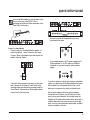
EFFECTS – NOISE GATE
Noise Gate
Introduction
A noise gate is used to attenuate the signal when you
don’t play your guitar. This way you can mute all that
hiss, hum and other noise coming from cables, old
pedals etc.
Of course a Noise Gate is not the ultimate solution to
noise problems. You should try to avoid noise in the first
place. Noise can be introduced by a number of factors.
Poor cables, poorly shielded single coil pickups and
power supplies placed too close to signal cables are
common problems that you can work around by
experimenting.
However, a certain amount of noise will always be
present in any guitar setup. The Noise Gate can help you
attenuate this noise when you are not playing. Be
careful, though, when setting the parameters Threshold
and Release Rate. Too high a Threshold setting may
result in the Gate not opening when you play the guitar
softly. If Release time is too slow, the attack phase of the
signal will be cut.
Optimum settings will vary depending on the signal
present on the G-System’s input, so you will most likely
need different settings for Clean and Overdrive sounds.
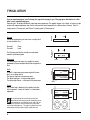
Mode
Range: Hard – Soft
This parameter determines the basic characteristics of
the Noise Gate, i.e. how fast it should attenuate/dampen
the signal when it falls below Threshold.
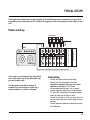
Threshold
Range: -60dB to 0dB
The Threshold point determines at what point the Noise
Gate should start dampening the signal.
To set this parameter, turn up the volume using your
guitar’s volume potentiometer, but do not play. Then turn
up the Threshold value from -60dB to the point when the
desired dampening is actually achieved.
74
If you configure the Noise Gate this way, you will need to
set the Max Damping parameter (see below) to a value
other than 0dB, as 0dB means “no damping”.
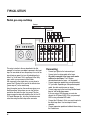
Max. Damping
Range: 0dB to 90dB
This parameter determines how hard the signal should
be attenuated when the signal level falls below the set
Threshold.
Now you might think that you should always go for
maximum dampening. However, consider the fact that
you should also strive for a smooth transition from the
“gated/attenuated” stage to the “open” stage. The more
dBs must be released when opening the Gate, the more
obvious the effect becomes. This means that you will
have to experiment to fine-tune the Noise Gate to your
sounds – there is no one-size-fits-all settings.
Speed – Release Speed
Range: 3dB/sec to 200dB/sec
The Release parameter determines how fast the signal is
released when the Input signal rises above the Threshold
point again. As a rule of thumb, this parameter should be
set to a fairly high value.
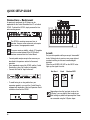
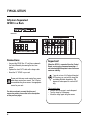
Illustration
NG – Noise gate
Range: Off/On
The effect’s status. All settings are stored as part of the
preset even if the Noise Gate is disabled.