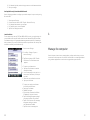
1
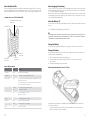
Store the computer
for more than a day.
If you are storing the computer for a few days, like over the
weekend, install a charged battery or connect the computer
to a power source.
If you are storing the computer for longer, remove and
charge the battery, and then store both the battery and
computer in a cool location. If you store the battery for
several months, recharge the battery to keep it at peak
performance.
Store the battery outside the computer.
Store the batteries in a charger.
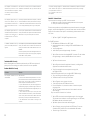
About the Keypad
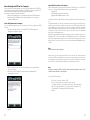
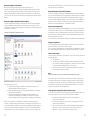
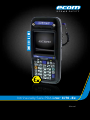
The i.roc® Ci70 -Ex comes with either a QWERTY numeric keypad or a numeric keypad.
The computer has an ambient light sensor that detects low light and turns on the keypad backlight. By default, the keypad backlight is enabled in low light conditions. You
can disable the keypad backlight to conserve power. Use Intermec Settings to configure
the backlight. For help, see “Use Intermec Settings on the Computer” on page 35.
Enter Characters on the Numeric Keypad
You need to use the orange modifier key b and the green modifier key c to access all
characters and functions on the Numeric keypad.
To type a character or access a function printed in orange on the overlay:
• Press b and then press the key for the character or function.
To type a character or access a function printed in green on the overlay:
• Press c and then press the key for the character or function.
To type letters in the upper right corner of a key:
• Press c and then press the key one to three times depending on the
position of the letter.
For example, in the upper right corner of the 2 key there are the letters „ABC”:
• To type „c“ press c 2 2 2.
•
To only type letters:
• Press c c to lock the green modifier key, and then press the key one to four times depending on the position of the letter.
While the green modifier key is locked, press 1 to toggle between only
uppercase and lowercase letters.
To type „C“ press c 1 and then press c 2 2 2.
To unlock the green modifier key, press c.
Note:
If uppercase letters are enabled and you unlock the green modifier key, you may need to press c 1 to type lowercase letters.
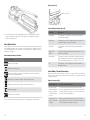
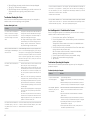
About the Power Button
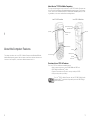
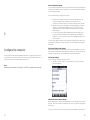
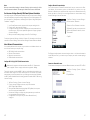
When you press the Power button, a dialog appears with a list of power options. If you
do not select a power options setting, the currently selected action (the button outlined
in bold) occurs after the timeout.
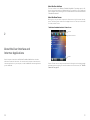
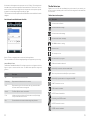
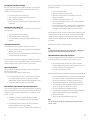
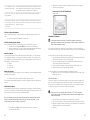
The Intermec Power Options Default Screen
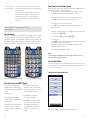
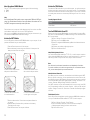
i.roc® Ci70 -Ex QWERTY Numeric Keypad
i.roc® Ci70 -Ex Numeric Keypad
Enter Characters on the QWERTY Keypad
You need to use the orange modifier
key b and the Shift key y to access all
characters and functions on the QWERTY
keypad.
To type a character:
•Press b twice to lock the orange
modifier key to stay on, and then press the keys for the characters or functions.
To type a single uppercase letter:
•Press y and then the letter key.
To type all uppercase letters:
•Press the key for that character.
To type a character or access a function •Press y y to turn on Caps Lock, and on the overlay:
then press the letter keys. You can still
•Press b and then press the key for the type orange modifier characters by pressing b and then the key for that character or function. To only type
characters or access functions on the character. To turn off Caps Lock,
press y.
overlay:
14
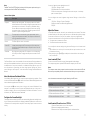
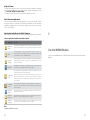
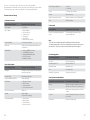
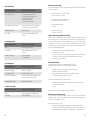
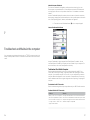
Use the following table to understand the Intermec Power Options.
15