1
8
Menu
Return to the table list
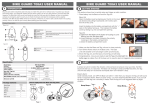
Bluetooth indication light
Power off: when Bluetooth closed,
Twinkle: when Bluetooth opened but disconnect
with mobile phone,
Power on: when connect with mobile phone
Outside speaker
Play sound (such as voice indication, music etc)
9
10
11
Unfold the GPS receiver to the level position to
GPS receiver
receive satellite signal.
12
Touch stick
It is used to click and write on the screen. Draw it out
when using, Draw it back after used.
2.2 Power supply and charge
Give full overnight charge before use.
2.2.1 Power supply
Types of supply power for this GPS device: Battery and Eternal power.
The GPS navigator uses the Li-battery to supply power when it is not connected with adaptor.
The symbol [
] on the up right of receiver and the symbol [
] on the
screen.
GPS navigator uses the External power supply when it is connected with the adaptor.
【note】This machine has a built-in, unchangeable Lithium battery. Under normal conditions (if
the back light is not so bright), a fully charged battery can be used for up to 10 hours. This may
vary with the type of use. Some functions (audio playing, video playing, bright back light) will
consume a large quantity of battery power, which can reduce the usage.
【Important】This machine has a built-in, unchangeable Lithium battery. In order to avoid fire and
burning, please do not dispose of this GPS unit in the fire.
2.2.2 Charging by adaptor
At the first use, you should use the adapter to charge the navigator.
1. Connect the DC of adaptor to the electric port on the right part of the machine;