1
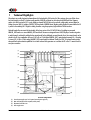
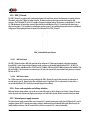
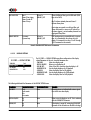
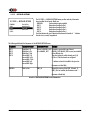
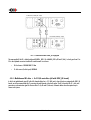
D1 SACD/CD Drive, 1x DIGITAL_OUT + SYNC_IO
CH-LINK Cable
75 Ohm BNC coaxial cable
C1 D/A Controller, 1x DIGITAL_IN + SYNC_IO
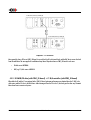
D1 - C1 connection when SYNC_IO equipped
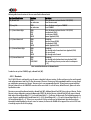
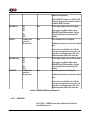
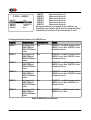
The same applied if the D1 is hybrid configured (DIGITAL_OUT L/R + ANALOG_OUT Ls/RS and C/Sub), i.e. clock goes from C1 to
D1 to have optimal conversion condition for main channels. In such case:
•
D1 clock source: SYNCHRO BNC 75 Ohm
•
C1 clock source (for this input): INTERNAL
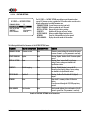
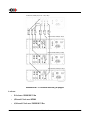
4.5.4 Multichannel D1 drive + 3x C1 D/A controllers (all with SYNC_IO board)
In this 4-unit multichannel setup (D1 with all 6 channels digital out + 3 C1 DAC pairs), when all units are equipped with SYNC_IO
boards, we still recommend that the C1 processing the main channels is the clock master. The D1 is slaved to this C1's clock, and
generates a synchronization signal for the two other C1s (Ls/Rs and C/Sub ones). Schematic below shows the optimal way to
connect such system:
Rev 2.4
D1 User Manual
43