1
PCAN-ExpressCard – User Manual
1
Introduction
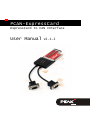
The PCAN-ExpressCard provides one or two CAN channels for
notebooks and computers with ExpressCard slots. Device drivers
and programming interfaces exist for different operating systems,
so programs can easily access a connected CAN bus.
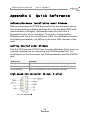
Tip: At the end of this manual (Appendix C) you can find a
Quick Reference with brief information about the installation
and operation of the PCAN-ExpressCard.
1.1
Properties at a Glance
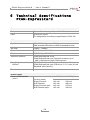
Expansion card for ExpressCard slot
Form factor ExpressCard/54
1 or 2 High-speed CAN channels (ISO 11898-2)
Compliant with CAN specifications 2.0A (11-bit ID)
and 2.0B (29-bit ID)
Bit rates up to 1 Mbit/s
Connection to CAN bus via D-Sub 9-pin (according to CiA® 102)
NXP CAN controller SJA1000, 16 MHz clock frequency
NXP CAN transceiver PCA82C251
Galvanic isolation on the CAN connection up to 300 V (only
galvanically decoupled models), separate for each CAN channel
Software option to switch a 5-Volts supply to the CAN
connection, e.g. for external bus converter
Operating temperature range from 0 to 70 °C (32 to 158 °F)
5