1
HOW TO USE PROGRAMS DIRECTLY FROM
OUR WEB SITE
Our Web site at www.iFIT.com allows you to play
iFIT.com audio and video programs directly from the
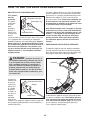
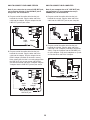
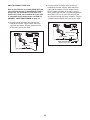
internet. To use programs from our Web site, the elliptical exerciser must be connected to your home computer. See HOW TO CONNECT YOUR COMPUTER
on page 18. In addition, you must have an internet
connection and an internet service provider. A list of
specific system requirements is found on our Web
site.
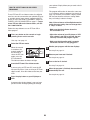
Follow the steps below to use a program from our
Web site.
1
Press any button on the console or begin
pedaling to turn on the console.
2
Select the iFIT.com mode.
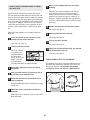
5
Follow the desired links on our Web site to
select a program.
4
6
8
Monitor your progress with the two displays.
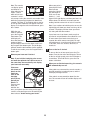
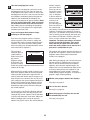
When the on-screen countdown ends, the program will begin. The program will function in
almost the same way as a resistance and pace
program (see step 3 on page 14). However, an
electronic “chirping” sound will alert you when the
resistance setting and/or the pace setting is about
to change.
See step 5 on page 12.
Measure your heart rate if desired.
See step 6 on page 13.
10 Turn on the fan if desired.
See step 7 on page 13.
you are finished exercising, the console
11 When
will automatically turn off.
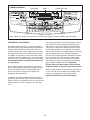
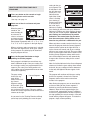
When the console
is turned on, the
manual mode will
be selected. To
select the iFIT.com
mode, press the
iFIT.com button.
The indicator above the button will light.
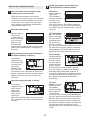
Go to your computer and start an internet
connection.
Return to the elliptical exerciser and begin
pedaling.
9
See step 1 on page 12.
3
7
See step 8 on page 13.
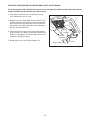
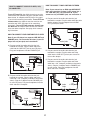
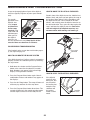
THE OPTIONAL CHEST PULSE SENSOR
The optional chest pulse sensor provides hands-free
operation and continuously monitors your heart rate
during your workouts. To purchase the optional
chest pulse sensor, call toll-free 1-800-734-2377.
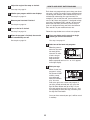
Start your Web browser, if necessary, and go
to our Web site at www.iFIT.com.
Read and follow the on-line instructions for using
a program.
Follow the on-line instructions to start the
program.
When you start the program, an on-screen countdown will begin.
21