1
OVERVIEW
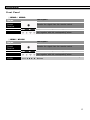
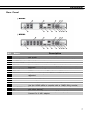
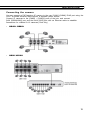
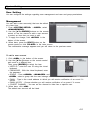
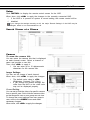
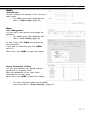
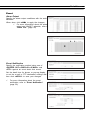
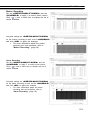
Rear Panel
| NR4HL
| NR8HL
NO
Name
1
CAM1~CAM8
2
3
4
5
WAN(UPLINK)
AUDIO IN
ALARM OUT
RS-485
6
7
8
Power Switch
DC 12V
RS-232C
9
10
11
12
ALARM IN
AUDIO OUT
eSATA
HD MONITOR
13
LAN(DOWNLIN
K)
DC 48V
14
Description
Ethernet ports used for connecting the network camera video
and power.
Network port for connection to the Internet, router or hub
Microphone connection port.
Alarm output device connection port.
Communications port for connecting peripherals such as system
keyboard.
NVR power switch. Plug the power cord and turn this switch on.
NVR power input port Connect to a 12V adaptor.
Signal connection port for POS and ATM.-Scheduled to be
upgraded.
Alarm input signal port.
Port for speaker connection.
Connection port for external SATA storage.
Port for connecting a full HD(1920x1080) supported monitor.
Use the HDMI cable to connect with a 1080p 60Hz monitor.
Port for connecting the dedicated network device. (Do not share
with other device.)
Power input port for the camera (PoE compliant).
Connect to a 48V adaptor.
7