1
Caution:
The Bioer Co. reserves the right to modify this manual at any time without notice.
The manual contains copyright protected and patented
material. Without prior written consent from Hangzhou Bioer
Technology Co., Ltd., any part of the manual shall not be
duplicated, reproduced or translated into any other language.
Before initial use of this instrument, please carefully read this manual!
Product Patent No.: ZL 20092019972313
Product Standard No.: YZB/ Z 0189-2010
The product is for scientific research only
Document No.: BYQ607100000000SM
Document Version: August 2011, Version 1.1
I
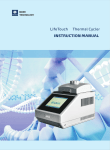
Instruction Manual of GeneTouch Thermal Cycler
IMPORTANT NOTES
1.General Practice
Caution: Important information is contained in any item and should be carefully read. Failure to observe the
instruction would result in damage or abnormal functions to instrument.
Warning! The warning message requires extremely careful operation of a certain step. Failure to observe the
instruction would result in serious personal injury.
2. Safety
During operation, maintenance and repairment on this instrument, the following basic safety notes shall be observed. In case of
failure to follow these measures or the warnings or notes indicated herein, the basic protection provided by the instrument, its
safety criteria of design and manufacture, and its predicted use range would be impaired.
Hangzhou Bioer Technology Co., Ltd. shall be irresponsible for the consequence resulted from user’s failure to observe the
following requirements.
Caution:This instrument conforms to Class Ⅰ and Protection Class IP20 of GB4793.1 Standard and it is for
indoor use.
a) Instrument earth
In order to avoid electrical shock accident, the input power wire of instrument shall be reliably earthed. This instrument uses 3-core
earth plug and this plug is provided with a third (earth) leg, is merely used for earth type power socket and is a safety unit. If the
plug is impossible to insert into the socket, the socket shall be correctly fixed by electrician; otherwise, the earth plug would lose
safe protection function.
b) Keeping apart from the live circuit
The operator shall not disassemble instrument without permission. Only qualified professionals are allowed to replace elements or
adjust the machine inside. Replacement of elements under energizing state shall be prohibited.
c) Use of power supply
Before turning on AC power, make the power voltage consistent with the instrument-required one (a ±10% deviation is allowed).
Make the rated load for power socket not below instrument’s maximum load.
d) Power wire
Generally, this instrument uses accompanied power wire. The damaged power wire shall be replaced by one power wire of the
same type and the same specification. It can’t be repaired. The power wire shall neither be compressed nor be laid in gathered
personnel location.
e) Insertion and withdrawal of power wire
At insertion and withdrawal of power wire, the plug shall be correctly held with hand. At insertion, the plug shall be completely and
tightly inserted into the socket and at withdrawal heavily pulling the wire shall not be allowed.
f) Placement of instrument
This instrument shall be fixed in a low RH and low dust place apart from water source (e.g. water pool and water pipeline) and the
room shall be well ventilated, and free from corosive gas and interterence of strong magnetic field. The instrument shall not be
placed in a wet or dusty location.
The openings on this instrument are for ventilation circulation and in order to avoid over-heat of the instrument body they shall not
be blocked or covered. When a single set or several sets of instrument are used, the interval between its surrounding ventilation
opening and its nearest object shall not be below 50cm or 100cm. Also, don’t use the instrument on loose or soft surface, or the
air inlet at instrument bottom might be blocked.
Excessive temperature would impair the test performance or result in instrument failure. This instrument shall not be used in
location subjected to direct sunshine. The instrument shall be kept away from hot gas, stove and all other heat source.
If the instrument is to be set aside for a long time, the power plug shall be withdrawn and the instrument covered with soft cloth or
plastic film to aviod entrance from dust.
II
g) Cautions during operation
During test, cares shall be taken to prevent liquid from dropping onto the instrument.
Caution: In any of the following cases, immediately cut off the power supply, withdraw the power plug from the
power socket, contact the supplier or ask qualified repairman for treatment:
◎ Liquid drops into inside of the instrument.
◎ The instrument is rained or watered.
◎ The instrument works abnormally, especially generates abnormal sound or odor.
◎ The instrument is dropped or its casing is damaged.
◎ The function of instrument is obviously changed.
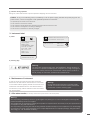
3. Instrument label
a) Label
HANGZHOU BIOER TECHNOLOGY CO.,LTD.
Name: GeneTouch Thermal Cycler
Name: Base for GeneTouch
Thermal Cycler
Model: TC-EA
Power:220V50Hz 600W
Fuse: 8A Φ5×20mm
Sort: class Ⅰ IP20
SN: ********-***
Date: ****-**
Made in China
Model: TC-EA-*
SN:********-***
Block: B-*
Date:****-**
Made in China
HANGZHOU BIOER
TECHNOLOGY CO.,LTD.
b) Warning Sign
Warning!
The instrument is adhered with mark “HOT SURFACE!” During operation of
instrument or a period immediately after completion of running of a program,
any portion of body shall not be contacted with metallic portion (module or
hot-lid) nearby the said mark; otherwise skin would be burnt.
4. Maintenance of instrument
In order to ensure full contact and good heat conduction
between the test tube and the conical holes, the conical hole
on the module shall be regularly cleaned with clean soft cloth
soaked with a little absolute alcohol. The stained surface of
this instrument, if any, shall be cleaned with soft cloth soaked
with cleaning paste.
Warning!
During cleaning the instrument, its power supply
shall be cut off.The instrument surface shall not be
cleaned with corrosive cleaning agent.
5. After-sales service(The warranty content and scope are shown in the warranty sheet).
Warning!
具体保修内容及保修范围见保修卡。
After unpacking, immediately check the goods against the packing list. In case of damaged or missed goods,
please immediately contact the supplier.
After qualification of acceptance, properly fill the product acceptance sheet and send (or fax) the copied sheet to
the supplier for filing and maintenance.
After unpacking, the packing box and packing materials shall be well kept for future repairment. For the damage
of instrument occurring during transporting to the repair department due to improper package, Hangzhou Bioer
Technology Co., Ltd. shall bear no liability.
III
Instruction Manual of GeneTouch Thermal Cycler
CONTENTS
CHAPTER I INTRODUCTION
1.1
1.2
1.3
1.4
Introduction of PCR technology
Example of PCR technology application scope
Features of GeneTouch Thermal Cycler
Use of GeneTouch Thermal Cycler
CHAPTER II FEATURES
2.1 Normal working conditions
2.2 Transportation and storage conditions
2.3 Basic parameters
2.4 Software functions
CHAPTER III PREPARATION
3.1 Structure diagram
3.2 Examination before startup
3.3 Startup
3.4 Installation of module unit
3.4.1 Installation procedures
3.4.2 Dismantling procedures.
CHAPTER IV OPERATION GUIDELINE
4.1 Creating PCR program
4.1.1 Add or delete program segment
4.1.2 Program and constant temperature time
4.1.3 Cycle function
4.1.4 Extended parameters
4.1.5 Save/ Run
4.2 Running PCR program
4.2.1 Run new PCR program
4.2.2 Run saved PCR program
4.3 Set system parameters
IV
1
1
1
2
2
3
3
3
3
4
5
5
6
6
6
6
6
7
7
8
8
9
10
11
12
12
14
15
4.3.1 Date & Time
4.3.2 Language
4.3.3 Backlight adjustment
4.3.4 Hot lid setting
4.3.5 Tone
4.3.6 Screen calibration
4.3.7 USB
4.4 Distribution characteristics of gradient module
CHAPTER V CONNECT TO COMPUTER
5.1 System configuration
5.2 Install software
5.2.1 Install PC software
5.2.2 Install tool software
5.3 Online setting
5.3.1 Connect to PC
5.4 Run software
5.4.1 User management
5.4.2 File management
5.4.3 Equipment management
5.4.4 Other management
5.4.5 Run
CHAPTER Ⅵ FIRMWARE UPGRADING
6.1 Connect to PC
6.2 Network Enable Administrator setting
6.3 Software upgrading
CHAPTER Ⅶ FAILURE ANALYSIS AND TROUBLESHOOTING
7.1 Failure Analysis and Troubleshooting
Appendix 1: Wiring Diagram
15
15
16
16
16
16
17
17
18
18
18
18
19
20
20
23
23
24
26
28
29
30
30
30
32
33
33
35
V
Instruction Manual of GeneTouch Thermal Cycler
CHAPTER I INTRODUCTION
The contents in this chapter include introduction of PCR technology, examples of PCR application, introduction of
Thermal Cycler and features of GeneTouch Thermal Cycler.
1.1 Introduction of PCR technology
Polymerase chain reaction (PCR) is a nucleic acid amplification that simulates natural DNA replication in vitro. It takes 2 DNA
chains to be amplified as template, uses a pair of artificially synthesized oligonucleotide primer as mediator, and amplifies certain
DNA fragment quickly and specifically by thermostable DNA polymerase. Ever since PCR technology was invented by Mullis in
1985 and thermostable DNA polymerase was discovered by Erlich in 1988, this simple, fast, specific and sensitive technology
has been widely applied to life science areas at astonishing speed. Remarkable achievements have been witnessed in cytology,
virology, oncology, genetic disease, forensic medicine, animal/plant immunology and etc. It is a milestone in contemporary
molecular biology development.
1.2. Example of PCR technology application scope
1
Research:
Gene clone, dna sequencing, mutation analysis, gene recombination and fusion, protein-regulating dna
sequence identification, transposition insertion site mapping, genetic modification detection, synthetic
gene construction, clone construction, carrier expression, certain gene’s incision enzyme diversity
detection and etc.
Clinical diagnosis:
Bacteria (spirochete, mycoplasma, chlamydia, mycobacterium, rickettsia, diphtheria bacillus, pathogenic
e. Coli, dysentery bacillus, aeromonas hydrophilic and c. Difficile and etc.); Virus (htlv, hiv, hbv, hcv, hpvs,
ev, cmv, ebv, hsv, measles virus, rotavirus, parvovirus b19 and etc.); Parasite (malaria and etc.); Human
genetic disease (lesh-nyhan syndrome, mediterranean anemia, hemophilia, bmd, dmd, cystic fibrosis
and etc.)
Immunology:
HLA typing, T cell receptor or antibody diversity qualification, autoimmune disease gene mapping,
lymphokine quantification and etc.
Human genome
project:
DNA mark generated from scatter repetitive sequence, genetic map construction (detect DNA,
polymorphism, sperm drawing), physical map construction, sequencing, expression map and etc.
Forensic medicine:
Crime scene specimen analysis, hla-dqα analysis and etc.
Oncology:
Pancreas cancer, rectal cancer, lung cancer, thyroid cancer, melanin cancer, hematological malignant
tumor and etc.
Histology/population
biology:
Genetic cluster research, evolution research, animal protection research, ecology, environmental science,
experimental genetics and etc.
Paleontology:
Archeology and museum specimen analysis and etc.
Botany/zoology:
Animal inflectional disease diagnosis, plant pathogen detection and etc.
1.3. Features of GeneTouch Thermal Cycler
GeneTouch Thermal Cycler is a PCR instrument with multiple functions and several applications. Below are its features:
◎ Use advanced thermoelectric refrigeration technology from ITI of US and thermoelectric refrigeration elements made under
quality management of Japan, which are steady and reliable in quality.
◎ Temperature can be changed as fast as 4°C /second. The speed to increase or decrease temperature can be set as per need
of experiment.
◎ Several modes for temperature control, better compatibility of reagent.
◎ Large LCD screen, user-friendly operation interface, simple and easy operation
◎ Power-off protection available, programs can continue after power recovery.
◎ Height and pressure of hot-lid can be set for different reaction tubes, which effectively prevent the reagent from evaporation and
pollution.
◎ Connect to ordinary computer by RJ45 standard interface, which is easy for software upgrading.
1.4. Use of GeneTouch Thermal Cycler
Integrating a number of advanced technologies, GeneTouch Thermal Cycler meets the demand of different PCR
experiments and ranks top in similar products.
GeneTouch Thermal Cycler is attached with:
1)
2)
3)
4)
0.2 ml standard centrifugal tube
Strip of 8 tube
Strip of 12 tube
Full/half apron plates
2
Instruction Manual of GeneTouch Thermal Cycler
CHAPTER II FEATURES
This chapter introduces the usage, transportation, storage conditions of the instrument, as well as its basic
parameters, performance and functions.
2.1 Normal working conditions
Ambient temperature: 10°C ~ 30°C
Relative humidity: ≤70%
Power supply: 220V ~ , 50Hz
Caution: Before using the instrument, please make sure the working condition meets the above requirements.
Especially the power line must be reliably earthed.
2.2 Transportation and storage conditions
Ambient temperature: -20°C ~ +55°C
Relative humidity: ≤80%
2.3 Basic parameters
Product name
Product No.
Model
Module model
Sample size
LCD display
GeneTouch
BYQ6071
TC-EA-96GA
B-96GA
96 holes ×0.2ml 96 holes full
apron plates, 12×8 test tube
bar half apron plates, no apron
general
TC-EA-48DA
B-48DA
TC-EA-384GA
B-348GA
48 holes ×0.2ml,
8 test tube bar
348 holes ×0.1ml,
384 holes full apron plates
Color touch screen (6.5,
260,000 colors)
4℃ ~105℃
Color touch screen (6.5,
260,000 colors)
4℃ ~105℃
Color touch screen (6.5,
260,000 colors)
4℃ ~105℃
>4℃ /s
>4℃ /s
>4℃ /s
≤ ±0.2℃
>4℃ /s
≤ ±0.2℃
≤ ±0.1~(55℃ ), ≤ ±0.2℃
(over 90℃ )
≤ ±0.2℃
≤ ±0.1~(55℃ ), ≤ ±0.2℃
(over 90℃ )
≤ ±0.2℃
Temperature range
Max. heating rate
>4℃ /s
Max. cooling rate
Temperature uniformity
>4℃ /s
Temperature control precision ≤ ±0.2℃
Temperature fluctuation
Gradient temperature range
Gradient temperature range
Temperature range of hot lid
File saving amount
Energy consumption
Operation mode
Dimensions
Fuse
PC interface
Net weight
3
≤ ±0.1~(55℃ ), ≤ ±0.2℃
(over 90℃ )
≤ ±0.2℃
35℃ ~99℃
1℃ ~30℃
35℃ ~99℃
1℃ ~30℃
30℃ ~110℃
30℃ ~110℃
30℃ ~110℃
≥ 250
≥ 250
≥ 250
600W
600W
600W
Continuous running mode
Continuous running mode
Continuous running mode
345×250×270mm
345×250×270mm
345×250×270mm
250V 8A Φ5×20
250V 8A Φ5×20
250V 8A Φ5×20
RJ45
RJ45
RJ45
10kg
10kg
10kg
2.4 Software functions
a) Edit the file (including file number, temperature and time of each segment, cycle times setting, file view, revision and deletion,
automatic file connection, gradient temperature setting, the maximum paragraph, step and cycle times for editable file are 10, 100
and 99 respectively. The scope for gradient temperature setting is 1°C ~ 30°C.)
b) Save the file
c) Revise the file (adjust the rate for temperature rise/fall, refine temperature and time for cycling automatically, and display and
calibrate the time.)
d) Display the temperature, time, cycle times setting and real-time value during the file running (including sound prompt, total/rest
time estimation for file running, failure protection and alarming.)
e) Stop the file running (including pause the file running, stop the file running, recover automatically after power off.)
Caution: The above-mentioned software function is merely for reference. The software function would be
modified without notice.
4
Instruction Manual of GeneTouch Thermal Cycler
CHAPTER III PREPARATION
This chapter mainly introduces structure of the instrument and preparation before startup. When using the instrument
for the first time, read the contents in this chapter carefully before startup.
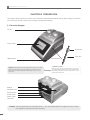
3.1 Structure diagram
Hot lid
Touch screen
Pen buckle
USB interface
Caution:The fixed location can be adjusted according to your need.
When fixing, the location must be determined. Then strip the pen
buckle off from the back 3M rubber release layer, and fix it on the
instrument.
Fixed location
Touch pen
Installation method:
Take the touch pen out of the accessory, and strip the
3M rubber release layer at the back of the pen buckle
after determining the fix location. Then paste it on the
fixed location as shown.
Module
Ventilation hole
RJ45 interface
Power switch
Power socket
(with fuse)
Caution: The fuse specification must be 250V, 8A, Φ5 20. Use qualified product to replace the fuse. Contact
fuse supplier or manufacturer when necessary.
5
3.2 Examination before startup
Please confirm the following contents before plugging in for powering on:
1 Whether the power supply conforms to the required voltage; (see power supply requirements in Chapter Ⅱ of the file)
2 Ensure the plug of power cord has been reliably plugged in the socket;
3 The power cord is reliably grounded.
3.3 Startup
Turn on the power switch (turn the switch at “-”). The Thermal Cycler will produce one toot sound. It indicates that it is
powered on.
At that time the screen is still black. Please wait for about 10~20 seconds. The main menu will then appear. Now you
can edit, browse, alter and delete PCR Thermal Cycler file as well as other operations.
3.4 Installation of module unit
The host of the instrument is able to work only when it is connected with module unit. The installation and
dismantling of the module unit can be completed by following the above-listed procedures.
3.4.1 Installation procedures:
3.4.2 Dismantling procedures:
a) Put the module on the slot of the host, and lift the
locking handle. Slowly push the module to make sure
the locking handle is in place;
b) Press the locking handle, and the module will
automatically slide forward. The module is installed in
place when the sound of “click” is heard.
c) It can be normally started up and run.
a) Cut off the power supply, and confirm that the
module needs to be removed or be replaced;
b) Lift the locking handle. The module will
simultaneously slide backward after hearing the
sound of “click”;
c) After sliding, the handle can be locked. The
module can be directly removed; and the module
unit is dismantled.
Cautions: 1. before installing or dismantling the module, make sure the power supply is cut off.
2. When installing the module, slowly push the module to connect it with the host. Avoid damage to
host plug caused by force.
3. When dismantling the module, push the module along the slot slowly. Do not incline the module to
prevent the connection line from snapping.
4. The module unit of the instrument will automatically identified by the host for use after installation. No
other operations are needed.
6
Instruction Manual of GeneTouch Thermal Cycler
CHAPTER IV OPERATION GUIDELINE
This chapter provides detailed introductions of the methods for the edition, browsing, alteration and deletion of the
PCR THERMAL CYCLER file, its running as well as setting of instrument system parameters, etc..
Caution: If sound occurs or the display is abnormal, or failure alarming and tone occurs during the process
of the self-test of the instrument after the instrument startup, please cut off the power supply
immediately and contact the supplier.
Caution: If the sample quantity in your experiment is less than the number of taper holes of the module,
please try to distribute the sample test tubes evenly when placing tubes so as to ensure that the hot
lid can be stably pressed on top of the test tube when running the file. Meanwhile, make the load of
the module even to guarantee that the temperature changes of each test tube are uniform.
Caution: Turn the knob in a counterclockwise way as required in knob figure (press tightly in clockwise
direction, and release in counterclockwise direction) before closing the lid until hearing twice
clang sound. Then turn the knob in a clockwise way before startup. Turn another round after hearing
twice clang sound. Twice clang sound will be heard no matter turning the knob in a counterclockwise
or clockwise way. Unlock device knob can be released when pressing the unlock device and turning
two rounds in a counterclockwise way simultaneously.
4.1 Creating PCR program
Click “new file”
in the main menu, enter setting interface of PCR program.
System main menu
7
Setting interface of PCR program
4.1.1 Add or delete program segment
You can add or delete program segments by clicking “+ segment”
the setting interface of PCR program.
or “delete”
at the bottom of the screen on
4.1.2 Program and constant temperature time
You can set temperature of program segment and constant temperature time by clicking temperature or time on the
screen on the setting interface of PCR program.
Add program segment
8
Instruction Manual of GeneTouch Thermal Cycler
4.1.3 Cycle function
On the setting interface of PCR program, first click the program segment that needs to add cycle function. Then click
“+ jump”
to enter the setting interface of cycle function as shown in the right figure.
The jump function takes effect only when it jumps from the later program segment to the former one. See as the
above figure seg05 → seg03. In setting, you need to enter the program setting status of seg05, then click “+ jump”
to set cycle function.
Finished jump setting
9
4.1.4 Extended parameters
You can enter extended temperature,
“extended parameters”.
extended time, speed and gradient and other operations by clicking
Extended temperature: temperature
increment per cycle
Extended time: time increment per cycle
Speed: heating and cooling speed
Gradient: temperature gradient refers to the
tempearture difference among the most left
column and the most right column of the
module. The temperature of the most left
column is set in the “temperature”.
10
Instruction Manual of GeneTouch Thermal Cycler
Display all: browse the current setting of
extended parameters.
“ ← ” and “ → ” means to move the
cursor left or right;
“+/-” means to alter negative and
positive data;
“Clr” means to clear data.
4.1.5 Save/ Run
After setting PCR program, click “save/ run”
to enter save interface as shown in the right figure. The user can
input user name and file name in the interface, and also can adopt password assess mechanism for the data. Finally
clicks “save”.
Save interface of PCR program
11
The user can directly select the existing
file
under the user name by
clicking icon as shown in the right
figure.
4.2 Running PCR program
4.2.1 Run new PCR program
1. After saving the new PCR program, click “run”
to enter parameter setting as shown below. The user can select
module A or B, and alter temperature control mode, increased amount of fluid and temperature of hot lid (including
opening/ closing hot lid function).
Parameter setting interface
12
Instruction Manual of GeneTouch Thermal Cycler
The mode “Block” only takes into account
of the temperature control in rise and fall
of the module. Since the rise and fall of
the reagent lags behind the module to
certain extent, the actual temperature
change process of the reagent is different
from the program we set. The actual
time during which the reagent reaches
the setting temperature will be far less
than the setting time (see the relationship
between module temperature and reagent
temperature in the right figure);
Block
Reagent
Block
“Tube” mode takes into account of the
backward process during which the
rise and fall of the reagent lags behind
the module. After reaching the setting
temperature, there will be an overshooting
process so that the reagent can reach the
setting temperature at a quicker speed.
In the setting time that similar to that of
“Block” mode, the actual time during
which the reagent achieves the setting
temperature evidently prolongs (see the
relationship between module temperature
and reagent temperature in the right
figure).
Block
Reagent
Tube
2. After setting temperature control
mode, increased amount of fluid
and temperature of hot lid, click
“OK” to run PCR program;
Program running interface
13
In the running process, the user
can click “main menu” to return to
the main menu or carry out other
operations such as creating new
file. If you want to return to the
program running interface again,
you can click the running interface
at the top of the screen on the
main menu.
Main menu in program operation
4.2.2 Run saved PCR program
Option interface for users
Under the main menu, clicks “run” to enter
option interface for users as the above
figure. In the option interface for users, the
user can create new user, delete user and
rename, etc.;
Option interface for program file
Click corresponding user name to enter option interface
for programs as the above figure. In the option interface
for programs, the user can create new file, edit file, delete
file and run selected file, etc..
14
Instruction Manual of GeneTouch Thermal Cycler
4.3 Set system parameters
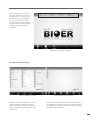
Click “system setting”
in the main menu
to enter main menu of system parameter
setting. Click touch screen to enter
corresponding system setting interface.
Main menu of system setting
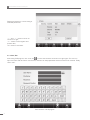
4.3.1 Date & Time
Click “date & time”
on the main menu of
system setting to enter date & time setting
interface. Click “OK” to save after setting.
Date & time setting interface
4.3.2 Language
Click “language”
on the main menu
of system setting to enter language setting
interface. The instrument has integrated two
languages namely Chinese and English.
Click “OK” to save after setting.
Language setting interface
15
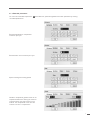
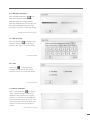
4.3.3 Backlight adjustment
Click “backlight adjustment”
on the
main menu of system setting to enter
backlight adjustment setting interface.
Press the navigation bar to move right and
left to adjust backlight brightness of the
instrument. Click “OK” to save after setting.
Backlight adjustment setting interface
4.3.4 Hot lid setting
Click “hot lid setting”
on the main menu
of system setting to enter hot lid setting
interface. Click “OK” to save after setting.
ot lid setting interface
4.3.5 Tone
Click “tone”
on the main menu
of system setting to enter tone setting
interface. Click “OK” to save after setting.
Tone setting interface
4.3.6 Screen calibration
Click “screen calibration”
on the main
menu of system setting to enter screen
calibration setting screen. In the setting
process, you can finish screen calibration
function by clicking upper left corner of the
screen and figure center at the lower right
center in turn with touch pen as per the
prompt.
Screen calibration interface
16
Instruction Manual of GeneTouch Thermal Cycler
4.3.7 USB
Insert USB, and click “USB”
on
the main menu of system setting. The
equipment will automatically search for U
disk. The user can export file to the U disk
after successful searching.
USB search interface
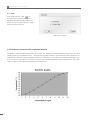
4.4 Distribution characteristics of gradient module
The gradient module adopts 2 temperature control units. The temperature gradient distributes like a curve. See as the
following figure (set temperature at 40℃ , and temperature gradient at 20℃ ). Each hole temperature gradient of the
module do not distribute evenly. Temperature difference of each hole in the middle of the module will be larger than
that of holes on the two sides of the module. Therefore, when operating gradient module, temperature of each hole
shall be subject to the temperature displayed on the instrument.
17
CHAPTER V CONNECT TO COMPUTER
5.1 System configuration
System environment:
Operating system:
Operating environment:
Other software:
Windows XP/Windows Vista/Windows 7
Net Framework2.0
PDF reader
CPU:
Pentium(R) 4
1GB
10GB
Minimum configuration: Memory:
Hard disc:
5.2 Install software
5.2.1 Install PC software
Click “ThermalCyclerSetup.exe” in CD-ROM to install Gene Touch online program. 30pcs GeneTouch instruments can
be controlled simultaneously by connecting to computer program.
1. Click and run “ThermalCycler Setup.
exe” to select installation language, and
click “OK”;
2. Select installation location of the
software, and click “next”;
3. Click “next”;
18
Instruction Manual of GeneTouch Thermal Cycler
4. Click “install”;
5. Finish installation. Click “finish”.
5.2.2 Install tool software
1. Click and run nead_setup.exe.
2. Click “Next”.
19
3. Select installation list, and click “Next”.
4. Click “Install”.
5. Finish installation. Click “Finish”.
5.3 Online setting
5.3.1 Connect to PC
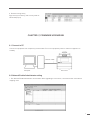
Connect the equipment with the computer through network cable (intersect, connection B).
Network cable
Computer
Instrument
20
Instruction Manual of GeneTouch Thermal Cycler
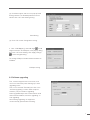
1. Run Network Enable Administrator tool
software;
2. Click search button
or right click Broadcast
Search option in Configuration, the tool will
automatically search for the equipment.
3. Double click the network number searched in
list column to enter configuration setting page as
follows.
(1) Click Network option, and select “Modify”.
Input IP address and subnet mask.
The IP address of the instrument shall be in the
same network segment with that of computer. For
example, if the computer IP is 192.168.0.1, then
the instrument IP shall be set as 192.168.0.XXX.
Among them, the range of XXX is 2~254, and
cannot be the same with computer IP.
IP address setting
21
(2) Click Operating Mode, and select “Modify”.
Click “Settings”, and operating mode will pop for
selection. Select “TCP Server Mode”, and select
“OK”.
Operating Mode setting
(3) Click Serial option, and set in the Serial Settings
window that pops. The specific parameters are as
follows. Click “OK” after finishing setting.
Serial Setting
(4) Click “OK” to finish Configuration setting.
4. Click “COM Mapping” and “Add target”
to add target instrument. Carry out COM port
settings in the pop-up dialog box. Click “OK”
after finishing. Click “Apply Change”
altered setting.
to save
COM port settings
22
Instruction Manual of GeneTouch Thermal Cycler
5.4 Run software
Comprise user management, file management
and equipment management, etc..
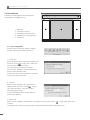
1.
2.
3.
4.
5.
Menu bar
Instrument contents
File display and edition area
Display area of running status
Status bar
1
2
3
4
5
5.4.1 User management
Include creating, renaming, deleting, copying,
pasting, importing and exporting user, etc..
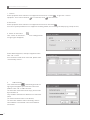
1. Create user
Select equipment name sub-item in equipment list
and click “create”
, or right click “create user”.
The user name shall not be empty;
The max length of user name is 12 bytes;
The user name shall only contain numbers and
letters (under half-width mode).
A same user name cannot be used for more than
one time in a same instrument.
2. Rename
Select the user needing to be renamed in the
equipment list, and click “rename”
, or right
click “alter user name”. Click “OK” to save
after inputting user name.
It cannot be renamed when the file under the
user name is opened;
3. Delete user
Select the user needing to be deleted in the equipment list, and click “delete”
, or right click “delete user”
to delete.
The program file under the user name will be simultaneously deleted when deleting the user.
23
4. Copy
Select the user needing to be copied in the equipment list, and click “copy” , right click “copy user” in the menu to
copy the user and the program file under the user name. It cannot be copied when the program file under the user is
being edited.
5. Paste
Select the user sub-item under equipment option in the equipment list or equipment option in the equipment list, and
click “paste” , or right click “paste” in the menu to paste the user and the program file under the user name.
If the copied user has already existed, it will prompt whether to cover when pasting;
If the program file under the existing user name is in use, then pasting cannot be carried out;
Pasting may be finished by dragging mouse.
6. Import user
Click “import” to select the folder saved by the user in the popup dialog box. Click “OK” to import user.
If the user selected has no program file, then user cannot be
imported;
If there is same user name, then it will prompt whether to cover in
importing;
If the program file under the same user name is in use, the user
cannot be imported.
7. Export user
Click “export”
to select the folder saved by the user. Click “OK” to export user.
If there is same user name, then it will prompt whether to cover in export;
If the program file under the user is being edited, then the user cannot be exported.
5.4.2 File management
Include creating, renaming, deleting, copying, pasting, importing and exporting user, etc..
1. Create
Select the user that needs to create file, and click “create”
file name and password, and click “OK”.
. Input
24
Instruction Manual of GeneTouch Thermal Cycler
2 Edit and save
Select the file that needs to be edited, and click “edit”
after finishing edition.
, or right click “edit file”. Click “save”
3. Alter password
Select the file that needs to alter password, and click
“alter password” . Input old and new passwords in
the pop-up dialog box, and click “OK” to save.
If the selected file is not protected by password, then
it only needs to input new password.
4. Rename
Select the file that needs to be renamed in the
equipment list, and click “rename”
renamed when the file is opened;
. It cannot be
5. Delete file
Select the file that needs to be deleted in the equipment list, and click “delete”
.
If the file is being edited, then it cannot be deleted;
If the file is protected by password, then it cannot be deleted unless inputting correct password.
25
in the menu bar
6. Copy
Select the file that needs to be copied, and click “copy”
If the file is being edited, then it cannot be copied.
, or right click “copy file” in the menu to copy the file.
7. Paste
Select the equipment option in the equipment list, and click “paste” , or right click “paste copied file” in the
menu to paste the program file under the user and the user name.
if the copied user has already existed, then it will prompt whether to cover in pasting;
If the program file under the existed user name is being used, then it cannot be pasted.
You can use mouse to drag and paste.
8. Import file
Click “import”
, and select the folder of the user in the
pop-up window. Click “OK” to import file.
If there is same file name, then it will prompt whether to cover
in importing;
If the file with the same name is in use, then it cannot be
imported.
9. Export file
Click “export” , and select the folder saved by the user in
the pop-up window. Click “OK” to export file.
If there is same file name, then it will prompt whether to cover
in exporting;
If the file is being edited, then it cannot be exported.
5.4.3 Equipment management
Include connection operation (connection and disconnection) and instrument management (searching for instrument,
adding instrument, editing instrument, removing instrument and showing all instruments).
26
Instruction Manual of GeneTouch Thermal Cycler
1. Connect
Select equipment name sub-item in the equipment list and click “connect”
equipment” in the menu.It will show
in connection; show
, or right click “connect
in disconnection.
2. Disconnect
Select equipment name sub-item in the equipment list and click “disconnect .
If the file or system parameters in the equipment are being edited, then the dialog box will pop up, prompt for save;
3. Search for instrument
Click “search for instrument”,
the right figure will appear;
then a dialog box like
Select added equipment, and input equipment name.
Click “OK” to save.
If the instrument needs to be connected, please select
“automatically connect”.
4.
Add instrument
Click “add instrument”
, and a dialog box like the
right figure will appear. Input instrument name and
address. Click “OK” to add instrument.
The instrument name shall not be empty, and the max
bytes shall be 12;
Only numbers and letters are allowed in the instrument
name;
The same instrument name is not allowed;
The instrument address shall not be empty, and the
same address is not allowed to be used in different
instruments.
27
5. Edit instrument
Select equipment name sub-item in the equipment list and click
“edit instrument” . An equipment edition dialog box like the
right figure will pop up; input instrument name and instrument
address.
When connecting the instrument, the instrument address
cannot be edited.
6. Remove instrument
Select equipment name sub-item in the equipment list and click
“remove instrument”
.
The instrument cannot be removed when it is connected.
7. Show all instruments
Click “all instruments”
, and a list of all instruments will
appear to show all instruments information.
8. Instrument system information
Select system setting, a setting dialog box like the right figure
will appear. Instrument system information contains beep alarm,
key sound, completion sound, temperature keep sound and
hot lid setting (the lowest temperature of hot lid and module
retention temperature). Clicks “save” after finishing setting.
The lowest hot lid temperature range: 0℃ ~99.9℃ .
Module retention temperature range: 0℃ ~30℃ .
The system information cannot be set when the instrument is
disconnected;
When there is only single module in the connected instrument,
the display area of module B cannot be altered.
5.4.4 Other management
1. Temperature gradient
Click “temperature gradient”
in the menu bar, and a
gradient dialog box as follows will pop up.
Temperature gradient range
temperature: 0℃ ~690℃
Gradient temperature: 00℃ ~300℃
28
Instruction Manual of GeneTouch Thermal Cycler
2. System help
Click “help” , then the help file will appear.
3. Software edition
Click “about” , the system dialog box will pop up,
and the software edition can be referred to.
5.4.5 Run
1. Run file
Open the file, and click “run”
, then a “run file” dialog
box like the right figure will pop up. Select instrument,
module, test tube type, amount of increased fluid,
temperature control mode, hot lid temperature and
running method (limited to Verit Module). Click “OK” to
run program.
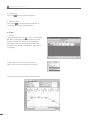
After running the file, the running status on the
right of the main menu shows like the right figure.
Details of instrument operating status are as follows.
29
2. Browse running history
Right click system history, and a history table as
follows will pop up.
CHAPTER Ⅵ FIRMWARE UPGRADING
6.1 Connect to PC
Connect the equipment with computer by network cable. Turn on the equipment power to make the equipment on
standby.
Network cable
Computer
Instrument
6.2 Network Enable Administrator setting
1. Run Network Enable Administrator tool software. When upgrading the instrument, communicate with virtual device
mapping used.
30
Instruction Manual of GeneTouch Thermal Cycler
2. Click search button
, or right click Broadcast
Search option in Configuration, the tool will
automatically search for the equipment.
搜寻到的设备网络号
3. Double click the network number searched in list
column to enter configuration setting page like the
right figure.
(1) Click Network option, and select “Modify”. Input
IP address and subnet mask.
The instrument IP address shall be in the same
network segment with computer IP address. For
example, if the computer IP is 192.168.0.1, then the
instrument IP address shall be set as 192.168.0.XXX.
Among them, the range of XXX is 2~254, and
cannot be the same with computer IP.
IP address setting
(2) Click Operating Mode option, and select
“Modify”. Click “Settings”, then an operating mode
for selection will pop up. Select “Real COM Mode”,
and click “OK”.
Operating Mode setting
31
(3) Click Serial option, and set in the pop-up Serial
Settings window. The detailed parameters are as
follows. Click “OK” after finishing setting.
Serial Setting
(4) Click “OK” to finish Configuration setting.
4. Click “COM Mapping” and “Add target”
to add
target instrument. Set COM port in the pop-up dialog
box. Click “OK” after finishing. Click “Apply Change”
to save changed setting.
The setting COM port number shall be smaller than
COM100.
COM port setting
6.3 Software upgrading
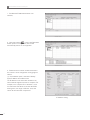
First, continuously press the touch screen, and
turn on the instrument power. Starting up to enter
upgrading status.
Then, run PC software ThermalCycler. Click “tool”“firmware upgrading” to select lower computer
software (. bin) that needs in upgrading.
Select upgraded object and communication mode
and instrument address, and click “upgrading” to
start upgrading.
After finishing upgrading, the equipment
can be normally operated after restarting.
32
Instruction Manual of GeneTouch Thermal Cycler
CHAPTER Ⅶ FAILURE ANALYSIS AND TROUBLESHOOTING
This chapter mainly introduces possible failures of this instrument and reason analysis as well as troubleshooting.
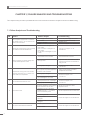
7.1 Failure Analysis and Troubleshooting
S.N.
1
2
3
4
Failure
After the power supply switch is turned on,
the display screen is not on and the toot
sound is not heard either
During file running process, there is prompt
of “Please Contact the Manufacturer”
Obvious changes in module heating rate
or inaccurate temperature control
Temperature cooling rate of the module
obviously slows down or or it cannot slow
down under room temperature
Reason Analysis
Power supply is not connected
Check the power supply and connect
Fuse is burnt
Replace fuse (250V 8A Ф5×20)
Switch is damaged
Replace switch
Others
Contact the supplier or the manufacturer
Module sensor is damaged or in
poor contact
Heat sink sensor is damaged or in
poor contact
Hot lid sensor is damaged or in poor
contact
Contact the supplier or the
manufacturer
The ventilation hole is blocked
Clear obstructions at the vent
Wires get loose
Open the case, and check the wires.
Tighten the screws of wire terminals if
they get loose
Cooling chip is damaged
Contact the supplier or the
manufacturer
The ambient temperature or humidity
is so high that they exceed application
conditions of the instrument
Cooling chip is damaged
Fan is damaged or out of work
5
6
The module neither heats nor cools
Hot lid cannot heat
Troubleshooting
The temperature sensor is damaged
Cooling chips are all damaged
Please properly adjust the ambient
temperature and humidity
Contact the supplier or the
manufacturer
Contact the supplier or the
manufacturer
In system parameters setting interface,
the hot lid status is set as “OFF”
Set the hot lid status at a certain
temperature value
Temperature control in file edition
interface is set as “--:--” so that the
hot lid automatically closes
Set the temperature time as number form
Connectors get loose
Heating elements of the hot lid are
damaged
Contact the supplier or the manufacturer
Temperature sensor of the hot lid is
damaged
7
33
Chip is in poor connection
The screen shows abnormal characters
Chip is broken
Contact the supplier or the manufacturer
S.N.
8
Failure
Reagent in reaction tube evaporates
Reason Analysis
Troubleshooting
Have not set hot lid temperature,
the hot lid is set as “OFF”
Please refer to 4.3 in Chapter Ⅳ of the
Instruction on Setting Hot Lid Temperature
The reaction tube is unevenly placed
Adjust hole location of the reaction tube,
try to place in a symmetrical way
The reaction tube is not tightened
Please tighten the reaction tube
before placing it into the instrument
Caution:
1. The user is not allowed to open the housing of the THERMAL CYCLER for inspection by himself during the warranty
period. If any failures that require opening the housing for inspection occur, the supplier or manufacturer should be
contacted timely.
2. Since different brands and all instruments have their own temperature control characteristics (including: heating and
cooling rate, stability and volatility), and due to the uncertainty of biological experiment and external vulnerability,
successful PCR program effect in one instrument may not apply to another. Therefore, when you change the instrument,
please adjust PCR running program so as to achieve the ideal state.
34
借(通)用件登记
Appendix 1: Wiring Diagram (For reference only, and is subject to change without further notice)
期
字
图
媒 体 编 号
描
签
日
[LINE1]
SW1
(红)
(黑)
[LINE3]
160mm
PCB1
BYQ507101100000
驱动板
USB-1
USB-2
USB-3
USB-4
USB-5
100mm
[LINE5]
(红)
(黑)
(红)
(黑)
1#定制排线
2#定制排线
J2-13_+5V
J2-14_GND
J1-2_RxD0
J1-3_TxD0
(红)
(黑)
(蓝)
(白)
[LINE3]
PCB2 转接板
J5-1_TE1+
J5-2_TE1J5-3_TE2+
J5-4_TE2J4_BLOCK-48P
BYQ507101410000
J1-POW-34P
J7-CPU-40P
J9-1_LAN
J9-2_LAN
J9-3_LAN
J9-4_LAN
J9-5_LAN
J9-6_LAN
NO2
NO1
直接插接
[LINE2]
红350mm
黄绿350mm
黄350mm
[LINE2]
配GenePro专用
外部模块
BYQ507102000000模块
或其它配套模块
[LINE4]
150mm
FAN1 调速风机
DC+
DC-
PCB3
CPU板
FUSE
签名
日期
N
E
L
BYQ507101200000
FUSE
FUSE
更改单号
AC250V8A 5*20mm
FUSE2
FUSE
AC250V8A 5*20mm
FUSE1
电源插座(含双熔断器)
AD1224HB-F51
(红)
(黑)
(粘固于滤波插座上)
磁环夹74271222_2匝
U1
阻燃热缩管1+焊接
J8-1_MOT1
J8-2_MOT2 J6-1_24VFAN+
J8-3_MOT3 J6-2_24VFANJ8-4_MOT4
J2-1_SW
J2-2_SW
J2-3_SW
J3-1_SW
J3-2_SW
J3-3_SW
3#定制排线
开关
SWITCH1
C1
R13-33A/MR-4-210-C5-BB
C2
全绝缘片形端子
RF187(8)F
机壳通过滤波插座接地
黄绿300mm(焊接)
[LINE2]
[LINE2]
黄300mm
[LINE2]
红300mm
[LINE3]
350mm
LAN1
N44110S
U5
串口转以太网模块
E04SR150718_4匝
PE
NOUT
LOUT
阻燃热缩管2
分区
PCB4
液晶屏部件
BYQ507101310000
CN1
1
S
等 级 标 记
6#定制排线
插针对插
J42
5#定制排线
插针对插
签名
第 1 张
BIOER
共 1 张
BYQ507101000000JL
日期
J6-1_USB-VCC
J6-2_USB-DM1
J6-3_USB-DP1
J6-4_USB-GND
J6-5_USB-GND
J6-6_USB-GND
[LINE3]
(红)
(蓝)
(白)
(绿)
(黑)
(橙)
50/60Hz
更改单号
电源线近仪器侧
磁环夹74271222_2匝
U2
4#定制排线
屏幕驱动板
BYQ507101320000
J26_BLK&ZJB_40P
分区
电压输入:
100-240V~
J24_POWBOARD_40P
J42-2_VJ42-1_V+
J23_GND
INLET1
6EGG1C-2
L
E
N
标记 数量
TC-E 型
AMT
J44
J1-1_HV+
J1-2_HVJ2-1_TE1+
J2-2_TE1J2-3_TE2+
J2-4_TE2J4-1_V+
J4-2_VJ42-1_3.3V+
J42-2_GND
J42-3_CS
J42-4_DIR
J42-5_HV+
J42-6_HVJ_PLUS1-1
J_PLUS1-2
J_PLUS1-3
J_PLUS1-4
J_PLUS1-5
J_PLUS1-6
J5-CPU-40P
J3-1_HV+
J3-2_ON/OFF
J6-ZJB-34P
AC/DC1
ADA600F-36-E
AC/DC
VB
CB
V+
V+
V+
V+
VVVVPE
N
AC100-240V L
圆形预绝缘端子1.25-4
数量
设 计
标记
制 图
GeneTouch 基因扩增仪
接线图
J11
J13
1
J133
J12
J12
110mm
微动开关
(白)
180mm
3
(黑)
COSEL电源(宽压输入,36V600W)
200mm
(蓝)
(蓝)
[LINE3]
D2MV-01L22-1C3 (插入-闭合-上电,
1
拔出-分离-下电)
2
NC
NO
COM
电源部分
技术条件:
1.图上电缆长度仅供参考,可根据实际长度确定;
2.电源插座地线端需直接焊接用热缩管保护;
3.主机需与模块配套使用;
4.图上元件详见明细表;
审 核
工 艺
批 准
标 准 化
版
Z
35
带耳电源插座
BYQ507101000000JL2
Instruction Manual of GeneTouch Thermal Cycler
外部USB插入
MEMORANDUM
36






















![NEW クボタミニバックホ−[ゼフシリーズ]](http://vs1.manualzilla.com/store/data/006568097_2-4b57ab31ccbb671b426d4fc5cd8da223-150x150.png)