1
Digital Snitch Car Remote DVR
Model: PED2500
User Guide
Digital Snitch Car Remote DVR
User's Manual
Thank you for purchasing the Digital Snitch Car Remote DVR. Please first read
over this manual for proper use. Save this manual and keep it handy.
HOW TO TAKE A SNAPSHOT
1. Push the ON/OFF button until the indicator light turns a solid yellow
(Standby Mode)
2. Push the REC one time (the yellow light will flash 1 times to indicate
you took a picture)
3. After the picture is taken, unit goes back to Standby Mode.
Digital Snitch Car Remote DVR
HOW TO RECORD VIDEO
1.
2.
3.
Push the ON/OFF button until the indicator light turns a solid yellow
(Standby Mode)
Hold the REC button down for 3 seconds (the yellow light will flash 3
times and go out to indicate you are in record mode)
To stop recording, hold the REC button down again for 3 seconds.
Unit will blink and the steady yellow light will be on (Standby Mode)
HOW TO TURN UNIT ON
1. Push the ON/OFF button until the indicator light turns a solid yellow
HOW TO TURN UNIT OFF
1. Push the ON/OFF button until the yellow indicator light turns Off.
HOW TO PLAYBACK
1. Using the provided USB cable, plug the Digital Snitch Car Remote
DVR to your computer, with the microSD card still inside.
2. Go to “My Computer” and double-click on the new “Removable
Disk.”
3. Double-click on the “DCIM” folder. Videos will be stored in
“100MEDIA” Pictures will be stored in the “PHOTO” folder.
NOTE: We recommend you use VLC Media Player for viewing the video
clips. You can download it for free at: http://www.videolan.org.
Digital Snitch Car Remote DVR
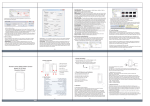
HOW TO EDIT TIME AND DATE STAMP
1. To set the date and time, you need to create a text file on the memory
card. Go to “My Computer” and then double-click on the correct
“Removable Disk”.
2. Right click with your mouse.
3. Scroll down to “New”
4. Click “Text Document”
5. Rename “New Text
Document” as “TIME” (in
ALL CAPITAL LETTERS)
6. Click to open the text
document.
7. Enter the current date in
YEAR-MONTH-DAY and current time in military format.
Example: 2013-03-22 16:37:50
8. Save the text document.
9. Unplug the device.
HOW TO INSERT MICRO SD CARD
1. The microSD memory card slot
is located between the "power
adaptor connection” and the
“off/on switch”.
2. Make sure you push the card all
the way down, until you hear it
‘click’ into place. The microSD
card will only go in one way.
Digital Snitch Car Remote DVR
Limited Warranty
The Manufacturer will repair or replace this product with new or refurbished parts from
the date of the original purchase in the event of a defect in materials or workmanship, as
follows: Materials and Labor: Ninety (90) days from the date of the original purchase.
This warranty is extended only to the original purchaser. A purchase receipt or other
proof of date of purchase and original purchase receipt will be required before warranty
service is rendered. This warranty only covers failures due to defects in materials or
workmanship, which occur during normal use as described in this Operator's Manual.
The warranty does not cover damage which occurs in shipment or failures which are
caused by products that are not supplied by the warrantor or failures which result from
accident, misuse, abuse, neglect, mishandling, alteration, maladjustment of consumer
controls, modification, rental use of the product, or service by anyone other than a
manufacture service person. Opening the sealed portions of the Digital Snitch Car
Remote DVR will result in voiding of this warranty.
The Manufacturer, its Reseller(s), and Digital Snitch assume no liability associated with
the use or misuse of the Digital Snitch Car Remote DVR. Under no circumstances are
the Manufacturer, its Reseller(s), Digital Snitch, its officers, agents, employees, or
parent companies, liable for any loss, damage, or expenses of any kind arising out of the
use, or inability to use, these products, or the suitability of use for any particular task. It
is important to follow the procedure; outlined in this manual to ensure safe use of the
Digital Snitch Car Remote DVR.
The warrantor shall not be liable for incidental or consequential damages resulting
from the use of this product, or arising out of any breach of this warranty. All
express and implied warranties, including warranties of merchantability and
fitness for a particular purpose, are limited to the applicable warranty period set
forth above. The effectiveness of the Digital Snitch Car Remote DVR device depends
on the skill of the operator and configuration, thus it cannot be guaranteed.