1
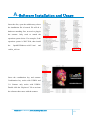
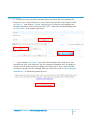
hand corner will be fluctuating, playback starts.
Pay attention to the playback. When the nose tip of customer disappears and the left
ear completes, click “Enter”. The right hand side will show a whole body dot model.
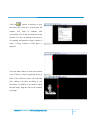
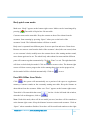
Click on
to restore colors. The bottom right corner will show restore progress
bar. When it finished and shows “OK”, the dot model will be refreshed automatically.
Click on
to save.
Free play scan mode (5.0 beta and above):
This mode is a feature mode of Version 5.0 beta and above. Along with 5 meter and
above cable for Repin One, it can let model scans without using turn table to achieve
other posture.
Make sure the scan mode is either “Face” or “”Body”. “Face” mode does not connect
automatically. It only scans a certain area. This mode solves the problem of
incompleteness of top of head and chin. “Body” mode connects different body parts
automatically. It scans the whole body. It has no particular requirements to scan, just
up to the user’s feeling. As long as the scanner and customer is within a distance
range, all the data will be captured. However, using “Body” mode is not
recommended for beginners.
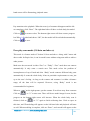
When customer has the right posture, put the scanner 50 to 60cm away from customer.
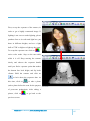
Click on
or “V” to start scan. There will be no model image for now, but the
progress on the bottom right corner will increase. When the whole body scan is
finished, click on
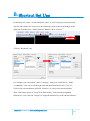
or “V” again to finish collecting data. Click on space at
this time, and 3D modeling will appears on the left hand side and playback will start
as well. When modeling is complete, click on “Enter”, and a model will appear on the
Observer User Manual | www.flashforge-usa.com
20