1
Antenna:
Trouble Shooting
Front side
If a problem occurs, first refer to this information before
you take the device for repair.
If you are unable to rectify the fault using the information
given here, contact your local dealer or service
specialist.
Under no circumstances should you attempt to repair
the device yourself, as this would invalidate the
warranty.
Transmitter
Receiver
PROBLEM POSSIBLE CAUSE
(Antenna front side of both Tx and Rx antennas
need to face toward each other for best reception.)
No
The transmission
picture/sound channels for the
transmission transmitter/receiver do
not correspond.
The transmission
distance is out of range.
Channel switch selection
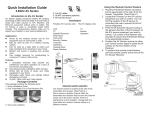
1. There are two channel selection switches, CH
Selector 1 and CH Selector 2 shown below:
Specification
CH. Selector 2
CH. Selector 1
2. Use CH. Selector 1 to select one of the two CH
groups: (1,3,5,7) or (2,4,6).
3. Use CH. Selector 2 to select the desired channel.
Using the Remote Control Feature
1. Plug the connector of the IR LED eyes cable into its
special jack at the rear of the Video Sender
Transmitter.
2. Find the location of the IR sensor on the AV source
equipment you wish to control. If you can’t find it, you
may consult with the user’s manual of the AV source
equipment.
3. Place one of the IR LED eyes of the cable close to
the IR sensor of the AV source device or attach it on
the IR sensor window of the AV source device using
the double- side sticky tape provided with the IR LED
eyes.
4. Position the Video Sender receiver such that its IR
sensor window on the front side faces toward the
viewer so that he or she can easily point the IR
remote toward the window.
General:
1. Frequency:
5.725GHz – 5.875GHz
2. Channel:
7 selectable channels
3. Antenna:
Patch array antenna
4. IR Remote Frequency 433.92MHz
5. IR Carrier Frequency
32 ~ 57KHz
6. Input /Output port
3.5mm AV phone jack
7. Power supply
DC 9V power adapter
8. Dimension
120 x 65 x 30 mm
------------------------------------------------------------Transmitter:
1. Supply Current
2. Output Power
140mA ±10mA
13dBm 1dB ( CE )
0dBm 1dB ( FCC )
IR Extender Receiver
Receiving Sensitivity
-95dBm,min
IR LED Operation Range 2 Meters (min.)
External IR LED Port
2.5mm Mono Phone Jack
------------------------------------------------------------Receiver:
1. Supply Current
2. Input Sensitivity
3. Video Output
IR Extender Transmitter
RF Output Power
230mA ±20mA
-85dBm, Typ.
1VP-P , typ. (±0.2V)
REMEDY
Set the transmission
channel on the
transmitter/receiver
Reduce the distance.
(Suggest less than 3 walls
or less 100 meters)
Connecting cable.
Check the cable plug and
the cinch plug.(for
transmitter use and
receiver use which is
different)
Transmitter or receiver Switch on the transmitter
not switched on.
or receiver
Wrong direction of
Adjust the antenna to the
patch antenna
right position.
Poor picture Interference.
Move the transmitter or
or sound
receiver a few
quality
centimeters.(Suggest less
than 3 walls or less 100
meters)
Change the transmission
channel on the
transmitter/receiver
Microwave units and
Change channel to find
the use of the blue tooth better channel to receive.
/ Wireless LAN function
on mobile phone or
Notebook.
Infrared module.
Check the connection and
position of the infrared
module.
The remote A wireless transmitter in Switch the interference
control of the the 433MHz range (e.g. device off.
signal source a baby-phone) is
does not
interfering with the
respond.
transmission.
Out of transmission
Short the transmitter and
range
receiver range less than
70 meters.
8dBm ±2dB (CE)
0dBm ±2dB (FCC)
Sensor Operation Range 5 Meters, min.
0560
DOZ0000-0497