1
Chapter 2
Getting Started
Overview
This chapter covers the following:
Logging in
Navigation
Adding, modifying and deleting logs
Filtering
Exporting logs
Logging in
To log in to j5, open your browser (e.g. Internet Explorer, Google Chrome or Mozilla
Firefox). In the address bar, enter the address supplied by your system
administrator. This address will take the form http://<SERVERNAME>/ or
http://<SERVERNAME>:<PORT>/. Alternatively, click on the j5 bookmark if this has
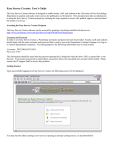
been set up for you. The j5 login screen will appear and you may be required to
enter your assigned username and password. If your system supports LDAP (your
system administrator will advise you of this), then you should use your standard user
name and password to log in (see figure below).
j5 Login Page
Your system may also support single sign-on authentication (SSO), in which case, you
will automatically be logged in to j5. If you are unsure of your user name and
password, then you should contact your system administrator to get this
information. Once you have entered your user name and password and clicked on
the login button, your browser will connect to j5 and your home screen will be
visible.
j5 User Manual – Revision 1 – ©2011
www.sjsoft.com
Page | 10