1
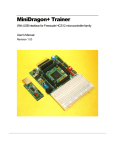
The Ep2711E9, a low cost and high performance development board, provides real time emulation for the
Motorola 68HC11microcontroller A and E families. It offers all useful features of the Motorola EVB board with
the BUFFALO monitor and adds numerous enhancements at an extremely low cost. It combines a complete
68HC11 development system, advanced trainer, reliable 711E9 programmer and a versatile SBC into a single
package. For engineers, it serves as a WICE in-circuit emulator development system, Motorola EVB, EVM,
EVS replacement, a convenient prototype platform, and a low cost single board computer. For students, it acts
as a user-friendly microcontroller trainer. It is as powerful as a high priced real-time in-circuit emulator, but it is
as affordable as a low cost single board computer.
Ep2711E9 includes easy-to-use and user-friendly IDE software which runs under Windows® 95, 98, 2000 and
XP. It offers fast file transfer, single-stepping, breakpoints, data watch for memory and registers, symbolic
debugging compatibility with most assemblers and compilers, and user program termination with the <Esc>
key.
Our exclusive phantom monitor™ technology preserves all interrupt vectors including RESET. The monitor
also preserve all on-chip RAM ($00-$1FF), EEPROM, and 31K external emulation RAM ($8400-$FFFF)
available for user applications - there is no pre-empted chip memory.
Because many students are taught with the Motorola BUFFALO, we installed the BUFFALO monitor in U2
(27C256 EPROM) The board can be booted from the BUFFALO monitor, so students can use the board
immediately before leaning how to use the board under Wytec’s phantom monitor.
The hardware includes a prototype area, 16 extra I/O lines in port F and G, one logic probe, on-board 16X2
LCD display with backlight, 4x4 keypad connector, 8 sensor input port, SPI port, speaker, 4-digit LED display,
potentiometer, 8 LED status indicators for port B, one 8 position DIP switch connected to port C, 3 pushbutton
switches, dual UARTs, RS485 interface, IR transceiver with on-board 38 KHz OSC, on-board 12V programming
voltage supply and 60-pin EVB/EVBU-compatible male and female connectors.
The package also includes a 7.5V 300mA wall plug-in power supply and a 6-foot DB9 cable.
The specification of the AC adapter is:
DC input:
DC output:
Current rating:
Type of plug:
110V
7.5V to 9V
300 mA to 1A
2.1mm female barrier plug, center positive
The AC adapter is only available to the countries that use 110V.
If more power is needed in a robot or other applications, the user should upgrade the AC adapter to 9V 500mA
or 9V 1A. Otherwise, the board could keep resetting itself when the VCC drops below 4.6V.
People often use different terminology. In our product menus, “Download” means to transfer a file from the PC
to the development board, while “Upload” means to transfer a file from development board to PC.
Through out the manual, left click means that you click the left button of the mouse and right click means that
you click the right button of the mouse.
Install new Ep2IDE software from CD:
If you have already installed the Ep2IDE for our WICE emulator or one of our EVBplus boards on your hard
drive, you must rename the current folder from c:\Ep2IDE to c:\Ep2IDE_old before installing new software.
The installation is automated by running the “SETUP.BAT” on the CD. It will OVERWRITE the current folder if
you don’t rename it.
After software is successfully installed, you can make a shortcut to AsmIDE.exe.
It’s very important to make a shortcut so that its target location is C:\Ep2IDE, not c:\Windows\desktop or other
locations. First, right click the Start button. Then, left click “Explorer”. Left click on C:\Ep2IDE. Right click on
1