1
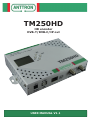
TM250HD
USER MANUAL
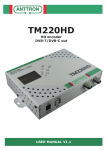
Congratulations on your purchase of the TM250HD !
This ‘state of the art’ product, is a HD encoder. The video input can be taken from
HDMI, PC or Component Video. The audio can be taken from HDMI or analog audio.
After compressing the video into H264 and audio in AAC, the output can be configured as DVB-T, DVB-C modulator or as IP streamer.
Stand-alone configuration is made easy through 4 tact switches and ergonomic
menu’s. To make the configuration of the TM250HD ultra simple, a special software
TMHDIface is available that you can download on our website
anttron.com
Contents
1 - Safety considerations..............................................................................3
2 - Description of the different elements.........................................................4
3 - Installation and menu structure................................................................5
3.1 - Installation.........................................................................................5
3.2 - Powering up........................................................................................5
3.3 - Menu structure....................................................................................6
4 - Setting up the TM250HD.........................................................................7
4.1 - The CONFIGURATION menu..................................................................7
4.2 - The DVB settings menu........................................................................7
4.2.1 - Setting DVB-T parameters..................................................................8
4.2.2 - Setting DVB-C parameters.................................................................8
4.3 - The IP settings menu..........................................................................9
4.4 - The AV settings menu....................................................................... 11
4.4.1 - Video settings................................................................................ 11
4.4.2 - Audio settings................................................................................ 11
4.5 - The TS settings menu....................................................................... 12
4.6- The language menu............................................................................ 13
4.7 - Default configuration.......................................................................... 13
5 - Programming using a PC....................................................................... 14
6 - Technical specifications......................................................................... 15
ANTTRON ©2014
PAGE 2