1
5
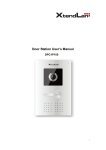
Speaker
Audio output
6
Camera
It is to monitor the video of the door.
7
Microphone
Audio input
2 Basic Functions
2.1 Call Residents
2.1.1 Call Status
In the standby status, press the call button. You can generate a call to the resident indoor
station. The indoor station bell rings.
2.1.2
Communication status
After you generated a call to the indoor station, if there is response, you can go to the
communication status. It can realize the dual-way video phone. It returns to the standby
interface after the dialogue ended.
2.2 Monitor Function
The indoor station can enable the monitor function of this device. You can open the
camera and monitor the device video.
2.3 Unlock Function
2.3.1 Unlock During the Dial Process
During the dial process, the indoor station can open the e-lock of the device remotely.
There is a 15-second for you to confirm the unlock operation. During these 15 seconds,
the video is properly displayed. After the 15 seconds countdown, system auto hangs up
and returns to the standby interface.
2.3.2 Unlock During the Communication
During the communication process, the indoor station can open the e-lock of the device
remotely. There is a 15-second for you to confirm the unlock operation. During these 15
2