1
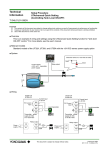
Technical Information Setup Procedure UTAdvanced Quick Setting (Controlling Tank Pressure) TI 04L01L01-07EN Foreword The contents of this document are subject to change without prior notice as a result of improvements in performance or functionality. Copying or reproduction by any means of all or any part of the contents of this document without permission is strictly prohibited. Use of this document is at the users risk. ■ Overview This is an example of wiring and settings using the UTAdvanced Quick Setting function for "tank pressure control." For more details, see the user's manual. ■ Relevant models Standard models of the UT32A, UT35A, UT52A, and UT55A. ■ System Distributor 0.00–1.00 MPa Current signal 4–20 mA ■Wiring Voltage input 1–5 VDC PV Voltage input Power supply Pressure transmitter + - Current output 4–20 mA + - This document is subject to change without notice. TI04L01L01-07EN 2011.12.16 1st Edition (YK) 2/4 ■ Settings To set PID control, the input signal (1 to 5 VDC), and current control output (4 to 20 mA), set the following parameters. (1) Select the desired parameter with the UP or DOWN key (2) Press SET/ENTER (the setting value blinks) (3) Change the setting with the UP or DOWN key (4) Press SET/ENTER to set the new value (the setting value stops blinking but remains bright) ● Redoing the Quick Setting Power Once functions are configured with the Quick Setting, the Quick Setting function will not appear after you restart. However, you can redo the Quick Setting by following the procedure below. Quick Setting start (1) Set the Quick Setting parameter QSM to ON, and re-engage power (2) Set the PV input type parameter IN to OFF, and re-engage power 1. START QUICK SETTING QSM 2. CONTROL TYPE CNt 3. Quick Setting starts First, the control type parameter CNT appears. Set CNT (control type) to PID (initial value). OFF is displayed for IN (the PV input type). OFF PV INPUT TYPE Set IN (PV input type) to pressure signal: 1–5 V. IN 5. PID PV INPUT TYPE IN 4. YES Press SET/ENTER to accept the "YES" option. 1ー5V PV INPUT UNIT UNIt (1–5V: 1.000 to 5.000 V) Set UNIT (PV input unit) to – (none). If necessary, use the unit label "MPa." ー This document is subject to change without notice. TI 04L01L01-07EN 2011.12.16-00 3/4 6. MAXIMUM VALUE OF PV INPUT RANGE RH 7. 5.000 MINIMUM VALUE OF PV INPUT RANGE RL 8. PV INPUT SCALE DECIMAL POINT POSITION MAXIMUM VALUE OF PV INPUT SCALE 11. 12. CONTROL OUTPUT CYCLE TIME Skip this parameter (not relevant). 30.0 Finally, EXIT is displayed. Select YES and press SET/ENTER to complete the FINISH EXIt Set OT (output type selection) to 00.02: OUT terminal (current 4 to 20 mA). 00.02 Ct 13. Set SL (minimum value of PV input scale) to 0.00 (0.00 MPa). 0.00 OUTPUT TYPE SELECTION 0t Set SH (maximum value of PV input scale) to 1.00 (1.00 MPa). 1.00 MINIMUM VALUE OF PV INPUT SCALE SL Set SDP (PV input scale decimal point position) to 2. 2 SH 10. Set RL (minimum value of PV input range) to 1.000 V (initial value). 1.000 SdP 9. Set RH (maximum value of PV input range) to 5.000 V (initial value). YES basic function setup and return to the operating screen. Or, you can select NO to continue with the Quick Setting. This document is subject to change without notice. TI 04L01L01-07EN 2011.12.16-00 4/4 Revision Information Document name: Setup Procedure: UTAdvanced Quick Setting (Controlling Tank Pressure) Document number: TI 04L01L01-07EN First edition: December, 2011 Newly released This document is subject to change without notice. TI 04L01L01-07EN 2011.12.16-00