1
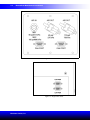
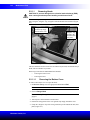
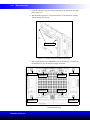
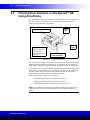
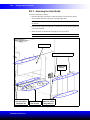
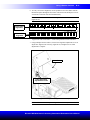
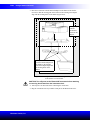
Multichannel Pod
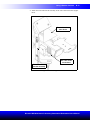
Shoulder 2
Plunger 2
Plunger 4
Plunger 3
Plunger 1
Shoulder 3
2-9
Shoulder 4
Shoulder 1
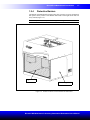
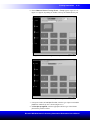
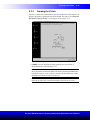
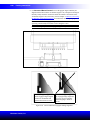
Figure 2-6. Sequence for removing four plunger screws and four shoulder screws on
all multichannel heads
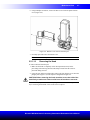
4. Slide the head down and out of the pod. Due to the weight of the head
(approximately five pounds), maintain a firm grasp on the head while sliding the
head out.
5. Cover and store the head flat side down in a clean, cool, dry place.
2.2.1.2
Installing Multichannel Heads
CAUTION: To prevent damage due to electrical static discharge (ESD),
wear a wrist ground strap when handling a multichannel head.
Note: A wrist ground strap, which must be attached to the instrument deck (base
plate) using the “alligator” clip, is supplied with the Biomek NX instrument.
The same method is used to install the 96-Channel 20 µL Head, 96-Channel 200 µL
Head, and 384-Channel 30 µL Head.
To install a head:
1. In Hardware Setup, select the appropriate Multichannel Pod.
Note: A Multichannel Pod is identified with a 96 or 384.
2. Choose Change Head.
Note: Choosing Change Head moves the D-axis to –0.6 cm and extends the
grippers.
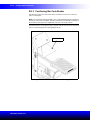
3. Turn off power and make sure the plastic bottom cover is removed (Figure 2-4).
Note: Do not remove top cover.
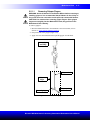
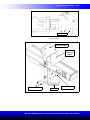
4. Position the strap portion of the wrist ground strap snugly around the wrist
(Figure 2-3).
Biomek® NX Multichannel Laboratory Automation Workstation User’s Manual