1
Maintenance -Cleaning and disinfection of the instrument after use.
Cleaning the Housing and Touch screen
1. Disconnect the power adaptor from the electrical connection before proceeding.
2. Cleaning the housing and touch screen is best accomplished with a lint-free cloth, lightly
dampened with clean water. For more stubborn soiling, a mild soap solution may be used. For
disinfection, standard solutions can be used for surface disinfection provided they do not contain
alcohol or other solvent.
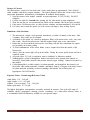
Cleaning the Cuvette Holder
1. The cuvette holder can be removed from the instrument for cleaning. Proceed as follows:
a. Disconnect the power adaptor from the electrical connection before proceeding.
b. Open the cuvette holder until you feel a resistance and the holder will not extend further.
c. Press down the silver pin on the left-hand side (bottom) of the cuvette holder with a ballpoint pen and draw the cuvette holder forward at the same time.
2. The cuvette holder can now be cleaned with a mild soap solution. For disinfection, standard
solvent-free preparations can be used. DO NOT use any cleaning agent for cleaning the cuvette
holder that could leave scratches on its surface.
3. Wait until the cuvette holder is completely dry before returning it to the machine. To replace the
cuvette holder, gently push it in the correct position into the opening in the housing until it
engages.
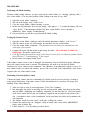
Cleaning the Optical Unit
1. The optical unit is situated inside the photometer and has no direct contact with the cuvette
therefore no routine cleaning is needed.
2. Cleaning the optical unit can become necessary if the measured maximum light intensity of the
photometric light source no longer achieves the appropriate level required for testing.
3. For cleaning the optical unit the use of a special HemoPoint® H2 optics cleaner is recommended.
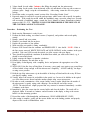
4. Pull the cuvette holder out while the photometer is in the ready mode.
5. Remove the cleaner from the foil pouch and insert it (narrow tip first) carefully into the opening of
the cuvette holder until you feel a smooth resistance. THE CLEANER MUST BE USED
WITHIN 10 MINUTES OF OPENING.
6. Slowly push the cleaner deeper into the opening until it stops.
7. Wipe the optical system several times by slowly moving the cleaner in-and-out at least 5 times.
8. Remove the cleaner from the photometer.
9. If the used cleaner is dirty, repeat the procedure with a new cleaner.
10. Wait at least 15 minutes after the optical system has been cleaned to reinsert the cuvette holder
into the photometer.
11. Dispose of all used cleaners as potentially infectious waste.
Exercise 7: Automated Hemoglobi n Testing (Revised 2/6/2014)
Page 7