1
Remove Device
Press PROG on target
>>>>
OK
Note 1: This process will only remove the target device/EP from its
assigned scene but will not exclude it from the network.
Note 2: If no ACK signal received for more than 60 seconds, the
“Remove Device” mode will exit automatically.
Scene Control
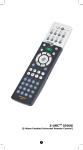
After the scene setup is done, you can trigger the desired scene via
scene control function on ZRC-100.
Step
Setup Key
LCD Indication
Select “Scene"and
Home
Device
1
key to
press
confirm.
A corresponding Scene
Control page will be
displayed.
>
Scene
>
Comfort
>
OK to Enter
⇓
Scenes List
Scene 1
Scene 2
Scene 3
e Off and On f
Select your Scene and
press f key to turn on
2
the Scene and e key to
turn off the Scene.
Scenes List
Scene 1
Scene 2
Scene 3
e Off and On f
18