1
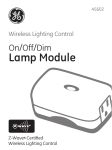
Setting up your smart plugs/
smart bulbs
1 Log in to the web portal at reliant.com/
connectlogin, and click on the Switches tab
at the top of the page.
2 Click on each device to rename it (e.g., living
room lamp) or turn it ON/OFF.
3 Click Save to save your changes to the
network.
Grouping your smart plugs/
smart bulbs
If you’d like to combine the settings of several
devices, you can create a Group.
1 Click the +New Group button in the upper
right of the Switches window, and give the
group a name (e.g., evening, night, etc.).
2 Click the Edit Devices box, and select the
devices you want to add to the group. Then
click Done.
3 Click Save to create the Group.
The new Group will appear in the Group list.
You can rename it and add or delete devices
by clicking Edit Group. You can delete
Groups by clicking the trash can icon next
to the Group name.
24 Home Automation by Reliant | Install Guide & User Manual