1
PCL Barcode Font Kits - User Manual
Code 39
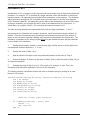
This is the easiest type of barcode to use. Formatting of the data string requires only that you add
an asterisk at the beginning and at the end of the data. The asterisk is translated to the Code 39
start/stop character which the scanner must see to recognize the code. For example, let’s say that
the data to be encoded is:
PN334958
The finished string ready for printing as a Code 39 barcode would look like this:
*PN334958*
Here is a complete set of escape sequences to print the data as a barcode and then print the
information again as text using the printer’s default font below the barcode:
<esc>(25501X*PN334958*<esc>(3@
PN334958
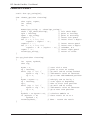
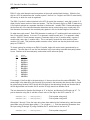
The result will look something like this:
*123456*
PN334958
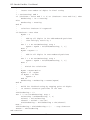
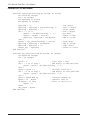
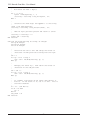
Here is a C function that will produce this output; the caller passes the desired font number (fontid),
the data (partno), and a pointer to the output file or device (prn). The code \033 in C represents
Octal 33 which is the escape character.
int SendBarcode(int fontid, char *partno, FILE *prn)
{
fprintf(prn, “\033(%dX”, fontid);
/* select the font */
fprintf(prn, “*%s*”, partno);
/* send part number */
fprintf(prn, “\033(3@\n”);
/* default font */
fprintf(prn, “%s\n”, partno);
/* text part number */
return(0);
/* all done */
}
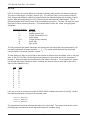
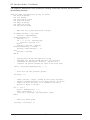
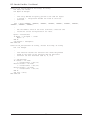
Here is Visual Basic code that will return a string with similar results; Chr(27) is the escape code:
Function SendBarcode(fontid as integer, partno as string) as String
Dim MyString as String
MyString = Chr(27)& “(“ & [fontid] & “X”
MyString = MyString & “*” & partno & “*”
MyString = MyString & Chr(27) & “(3@” & vbcrlf
MyString = MyString & partno
SendBarcode = MyString
End Function
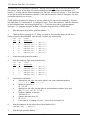
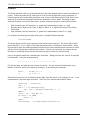
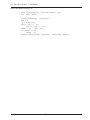
The Code 39 character set includes the upper case alphabet (A-Z), digits (0-9), and the following
symbols: hyphen (-), period (.), space, dollar sign ($), slash (/), plus sign (+), and percent sign (%).
7