1
Fieldbus Networks Test Equipment
FBT-3
FBT-4
FBT-5
FBT-6
FBT-6-PA
live troubleshooting
for fieldbus H1
networks
Relcom
FBT-3
◆ Bus-powered fieldbus monitor
for monitoring:
LAS
Packet traffic
Device counts
Framing errors
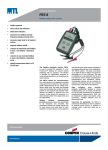
The Fieldbus Monitor, FBT-3 is used to examine
the operation of a live FOUNDATION fieldbus™ network
without interfering with its operation. The monitor is
intended for maintenance personnel to verify network
operation or to troubleshoot an errant network. The
Fieldbus Monitor allows the user to quickly assess the
health of a fieldbus network segment by providing
measurements of bus power level, minimum signal
level, and peak and average noise level. It also
displays the number of devices present on the segment
and indicates when devices are added or removed
from the network.
The Fieldbus Monitor is palm-sized for portability and
is powered by the fieldbus so that no batteries or
external power source is required. It includes colorcoded test leads and an LCD display.
EUROPE (EMEA)
Tel: +44 (0)1582 723633
Fax: +44 (0)1582 422283
AMERICAS
Tel: +1 281 571 8065
Fax: +1 281 571 8069
ASIA PACIFIC
Tel: +65 6 487 7887
Fax: +65 6 487 7997
E-mail: [email protected]
Web site: www.mtl-inst.com
◆ Monitor also measures:
Signal levels
Noise levels
DC power
Caution:
The FBT-3 must not be used in a hazardous
area without a gas clearance certificate.
If connected to an IS trunk, even in a safe
area, the gas clearance must cover the
whole system.
May 2004
Power
The DC voltage on the network is shown. Measurements over 9V are
OK. The maximum displayed value is 25.5V.
LAS
If there is any activity on the network, the Link Active Scheduler (LAS)
should be sending out Probe Node frames. The Monitor measures the
signal level of the Probe Node frame. The signal level is in millivolts.
Device
If there are fieldbus devices active on the network, the Monitor counts
them. If the count has remained the same since the Device function was
selected, the display shows “OK”. Note that the LAS is considered a
device and as such is included in the count. Devices are counted by
watching their response to a Pass Token. If a device does not respond
to the Pass Token, it is taken off an internal list and the count will be
reduced. The device may still show up on PC monitoring software
because the LAS will not take it off of the Live List until it has failed to
respond to a Pass Token three times in a row. If a device leaves the
network, “-” is displayed. If a new device is added, the display shows “+”
2.75 ins
(69.9 mm)
1.22 ins
(31 mm)
Fieldbus Monitor
FBT-3
5.08 ins
(129 mm)
Operation
The FBT-3 can be connected to the network using the clip leads. The
test leads are polarity sensitive and the Monitor will not operate if
they are reversed. When first connected to a fieldbus, a Version
number is displayed for 1 second. The MODE button is used to select
from several network parameters that can be examined with the
Monitor. When a function is selected, the LCD display reads “- - -”
until the monitor has collected and processed the data. After that,
the measured value is shown. The indication “OK” is shown if the
measured value is within the acceptable range (as defined by the
fieldbus specification). The rotating symbol in the lower right corner
of the display indicates that there is network activity. A horizontal
bar under the rotating symbol indicates that a frame was detected,
but could not be decoded. This is not a maintained function. I.e., if a
single “bad” frame is detected, the horizontal underbar will only be
on the display for a short time. Periodic “bad” frames will cause the
underbar to blink. Following are more detailed explanations of each
of the monitor’s modes:
Mode
Low
The signal level of the device with the weakest signal is shown.
The device’s address (hexadecimal) is displayed behind the word
"LOW". This will be the lowest signal level reading from a device
since the tester was connected to the fieldbus. Measurements greater
than 150mV are OK
Noise Av
The noise on the network is measured during the silence between
frames. The value is averaged over 10 measurements. Measurements
of less than 75mV are OK.
Noise Pk
The peak noise recorded since this function was started is displayed.
Measurements of less than 75 mV are OK.
New
If a new device is to be added to the network, it must respond to the
Probe Node frame sent by the LAS. The Monitor measures the signal
level of the new device’s response. Measurements greater than 150mV
are OK. The address (in hexadecimal) of the new device is displayed also.
Specifications
The Monitor is powered by the fieldbus and draws approximately
10mA of current from the network (depending on bus voltage and
ambient temperature).
Operating temperature range
0 — 50ºC
Dimensions
12.9 × 7.0 × 3.1cm
Weight
150g
EUROPE (EMEA)
Tel: +44 (0)1582 723633
Fax: +44 (0)1582 422283
AMERICAS
Tel: +1 281 571 8065
Fax: +1 281 571 8069
ASIA PACIFIC
Tel: +65 6 487 7887
Fax: +65 6 487 7997
E-mail: [email protected]
Web site: www.mtl-inst.com
May 2004
monitoring of
fieldbus networks
Relcom
FBT-4
◆ Checks for basic fieldbus
operation
◆ Bus powered
◆ Monitors:
The Fieldbus Power & Signal Probe, FBT-4,
is used to examine the operation of a live
FOUNDATION fieldbus™ network without interfering
with its operation. The Probe is intended for
maintenance personnel to verify network operation
or to troubleshoot an errant network. The Power
and Signal Probe is designed to help instrument
technicians quickly determine if bus power and
signal levels are within specification at individual
points on a fieldbus network segment. For example,
if a fieldbus transmitter suddenly goes off-line, the
FBT-4 can be used to determine if the problem resides
in the transmitter itself or is due to an open or short in
the network cable system. Inexpensive and portable,
the FBT-4 runs on bus power and thus requires no
batteries or other external source of power.
blinks when there is bus activity. It is driven directly
by the frame data and is thus not powered during the
brief silence between packets.
Voltage indicates that the DC Voltage on the fieldbus
is greater than the 9.0V dc minimum that is required
by the fieldbus standard.
Reversed indicates that the FBT-4 probes have been
connected to the network incorrectly or that the
fieldbus has been wired with reversed polarity.
Operation
One red and two green LEDs indicate the status
of the fieldbus network. They are labeled Signal,
Voltage, and Reversed. A lit green LED indicates
that the network is performing satisfactorily. A lit
red LED signals an error condition. Following are
descriptions of the three indicators:
Signal indicates that there is bus activity. It will only
light if data traffic is detected with peak to peak
amplitude greater than 150 mV. The validity of the
data is not checked. You will notice that the LED
EUROPE (EMEA)
Tel: +44 (0)1582 723633
Fax: +44 (0)1582 422283
AMERICAS
Tel: +1 603 926 0090
Fax: +1 603 926 1899
ASIA PACIFIC
Tel: +65 6 487 7887
Fax: +65 6 487 7997
E-mail: [email protected]
Web site: www.mtl-inst.com
DC power
Polarity
Packet traffic
Connection
The pointed probe attached directly to the case of the
FBT-4 is the negative input and should be connected
to a negative point on the fieldbus. The red wire with
the pointed probe should be connected at a positive
point on the fieldbus. For hands-free operation, a
red mini-hook assembly is available which can be
attached to the end of the red pointed probe. A
black cable with mini-hook is also available to plug
onto the negative terminal of the FBT-4.
Specifications
The Monitor is powered by the fieldbus and draws
12-15mA of current, depending on bus voltage and
ambient temperature.
Operating temperature range: 0 - 50ºC
Weight: 300g
Size: 11.8 × 5.0 × 2.1cm
May 2004
accurate characterisation
of fieldbus wiring
Relcom
FBT-5
◆ Signal generator for testing
fieldbus wiring
◆ Use with FBT-6 to measure
signal and noise levels
◆ Operates with wiring blocks
installed
◆ Test fieldbus wiring before the
control system is installed
The Fieldbus Wiring Validator, FBT-5, is used
in combination with the Relcom Fieldbus Monitor, FBT-6,
to test new or existing field wiring to determine its
suitability for use in a FOUNDATION fieldbus™ network.
The FBT-5 acts as a signal generator, supplying DC
power and a simulated fieldbus signal to the wire
pair being tested. The FBT-6 is then used to take
power, signal, and noise measurements. Testing can
be performed on existing instrumentation wiring,
multi-pair cables, newly installed fieldbus cable, or
a complete fieldbus wiring system with wiring blocks
and terminators already installed.
Operation
The Wiring Validator has a push-button Power switch
to turn it on or off. If the Wiring Validator is turned
on with a single click of the Power button, it will stay
on for about 5 minutes and then automatically turn
itself off to conserve battery power. If the Wiring
Validator needs to be powered on indefinitely, such
as when wire testing is being performed by a single
person, press and hold the Power button for about
3 seconds. The green Power On light shows that the
Wiring Validator is on.
Connection
Using the clip leads, connect the FBT-5 to one
end of the cable. To the other end, attach the Test
Terminator. Connect the FBT-6 to the Test Terminator.
Be sure to attach the red clips to the positive fieldbus
wires and the black clips to the negative. If the wires
are reversed, the Monitor will not function.
FBT-5
T
Cable to be tested
FBT-6
Caution
The FBT-5 must not be used in a hazardous
area without a gas clearance certificate.
If connected to an IS trunk, even in a safe
area, the gas clearance must cover the
whole system.
EUROPE (EMEA)
Tel: +44 (0)1582 723633
Fax: +44 (0)1582 422283
AMERICAS
Tel: +1 281 571 8065
Fax: +1 281 571 8069
ASIA PACIFIC
Tel: +65 6 487 7887
Fax: +65 6 487 7997
E-mail: [email protected]
Web site: www.mtl-inst.com
•
If the Power On light blinks rapidly (about three
times per second), the Wiring Validator or
Fieldbus Monitor is not attached to the wire pair
or the connection is reversed.
•
If the Power On blinks slowly (about once a
second), there is a good connection to the
wire pair and Fieldbus Monitor, and the Wiring
Validator is in battery save mode (and will
automatically power down in about five minutes).
•
If the Power On indicator lights continuously, all
connections have been made properly and the
Wiring Validator will stay on until it is manually
powered off. When the Wiring Validator is
turned on, the Fieldbus Monitor powers up and
displays the following readings:
•
Voltage should be between 9 and 10V
(continued overleaf)
Aug 2008
•
Push the Monitor's Mode button once to get the LAS function.
The LAS signal level reading should say "OK" and show the
signal level in millivolts:
LAS Signal (mV)
350 or more
200-350
150-200
150 or less
•
1.22"
31 mm
Wire Condition
Excellent
Good
Marginal
Not Good
Fieldbus
Wiring Validator
Push the Monitor's Mode button three times to get the NOISE
Average reading. It should say "OK" and display the average
noise level:
Power
On
Note: The wiring system cannot have fieldbus devices attached to
it during testing. The Wiring Validator is not capable of providing
power to the fieldbus devices and its signal generator will interfere
with any data transmission that the fieldbus devices attempt to
initiate.
If the wiring system has two terminators installed (as required
for proper fieldbus operation), test results will be comparable to
the results of the wire by itself. However, if too few or too many
terminators have been installed, the measured signal levels will be
inaccurate. The chart below shows the relative values of LAS signal
level that will be observed:
Terminators
0
1
2
3
LAS Signal (mV)
999
961
(correct number) 760
637
Error Conditions
A blinking Low Battery light indicates that the outputs of the Wiring
Validator are shorted. The Low Battery light may also flash briefly as
the Wiring Validator is first attached to a wire pair. A continuously lit
Low Battery light indicates that the batteries need to be replaced.
Self Test
To verify that the Wiring Validator and the Fieldbus Monitor are
working correctly, connect them to each other through the Test
Terminator. Observe the power, signal, and noise values and verify
that they are within the following ranges:
Measurement
Power
LAS Signal
Noise Average
Acceptable Range
9 to 10V
700 to 800mV
less than 25mV
If the observed values fall outside of these ranges, replace the
batteries as described below. If the problem persists, contact Relcom
for assistance. The unit contains no user serviceable parts.
5.08"
129 mm
FBT-5
Noise Level (mV)
Wire Condition
25 or less
Excellent
25-50
Good
50-75
Marginal
75 or more
Not Good
Wire System Testing
A complete fieldbus wire system, with two terminators and other
wiring blocks installed, can be tested before field devices are
connected. This is done in the same way as the wire testing described
previously except that the Test Terminator is not used.
Low
Battery
Power
2.75"
69.9 mm
Additional Wiring Tests
To get a complete characterization of the fieldbus wiring, measure
the resistance between the individual conductors in the cable using
a standard ohmmeter.
Suggested measurements include:
•
The resistance between the twisted-pair wires
•
The resistance between each of the twisted pair wires and the
shield/drain (if present)
•
The resistance between the shield/drain and instrument ground
bar.
Readings of 100K ohms or higher are acceptable.
Additional System Requirements
A Relcom Fieldbus Monitor, FBT-6, is required to obtain signal and
noise measurements as described in these instructions.
Batteries
The FBT-5 requires four (4) AA Alkaline batteries which are not
included. These must be installed prior to using the FBT-5. Access to
the battery compartment is obtained by unscrewing the four screws
on the back of the unit and removing the battery cover.
As a guide, the batteries will last about 12 hours with continuous use.
Specifications
The FBT-5 includes soft case, Test Terminator, clip leads, and
operating instructions.
Operating temperature range
0 to 50°C
Dimensions
12.9 × 7.0 × 3.1cm (5.1 × 2.8 × 1.2”)
Weight
600g
ORDERING INFORMATION
Description
Fieldbus Wiring Validator
Fieldbus Monitor
EUROPE (EMEA)
Tel: +44 (0)1582 723633
Fax: +44 (0)1582 422283
AMERICAS
Tel: +1 281 571 8065
Fax: +1 281 571 8069
ASIA PACIFIC
Tel: +65 6 487 7887
Fax: +65 6 487 7997
E-mail: [email protected]
Web site: www.mtl-inst.com
Part Number
FBT-5
FBT-6
Aug 2008
Fieldbus diagnostic monitor
Relcom
FBT-6
◆ fieldbus powered
◆ assesses network health
◆ device add & drop indication
◆ connects to intrinsically safe
fieldbus in Zone 1 and
Division 1 hazardous areas
◆ shield short indication
◆ measures low, fieldbus and
high frequency average and
peak noise
◆ measures signal level for all
segment devices
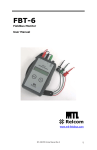
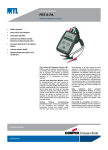
The Fieldbus diagnostic monitor, FBT-6, is
used to examine the operation of a live FOUNDATION
fieldbus™ H1 network without interfering with its
operation. The Monitor is intended for maintenance
personnel to verify network operation or to
troubleshoot an errant network.
The FBT-6 diagnostic monitor checks for
retransmissions from each device on the segment,
providing a key performance indicator of the
networks health. Measurements of bus voltage level,
device signal level, and peak and average noise
level. It displays the number of devices present on
the segment and indicates when devices are added
or removed from the network. It also detects the
presence of a short between either of the signal wires
and the cable shield.
Modern fieldbus commissioning procedures
require various bus parameters to be measured
and recorded. Key parameters include bus voltage,
signal level for each device and noise level on each
EUROPE (EMEA)
Tel: +44 (0)1582 723633
Fax: +44 (0)1582 422283
AMERICAS
Tel: +1 603 926 0090
Fax: +1 603 926 1899
ASIA PACIFIC
Tel: +65 6 487 7887
Fax: +65 6 487 7997
E-mail: [email protected]
Web site: www.mtl-inst.com
◆ connects to non-incendive
fieldbus in Zone 2 and
Division 2 hazardous areas
◆ uploads measurement data to
a PC via USB port
segment or at every device on each segment and
recording the results allows a baseline of the fieldbus
physical layer to be established. The FBT-6 collects
this data, and allows up to eight file sets of data to
be saved for uploading to a PC via a USB port. The
data is uploaded as a tab-delimited text file and may
then be used to create comprehensive commissioning
and operations reports. Considerable savings can
be achieved by reducing commissioning time and
verifying the accuracy of the data on the segment.
Data collected from periodic network
verification testing or during troubleshooting can be
simply transferred to a file for easy comparison to the
segment baseline/history measurements. Data can
be displayed as tables and graphs using commonly
available software such as Microsoft® Excel.
Hand-held for portability, the FBT-6 is powered
by the fieldbus so that no batteries or external power
source is required. It includes colour- coded test leads
and an LCD display.
Dec 2007
Operation
The FBT-6 is connected to the network using the clip-on probes at the
end of the cable. The red probe is connected to the fieldbus + wire,
the black probe to the – wire and the green probe to the shield wire.
The + and – test leads are polarity sensitive and the Monitor will not
operate if they are reversed.
Peak Noise
Displays the peak noise recorded since the Monitor was connected.
The value displayed is the highest noise level measured since the last
reset. Peak noise levels are measured and displayed in the same
three frequency bands as average noise. Measurements of less than
75mV are OK.
When first connected to a fieldbus, a version number is displayed
for several seconds. The Monitor then performs an Overall Network
Check to give the user a quick indication of network health.
Retransmit
The FBT-6 checks for any device not responding to a LAS pass token
and indicates the address (decimal and hexadecimal) of the last
device that failed to respond to the LAS pass token, together with the
number of missed pass tokens since the function was reset. If more
than 250 re-transmissions are detected, the display will read “250+”.
Pressing and holding the “SELECT” key for 2 seconds will reset the
re-transmit count for all devices to zero. Pressing the “SELECT” button
for less than 2 seconds displays the number of detected, missed pass
tokens for each device.
The “FUNCTION” and “SELECT” buttons are used to select from
network parameters that can be examined with the Monitor. When
a function is selected, the data portion of the LCD display is blank
until the Monitor has collected and processed the data. After that,
the measured value is shown. The indication “OK” is shown if the
measured value is within the acceptable range. The indication “BAD”
is shown if the measured value is outside of the acceptable range.
The rotating symbol in the lower right corner of the display indicates
that there is network activity. A horizontal bar (underscore) under the
rotating symbol indicates that a frame was detected, but could not be
decoded. This is not a maintained function, so if a single “bad” frame
is detected, the underscore will only display for a short time. Periodic
“bad” frames will cause the underscore to blink.
Here follows a more detailed explanation of each of the Monitor’s
functions.
Segment Check
When first connected, the FBT-6 gathers data for all of its monitoring
functions. If all the measured data is within an acceptable range, the
Monitor displays “ALL MEASUREMENTS OK”.
Voltage
The DC voltage on the network is shown. Measurements over 9 volts
are OK. The maximum input voltage is 32.0 volts.
Device Count
If there are fieldbus devices active on the network, the Monitor counts
them. If the count has remained the same since the initial network
check was performed, the display shows “OK”.
Note, on FOUNDATION fieldbus™ networks, the Link Active Scheduler
(LAS) is considered a device and, as such, is included in the count.
The FBT-6 is more sensitive to missed communications than most PC
monitoring software. As a result, a device may still show up on PC
monitoring software, even though the FBT-6 has removed the device
from its internal list of active devices. Devices having communication
difficulties may show up on the FBT-6 as repeatedly being added or
dropped. If a device leaves the network, the display shows “-”; if a
new device is added it shows “+”.
Add–Drop
If a new device is added to the network, the Monitor will display
its address and signal level. If a device does not respond to a Pass
Token frame, the device is considered “dropped” by the FBT-6 and
the Monitor will display the address and last known signal level of
the dropped device.
Shield Short
If a short circuit between the + fieldbus wire and the cable shield
is detected, “(+) TO SHIELD SHORT” is displayed. If the short is
between the – wire and the shield, “(–) TO SHIELD SHORT” is
displayed. If a detected shield short goes away the Monitor indicates
an INTERMITTENT SHIELD SHORT to (+) or (-).
Save Report
Saves the data collected by the Monitor as a report. Up to 8 reports
may be saved from multiple segments and/or multiple locations on
one segment.
Transfer Report
Connect the Monitor to a PC USB port and transfer the saved reports
to Excel files on the PC.
Set Report Names
Customize the names of the reports saved in the Monitor to easily
identify the report source
Set OK/BAD Limits
Change the limits at which Monitor measurements transition from OK
to BAD to establish customized plant standards.
Low
The signal level of the device with the weakest signal is shown. The
device’s address (in decimal and hexadecimal) is also displayed.
This will be the lowest signal level reading from a device since the
Monitor was connected to the fieldbus. Measurements greater than
150mV are OK.
Device
The address (in decimal and hexadecimal) and signal level of each
device on the network is displayed in turn by pushing the “SELECT”
button. On FOUNDATION fieldbus™ networks, the first device shown
will be the LAS. Measurements greater than 150mV are OK.
Average Noise
Displays the average noise based on the average of the last 100
noise measurements. Noise levels are measured and displayed in 3
frequency bands: frequencies in the fieldbus signalling band (Fieldbus
Frequency, FF), frequencies below the fieldbus signalling band (Low
Frequency, LF) and frequencies above the fieldbus signalling band
(High Frequency, HF). The particular frequency band displayed is
selected by pushing the “SELECT” button. Measurements of less than
75mV are OK.
Specification subject to change without notice
FOUNDATION fieldbus™ is a trademark of Fieldbus Foundation™, Austin, Texas
EUROPE (EMEA)
Tel: +44 (0)1582 723633
Fax: +44 (0)1582 422283
AMERICAS
Tel: +1 603 926 0090
Fax: +1 603 926 1899
ASIA PACIFIC
Tel: +65 6 487 7887
Fax: +65 6 487 7997
E-mail: [email protected]
Web site: www.mtl-inst.com
Dec 2007
SPECIFICATIONS
Input voltage
8 to 32V DC
Input current
Fieldbus mode: 10mA max.‡
USB mode:
30mA max.
Power dissipation
Fieldbus mode: 320mW max. (@ 32V DC)
USB mode:
165mW max. (@ 5.5V DC)
Operating Temperature
–20 to +50°C *
Dimensions
146 x 88 x 28 mm (5.7 x 3.5 x 1.1 inches)
Weight
378g (0.83lb)
Case Material
ABS
Case Specifications
Provides IP54 protection
DC Voltage measurement range
8 to 32 ± 0.5 V DC
Noise measurement ranges
LF (50Hz to 4kHz): 0 to 1000 mVpp ±15% ± 25mVpp
FF (9kHz to 40kHz): 0 to 1000 mVpp ±10% ± 25mVpp †
HF (90kHz to 350kHz): 0 to 250 mVpp ±20% ± 25mVpp
Signal level measurement range
0.12 to 2Vpp ± 25mVpp
Software utility and drivers
Operating system: Windows® XP, Windows® 2000
USB version: 1.1, 2.0
(Note: Vpp = Volts peak-to-peak)
*
Display update speed is impaired below –10°C
†
Excessive noise adjacent to the fieldbus frequency (FF) will
prevent the FBT-6 from reading the fieldbus data and thus reduce
functionality.
In fieldbus mode the FBT-6 is powered by the fieldbus and draws
approximately 9.4mA of current from the network (depending on
bus voltage and ambient temperature).
‡
Specifications subject to change without notice.
EUROPE (EMEA)
Tel: +44 (0)1582 723633
Fax: +44 (0)1582 422283
AMERICAS
Tel: +1 603 926 0090
Fax: +1 603 926 1899
ASIA PACIFIC
Tel: +65 6 487 7887
Fax: +65 6 487 7997
E-mail: [email protected]
Web site: www.mtl-inst.com
Dec 2007
APPROVALS
Region
(Authority)
Standard
Certificate
Approved For
US (FM)
3600, 3610, 3611, 3810
3023564
Class I, Div 2, ABCD, T4
Class I, Zone 2, IIC T4
Vmax(V)
Imax Gps A, B/IIC (mA)
Imax Gps C, D/IIC,IIA (mA)
NIFW
32
1500
1500
FNICO
17.5
183
380
Ui(V)
Imax Gps A, B/IIC (mA)
Imax Gps C, D/IIC,IIA (mA)
Pi(W)
Entity IS
24
250
250
1.2
FISCO
17.5
183
380
5.32
Ratings
US (FM)
3600, 3610, 3611, 3810
3023564
Class I, Div 1, ABCD, T4
Class I, Zone 0 and 1,
AEx/Ex ia IIC T4
Canada (FM)
C22.2 No. 213,
C22.2 No. 157
CAN/CSA-E79-0-95,
CAN/CSA-E79-11-95
3028840
Class I, Div 2, ABCD, T4
Class I, Zone 2, IIC T4
Ui (V)
Imax Gps A, B/IIC (mA)
Imax Gps C, D/IIC,IIA (mA)
NIFW
32
1500
1500
FNICO
17.5
274
570
Canada (FM)
C22.2 No. 213,
C22.2 No. 157
CAN/CSA-E79-0-95,
CAN/CSA-E79-11-95
3028840
Class I, Div 1, ABCD, T4
Class I, Zone 0 and 1,
AEx/Ex ia IIC T4
Ui (V)
Imax Gps A, B/IIC (mA)
Imax Gps C, D/IIC,IIA (mA)
Pi (W)
Entity IS
24
250
250
1.2
FISCO
17.5
183
380
5.32
EU (LCIE)
EN60079-0 (2004).
Pr EN60079-11 (2005).
EN60079-27 (2004)
LCIE 06 ATEX
6111 X
Ex ia lIC T4
Ui (V)
Ii (mA)
Pi (W)
Entity IS
24
250
1.2
FISCO
17.5
380
5.32
EU (Relcom)
IEC 60079-0 (2004)
IEC 60079-15 (2006)
IEC 60079-11 (2005)
501-316
Ex nL IIC T4 Ex ic IIC T4
Vmax = 32V, Imax = 1.5A
ORDERING INFORMATION
Part Number
Description
FBT-6
FOUNDATION fieldbus™ H1 Diagnostic Monitor
supplied in carrying case with FBT-A61, -A62, and
-A63 cables, software and instruction manual.
FBT-A61
FBT-6 Fieldbus Cable with Mini-Hook Probes
FBT-A62
FBT-6 USB Cable
FBT-A63
FBT-6 Fieldbus Cable with Clip-on Probe
FBT-A64
Clip-on Probe
501-338
FBT-6 User Manual
Picture
Specifications subject to change without notice.
EUROPE (EMEA)
Tel: +44 (0)1582 723633
Fax: +44 (0)1582 422283
AMERICAS
Tel: +1 603 926 0090
Fax: +1 603 926 1899
ASIA PACIFIC
Tel: +65 6 487 7887
Fax: +65 6 487 7997
E-mail: [email protected]
Web site: www.mtl-inst.com
Dec 2007
EPS FBT-6-PA-1
Profibus-PA
diagnostic monitor
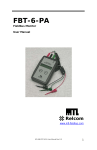
FBT-6-PA
◆ fieldbus powered
◆ device add & drop indication
◆ shield short indication
◆ measures low, fieldbus and
high frequency average and
peak noise
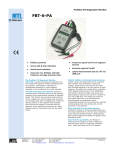
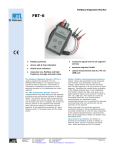
The Profibus PA Diagnostic Monitor, FBT-6-PA,
is used to examine the operation of a live Profibus-PA
segment without interfering with its operation. The
Monitor is intended for maintenance personnel to
verify segment operation or to troubleshoot an errant
segment.
The FBT-6-PA Diagnostic Monitor checks for
retransmissions from each device on the segment,
providing a key performance indicator of segment
health. The Monitor also provides measurements of
bus voltage level, device signal level, and peak and
average noise level. It displays the number of devices
present on the segment and indicates when devices
are added or removed from the segment. It also
detects the presence of a short between either of the
signal wires and the cable shield.
Modern fieldbus commissioning procedures
require various bus parameters to be measured
and recorded. Key parameters include bus voltage,
signal level for each device and noise level on
each segment or at every device on each segment.
EUROPE (EMEA)
Tel: +44 (0)1582 723633
Fax: +44 (0)1582 422283
AMERICAS
Tel: +1 603 926 0090
Fax: +1 603 926 1899
ASIA PACIFIC
Tel: +65 6 487 7887
Fax: +65 6 487 7997
E-mail: [email protected]
Web site: www.mtl-inst.com
◆ measures signal level for all
segment devices
◆ assesses network health
◆ upload measurement data to a
PC via USB port
Recording the results allows a baseline of the fieldbus
physical layer to be established. The Monitor collects
this data, and saves up to eight segment reports
to be saved for transfer to a PC via a USB port.
The reports are saved as Microsoft® Excel files as
a comprehensive commissioning and operations
report. Considerable savings can be achieved by
reducing commissioning time and verifying the
correct operation of the segment.
Data collected from periodic segment
verification testing or during troubleshooting can be
simply transferred to a file for easy comparison to the
segment baseline/history measurements. Data can
be displayed as tables and graphs using Microsoft®
Excel.
Hand-held for portability, the Monitor is
powered by the fieldbus so that no battery or
external power source is required. It includes colourcoded test leads and an LCD display.
Oct 2007
EPS FBT-6-PA-1
OPERATION
The FBT-6-PA is connected to the segment using the clip-on probes at
the end of the cable. The red probe is connected to the fieldbus +
wire, the black probe to the – wire and the green probe to the shield
wire. The + and – test leads are polarity sensitive and the Monitor
will not operate if they are reversed.
When first connected to a fieldbus, a version number is displayed
for several seconds. The Monitor then performs a Segment Check
providing a quick indication of segment health.
The “FUNCTION” and “SELECT” buttons are used to choose from
segment parameters that can be examined with the Monitor. When
a function is selected, the data portion of the LCD display is blank
until the Monitor has collected and processed the data. After that,
the measured value is shown. The indication “OK” is shown if the
measured value is within the acceptable range. The indication “BAD”
is shown if the measured value is outside of the acceptable range.
The rotating symbol in the lower right corner of the display indicates
that there is segment activity. A horizontal bar (underscore) under the
rotating symbol indicates that a frame was detected, but could not be
decoded. This is not a maintained function, so if a single “bad” frame
is detected, the underscore will only display for a short time. Periodic
“bad” frames will cause the underscore to blink. The following are
more detailed explanations of each of the Monitor’s functions.
Device
The address (in decimal and hexadecimal) and signal level of each
device on the segment is displayed in turn by pushing the “SELECT”
button. The first device shown will be the Master. By default,
measurements greater than 150mV are OK. If a device leaves the
segment, a “-” is displayed; if a device is added it shows “+”.
Average Noise
Displays the average of the most recent 100 noise measurements.
Noise levels are measured and displayed in 3 frequency bands:
frequencies in the fieldbus signalling band (Fieldbus Frequency, FF),
frequencies below the fieldbus signalling band (Low Frequency, LF)
and frequencies above the fieldbus signalling band (High Frequency,
HF). The particular frequency band displayed is selected by pushing
the “SELECT” button.
Peak Noise
Displays the peak noise recorded since the Monitor was connected.
The value displayed is the highest noise level measured since the last
reset. Peak noise levels are measured and displayed in the same
three frequency bands as average noise.
Segment Check
When first connected, the FBT-6-PA gathers data for all of its
monitoring functions. If all measured data is within acceptable range,
the Monitor displays “ALL MEASUREMENTS OK”.
Voltage
The DC voltage on the segment is shown. By default, measurements
over 9 volts are OK. The maximum input voltage is 32.0 volts.
Device Count
If Profibus PA devices are active on the segment, the Monitor counts
them. If the count has remained the same since the initial segment
check was performed, the display shows “OK”. Note, on Profibus PA
segments, the Master is considered a device and, as such, is included
in the count.
The FBT-6-PA is more sensitive to missed communications than most
PC monitoring software. As a result, a device may still show up on
PC monitoring software, even though the FBT-6-PA has removed
the device from its internal list of active devices. Devices having
communication difficulties may show up on the FBT-6-PA as repeatedly
being added or dropped.
If a device leaves the segment, the display shows “-”; if a new device
is added it shows “+”.
Retransmit
If a device does not respond to a request frame or a token frame, the
frame is retransmitted. The FBT-6-PA indicates the address (decimal
and hexadecimal) of the last device that failed to respond, together
with the number of retransmits since the function was reset. If more
than 250 retransmits are detected, the display will read “250+”.
Pressing the “SELECT” button cycles through screens indicating the
number of detected retransmits for each device.
Shield Short
If a short circuit between the + fieldbus wire and the cable shield
is detected, “(+) TO SHIELD SHORT” is displayed. If the short is
between the – wire and the shield, “(–) TO SHIELD SHORT” is
displayed. If a detected shield short goes away the Monitor indicates
an INTERMITTENT SHIELD SHORT to (+) or (-).
Add–Drop
If a new device is added to the segment, the Monitor will display
its address and signal level. If a frame is retransmitted to a device,
the device is considered “dropped” by the FBT-6-PA and the Monitor
will display the address and last known signal level of the dropped
device. A Master device that is sent an FDL Status Request frame is
also considered dropped.
Low
The signal level of the device with the weakest signal is shown. The
device’s address (in decimal and hexadecimal) is also displayed. This
will be the lowest signal level reading from a device since the Monitor
was connected to the fieldbus. By default, measurements greater than
150mV are OK.
FOUNDATION fieldbusTM is a trademark of Fieldbus FoundationTM, Austin, Texas
EUROPE (EMEA)
Tel: +44 (0)1582 723633
Fax: +44 (0)1582 422283
AMERICAS
Tel: +1 603 926 0090
Fax: +1 603 926 1899
ASIA PACIFIC
Tel: +65 6 487 7887
Fax: +65 6 487 7997
E-mail: [email protected]
Web site: www.mtl-inst.com
Specification subject to change without notice
Oct 2007
EPS FBT-6-PA-1
Save Report
Saves the data collected by the Monitor as a report. Up to 8 reports
may be saved from multiple segments and/or multiple locations on
one segment.
Transfer Report
Connect the Monitor to a PC USB port and transfer the saved reports
to Excel files on the PC.
Set Report Names
Customize the names of the reports saved in the Monitor to easily
identify the report source.
Set OK/BAD Limits
Change the limits at which Monitor measurements transition from OK
to BAD to establish customized plant standards.
SPECIFICATIONS
Input voltage
Fieldbus Mode: 8 to 32 VDC
USB Mode: 4.1 to 5.5 VDC
Input current
Fieldbus mode: 10mA max.‡
USB mode: 30mA max.
Power dissipation
Fieldbus mode: 320mW max. (@ 32 VDC)
USB mode: 165mW max. (@ 5.5 VDC)
Operating Temperature
–20 to +50°C *
Dimensions
146 x 88 x 28 mm (5.7 x 3.5 x 1.1 inches)
Weight
378g (0.83lb)
Case Material
ABS
DC Voltage measurement range
8 to 32 ± 0.5 VDC
Signal level measurement range
0.12 to 2 Vpp ±10% ± 25mVpp
Noise measurement ranges
LF (50Hz to 4kHz): 0 to 1000 mVpp ±15% ± 25 mVpp
FF (9kHz to 40kHz): 0 to 1000 mVpp ±10% ± 25 mVpp †
HF (90kHz to 350kHz): 0 to 250 mVpp ±20% ± 25mVpp
Software utility and drivers
Operating system: Windows® XP, Windows® 2000
USB version:
1.1, 2.0
(Note: Vpp = Volts peak-to-peak)
‡ In fieldbus mode the FBT-6-PA is powered by the fieldbus and
draws approximately 9.4mA of current from the segment (depending
on bus voltage and ambient temperature).
*
Display update speed is impaired below –10°C
† Excessive noise adjacent to the fieldbus frequency (FF) band will
prevent the FBT-6-PA from reading the fieldbus data and thus reduce
functionality.
Specifications subject to change without notice.
EUROPE (EMEA)
Tel: +44 (0)1582 723633
Fax: +44 (0)1582 422283
AMERICAS
Tel: +1 603 926 0090
Fax: +1 603 926 1899
ASIA PACIFIC
Tel: +65 6 487 7887
Fax: +65 6 487 7997
E-mail: [email protected]
Web site: www.mtl-inst.com
Oct 2007
EPS FBT-6-PA-1
APPROVALS
Region
(Authority)
Standard
Certificate
Approved For
US (FM)
3600, 3610, 3611, 3810
3023564
Class I, Div 2, ABCD, T4
Class I, Zone 2, IIC T4
Vmax(V)
Imax Gps A, B/IIC (mA)
Imax Gps C, D/IIC,IIA (mA)
NIFW
32
1500
1500
FNICO
17.5
183
380
Ui(V)
Imax Gps A, B/IIC (mA)
Imax Gps C, D/IIC,IIA (mA)
Pi(W)
Entity IS
24
250
250
1.2
FISCO
17.5
183
380
5.32
Ratings
US (FM)
3600, 3610, 3611, 3810
3023564
Class I, Div 1, ABCD, T4
Class I, Zone 0 and 1,
AEx/Ex ia IIC T4
Canada (FM)
C22.2 No. 213,
C22.2 No. 157
CAN/CSA-E79-0-95,
CAN/CSA-E79-11-95
3028840
Class I, Div 2, ABCD, T4
Class I, Zone 2, IIC T4
Ui (V)
Imax Gps A, B/IIC (mA)
Imax Gps C, D/IIC,IIA (mA)
NIFW
32
1500
1500
FNICO
17.5
274
570
Canada (FM)
C22.2 No. 213,
C22.2 No. 157
CAN/CSA-E79-0-95,
CAN/CSA-E79-11-95
3028840
Class I, Div 1, ABCD, T4
Class I, Zone 0 and 1,
AEx/Ex ia IIC T4
Ui (V)
Imax Gps A, B/IIC (mA)
Imax Gps C, D/IIC,IIA (mA)
Pi (W)
Entity IS
24
250
250
1.2
FISCO
17.5
183
380
5.32
EU (LCIE)
EN60079-0 (2004).
Pr EN60079-11 (2005).
EN60079-27 (2004)
LCIE 06 ATEX
6111 X
Ex ia lIC T4
Ui (V)
Ii (mA)
Pi (W)
Entity IS
24
250
1.2
FISCO
17.5
380
5.32
EU (Relcom)
IEC 60079-0 (2004)
IEC 60079-15 (2006)
IEC 60079-11 (2005)
501-316
Ex nL IIC T4 Ex ic IIC T4
Vmax = 32V, Imax = 1.5A
ORDERING INFORMATION
Part Number
Description
FBT-6-PA
Profibus PA Diagnostic Monitor supplied in carrying case with FBT-A61, -A62, and -A63 cables,
software and instruction manual.
FBT-A61
FBT-6-PA Fieldbus Cable with Mini-Hook Probes
FBT-A62
FBT-6-PA USB Cable
FBT-A63
FBT-6-PA Fieldbus Cable with Clip-on Probe
FBT-A64
Clip-on Probe
501-366
FBT-6-PA User Manual
Picture
Specifications subject to change without notice.
EUROPE (EMEA)
Tel: +44 (0)1582 723633
Fax: +44 (0)1582 422283
AMERICAS
Tel: +1 603 926 0090
Fax: +1 603 926 1899
ASIA PACIFIC
Tel: +65 6 487 7887
Fax: +65 6 487 7997
E-mail: [email protected]
Web site: www.mtl-inst.com
Oct 2007