1
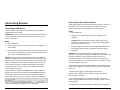
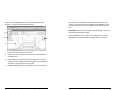
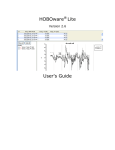
After you click the Plot button in the Plot Setup window, the data
appears in a graph along with other information.
Click the icons on the toolbar to experiment with the export, print,
viewing, and customization tools available within HOBOware. Pause
the pointer over each icon on the toolbar for a description of each
tool.
1
IMPORTANT: Make sure you change the launch settings to those you
prefer before deploying the logger.
2
See the HOBOware User’s Guide for more information on features
described in this guide and additional details about the software.
4
3
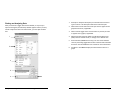
1.
Points Pane: Lists the data in table format.
2.
Details Pane: Lists information about the launch and summarizes
the deployment.
3.
Graph: Displays the data plotted. You should be able to see the
changes in sensor readings and state changes that you initiated in
Testing the Logger and Sensors in the graph.
4.
Legend: Displays the keys for each sensor, state, and event series.
Getting Started: Using HOBOware with HOBO Data Loggers
19
20
Getting Started: Using HOBOware with HOBO Data Loggers