1
Function
(13)
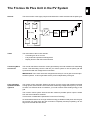
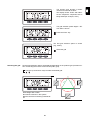
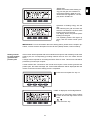
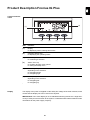
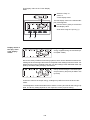
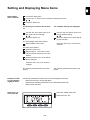
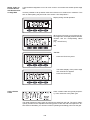
Output bar (not active during setup)
indicates the output power fed into the grid at a given moment - regardless of the
display mode chosen. The screen displays % of the maximum possible output
power of your solar inverter
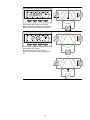
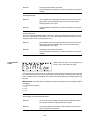
Operating Status
LED
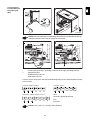
Position of Operating Status LED on the inverter
Depending on the operating status, the
Operating Status LED assumes different
colors:
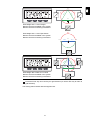
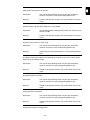
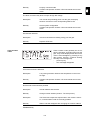
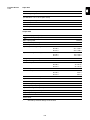
Operating Status LED Explanation
Steady green
The LED stays lit after the automatic startup phase of the inverter as long as power is being fed into the grid.
It indicates problem-free operation of the photovoltaic system.
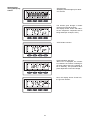
Flashing green
The photovoltaic system is working correctly, a status code is on
the display.
When a status code is shown, rectify the relevant condition by
going to the "Maintenance and Service" chapter, "Status Diagnosis and Troubleshooting" section. The status code can be acknowledged by pressing the "Enter" key.
Steady orange
The inverter enters an automatic startup phase as soon as the
solar modules are delivering sufficient power after sunrise.
Flashes orange
A warning is shown on the display
or
the inverter has been set to standby operation in the Setup
menu (= manual shutoff of operation).
The next day, operation will resume automatically.
During the time the LED flashes orange, operation can be resumed manually at any time (see section "The Setup Menu")
Steady red
General status: the respective status code is shown on the
screen
Remains dark
There is no connection to the solar modules,
no solar module power due to darkness.
A list of most status codes, the corresponding status information, their status causes and
repair measures can be found in the chapter "Troubleshooting and Maintenance," section
"Status Diagnosis and Troubleshooting."
91
u
Item





























































![FRONIUS IG US [42,0410,1089]](http://vs1.manualzilla.com/store/data/005774043_1-689bd6c2a055f0ab88c64924d7fd22c0-150x150.png)



![Fronius CL USA [42,0426,0083,ES]](http://vs1.manualzilla.com/store/data/006262852_1-672d90bb3e675bc576d120cb8e5948ee-150x150.png)